<feed xmlns="http://www.w3.org/2005/Atom">
  <title>The Blog of DO3EET</title>
  <link href="https://do3eet.pages.dev/atom.xml" rel="self"/>
  <link href="https://do3eet.pages.dev/"/>
  <updated>2026-04-03T23:33:18Z</updated>
  <id>https://do3eet.pages.dev/</id>
  <author>
    <name>Frank Tornack</name>
  </author>
  <generator uri="https://gohugo.io/" version="0.152.2">Hugo</generator>
  
  <entry>
    <title>Rückblick: Chemnitzer Linux-Tage 2026</title>
    <link href="https://do3eet.pages.dev/post/clt2026/"/>
    <id>https://do3eet.pages.dev/post/clt2026/</id>
    <updated>2026-03-31T21:00:00+02:00</updated>
    <published>2026-03-31T21:00:00+02:00</published>
    <content type="html"><![CDATA[<p>Die Chemnitzer Linux-Tage 2026 sind nun vorbei und es war wieder einmal ein fantastisches Wochenende voller Wissen, Austausch und Gemeinschaft.</p>
<p>In diesem Beitrag möchte ich meine Erlebnisse und Eindrücke Revue passieren lassen.</p>
<h2 id="freitag-27-märz">
  
  
  Freitag, 27. März
  
</h2>
<p>Meine Reise zu den diesjährigen Linux-Tagen begann am Freitagnachmittag. Pünktlich um 15:00 Uhr ging es in Grimma los. Die Fahrt führte mich über die Landstraßen via Colditz, Geithain und Narsdorf, bevor ich schließlich auf die A72 Richtung Chemnitz auffuhr.</p>
<iframe title="Road to CLT2026" width="560" height="315" src="https://tube.tchncs.de/videos/embed/beCGFiCtbdQ9xU5v8zqWjE?loop=1&autoplay=1&muted=1&title=0&warningTitle=0&peertubeLink=0&p2p=0" style="border: 0px;" allow="fullscreen" sandbox="allow-same-origin allow-scripts allow-popups allow-forms"></iframe>
<p>Mein erster Weg in Chemnitz führte mich direkt zum Hörsaalgebäude der TU. Dort angekommen, holte ich mir als erstes meinen Event-Ausweis ab – das offizielle Startsignal für ein langes und ereignisreiches Wochenende als Helfer und Aussteller.</p>
<p>Anschließend ging es zum Check-in ins Hotel. Kaum auf dem Zimmer angekommen, wurde natürlich erst einmal das wichtigste Equipment aufgebaut: Mein D-Star Hotspot und mein Funkgerät. Damit war ich auch in Chemnitz sofort wieder &ldquo;QRV&rdquo; und bereit für den Austausch auf den Bändern.</p>
<p>Lange hielt es mich aber nicht auf dem Zimmer, denn ab 18:30 Uhr stand die traditionelle Vorveranstaltung im <strong>Turmbrauhaus</strong> an. Wie jedes Jahr war das Treffen in der oberen Etage extrem gut besucht. Bei gutem Essen (die Speisekarte bietet ja zum Glück alles von Fleisch bis vegan) gab es die ersten intensiven Gespräche mit anderen Teilnehmern, die ebenfalls schon am Freitag angereist waren. Es ist der perfekte Auftakt, um sich in entspannter Atmosphäre auf die kommenden zwei Tage einzustimmen.</p>
<p>Ein herzliches Dankeschön geht an dieser Stelle an Silke für den tollen Post zur Einstimmung:</p>


                    <blockquote class="toot-blockquote" cite="https://mastodon.social@freiefunken/status/116193523212185171">
                        <div class="toot-header">
                            <a class="toot-profile" href="https://mastodon.social/@freiefunken" rel="noopener">
                                <img
                                    src="https://files.mastodon.social/accounts/avatars/107/410/856/905/107/301/original/c60ef40eed345ef9.jpg"
                                    alt="Mastodon avatar for @freiefunken@mastodon.social"
                                    loading="lazy"
                                />
                            </a>
                            <span class="toot-author">
                                <a class="toot-author-name" href="https://mastodon.social/@freiefunken" rel="noopener">Silke</a>
                                <a class="toot-author-handle" href="https://mastodon.social/@freiefunken" rel="noopener">@freiefunken@mastodon.social</a>
                            </span>
                        </div>
                        
                        <div class="sr-only">
                            Mastodon Post von User Silke (@freiefunken@mastodon.social)
                        </div>
                        <div class="toot-prompt" aria-hidden="true">
                            <span class="prompt-user">mastodon</span><span class="prompt-host">@mastodon.social</span><span class="prompt-separator">:</span><span class="prompt-dir">~</span><span class="prompt-char">$</span> cat toot.txt
                        </div>
                        <p>Du kommst zu den Chemnitzer Linuxtagen und reist auch schon am Freitag an?<br />Komm doch zum Abendessen ins Turmbrauhaus!</p><p>Wir sind in der oberen Etage im vorderen, den Fenstern zugewandten Bereich (nicht in der Mälzerstube).</p><p>Zeit: Freitag, dem 27. März 2026 ab 18:30 Uhr<br />Ort: Turmbrauhaus, Neumarkt 2, 09111 Chemnitz<br /><a href="https://www.openstreetmap.org/way/1014038458" target="_blank" rel="nofollow noopener" translate="no"><span class="invisible">https://www.</span><span class="ellipsis">openstreetmap.org/way/10140384</span><span class="invisible">58</span></a><br />Speisekarte (alles von Fleisch bis vegan): <a href="https://turmbrauhaus.de/wp-content/uploads/2025/11/2025_11_internet_karte.pdf" target="_blank" rel="nofollow noopener" translate="no"><span class="invisible">https://</span><span class="ellipsis">turmbrauhaus.de/wp-content/upl</span><span class="invisible">oads/2025/11/2025_11_internet_karte.pdf</span></a></p><p>Gerne boosten und weitersagen!</p><p><a href="https://mastodon.social/tags/CLT2026" class="mention hashtag" rel="tag">#<span>CLT2026</span></a> <a href="https://mastodon.social/tags/chemnitz" class="mention hashtag" rel="tag">#<span>chemnitz</span></a> <a href="https://mastodon.social/tags/linux" class="mention hashtag" rel="tag">#<span>linux</span></a> <a href="https://mastodon.social/tags/freesoftware" class="mention hashtag" rel="tag">#<span>freesoftware</span></a> <a href="https://mastodon.social/tags/turmbrauhaus" class="mention hashtag" rel="tag">#<span>turmbrauhaus</span></a></p>
                        
                        <div class="toot-footer">
                            <a href="https://mastodon.social/@freiefunken/116193523212185171" class="toot-date" rel="noopener">12:21 PM • März 8, 2026</a>&nbsp;<span class="pokey">(UTC)</span>
                        </div>
                    </blockquote>


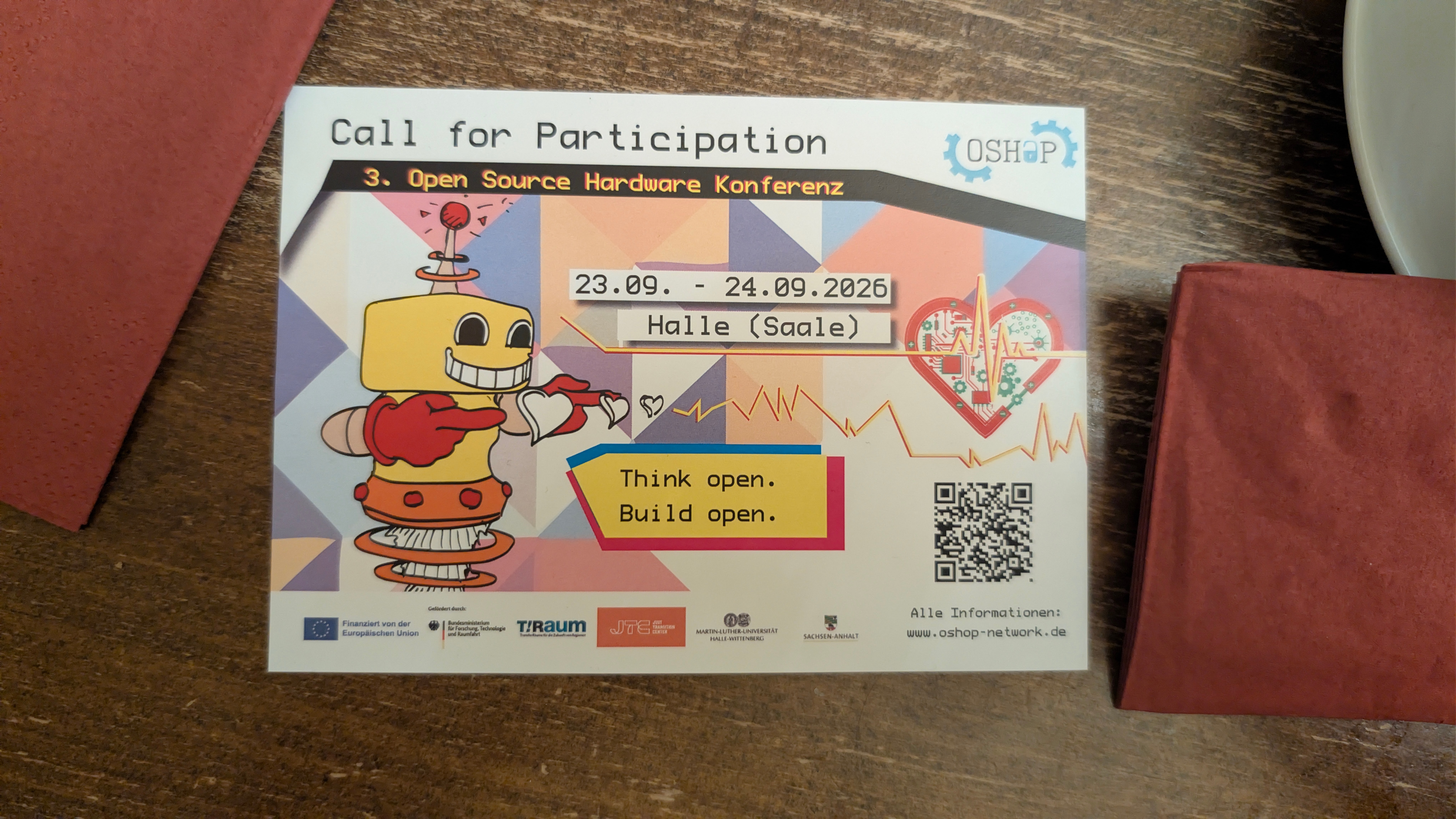
<p>Ein weiteres interessantes Fundstück des Abends war ein Flyer für die <strong>3. Open Source Hardware Konferenz (OSHap)</strong>, die vom 23. bis 24. September 2026 in Halle (Saale) stattfinden wird. Unter dem Motto „Think open. Build open.“ wird dort aktuell zur Teilnahme aufgerufen (Call for Participation). Da das Thema Open Source Hardware perfekt zu meinen Interessen passt (man denke an den Sharp PC-E500S oder RISC-V), überlege ich ernsthaft, im September auch in Halle dabei zu sein. Weitere Infos dazu gibt es unter <a href="https://www.oshop-network.de">www.oshop-network.de</a>.</p>
  
  <img src="https://do3eet-media.dreamofjapan.de/posts/CLT2026/EinladungHalle.jpg/EinladungHalle.jpg" alt="Flyer der OSHap 2026 in Halle" width="600" height="600" loading="lazy">
<h2 id="samstag-28-märz">
  
  
  Samstag, 28. März
  
</h2>
<p>Der erste volle Messetag war für mich besonders arbeitsintensiv, aber auch extrem spannend. In diesem Jahr war ich als ehrenamtlicher Helfer im <strong>VOC-Team</strong> (Video Operation Center) aktiv.</p>
<p>Meine Aufgabe bestand darin, die Livestreams der Vorträge live zu schneiden. Dabei jongliert man zwischen den verschiedenen Kameraeinstellungen und den Folien der Referenten, um sicherzustellen, dass die Zuschauer online dem Geschehen und dem Inhalt des Vortrags optimal folgen können.</p>
<p>Mein erster Einsatz an diesem Tag startete um 11:00 Uhr im Raum V6. Auf dem Plan stand ein hochaktuelles Thema: <strong>&ldquo;Die Kryptokalypse: Post-Quanten-Kryptographie und Open Source&rdquo;</strong>. In dem 60-minütigen Vortrag von Stefan Schumacher ging es um die massiven Herausforderungen, die Quantencomputer für unsere heutige Verschlüsselung bedeuten.</p>
<p>Hier eine kurze Zusammenfassung der wichtigsten Punkte:</p>
<ul>
<li><strong>Das Problem:</strong> Quantencomputer bedrohen durch Algorithmen wie <strong>Shor</strong> (bricht RSA und ECC) und <strong>Grover</strong> (halbiert das Sicherheitsniveau symmetrischer Verfahren wie AES) die Grundlage unserer digitalen Sicherheit.</li>
<li><strong>Die Lösung (PQC):</strong> Der NIST-Standardisierungsprozess hat bereits erste Gewinner hervorgebracht. Dazu gehören <strong>ML-KEM (Kyber)</strong> für den Schlüsselaustausch sowie <strong>ML-DSA (Dilithium)</strong> und <strong>SLH-DSA (Sphincs+)</strong> für digitale Signaturen.</li>
<li><strong>Open Source Vorreiter:</strong> Projekte wie <strong>Open Quantum Safe (OQS)</strong> spielen eine zentrale Rolle bei der Implementierung. Mit dem <code>oqsprovider</code> für OpenSSL lassen sich bereits heute hybride Verfahren nutzen, die klassische Kryptographie mit neuen Post-Quanten-Verfahren kombinieren.</li>
<li><strong>Handlungsempfehlung:</strong> Wir sollten schon heute auf <strong>Krypto-Agilität</strong> setzen, Hybridverfahren implementieren und ein &ldquo;Krypto-Kataster&rdquo; erstellen, um zu wissen, wo welche Verschlüsselung im Einsatz ist.</li>
</ul>
<p>Es war technisch anspruchsvoll, aber gerade deshalb eine spannende Herausforderung für den ersten Live-Schnitt des Tages.</p>
<p>Am Nachmittag, um 14:00 Uhr, ging es im Raum V5 weiter mit einem praktischen Thema für Netzwerk-Enthusiasten: <strong>&ldquo;Containerlab – RZ-Netzwerke im Lab simulieren&rdquo;</strong>. Robert Sander (Heinlein Consulting) gab einen tiefen Einblick in das mittlerweile fünf Jahre alte Projekt, das ursprünglich von Nokia gestartet wurde.</p>
<p>Besonders faszinierend an Containerlab ist die Möglichkeit, selbst komplexe Rechenzentrums-Strukturen ressourcensparend in Linux-Containern abzubilden. Da moderne Router-Hardware oft auf dem Linux-Kernel basiert, stellen viele Hersteller ihre Firmware direkt als Container-Images bereit. Für alles, was nicht nativ auf Linux läuft, können auch klassische VMs eingebunden werden. Für mich am Mischpult war es interessant zu sehen, wie schnell und effizient man heute ganze Topologien hoch- und herunterfahren kann, ohne einen Schrank voller Hardware zu benötigen.</p>
<p>Den Abschluss meines VOC-Dienstes an diesem Tag bildete um 15:00 Uhr (ebenfalls in Raum V5) der Vortrag <strong>&ldquo;bindzwirn: Linux Port-Berechtigungen per eBPF&rdquo;</strong> von Pluto.</p>
<p>Beim Self-Hosting, egal ob zuhause oder auf einem VPS, ist die Isolation von Diensten durch separate Unix-Accounts (z. B. in rootless Podman-Containern) Best Practice. Das Problem: Linux kennt nativ keine Berechtigungen für IP-Ports. Pluto präsentierte mit <a href="https://codeberg.org/bindzwirn/bindzwirn">bindzwirn</a> ein modernes Drop-in-Replacement für das in die Jahre gekommene <code>authbind</code>. Dank eBPF lässt sich der Zugriff auf bestimmte Ports gezielt auf bestimmte Accounts begrenzen, was Angriffe durch gekaperte Accounts effektiv unterbindet. Ein sehr spannendes Projekt, das zeigt, wie mächtig eBPF ist, um fehlende Kernel-Funktionalitäten elegant nachzurüsten. (Und ich habe mich währenddessen heimlich gefragt, ob Pluto eigentlich ein Fan von Neil deGrasse Tyson ist? 😉)</p>
<h3 id="der-gemütliche-ausklang-chemnitzer-catering-tage">
  
  
  Der gemütliche Ausklang: &ldquo;Chemnitzer Catering-Tage&rdquo;
  
</h3>
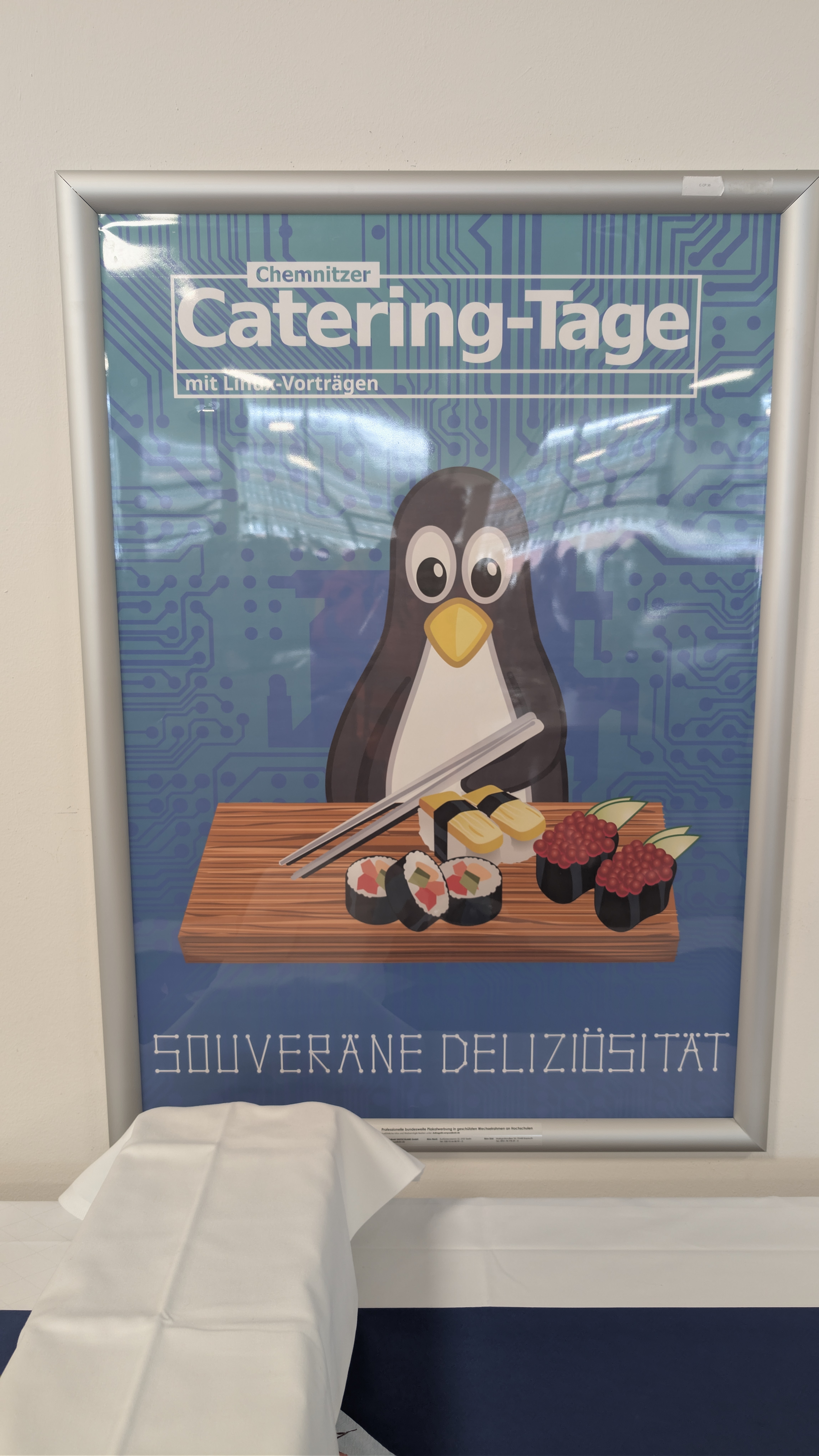
<p>Nach dem offiziellen Programm am Samstag gab es für alle Helfer, Vortragenden, Aussteller und Sponsoren noch eine leckere Abendveranstaltung. Wie jedes Jahr wurde hier gescherzt, dass die Veranstaltung eigentlich in &ldquo;Chemnitzer Catering-Tage&rdquo; umbenannt werden müsste – das Essen war einfach wieder hervorragend und bot den perfekten Rahmen für entspanntes Networking abseits des Messetrubels.</p>
  
  <img src="https://do3eet-media.dreamofjapan.de/posts/CLT2026/CCT.jpg/CCT.jpg" alt="Plakat der Chemnitzer Catering-Tage" width="600" height="600" loading="lazy">
<h2 id="ein-besonderes-highlight-hardware-rettung-über-nacht">
  
  
  Ein besonderes Highlight: Hardware-Rettung über Nacht
  
</h2>
<p>Zwischen den Messetagen gab es für mich noch ein ganz persönliches Erfolgserlebnis. Ich hatte meinen alten <strong>Sharp PC-E500S Pocket Computer</strong> dabei, dessen Display leider kaum noch Kontrast hatte und unschöne schwarze Balken zeigte – ein typisches Alterungsproblem der Kondensatoren.</p>
<p>Da ich mir die filigrane Reparatur selbst nicht zutraute, suchte ich Hilfe beim <strong>Lötworkshop</strong>. Ein unglaublich hilfsbereiter Teilnehmer (dessen Namen ich vor lauter Aufregung leider vergessen habe) bot mir an, sich das Gerät über Nacht anzuschauen.</p>
<p>Und tatsächlich: Er hat die beiden defekten 3,3μF SMD-Elkos (16V und 25V) gegen robuste Tantal-Kondensatoren ausgetauscht. Am nächsten Tag strahlte mich ein glasklares Display an! Ich freue mich riesig, denn mein Plan ist es, auf diesem Klassiker später ein <strong>Ham-Logbuch</strong> für den Amateurfunk laufen zu lassen. Ein riesiges Dankeschön an den unbekannten Retter!</p>
<h2 id="sonntag-29-märz">
  
  
  Sonntag, 29. März
  
</h2>
<p>Am Sonntag wechselte ich die Perspektive: Weg vom Mischpult des VOC-Teams und rauf auf die Bühne. Um 11:00 Uhr stand im Raum K2 die von mir organisierte <strong>Keysigning-Party</strong> auf dem Programm.</p>
<p>Es ist immer wieder beeindruckend zu sehen, wie viele Menschen sich für das Thema digitale Souveränität und Verschlüsselung begeistern. Mein Ziel war es, das <strong>Web of Trust</strong> zu stärken. Der Ablauf ist dabei so analog wie effektiv:</p>
<ol>
<li><strong>Abgleich der Hash-Summen:</strong> Zuerst stellten wir sicher, dass alle Teilnehmer die gleiche, aktuelle Schlüsselliste vorliegen hatten.</li>
<li><strong>Identitätsprüfung:</strong> In einer langen Reihe wurden Fingerprints verglichen und Identitäten mittels amtlicher Lichtbildausweise verifiziert.</li>
<li><strong>Vertrauen schaffen:</strong> Dieser persönliche Kontakt ist die Basis, um später am heimischen Rechner die Schlüssel der anderen Teilnehmer guten Gewissens digital zu unterschreiben.</li>
</ol>
<p>Als Organisator war es meine Aufgabe, durch den Prozess zu führen, Fragen zu GnuPG zu beantworten und sicherzustellen, dass alles reibungslos abläuft. Trotz der technischen Natur des Thema stand der menschliche Austausch im Vordergrund.</p>
<h3 id="ctf-challenge-mit-handicap">
  
  
  CTF-Challenge mit Handicap
  
</h3>
<p>Auch am Sonntag begleitete mich die <strong>CTF-Challenge der secunet Security Networks AG</strong>. Wie jedes Jahr war sie ein großes Highlight für mich, auch wenn die Herausforderung in diesem Jahr doppelt groß war: Ich hatte mit massiven Firmware-Problemen meines WLAN-Chips im Laptop zu kämpfen (die leider immer noch anhalten). Trotz dieses technischen Handicaps konnte ich einige Level erfolgreich lösen, auch wenn ich die Challenge dieses Mal nicht bis zum bitteren Ende abschließen konnte.</p>
<p>Hier ein kleiner Einblick in die technischen Nüsse, die es zu knacken galt:</p>
<ul>
<li><strong>Einstieg &amp; Hashing:</strong> Nach den ersten einfachen Schritten galt es, Passwörter aus Dateien zu extrahieren oder mittels veralteter Hash-Algorithmen (wie MD5) aus bereitgestellten Binärdaten zu berechnen.</li>
<li><strong>Archiv-Gymnastik:</strong> Ein Level forderte die Analyse eines Bzip2-Archivs, das nach der Dekomprimierung eine riesige, fast leere Datei enthielt. Die Lösung versteckte sich in einzelnen ASCII-Zeichen, die an weit verstreuten Offsets vergraben waren.</li>
<li><strong>Socket-Voodoo:</strong> Besonders spannend war der Zugriff auf einen Wireguard-Unix-Socket (<code>/var/run/wireguard/wg0.sock</code>). Durch gezielte Kommandos via <code>socat</code> konnte hier der Private Key extrahiert werden, der den Zugang zum nächsten Level ermöglichte.</li>
<li><strong>Metadaten-Forensik:</strong> In einem höheren Level mussten 64 Verzeichnisse auf ihre Zeitstempel (<code>Modify</code> vs. <code>Change</code> Zeit) untersucht werden. Nur durch den präzisen Abgleich der Metadaten ließen sich die richtigen Puzzleteile für das nächste Passwort zusammensetzen.</li>
<li><strong>SSH-Tricks:</strong> Zuletzt ging es um die Manipulation von SSH-Umgebungsvariablen (<code>SendEnv</code>), um die Shell-Beschränkungen zu umgehen.</li>
</ul>
<p>Der Sportsgeist zählt, und auch mit Handicap hat es wieder riesigen Spaß gemacht!</p>
<p>Nach der Party blieb ich noch bis zum offiziellen Ende der Veranstaltung. Pünktlich um 18:00 Uhr, als die Türen geschlossen wurden, trat ich dann mit vielen neuen Eindrücke im Gepäck den Heimweg an.</p>
<h2 id="fazit">
  
  
  Fazit
  
</h2>
<p>Es war schön, wieder in Chemnitz dabei gewesen zu sein! Neben all den Erlebnissen vor Ort gab es an diesem Wochenende auch eine größere technische Änderung an dieser Website: Alle Grafiken und Bilder sind von GitHub auf einen <strong>Cloudflare R2 Speicher</strong> umgezogen. Dieser Schritt war notwendig, da das Git-Repository durch die vielen Bilder schlicht zu groß wurde. Auch wenn sie dort nun ihr neues Zuhause haben, bin ich mir noch nicht ganz sicher, ob mit dem Caching und der S3-Anbindung alles schon so reibungslos funktioniert, wie ich mir das vorstelle. Da werde ich in den nächsten Tagen wohl noch ein wenig feintunen müssen.</p>
]]></content>
  </entry>
  
  <entry>
    <title>Offlinetags: Die 6 Privacy-Signale im Überblick</title>
    <link href="https://do3eet.pages.dev/post/offlinetags-ueberblick/"/>
    <id>https://do3eet.pages.dev/post/offlinetags-ueberblick/</id>
    <updated>2026-03-23T20:27:00+01:00</updated>
    <published>2026-03-23T20:27:00+01:00</published>
    <content type="html"><![CDATA[<div class="highlight"><pre tabindex="0" style="color:#f8f8f2;background-color:#272822;-moz-tab-size:4;-o-tab-size:4;tab-size:4;"><code class="language-bash" data-lang="bash"><span style="display:flex;"><span><span style="color:#f92672">[</span>frank@do3eet-terminal ~<span style="color:#f92672">]</span>$ cat /etc/privacy/offlinetags.conf
</span></span><span style="display:flex;"><span><span style="color:#75715e"># Consent Communication Protocol v2.0</span>
</span></span><span style="display:flex;"><span><span style="color:#75715e"># STATUS: ALL 6 TAGS ACTIVE</span>
</span></span></code></pre></div><p>Wer viel auf Barcamps, Hackathons oder Amateurfunk-Treffen unterwegs ist, kennt das Problem: Darf ich dieses Foto jetzt posten? Wer ist da im Hintergrund zu sehen? Und wie signalisiere ich selbst, was mit Bildern von mir passieren soll?</p>
<p>Genau hier setzen die <strong>Offlinetags</strong> an. Sie sind ein soziales Signal an Menschen – und gleichzeitig maschinenlesbare Marker für Algorithmen. Da ich heute einen <strong>Pull-Request</strong> eingereicht habe, um das Set auf <strong>6 Symbole</strong> zu erweitern, gibt es hier den Guide für alle Fotografen und Tag-Träger (inklusive der neuen Vorschläge).</p>
<hr>
<style>
  .ot-row {
    display: flex;
    align-items: flex-start;
    gap: 2rem;
    margin-bottom: 3rem;
  }
  .ot-tag {
    flex: 0 0 150px;
    text-align: center;
  }
  .ot-tag img {
    width: 150px;
    height: auto;
    border: 2px solid var(--terminal-border);
    border-radius: 8px;
    background: rgba(0, 0, 0, 0.2);
  }
  .ot-content {
    flex: 1;
  }
  .ot-content h3 {
    margin-top: 0 !important;
  }
  @media (max-width: 40rem) {
    .ot-row {
      flex-direction: column;
      align-items: center;
      text-align: center;
    }
    .ot-tag {
      flex: 0 0 auto;
    }
  }
</style>
<div class="ot-row">
  <div class="ot-tag">
    <img src="https://do3eet-media.dreamofjapan.de/posts/offlinetags-ueberblick/TagMe.svg" alt="Tag Me">
  </div>
  <div class="ot-content">
    <h3>1. Tag Me (Grün)</h3>
    <p><i>Das „Rundum-Sorglos-Paket“ für die digitale Verwertung.</i></p>
    <ul>
      <li><strong>Darf:</strong> Fotografieren, veröffentlichen, taggen und Gesichtserkennungsverfahren anwenden.</li>
      <li><strong>Sollte erfragen:</strong> Bei sehr sensiblen Kontexten kurz checken, ob eine spezifische Plattform (z.B. Facebook vs. Mastodon) okay ist.</li>
      <li><strong>Sein lassen:</strong> Eigentlich nichts – hier ist der Wunsch nach digitaler Sichtbarkeit klar formuliert.</li>
    </ul>
  </div>
</div>
<div class="ot-row">
  <div class="ot-tag">
    <img src="https://do3eet-media.dreamofjapan.de/posts/offlinetags-ueberblick/UploadMe.svg" alt="Upload Me">
  </div>
  <div class="ot-content">
    <h3>2. Upload Me (Gelb)</h3>
    <p><i>Veröffentlichung ja, Tracking nein.</i></p>
    <ul>
      <li><strong>Darf:</strong> Das Foto machen und es öffentlich ins Netz stellen.</li>
      <li><strong>Sollte erfragen:</strong> Falls man die Person doch namentlich erwähnen will (Credits), sollte man kurz nachhaken.</li>
      <li><strong>Sein lassen:</strong> Manuelles Tagging in sozialen Netzwerken oder das Anreichern mit Metadaten für die Gesichtserkennung.</li>
    </ul>
  </div>
</div>
<div class="ot-row">
  <div class="ot-tag">
    <img src="https://do3eet-media.dreamofjapan.de/posts/offlinetags-ueberblick/BlurMe.svg" alt="Blur Me">
  </div>
  <div class="ot-content">
    <h3>3. Blur Me (Blau)</h3>
    <p><i>Präsenz ja, Identität nein.</i></p>
    <ul>
      <li><strong>Darf:</strong> Die Person fotografieren, <strong>sofern</strong> sie vor der Veröffentlichung unkenntlich gemacht wird.</li>
      <li><strong>Sollte erfragen:</strong> Ob eine einfache Verpixelung reicht oder ob das Gesicht komplett „überklebt“ werden soll.</li>
      <li><strong>Sein lassen:</strong> Die Veröffentlichung des Originalbildes ohne Bearbeitung. Gesichtserkennungs-Algorithmen dürfen hier keinesfalls drüberlaufen.</li>
    </ul>
  </div>
</div>
<div class="ot-row">
  <div class="ot-tag">
    <img src="https://do3eet-media.dreamofjapan.de/posts/offlinetags-ueberblick/NoPhotos.svg" alt="No Photos">
  </div>
  <div class="ot-content">
    <h3>4. No Photos (Rot)</h3>
    <p><i>Die klare Grenze.</i></p>
    <ul>
      <li><strong>Darf:</strong> Die Kamera in eine andere Richtung schwenken.</li>
      <li><strong>Sollte erfragen:</strong> Nichts. Der Wunsch nach Privatsphäre ist absolut.</li>
      <li><strong>Sein lassen:</strong> Jede Aufnahme der Person. Auch keine „Rückenansichten“ oder „man sieht ja nur ein bisschen was“ – Respekt vor dem Wunsch steht an erster Stelle.</li>
    </ul>
  </div>
</div>
<hr>
<p><i>Neu (Vorschlag via Pull Request):</i></p>
<hr>
<div class="ot-row">
  <div class="ot-tag">
    <img src="https://do3eet-media.dreamofjapan.de/posts/offlinetags-ueberblick/NameMe.svg" alt="Name Me">
  </div>
  <div class="ot-content">
    <h3>5. Name Me (Violett)</h3>
    <p><i>Sichtbarkeit gegen Credits.</i></p>
    <ul>
      <li><strong>Darf:</strong> Fotografieren und veröffentlichen.</li>
      <li><strong>Sollte erfragen:</strong> Wie genau die Namensnennung erfolgen soll (Klarname, Rufzeichen oder Spitzname?).</li>
      <li><strong>Sein lassen:</strong> Die Veröffentlichung ohne eindeutige Urheber- oder Abgebildeten-Nennung. Hier ist der „Deal“: Bild gegen Ruhm!</li>
    </ul>
  </div>
</div>
<div class="ot-row">
  <div class="ot-tag">
    <img src="https://do3eet-media.dreamofjapan.de/posts/offlinetags-ueberblick/BlurScreen.svg" alt="Blur Screen">
  </div>
  <div class="ot-content">
    <h3>6. Blur Screen (Türkis)</h3>
    <p><i>Der neue Standard für Tech-Events.</i></p>
    <ul>
      <li><strong>Darf:</strong> Den Vordergrund (Personen, Hardware) fotografieren.</li>
      <li><strong>Sollte erfragen:</strong> Wenn man unsicher ist, ob ein Bildschirm im Hintergrund kritische Daten (Code, Passwörter, E-Mails) zeigt.</li>
      <li><strong>Sein lassen:</strong> Unzensierte Bildschirminhalte im Hintergrund mitveröffentlichen. Bevor das Bild online geht, muss jeder Monitor im Bildbereich unkenntlich gemacht werden.</li>
    </ul>
  </div>
</div>
<hr>
<p>Besonders hervorzuheben ist, dass das gesamte Projekt konsequent unter <a href="https://creativecommons.org/publicdomain/zero/1.0/deed.de">CC0 1.0 (Public Domain)</a> veröffentlicht wurde. Ich finde es hervorragend, dass diese Symbole und die zugrunde liegende Idee damit wirklich jedem bedingungslos zur Verfügung stehen – ohne rechtliche Hürden, ganz im Sinne des Gemeinwohls.</p>
<div class="highlight"><pre tabindex="0" style="color:#f8f8f2;background-color:#272822;-moz-tab-size:4;-o-tab-size:4;tab-size:4;"><code class="language-bash" data-lang="bash"><span style="display:flex;"><span><span style="color:#f92672">[</span>frank@do3eet-terminal ~<span style="color:#f92672">]</span>$ systemctl status privacy-awareness
</span></span><span style="display:flex;"><span>● privacy-awareness.service - Respect <span style="color:#66d9ef">for</span> Human Signals
</span></span><span style="display:flex;"><span>   Active: active <span style="color:#f92672">(</span>running<span style="color:#f92672">)</span> since Mon 2026-03-23 13:37:00 CET
</span></span></code></pre></div><p>Die Offlinetags sind ein mächtiges Werkzeug, um die Diskussion über digitale Privatsphäre aus der Theorie in die Praxis zu holen. Welchen Tag tragt ihr beim nächsten Event?</p>
<p>Haut in die Tasten (oder funkt mich an)!</p>
<p>Ich selbst werde die Tags <strong>Name Me</strong> und <strong>Blur Screen</strong> übrigens definitiv tragen, sobald ich eine gute Möglichkeit gefunden habe, diese als hochwertige Anstecker/Buttons herstellen zu lassen.</p>
<p>Und ganz ehrlich: Eigentlich bräuchte ich noch einen siebten Tag: <strong>„Kann mit Lob nicht umgehen“</strong>&hellip; ;)</p>
<hr>
<h3 id="-aufruf-teilnahme-an-wissenschaftlicher-umfrage">
  
  
  📝 Aufruf: Teilnahme an wissenschaftlicher Umfrage
  
</h3>
<p>Passend zum Thema gibt es aktuell eine spannende Online-Umfrage im Rahmen einer Zusammenarbeit der <strong>Universität Salzburg</strong> und der <strong>TU Chemnitz</strong>. Es geht dabei um die Kommunikation von Fotopräferenzen auf öffentlichen Veranstaltungen.</p>
<ul>
<li><strong>Ziel:</strong> Einstellungen zum Fotografieren/Fotografiert-werden und zur Kommunikation persönlicher Präferenzen verstehen.</li>
<li><strong>Zeitaufwand:</strong> ca. 5 Minuten.</li>
<li><strong>Anonymität:</strong> Die Umfrage ist komplett anonym.</li>
<li><strong>Frist:</strong> Teilnahmen sind bis zum <strong>28.03.2026</strong> möglich.</li>
</ul>
<p>Wenn ihr das Forschungsprojekt unterstützen wollt, findet ihr hier den Link:<br>
👉 <strong><a href="https://bildungsportal.sachsen.de/umfragen/limesurvey/index.php/232125?lang=de">Zur Umfrage (Limesurvey)</a></strong></p>
<p>Vielen Dank für eure Unterstützung!</p>
<div class="highlight"><pre tabindex="0" style="color:#f8f8f2;background-color:#272822;-moz-tab-size:4;-o-tab-size:4;tab-size:4;"><code class="language-bash" data-lang="bash"><span style="display:flex;"><span><span style="color:#f92672">[</span>frank@do3eet-terminal ~<span style="color:#f92672">]</span>$ logout
</span></span></code></pre></div>]]></content>
  </entry>
  
  <entry>
    <title>Cisco 3750G im Homelab: Ein steiniger Weg zu IOS 15.0</title>
    <link href="https://do3eet.pages.dev/post/ciscoswitchsetup/"/>
    <id>https://do3eet.pages.dev/post/ciscoswitchsetup/</id>
    <updated>2026-03-21T21:50:43+01:00</updated>
    <published>2026-03-21T21:50:43+01:00</published>
    <content type="html"><![CDATA[<p>Gebrauchte Enterprise-Hardware ist der Klassiker für jedes Homelab. Kürzlich ist mir ein <strong>Cisco WS-C3750G-24TS-S1U</strong> zugelaufen. Ein solider 24-Port Gigabit-Switch mit SFP-Uplinks und – was besonders spannend ist – Layer-3-Fähigkeiten. Doch die Inbetriebnahme hielt ein paar typische Cisco-Hürden bereit, besonders beim Thema Firmware-Updates und Speicherplatz.</p>
<h2 id="die-ausgangslage-ipbase-und-fehlende-kryptografie">
  
  
  Die Ausgangslage: IPBASE und fehlende Kryptografie
  
</h2>
<p>Nach dem ersten Booten über das Konsolenkabel zeigte ein <code>show version</code>:
<code>Cisco IOS Software, C3750 Software (C3750-IPBASE-M), Version 12.2(44)SE6</code></p>
<p>Das Kürzel <strong>IPBASE</strong> ist hier das Problem. Es ist das Einstiegs-Feature-Set von Cisco. Schlimmer noch: Ohne das &ldquo;K9&rdquo; im Namen fehlen jegliche kryptografischen Funktionen. Das bedeutet: Kein SSH für die Konsole und kein HTTPS für das Webinterface. In einem modernen Netzwerk ist das ein absolutes No-Go. Ein Versuch, HTTPS zu aktivieren, endete prompt im Fehler:</p>
<div class="highlight"><pre tabindex="0" style="color:#f8f8f2;background-color:#272822;-moz-tab-size:4;-o-tab-size:4;tab-size:4;"><code class="language-bash" data-lang="bash"><span style="display:flex;"><span>3750g<span style="color:#f92672">(</span>config<span style="color:#f92672">)</span><span style="color:#75715e">#ip http secure-server</span>
</span></span><span style="display:flex;"><span>                        ^
</span></span><span style="display:flex;"><span>% Invalid input detected at <span style="color:#e6db74">&#39;^&#39;</span> marker.
</span></span></code></pre></div><h2 id="der-update-marathon">
  
  
  Der Update-Marathon
  
</h2>
<p>Mein Ziel war die Version <strong>15.0(2)SE10</strong>, die letzte verfügbare Version für diese Hardware-Reihe. Da der Sprung von 12.2 IPBASE direkt auf 15.0 oft problematisch ist und ich die K9-Features brauchte, habe ich einen Zwischenschritt eingelegt.</p>
<h3 id="schritt-1-das-fundament-mit-12255-ipservicesk9">
  
  
  Schritt 1: Das Fundament mit 12.2(55) IPSERVICESK9
  
</h3>
<p>Zuerst habe ich ein Image der 12.2er Schiene mit dem <strong>IPSERVICESK9</strong>-Set eingespielt. Dieses Set schaltet die Layer-3-Features (Routing) und eben SSH/HTTPS frei. Da das Image nur als <code>.bin</code>-Datei vorlag, reichte ein einfaches <code>copy</code> von meinem lokalen HTTP-Server:</p>
<div class="highlight"><pre tabindex="0" style="color:#f8f8f2;background-color:#272822;-moz-tab-size:4;-o-tab-size:4;tab-size:4;"><code class="language-bash" data-lang="bash"><span style="display:flex;"><span>3750g#copy http://192.168.254.11:8080/c3750-ipservicesk9-mz.122-55.SE12.bin flash:
</span></span></code></pre></div><h3 id="schritt-2-der-kampf-um-jeden-megabyte-flash-limit">
  
  
  Schritt 2: Der Kampf um jeden Megabyte (Flash-Limit)
  
</h3>
<p>Der Cisco 3750G (non-E/X Modelle) hat ein hartes Limit von <strong>32 MB Flash-Speicher</strong>. Das ist für moderne IOS-Images extrem knapp. Die <code>.tar</code>-Datei für IOS 15.0, die neben dem Image auch die HTTP-Dateien für das Webinterface enthält, sprengt fast den Rahmen, wenn noch ein altes Image auf dem Flash liegt.</p>
<p>Bevor ich also das finale Update wagen konnte, musste ich das gerade erst installierte 12.2-Image wieder löschen, um Platz zu schaffen:</p>
<div class="highlight"><pre tabindex="0" style="color:#f8f8f2;background-color:#272822;-moz-tab-size:4;-o-tab-size:4;tab-size:4;"><code class="language-bash" data-lang="bash"><span style="display:flex;"><span>3750g#dir flash:
</span></span><span style="display:flex;"><span><span style="color:#75715e"># ... zeigt ca. 21 MB frei an, zu wenig für das 15.0er TAR (ca. 22 MB) ...</span>
</span></span><span style="display:flex;"><span>
</span></span><span style="display:flex;"><span>3750g#delete flash:/c3750-ipservicesk9-mz.122-55.SE12.bin
</span></span></code></pre></div><h3 id="schritt-3-der-sprung-auf-ios-150-mit-archive">
  
  
  Schritt 3: Der Sprung auf IOS 15.0 mit <code>archive</code>
  
</h3>
<p>Mit freiem Speicherplatz konnte ich nun den <code>archive</code>-Befehl nutzen. Dieser ist dem einfachen <code>copy</code> vorzuziehen, da er die <code>.tar</code>-Datei entpackt, alle Support-Files installiert und die Boot-Variable (<code>boot system</code>) korrekt setzt:</p>
<div class="highlight"><pre tabindex="0" style="color:#f8f8f2;background-color:#272822;-moz-tab-size:4;-o-tab-size:4;tab-size:4;"><code class="language-bash" data-lang="bash"><span style="display:flex;"><span>3750g#archive download-sw /overwrite /reload http://192.168.254.11:8080/c3750-ipservicesk9-tar.150-2.SE10.tar
</span></span></code></pre></div><p>Nach einem automatischen Reload meldete sich der Switch mit dem neuen System:
<code>Cisco IOS Software, C3750 Software (C3750-IPSERVICESK9-M), Version 15.0(2)SE10</code></p>
<h2 id="aufräumen-corporate-vlans-und-altlasten">
  
  
  Aufräumen: Corporate-VLANs und Altlasten
  
</h2>
<p>Der Switch stammte aus einer größeren Firmenumgebung. Ein <code>show vlan brief</code> zeigte eine lange Liste von VLANs (z.B. <code>VLAN_10_PROD</code>, <code>GUEST_NET</code> etc.). Da diese Informationen in der Datei <code>vlan.dat</code> im Flash gespeichert werden, überleben sie ein normales <code>erase startup-config</code>.</p>
<p>Um wirklich bei Null anzufangen, habe ich die VLAN-Datenbank manuell gelöscht:</p>
<div class="highlight"><pre tabindex="0" style="color:#f8f8f2;background-color:#272822;-moz-tab-size:4;-o-tab-size:4;tab-size:4;"><code class="language-bash" data-lang="bash"><span style="display:flex;"><span>3750g#delete flash:vlan.dat
</span></span><span style="display:flex;"><span>3750g#reload
</span></span></code></pre></div><h2 id="management-konfiguration-für-das-homelab">
  
  
  Management-Konfiguration für das Homelab
  
</h2>
<p>Nachdem der Switch nun &ldquo;sauber&rdquo; und aktuell war, folgten die Standard-Einstellungen:</p>
<ol>
<li><strong>Management-IP:</strong> Zuweisung einer IP im Vlan1 für den Zugriff.</li>
<li><strong>SNMP:</strong> Einrichtung für das Monitoring (z.B. mit LibreNMS). Wichtig: Zugriff nur über eine ACL erlauben!
<div class="highlight"><pre tabindex="0" style="color:#f8f8f2;background-color:#272822;-moz-tab-size:4;-o-tab-size:4;tab-size:4;"><code class="language-bash" data-lang="bash"><span style="display:flex;"><span>3750g<span style="color:#f92672">(</span>config<span style="color:#f92672">)</span><span style="color:#75715e">#access-list 10 permit 192.168.254.0 0.0.0.255</span>
</span></span><span style="display:flex;"><span>3750g<span style="color:#f92672">(</span>config<span style="color:#f92672">)</span><span style="color:#75715e">#snmp-server community geheim RW 10</span>
</span></span></code></pre></div></li>
<li><strong>EnergyWise:</strong> Da der Switch im Leerlauf ca. 94 Watt zieht, habe ich EnergyWise konfiguriert, um ungenutzte Ports in einen tieferen Power-Level zu versetzen.</li>
</ol>
<h2 id="pro-tips-für-das-homelab">
  
  
  Pro-Tips für das Homelab
  
</h2>
<p>Beim Einrichten eines Cisco-Switches für das eigene Lab gibt es drei oft übersehene Punkte, die über Frust oder Erfolg (und Sicherheit) entscheiden.</p>
<h3 id="1-drittanbieter-sfps-freischalten">
  
  
  1. Drittanbieter-SFPs freischalten
  
</h3>
<p>Cisco ist bekannt dafür, nur hauseigene SFP-Module zu akzeptieren. Steckt man ein günstiges Modul eines Drittanbieters (z. B. von FS.com) ein, wird der Port oft mit einer Fehlermeldung (&ldquo;err-disable&rdquo;) abgeschaltet. Mit zwei magischen Befehlen lässt sich diese Sperre aufheben:</p>
<div class="highlight"><pre tabindex="0" style="color:#f8f8f2;background-color:#272822;-moz-tab-size:4;-o-tab-size:4;tab-size:4;"><code class="language-bash" data-lang="bash"><span style="display:flex;"><span>3750g<span style="color:#f92672">(</span>config<span style="color:#f92672">)</span><span style="color:#75715e">#service unsupported-transceiver</span>
</span></span><span style="display:flex;"><span>3750g<span style="color:#f92672">(</span>config<span style="color:#f92672">)</span><span style="color:#75715e">#no errdisable detect cause gbic-invalid</span>
</span></span></code></pre></div><p><em>Hinweis: Cisco gibt hierbei eine Warnung aus, dass kein Support für fremde Hardware übernommen wird – im Homelab ist das jedoch meist zweitrangig.</em></p>
<h3 id="2-sicherheitslücke-schließen-smart-install-deaktivieren">
  
  
  2. Sicherheitslücke schließen: Smart Install deaktivieren
  
</h3>
<p>Ältere IOS-Versionen haben oft das &ldquo;Smart Install&rdquo;-Feature aktiviert. Dieses ist über die Jahre durch kritische Sicherheitslücken (z. B. CVE-2018-0171) aufgefallen, über die Angreifer volle Kontrolle über den Switch erlangen können. Da man dieses Feature im Homelab ohnehin nicht benötigt, sollte man es zwingend abschalten:</p>
<div class="highlight"><pre tabindex="0" style="color:#f8f8f2;background-color:#272822;-moz-tab-size:4;-o-tab-size:4;tab-size:4;"><code class="language-bash" data-lang="bash"><span style="display:flex;"><span>3750g<span style="color:#f92672">(</span>config<span style="color:#f92672">)</span><span style="color:#75715e">#no vstack</span>
</span></span></code></pre></div><h3 id="3-ipv6-unterstützung-aktivieren-sdm-templates">
  
  
  3. IPv6-Unterstützung aktivieren (SDM-Templates)
  
</h3>
<p>Ein oft übersehener Aspekt bei älteren Catalyst-Modellen ist das <strong>SDM (Switch Database Management)</strong>. Da der Hardware-Speicher (TCAM) begrenzt ist, muss man dem Switch sagen, wofür er ihn priorisiert nutzen soll. In der Standardeinstellung beherrscht der 3750G oft kein IPv6.</p>
<p>Um den Switch fit für die Zukunft (und das moderne Internet) zu machen, muss das SDM-Template umgestellt werden:</p>
<div class="highlight"><pre tabindex="0" style="color:#f8f8f2;background-color:#272822;-moz-tab-size:4;-o-tab-size:4;tab-size:4;"><code class="language-bash" data-lang="bash"><span style="display:flex;"><span>3750g<span style="color:#f92672">(</span>config<span style="color:#f92672">)</span><span style="color:#75715e">#sdm prefer dual-ipv4-and-ipv6 default</span>
</span></span></code></pre></div><p><strong>Wichtig:</strong> Diese Änderung wird erst nach einem Neustart (<code>reload</code>) wirksam! Nach dem Reboot kann man den Erfolg mit <code>show sdm prefer</code> und der Aktivierung von IPv6 auf einem Interface prüfen:</p>
<div class="highlight"><pre tabindex="0" style="color:#f8f8f2;background-color:#272822;-moz-tab-size:4;-o-tab-size:4;tab-size:4;"><code class="language-bash" data-lang="bash"><span style="display:flex;"><span>3750g#show sdm prefer
</span></span><span style="display:flex;"><span> The current template is <span style="color:#e6db74">&#34;desktop IPv4 and IPv6 default&#34;</span> template.
</span></span><span style="display:flex;"><span>
</span></span><span style="display:flex;"><span>3750g<span style="color:#f92672">(</span>config<span style="color:#f92672">)</span><span style="color:#75715e">#interface vlan 1</span>
</span></span><span style="display:flex;"><span>3750g<span style="color:#f92672">(</span>config-if<span style="color:#f92672">)</span><span style="color:#75715e">#ipv6 enable</span>
</span></span><span style="display:flex;"><span>
</span></span><span style="display:flex;"><span>3750g#show ipv6 interface brief
</span></span><span style="display:flex;"><span>Vlan1                      <span style="color:#f92672">[</span>up/up<span style="color:#f92672">]</span>
</span></span><span style="display:flex;"><span>    FE80::213:7FFF:FE59:E240  &lt;-- Link-Local Adresse ist da!
</span></span></code></pre></div><h3 id="4-boot-vorgang-beschleunigen-stack-priority">
  
  
  4. Boot-Vorgang beschleunigen (Stack-Priority)
  
</h3>
<p>Da der 3750G ein Stack-Switch ist, wartet er beim Booten standardmäßig eine gewisse Zeit auf die &ldquo;Stack Master Election&rdquo; (<code>Waiting for Stack Master Election...</code>). Da im Homelab meist nur ein Switch läuft, kann man diesen Prozess beschleunigen, indem man die Priorität auf den Maximalwert setzt:</p>
<div class="highlight"><pre tabindex="0" style="color:#f8f8f2;background-color:#272822;-moz-tab-size:4;-o-tab-size:4;tab-size:4;"><code class="language-bash" data-lang="bash"><span style="display:flex;"><span>3750g<span style="color:#f92672">(</span>config<span style="color:#f92672">)</span><span style="color:#75715e">#switch 1 priority 15</span>
</span></span><span style="display:flex;"><span>Changing the Switch Priority of Switch Number <span style="color:#ae81ff">1</span> to <span style="color:#ae81ff">15</span>
</span></span><span style="display:flex;"><span>Do you want to <span style="color:#66d9ef">continue</span>?<span style="color:#f92672">[</span>confirm<span style="color:#f92672">]</span>
</span></span><span style="display:flex;"><span>New Priority has been set successfully
</span></span></code></pre></div><h3 id="5-ssh-und-die-sache-mit-den-schlüsseln">
  
  
  5. SSH und die Sache mit den Schlüsseln
  
</h3>
<p>Damit SSH funktioniert, benötigt der Switch einen RSA-Schlüssel. Normalerweise erzeugt man diesen manuell mit <code>crypto key generate rsa</code>. In meiner Konfiguration war jedoch bereits ein selbstsignierter Trustpoint vorhanden:</p>
<div class="highlight"><pre tabindex="0" style="color:#f8f8f2;background-color:#272822;-moz-tab-size:4;-o-tab-size:4;tab-size:4;"><code class="language-text" data-lang="text"><span style="display:flex;"><span>crypto pki trustpoint TP-self-signed-&lt;ID&gt;
</span></span><span style="display:flex;"><span> enrollment selfsigned
</span></span><span style="display:flex;"><span> rsakeypair TP-self-signed-&lt;ID&gt;
</span></span></code></pre></div><p>Wenn SSH bei euch nicht direkt startet, obwohl <code>transport input ssh</code> gesetzt ist, hilft meist dieser Befehl (nachdem ein Hostname und ein Domain-Name gesetzt wurden):</p>
<div class="highlight"><pre tabindex="0" style="color:#f8f8f2;background-color:#272822;-moz-tab-size:4;-o-tab-size:4;tab-size:4;"><code class="language-bash" data-lang="bash"><span style="display:flex;"><span>3750g<span style="color:#f92672">(</span>config<span style="color:#f92672">)</span><span style="color:#75715e">#crypto key generate rsa</span>
</span></span></code></pre></div><p>Empfehlenswert ist hier eine Schlüssellänge von mindestens <strong>2048 Bit</strong>, um moderne SSH-Clients (wie aktuelle OpenSSH-Versionen) glücklich zu machen.</p>
<h3 id="6-ssh-verbindungsprobleme-lösen-legacy-kryptografie">
  
  
  6. SSH-Verbindungsprobleme lösen (Legacy-Kryptografie)
  
</h3>
<p>Wer versucht, sich von einem modernen Linux- oder macOS-System per SSH auf den Switch zu verbinden, wird oft mit Fehlermeldungen wie <code>no matching key exchange method found</code> oder <code>no matching host key type found</code> begrüßt. Das liegt daran, dass der SSH-Stack von IOS 15.0 aus heutiger Sicht veraltete (unsichere) Verfahren nutzt, die moderne Clients standardmäßig deaktiviert haben.</p>
<p>Um trotzdem reinzukommen, muss man dem SSH-Client explizit erlauben, diese alten Methoden zu nutzen:</p>
<div class="highlight"><pre tabindex="0" style="color:#f8f8f2;background-color:#272822;-moz-tab-size:4;-o-tab-size:4;tab-size:4;"><code class="language-bash" data-lang="bash"><span style="display:flex;"><span>ssh -oKexAlgorithms<span style="color:#f92672">=</span>+diffie-hellman-group14-sha1 <span style="color:#ae81ff">\
</span></span></span><span style="display:flex;"><span><span style="color:#ae81ff"></span>    -oHostKeyAlgorithms<span style="color:#f92672">=</span>+ssh-rsa <span style="color:#ae81ff">\
</span></span></span><span style="display:flex;"><span><span style="color:#ae81ff"></span>    -oCiphers<span style="color:#f92672">=</span>+aes256-cbc <span style="color:#ae81ff">\
</span></span></span><span style="display:flex;"><span><span style="color:#ae81ff"></span>    root@192.168.254.1
</span></span></code></pre></div><p>Alternativ kann man für den Switch einen Eintrag in der lokalen <code>~/.ssh/config</code> anlegen, um nicht jedes Mal diese Parameter tippen zu müssen:</p>
<div class="highlight"><pre tabindex="0" style="color:#f8f8f2;background-color:#272822;-moz-tab-size:4;-o-tab-size:4;tab-size:4;"><code class="language-text" data-lang="text"><span style="display:flex;"><span>Host 192.168.254.1
</span></span><span style="display:flex;"><span>    KexAlgorithms +diffie-hellman-group14-sha1
</span></span><span style="display:flex;"><span>    HostkeyAlgorithms +ssh-rsa
</span></span><span style="display:flex;"><span>    Ciphers +aes256-cbc
</span></span></code></pre></div><h3 id="7-der-antennen-analysator-für-netzwerkkabel-tdr">
  
  
  7. Der &ldquo;Antennen-Analysator&rdquo; für Netzwerkkabel (TDR)
  
</h3>
<p>Als Funkamateur (DO3EET) liebe ich Messgeräte. Wusstet ihr, dass der 3750G ein eingebautes TDR (Time Domain Reflectometry) Messgerät hat? Er kann elektrische Impulse durch das Kabel schicken, um die Länge zu messen oder Kabelbrüche zentimetergenau zu finden – und das während der Rechner noch am Kabel hängt!</p>
<p>Hier sind zwei Beispiele aus meinem Testlauf:</p>
<p><strong>Beispiel 1: Ein funktionierendes 1m Patchkabel (Port 1)</strong></p>
<div class="highlight"><pre tabindex="0" style="color:#f8f8f2;background-color:#272822;-moz-tab-size:4;-o-tab-size:4;tab-size:4;"><code class="language-bash" data-lang="bash"><span style="display:flex;"><span>3750g#show cable-diagnostics tdr interface gigabitEthernet 1/0/1
</span></span><span style="display:flex;"><span>Interface Speed Local pair Pair length        Remote pair Pair status
</span></span><span style="display:flex;"><span>--------- ----- ---------- ------------------ ----------- --------------------
</span></span><span style="display:flex;"><span>Gi1/0/1   1000M Pair A     <span style="color:#ae81ff">0</span>    +/- <span style="color:#ae81ff">4</span>  meters Pair A      Normal              
</span></span><span style="display:flex;"><span>                Pair B     <span style="color:#ae81ff">0</span>    +/- <span style="color:#ae81ff">4</span>  meters Pair B      Normal              
</span></span><span style="display:flex;"><span>                Pair C     <span style="color:#ae81ff">0</span>    +/- <span style="color:#ae81ff">4</span>  meters Pair C      Normal              
</span></span><span style="display:flex;"><span>                Pair D     <span style="color:#ae81ff">1</span>    +/- <span style="color:#ae81ff">4</span>  meters Pair D      Normal              
</span></span></code></pre></div><p><strong>Beispiel 2: Ein offenes, ca. 24m langes Verlegekabel (Port 3)</strong></p>
<div class="highlight"><pre tabindex="0" style="color:#f8f8f2;background-color:#272822;-moz-tab-size:4;-o-tab-size:4;tab-size:4;"><code class="language-bash" data-lang="bash"><span style="display:flex;"><span>3750g#show cable-diagnostics tdr interface gigabitEthernet 1/0/3
</span></span><span style="display:flex;"><span>Interface Speed Local pair Pair length        Remote pair Pair status
</span></span><span style="display:flex;"><span>--------- ----- ---------- ------------------ ----------- --------------------
</span></span><span style="display:flex;"><span>Gi1/0/3   auto  Pair A     <span style="color:#ae81ff">23</span>   +/- <span style="color:#ae81ff">4</span>  meters N/A         Open                
</span></span><span style="display:flex;"><span>                Pair B     <span style="color:#ae81ff">24</span>   +/- <span style="color:#ae81ff">4</span>  meters N/A         Open                
</span></span><span style="display:flex;"><span>                Pair C     <span style="color:#ae81ff">24</span>   +/- <span style="color:#ae81ff">4</span>  meters N/A         Open                
</span></span><span style="display:flex;"><span>                Pair D     <span style="color:#ae81ff">24</span>   +/- <span style="color:#ae81ff">4</span>  meters N/A         Open                
</span></span></code></pre></div><p><strong>Die Ergebnisse interpretieren:</strong></p>
<ul>
<li><strong>Pair status &ldquo;Normal&rdquo;:</strong> Alles bestens. Das Kabel ist an ein aktives Gerät angeschlossen.</li>
<li><strong>Pair status &ldquo;Open&rdquo;:</strong> Das Kabel hat am Ende keinen Abschluss (nicht eingesteckt).</li>
<li><strong>Pair length:</strong> Die &ldquo;1&rdquo; im ersten Beispiel zeigt ein sehr kurzes Kabel (~1m) an. Da die Hardware eine Messtoleranz von <code>+/- 4 meters</code> hat, werden Werte nahe Null oft als 0 oder 1 angezeigt. Im zweiten Beispiel sehen wir ein ca. 24 Meter langes Kabel, das irgendwo im Haus &ldquo;offen&rdquo; endet.</li>
<li><strong>Remote pair:</strong> Bei einer funktionierenden Verbindung (Normal) zeigt der Switch an, ob die Adernpaare auf der Gegenseite korrekt ankommen. <code>Pair A -&gt; Pair A</code> bedeutet: Kein Dreher im Kabel!</li>
</ul>
<p>Das Ergebnis bestätigt: Mein clean-lab ist messtechnisch voll unter Kontrolle!</p>
<h2 id="nerd-overkill-der-antennen-rechner-auf-dem-switch-tcl">
  
  
  Nerd-Overkill: Der Antennen-Rechner auf dem Switch (TCL)
  
</h2>
<p>Als Funkamateur sucht man immer nach Wegen, seine Hobbys zu verbinden. Da moderne Go-Binaries auf dem klassischen IOS nicht laufen, habe ich ein altes &ldquo;Hintertürchen&rdquo; genutzt: <strong>TCL (Tool Command Language)</strong>.</p>
<p>Ich habe meinen Python-Rechner für die <strong>Comet HFJ-350M Antenne</strong> nach TCL portiert und auf den Flash des Switches geladen. Jetzt kann ich direkt auf der Switch-Konsole meine Antenneneinstellungen berechnen – perfekt, wenn man gerade am Rack bastelt!</p>
<div class="highlight"><pre tabindex="0" style="color:#f8f8f2;background-color:#272822;-moz-tab-size:4;-o-tab-size:4;tab-size:4;"><code class="language-bash" data-lang="bash"><span style="display:flex;"><span>3750g#tclsh flash:hfj350.tcl
</span></span><span style="display:flex;"><span><span style="color:#f92672">===</span> Comet HFJ-350M Calculator <span style="color:#f92672">(</span>Cisco Edition<span style="color:#f92672">)</span> <span style="color:#f92672">===</span>
</span></span><span style="display:flex;"><span>Band <span style="color:#f92672">(</span>e.g. 40m<span style="color:#f92672">)</span> or Freq <span style="color:#f92672">(</span>MHz<span style="color:#f92672">)</span>: 7.1
</span></span><span style="display:flex;"><span>
</span></span><span style="display:flex;"><span>--- Configuration <span style="color:#66d9ef">for</span> 40m ---
</span></span><span style="display:flex;"><span>Coil:   Basis <span style="color:#f92672">(</span>Keine Zusatzspule<span style="color:#f92672">)</span>
</span></span><span style="display:flex;"><span>Jumper: Kein
</span></span><span style="display:flex;"><span>Std Len <span style="color:#f92672">(</span>7.0 MHz<span style="color:#f92672">)</span>: <span style="color:#ae81ff">960</span> mm
</span></span><span style="display:flex;"><span>Calc Len <span style="color:#f92672">(</span>7.1 MHz<span style="color:#f92672">)</span>: <span style="color:#ae81ff">920</span> mm
</span></span></code></pre></div><p>IT-Infrastruktur trifft Amateurfunk – mehr Homelab-Feeling geht nicht! Vielleicht ist das ja sogar der Grundstein für ein HAM-Net auf dem 10m Band? 📡🌐🛰️</p>
<p>Für alle, die es nachbauen wollen, hier der vollständige TCL-Code:</p>
<div class="highlight"><pre tabindex="0" style="color:#f8f8f2;background-color:#272822;-moz-tab-size:4;-o-tab-size:4;tab-size:4;"><code class="language-tcl" data-lang="tcl"><span style="display:flex;"><span><span style="color:#75715e"># Comet HFJ-350M Antennen-Rechner für Cisco IOS
</span></span></span><span style="display:flex;"><span><span style="color:#75715e"># Author: DO3EET
</span></span></span><span style="display:flex;"><span><span style="color:#75715e">
</span></span></span><span style="display:flex;"><span><span style="color:#75715e"></span><span style="color:#66d9ef">set</span> antenna_data <span style="color:#66d9ef">{</span>
</span></span><span style="display:flex;"><span>    <span style="color:#66d9ef">{</span>band <span style="color:#e6db74">&#34;160m&#34;</span> low <span style="color:#ae81ff">1.8</span> high <span style="color:#ae81ff">2.0</span> std <span style="color:#ae81ff">1.8</span> coil <span style="color:#e6db74">&#34;Basis + 3.5 Spule + 1.8 Spule&#34;</span> jumper <span style="color:#e6db74">&#34;Kein&#34;</span> len <span style="color:#ae81ff">1170</span> change <span style="color:#ae81ff">7</span><span style="color:#66d9ef">}</span>
</span></span><span style="display:flex;"><span>    <span style="color:#66d9ef">{</span>band <span style="color:#e6db74">&#34;80m&#34;</span>  low <span style="color:#ae81ff">3.5</span> high <span style="color:#ae81ff">3.8</span> std <span style="color:#ae81ff">3.5</span> coil <span style="color:#e6db74">&#34;Basis + 3.5 Spule&#34;</span> jumper <span style="color:#e6db74">&#34;Kein&#34;</span> len <span style="color:#ae81ff">910</span> change <span style="color:#ae81ff">20</span><span style="color:#66d9ef">}</span>
</span></span><span style="display:flex;"><span>    <span style="color:#66d9ef">{</span>band <span style="color:#e6db74">&#34;40m&#34;</span>  low <span style="color:#ae81ff">7.0</span> high <span style="color:#ae81ff">7.2</span> std <span style="color:#ae81ff">7.0</span> coil <span style="color:#e6db74">&#34;Basis (Keine Zusatzspule)&#34;</span> jumper <span style="color:#e6db74">&#34;Kein&#34;</span> len <span style="color:#ae81ff">960</span> change <span style="color:#ae81ff">25</span><span style="color:#66d9ef">}</span>
</span></span><span style="display:flex;"><span>    <span style="color:#66d9ef">{</span>band <span style="color:#e6db74">&#34;30m&#34;</span>  low <span style="color:#ae81ff">10.1</span> high <span style="color:#ae81ff">10.15</span> std <span style="color:#ae81ff">10.1</span> coil <span style="color:#e6db74">&#34;Basis&#34;</span> jumper <span style="color:#e6db74">&#34;Terminal 1&#34;</span> len <span style="color:#ae81ff">990</span> change <span style="color:#ae81ff">40</span><span style="color:#66d9ef">}</span>
</span></span><span style="display:flex;"><span>    <span style="color:#66d9ef">{</span>band <span style="color:#e6db74">&#34;20m&#34;</span>  low <span style="color:#ae81ff">14.0</span> high <span style="color:#ae81ff">14.35</span> std <span style="color:#ae81ff">14.0</span> coil <span style="color:#e6db74">&#34;Basis&#34;</span> jumper <span style="color:#e6db74">&#34;Terminal 2&#34;</span> len <span style="color:#ae81ff">800</span> change <span style="color:#ae81ff">60</span><span style="color:#66d9ef">}</span>
</span></span><span style="display:flex;"><span>    <span style="color:#66d9ef">{</span>band <span style="color:#e6db74">&#34;17m&#34;</span>  low <span style="color:#ae81ff">18.068</span> high <span style="color:#ae81ff">18.168</span> std <span style="color:#ae81ff">18.0</span> coil <span style="color:#e6db74">&#34;Basis&#34;</span> jumper <span style="color:#e6db74">&#34;Terminal 3 (oder 2)&#34;</span> len <span style="color:#ae81ff">1070</span> change <span style="color:#ae81ff">50</span><span style="color:#66d9ef">}</span>
</span></span><span style="display:flex;"><span>    <span style="color:#66d9ef">{</span>band <span style="color:#e6db74">&#34;15m&#34;</span>  low <span style="color:#ae81ff">21.0</span> high <span style="color:#ae81ff">21.45</span> std <span style="color:#ae81ff">21.0</span> coil <span style="color:#e6db74">&#34;Basis&#34;</span> jumper <span style="color:#e6db74">&#34;Terminal 3&#34;</span> len <span style="color:#ae81ff">750</span> change <span style="color:#ae81ff">80</span><span style="color:#66d9ef">}</span>
</span></span><span style="display:flex;"><span>    <span style="color:#66d9ef">{</span>band <span style="color:#e6db74">&#34;12m&#34;</span>  low <span style="color:#ae81ff">24.89</span> high <span style="color:#ae81ff">24.99</span> std <span style="color:#ae81ff">24.9</span> coil <span style="color:#e6db74">&#34;Basis&#34;</span> jumper <span style="color:#e6db74">&#34;Terminal 3&#34;</span> len <span style="color:#ae81ff">530</span> change <span style="color:#ae81ff">100</span><span style="color:#66d9ef">}</span>
</span></span><span style="display:flex;"><span>    <span style="color:#66d9ef">{</span>band <span style="color:#e6db74">&#34;10m&#34;</span>  low <span style="color:#ae81ff">28.0</span> high <span style="color:#ae81ff">29.7</span> std <span style="color:#ae81ff">28.5</span> coil <span style="color:#e6db74">&#34;Basis&#34;</span> jumper <span style="color:#e6db74">&#34;Terminal 4&#34;</span> len <span style="color:#ae81ff">1000</span> change <span style="color:#ae81ff">120</span><span style="color:#66d9ef">}</span>
</span></span><span style="display:flex;"><span>    <span style="color:#66d9ef">{</span>band <span style="color:#e6db74">&#34;6m&#34;</span>   low <span style="color:#ae81ff">50.0</span> high <span style="color:#ae81ff">52.0</span> std <span style="color:#ae81ff">51.0</span> coil <span style="color:#e6db74">&#34;Basis&#34;</span> jumper <span style="color:#e6db74">&#34;Terminal 5&#34;</span> len <span style="color:#ae81ff">950</span> change <span style="color:#ae81ff">100</span><span style="color:#66d9ef">}</span>
</span></span><span style="display:flex;"><span><span style="color:#66d9ef">}</span>
</span></span><span style="display:flex;"><span>
</span></span><span style="display:flex;"><span>puts <span style="color:#e6db74">&#34;=== Comet HFJ-350M Calculator (Cisco Edition) ===&#34;</span>
</span></span><span style="display:flex;"><span>puts <span style="color:#e6db74">&#34;Type &#39;exit&#39; to quit.&#34;</span>
</span></span><span style="display:flex;"><span>
</span></span><span style="display:flex;"><span><span style="color:#66d9ef">while</span> <span style="color:#66d9ef">{</span>1<span style="color:#66d9ef">}</span> <span style="color:#66d9ef">{</span>
</span></span><span style="display:flex;"><span>    puts <span style="color:#f92672">-</span>nonewline <span style="color:#e6db74">&#34;Band (e.g. 40m) or Freq (MHz): &#34;</span>
</span></span><span style="display:flex;"><span>    flush stdout
</span></span><span style="display:flex;"><span>    <span style="color:#66d9ef">set</span> input <span style="color:#66d9ef">[</span>string trim <span style="color:#66d9ef">[</span>gets stdin<span style="color:#66d9ef">]]</span>
</span></span><span style="display:flex;"><span>    <span style="color:#66d9ef">if</span> <span style="color:#66d9ef">{</span>$input <span style="color:#f92672">==</span> <span style="color:#e6db74">&#34;exit&#34;</span> <span style="color:#f92672">||</span> $input <span style="color:#f92672">==</span> <span style="color:#e6db74">&#34;q&#34;</span><span style="color:#66d9ef">}</span> break
</span></span><span style="display:flex;"><span>    <span style="color:#66d9ef">if</span> <span style="color:#66d9ef">{</span>$input <span style="color:#f92672">==</span> <span style="color:#e6db74">&#34;&#34;</span><span style="color:#66d9ef">}</span> continue
</span></span><span style="display:flex;"><span>    
</span></span><span style="display:flex;"><span>    <span style="color:#66d9ef">set</span> found <span style="color:#ae81ff">0</span>
</span></span><span style="display:flex;"><span>    <span style="color:#66d9ef">foreach</span> item $antenna_data <span style="color:#66d9ef">{</span>
</span></span><span style="display:flex;"><span>        <span style="color:#66d9ef">array</span> set d $item
</span></span><span style="display:flex;"><span>        <span style="color:#66d9ef">set</span> clean_band <span style="color:#66d9ef">[</span>string map <span style="color:#66d9ef">{</span>m <span style="color:#e6db74">&#34;&#34;</span><span style="color:#66d9ef">}</span> $d<span style="color:#66d9ef">(</span>band<span style="color:#66d9ef">)]</span>
</span></span><span style="display:flex;"><span>        <span style="color:#66d9ef">set</span> is_freq <span style="color:#66d9ef">[</span>string is double <span style="color:#f92672">-</span>strict $input<span style="color:#66d9ef">]</span>
</span></span><span style="display:flex;"><span>        
</span></span><span style="display:flex;"><span>        <span style="color:#66d9ef">if</span> <span style="color:#66d9ef">{</span>$input <span style="color:#f92672">==</span> $d<span style="color:#66d9ef">(</span>band<span style="color:#66d9ef">)</span> <span style="color:#f92672">||</span> $input <span style="color:#f92672">==</span> $clean_band <span style="color:#f92672">||</span> <span style="color:#66d9ef">(</span>$is_freq <span style="color:#f92672">&amp;&amp;</span> $input <span style="color:#f92672">&gt;=</span> $d<span style="color:#66d9ef">(</span>low<span style="color:#66d9ef">)</span> <span style="color:#f92672">&amp;&amp;</span> $input <span style="color:#f92672">&lt;=</span> $d<span style="color:#66d9ef">(</span>high<span style="color:#66d9ef">))}</span> <span style="color:#66d9ef">{</span>
</span></span><span style="display:flex;"><span>            puts <span style="color:#e6db74">&#34;\n--- Configuration for $d(band) ---&#34;</span>
</span></span><span style="display:flex;"><span>            puts <span style="color:#e6db74">&#34;Coil:   $d(coil)&#34;</span>
</span></span><span style="display:flex;"><span>            puts <span style="color:#e6db74">&#34;Jumper: $d(jumper)&#34;</span>
</span></span><span style="display:flex;"><span>            puts <span style="color:#e6db74">&#34;Std Len ($d(std) MHz): $d(len) mm&#34;</span>
</span></span><span style="display:flex;"><span>            
</span></span><span style="display:flex;"><span>            <span style="color:#66d9ef">if</span> <span style="color:#66d9ef">{</span>$is_freq <span style="color:#f92672">&amp;&amp;</span> $input <span style="color:#f92672">!=</span> $d<span style="color:#66d9ef">(</span>std<span style="color:#66d9ef">)}</span> <span style="color:#66d9ef">{</span>
</span></span><span style="display:flex;"><span>                <span style="color:#66d9ef">set</span> diff_khz <span style="color:#66d9ef">[expr</span> <span style="color:#66d9ef">{(</span>$input - $d<span style="color:#66d9ef">(</span>std<span style="color:#66d9ef">))</span> <span style="color:#f92672">*</span> 1000.0<span style="color:#66d9ef">}]</span>
</span></span><span style="display:flex;"><span>                <span style="color:#66d9ef">set</span> calc_len <span style="color:#66d9ef">[expr</span> <span style="color:#66d9ef">{</span>round<span style="color:#66d9ef">(</span>$d<span style="color:#66d9ef">(</span>len<span style="color:#66d9ef">)</span> - <span style="color:#66d9ef">((</span>$diff_khz <span style="color:#f92672">/</span> $d<span style="color:#66d9ef">(</span>change<span style="color:#66d9ef">))</span> <span style="color:#f92672">*</span> 10.0<span style="color:#66d9ef">))}]</span>
</span></span><span style="display:flex;"><span>                puts <span style="color:#e6db74">&#34;Calc Len ($input MHz): $calc_len mm&#34;</span>
</span></span><span style="display:flex;"><span>            <span style="color:#66d9ef">}</span>
</span></span><span style="display:flex;"><span>            puts <span style="color:#e6db74">&#34;&#34;</span>
</span></span><span style="display:flex;"><span>            <span style="color:#66d9ef">set</span> found <span style="color:#ae81ff">1</span>
</span></span><span style="display:flex;"><span>            <span style="color:#66d9ef">break</span>
</span></span><span style="display:flex;"><span>        <span style="color:#66d9ef">}</span>
</span></span><span style="display:flex;"><span>    <span style="color:#66d9ef">}</span>
</span></span><span style="display:flex;"><span>    <span style="color:#66d9ef">if</span> <span style="color:#66d9ef">{</span><span style="color:#f92672">!</span>$found<span style="color:#66d9ef">}</span> <span style="color:#66d9ef">{</span> puts <span style="color:#e6db74">&#34;No data found for &#39;$input&#39;\n&#34;</span> <span style="color:#66d9ef">}</span>
</span></span><span style="display:flex;"><span><span style="color:#66d9ef">}</span>
</span></span></code></pre></div><h2 id="der-finale-touch-ein-login-banner">
  
  
  Der finale Touch: Ein Login-Banner
  
</h2>
<p>Um die Einrichtung abzurunden und dem Switch eine persönliche Note zu verleihen, habe ich noch einen Login-Banner (Message of the Day) konfiguriert. Das sieht nicht nur professionell aus, sondern ist in Firmenumgebungen oft auch rechtlich vorgeschrieben.</p>
<div class="highlight"><pre tabindex="0" style="color:#f8f8f2;background-color:#272822;-moz-tab-size:4;-o-tab-size:4;tab-size:4;"><code class="language-bash" data-lang="bash"><span style="display:flex;"><span>3750g<span style="color:#f92672">(</span>config<span style="color:#f92672">)</span><span style="color:#75715e">#banner motd #</span>
</span></span><span style="display:flex;"><span>**************************************************************************
</span></span><span style="display:flex;"><span>*                                                                        *
</span></span><span style="display:flex;"><span>*   DO3EET Clean-Lab | Cisco 3750G                                       *
</span></span><span style="display:flex;"><span>*                                                                        *
</span></span><span style="display:flex;"><span>*   Authorized Access Only!                                              *
</span></span><span style="display:flex;"><span>*                                                                        *
</span></span><span style="display:flex;"><span>**************************************************************************
</span></span><span style="display:flex;"><span><span style="color:#75715e">#</span>
</span></span></code></pre></div><h2 id="hardware-check-ist-das-gerät-fit">
  
  
  Hardware-Check: Ist das Gerät fit?
  
</h2>
<p>Nach der ganzen Software-Arbeit wollte ich wissen, wie es um die physische Gesundheit des gebrauchten Switches steht. Ein Blick in den <code>show tech-support</code> (oder gezielte <code>show</code>-Befehle) lieferte beruhigende Werte:</p>
<ul>
<li><strong>Temperatur:</strong> Mit <strong>34°C</strong> (<code>System Temperature State: GREEN</code>) bleibt das Gerät im Leerlauf angenehm kühl.</li>
<li><strong>Lüfter:</strong> Ein kurzes <code>FAN is OK</code> im Log bestätigt, dass die Kühlung ordnungsgemäß funktioniert – bei gebrauchten Enterprise-Geräten oft ein kritischer Punkt (Stichwort: Lagerschaden).</li>
<li><strong>Herzstück:</strong> Im Inneren werkelt ein <strong>PowerPC 405</strong> Prozessor. Für heutige Verhältnisse fast schon antik, aber für Layer-3-Switching in Hardware immer noch absolut ausreichend.</li>
<li><strong>Selbsttest:</strong> Alle <code>POST</code> (Power-On Self-Test) Routinen, inklusive des PortASIC-Speichers, meldeten ein sauberes <code>Passed</code>.</li>
</ul>
<h2 id="die-finale-running-config">
  
  
  Die finale running-config
  
</h2>
<p>Hier ist ein Auszug der aktuellen Konfiguration (Passwörter und Secrets wurden maskiert). Diese zeigt alle besprochenen Einstellungen im Zusammenspiel:</p>
<div class="highlight"><pre tabindex="0" style="color:#f8f8f2;background-color:#272822;-moz-tab-size:4;-o-tab-size:4;tab-size:4;"><code class="language-text" data-lang="text"><span style="display:flex;"><span>Current configuration : 6798 bytes
</span></span><span style="display:flex;"><span>!
</span></span><span style="display:flex;"><span>version 15.0
</span></span><span style="display:flex;"><span>no service pad
</span></span><span style="display:flex;"><span>service timestamps debug datetime msec
</span></span><span style="display:flex;"><span>service timestamps log datetime msec
</span></span><span style="display:flex;"><span>no service password-encryption
</span></span><span style="display:flex;"><span>service unsupported-transceiver
</span></span><span style="display:flex;"><span>!
</span></span><span style="display:flex;"><span>hostname 3750g
</span></span><span style="display:flex;"><span>!
</span></span><span style="display:flex;"><span>enable secret 5 &lt;ENCRYPTED&gt;
</span></span><span style="display:flex;"><span>enable password &lt;PASSWORD&gt;
</span></span><span style="display:flex;"><span>!
</span></span><span style="display:flex;"><span>username root privilege 15 secret 5 &lt;ENCRYPTED&gt;
</span></span><span style="display:flex;"><span>vtp domain clean-lab
</span></span><span style="display:flex;"><span>vtp mode transparent
</span></span><span style="display:flex;"><span>sdm prefer dual-ipv4-and-ipv6 default
</span></span><span style="display:flex;"><span>ip domain-name do3eet-clab.internal
</span></span><span style="display:flex;"><span>!
</span></span><span style="display:flex;"><span>ip dhcp excluded-address 192.168.254.1 192.168.254.10
</span></span><span style="display:flex;"><span>!
</span></span><span style="display:flex;"><span>ip dhcp pool MGMT_POOL
</span></span><span style="display:flex;"><span> network 192.168.254.0 255.255.255.0
</span></span><span style="display:flex;"><span> default-router 192.168.254.1 
</span></span><span style="display:flex;"><span> dns-server 8.8.8.8 1.1.1.1 
</span></span><span style="display:flex;"><span>!
</span></span><span style="display:flex;"><span>energywise domain MyLab security shared-secret 0 &lt;PASSWORD&gt;
</span></span><span style="display:flex;"><span>!
</span></span><span style="display:flex;"><span>crypto pki trustpoint TP-self-signed-&lt;ID&gt;
</span></span><span style="display:flex;"><span> enrollment selfsigned
</span></span><span style="display:flex;"><span> subject-name cn=IOS-Self-Signed-Certificate-&lt;ID&gt;
</span></span><span style="display:flex;"><span> rsakeypair TP-self-signed-&lt;ID&gt;
</span></span><span style="display:flex;"><span>!
</span></span><span style="display:flex;"><span>crypto pki certificate chain TP-self-signed-&lt;ID&gt;
</span></span><span style="display:flex;"><span> certificate self-signed 01
</span></span><span style="display:flex;"><span>  &lt;CERTIFICATE_DATA_MASKED&gt;
</span></span><span style="display:flex;"><span>quit
</span></span><span style="display:flex;"><span>!
</span></span><span style="display:flex;"><span>no errdisable detect cause gbic-invalid
</span></span><span style="display:flex;"><span>spanning-tree mode pvst
</span></span><span style="display:flex;"><span>spanning-tree extend system-id
</span></span><span style="display:flex;"><span>!
</span></span><span style="display:flex;"><span>interface GigabitEthernet1/0/1
</span></span><span style="display:flex;"><span> description MANAGEMENT_PORT
</span></span><span style="display:flex;"><span> switchport mode access
</span></span><span style="display:flex;"><span> spanning-tree portfast
</span></span><span style="display:flex;"><span>!
</span></span><span style="display:flex;"><span>interface GigabitEthernet1/0/2
</span></span><span style="display:flex;"><span> description DISABLED_FOR_SECURITY
</span></span><span style="display:flex;"><span> shutdown
</span></span><span style="display:flex;"><span> energywise level 0
</span></span><span style="display:flex;"><span>!
</span></span><span style="display:flex;"><span>! ... Interfaces 3 bis 27 analog konfiguriert ...
</span></span><span style="display:flex;"><span>!
</span></span><span style="display:flex;"><span>interface GigabitEthernet1/0/28
</span></span><span style="display:flex;"><span> description DISABLED_FOR_SECURITY
</span></span><span style="display:flex;"><span> shutdown
</span></span><span style="display:flex;"><span> energywise level 0
</span></span><span style="display:flex;"><span>!
</span></span><span style="display:flex;"><span>interface Vlan1
</span></span><span style="display:flex;"><span> ip address 192.168.254.1 255.255.255.0
</span></span><span style="display:flex;"><span> no ip route-cache
</span></span><span style="display:flex;"><span> ipv6 enable
</span></span><span style="display:flex;"><span>!
</span></span><span style="display:flex;"><span>ip http server
</span></span><span style="display:flex;"><span>ip http authentication local
</span></span><span style="display:flex;"><span>ip http secure-server
</span></span><span style="display:flex;"><span>!
</span></span><span style="display:flex;"><span>access-list 10 permit 192.168.254.0 0.0.0.255
</span></span><span style="display:flex;"><span>!
</span></span><span style="display:flex;"><span>snmp-server community &lt;SECRET&gt;
</span></span><span style="display:flex;"><span>snmp-server location 3750g
</span></span><span style="display:flex;"><span>snmp-server contact DO3EET
</span></span><span style="display:flex;"><span>!
</span></span><span style="display:flex;"><span>no vstack
</span></span><span style="display:flex;"><span>banner motd ^C
</span></span><span style="display:flex;"><span>**************************************************************************
</span></span><span style="display:flex;"><span>*                                                                        *
</span></span><span style="display:flex;"><span>*   DO3EET Clean-Lab | Cisco 3750G                                       *
</span></span><span style="display:flex;"><span>*                                                                        *
</span></span><span style="display:flex;"><span>*   Authorized Access Only!                                              *
</span></span><span style="display:flex;"><span>*                                                                        *
</span></span><span style="display:flex;"><span>**************************************************************************
</span></span><span style="display:flex;"><span>^C
</span></span><span style="display:flex;"><span>!
</span></span><span style="display:flex;"><span>line con 0
</span></span><span style="display:flex;"><span>line vty 0 15
</span></span><span style="display:flex;"><span> login local
</span></span><span style="display:flex;"><span> transport input ssh
</span></span><span style="display:flex;"><span>!
</span></span><span style="display:flex;"><span>end
</span></span></code></pre></div><h2 id="fazit">
  
  
  Fazit
  
</h2>
<p>Der Cisco 3750G ist trotz seines Alters ein hervorragendes Gerät für das Homelab, wenn man günstig an Layer-3-Features kommen möchte. Man muss jedoch den Firmware-Pfad genau planen, da der begrenzte Flash-Speicher kaum Fehler verzeiht. Mit SSH und IOS 15 ist das Gerät nun bereit für moderne Netzwerktasks.</p>
]]></content>
  </entry>
  
  <entry>
    <title>🧩 OpenHAMClock AddOns: Mehr als nur eine Uhr</title>
    <link href="https://do3eet.pages.dev/post/openhamclock-contributions/"/>
    <id>https://do3eet.pages.dev/post/openhamclock-contributions/</id>
    <updated>2026-03-20T22:50:00+01:00</updated>
    <published>2026-03-20T22:50:00+01:00</published>
    <content type="html"><![CDATA[<p>In der Welt des Amateurfunks ist Information alles. Wer <strong>OpenHAMClock</strong> nutzt, schätzt bereits die übersichtliche Darstellung von Zeit, Wetter und Ausbreitungsbedingungen. Doch als Informatiker konnte ich es nicht lassen: Ich wollte mehr Interaktivität und Automatisierung.</p>
<p>In den letzten Wochen habe ich intensiv an einer Reihe von <strong>AddOns</strong> und Dokumentationen gearbeitet, um die OpenHAMClock zu einer echten Schaltzentrale für den Shack zu erweitern.</p>
<h2 id="meine-beiträge-im-überblick">
  
  
  Meine Beiträge im Überblick
  
</h2>
<p>Alle meine Beiträge basieren auf dem Konzept von <strong>Userscripts</strong> (z.B. für Tampermonkey). Das ermöglicht es, Funktionen direkt in die Weboberfläche zu integrieren, ohne den Kern-Code der Uhr verändern zu müssen.</p>
<h3 id="1-aprs-auto-position">
  
  
  1. APRS Auto-Position
  
</h3>
<p>Für portable Operator (SOTA/POTA) oder Mobil-Stationen ist dieses AddOn ein Game-Changer. Es verfolgt eine bestimmte SSID über die <code>aprs.fi</code> API und aktualisiert die Position der Uhr automatisch.</p>
<ul>
<li><strong>Intelligentes Update:</strong> Die Position wird nur aktualisiert, wenn man sich mehr als 50 Meter bewegt hat.</li>
<li><strong>Nahtlose Integration:</strong> Sobald sich der Standort ändert, berechnet die Uhr alle Pfade und Kartenansichten neu.</li>
</ul>
<h3 id="2-aprs-newsfeed-posteingang">
  
  
  2. APRS Newsfeed (Posteingang)
  
</h3>
<p>Wer möchte nicht über neue APRS-Nachrichten informiert werden, ohne ständig auf das Handfunkgerät schauen zu müssen?</p>
<ul>
<li>Zeigt die 10 neuesten Nachrichten direkt im UI an.</li>
<li>Ein dezenter roter Badge signalisiert neue Eingänge.</li>
<li>Unterstützt Deutsch, Englisch und Japanisch.</li>
</ul>
<h3 id="3-hfj-350m-antennen-rechner-von-der-konsole-ins-web">
  
  
  3. HFJ-350M Antennen-Rechner: Von der Konsole ins Web
  
</h3>
<p>Die <strong>Comet HFJ-350M</strong> ist eine fantastische portable Mehrband-Antenne, aber das manuelle Abgleichen der Teleskop-Länge anhand von Tabellen kann im Feld mühsam sein.</p>
<p>Die Idee für dieses AddOn kam mir durch mein eigenständiges Python-Tool <a href="https://github.com/frankenstein91/Comet-HFJ-350M-Toy-Box">Comet-HFJ-350M-Toy-Box</a>. Ursprünglich als CLI-Tool (Command Line Interface) konzipiert, ermöglichte es mir bereits am Terminal, blitzschnell die richtigen Einstellungen für jede Frequenz zu berechnen. Da ich die OpenHAMClock jedoch ständig als zentrales Display im Blick habe, war der nächste logische Schritt die Portierung dieser Logik in ein grafisches AddOn.</p>
<p>Mein Web-Rechner übernimmt nun die ganze Arbeit:</p>
<ul>
<li><strong>Präzision:</strong> Berechnet die exakte Länge in Millimetern für jede Frequenz von 160m bis 6m.</li>
<li><strong>Visualisierung:</strong> Zeigt die benötigten Spulen-Kombinationen und Jumper-Settings direkt im Dashboard an.</li>
<li><strong>Feintuning:</strong> Inklusive Informationen zur Empfindlichkeit (kHz/cm), um das SWR mit minimalem Aufwand perfekt zu treffen.</li>
</ul>
<h2 id="die-infrastruktur-für-die-community">
  
  
  Die Infrastruktur für die Community
  
</h2>
<p>Neben den funktionalen Tools war es mir wichtig, dass auch andere Entwickler leicht eigene Ideen umsetzen können. Daher habe ich zwei grundlegende Guides verfasst:</p>
<ul>
<li><strong>AddOn Development Guide:</strong> Ein Standard für die Integration eigener Tools. Ich habe eine &ldquo;AddOn Drawer&rdquo; Logik (🧩-Icon) implementiert, damit verschiedene AddOns sauber nebeneinander existieren können, ohne das Design zu stören.</li>
<li><strong>Self-Hosting Guide:</strong> Eine Anleitung für alle, die ihre OpenHAMClock (und die AddOns) auf eigener Hardware wie einem Raspberry Pi oder in Docker betreiben wollen. Hier gehe ich besonders auf Sicherheitsaspekte bei API-Keys ein.</li>
</ul>
<h2 id="fazit">
  
  
  Fazit
  
</h2>
<p>Open Source lebt vom Mitmachen. Was als kleines Python-Experiment für die Konsole begann, ist nun ein fester Bestandteil meines Shack-Dashboards geworden. Durch die AddOn-Schnittstelle ist die OpenHAMClock nun deutlich flexibler geworden. Ich bin gespannt, welche Ideen die Community als nächstes umsetzt!</p>
<p>Schaut euch den Code gern auf GitHub an: <a href="https://github.com/frankenstein91/openhamclock/tree/main/AddOns">frankenstein91/openhamclock</a></p>
<p>73 de DO3EET</p>]]></content>
  </entry>
  
  <entry>
    <title>System-Log: Redesign erfolgreich auf die Produktivumgebung ausgerollt</title>
    <link href="https://do3eet.pages.dev/post/redesign-2026/"/>
    <id>https://do3eet.pages.dev/post/redesign-2026/</id>
    <updated>2026-03-20T22:45:00+01:00</updated>
    <published>2026-03-20T22:45:00+01:00</published>
    <content type="html"><![CDATA[<div class="highlight"><pre tabindex="0" style="color:#f8f8f2;background-color:#272822;-moz-tab-size:4;-o-tab-size:4;tab-size:4;"><code class="language-bash" data-lang="bash"><span style="display:flex;"><span><span style="color:#f92672">[</span>frank@do3eet-terminal ~<span style="color:#f92672">]</span>$ git checkout redesign
</span></span><span style="display:flex;"><span><span style="color:#f92672">[</span>frank@do3eet-terminal ~<span style="color:#f92672">]</span>$ git merge master
</span></span><span style="display:flex;"><span><span style="color:#f92672">[</span>frank@do3eet-terminal ~<span style="color:#f92672">]</span>$ deploy --force-coolness
</span></span></code></pre></div><p>Falls ihr euch beim Laden der Seite kurz gefragt habt, ob ihr versehentlich per SSH auf einem Mainframe aus den 90ern gelandet seid: <strong>Keine Sorge, das ist volle Absicht!</strong></p>
<p>Ich habe die letzten Tage damit verbracht, meiner digitalen Heimat einen komplett neuen Anstrich zu verpassen. Weg von &ldquo;Standard-Webseite&rdquo;, hin zu einem Design, das meine Leidenschaften widerspiegelt: Linux, Technik und ein ordentlicher Schuss Science-Fiction.</p>
<h2 id="was-ist-neu-im-terminal">
  
  
  Was ist neu im Terminal?
  
</h2>
<h3 id="1-die-matrix-hat-dich-und-deinen-browser">
  
  
  1. Die Matrix hat dich (und deinen Browser)
  
</h3>
<p>Das neue Design setzt voll auf <strong>Matrix-Grün auf Tokyo-Night-Blau</strong>. Es gibt jetzt subtile Scanlines, einen blinkenden Cursor und ein Layout, das sich wie ein Verzeichnisbaum (<code>tree</code>) anfühlt.</p>
<p>Besonderes technisches Schmankerl: Schaut mal oben in den Header des Terminal-Fensters. Dort wird euch ein dynamischer Prompt angezeigt, der erkennt, welchen Browser ihr nutzt (z.B. <code>[Firefox@do3eet.pages.dev /var/www]#</code>). Ein kleines clientseitiges JavaScript macht es möglich – natürlich völlig lokal und ohne Datenspeicherung.</p>
<h3 id="2-die-große-inventur-tag-cleanup">
  
  
  2. Die große Inventur (Tag-Cleanup)
  
</h3>
<p>Ich muss gestehen: Meine Schlagworte (Tags) waren über die Zeit etwas&hellip; unordentlich. Ich habe aufgeräumt!</p>
<ul>
<li>Viele kleinteilige Tags wurden konsolidiert (z.B. alles rund um Messenger, Netzwerk oder Kulinarik).</li>
<li>Die neue Kategorie <strong>&ldquo;Hobby&rdquo;</strong> ist jetzt prall gefüllt mit meinen Bastelprojekten – vom USB-C-Löten am Weihnachtsstern bis zum QMK-Firmware-Abenteuer meiner Tastatur.</li>
</ul>
<h3 id="3-digitale-schätze-und-easter-eggs">
  
  
  3. Digitale Schätze und Easter-Eggs
  
</h3>
<p>Ich konnte es nicht lassen, ein paar kleine Überraschungen einzubauen:</p>
<ul>
<li><strong>Achievement Unlocked:</strong> Wer die Seite länger als 5 Minuten offen lässt (vielleicht beim gemütlichen Lesen eines Japan-Berichts?), erhält eine kleine Hommage an alte Röhrenmonitore. Nein, euer Bildschirm geht nicht kaputt, es ist nur ein &ldquo;simulierter Burn-In&rdquo;.</li>
<li><strong>The Ark of Truth:</strong> Stargate-Fans sollten mal ganz nach unten scrollen&hellip; aber Vorsicht, <em>Origin</em> ist die Quelle der Wahrheit.</li>
</ul>
<h2 id="warum-das-ganze">
  
  
  Warum das Ganze?
  
</h2>
<p>Als Informatiker und Funkamateur verbringe ich viel Zeit in Terminals. Warum also sollte mein Blog anders aussehen? Die neue Optik ist schneller, fokussierter und bietet trotzdem genug Platz für meine Reisebilder aus Hokkaido oder Tokyo.</p>
<p>Wie gefällt euch der neue Look? Schreibt mir einen Kommentar (oder funkt mich an) – ich bin gespannt auf euer Feedback!</p>
<div class="highlight"><pre tabindex="0" style="color:#f8f8f2;background-color:#272822;-moz-tab-size:4;-o-tab-size:4;tab-size:4;"><code class="language-bash" data-lang="bash"><span style="display:flex;"><span><span style="color:#f92672">[</span>frank@do3eet-terminal ~<span style="color:#f92672">]</span>$ exit
</span></span><span style="display:flex;"><span>logout
</span></span><span style="display:flex;"><span>Connection to do3eet.pages.dev closed.
</span></span></code></pre></div>]]></content>
  </entry>
  
  <entry>
    <title>Weihnachten im hohen Norden: Otaru, Sapporo und der Blick in den Abgrund</title>
    <link href="https://do3eet.pages.dev/post/otaruundsapporo/"/>
    <id>https://do3eet.pages.dev/post/otaruundsapporo/</id>
    <updated>2025-12-30T15:04:01+09:00</updated>
    <published>2025-12-30T15:04:01+09:00</published>
    <content type="html"><![CDATA[<p>Weihnachten in Japan ist bekanntlich ein kulturelles Kuriosum, eher ein Fest für verliebte Paare, die durch Lichtertunnel flanieren, und für Familien, die sich um Eimer voller frittiertem Hühnchen scharen, als für besinnliche Stille oder religiöse Einkehr. Doch wer diesem kommerziellen Trubel entfliehen will – oder ihn zumindest gegen eine authentische Kulisse aus meterhohem Schnee und greifbarer Geschichte tauschen möchte – den zieht es unweigerlich nach Norden, nach Hokkaido.</p>
<p>Vom 24. bis zum 26. Dezember 2025 verbrachte ich meine Feiertage in der nostalgischen Hafenstadt Otaru, bevor mich der Zug weiter in die pulsierende Metropole Sapporo trug. Es war keine bloße Sightseeing-Tour, sondern eine Reise der extremen Kontraste: zwischen spiritueller Ruhe in verschneiten (feuchten) Schreinen und dem fast schon körperlichen Kampf im touristischen Chaos um eine Dampfuhr; zwischen Aussichten, die man sich in eisiger Kälte hart erarbeiten musste, und Momenten stiller Ehrfurcht vor der Pioniergeschichte der Insel.</p>
<h1 id="otaru-hafenromantik-und-der-kampf-um-die-uhrzeit">
  
  
  Otaru: Hafenromantik und der Kampf um die Uhrzeit
  
</h1>
<p>Meine Ankunft in Otaru am Heiligabend wurde von der erwarteten Kälte und der rauen, ungeschminkten Schönheit des Hafens begleitet. Der Otaru-Kanal und der Hafenbereich, einst das geschäftige Herz des Heringshandels, haben im Winter eine ganz eigene Atmosphäre. Die alten Lagerhäuser aus Stein, die sich im dunklen Wasser spiegeln, erzählen von einer Zeit, als hier das Geld so locker saß wie der Schnee auf den Dächern. Spaziert man hier abseits der Hauptrouten entlang, wenn der Wind vom Meer herüberweht und einem Eiskristalle ins Gesicht treibt, spürt man die Geschichte der Stadt viel deutlicher und ehrlicher als in den polierten, warm beleuchteten Souvenirshops der Sakaimachi-Straße, wo sich alles nur um Käsekuchen und Glaswaren dreht.</p>
  
  <img src="https://do3eet-media.dreamofjapan.de/PXL_20251225_082209678.jpg" alt="nostalgische Hafenstadt Otaru" width="1000" height="1000" loading="lazy">
<p>Natürlich gehört der Besuch der berühmten Otaru Steam Clock zum absoluten Pflichtprogramm eines jeden Besuchers. Doch genau hier zeigte sich die hässliche Fratze des globalen Übertourismus, der auch vor der abgelegenen Insel Hokkaido nicht Halt macht. Die Uhr selbst, ein Geschenk der kanadischen Partnerstadt Vancouver, ist ein faszinierendes Stück Technik, das alle xx Minuten pfeifend Dampf ablässt und eine Melodie spielt. Doch die Magie dieses viktorianischen Charmes ging leider im rücksichtslosen Gedränge unter.</p>
<p>Horden asiatischer Touristen, denen das Konzept von Höflichkeit, Warteschlangen oder persönlichem Freiraum völlig fremd zu sein schien, machten das Bestaunen der Dampfpfeifen eher zu einer Geduldsprobe als zu einem Genuss. Man wurde geschubst, Selfiesticks bohrten sich fast in die Nase, und der Moment, in dem die Uhr ihre Melodie spielte, wurde von lautem Geschnatter und Rufen übertönt. Es war der Moment, in dem man sich fragt, ob man Teil des Problems ist oder nur ein unschuldiger Zuschauer in einem absurden Theaterstück.</p>
  
  <img src="https://do3eet-media.dreamofjapan.de/PXL_20251225_025904160_exported_37800.jpg" alt="Die Dampfuhr von Otaru im Belagerungszustand" width="1000" height="1000" loading="lazy">
<p>Einen heilsamen, fast schon therapeutischen Kontrast dazu boten meine Besuche der Schreine. Der Suitengu Shrine, majestätisch auf einer steilen Anhöhe gelegen, bot nicht nur spirituelle Einkehr, sondern auch einen wunderbaren, unverstellten Blick über den Hafen – und das weitab vom Lärm und den süßen Düften der Einkaufsstraße. Hier oben war der Schnee unberührt, die Luft klar, und das einzige Geräusch war das Knirschen unter meinen eigenen Stiefeln.
Bevor ich am 26. Dezember endgültig in den Zug nach Sapporo stieg, stattete ich noch dem Sumiyoshijinja einen Besuch ab. Es war der perfekte Abschied von Otaru: Die Stille des Schreins, dessen rote Torii im tiefen Weiß des Schnees fast unwirklich leuchteten, ließ den Stress der Menschenmassen vergessen. Es war ein Moment des &ldquo;Reset&rdquo;, der mich mental reinigte und auf die Hektik der Großstadt vorbereitete.</p>
  
  <img src="https://do3eet-media.dreamofjapan.de/PXL_20251225_021911373.jpg" alt="Stille im Sumiyoshijinja im Schnee" width="1000" height="1000" loading="lazy">
<h1 id="sapporo-hoch-hinaus-und-tief-blicken">
  
  
  Sapporo: Hoch hinaus (und tief blicken)
  
</h1>
<p>Die Zugfahrt von Otaru nach Sapporo ist kurz, kaum 40 Minuten, aber sie markiert den drastischen Wechsel von der historischen, fast dörflichen Hafenstadt in die moderne, schachbrettartig angelegte Metropole des Nordens. Der Zug schlängelt sich dabei zeitweise direkt an der Küste entlang, wo die Wellen fast bis an die Gleise schlagen – ein spektakuläres Panorama. In Sapporo angekommen, ging es für mich hoch hinaus – und zwar mehrfach, um die Stadt aus der Vogelperspektive zu begreifen.</p>
<p>Der Sapporo TV Tower am Ende des Odori Parks bietet den klassischen Blick auf die zentrale Achse der Stadt. Besonders im Winter, wenn der Park unter einer dicken Schneedecke liegt und die &ldquo;White Illumination&rdquo; die Bäume in ein Lichtermeer verwandelt, ist der Ausblick kitschig-schön. Doch die wahre Ikone der Aussichtsplattformen in Sapporo, der Ort, den man gesehen haben muss, ist der JR Tower.</p>
<p>Die Aussicht vom 38. Stockwerk (&ldquo;T38&rdquo;) ist spektakulär, keine Frage – man sieht bis zu den Bergen und über die unendliche Weite der urbanen Landschaft. Aber sein wir ehrlich: Das eigentliche Highlight, über das in gedämpftem Ton gesprochen wird, ist für die männlichen Besucher das wohl berühmteste Pissoir Japans. Es wurde von den Architekten bewusst an der Glasfront platziert. Es gibt etwas surreal Befreiendes, fast schon Machtvolles daran, seine Notdurft zu verrichten, während man aus bodentiefen Fenstern direkt auf die Millionenstadt hinabblickt, die wie ein Ameisenhaufen unter einem liegt. Design trifft hier auf&hellip; nun ja, Erleichterung. Es ist ein stiller Dialog zwischen Mensch und Metropole, intim und öffentlich zugleich.</p>
  
  <img src="https://do3eet-media.dreamofjapan.de/PXL_20251227_091816309.jpg" alt="Das berühmte Panorama-Pissoir im JR Tower" width="1000" height="1000" loading="lazy">
<p>Weniger Glück hatte ich zunächst mit meinem Ausflug zur Mount Moiwa Ropeway. Mein Plan war klassisch romantisch: Hinauffahren, dann genießen. Die Realität war jedoch eine graue, undurchdringliche Wand aus Nebel und Schneetreiben. Weder Sonne noch Sterne, nur eine schlechte Aussicht und ein wolkenverhangener Himmel, der die Stadt verschluckte. Ich stand in der Kälte und fragte mich, warum ich dafür bezahlt hatte. Doch Geduld zahlt sich aus – später klarte es etwas auf, der Wind riss Löcher in die Wolkendecke und der Berg gab zumindest einen atmosphärischen, teilweisen Überblick über das weiße Sapporo frei. Es war nicht das perfekte Postkartenmotiv, das man sich erhofft, aber vielleicht gerade deswegen eine ehrlichere Erinnerung an die Unberechenbarkeit des nordischen Winters.</p>
  
  <img src="https://do3eet-media.dreamofjapan.de/PXL_20251227_053618752.jpg" alt="Wolkenverhangener Blick vom Mount Moiwa" width="1000" height="1000" loading="lazy">
<h1 id="eintauchen-in-die-geschichte-hokkaidos">
  
  
  Eintauchen in die Geschichte Hokkaidos
  
</h1>
<p>Abseits der Aussichtstürme und Konsumtempel widmete ich mich auch der tiefgründigen und oft harten Geschichte dieser Insel. Ein Besuch im Hokkaido Museum und im Historical Village of Hokkaido (Kaitaku-no Mura) ist fast schon Pflicht, wenn man verstehen will, wie aus der wilden, unbarmherzigen Grenze des Nordens das heutige Hokkaido wurde.</p>
<p>Das Historical Village, ein Freilichtmuseum mit über 50 versetzten historischen Gebäuden, ist besonders im Winter eindrucksvoll. Die alten Holzhäuser, vom kleinen Polizeiposten bis zum prächtigen Herrenhaus, stehen dort im hohen Schnee wie Geister einer vergangenen Epoche. Wenn man durch die verschneiten Straßen läuft, vorbei an den Pferdeschlitten, die noch immer ihre Runden drehen, wandert man buchstäblich durch die Zeit. Man beginnt zu frieren, trotz moderner Daunenjacke, und bekommt eine Ahnung davon, was die Pioniere geleistet haben müssen.</p>
<p>Vom alten Bahnhof bis zu den spartanischen Wohnhäusern der Siedler – es erdet einen ungemein, zu sehen, unter welch extremen Bedingungen die Menschen hier früher lebten, ohne Isolierglas und Zentralheizung. Der Kontrast zum Komfort unseres modernen Reisens mit beheizten Shinkansen, überheizten Hotelzimmern und Hightech-Aussichtsplattformen könnte nicht größer sein. Es lehrt Demut vor der Natur und Respekt vor den Generationen, die dieses Land urbar machten.</p>]]></content>
  </entry>
  
  <entry>
    <title>Der unmögliche Diebstahl von Otaru</title>
    <link href="https://do3eet.pages.dev/post/detektiv1/"/>
    <id>https://do3eet.pages.dev/post/detektiv1/</id>
    <updated>2025-12-26T21:55:04+09:00</updated>
    <published>2025-12-26T21:55:04+09:00</published>
    <content type="html"><![CDATA[<p>Okay Leute, grabt euch nen Tee oder Kakao, denn ich muss euch was erzählen. Der Winter in Otaru ist straight up kein Joke. Das Wetter da flexed richtig hart. Alles ist weiß, Schnee ohne Ende, total die Aesthetic für Instagram, aber halt auch saukalt. So kalt, dass dir die Nase abfriert, wenn du nur kurz rausguckst. Normalerweise ist der Tempel da oben am Hang der chilligste Ort ever. Totale Stille, nur ab und zu läutet ne Glocke und der Wind pfeift durch die alten Balken. Richtig zen, fast schon spirituell. Aber heute? Vergiss es. Kompletter Chaos-Modus. Da war nix mit innerer Mitte finden.</p>
<p><img src="fokus_stack_optimal.webp" alt="Otaru Winter"></p>
<h1 id="der-tatort-komplett-sus-und-absolut-impossible">
  
  
  Der Tatort: Komplett sus und absolut impossible
  
</h1>
<p>Checkt das mal: Ein junger Cop der Hokkaido-Polizei – nennen wir ihn Tanaka – steht da und friert sich fast die Ohren ab. Er peilt einfach gar nichts und sieht aus, als würde er gleich heulen. Der Typ ist seit drei Jahren dabei, kennt den ganzen Standard-Kram wie Fahrraddiebe am Kanal oder besoffene Touris, die in Schneewehen fallen. Aber das hier? Das ist next level weird. Das ist X-Files Material.</p>
<p>Vor diesem kleinen, uralten Holzgebäude ist alles mit diesem knallgelben &ldquo;KEEP OUT&rdquo;-Tape der Polizei abgesperrt. Das sieht mega unpassend aus in dem ganzen friedlichen Weiß, wie so ein Glitch in der Matrix. Und dahinter? Der Schnee ist smooth wie ein frisch gemachtes Bett im 5-Sterne-Hotel. Keine Dellen, keine Fußabdrücke, gar nichts. Einfach eine perfekte weiße Fläche. Aber genau in der Mitte, safe fünf Meter von jedem festen Boden weg, fehlt einfach mal ne fette Steinlaterne.</p>
<p>Wir reden hier nicht von so ner kleinen Ikea-Lampe. Das Ding ist aus massivem Granit, wiegt bestimmt 50 Kilo und ist so alt, dass es wahrscheinlich schon Samurais gesehen hat. Und es ist einfach&hellip; weg. Poof. Luftnummer.</p>
<p>Tanaka schiebt voll Panik, weil es null Spuren gibt. Zero. Nada.
Keine Fußabdrücke rein, keine raus. Selbst wenn da ne Katze oder ein Fuchs langgelaufen wäre, würde man das sehen. Der Schnee ist so unberührt, es ist fast schon creepy. Tanaka fragt sich safe, ob er halluziniert oder ob er im falschen Film gelandet ist. Er checkt seine Notizen, checkt den Schnee, checkt wieder die Notizen. Error 404: Logic not found.</p>
<p>Ein alter Mönch, der aussieht als wäre er hundert Jahre alt, schiebt voll die Filme und meint so mit zitternder Stimme:</p>
<blockquote>
<p>Das war ein Tengu! Ein Bergdämon ist runtergekommen, hat das Ding gesnackt und ist wieder hoch geflogen!</p>
</blockquote>
<p>Tanaka will erst was Rationales sagen, so von wegen &ldquo;Physik und so&rdquo;, aber ehrlich gesagt klingt &ldquo;Dämon&rdquo; gerade logischer als alles andere. Er ist kurz davor, es zu glauben, lol. Ich mein, guck dir den Tatort an! Wie soll das sonst gehen? Beamen? Aliens?</p>
<h1 id="besuch-aus-tokio-die-üblichen-verdächtigen">
  
  
  Besuch aus Tokio: Die üblichen Verdächtigen
  
</h1>
<p>Plötzlich brüllt einer von hinten rum, als wäre er der Boss vom ganzen Laden:</p>
<blockquote>
<p>Tengu? Laber nicht! So ein Unsinn! Der Wind hat das Ding sicher nur umgepustet und dann zugeschneit! Oder dressierte Krähen haben es weggetragen!</p>
</blockquote>
<p>Auftritt: Ein Typ, den man sofort erkennt, wenn man auch nur einmal den Fernseher anhatte. Dieser berühmte Privatdetektiv aus Tokio – ihr wisst schon, der mit dem Schnauzbart, der immer so tut, als wäre er der Größte. Nennen wir ihn mal &ldquo;Meister Kogoro&rdquo; (Name von der Redaktion geändert, zwinker). Natürlich macht der da gerade Urlaub. Wo der Typ ist, passiert immer irgendein Mist. Es ist fast so, als würde er das Pech anziehen wie ein Magnet. Er hat nen grauen Anzug an, viel zu dünn für Hokkaido (totaler Anfängerfehler, jeder weiß, dass man hier Zwiebel-Look braucht), und markiert voll den Macker. Er stolziert durch den Schnee, rutscht fast aus, fängt sich aber gerade noch so und tut so, als wäre das Absicht gewesen. Classic.</p>
<p>Mit dabei: Seine Tochter (die aussieht, als könnte sie jemanden mit einem Karate-Kick durch eine Wand treten, wenn er sie nervt) und dieser kleine Junge mit der riesigen Brille, der blauen Jacke und der roten Fliege. Nennen wir ihn &ldquo;den Kleinen&rdquo;. Der Knirps ist aber irgendwie anders drauf als normale Kids. Während die Erwachsenen rumdiskutieren und der Schnauzbart den Mönch anmault, scannt der Kleine den Tatort wie so ein Terminator. Seine Augen flitzen hin und her, er checkt Winkel, misst Abstände im Kopf. Der Typ hat voll den Main Character Energy Blick drauf.</p>
<p>Während der &ldquo;Meister&rdquo; jetzt irgendeinen Quatsch von &ldquo;Hubschraubern mit Magneten&rdquo; erzählt (ernsthaft, Alter? Hörst du dir selber zu?), schleicht der Kleine voll sneaky um die Pfosten rum. Er ist wie ein Ninja. Keiner achtet auf ihn, weil er halt klein ist. Er zupft am Absperrband, prüft wie fest das ist, guckt hoch zum Dach wo der Schnee hängt. Dann bückt er sich und hebt was vom Boden auf, was keiner sieht. Wahrscheinlich irgendein Krümel oder so, aber er guckt es an, als wäre es der Heilige Gral.</p>
<p>Plötzlich grinst er in seine Armbanduhr. Aber nicht so ein &ldquo;Ich freu mich auf Eiscreme&rdquo;-Grinsen, sondern so ein &ldquo;Game Over, ich hab dich, du bist sowas von erledigt&rdquo;-Grinsen. Gänsehaut-Moment. Der Kleine plant irgendwas, da wette ich drauf.</p>
<h1 id="its-showtime-der-schlafende-meister-legt-los">
  
  
  It&rsquo;s Showtime: Der Schlafende Meister legt los
  
</h1>
<p>Was dann passiert, glaubt Tanaka eh keiner auf der Wache. Wenn der das in den Bericht schreibt, schicken die ihn zum Psychologen.</p>
<p>Der Schnauzbart-Detektiv, der gerade noch wild gestikuliert hat, fasst sich plötzlich an den Nacken, macht so ne komische Pirouette wie im Ballett (nur ungelenker) und bam – lehnt pennend am Pfeiler. Einfach im Stehen eingepennt. Mitten im Satz. Kopf auf die Brust, Augen zu.</p>
<p>Die Tochter so:</p>
<blockquote>
<p>Papa?! Nicht schon wieder!</p>
</blockquote>
<p>Aber dann fängt der Typ an zu reden. Aber nicht mit seiner normalen, nervigen Lall-Stimme, sondern plötzlich mega smart, ruhig und serious. So richtig tiefe Radiostimme.</p>
<blockquote>
<p>Yo Tanaka, lass deine Leute nicht im Schnee suchen. Bringt nix. Verschwendete Zeit. Da ist nichts zu finden, weil nie jemand da war.</p>
</blockquote>
<p>Tanaka salutiert erstmal voll verwirrt vor dem schlafenden Mann.</p>
<blockquote>
<p>Äh, Meister? Wie dann? Ist der Dieb geflogen oder was? War es doch der Tengu?</p>
</blockquote>
<p>Die Stimme aus dem Off (oder vom Detektiv, keine Ahnung, der Mund bewegt sich null) sagt eiskalt:</p>
<blockquote>
<p>Er war gar nicht da. Der Trick liegt direkt vor deiner Nase, aber du siehst ihn nicht, weil er zu offensichtlich ist. Guck dir mal das Absperrband an. Ja, genau das gelbe Ding da. Fällt dir was auf? Warum ist das das einzige Ding hier im ganzen Hof ohne Schnee drauf, obwohl es die ganze Nacht geschneit hat wie blöde?</p>
</blockquote>
<p>Tanaka blinzelt. Er guckt aufs Band. Er guckt auf die Pfosten. Er guckt auf das Dach. Mind blown. Stimmt halt. Überall liegt Schnee drauf, auf den Balken, auf den Dächern, selbst auf Tanakas Mütze. Nur das gelbe Tape ist sauber, glatt und trocken.</p>
<blockquote>
<p>Der Typ hat das Band nicht benutzt, um abzusperren,</p>
</blockquote>
<p>erklärt der Schlafende weiter (obwohl Tanaka schwören könnte, dass er im Augenwinkel sieht, wie der Kleine hinter dem Pfeiler in seine rote Fliege quatscht, wtf? Ist das ein Stimmenverzerrer?).</p>
<blockquote>
<p>Pass auf, hier ist die Science dahinter: Er hat das Band als Schlitten benutzt! Er hat das breite, feste Band wie ein Lasso um die Laterne geworfen, als er noch am Rand stand. Dann hat er das Ding über die gefrorene Eisschicht unter dem Neuschnee zu sich gezogen. Ohne den Schnee zu berühren. Smart, oder? Physik, Bitch! Und erst danach hat er das Band saubergemacht und aufgehängt. Damit es so aussieht wie ne offizielle Absperrung und keiner checkt, dass der Schnee drunter aufgewühlt ist. Das perfekte Verbrechen&hellip; fast.</p>
</blockquote>
<h1 id="busted-die-wahrheit-kommt-ans-licht">
  
  
  Busted: Die Wahrheit kommt ans Licht
  
</h1>
<p>Stille. Totale Stille im Hof. Nur der Wind pfeift leise und eine Krähe krächzt irgendwo.
Der junge Mönch, der für den Hofdienst zuständig ist, wird kreidebleich. Er zittert, und das liegt nicht an der Kälte. Er starrt das gelbe Band an, als wäre es radioaktiv verseucht. Er weiß, dass er verloren hat.</p>
<blockquote>
<p>Ich&hellip; ich hab Spielschulden&hellip;,</p>
</blockquote>
<p>stammelt er dann leise, den Blick auf den Boden gerichtet.</p>
<blockquote>
<p>Ich dachte, bei dem Sturm merkt das keiner. Ich dachte, alle halten es für Geister oder ein Wunder. Ich brauchte das Geld&hellip;</p>
</blockquote>
<p>Tanaka atmet aus. Die Anspannung fällt ab. Fall gelöst. Keine Magie, keine Dämonen, keine Aliens. Nur simple Physik, ein bisschen kriminelle Energie und ein Typ, der im Schlaf schlauer ist als alle anderen wach zusammen.</p>
<p>Die Cops führen den Mönch ab. Der Meister wird plötzlich wach, gähnt herzhaft und streckt sich, als käme er gerade aus dem besten Mittagsschlaf seines Lebens.</p>
<blockquote>
<p>Hä? Alles schon vorbei? Wo sind alle hin? Hab ich&rsquo;s wieder im Schlaf geregelt? Tja, ich bin halt der King! Niemand kann sich mit mir messen! Hahaha!</p>
</blockquote>
<p>Er lacht voll laut und dreckig, während seine Tochter nur den Kopf schüttelt und die Hände vors Gesicht schlägt. Facepalm des Jahres.</p>
<p>Aber dann&hellip; der kleine Junge mit der Brille stellt sich ganz unauffällig neben Tanaka. Er guckt nochmal auf das Flatterband, das jetzt nur noch traurig im Wind weht. Tanaka und er haben kurz Blickkontakt. Für eine Sekunde ist da dieser ernste, erwachsene Blick in den Augen des Kleinen. Und Tanaka hat voll das Gefühl: Der Knirps weiß alles. Der spielt hier 4D-Schach mit uns allen und wir sind nur die Bauern auf seinem Brett. Es ist fast unheimlich.</p>
<p>Aber zack, im nächsten Moment ist der Blick weg, als hätte jemand nen Schalter umgelegt. Er grinst wieder wie ein normales, nerviges Kind, das nur Süßigkeiten im Kopf hat.</p>
<blockquote>
<p>Hey große Schwester! Ich hab Kohldampf! Mir ist kalt! Meine Füße sind Eisklötze! Gehen wir endlich dieses berühmte Sushi essen, von dem der Onkel erzählt hat?</p>
</blockquote>
<p>Die Truppe zieht ab in Richtung Stadt. Tanaka steht alleine im Schnee, rückt seine Mütze zurecht und denkt sich nur:</p>
<blockquote>
<p>Was zur Hölle ist gerade passiert? Bin ich wach?</p>
</blockquote>
<p>Aber hey, immerhin hat er jetzt eine verdammt coole Story für die Enkel später. Und er weiß jetzt: Wenn dieser Typ mit dem Schnauzbart einschläft, sollte man besser genau zuhören.</p>
<p><em>Disclaimer: Story ist natürlich erfunden, Leute. Eine kleine Hommage an meine Lieblings-Detektivserie. Aber das Foto ist real und der Vibe in Otaru ist echt so mystisch.</em></p>]]></content>
  </entry>
  
  <entry>
    <title>Weihnachten in der Hölle: Mein Trip nach Noboribetsu</title>
    <link href="https://do3eet.pages.dev/post/noboribetsu2025/"/>
    <id>https://do3eet.pages.dev/post/noboribetsu2025/</id>
    <updated>2025-12-24T12:31:47+01:00</updated>
    <published>2025-12-24T12:31:47+01:00</published>
    <content type="html"><![CDATA[<p>Vom 22. bis zum 24. Dezember 2026 habe ich mich in die &ldquo;Hölle&rdquo; gewagt – genauer gesagt nach Noboribetsu Jigokudani auf Hokkaido. Wer mich kennt, weiß, dass ich eigentlich auf weiße Weihnachten gehofft hatte. Hokkaido ist ja weltberühmt für seinen Powder-Schnee. Tja, Pustekuchen. Statt fluffigem Neuschnee gab es eine harte Realität: Alles war extrem vereist. Der Schnee, der da war, war durch Antauen und Wiederfrieren zu einer einzigen Rutschbahn mutiert. Ohne Spikes unter den Schuhen war jeder Schritt ein kleines Wagnis, aber dazu später mehr.</p>
  
  <img src="https://do3eet-media.dreamofjapan.de/posts/Noboribetsu2025/Gefahrenschild%20in%20der%20H%c3%b6lle.jpg" alt="Ein Warnschild im Jigokudani warnt vor den vulkanischen Gasen und der extremen Hitze des Bodens." width="1400" height="1400" loading="lazy">
  
  <img src="https://do3eet-media.dreamofjapan.de/posts/Noboribetsu2025/SchneeKatze.jpg" alt="Eine Katze im Schnee, die die winterliche Stimmung in Noboribetsu einfängt." width="1400" height="1400" loading="lazy">
<p>Trotzdem war es ein genialer Trip, vor allem wegen der Onsen-Kultur, die ich dort extrem ausgekostet habe.</p>
<h1 id="der-onsen-hack-adex-inn">
  
  
  Der &ldquo;Onsen-Hack&rdquo;: Adex Inn
  
</h1>
<p>Ich habe im Adex Inn übernachtet. Das war ehrlich gesagt ein ziemlicher Glücksgriff. Das Hotel selbst ist eher modern und zweckmäßig, aber der absolute Hammer ist der Deal, den man als Gast dort bekommt: Man darf das riesige &ldquo;Grand Bath&rdquo; vom Dai-ichi Takimotokan gegenüber kostenlos mitnutzen.</p>
<p>Das Takimotokan ist ja so ziemlich das Flaggschiff dort und liegt direkt am Höllental. Wenn man im Adex Inn wohnt, läuft man einfach kurz rüber (Jacke nicht vergessen bei der Kälte!) und kann sich in den gleichen Luxus-Becken aalen wie die Gäste, die das Dreifache zahlen. Ich war gefühlt mehrfach täglich drüben. Der Ausblick aus dem großen Bad direkt auf die dampfenden Schlote ist einfach unschlagbar.</p>
  
  <img src="https://do3eet-media.dreamofjapan.de/posts/Noboribetsu2025/Blick%20von%20H%c3%b6lle%20auf%20Takimotokan.jpg" alt="Blick aus dem Onsen auf das Höllental" width="1400" height="1400" loading="lazy">
<p>Was mich aber am meisten beeindruckt hat, war die schiere Masse an Becken. Es gibt dort glaube ich 5 verschiedene Quellarten. Das Wasser riecht und fühlt sich überall anders an – mal nach Schwefel (der Klassiker, riecht wie faule Eier aber hilft der Haut), mal nach Eisen oder Salz. Auch die Temperaturen sind total unterschiedlich. Es gibt Becken, da hält man es ewig aus, und andere, da wird man fast gekocht. Diese Abwechslung ist echt der Wahnsinn, man kann quasi eine &ldquo;Bade-Rundreise&rdquo; machen ohne das Gebäude zu verlassen.</p>
<h2 id="kleiner-onsen-guide-eimer-und-etikette">
  
  
  Kleiner Onsen-Guide: Eimer und Etikette
  
</h2>
<p>Falls ihr noch nie in einem Onsen wart oder es vergessen habt: Ein Onsen ist nicht einfach nur ein Schwimmbad. Es ist fast schon eine Religion hier. Damit ihr euch im Takimotokan nicht blamiert, hier nochmal die wichtigsten Regeln:</p>
<ol>
<li>Nackt ist Pflicht: Badekleidung ist in den eigentlichen Onsen-Bereichen streng verboten. Man lässt wirklich alles im Spind. Keine Sorge, da guckt niemand komisch. Es ist einfach natürlich.</li>
<li>Das traditionelle Wasch-Ritual: Das fand ich besonders faszinierend. Neben den normalen Duschen gibt es einen Bereich, wo man sich ganz traditionell wäscht. Man sitzt nackt auf kleinen Hockern um ein extra kleines Becken herum und schöpft das Wasser mit kleinen Eimern, um sich abzugießen. Es wirkt sehr ursprünglich, auch wenn die Eimer hier interessanterweise aus Plastik waren und nicht aus Holz. Trotzdem hat es was total Meditatives. Erst wenn man blitzsauber ist, darf man in die großen Becken.</li>
<li>Das kleine Handtuch: Ihr bekommt ein kleines Handtuch. Das könnt ihr nutzen, um euch beim Laufen etwas zu bedecken, aber es darf niemals ins Badewasser kommen! Die Japaner legen es sich meistens gefaltet auf den Kopf. Sieht vielleicht lustig aus, ist aber super praktisch.</li>
</ol>
<p>Ich habe es so genossen, einfach im heißen Wasser zu liegen, während draußen alles gefroren war. Im Außenbereich darf man im Takimotokan sogar Alkohol trinken (gibt da so einen kleinen Schalter). Für mich war es eine Limonade mit Salz.</p>
<h1 id="rutschpartie-zum-river-oyunuma">
  
  
  Rutschpartie zum River Oyunuma
  
</h1>
<p>Eines meiner Highlights war definitiv das River Oyunuma Natural Footbath. Das ist ein natürliches Fußbad mitten im Wald, wo der heiße Fluss durchfließt.</p>
  
  <img src="https://do3eet-media.dreamofjapan.de/posts/Noboribetsu2025/nat%c3%bcrliches%20Fu%c3%9fbad.jpg" alt="Das natürliche Fußbad am River Oyunuma, wo man die Füße in den warmen Fluss halten kann." width="1400" height="1400" loading="lazy">
<p>Der Weg dorthin war allerdings&hellip; abenteuerlich. Da es wie gesagt nicht geschneit hatte, sondern alles zu Eis gefroren war, war der Pfad extrem glatt. Ich habe mehr als einmal fast den Abflug gemacht. Wer im Winter herkommt und kein Neuschnee hat: Passt bloß auf! Aber die Mühe hat sich gelohnt. Man sitzt da im Wald auf Holzplanken, zieht Schuhe und Socken aus und hängt die Füße in den grauen, warmen Fluss. Der Boden ist naturbelassen, also etwas schlammig, aber das Gefühl ist genial. Eiskalte Luft um die Nase und kochend warme Füße. Ein Tipp: Bringt unbedingt ein eigenes Handtuch mit zum Abtrocknen, da gibt es nämlich nix.</p>
<h1 id="warum-ich-den-bärenpark-gemieden-habe">
  
  
  Warum ich den Bärenpark gemieden habe
  
</h1>
<p>Vielleicht habt ihr schon vom Bärenpark in Noboribetsu gehört, der oben auf dem Berg liegt. Ich weis, dass viele Touristen da hinfahren, aber ich habe mich bewusst dagegen entschieden und möchte auch erklären warum. Ich finde die Haltung dort tierschutzrechtlich echt bedenklich. Die Bären leben dort oft in betonierten Gruben (&ldquo;Pits&rdquo;) und betteln Touristen um Futter an. Das hat für mich nichts mit Naturerlebnis zu tun und ich wollte das mit meinem Eintrittsgeld nicht unterstützen. Stattdessen habe ich lieber die freie Natur im Tal genossen. Das fühlt sich einfach richtiger an.</p>
<h1 id="die-magie-des-abends">
  
  
  Die Magie des Abends
  
</h1>
<p>Ein kleiner Insider-Tipp noch zum Schluss: Noboribetsu ist tagsüber extrem voll. Aber abends, wenn die ganzen Busse mit den Tagesausflüglern weg sind (vor allem die großen Gruppen chinesischer Touristen sind dann meistens weitergezogen), kehrt eine wunderbare Ruhe ein.</p>
<p>Dann bin ich oft nochmal losgezogen. Der Holzweg ins Höllental (Jigokudani) ist nachts beleuchtet – sie nennen es &ldquo;Onibi no Michi&rdquo; (Pfad des Dämonenfeuers). Der Dampf zischt, die Lichter spiegeln sich im Eis und man hat diesen surrealen Ort fast für sich allein. Das ist der Moment, wo man die Kraft der Vulkane wirklich spürt.</p>
  
  <img src="https://do3eet-media.dreamofjapan.de/posts/Noboribetsu2025/Nachaufnahme%20H%c3%b6lle1.jpg" alt="Das Jigokudani bei Nacht, beleuchtet vom &#39;Onibi no Michi&#39;." width="1400" height="1400" loading="lazy">
  
  <img src="https://do3eet-media.dreamofjapan.de/posts/Noboribetsu2025/Nachtaufnahme%20H%c3%b6lle2.jpg" alt="Der beleuchtete Holzweg durch das dampfende Höllental bei Nacht." width="1400" height="1400" loading="lazy">
<p>Falls ihr also mal da seid: Checkt ins Adex Inn ein, ignoriert die Bärenshow und genießt das heiße Wasser (und die kleinen Eimer!) im Takimotokan. Es lohnt sich!</p>
<p>(Transparenz-Hinweis: Dieser Beitrag ist nicht gesponsert. Ich habe meine Reise, das Hotel und alle Eintritte selbst bezahlt. Maximal der Vulkan selbst hat mich bestochen diesen Beitrag zu schreiben – mit Entspannung und warmem Wasser!)</p>
]]></content>
  </entry>
  
  <entry>
    <title>Jingisukan</title>
    <link href="https://do3eet.pages.dev/post/jingisukan/"/>
    <id>https://do3eet.pages.dev/post/jingisukan/</id>
    <updated>2025-12-21T13:04:47+01:00</updated>
    <published>2025-12-21T13:04:47+01:00</published>
    <content type="html"><![CDATA[<p>Jingisukan (ジンギスカン), benannt nach dem mongolischen Eroberer Dschingis Khan, ist ein japanisches Lamm- und Hammelfleischgericht, das auf einem speziellen, gewölbten Metallgrill zubereitet wird. Es ist eine Spezialität von Hokkaido.</p>
  
  <img src="https://do3eet-media.dreamofjapan.de/posts/jingisukan/PXL_20251221_104225778.jpg" alt="Jingisukan in Toyako" width="1400" height="1400" loading="lazy">
<h1 id="das-erlebnis-am-tisch">
  
  
  Das Erlebnis am Tisch
  
</h1>
<p>Wie du auf dem Foto oben sehen kannst, ist das Ganze ein sehr interaktives Erlebnis:</p>
<ul>
<li><strong>Die Kuppel:</strong> Auf der Spitze des Grills wird das Fleisch platziert.</li>
<li><strong>Der Saft:</strong> Das Fett und der Fleischsaft laufen nach unten in den Rand der Pfanne.</li>
<li><strong>Das Gemüse:</strong> Dort unten liegen Unmengen an <em>Moyashi</em> (Sojasprossen) und anderem Gemüse, die im Fleischsaft garen und dadurch einen unglaublich intensiven Geschmack bekommen.</li>
</ul>
<h1 id="warum-es-so-gut-schmeckt">
  
  
  Warum es so gut schmeckt
  
</h1>
<p>Da ich kein Fan von Honig oder süßen Breigerichten bin, ist die herzhafte, fast schon rustikale Note von Jingisukan genau mein Ding. Das Fleisch ist oft mariniert oder wird nach dem Grillen in eine würzige Sauce auf Sojasaucen-Basis getunkt. In der kühlen Luft von Toyako gibt es kaum etwas Besseres, als vor diesem zischenden Grill zu sitzen.</p>
]]></content>
  </entry>
  
  <entry>
    <title>Lake Toya: Gefrorene Pläne, Vulkane und die Stille des Winters</title>
    <link href="https://do3eet.pages.dev/post/laketoya/"/>
    <id>https://do3eet.pages.dev/post/laketoya/</id>
    <updated>2025-12-21T18:50:00+09:00</updated>
    <published>2025-12-21T18:50:00+09:00</published>
    <content type="html"><![CDATA[<p>Es gibt Orte in Japan, die im Winter in einen tiefen, fast meditativen Schlaf zu fallen scheinen. Lake Toya (Tōyako) ist einer dieser Orte – zumindest auf den ersten Blick. Als ich am 20. Dezember hier ankam, gut zwei Monate nach meiner Zeit in Utsunomiya, empfing mich Hokkaido nicht mit der sanften Kühle des Herbstes, sondern mit der unbarmherzigen, glatten Kälte des Nordens. Mein Plan war simpel: Ankommen, die vulkanische Kraft der Region zu Fuß erkunden und am 22. Dezember weiterziehen. Doch wie so oft beim Reisen, schreibt das Wetter das Drehbuch meist selbst.</p>
<p>Der Toya-See ist eigentlich dafür bekannt, dass er fast nie zufriert – einer der nördlichsten eisfreien Seen Japans, dank der geothermalen Aktivität, die unter der Oberfläche brodelt. Doch was nützt ein offener See, wenn die Wege dorthin eine einzige Eisbahn sind?</p>
<h1 id="der-konjunktiv-des-wanderns-toyako-nach-toyoura">
  
  
  Der Konjunktiv des Wanderns: Toyako nach Toyoura
  
</h1>
<p>Ich hatte Großes vor. Meine Route auf Komoot war fertig geplant: Eine ordentliche Wanderung von Toyako nach Toyoura. Es sollte nicht nur ein Spaziergang am Seeufer sein, sondern eine Auseinandersetzung mit der zerstörerischen und schöpferischen Kraft der Erde.</p>
<p>Geplant war der Weg über den Nishiyama Crater Walking Path (西山火口散策路) und weiter zu den Konpira Crater Disaster Remains (金比羅火口災害遺構散策路). Diese Orte sind keine antiken Ruinen, sondern Zeugen des Ausbruchs von 2000. Hier hat die Erde Straßen aufgerissen und Häuser verschluckt. Ich wollte sehen, wie die Natur sich dieses Gebiet zurückholt.</p>
  
  <img src="https://do3eet-media.dreamofjapan.de/posts/laketoya/PXL_20251221_042401395.LONG_EXPOSURE-01.COVER.jpg" alt="Panorama Blick über den Lake Toya" width="1000" height="1000" loading="lazy">
<p>Doch die Realität sah anders aus: Glätte. Nicht nur ein bisschen Raureif, sondern jene tückische Art von Eis, die jeden Schritt zu einem Vabanquespiel macht. Sicherheit geht vor, besonders wenn man unterwegs ist. Die großen Krater mussten warten. Statt der 6,5 Kilometer langen Tour mit 140 Höhenmetern, die ich als PDF auf dem Handy hatte, wurde es eine Studie der Entschleunigung.</p>
<h1 id="die-ästhetik-der-kälte-und-lichter-im-dunke">
  
  
  Die Ästhetik der Kälte und Lichter im Dunke
  
</h1>
<p>Wenn die großen Abenteuer ausfallen, schärft sich der Blick für die kleinen Details. Statt Höhenmetern sammelte ich Eindrücke der Stille. Der See selbst, mit der Insel Nakajima in der Mitte, wirkt im Winter fast surreal. Die Luft ist so klar, dass sie in der Lunge schneidet, und das Licht hat eine Qualität, die man im Sommer vergeblich sucht.</p>
<p>Es ist ein seltsamer Kontrast: Man weiß, dass unter einem der Boden aktiv ist, dass heiße Quellen die Hotels speisen (und ja, das Onsen-Bad war nach den eisigen Spaziergängen keine Option, sondern eine Notwendigkeit), während oben der Wind den Schnee über den Asphalt peitscht.</p>
<p>
  
  <img src="https://do3eet-media.dreamofjapan.de/posts/laketoya/PXL_20251220_084529476.jpg" alt="Winterliche Details" width="1000" height="1000" loading="lazy">
  
  <img src="https://do3eet-media.dreamofjapan.de/posts/laketoya/PXL_20251220_084719557.jpg" alt="Winterliche Details" width="1000" height="1000" loading="lazy">
</p>
<p>Da die Tage kurz sind – die Sonne verabschiedet sich hier im Dezember gefühlt kurz nach dem Mittagessen – verlagerte sich das &ldquo;Sightseeing&rdquo; in die Dunkelheit. Toyako versucht, der winterlichen Tristesse mit Licht entgegenzuwirken. Der Illumination Tunnel und die beleuchteten Straßen geben dem Ort abends etwas fast Märchenhaftes, auch wenn es ein wenig kitschig sein mag. Aber wenn man bei Minusgraden durch die Straßen läuft, wärmt dieses Licht zumindest das Gemüt.</p>
<h1 id="weltpolitik-im-rückspiegel">
  
  
  Weltpolitik im Rückspiegel
  
</h1>
<p>Zwischen den glatten Wegen und dem ruhigen See stolperte ich fast buchstäblich über ein Stück Weltgeschichte. 2008 war Toyako der Nabel der politischen Welt beim 34. G8-Gipfel. Das Toyako Summit Memorial Museum hält diese Tage lebendig. Es ist schon ein surreales Gefühl, vor dem originalen runden Tisch zu stehen und sich vorzustellen, wie Angela Merkel hier saß und mit George W. Bush oder Dmitry Medvedev diskutierte. Damals, im Juli 2008, muss der Ort vor Sicherheitskräften und Journalisten gewimmelt haben. Heute wirkt die Ausstellung fast schon intim. Besonders das Bild von Merkel, damals noch relativ frisch im Amt (nun ja, drei Jahre), weckt Erinnerungen an eine vergangene politische Ära. Es ist ein stiller Ort der Reflexion darüber, wie Entscheidungen, die an solchen Tischen getroffen werden, die Welt lenken – oder eben auch nicht, während der Vulkan draußen unbeeindruckt weiter sein Ding macht.</p>
  
  <img src="https://do3eet-media.dreamofjapan.de/posts/laketoya/PXL_20251220_052519960.PANO.jpg" alt=" Toyako Summit Memorial" width="1000" height="1000" loading="lazy">
<h1 id="fazit-manchmal-ist-weniger-meer-oder-see">
  
  
  Fazit: Manchmal ist weniger Meer (oder See)
  
</h1>
<p>Meine Abreise morgen am 22. Dezember kommt gefühlt zu früh und doch genau richtig. Ich habe nicht die Wanderung gemacht, die ich wollte. Ich habe nicht die zerstörten Straßen am Nishiyama-Krater unter meinen Stiefeln gespürt. Aber ich habe Toyako in einer Ehrlichkeit erlebt, die den Sommer-Touristen wahrscheinlich verborgen bleibt.</p>
<p>Es war ein Aufenthalt der leisen Töne. Kein Abhaken von Sehenswürdigkeiten, sondern ein Ausharren und Beobachten. Und die japanische Küche – fernab von Milchreis-Experimenten, zum Glück – hat ihr Übriges getan, um die Moral hochzuhalten. Der Vulkan läuft nicht weg. Er wartet nur auf den nächsten Besuch, vielleicht wenn der Boden wieder griffig genug für meine Wanderstiefel ist.</p>]]></content>
  </entry>
  
  <entry>
    <title>Toyako: Zwischen Vulkankratern, Linux-Terminals und freiem WLAN</title>
    <link href="https://do3eet.pages.dev/post/openroaming-linux/"/>
    <id>https://do3eet.pages.dev/post/openroaming-linux/</id>
    <updated>2025-12-21T16:15:00+09:00</updated>
    <published>2025-12-21T16:15:00+09:00</published>
    <content type="html"><![CDATA[<p>Grüße aus Hokkaido! Ich bin gerade mit meinem Framework Laptop in Japan unterwegs – genauer gesagt am Toya-See (Toyako). Japan ist ein tech-affines Land, aber als Linux-User (in meinem Fall Arch mit Cinnamon) stößt man oft auf Hürden, die Nutzer von iPhones oder Android-Geräten gar nicht kennen.</p>
<p>Eines der besten Features hier ist OpenRoaming (bzw. das lokale Partnernetz Cityroam). Das verspricht: Einmal einrichten, überall an Bahnhöfen, in Konbinis und Shopping-Malls automatisch sicheres WLAN haben.</p>
<p>Das Problem? Es gibt keine native Linux-App. Die Anbieter wollen, dass man sich eine App installiert oder ein Profil lädt, das meist nur für iOS (.mobileconfig) oder Windows (.exe) angeboten wird. Aber ich habe einen Weg gefunden, das System auszutricksen und die Zugangsdaten für den NetworkManager zu extrahieren. Und das Beste: Es ist kostenlos.</p>
<p>Hier ist mein &ldquo;Field Report&rdquo; und die Anleitung, wie ihr das nachbauen könnt.</p>
<h1 id="schritt-1-die-quelle">
  
  
  Schritt 1: Die Quelle
  
</h1>
<p>Ich habe eine Seite gefunden, die kostenlose Demo-Profile für die Wireless Broadband Alliance (WBA) erstellt: <a href="https://www.openroamingconnect.org/">https://www.openroamingconnect.org/</a></p>
<p>Eine weitere Quelle für OpenRoaming Profile Downloads ist: <a href="https://nttbpor.air-compass.net/">https://nttbpor.air-compass.net/</a></p>
<h1 id="schritt-2-die-blackbox-knacken">
  
  
  Schritt 2: Die Blackbox knacken
  
</h1>
<p>Jetzt hatte ich diese .mobileconfig Datei. Das ist eigentlich eine XML-Datei, in der Apple Konfigurationen speichert. Aber wenn man sie mit cat oder vim öffnet, sieht man oft nur Datensalat. Der Grund: Die Datei ist meist binär signiert (signed CMS/DER).</p>
<p>Da wir unter Linux mächtige Tools haben, habe ich die Signatur mit openssl entfernt, um an den lesbaren XML-Inhalt zu kommen:</p>
<div class="highlight"><pre tabindex="0" style="color:#f8f8f2;background-color:#272822;-moz-tab-size:4;-o-tab-size:4;tab-size:4;"><code class="language-shell" data-lang="shell"><span style="display:flex;"><span>openssl smime -inform DER -verify -in OpenRoaming.mobileconfig -noverify -out readable.xml
</span></span></code></pre></div><p>Plötzlich lag der Inhalt im Klartext vor. Und hier kam die Überraschung: Ich dachte erst, ich müsste Zertifikate extrahieren (EAP-TLS), aber beim Durchsehen der XML fand ich einen Block für EAP-TTLS mit MSCHAPv2.</p>
<p>Die entscheidenden Zeilen sahen so aus (gekürzt):</p>
<div class="highlight"><pre tabindex="0" style="color:#f8f8f2;background-color:#272822;-moz-tab-size:4;-o-tab-size:4;tab-size:4;"><code class="language-xml" data-lang="xml"><span style="display:flex;"><span><span style="color:#f92672">&lt;key&gt;</span>UserName<span style="color:#f92672">&lt;/key&gt;</span>
</span></span><span style="display:flex;"><span><span style="color:#f92672">&lt;string&gt;</span>blablabla@idp.openroamingconnect.org<span style="color:#f92672">&lt;/string&gt;</span>
</span></span><span style="display:flex;"><span><span style="color:#f92672">&lt;key&gt;</span>UserPassword<span style="color:#f92672">&lt;/key&gt;</span>
</span></span><span style="display:flex;"><span><span style="color:#f92672">&lt;string&gt;</span>blablabla<span style="color:#f92672">&lt;/string&gt;</span>
</span></span></code></pre></div><p>Bingo! Benutzername und Passwort im Klartext, gültig bis 2027.</p>
<h1 id="schritt-3-den-networkmanager-füttern">
  
  
  Schritt 3: Den NetworkManager füttern
  
</h1>
<p>Mit diesen Daten konnte ich meinen NetworkManager direkt füttern. Da ich keine Lust auf Klickorgien in der GUI hatte und sicherstellen wollte, dass alle EAP-Parameter stimmen, habe ich das direkt über das Terminal (nmcli) gemacht. Da in Japan neben der SSID OpenRoaming oft auch cityroam (das lokale Partner-Netzwerk) ausgestrahlt wird, habe ich gleich zwei Profile angelegt.</p>
<p>Hier ist der Befehl, der bei mir auf dem Framework (Wi-Fi 7 Chip von Qualcomm) sofort funktionierte:</p>
<div class="highlight"><pre tabindex="0" style="color:#f8f8f2;background-color:#272822;-moz-tab-size:4;-o-tab-size:4;tab-size:4;"><code class="language-shell" data-lang="shell"><span style="display:flex;"><span><span style="color:#75715e"># Profil für OpenRoaming</span>
</span></span><span style="display:flex;"><span>nmcli con add <span style="color:#ae81ff">\
</span></span></span><span style="display:flex;"><span><span style="color:#ae81ff"></span>  type wifi <span style="color:#ae81ff">\
</span></span></span><span style="display:flex;"><span><span style="color:#ae81ff"></span>  con-name <span style="color:#e6db74">&#34;OpenRoaming&#34;</span> <span style="color:#ae81ff">\
</span></span></span><span style="display:flex;"><span><span style="color:#ae81ff"></span>  ssid <span style="color:#e6db74">&#34;OpenRoaming&#34;</span> <span style="color:#ae81ff">\
</span></span></span><span style="display:flex;"><span><span style="color:#ae81ff"></span>  wifi-sec.key-mgmt wpa-eap <span style="color:#ae81ff">\
</span></span></span><span style="display:flex;"><span><span style="color:#ae81ff"></span>  802-1x.eap ttls <span style="color:#ae81ff">\
</span></span></span><span style="display:flex;"><span><span style="color:#ae81ff"></span>  802-1x.phase2-auth mschapv2 <span style="color:#ae81ff">\
</span></span></span><span style="display:flex;"><span><span style="color:#ae81ff"></span>  802-1x.identity <span style="color:#e6db74">&#34;blabla@idp.openroamingconnect.org&#34;</span> <span style="color:#ae81ff">\
</span></span></span><span style="display:flex;"><span><span style="color:#ae81ff"></span>  802-1x.anonymous-identity <span style="color:#e6db74">&#34;anonymous@idp.openroamingconnect.org&#34;</span> <span style="color:#ae81ff">\
</span></span></span><span style="display:flex;"><span><span style="color:#ae81ff"></span>  802-1x.password <span style="color:#e6db74">&#34;blabla&#34;</span> <span style="color:#ae81ff">\
</span></span></span><span style="display:flex;"><span><span style="color:#ae81ff"></span>  802-1x.domain-suffix-match <span style="color:#e6db74">&#34;idp.openroamingconnect.org&#34;</span>
</span></span><span style="display:flex;"><span>
</span></span><span style="display:flex;"><span><span style="color:#75715e"># Profilklon für cityroam (wichtig in Japan!)</span>
</span></span><span style="display:flex;"><span>nmcli con add <span style="color:#ae81ff">\
</span></span></span><span style="display:flex;"><span><span style="color:#ae81ff"></span>  type wifi <span style="color:#ae81ff">\
</span></span></span><span style="display:flex;"><span><span style="color:#ae81ff"></span>  con-name <span style="color:#e6db74">&#34;cityroam&#34;</span> <span style="color:#ae81ff">\
</span></span></span><span style="display:flex;"><span><span style="color:#ae81ff"></span>  ssid <span style="color:#e6db74">&#34;cityroam&#34;</span> <span style="color:#ae81ff">\
</span></span></span><span style="display:flex;"><span><span style="color:#ae81ff"></span>  wifi-sec.key-mgmt wpa-eap <span style="color:#ae81ff">\
</span></span></span><span style="display:flex;"><span><span style="color:#ae81ff"></span>  802-1x.eap ttls <span style="color:#ae81ff">\
</span></span></span><span style="display:flex;"><span><span style="color:#ae81ff"></span>  802-1x.phase2-auth mschapv2 <span style="color:#ae81ff">\
</span></span></span><span style="display:flex;"><span><span style="color:#ae81ff"></span>  802-1x.identity <span style="color:#e6db74">&#34;blabla@idp.openroamingconnect.org&#34;</span> <span style="color:#ae81ff">\
</span></span></span><span style="display:flex;"><span><span style="color:#ae81ff"></span>  802-1x.anonymous-identity <span style="color:#e6db74">&#34;anonymous@idp.openroamingconnect.org&#34;</span> <span style="color:#ae81ff">\
</span></span></span><span style="display:flex;"><span><span style="color:#ae81ff"></span>  802-1x.password <span style="color:#e6db74">&#34;blabla&#34;</span> <span style="color:#ae81ff">\
</span></span></span><span style="display:flex;"><span><span style="color:#ae81ff"></span>  802-1x.domain-suffix-match <span style="color:#e6db74">&#34;idp.openroamingconnect.org&#34;</span>
</span></span><span style="display:flex;"><span>nmcli con add <span style="color:#ae81ff">\
</span></span></span><span style="display:flex;"><span><span style="color:#ae81ff"></span>  type wifi <span style="color:#ae81ff">\
</span></span></span><span style="display:flex;"><span><span style="color:#ae81ff"></span>  con-name <span style="color:#e6db74">&#34;Wi2eap&#34;</span> <span style="color:#ae81ff">\
</span></span></span><span style="display:flex;"><span><span style="color:#ae81ff"></span>  ssid <span style="color:#e6db74">&#34;Wi2eap&#34;</span> <span style="color:#ae81ff">\
</span></span></span><span style="display:flex;"><span><span style="color:#ae81ff"></span>  wifi-sec.key-mgmt wpa-eap <span style="color:#ae81ff">\
</span></span></span><span style="display:flex;"><span><span style="color:#ae81ff"></span>  802-1x.eap ttls <span style="color:#ae81ff">\
</span></span></span><span style="display:flex;"><span><span style="color:#ae81ff"></span>  802-1x.phase2-auth mschapv2 <span style="color:#ae81ff">\
</span></span></span><span style="display:flex;"><span><span style="color:#ae81ff"></span>  802-1x.identity <span style="color:#e6db74">&#34;blabla@idp.openroamingconnect.org&#34;</span> <span style="color:#ae81ff">\
</span></span></span><span style="display:flex;"><span><span style="color:#ae81ff"></span>  802-1x.anonymous-identity <span style="color:#e6db74">&#34;anonymous@idp.openroamingconnect.org&#34;</span> <span style="color:#ae81ff">\
</span></span></span><span style="display:flex;"><span><span style="color:#ae81ff"></span>  802-1x.password <span style="color:#e6db74">&#34;blabla&#34;</span> <span style="color:#ae81ff">\
</span></span></span><span style="display:flex;"><span><span style="color:#ae81ff"></span>  802-1x.domain-suffix-match <span style="color:#e6db74">&#34;idp.openroamingconnect.org&#34;</span>
</span></span></code></pre></div><p>Hinweis: Beim ersten Verbinden fragt der NetworkManager eventuell nach dem CA-Zertifikat. Da wir das Root-Zertifikat nicht extrahiert haben, kann man das für den Urlaubszweck ignorieren (Checkbox &ldquo;Kein CA-Zertifikat erforderlich&rdquo; in der GUI).</p>
<h1 id="schritt-4-status-quo--qrv-im-hotel">
  
  
  Schritt 4: Status Quo – QRV im Hotel
  
</h1>
<p>Aktuell sitze ich noch im Hotelzimmer. Ein kurzer Scan mit <code>sudo iw dev wlp170s0 scan</code> zeigt hier leider nur die hoteleigenen Netze (&ldquo;Noguchi&rdquo;), die ganz klassisch isoliert und per WPA2-Passwort gesichert sind. Vom &ldquo;Interworking&rdquo;-Flag oder den Roaming-Consortium-Codes, die OpenRoaming ankündigen, ist hier im Gebäude auf dem Spektrum noch nichts zu sehen.</p>
<p>Aber: Die Profile sind im NetworkManager hinterlegt und priorisiert. Mein Laptop ist jetzt quasi &ldquo;scharfgeschaltet&rdquo;.</p>
<h1 id="ausblick-der-geplante-feldtest">
  
  
  Ausblick: Der geplante Feldtest
  
</h1>
<p>Der Plan für nachher ist simpel: Ich werde das Hotel verlassen und Richtung Bus Terminal Toyako Onsen oder zum nächsten Seicomart spazieren. Das sind in Japan klassische Hotspots für cityroam und Wi2. Die Theorie steht: Sobald mein Framework-Laptop ein Beacon mit dem richtigen Identifier empfängt, sollte er sich ohne mein Zutun einbuchen und verschlüsselt verbinden.</p>
<p>Ob der &ldquo;XML-Hack&rdquo; auch in der freien Wildbahn funktioniert und ich mein erstes Datenpaket über OpenRoaming schicken kann? Das werde ich gleich beim Spaziergang am See herausfinden.</p>
<h1 id="ende">
  
  
  Ende
  
</h1>
<p>Der Scan vor Ort hat gezeigt: Die Karten hatten recht. Abseits der großen Metropolen wie Sapporo ist OpenRoaming noch nicht angekommen. Statt der nahtlosen, verschlüsselten Einwahl via Zertifikat musste ich auf das klassische laketoya_free_wifi zurückgreifen – unverschlüsselt und mit nerviger Login-Seite. Ein Hoch auf das VPN!</p>
]]></content>
  </entry>
  
  <entry>
    <title>Hakodate 2025</title>
    <link href="https://do3eet.pages.dev/post/hakodate2025/"/>
    <id>https://do3eet.pages.dev/post/hakodate2025/</id>
    <updated>2025-12-19T23:40:00+09:00</updated>
    <published>2025-12-19T23:40:00+09:00</published>
    <content type="html"><![CDATA[<p>Bekannt ist Hakodate in Reiseführern vor allem für seinen spektakulären Nachtblick und die gut erhaltenen historischen Bauten aus der Zeit der Hafenöffnung. Für mich persönlich war die Stadt an der Südspitze Hokkaidos aber auch aus einem ganz pragmatischen und logistischen Grund ein absolutes Highlight: Sie lässt sich wunderbar und effizient ohne einen einzigen Bus erkunden.</p>
<p>Wer mich und meine bisherigen Reiseberichte kennt, weiß, dass ich Bussen eher abgeneigt bin – sei es wegen der oft unübersichtlichen Fahrpläne oder des engen Fahrkomforts. Umso erfrischender ist es, dass hier die historische Straßenbahn (&ldquo;Shiden&rdquo;) nicht nur als Touristenattraktion dient, sondern das Rückgrat des städtischen Nahverkehrs bildet. Das Rattern der Räder auf den Schienen, die solide Mechanik der teils sehr alten Wagen und die klare Linienführung machen die Fortbewegung hier zum reinen Vergnügen. Man steigt ein, genießt die Fahrt durch die Hafenstadt und kommt entspannt an fast allen relevanten Zielen an.</p>
<h1 id="die-festung-goryōkaku">
  
  
  Die Festung Goryōkaku
  
</h1>
<p>Erreichbar ist diese beeindruckende Anlage ganz entspannt mit der besagten Tram. Schon beim Aussteigen und dem kurzen Fußweg zum Park merkt man die historische Bedeutung und die schiere Dimension des Ortes. Es handelt sich um Japans erste im westlichen Stil erbaute Festung, angelegt in einer perfekten, fünfzackigen Sternform. Für jemanden, der Symmetrie und durchdachte Ingenieurskunst zu schätzen weiß, ist dieser Ort faszinierend.</p>
  
  <img src="https://do3eet-media.dreamofjapan.de/posts/Hakodate2025/PXL_20251218_004947068.jpg" alt="Die Tram nach Goryokaku" width="1400" height="1400" loading="lazy">
<p>Vom benachbarten, 107 Meter hohen Goryōkaku Tower hat man zwar den berühmten &ldquo;Postkarten-Blick&rdquo; von oben, der die Sternform perfekt zeigt, aber ich habe es fast noch mehr genossen, die Geometrie zu Fuß zu erkunden. Erst am Boden begreift man die taktische Ausrichtung der Wälle und Wassergräben. Man wandert entlang der Befestigungen, umgeben von hunderten Kirschbäumen, die (je nach Jahreszeit) die strengen militärischen Linien der Festung weichzeichnen und eine fast meditative Ruhe ausstrahlen.</p>
  
  <img src="https://do3eet-media.dreamofjapan.de/posts/Hakodate2025/PXL_20251218_025706073.jpg" alt="Postkarten-Blick" width="1400" height="1400" loading="lazy">
<p>Dass man in Japan auch an historischen Orten den Blick für das Wesentliche – und Skurrile – nicht verliert, zeigte sich mir dann an einem eher unerwarteten Ort. Selbst die sanitären Anlagen sind hier offenbar so gestaltet, dass sie sich harmonisch (oder zumindest fotogen) in das Gesamtbild einfügen. Ein Schnappschuss war es allemal wert.</p>
  
  <img src="https://do3eet-media.dreamofjapan.de/posts/Hakodate2025/PXL_20251218_013741693.jpg" alt="Toilette in der Burg" width="1400" height="1400" loading="lazy">
<h1 id="motomachi-und-die-hänge">
  
  
  Motomachi und die Hänge
  
</h1>
<p>Ein weiteres Ziel, das sich hervorragend zu Fuß erschließen lässt, ist das Motomachi-Viertel am Fuße des Berges Hakodate. Dieser Stadtteil ist berühmt für seine Topografie. Charakteristisch sind hier die steilen, schnurgeraden Straßen (&ldquo;Zaka&rdquo;), die vom Berg direkt hinunter zum Hafenbecken führen. Der Aufstieg ist durchaus sportlich und ersetzt problemlos das Beintraining im Fitnessstudio, wird aber mit jedem Höhenmeter durch tollere Ausblicke auf die Bucht und die vor Anker liegenden Schiffe belohnt.</p>
  
  <img src="https://do3eet-media.dreamofjapan.de/posts/Hakodate2025/PXL_20251219_043204494.PANO-EDIT.jpg" alt="Unterwegs in den steilen Straßen von Motomachi" width="1400" height="1400" loading="lazy">
<p>Hier findet man einen architektonisch extrem spannenden Mix, der die Geschichte Hakodates als einen der ersten offenen Handelshäfen Japans widerspiegelt: Russisch-orthodoxe Kirchen mit ihren Zwiebeltürmen stehen in direkter Nachbarschaft zu alten japanischen Gebäuden, britischen Konsulaten und chinesischen Versammlungshallen. Es ist ein Spaziergang durch die Kulturen, verbunden durch steiles Kopfsteinpflaster.</p>
  
  <img src="https://do3eet-media.dreamofjapan.de/posts/Hakodate2025/PXL_20251219_030250100~2.jpg" alt="Russisch-orthodoxe Kirche Stempel" width="1400" height="1400" loading="lazy">
  
  <img src="https://do3eet-media.dreamofjapan.de/posts/Hakodate2025/PXL_20251219_030706759.jpg" alt="Russisch-orthodoxe Kirche" width="1400" height="1400" loading="lazy">
<h1 id="mount-hakodate">
  
  
  Mount Hakodate
  
</h1>
<p>Natürlich darf der klassische Aussichtspunkt einer jeden Hakodate-Reise nicht fehlen. Doch statt sich in einen vollen, schwankenden Touristenbus zu quetschen und die Serpentinen hochzuquälen, führt eine technisch weitaus elegantere Seilbahn (Ropeway) direkt zum Gipfel. Die Fahrt selbst bietet schon einen Vorgeschmack auf das Panorama.</p>
<p>
  
  <img src="https://do3eet-media.dreamofjapan.de/posts/Hakodate2025/PXL_20251218_080605928.jpg" alt="Route zum Mt. Hakodate" width="1400" height="1400" loading="lazy">
  
  <img src="https://do3eet-media.dreamofjapan.de/posts/Hakodate2025/PXL_20251218_080233824.PANO.jpg" alt="Aussichtspunkt" width="1400" height="1400" loading="lazy">
</p>
<p>Oben auf der Aussichtsplattform angekommen versteht man schnell, warum dieser Ausblick drei Sterne im Michelin Green Guide erhalten hat und oft als einer der drei besten Nachtblicke der Welt bezeichnet wird. Die Stadt liegt auf einer schmalen, sanduhrförmigen Landzunge, links und rechts vom dunklen Meer eingerahmt. Wenn dann die Stadtlichter angehen, ist das ein Anblick, den man so schnell nicht vergisst – ein perfekter Kontrast zwischen der schwarzen See und dem leuchtenden urbanen Leben.</p>
<p>Doch selbst die beste Aussicht und die schönste analoge Erfahrung sind heutzutage nicht vor der digitalen Realität sicher. Mitten in diesem Genussmoment, als ich die perfekte Lichtstimmung einfangen wollte, beschloss mein Google Pixel 9 Pro XL, dass genau jetzt der absolut perfekte Zeitpunkt für ein unaufschiebbares Zwangsupdate ist.</p>
  
  <img src="https://do3eet-media.dreamofjapan.de/posts/Hakodate2025/Screenshot_20251218-170638.png" alt="Pixel Update Bildschirm" width="1400" height="1400" loading="lazy">
<p>Timing ist eben alles. Während die Software aktualisierte und der Ladebalken langsam vor sich hin kroch, konnte (und musste) ich mich wenigstens voll und ganz auf die &ldquo;Hardware&rdquo; der Stadt konzentrieren. Manchmal zwingt einen die Technik eben zum Offline-Glück.</p>
<p>Kulinarisch kam ich in Hakodate übrigens voll auf meine Kosten, was in Japan nicht immer selbstverständlich ist, wenn man bestimmte Texturen meidet. Frischer Fisch und Meeresfrüchte – besonders der berühmte Tintenfisch (Ika) – sind hier allgegenwärtig. Und zum Glück war weit und breit kein Milchreis in Sicht, eine Speise, die ich bekanntermaßen so sehr schätze wie Busfahrten. Dafür gibt es lokale Institutionen wie &ldquo;Carl Raymon&rdquo;.</p>
<p>
  
  <img src="https://do3eet-media.dreamofjapan.de/posts/Hakodate2025/PXL_20251219_022003987.jpg" alt="100th Anniversary Carl Raymon" width="1400" height="1400" loading="lazy">
  
  <img src="https://do3eet-media.dreamofjapan.de/posts/Hakodate2025/PXL_20251219_022504390.jpg" alt="100th Anniversary Carl Raymon" width="1400" height="1400" loading="lazy">
</p>
<p>Wer steckt eigentlich hinter diesem Namen? Carl Raymon (eigentlich Karl Weidel Raymon) war ein Fleischermeister aus dem damaligen Böhmen, den es auf seinen Wanderjahren nach Hakodate verschlug. Er gilt als der Vater der authentischen Wurst- und Schinkenherstellung in Hokkaido. Trotz widriger Umstände während der Kriegsjahre blieb er – der Liebe zu seiner japanischen Frau wegen – im Land und perfektionierte sein Handwerk. Dass man hier am anderen Ende der Welt in ein knackiges Würstchen beißt, das nach deutscher Reinheitstradition gefertigt wurde, ist schon ein surrealer, aber großartiger Moment.</p>
<h1 id="qsl">
  
  
  QSL?
  
</h1>
<p>Jetzt seid ihr dran: Seid ihr auch &ldquo;Team Schiene&rdquo; und bevorzugt alles, was auf Gleisen fährt, oder stört euch das Busfahren weniger als mich? Habt ihr vielleicht noch Geheimtipps für andere Ecken in Japan, die man komplett ohne Bus erkunden kann? Und: Wurdet ihr im Urlaub auch schon mal im denkbar ungünstigsten Moment von Technik-Updates oder leeren Akkus &ldquo;überrascht&rdquo;?</p>
<p>Hinterlasst mir gerne einen Kommentar (oder funkt durch) – ich freue mich über den Austausch fast so sehr wie über ein erfolgreiches QSO über weite Distanz!</p>
]]></content>
  </entry>
  
  <entry>
    <title>Kollision von politischer Programmatik und physikalischer Realität</title>
    <link href="https://do3eet.pages.dev/post/kollisionvonpolitischerprogrammatikundphysikalischerrealit%C3%A4t/"/>
    <id>https://do3eet.pages.dev/post/kollisionvonpolitischerprogrammatikundphysikalischerrealit%C3%A4t/</id>
    <updated>2025-11-24T12:15:00+01:00</updated>
    <published>2025-11-24T12:15:00+01:00</published>
    <content type="html"><![CDATA[<p>In der zeitgenössischen Debatte zur Energiewende in Deutschland ist eine zunehmende Divergenz zwischen politischer Willensbildung und technisch-physikalischer Machbarkeit zu beobachten. Der jüngste Vorschlag der Partei Bündnis 90/Die Grünen, der unter dem Begriff „Solarbonus“ oder „Gratis-Strom“ firmiert, stellt hierbei einen bemerkenswerten Fall dar, der einer rigorosen Analyse aus der Perspektive der Informatik und der Naturwissenschaften bedarf. Der Vorschlag, entwickelt unter anderem durch den ehemaligen Direktor der Agora Energiewende, Simon Müller, sieht vor, privaten Haushalten ein Kontingent von bis zu 600 Stunden pro Jahr an „kostenlosem“ Strom zur Verfügung zu stellen, primär in Zeiten hoher photovoltaischer Einspeisung im Sommer. Das erklärte Ziel ist die Incentivierung von Lastverschiebungen in Zeiten des Überflusses, um Abregelungen von Erneuerbaren Energien zu vermeiden und fossile Kraftwerke in den Randzeiten zu verdrängen.<sup id="fnref:1"><a href="#fn:1" class="footnote-ref" role="doc-noteref">1</a></sup></p>
<p>Mein Fokus liegt exklusiv auf der Betrachtung des deutschen Stromnetzes als cyber-physisches System (CPS). Ein CPS ist definiert durch die tiefgreifende Verschränkung von physikalischen Prozessen und informationstechnischen Steuerungskomponenten.</p>
<p>Der Vorschlag suggeriert eine algorithmische Einfachheit – <code>if (sun_shines) then (price = 0)</code> – die ich bei näherer Betrachtung der Systemarchitektur nur als <strong>katastrophal</strong> bezeichnen kann. Ich werde aufzeigen, warum die Implementierung dieses deterministischen Signals in ein stochastisch ausgelegtes Netzdesign zwangsläufig zu dem führt, was ich als „System Failure“ klassifiziere.</p>
<h2 id="physikalische-grundlagen">
  
  
  Physikalische Grundlagen
  
</h2>
<h3 id="mein-problem-mit-der-verwechslung-von-arbeit-und-leistung">
  
  
  Mein Problem mit der Verwechslung von Arbeit und Leistung
  
</h3>
<p>Das fundamentale Missverständnis, das ich in diesem Vorschlag sehe, beginnt bei den Einheiten. Die politische Elite operiert mit Energie (kWh), während ich als Techniker weiß, dass das Netz durch Leistung (Watt) limitiert wird.Energie (E) ist für mich die Fähigkeit, Arbeit zu verrichten, Leistung (P) ist die Rate.</p>
\[
E = \int_{t_1}^{t_2} P(t) \, dt
\]<p>
</p>
\[
P(t) = \frac{dE}{dt}
\]<p>Das ist keine Haarspalterei meinerseits. Ein Kabel hat keine Energiekapazität, sondern eine Leistungskapazität. Die Belastungsgrenzen der Infrastruktur werden durch die momentane Leistung bestimmt. Wenn der Solarbonus mir 600 Stunden Energie verspricht, interessiert das mein Netz nicht. Das Netz spürt nur die Amplitude der Leistung. Ich sehe hier die Gefahr, dass wir die Maximierung der Leistung in einem engen Zeitfenster incentivieren – Gift für ein Netz, das auf Statistik ausgelegt ist.</p>
<h3 id="gleichzeitigkeitsfaktor">
  
  
  Gleichzeitigkeitsfaktor
  
</h3>
<p>In der Netzplanung rechnet man mit dem Gleichzeitigkeitsfaktor (Simultaneity Factor, SF).
</p>
\[
SF = \frac{P_{max, \text{gleichzeitig}}}{\sum P_{nenn}}
\]<p>
Normalerweise liegt dieser Faktor unter <code>0,1</code>, weil man davon ausgeht, dass nicht alle meine Nachbarn gleichzeitig den Herd einschalten oder die Kreissäge starten. Der Solarbonus zerstört diese Statistik. Er synchronisiert das Verhalten. Wenn ich und Millionen andere unsere E-Autos so programmieren, dass sie beim Preis <strong>Zero</strong> laden, mache ich aus Zufall Determinismus. Der SF nähert sich <code>1</code> an. Viele Analysen zeigen: Das Netz ist dafür nicht ausgelegt. Andere<sup id="fnref:2"><a href="#fn:2" class="footnote-ref" role="doc-noteref">2</a></sup> und ich sehen hier nicht nur eine theoretische Überlastung, sondern eine reale Gefahr für die Komponenten.</p>
<h3 id="die-ohmsche-realität">
  
  
  Die Ohmsche Realität
  
</h3>
<p>Ich muss auch an das Ohmsche Gesetz erinnern.
</p>
\[
\Delta U \approx I \cdot R \cdot \cos \phi + I \cdot X \cdot \sin \phi
\]<p>
Wenn durch den Solarbonus alle in meiner Straße gleichzeitig laden (hohe Stromstärke), fällt die Spannung massiv ab (Brownout<sup id="fnref:3"><a href="#fn:3" class="footnote-ref" role="doc-noteref">3</a></sup>). Scheint die Sonne und alle speisen ein, steigt die Spannung, und meine Wechselrichter schalten wegen Überspannung (Spannung &gt; 253 V) ab.</p>
<ul>
<li>Szenario A: Spannung zu hoch \(\rightarrow\) Mein Wechselrichter schaltet ab \(\rightarrow\) Kein „Gratis-Strom“.</li>
<li>Szenario B: Signal „Gratis“ kommt \(\rightarrow\) Last springt an \(\rightarrow\) Spannung bricht ein \(\rightarrow\) Geräteausfall.</li>
</ul>
<h2 id="thermodynamik">
  
  
  Thermodynamik
  
</h2>
<p>Man hört oft, Leitungen seien passiv. Das ist falsch. Ihre Lebensdauer hängt an der Temperatur.</p>
<h3 id="ortsnetztransformator">
  
  
  Ortsnetztransformator
  
</h3>
<p>Der Transformator in meiner Straße ist meist ölgekühlt. Seine Lebensdauer<sup id="fnref:4"><a href="#fn:4" class="footnote-ref" role="doc-noteref">4</a></sup> halbiert sich bei ca. 6 Kelvin Temperaturerhöhung. Der Solarbonus legt die Lastspitzen genau in den Sommermittag. Das ist thermodynamisch der denkbar schlechteste Zeitpunkt. Wenn ich nun durch den „Gratis-Strom“-Anreiz den Trafo genau dann maximal belaste, riskiere ich Gasblasen im Öl und die Hydrolyse des Isolierpapiers. Ich sehe hier, wie wir für ein kurzfristiges Preissignal die Lebensdauer unserer teuersten Assets opfern.</p>
<h3 id="unsichtbare-last">
  
  
  unsichtbare Last
  
</h3>
<p>Dazu kommen Blindleistung und Oberschwingungen. Meine Leistungselektronik (EV-Lader, Wechselrichter) belastet das Netz auch, wenn ich rechnerisch (Wirkleistung) bei Null bin.
</p>
\[
S = \sqrt{P^2 + Q^2}
\]<h2 id="informationstechnische-leere">
  
  
  informationstechnische Leere
  
</h2>
<p>Wechseln wir die Disziplin. Damit ich 600 Stunden im Jahr abrechnen kann, brauche ich Daten. Ich habe mir den Status Quo angesehen.</p>
<h3 id="smart-meter">
  
  
  Smart Meter
  
</h3>
<p>Ich brauche zwingend intelligente Messsysteme (iMSys). Die Zahlen der Bundesnetzagentur (Stand 2024/2025) sind ernüchternd.<br>
Das heißt für mich: Für über 95% der Haushalte ist der Vorschlag technisch nicht umsetzbar. Ohne Messung keine Steuerung. Eine Schätzung über Standardlastprofile (SLP) wäre für mich reines Voodoo und würde den physikalischen Zweck der Netzstabilisierung verfehlen.
Angenommen, wir hätten 40 Millionen Smart Meter.
</p>
\[40.000.000 \times 96 \text{ Werte/Tag} \approx 4 \text{ Milliarden Datensätze/Tag}\]<p>
Ich kenne die IT-Landschaft der Versorger. Viele laufen auf alten SAP IS-U Systemen. Ein solcher Datenstrom käme einem DDoS-Angriff gleich. Ich bezweifle stark, dass die Backend-Systeme diese Latenzzeiten bewältigen können, um eine Echtzeit-Steuerung zu ermöglichen.
Ich sehe hier das „Thundering Herd“ Problem. Wenn eine zentrale App das Signal „JETZT GRATIS“ sendet, stürmen Millionen Anfragen auf die API der Wallbox-Hersteller ein. Ich prophezeie API-Crashes. Schlimmer noch: Wenn das Netz überlastet ist, kommt der „Stop“-Befehl wegen der Latenz zu spät. <strong>Und wer bezahlt dann die falschen Messungen?</strong></p>
<h3 id="cybersecurity">
  
  
  Cybersecurity
  
</h3>
<p>Der Solarbonus zwingt mich in ein System der totalen Überwachung. Grüße an die EU: <strong>erwischt!</strong></p>
<p>Ich weiß, dass hochauflösende Lastgänge verraten, welches Fernsehprogramm ich schaue. Das ist ein Side-Channel Attack. Der Solarbonus zwingt mich ökonomisch dazu, diese Daten preiszugeben. Ich sehe hier riesige zentrale Datenbanken entstehen.</p>
<p>Mein größtes <strong>Sicherheitsbedenken</strong> ist aber cyber-kinetischer Natur. Wir vernetzen Millionen leistungsstarke Verbraucher. Wenn es einem Angreifer gelingt, das zentrale Preissignal zu fälschen („Strom gratis“), erzeugt er eine Flash Crowd. Millionen Geräte schalten gleichzeitig ein. Ich sehe das Risiko eines Frequenzabfalls und regionaler Blackouts. <strong>Wir bauen hier die perfekte Waffe für einen Angreifer</strong>. Hier gehen meine Grüße an Russland, China und Nord Korea&hellip;</p>
<p>Zwar ist das Smart Meter Gateway &ldquo;sicher&rdquo; (BSI-zertifiziert). Aber meine 20-Euro-WLAN-Steckdose ist es nicht. Der Solarbonus incentiviert billige Vernetzung. Ich erwarte eine Flut <strong>unsicherer IoT-Geräte</strong> plus die vom Staat als sicher betrachteten Smart Meter, die als Einfallstor dienen.</p>
<h2 id="der-deadlock">
  
  
  Der Deadlock
  
</h2>
<p>Ich sehe einen logischen Fehler im Design, wenn ich den §14a EnWG betrachte&hellip;
Der §14a erlaubt dem Netzbetreiber, mich auf 4,2 kW zu dimmen, wenn es eng wird. Hier kollidieren zwei Welten:</p>
<ol>
<li>Markt (Solarbonus): „Lade jetzt voll! Es ist umsonst!“</li>
<li>Physik (§14a): „Halt! Überlastung! Dimmen!“</li>
<li>Jeder Informatiker: Ahhhhhhhhhhhhhhhhhhhhhhhhhhhhhhhhhhhhhhhhhhhhhhhhhhh! Fuck!!!!</li>
</ol>
<p>Ich sehe ein Oszillations-Problem (Hunting) auf uns zukommen: Preis 0 &ndash;&gt; Last hoch &ndash;&gt; Netz voll &ndash;&gt; Dimmung an &ndash;&gt; Last runter &ndash;&gt; Netz frei &ndash;&gt; Dimmung aus &ndash;&gt; Last hoch.
Das ist ein instabiler Regelkreis.</p>
<h2 id="schlussworte">
  
  
  Schlussworte
  
</h2>
<p>Zu guter Letzt noch ein persönliches Ärgernis, bei dem sich mir als Techniker die Nackenhaare aufstellen: Die Sache mit den Einheiten. Es macht mich wahnsinnig, wenn in politischen Papieren von „Stromverbrauch in Stunden“ gefaselt wird. Freunde, wir bezahlen für Energie, nicht für Zeit! Stromverbrauch misst man verdammt nochmal in Kilowattstunden (kWh), nicht in Stunden auf der Uhr.</p>
<p>Der Vorschlag „600 Stunden Gratis-Strom“ ist physikalischer Unsinn. Eine Stunde, in der ich mein E-Auto mit 22 kW lade, ist energetisch und finanziell eine völlig andere Liga als eine Stunde, in der nur meine LED-Nachttischlampe mit 5 Watt brennt. Mir „Stunden“ zu schenken, ist so präzise wie das Angebot „10 Minuten Tanken zum Festpreis“ – völlig egal, ob ich dabei mit einer Pipette tröpfle oder einen Feuerwehrschlauch in den Tank halte.</p>
<p>Wer den Unterschied zwischen der Zeitachse und der Fläche unter der Kurve (Arbeit W=P⋅t) nicht verstanden hat, sollte vielleicht nochmal das Physikbuch<sup id="fnref:5"><a href="#fn:5" class="footnote-ref" role="doc-noteref">5</a></sup> der 7. Klasse aufschlagen, bevor er Gesetze für die Energiewende schreibt.</p>
<div class="footnotes" role="doc-endnotes">
<hr>
<ol>
<li id="fn:1">
<p><a href="https://www.tagesspiegel.de/politik/vorschlag-vor-parteitag-grune-wollen-600-stunden-gratis-strom-fur-alle-14854589.html">Tagesspiegel: Vorschlag vor Parteitag: Grüne wollen 600 Stunden Gratis-Strom für alle</a>&#160;<a href="#fnref:1" class="footnote-backref" role="doc-backlink">&#x21a9;&#xfe0e;</a></p>
</li>
<li id="fn:2">
<p><a href="https://youtu.be/RZN0aGpCB4I?si=9xrIJOudrW7pW1pf">OutdoorChiemgau: Systemstabilitätsbericht Stromnetz 2025 - Der Killer für Solar und Wind?</a>&#160;<a href="#fnref:2" class="footnote-backref" role="doc-backlink">&#x21a9;&#xfe0e;</a></p>
</li>
<li id="fn:3">
<p><a href="https://youtu.be/FoZiAq-oMH4?si=50v9uL0L4LAGCLFg">Photovoltaik raymann: Erklärung des Begriffs Brownout</a>&#160;<a href="#fnref:3" class="footnote-backref" role="doc-backlink">&#x21a9;&#xfe0e;</a></p>
</li>
<li id="fn:4">
<p><a href="https://ront.info/ankundigung-transformatoralterung/">Ankundigung 2017 Transformatoralterung</a>&#160;<a href="#fnref:4" class="footnote-backref" role="doc-backlink">&#x21a9;&#xfe0e;</a></p>
</li>
<li id="fn:5">
<p><a href="https://www.strippenstrolch.de/downloads/Ein_Spannender_Tag.pdf">Strippenstrolch: Ein spannender Tag Elektrizitätslehre in der Grundschule</a>&#160;<a href="#fnref:5" class="footnote-backref" role="doc-backlink">&#x21a9;&#xfe0e;</a></p>
</li>
</ol>
</div>
]]></content>
  </entry>
  
  <entry>
    <title>Der 15-Minuten-Stromausfall in Kleinbothen (09.11.2025)</title>
    <link href="https://do3eet.pages.dev/post/stromausfall20251109/"/>
    <id>https://do3eet.pages.dev/post/stromausfall20251109/</id>
    <updated>2025-11-09T17:33:44+01:00</updated>
    <published>2025-11-09T17:33:44+01:00</published>
    <content type="html"><![CDATA[<p>Am Sonntagmorgen, dem 9. November 2025, erlebten wir hier in Kleinbothen (Grimma) einen kurzen, aber rätselhaften Stromausfall. Exakt um 07:45 Uhr gingen die Lichter aus, und genau 15 Minuten später, um 08:00 Uhr, war die Versorgung wieder da.</p>
<p>Während ein so kurzer Ausfall oft unbemerkt bleibt oder als einfaches &ldquo;Flackern&rdquo; abgetan wird, liefern moderne Haus-Energiemanagementsysteme unbestechliche Daten. Ein Blick in das Dashboard meiner Sonnenbatterie (siehe Bild) bestätigt den Vorfall auf die Sekunde genau.</p>
<!-- more -->
  
  <img src="https://do3eet-media.dreamofjapan.de/posts/Stromausfall20251109/Screenshot_20251109-172057.png" alt="Screenshot der Sonnen App" width="1000" height="1000" loading="lazy">
<p>In der Tagesanalyse des Energieflusses ist eine klare Lücke zu sehen: Der gesamte Netzbezug und Verbrauch (dargestellt durch die farbigen Linien und die graue Grundlastfläche) fällt um 07:45 Uhr abrupt auf die Nulllinie. Exakt 15 Minuten lang herrscht &ldquo;digitale Stille&rdquo;, bevor das System um 08:00 Uhr die Wiederkehr der Spannung registriert und der normale Betrieb weitergeht.</p>
<h2 id="was-war-die-ursache">
  
  
  Was war die Ursache?
  
</h2>
<p>Eine interessante Frage, da es für diesen spezifischen Zeitraum keine öffentlichen Meldungen gab.</p>
<ol>
<li>Externe Faktoren: Eine schnelle Prüfung zeigte keine plausiblen externen Ursachen. Für den Landkreis Leipzig gab es keine Unwetterwarnungen. Gemeldete Unfälle auf der nahen A14 oder Feuerwehreinsätze in der Region passten zeitlich nicht zum exakten Moment des Ausfalls.</li>
<li>Öffentliche Meldungen: Die Online-Störungsportale des zuständigen Netzbetreibers MITNETZ STROM zeigten für Grimma/Kleinbothen keine aktive oder protokollierte Störung an.</li>
</ol>
<h2 id="die-wahrscheinlichste-erklärung">
  
  
  Die wahrscheinlichste Erklärung
  
</h2>
<p>Die exakte Dauer von 15 Minuten ist der entscheidende Hinweis. Diese Zeitspanne ist typisch für eine ferngesteuerte Schalthandlung durch die Netzleitwarte.<br>
Das wahrscheinlichste Szenario ist:</p>
<ul>
<li>07:45 Uhr: Irgendwo im regionalen Mittelspannungsnetz der MITNETZ STROM trat ein technischer Defekt auf (z.B. ein Erdschluss oder ein Kabelfehler).</li>
<li>Folge: Die automatischen Schutzsysteme lösten aus und schalteten den gesamten Stromkreis, zu dem auch Kleinbothen gehört, sicher ab.</li>
<li>07:45 - 08:00 Uhr: Die Techniker in der zentralen Leitwarte lokalisierten den Fehler. Sie isolierten den defekten Netzabschnitt und leiteten den Strom für die intakten Bereiche</li>
<li>08:00 Uhr: Diese Umschaltung war erfolgreich, und Kleinbothen war wieder am Netz und ich wurde durch das wieder anlaufen der Festplatten geweckt.</li>
</ul>
]]></content>
  </entry>
  
  <entry>
    <title>Apache NiFi hinter einem Reverse Proxy – Der „Unauthorized“-Fehler und seine simple Lösung</title>
    <link href="https://do3eet.pages.dev/post/apachenifistress1/"/>
    <id>https://do3eet.pages.dev/post/apachenifistress1/</id>
    <updated>2025-09-24T18:04:08+02:00</updated>
    <published>2025-09-24T18:04:08+02:00</published>
    <content type="html"><![CDATA[<p>Jeder, der Apache NiFi in einer produktiven Umgebung betreibt, wird es früher oder später hinter einem Reverse Proxy wie Apache HTTPD absichern wollen. Die Gründe dafür sind vielfältig:</p>
<ul>
<li>SSL-Terminierung</li>
<li>einheitliche URLs</li>
<li>das Verbergen der internen Serverstruktur</li>
</ul>
<p>Die Konfiguration scheint auf den ersten Blick unkompliziert. Man passt die <code>nifi.properties</code> an und richtet einen <strong>VirtualHost</strong> im Apache ein. Doch dann die Überraschung:<br>
Beim Aufruf der NiFi-Oberfläche erscheint statt des Login-Fensters nur eine frustrierende Fehlermeldung:</p>
<blockquote>
<p><strong>Unauthorized</strong><br>
Unable to load authentication configuration. Please contact your system administrator.</p>
</blockquote>
<p>Die Entwicklertools im Browser <em>(F12)</em> zeigen oft nur ungenaue Fehlermeldungen. Man sieht vielleicht einen <strong>HTTP 404</strong> <code>Not Found</code> für eine Ressource, gefolgt von einem <strong>HTTP 400</strong> <code>Bad Request</code>, die auf ein Problem hindeuten, aber nicht verraten, wo der eigentliche Fehler liegt. Man prüft Zertifikate, Firewalls und die NiFi-Konfiguration&hellip;<br>
doch oft liegt die Ursache an einer winzigen, leicht zu übersehenden Stelle in der Apache-Konfiguration.</p>
<h2 id="die-konfiguration-so-sollte-es-aussehen">
  
  
  Die Konfiguration: So sollte es aussehen
  
</h2>
<p>Um <strong>NiFi</strong> korrekt über einen <strong>Reverse Proxy</strong> zu betreiben, sind an <strong>zwei Stellen</strong> Anpassungen nötig:</p>
<ul>
<li><code>nifi.properties</code></li>
<li>Konfiguration des Apache-VirtualHost</li>
</ul>
<h3 id="anpassungen-an-der-nifiproperties">
  
  
  Anpassungen an der <code>nifi.properties</code>
  
</h3>
<p>Zuerst müssen wir NiFi mitteilen, dass es hinter einem Proxy läuft. Dafür sind vor allem die <code>proxy</code>-Eigenschaften wichtig. Die relevanten Einträge in meiner <code>conf/nifi.properties</code> sehen so aus:</p>
<div class="highlight"><pre tabindex="0" style="color:#f8f8f2;background-color:#272822;-moz-tab-size:4;-o-tab-size:4;tab-size:4;"><code class="language-toml" data-lang="toml"><span style="display:flex;"><span><span style="color:#a6e22e">nifi</span>.<span style="color:#a6e22e">web</span>.<span style="color:#a6e22e">https</span>.<span style="color:#a6e22e">host</span>=<span style="color:#ae81ff">0.0</span>.<span style="color:#ae81ff">0.0</span>
</span></span><span style="display:flex;"><span><span style="color:#a6e22e">nifi</span>.<span style="color:#a6e22e">security</span>.<span style="color:#a6e22e">keystore</span>=.<span style="color:#960050;background-color:#1e0010">/</span><span style="color:#a6e22e">conf</span><span style="color:#960050;background-color:#1e0010">/</span><span style="color:#a6e22e">nifi-key</span>.<span style="color:#a6e22e">p12</span>
</span></span><span style="display:flex;"><span><span style="color:#a6e22e">nifi</span>.<span style="color:#a6e22e">security</span>.<span style="color:#a6e22e">keystoreType</span>=<span style="color:#a6e22e">PKCS12</span>
</span></span><span style="display:flex;"><span><span style="color:#a6e22e">nifi</span>.<span style="color:#a6e22e">security</span>.<span style="color:#a6e22e">keystorePasswd</span>=<span style="color:#a6e22e">nifi-key</span>
</span></span><span style="display:flex;"><span><span style="color:#a6e22e">nifi</span>.<span style="color:#a6e22e">security</span>.<span style="color:#a6e22e">keyPasswd</span>=<span style="color:#a6e22e">nifi-key</span>
</span></span><span style="display:flex;"><span><span style="color:#a6e22e">nifi</span>.<span style="color:#a6e22e">security</span>.<span style="color:#a6e22e">truststore</span>=.<span style="color:#960050;background-color:#1e0010">/</span><span style="color:#a6e22e">conf</span><span style="color:#960050;background-color:#1e0010">/</span><span style="color:#a6e22e">trust-nifi</span>.<span style="color:#a6e22e">p12</span>
</span></span><span style="display:flex;"><span><span style="color:#a6e22e">nifi</span>.<span style="color:#a6e22e">security</span>.<span style="color:#a6e22e">truststoreType</span>=<span style="color:#a6e22e">PKCS12</span>
</span></span><span style="display:flex;"><span><span style="color:#a6e22e">nifi</span>.<span style="color:#a6e22e">security</span>.<span style="color:#a6e22e">truststorePasswd</span>=<span style="color:#a6e22e">nifi-key</span>
</span></span><span style="display:flex;"><span>
</span></span><span style="display:flex;"><span><span style="color:#75715e"># Der Pfad, unter dem NiFi über den Proxy erreichbar sein wird</span>
</span></span><span style="display:flex;"><span><span style="color:#a6e22e">nifi</span>.<span style="color:#a6e22e">web</span>.<span style="color:#a6e22e">proxy</span>.<span style="color:#a6e22e">context</span>.<span style="color:#a6e22e">path</span>=<span style="color:#960050;background-color:#1e0010">/</span><span style="color:#a6e22e">nifi</span>
</span></span><span style="display:flex;"><span>
</span></span><span style="display:flex;"><span><span style="color:#75715e"># Der Hostname und Port, den die Benutzer im Browser eingeben</span>
</span></span><span style="display:flex;"><span><span style="color:#a6e22e">nifi</span>.<span style="color:#a6e22e">web</span>.<span style="color:#a6e22e">proxy</span>.<span style="color:#a6e22e">host</span>=<span style="color:#ae81ff">192.168</span>.<span style="color:#ae81ff">3.63</span><span style="color:#960050;background-color:#1e0010">:</span><span style="color:#ae81ff">11311</span>
</span></span></code></pre></div><h3 id="die-apache-virtualhost-konfiguration">
  
  
  Die Apache VirtualHost-Konfiguration
  
</h3>
<p>Der Apache VirtualHost leitet die Anfragen an den <strong>internen</strong> NiFi-Server weiter und setzt die <strong>notwendigen Header</strong>, damit NiFi weiß, von welcher <strong>externen</strong> URL die Anfrage <strong>ursprünglich</strong> kam.</p>
<p>Meine Konfigurationsdatei für den VirtualHost sieht so aus:</p>
<pre tabindex="0"><code>&lt;VirtualHost *:11311&gt;
    ErrorLog &#34;/var/log/httpd/11311-error_log&#34;
    CustomLog &#34;/var/log/httpd/11311-access_log&#34; common
    ServerName 192.168.3.63
    # SSL für die Verbindung zum Backend (NiFi)
    SSLProxyEngine on
    SSLProxyVerify none
    SSLProxyCheckPeerCN off
    SSLProxyCheckPeerName off
    SSLProxyCheckPeerExpire off
    ProxyRequests off
    ProxyPreserveHost off
    # Die entscheidenden Proxy-Regeln
    ProxyPass /nifi https://10.0.2.15:8443
    ProxyPassReverse /nifi https://10.0.2.15:8443
    # Header anpassen, damit NiFi die ursprüngliche Anfrage kennt
    &lt;Location &#34;/nifi&#34;&gt;
        RequestHeader set X-ProxyScheme &#34;https&#34;
        RequestHeader set X-ProxyHost &#34;192.168.3.63&#34;
        RequestHeader set Host &#34;10.0.2.15&#34;
        RequestHeader set X-ProxyPort &#34;11311&#34;
        RequestHeader set X-ProxyContextPath &#34;/nifi&#34;
    &lt;/Location&gt;
    # SSL-Konfiguration für die Frontend-Verbindung (Browser)
    SSLEngine on
    SSLProtocol +TLSv1.2 +TLSv1.3
    SSLCipherSuite EECDH+AESGCM:EDH+AESGCM:AES256+EECDH:AES256+EDH
    SSLHonorCipherOrder on
    SSLCompression off
    SSLCertificateFile &#34;/etc/httpd/conf/apache.pem&#34;
    SSLCertificateKeyFile &#34;/etc/httpd/conf/key.pem&#34;
    
    TraceEnable off
&lt;/VirtualHost&gt;
</code></pre><h2 id="die-fehlerquelle-ein-einzelner-schrägstrich-zu-viel">
  
  
  Die Fehlerquelle: Ein einzelner Schrägstrich zu viel
  
</h2>
<p>Auf den ersten Blick sehen beide Konfigurationen korrekt aus. Man startet die Dienste neu und erwartet, dass alles funktioniert. Doch genau dann tritt der oben genannte <strong>Unauthorized</strong>-Fehler auf.</p>
<p>Die Ursache lagen bei mir in den <code>ProxyPass</code> und <code>ProxyPassReverse</code> Direktiven. Oftmals neigt man dazu, aus Gewohnheit oder durch Copy-Paste-Fehler einen Schrägstrich <strong>/</strong> am Ende des Pfades hinzuzufügen.</p>
<pre tabindex="0"><code># FALSCH: Ein Slash am Ende zu viel!
ProxyPass /nifi/ https://10.0.2.15:8443/
ProxyPassReverse /nifi/ https://10.0.2.15:8443/
</code></pre><p>Dieser zusätzliche Schrägstrich führt dazu, dass mod_proxy die URLs <strong>anders</strong> zusammensetzt, als NiFi es erwartet. Dies <strong>stört die interne Weiterleitung</strong> und <strong>die API-Aufrufe</strong> zur Authentifizierung, was letztendlich zu dem Unauthorized-Fehler führt.</p>
<p>Wenn du Apache NiFi hinter einem Apache Reverse Proxy einrichtest und den Fehler</p>
<blockquote>
<p>Unable to load authentication configuration</p>
</blockquote>
<p>erhältst, überprüfe als <strong>Allererstes</strong> deine <code>ProxyPass</code>- und <code>ProxyPassReverse</code>-Direktiven. Die Wahrscheinlichkeit ist <strong>hoch</strong>, dass ein <strong>überflüssiger</strong> Schrägstrich die <strong>Ursache</strong> für stundenlanges Kopfzerbrechen ist.</p>
]]></content>
  </entry>
  
  <entry>
    <title>Utsunomiya: Zwischen Gyoza, Gewittern und den Geistern der Geschichte</title>
    <link href="https://do3eet.pages.dev/post/japansommer2025-utsunomiya/"/>
    <id>https://do3eet.pages.dev/post/japansommer2025-utsunomiya/</id>
    <updated>2025-09-06T11:56:04+09:00</updated>
    <published>2025-09-06T11:56:04+09:00</published>
    <content type="html"><![CDATA[<p>Es gibt Städte, deren Ruf ihnen meilenweit vorauseilt, oft reduziert auf ein einziges, prägnantes Merkmal. Utsunomiya ist eine solche Stadt. Etwa 100 Kilometer nördlich von Tokio gelegen und bequem per Shinkansen erreichbar, trägt sie den unangefochtenen Titel der „Gyoza-Hauptstadt“ Japans. Diese kulinarische Identität ist so stark, dass sie oft alles andere überschattet. Meine Reise dorthin begann also mit einer einfachen Frage: Kann ein Ort, der so sehr für eine Sache bekannt ist, mehr bieten als die Summe seiner Teigtaschen?</p>
<p>Was man schnell merkt, ist, dass diese Identität kein Zufallsprodukt der Geschichte ist. <strong>Zwar brachten Soldaten nach dem Zweiten Weltkrieg die Rezepte aus der Mandschurei mit</strong>, was den Grundstein legte. Doch die Verwandlung in ein landesweites Markenzeichen war ein bewusster Akt des Stadtmarketings. Einst sollen die Bürger sich fast für ihren Ruf als „Gyoza-Stadt“ geschämt haben. Doch dann ergriffen findige Tourismusbeamte die Initiative und formten aus dem hohen Pro-Kopf-Verbrauch an Gyoza eine gezielte Werbestrategie. Die Gründung der Utsunomiya Gyoza Association im Jahr 2001 zementierte diesen Status, mit dem klaren Ziel, die lokale Gemeinschaft durch Gyoza zu beleben und zu fördern. Utsunomiya ist somit ein faszinierendes Beispiel dafür, wie eine Stadt ihre Identität selbst in die Hand nimmt und erfolgreich kultiviert. Meine Erkundung war also nicht nur eine Reise zu den besten Gyoza, sondern auch ein Blick hinter die Kulissen dieses einzigartigen Beispiels von kulturellem Branding.</p>
<h2 id="die-burg-utsunomiya-und-die-last-der-geschichte">
  
  
  Die Burg Utsunomiya und die Last der Geschichte
  
</h2>
<p>Mein erster Weg führte mich zum Utsunomiya Castle Site Park, einem Ort, der die komplexe Seele der Stadt perfekt widerspiegelt. Heute ist das Areal eine grüne Oase der Ruhe, ein Ort der Entspannung für die Bürger. Doch unter dem friedlichen Rasen und den sorgfältig restaurierten Mauern liegt eine Geschichte voller Macht, Intrigen und brutaler Zerstörung.</p>
  
  <img src="https://do3eet-media.dreamofjapan.de/posts/JapanSommer2025-Utsunomiya/PXL_20250831_025552795.jpg" alt="" width="1000" height="1000" loading="lazy">
<p>Die Ursprünge der Burg reichen bis in die Heian-Zeit um das Jahr 1063 zurück. Über die Jahrhunderte wuchs sie zu einer der sieben großen Festungen der Kanto-Region heran und diente als wichtiger Stützpunkt für die Tokugawa-Shogune auf ihrer Reise zum heiligen Nikko. Doch ihr Schicksal besiegelte der Boshin-Krieg im Jahr 1868. In einer verheerenden Schlacht zwischen kaiserlichen Truppen und den letzten Anhängern des Shogunats wurde die Burg fast vollständig niedergebrannt.<br>
Was heute zu sehen ist, ist keine original erhaltene Anlage, sondern eine Rekonstruktion – und genau das macht den Ort so besonders. Die beiden Wachtürme, Seimeidai und Fujimi Yagura, die mächtigen Erd- und Steinwälle sowie der teilweise wiederhergestellte Burggraben sind nicht nur historische Nachbildungen. Sie sind ein Denkmal für den Willen der Gemeinschaft. Nach dem Krieg und einer Phase städtischer Expansion, in der Teile des Geländes einfach zugeschüttet wurden, war es der „Enthusiasmus der Bürger“, der in der Heisei-Ära die Wiederherstellung vorantrieb. Ein Spaziergang über die Erd-Wälle ist daher mehr als nur Sightseeing. Es ist das Erleben eines Stücks zurückeroberter Identität, ein Zeugnis dafür, wie eine Gemeinschaft ihre Geschichte aus den Trümmern von Krieg und Fortschritt wiederauferstehen lässt.</p>
<h2 id="hachimanyama-park-die-brücke-ins-abenteuer-und-der-blick-vom-turm">
  
  
  Hachimanyama-Park, die Brücke ins Abenteuer und der Blick vom Turm
  
</h2>
<p>Vom geschichtsträchtigen Boden der Burgruine ging es hinauf in die luftigen Höhen des Hachimanyama-Parks. Dieser Wechsel der Schauplätze fühlte sich an wie ein Sprung von der Vergangenheit in die Gegenwart Utsunomiyas. Während der Burgpark der Bewahrung der Erinnerung dient, ist der Hachimanyama-Park ein Ort des aktiven, modernen Lebens&hellip; okay bei meinem Besuch war es dort ziemlich leer, aber das schiebe ich auf den Sommer.</p>
<p>Das Herzstück, das die beiden Teile des Parks verbindet, ist die „Adventure Bridge“. Diese 150 Meter lange Hängebrücke ist nicht nur ein praktischer Übergang, sondern ein Erlebnis für sich. Als eine der längsten Stahl-Hängebrücken ihrer Bauart weltweit schwingt sie sich elegant über das Grün und vermittelt ein Gefühl von Leichtigkeit und Weite.<br>
Am anderen Ende der Brücke wartet der Utsunomiya Tower. Für eine geringe Gebühr von <strong>190 Yen</strong> fährt man hinauf auf die Aussichtsplattform des 89 Meter hohen Turms. Von hier oben entfaltet sich die Stadt in ihrer ganzen Ausdehnung. Man erkennt die Struktur, die Hauptverkehrsadern und die grünen Inseln der Parks. An klaren Tagen reicht der Blick bis zu den majestätischen Bergen von Nikko in der Ferne. Der Kontrast zum Burgpark könnte kaum größer sein. Hier wird nicht die Vergangenheit konserviert, sondern die Gegenwart gelebt.</p>
<blockquote
    class="instagram-media"
    data-instgrm-captioned
    data-instgrm-permalink="https://www.instagram.com/p/DOFW-E_kpwN"
    data-instgrm-version="14"
    style="
      background: #fff;
      border: 0;
      border-radius: 3px;
      box-shadow: 0 0 1px 0 rgba(0, 0, 0, 0.5), 0 1px 10px 0 rgba(0, 0, 0, 0.15);
      margin: 1px;
      max-width: 540px;
      min-width: 326px;
      padding: 0;
      width: 99.375%;
      width: -webkit-calc(100% - 2px);
      width: calc(100% - 2px);
    "
  >
    <div style="padding: 16px">
      <a
        href="https://www.instagram.com/p/DOFW-E_kpwN"
        style="
          background: #ffffff;
          line-height: 0;
          padding: 0 0;
          text-align: center;
          text-decoration: none;
          width: 100%;
        "
        target="_blank"
      >
        <div style="display: flex; flex-direction: row; align-items: center">
          <div
            style="
              background-color: #f4f4f4;
              border-radius: 50%;
              flex-grow: 0;
              height: 40px;
              margin-right: 14px;
              width: 40px;
            "
          ></div>
          <div
            style="
              display: flex;
              flex-direction: column;
              flex-grow: 1;
              justify-content: center;
            "
          >
            <div
              style="
                background-color: #f4f4f4;
                border-radius: 4px;
                flex-grow: 0;
                height: 14px;
                margin-bottom: 6px;
                width: 100px;
              "
            ></div>
            <div
              style="
                background-color: #f4f4f4;
                border-radius: 4px;
                flex-grow: 0;
                height: 14px;
                width: 60px;
              "
            ></div>
          </div>
        </div>
        <div style="padding: 19% 0"></div>
        <div
          style="display: block; height: 50px; margin: 0 auto 12px; width: 50px"
        >
          <svg
            width="50px"
            height="50px"
            viewBox="0 0 60 60"
            version="1.1"
            xmlns="https://www.w3.org/2000/svg"
            xmlns:xlink="https://www.w3.org/1999/xlink"
          >
            <g stroke="none" stroke-width="1" fill="none" fill-rule="evenodd">
              <g transform="translate(-511.000000, -20.000000)" fill="#000000">
                <g>
                  <path
                    d="M556.869,30.41 C554.814,30.41 553.148,32.076 553.148,34.131 C553.148,36.186 554.814,37.852 556.869,37.852 C558.924,37.852 560.59,36.186 560.59,34.131 C560.59,32.076 558.924,30.41 556.869,30.41 M541,60.657 C535.114,60.657 530.342,55.887 530.342,50 C530.342,44.114 535.114,39.342 541,39.342 C546.887,39.342 551.658,44.114 551.658,50 C551.658,55.887 546.887,60.657 541,60.657 M541,33.886 C532.1,33.886 524.886,41.1 524.886,50 C524.886,58.899 532.1,66.113 541,66.113 C549.9,66.113 557.115,58.899 557.115,50 C557.115,41.1 549.9,33.886 541,33.886 M565.378,62.101 C565.244,65.022 564.756,66.606 564.346,67.663 C563.803,69.06 563.154,70.057 562.106,71.106 C561.058,72.155 560.06,72.803 558.662,73.347 C557.607,73.757 556.021,74.244 553.102,74.378 C549.944,74.521 548.997,74.552 541,74.552 C533.003,74.552 532.056,74.521 528.898,74.378 C525.979,74.244 524.393,73.757 523.338,73.347 C521.94,72.803 520.942,72.155 519.894,71.106 C518.846,70.057 518.197,69.06 517.654,67.663 C517.244,66.606 516.755,65.022 516.623,62.101 C516.479,58.943 516.448,57.996 516.448,50 C516.448,42.003 516.479,41.056 516.623,37.899 C516.755,34.978 517.244,33.391 517.654,32.338 C518.197,30.938 518.846,29.942 519.894,28.894 C520.942,27.846 521.94,27.196 523.338,26.654 C524.393,26.244 525.979,25.756 528.898,25.623 C532.057,25.479 533.004,25.448 541,25.448 C548.997,25.448 549.943,25.479 553.102,25.623 C556.021,25.756 557.607,26.244 558.662,26.654 C560.06,27.196 561.058,27.846 562.106,28.894 C563.154,29.942 563.803,30.938 564.346,32.338 C564.756,33.391 565.244,34.978 565.378,37.899 C565.522,41.056 565.552,42.003 565.552,50 C565.552,57.996 565.522,58.943 565.378,62.101 M570.82,37.631 C570.674,34.438 570.167,32.258 569.425,30.349 C568.659,28.377 567.633,26.702 565.965,25.035 C564.297,23.368 562.623,22.342 560.652,21.575 C558.743,20.834 556.562,20.326 553.369,20.18 C550.169,20.033 549.148,20 541,20 C532.853,20 531.831,20.033 528.631,20.18 C525.438,20.326 523.257,20.834 521.349,21.575 C519.376,22.342 517.703,23.368 516.035,25.035 C514.368,26.702 513.342,28.377 512.574,30.349 C511.834,32.258 511.326,34.438 511.181,37.631 C511.035,40.831 511,41.851 511,50 C511,58.147 511.035,59.17 511.181,62.369 C511.326,65.562 511.834,67.743 512.574,69.651 C513.342,71.625 514.368,73.296 516.035,74.965 C517.703,76.634 519.376,77.658 521.349,78.425 C523.257,79.167 525.438,79.673 528.631,79.82 C531.831,79.965 532.853,80.001 541,80.001 C549.148,80.001 550.169,79.965 553.369,79.82 C556.562,79.673 558.743,79.167 560.652,78.425 C562.623,77.658 564.297,76.634 565.965,74.965 C567.633,73.296 568.659,71.625 569.425,69.651 C570.167,67.743 570.674,65.562 570.82,62.369 C570.966,59.17 571,58.147 571,50 C571,41.851 570.966,40.831 570.82,37.631"
                  ></path>
                </g>
              </g>
            </g>
          </svg>
        </div>
        <div style="padding-top: 8px">
          <div
            style="
              color: #3897f0;
              font-family: Arial, sans-serif;
              font-size: 14px;
              font-style: normal;
              font-weight: 550;
              line-height: 18px;
            "
          >
            View this post on Instagram
          </div>
        </div>
        <div style="padding: 12.5% 0"></div>
        <div
          style="
            display: flex;
            flex-direction: row;
            margin-bottom: 14px;
            align-items: center;
          "
        >
          <div>
            <div
              style="
                background-color: #f4f4f4;
                border-radius: 50%;
                height: 12.5px;
                width: 12.5px;
                transform: translateX(0px) translateY(7px);
              "
            ></div>
            <div
              style="
                background-color: #f4f4f4;
                height: 12.5px;
                transform: rotate(-45deg) translateX(3px) translateY(1px);
                width: 12.5px;
                flex-grow: 0;
                margin-right: 14px;
                margin-left: 2px;
              "
            ></div>
            <div
              style="
                background-color: #f4f4f4;
                border-radius: 50%;
                height: 12.5px;
                width: 12.5px;
                transform: translateX(9px) translateY(-18px);
              "
            ></div>
          </div>
          <div style="margin-left: 8px">
            <div
              style="
                background-color: #f4f4f4;
                border-radius: 50%;
                flex-grow: 0;
                height: 20px;
                width: 20px;
              "
            ></div>
            <div
              style="
                width: 0;
                height: 0;
                border-top: 2px solid transparent;
                border-left: 6px solid #f4f4f4;
                border-bottom: 2px solid transparent;
                transform: translateX(16px) translateY(-4px) rotate(30deg);
              "
            ></div>
          </div>
          <div style="margin-left: auto">
            <div
              style="
                width: 0px;
                border-top: 8px solid #f4f4f4;
                border-right: 8px solid transparent;
                transform: translateY(16px);
              "
            ></div>
            <div
              style="
                background-color: #f4f4f4;
                flex-grow: 0;
                height: 12px;
                width: 16px;
                transform: translateY(-4px);
              "
            ></div>
            <div
              style="
                width: 0;
                height: 0;
                border-top: 8px solid #f4f4f4;
                border-left: 8px solid transparent;
                transform: translateY(-4px) translateX(8px);
              "
            ></div>
          </div>
        </div>
        <div
          style="
            display: flex;
            flex-direction: column;
            flex-grow: 1;
            justify-content: center;
            margin-bottom: 24px;
          "
        >
          <div
            style="
              background-color: #f4f4f4;
              border-radius: 4px;
              flex-grow: 0;
              height: 14px;
              margin-bottom: 6px;
              width: 224px;
            "
          ></div>
          <div
            style="
              background-color: #f4f4f4;
              border-radius: 4px;
              flex-grow: 0;
              height: 14px;
              width: 144px;
            "
          ></div></div
      ></a>
    </div>
  </blockquote>
<p>
  
  <img src="https://do3eet-media.dreamofjapan.de/posts/JapanSommer2025-Utsunomiya/PXL_20250902_021944213.jpg" alt="" width="1000" height="1000" loading="lazy">
  
  <img src="https://do3eet-media.dreamofjapan.de/posts/JapanSommer2025-Utsunomiya/PXL_20250902_030431202.jpg" alt="" width="1000" height="1000" loading="lazy">
</p>
<h2 id="ein-schauspiel-aus-dem-15-stock--der-himmel-spricht">
  
  
  Ein Schauspiel aus dem 15. Stock &ndash;&gt; der Himmel spricht
  
</h2>
<p>Der dramatische Höhepunkt meines Besuchs ereignete sich am Abend des zweiten Septembers. Mein Ziel war die Aussichtsplattform im 15. Stock des Regierungsgebäudes der Präfektur Tochigi, dem 栃木県庁本館15階・展望ロビー. Der Zugang ist kostenlos, eine Geste, die diesen spektakulären Blick für jedermann zugänglich macht.</p>
  
  <img src="https://do3eet-media.dreamofjapan.de/posts/JapanSommer2025-Utsunomiya/PXL_20250902_085028514.jpg" alt="" width="1000" height="1000" loading="lazy">
<p>Zunächst bot sich mir die erwartete „Millionen-Dollar-Aussicht“: ein funkelndes Lichtermeer, das sich in alle Himmelsrichtungen erstreckte, ein 360-Grad-Panorama der nächtlichen Stadt.</p>
  
  <img src="https://do3eet-media.dreamofjapan.de/posts/JapanSommer2025-Utsunomiya/PXL_20250902_093423396.jpg" alt="" width="1000" height="1000" loading="lazy">
<p>Doch während ich die ruhige Schönheit auf mich wirken ließ, begann am Horizont ein anderes Schauspiel. Langsam schob sich eine Gewitterfront auf die Stadt zu. Von meinem sicheren Beobachtungsposten aus wurde ich zum Zeugen eines atemberaubenden Naturschauspiels. Blitze zuckten durch die Wolkentürme und tauchten für Sekundenbruchteile die darunterliegende Stadt in ein gleißendes, unheimliches Licht. Die Dunkelheit zwischen den Blitzen wirkte tiefer, die Lichter der Stadt verletzlicher. Es war eine dieser seltenen, ungeplanten Konvergenzen von Ort und Zeit, die eine gewöhnliche touristische Aktivität in ein unvergessliches Erlebnis verwandeln.</p>
<p>
  
  <img src="https://do3eet-media.dreamofjapan.de/posts/JapanSommer2025-Utsunomiya/PXL_20250902_100205058.NIGHT.jpg" alt="" width="1000" height="1000" loading="lazy">
<em>Ja, das links in den Wolken ist ein Blitz bzw. nahes Wetterleuchten</em></p>
<p>Der Epilog dieser himmlischen Inszenierung folgte später im Hotel. Plötzlich erloschen alle Lichter. Für zwei Minuten herrschte absolute Dunkelheit und Stille, bevor der Strom zurückkehrte. Dieser kurze Stromausfall war die direkte, greifbare Konsequenz des Schauspiels, das ich aus der Ferne beobachtet hatte. Er holte das epische Ereignis vom Himmel herunter und brachte es direkt in mein Zimmer, machte die Erfahrung komplett und schuf eine nachhaltige, persönliche Verbindung zu der rohen Kraft, die ich an diesem Abend über Utsunomiya hatte aufziehen sehen. Der Onsen im Außenbereich auf dem Dach, habe ich natürlich erst weit in die Nacht nach dem Gewitter genutzt.</p>
<h2 id="eine-gyoza-offenbarung-im-kirasse">
  
  
  Eine Gyoza-Offenbarung im Kirasse
  
</h2>
<p>Nach all den historischen und meteorologischen Eindrücken war es Zeit für den kulinarischen Höhepunkt, die Pilgerreise zum Herzstück der städtischen Identität. Das Ziel war der Utsunomiya Gyōza-kai Kirasse Store, der sich, fast wie ein Geheimtipp, im Keller eines MEGA Don Quijote Kaufhauses verbirgt.<br>
Kirasse ist weniger ein Restaurant als vielmehr ein „Gyoza-Themenpark“. Das Konzept ist so einfach wie genial: Anstatt Besucher auf eine mühsame Suche durch die über 300 Gyoza-Restaurants der Stadt zu schicken, versammelt Kirasse eine kuratierte Auswahl der besten Läden unter einem Dach. Fünf Restaurants sind permanent vertreten, ergänzt durch täglich wechselnde Anbieter. So kann man an einem einzigen Ort eine unglaubliche Vielfalt probieren&hellip;</p>
<p>Die Atmosphäre ist lebhaft und unkompliziert, eine Mischung aus Einheimischen und Touristen, die sich alle dem gleichen Genuss hingeben. Man bestellt an den verschiedenen Ständen und stellt sich sein eigenes Degustationsmenü zusammen. Kirasse ist die perfekte Lösung für das „Paradox of Choice“, das einen als Besucher sonst überfordern würde. Es ist eine Art kulinarische Botschaft der Stadt, die sicherstellt, dass jeder Gast Utsunomiya mit einer klaren und köstlichen Vorstellung davon verlässt, warum dieser Ort seinen Titel als Gyoza-Hauptstadt zu Recht trägt.</p>
  
  <img src="https://do3eet-media.dreamofjapan.de/posts/JapanSommer2025-Utsunomiya/PXL_20250831_095450906.jpg" alt="" width="1000" height="1000" loading="lazy">
<h2 id="fazit">
  
  
  Fazit
  
</h2>
<p>Utsunomiya ist unendlich viel mehr als nur Gyoza. Die Stadt lebt von ihren Kontrasten. Sie ist ein Ort, der seine von Zerstörung gezeichnete Vergangenheit mit Stolz wiederaufgebaut hat und sie im Burgpark ehrt. Gleichzeitig blickt sie im Hachimanyama-Park unbeschwert in die Zukunft und schafft moderne Lebensqualität für ihre Bürger. Sie bietet die stille Kontemplation einer nächtlichen Skyline, die sich im nächsten Moment in die dramatische Bühne für ein aufziehendes Gewitter verwandeln kann.<br>
Und ja, sie hat ihre Gyoza-Kultur zur Perfektion entwickelt, nicht nur im Geschmack, sondern auch in der Art, wie sie diese Kultur im Kirasse für jeden zugänglich und erlebbar macht. Utsunomiya hat eine Identität, die auf den ersten Blick eindimensional wirken mag, sich bei genauerem Hinsehen aber als überraschend vielschichtig und tiefgründig erweist. Es ist eine Stadt, die ihre Geschichte kennt, ihre Gegenwart genießt und ihre Besucher mit offenen Armen und einer vollen Gyoza-Platte empfängt.</p>]]></content>
  </entry>
  
  <entry>
    <title>Kōriyama Sommer 2025: Zwischen Libellenschwärmen, Pokémon-Glück und strahlenden Entdeckungen</title>
    <link href="https://do3eet.pages.dev/post/japansommer2025-koriyama/"/>
    <id>https://do3eet.pages.dev/post/japansommer2025-koriyama/</id>
    <updated>2025-08-29T22:08:29+09:00</updated>
    <published>2025-08-29T22:08:29+09:00</published>
    <content type="html"><![CDATA[<p>Als ich am Morgen des 28. August am Bahnhof aus dem Shinkansen stieg, hatte ich keinen festen Plan, nur das vage Gefühl, eine Stadt erkunden zu wollen, die oft nur als Durchgangsstation wahrgenommen wird. Die ersten Eindrücke rund um den Bahnhof bestätigten das Bild eines modernen, geschäftigen Zentrums, wie man es in vielen japanischen Städten findet. Kōriyama ist eine „Kernstadt“ der Präfektur Fukushima, ein wichtiger Knotenpunkt für Handel und Verkehr, und das spürt man sofort. Doch ich ahnte bereits, dass sich hinter dieser Fassade aus Beton und Glas mehr verbergen musste. Mit Neugier und ohne festes Ziel machte ich mich zu Fuß auf den Weg, um die Schichten dieser Stadt abzutragen, beginnend an ihrem pulsierenden, modernen Herzen.</p>
<h2 id="ein-spaziergang-durch-zeit-und-natur">
  
  
  Ein Spaziergang durch Zeit und Natur
  
</h2>
<p>Mein Instinkt (der neue Name für Google Maps) führte mich weg von den Hauptstraßen, hinein in ein Labyrinth aus Gassen, die allmählich den Charakter der Umgebung veränderten. Die Hektik des Bahnhofsviertels wich einer ruhigeren, fast dörflichen Atmosphäre. Es war ein langer Spaziergang, der mich über eine Stunde lang immer weiter südwestlich führte, vorbei an Wohnhäusern und kleinen Geschäften.</p>
<h3 id="im-reich-der-tanzenden-juwelen-das-alte-toyoda-reservoir">
  
  
  Im Reich der tanzenden Juwelen: Das alte Toyoda-Reservoir
  
</h3>
<p>Plötzlich öffnete sich die Bebauung und gab den Blick frei auf eine riesige, fast vergessene wirkende Grünfläche. Ich stand vor dem 旧豊田浄水場貯水池, dem alten Wasserreservoir der Toyoda-Kläranlage. Was sich vor mir ausbreitete, war kein manikürter Park, sondern ein Stück Land, das sich die Natur mit aller Macht zurückerobert hatte. Üppige Gräser und Schilf wiegten sich im Wind, und die Luft war erfüllt von einem leisen Summen und Sirren.</p>
  
  <img src="https://do3eet-media.dreamofjapan.de/posts/JapanSommer2025-Koriyama/PXL_20250828_080557224.PANO.jpg" alt="" width="1000" height="1000" loading="lazy">
<p>Der Grund für diese Wildheit ist faszinierend: Das Areal, immerhin 88.000 Quadratmeter groß, liegt seit über einem Jahrzehnt brach. Politische und stadtplanerische Unentschlossenheit über die zukünftige Nutzung führten zu einem Stillstand, der sich als Segen für die Natur erwies. Während die Stadtverwaltung und lokale Politiker über den Bau von Gebäuden – in Japan oft abfällig als „Hakomono“ (Kisten-Architektur) bezeichnet – debattierten, schuf dieses produktive Zögern unbeabsichtigt ein blühendes Biotop.</p>
<p>Als ich näher an die Wasserflächen herantrat, stockte mir der Atem. Die Luft war nicht nur erfüllt vom Summen, sie tanzte. Unzählige Libellen, Hunderte, vielleicht Tausende, schossen wie schillernde Pfeile über das Wasser, jagten, paarten sich und ruhten sich auf den Schilfhalmen aus. Es war ein Schauspiel von unglaublicher Lebendigkeit. Im Spätsommer, der Hauptsaison für viele Libellenarten in Japan, war ich Zeuge eines wahren Naturwunders geworden.</p>
  
  <img src="https://do3eet-media.dreamofjapan.de/posts/JapanSommer2025-Koriyama/PXL_20250828_081018705.jpg" alt="" width="1000" height="1000" loading="lazy">
<p>Was ich an diesem Ort erlebte, war das Ergebnis einer glücklichen Fügung geologischer und politischer Umstände. Der Boden des ehemaligen Reservoirs besteht aus lehmiger Erde, die Wasser hervorragend speichert, aber für Bauvorhaben ein Albtraum ist. Sie erfordert teure Gründungsarbeiten wie Pfahlgründungen und Bodenverbesserungen. Genau diese Eigenschaft macht das Gelände jedoch ideal für Feuchtgebiete und Biotope. Mein unvorbereiteter Besuch fühlte sich an wie ein zufälliges, aber starkes Votum in der lokalen Debatte um die Zukunft dieses Ortes. Die Stadt Kōriyama plant inzwischen, das Areal offiziell in einen Natur- und Lernpark umzuwandeln, mit Beobachtungsstegen und Feuchtbiotopen – eine Anerkennung des Wertes, der hier durch reinen Zufall entstanden ist. Die tanzenden Libellen waren der lebende Beweis dafür, dass manchmal das beste Eingreifen des Menschen darin besteht, einfach nichts zu tun.</p>
<h2 id="von-popkultur-zu-stiller-beobachtung">
  
  
  Von Popkultur zu stiller Beobachtung
  
</h2>
<p>Der nächste Tag, der 29. August, sollte die beeindruckenden Kontraste von Kōriyama noch deutlicher machen. Mein Weg führte mich in den weitläufigen Kaiseizan-Park, ein grünes Herz der Stadt, das zwei völlig unterschiedliche, aber gleichermaßen faszinierende Facetten der japanischen Gegenwartskultur beherbergt.</p>
<h3 id="der-lucky-park-im-herzen-der-stadt">
  
  
  Der Lucky-Park im Herzen der Stadt
  
</h3>
  
  <img src="https://do3eet-media.dreamofjapan.de/posts/JapanSommer2025-Koriyama/PXL_20250828_084048510.jpg" alt="" width="1000" height="1000" loading="lazy">
<p>Mitten im Kaiseizan-Park stieß ich auf eine Szene purer Freude und Verspieltheit: den ラッキー公園, den Lucky-Park. Schon von weitem war die Hauptattraktion unübersehbar – eine riesige, sechs Meter hohe Rutsche in Form des Pokémon „Chaneira“, das in Japan und international als „Lucky“ bekannt ist. Umgeben von weiteren Spielgeräten, die anderen Pokémon wie „Heiteira“, „Pikachu“ und „Beroringa“ nachempfunden sind, tobten Kinder und Familien.<br>
Dieser Park ist weit mehr als nur ein Spielplatz. Er ist Teil einer durchdachten und herzerwärmenden Initiative der Präfektur Fukushima in Zusammenarbeit mit The Pokémon Company. Nach der Dreifachkatastrophe von 2011 wurde nach Wegen gesucht, den Menschen, insbesondere den Kindern, Freude zurückzugeben und das Image der Region positiv zu verändern. Chaneira wurde zum offiziellen „Fukushima-Unterstützungs-Pokémon“ ernannt, und das aus einem genialen Grund: Sein japanischer Name „Lucky“ (ラッキー) symbolisiert Glück, und der Name „Fukushima“ (福島) enthält das Schriftzeichen für Glück oder Segen (福, fuku).</p>
  
  <img src="https://do3eet-media.dreamofjapan.de/posts/JapanSommer2025-Koriyama/PXL_20250828_085957478.jpg" alt="" width="1000" height="1000" loading="lazy">
<p>Der Park in Kōriyama, der im März 2022 eröffnet wurde, ist einer von mehreren in der Präfektur. Er ist ein Meisterstück des strategischen Rebrandings. Er nutzt die globale Anziehungskraft von Pokémon, um eine neue, positive Geschichte zu erzählen – eine Geschichte von Widerstandsfähigkeit, Hoffnung und Glück. Für Besucher wie mich ist es einfach ein fröhlicher, bunter Ort. Doch unter der Oberfläche ist er ein starkes Symbol für den Willen einer ganzen Region, ihre Zukunft aktiv und mit einem Lächeln zu gestalten.</p>
<p>Sogar das Handyspiel Pokémon GO ist integriert; hier erscheinen wilde Chaneira häufiger, und die Spielgeräte sind als Pokéstops im Spiel verzeichnet. Warum ich das Spiel erwähne?&hellip; Ganz einfach, ich bin in diesem Spiel seit Jahren gebannt für GPS-Manipulation.</p>
<h3 id="kōriyama-und-die-strahlungsmessungen">
  
  
  Kōriyama und die Strahlungsmessungen
  
</h3>
<p>Während ich durch die Stadt schlenderte, fiel mir immer wieder etwas auf, das auf den ersten Blick deplatziert wirkte: kleine, solarbetriebene Messstationen, die auf digitalen Anzeigen ununterbrochen die aktuelle Umgebungsstrahlung anzeigten. Als Funkamateur weckten diese Geräte sofort mein technisches Interesse. Ich zückte mein Handy und fotografierte viele der Anzeigen. Werte aus meinem Gedächtnis, waren 0,146 µSv/h und 0,081 µSv/h.<br>
In einer Region, die weltweit mit dem Namen Fukushima verbunden ist, könnten solche Zahlen ohne Kontext beunruhigend wirken. Doch gerade für technisch interessierte Besucher wie mich bieten sie eine faszinierende Möglichkeit zur Einordnung. Diese allgegenwärtigen Monitore sind kein Grund zur Sorge, sondern ein Akt radikaler Transparenz. In einer Welt nach 2011, in der Vertrauen von unschätzbarem Wert ist, haben sich die Behörden entschieden, Daten nicht zu verbergen, sondern sie zu einem alltäglichen Teil des öffentlichen Raums zu machen – so normal wie eine Uhr oder eine Temperaturanzeige.</p>
<p>
  
  <img src="https://do3eet-media.dreamofjapan.de/posts/JapanSommer2025-Koriyama/PXL_20250828_075530193.jpg" alt="" width="1000" height="1000" loading="lazy">
  
  <img src="https://do3eet-media.dreamofjapan.de/posts/JapanSommer2025-Koriyama/PXL_20250829_030212483.LONG_EXPOSURE-01.COVER.jpg" alt="" width="1000" height="1000" loading="lazy">
</p>
<p>Die Strahlung in Kōriyama nicht nur unbedenklich, sondern <strong>liegt sogar im unteren Bereich dessen, was in Deutschland als normal gilt</strong>, und ist um Größenordnungen geringer als die Dosis, der man bei einem Langstreckenflug ausgesetzt ist. Der Wert von 0,146 µSv/h würde auf ein Jahr hochgerechnet eine Dosis von etwa 1,28 mSv ergeben, was deutlich innerhalb der weltweiten Schwankungsbreite der natürlichen Jahresdosis von 1 bis 10 mSv liegt. Diese Messstationen sind somit ein mächtiges Werkzeug der öffentlichen Aufklärung. Sie führen einen ständigen, stillen Dialog mit den Bürgern und Besuchern und vermitteln eine klare Botschaft: <em>„Wir beobachten die Umwelt, wir teilen die Daten mit euch, und es ist sicher.“</em></p>
<h2 id="ein-lichtermeer-aus-der-vogelperspektive">
  
  
  Ein Lichtermeer aus der Vogelperspektive
  
</h2>
<p>ls die Dämmerung hereinbrach, machte ich mich auf den Weg zurück zum Bahnhof, zu dem unübersehbaren Wahrzeichen der Stadt: dem 24-stöckigen Hochhaus „Big Eye“. Meine letzte Aufnahme des Tages entstand um 20:01 Uhr Ortszeit, was bedeutete, dass ich es gerade noch rechtzeitig vor der Schließung um 20:00 Uhr zur Aussichtsplattform geschafft haben muss.</p>
  
  <img src="https://do3eet-media.dreamofjapan.de/posts/JapanSommer2025-Koriyama/PXL_20250829_083737729.jpg" alt="" width="1000" height="1000" loading="lazy">
<p>In den oberen Etagen des Gebäudes (20 bis 24) befindet sich das „Koriyama City Fureai Science Center ‚Space Park‘“, ein Wissenschaftsmuseum mit dem laut Guinness-Buch der Rekorde höchstgelegenen Planetarium der Welt. Doch mein Ziel war die Aussichtsplattform im 22. Stock, in 96 Metern Höhe, deren Zugang erfreulicherweise kostenlos ist.</p>
  
  <img src="https://do3eet-media.dreamofjapan.de/posts/JapanSommer2025-Koriyama/PXL_20250829_085155065.jpg" alt="" width="1000" height="1000" loading="lazy">
<p>Der Anblick, der sich mir bot, war atemberaubend und der perfekte Abschluss meiner Erkundung. Unter mir breitete sich Kōriyama als ein funkelndes Lichtermeer aus. Von hier oben fügten sich die Puzzleteile meiner letzten anderthalb Tage zu einem Gesamtbild zusammen. Ich konnte die Gleise des Bahnhofs verfolgen, die mich hierhergebracht hatten. In der Ferne konnte ich die dunkle, ausgedehnte Fläche des Kaiseizan-Parks ausmachen, in dem sich der fröhliche Lucky-Park verbarg. Ich blickte in die Richtung, in der das wilde, von Libellen bewohnte Reservoir lag. Die Erkundungen am Boden waren eine Sammlung von Details und einzelnen Momenten gewesen; der Blick von oben war die Synthese.<br>
Es war der Moment, in dem die Karte zum Territorium wurde und die einzelnen Stationen meiner Reise zur Identität einer einzigen, faszinierenden Stadt verschmolzen.</p>
<h2 id="quiz-time">
  
  
  Quiz Time&hellip;
  
</h2>
<p>Denkst du, du kennst Kōriyama jetzt? Teste dein Wissen mit diesen Fragen für Fortgeschrittene!</p>
<h3 id="der-21st-century-memorial-park-hayama-no-mori-ist-nicht-nur-eine-grünfläche-welche-besondere-funktion-hat-er-im-notfall">
  
  
  Der „21st Century Memorial Park Hayama no Mori“ ist nicht nur eine Grünfläche. Welche besondere Funktion hat er im Notfall?
  
</h3>
<p>a) Er dient als Hubschrauberlandeplatz.<br>
b) Er ist als Katastrophenschutz-Basis konzipiert, mit Wasserspeichern und erdbebensicheren Bauten.<br>
c) Unter dem Park befindet sich ein großer Luftschutzbunker.</p>
<h3 id="die-schreinanlage-des-kaiseizan-daijingu-wurde-1876-für-eine-bestimmte-gruppe-von-menschen-gegründet-für-wen">
  
  
  Die Schreinanlage des Kaiseizan Daijingu wurde 1876 für eine bestimmte Gruppe von Menschen gegründet. Für wen?
  
</h3>
<p>a) Für die Samurai-Familien der Region<br>
b) Für die Siedler, die zur Erschließung des Landes in die Gegend kamen<br>
c) Für die kaiserliche Familie als Sommerresidenz</p>
]]></content>
  </entry>
  
  <entry>
    <title>Aomori im Sommer 2025: Ein Abenteuer zwischen Thunfisch, tausend Äpfeln und einem treuen Burger-Freund</title>
    <link href="https://do3eet.pages.dev/post/japansommer2025-aomori/"/>
    <id>https://do3eet.pages.dev/post/japansommer2025-aomori/</id>
    <updated>2025-08-28T20:20:53+09:00</updated>
    <published>2025-08-28T20:20:53+09:00</published>
    <content type="html"><![CDATA[<p>Da war ich also wieder. Aomori. Zwei volle Tage plus An- und Abreisetag, eingeklemmt zwischen dem Rauschen der Züge und dem Duft von Salzwasser. Es war mein zweites Mal in dieser Stadt an der Nordspitze von Honshu, und um ganz ehrlich zu sein, trug ich eine leise Befürchtung im Herzen. Mein erstes Mal war vor ein paar Jahren, im tiefsten Winter, als die Welt unter einer meterdicken, gnädigen Schneedecke begraben lag. Und ich fand es wunderschön. Der Schnee in Aomori ist nicht einfach nur gefrorenes Wasser; er ist der beste Make-up-Artist der Welt. Ein Weichzeichner, der jede Kante glättet, jedes Geräusch dämpft und der Stadt eine Aura von zeitloser Schönheit verleiht.</p>
<p>
  
  <img src="https://do3eet-media.dreamofjapan.de/posts/JapanSommer2025-Aomori/PXL_20250826_091904606~2.jpg" alt="" width="1000" height="1000" loading="lazy">
  
  <img src="https://do3eet-media.dreamofjapan.de/posts/JapanSommer2025-Aomori/PXL_20250827_012426855.jpg" alt="" width="1000" height="1000" loading="lazy">
</p>
<p>Jetzt, im Spätsommer, stand ich vor einem ungeschminkten Aomori. Und ja, ich bleibe bei meiner kontroversen Meinung: Ich finde die Stadt im Winter schöner. Der Schnee überdeckt doch die ein oder andere architektonische Beschädugung, die eine Stadt mit sich bringt, die sich nach dem Krieg fast vollständig neu erfinden musste. Rund 88% von Aomori wurden 1945 zerstört, und was danach kam, war modern, funktional und von einer ehrlichen, schnörkellosen Ästhetik. Im Sommer sieht man das alles. Leider auch die einen oder anderen abgeschlagenen Kanten und Ecken.<br>
Es ist, als würde man einen guten Freund zum ersten Mal ohne seine stylische Winterjacke sehen – immer noch derselbe tolle Kerl, aber man bemerkt plötzlich, dass er ein etwas seltsames T-Shirt trägt. Aber genau das, so sollte ich lernen, war vielleicht der wahre Charme dieser zweiten Begegnung.</p>
<h2 id="das-tägliche-ritual-mein-kulinarisches-abenziel-mos-burger">
  
  
  Das tägliche Ritual: Mein kulinarisches Abenziel, Mos Burger
  
</h2>
<p>Jeder Reisende hat seine Rituale. Manche meditieren bei Sonnenaufgang, andere schreiben Tagebuch. Ich gehe zu Mos Burger. Jeden Abend. Ohne Ausnahme. Meine Basis in Aomori war der Mos Burger in Yanakawa, und dieser Ort wurde schnell zu <strong>mehr als nur einer Burgerbude</strong>. Er war mein Anker, mein Leuchtturm in der kulinarischen Brandung, mein zuverlässiger Freund nach einem langen Tag voller neuer Eindrücke.</p>
<p>Man mag mich für einen <strong>Kulturbanausen</strong> halten. Hier bin ich, in einer Präfektur, die für ihre unfassbar frischen Meeresfrüchte und ihre legendären Äpfel bekannt ist, und was tue ich? Ich pilgere zu einer Fast-Food-Kette. Aber Mos Burger ist nicht irgendeine Kette. Hier wird der Burger erst nach der Bestellung zubereitet, man bekommt eine kleine Nummer und wartet andächtig, bis das frisch gebratene Patty, die knackigen Zwiebeln und die legendäre Tomaten-Fleisch-Sauce zu einem Kunstwerk vereint werden.</p>
<p>Doch der wahre Grund meiner täglichen Wallfahrt, das eiegentlich Ziel meiner Quest, war nicht der Burger. Es war der <strong>Nachtisch</strong>. Jedes Mal war ich vom <strong>Nachtisch</strong> begeistert. An einem Abend war es der <em>アイスドルチェ カップ ショコラ風ムースケーキ</em>, ein schokoladiger Mousse-Kuchen im Becher, dessen cremige Dichte jeden Philosophen zum Schweigen gebracht hätte. An einem anderen Abend gönnte ich mir den <em>プレミアムスフレパンケーキ バターで味わう ふわしゅわスフレ＜ハニーメープル＆ホイップ＞</em> – ein himmlisch fluffiger Soufflé-Pfannkuchen mit Butter, Honig-Ahornsirup und Sahne, der, wie Kenner berichten, mehr ein zarter Kuchen als ein Pfannkuchen ist. Ein perfekter, verlässlicher Abschluss für Tage voller Abenteuer. Mein kleines, köstliches Geheimnis im Herzen von Aomori.</p>
<h2 id="im-rausch-der-äpfel">
  
  
  Im Rausch der Äpfel
  
</h2>
<p>Um meine abendlichen <strong>Eskapaden</strong> bei Mos Burger moralisch auszugleichen, unterwarf ich mich tagsüber einem strengen Regiment. Einer Diät, die ausschließlich aus dem heiligsten aller Güter Aomoris bestand: dem Apfel. Ich trank den berühmten Apfelsaft, als gäbe es kein Morgen. Ich aß Äpfel in allen Formen und Farben, direkt aus der Hand. Ich gönnte mir ein Stück Apfelkuchen, das so saftig war, dass es unter seinem eigenen Gewicht fast zusammenbrach. Es war eine Art Buße, ein Versuch, mich mit der Seele der Präfektur zu versöhnen.</p>
<p>Und je mehr ich konsumierte, desto mehr verstand ich, dass der Apfel hier nicht nur eine Frucht ist. Er ist eine Religion. Er ist das Ergebnis einer sturen, unnachgiebigen Leidenschaft, die die Einheimischen <strong>Joppari</strong> nennen. Das ist dieser besondere Geist, der die Bauern dazu bringt, im tiefsten Schnee im Januar die Äste zu beschneiden, <strong>jede einzelne Blüte von Hand zu bestäuben</strong>, die kleinen Früchte auszudünnen, damit die verbleibenden größer werden, und <strong>jeden einzelnen Apfel von Hand zu drehen, damit er von allen Seiten Sonne bekommt</strong>. Man sagt, es dauert 223 Stunden, um 10 Apfelbäume zu bewirtschaften.</p>
<p>Die extreme Temperaturdifferenz zwischen Tag und Nacht sorgt dafür, dass die Äpfel tagsüber wachsen und nachts Zucker einlagern, um sich vor der Kälte zu schützen – ein cleverer Frostschutz, der sie unglaublich süß und saftig macht. Und die Vielfalt an Produkten, die aus diesen Wundern der Natur hergestellt werden, ist schier endlos.<br>
Ich habe versucht, Aomori zu werden, Bissen für Bissen, Schluck für Schluck.</p>
<p>
  
  <img src="https://do3eet-media.dreamofjapan.de/posts/JapanSommer2025-Aomori/PXL_20250827_062220991.jpg" alt="" width="1000" height="1000" loading="lazy">
  
  <img src="https://do3eet-media.dreamofjapan.de/posts/JapanSommer2025-Aomori/PXL_20250827_121425666.jpg" alt="" width="1000" height="1000" loading="lazy">
</p>
<h2 id="die-hohe-kunst-des-nokkedon">
  
  
  Die hohe Kunst des Nokkedon
  
</h2>
<p>Wenn meine Abende bei Mos Burger der Inbegriff von Komfort und Verlässlichkeit waren, dann war mein Mittagessen im Aomori Gyosai Center das genaue Gegenteil: ein aufregendes, strategisches Abenteuer. Hier wartete das große Highlight meiner Reise: Nokkedon. Das Konzept ist genial einfach und doch unendlich komplex. Man kauft ein Ticketheft – quasi die Währung/Essensmarken für dieses kulinarische Spiel –, sucht sich einen Stand mit einer orangefarbenen Flagge, um eine Schüssel mit dampfendem Reis zu bekommen, und zieht dann los, um an den Ständen mit den dunkelblauen Flaggen seine eigenen Beläge auszuwählen.</p>
<p>Für mich gab es nur eine Mission, ein Ziel, das alle anderen Verlockungen – Seeigel, Jakobsmuscheln, gegrilltes Fleisch – in den Schatten stellte: Thunfisch. In allen Fettgraden. Ich war ein Spezialist auf einer heiligen Mission. Der Markt war ein Labyrinth aus Gerüchen, Geräuschen und den Rufen der Verkäufer im charmanten Tsugaru-Dialekt. Ich navigierte durch die Gänge wie ein Jäger, meine Augen fixiert auf die verschiedenen Rottöne des Maguro. Ein Ticket für Chutoro, den mittelfetten Thunfisch. Zwei Tickets für Otoro, den herrlich fetten Bauch, der auf der Zunge zergeht wie Butter. Noch ein Ticket für Akami, das magere, tiefrote Rückenstück. Ich baute mir eine Schüssel, die eine Hommage an diesen einen Fisch war, eine Symphonie in Thunfisch (und etwas Kopffüßler).</p>
  
  <img src="https://do3eet-media.dreamofjapan.de/posts/JapanSommer2025-Aomori/PXL_20250827_035328992.jpg" alt="" width="1000" height="1000" loading="lazy">
<p>Dieses Erlebnis war die perfekte Antithese zu Mos Burger. Dort war alles vorgegeben, hier war alles meine Entscheidung. Dort saß ich passiv und wartete, hier war ich der aktive Gestalter meines Glücks. Es war die ultimative Form des personalisierten Essens, ein Dialog zwischen mir, dem Markt und den Schätzen des Meeres. Und als ich in der kleinen Rast-Ecke saß und meinen selbst kreierten Thunfisch-Turm aß, wusste ich: Das ist Aomori.</p>
<h2 id="kulturelle-schwergewichte">
  
  
  Kulturelle Schwergewichte
  
</h2>
<p>Aomoris Hafenviertel ist nicht nur ein Ort für Fähren und Fischerboote, sondern auch eine Art Freilichtmuseum für die Seele der Stadt. Zwei meiner wichtigsten Besuche fanden hier statt, nur wenige Gehminuten voneinander entfernt, und beide waren auf ihre Weise Zeitreisen.</p>
<h3 id="die-geister-des-sommers-im-nebuta-museum-wa-rasse">
  
  
  Die Geister des Sommers im Nebuta Museum WA RASSE
  
</h3>
<p>Direkt am Bahnhof gelegen, ist das <strong>Nebuta Museum</strong> ein architektonisches Statement aus roten Stahlträgern, das an die Buchenwälder der Region erinnern soll. Im Inneren wird es dunkel und still. Und dann sieht man sie: vier der riesigen, kunstvollen Nebuta-Wagen, die erst wenige Wochen zuvor beim berühmten Sommerfestival durch die Straßen getanzt sind. In der Dunkelheit der Halle, von innen beleuchtet, wirken sie wie schlafende Riesen. Man kann die unglaubliche Detailarbeit bewundern, die Gesichter der Krieger, die verschlungenen Drachen, alles aus Draht, Holz und Papier gefertigt.</p>
  
  <img src="https://do3eet-media.dreamofjapan.de/posts/JapanSommer2025-Aomori/PXL_20250825_094131140.jpg" alt="" width="1000" height="1000" loading="lazy">
<p>Es ist ein seltsam melancholischer Ort. Man spürt die Energie, die diese Wagen ausstrahlen, aber man erlebt sie in Abwesenheit des eigentlichen Festes – ohne die ohrenbetäubende Musik, die Tänzer und die Millionen von Zuschauern. Es ist, als würde man den Geist des Festivals treffen. Um diese Lücke zu füllen, gibt es dreimal am Tag die &ldquo;Haneto&rdquo;-Experience, bei der Besucher zu den traditionellen Klängen selbst tanzen können. Ich habe das Spektakel aus sicherer Entfernung (beim Essen) beobachtet, während andere sich natülich todesmutig in die tanzende Menge stürzten. Meine eigenen tänzerischen Fähigkeiten blieben an diesem Tag lieber ein gut gehütetes Geheimnis. Ein besonderer Moment war die &ldquo;Hands-on Nebuta&rdquo;-Ecke, wo man tatsächlich ein Stück eines echten Wagens anfassen darf. Man spürt die raue Textur des Papiers und die Stabilität des Drahtgerüsts und bekommt eine Ahnung davon, wie viel Arbeit in diesen vergänglichen Kunstwerken steckt. Nicht zu vergessen ist auch das hervorragende Thunfisch-Curry, das man im Museumsrestaurant bekommt – eine unerwartete, aber willkommene Stärkung.</p>
<h3 id="eine-fähre-voller-züge">
  
  
  Eine Fähre voller Züge
  
</h3>
<p>Nur einen Steinwurf entfernt liegt die &ldquo;Hakkoda Maru&rdquo; im Wasser, ein leuchtend gelbes Relikt aus einer anderen Zeit. Bis zur Eröffnung des Seikan-Tunnels 1988 war diese Fähre eine der Hauptlebensadern zwischen Japans Hauptinsel Honshu und Hokkaido. Heute ist sie ein Museumsschiff und ein Rundgang an Bord ist eine Reise zurück in die Showa-Zeit. Man kann durch die alten Passagierkabinen schlendern, auf der Brücke stehen und sich vorstellen, wie der Kapitän das Schiff durch die Tsugaru-Straße navigierte.</p>
<p>
  
  <img src="https://do3eet-media.dreamofjapan.de/posts/JapanSommer2025-Aomori/PXL_20250826_051611241.jpg" alt="" width="1000" height="1000" loading="lazy">
  
  <img src="https://do3eet-media.dreamofjapan.de/posts/JapanSommer2025-Aomori/PXL_20250826_052345968.jpg" alt="" width="1000" height="1000" loading="lazy">
</p>
<p>Aber der absolut unglaublichste, bizarrste und faszinierendste Teil des Schiffes befindet sich in seinem Bauch. Man geht eine Treppe hinunter und betritt das riesige Fahrzeugdeck. Und dort stehen sie: echte Eisenbahnwaggons. Ein alter Expresswagen, ein Postwaggon, sogar eine Diesellok. Es ist ein surreales Bild. Züge in einem Schiff. Die Hakkoda Maru war eine Eisenbahnfähre, die bis zu 48 Waggons auf vier Gleisen transportieren konnte. Diese technologische Meisterleistung ist heute obsolet, ein Denkmal für eine Ära, die vom Fortschritt überholt wurde. Genau wie das Nebuta Museum bewahrt die Hakkoda Maru etwas, das es in seiner ursprünglichen Funktion nicht mehr gibt. Beide Orte erzählen von Aomoris Vergangenheit, von flüchtigen Festen und überholter Technologie, und beide hinterlassen einen tiefen, nachdenklichen Eindruck.</p>
<p>
  
  <img src="https://do3eet-media.dreamofjapan.de/posts/JapanSommer2025-Aomori/PXL_20250826_052716042.jpg" alt="" width="1000" height="1000" loading="lazy">
  
  <img src="https://do3eet-media.dreamofjapan.de/posts/JapanSommer2025-Aomori/PXL_20250827_100118257.NIGHT.jpg" alt="" width="1000" height="1000" loading="lazy">
</p>
<h2 id="schrein-hopping">
  
  
  Schrein-Hopping
  
</h2>
<p>An einem Tag beschloss ich, mich auf eine spirituelle Reise zu begeben und gleich vier Schreine zu besuchen. Diese Tour entwickelte sich schnell zu einer Reise von einer perfekt kuratierten Touristenattraktion zu den mysteriösen, unbeschriebenen Blättern auf der Landkarte Aomoris.</p>
<p>Mein erster Halt war der Hirota-Schrein, den man als den &ldquo;einsteigerfreundlichen&rdquo; Schrein bezeichnen könnte. Er ist einzigartig, denn er gilt als der einzige Schrein in ganz Japan, der seit jeher dem Schutz vor Krankheiten und Unheil gewidmet ist. Aber er ist auch einfach unterhaltsam. Hier gibt es Omikuji (Wahrsagezettel) in Form von Äpfeln und Jakobsmuscheln, den Symbolen der Region. Besonders faszinierend fand ich die &ldquo;Mizu-mikuji&rdquo;: Man zieht einen leeren Zettel und legt ihn ins Wasser, woraufhin die Weissagung wie von Geisterhand erscheint. Überall hängen niedliche Goldfisch-Nebuta-Laternen, die durch Crowdfunding finanziert wurden und eine unglaublich fotogene Atmosphäre schaffen. Der Hirota-Schrein weiß, wie man Besucher begeistert.</p>
<p>Danach wurde es&hellip; seltsam. Meine Liste führte mich zum Shoichii Kinseiinaka Schrein, zum Okidateinari Schrein und zum Kusushi Schrein. Und hier endeten die Informationen. Es gab keine bunten Broschüren, keine englischen Schilder, keine Apfel-Omikuji. Es gab nur Stille. Ich stand vor kleinen, bescheidenen Schreinen, umgeben von Wohnhäusern, und fühlte mich wie ein Eindringling. Waren das öffentliche Orte? Oder war ich versehentlich in den privaten Schrein von Herrn Tanaka aus der Nachbarschaft gestolpert? Ich lief umher, versuchte, die Bedeutung der steinernen Laternen und der stillen Hallen zu ergründen, aber sie gaben ihr Gehemniss nicht preis.</p>
<h2 id="leuchtturm-am-nachmittag">
  
  
  Leuchtturm am Nachmittag
  
</h2>
<p>Am Nachmittag des 27. August, genauer gesagt gegen 14:10 Uhr, machte ich mich auf den Weg zum Aomori Port North Breakwater West Lighthouse. Anders als die verspielte, nachts bunt leuchtende Bay Bridge, die ich später noch überqueren sollte, war der Leuchtturm das genaue Gegenteil: stoisch, funktional, zeitlos. Er ist kein reines Dekorationsobjekt, sondern ein aktiver Leuchtturm, der den Schiffen sicher den Weg in den Hafen weist. Dort am Ende der Mole zu stehen, war ein Moment der Ruhe.</p>
  
  <img src="https://do3eet-media.dreamofjapan.de/posts/JapanSommer2025-Aomori/PXL_20250827_050648450.jpg" alt="Leutturm von Aomori" width="1000" height="1000" loading="lazy">
<h2 id="ein-abend-im-leichten-regen">
  
  
  Ein Abend im leichten Regen
  
</h2>
<p>Am Abend des 27. August begann es leicht zu regnen. Kein Unwetter, nur ein feiner, fast sanfter Nieselregen, der die Luft kühlte und die Lichter der Stadt in ein impressionistisches Gemälde verwandelte. Es war der perfekte Abend für einen Spaziergang über die Aomori Bay Bridge. Die Brücke ist bei Tag schon ein beeidruckendes Bauwerk, aber bei Nacht wird sie zu einem Spektakel. Ihre Pylonen, die bewusst die Form des Buchstabens &ldquo;A&rdquo; für Aomori nachbilden, werden angestrahlt, und die Lichter wechseln sanft ihre Farbe. Nur dieses Mal war sie leider dunkel. Der Regen ließ den Asphalt glänzen, und jede Lichtquelle spiegelte sich darin, was der Szene eine fast futuristische, Blade-Runner-artige Atmosphäre verlieh. Ich ging auf der breiten Fußgängerpromenade, die von Einheimischen liebevoll &ldquo;Aomori Love Bridge&rdquo; genannt wird, und blickte auf den Hafen, wo die Hakkoda Maru still vor Anker lag. Der Spaziergang auf der Brücke, mit dem Glitzern der Lichter um mich herum und dem Blick auf das dunkle Wasser der Bucht.</p>
<p>
  
  <img src="https://do3eet-media.dreamofjapan.de/posts/JapanSommer2025-Aomori/PXL_20250826_085323135.jpg" alt="" width="1000" height="1000" loading="lazy">
  
  <img src="https://do3eet-media.dreamofjapan.de/posts/JapanSommer2025-Aomori/PXL_20250827_100049018.NIGHT.jpg" alt="" width="1000" height="1000" loading="lazy">
</p>
]]></content>
  </entry>
  
  <entry>
    <title>Expo 2025 Osaka: Zwischen Zukunfts-Vision und Warteschlangen-Wahnsinn</title>
    <link href="https://do3eet.pages.dev/post/japansommer2025-expo/"/>
    <id>https://do3eet.pages.dev/post/japansommer2025-expo/</id>
    <updated>2025-08-26T20:05:00+09:00</updated>
    <published>2025-08-26T20:05:00+09:00</published>
    <content type="html"><![CDATA[<p>Die Reise nach Osaka war von einer fast kindlichen Vorfreude geprägt. Eine Weltausstellung! Allein das Wort hat einen magischen Klang. Es verspricht einen Blick in die Zukunft, eine Bühne für die kühnsten Ideen der Menschheit, versammelt an einem einzigen Ort. Das offizielle Motto der Expo 2025, „Designing Future Society for Our Lives“, klang wie eine persönliche Einladung an jeden von uns, darüber nachzudenken, wie wir leben wollen. Die Veranstalter sprachen von einem „People&rsquo;s Living Lab“, einem riesigen Experimentierfeld, auf dem die Gesellschaft von morgen schon heute erlebbar werden sollte. Ich war bereit, mich auf dieses Experiment einzulassen, neugierig auf die Antworten, die 158 Nationen auf die drängenden Fragen unserer Zeit geben würden.</p>
<p>Ich stieg aus der U-Bahn auf der künstlichen Insel Yumeshima, das Ticket in der Hand, bereit für eine Flut von Innovationen, für Roboter, fliegende Autos und nachhaltige Städte. Ich hatte keine Ahnung, dass das größte Experiment, an dem ich teilnehmen würde, eines in menschlicher Geduld sein würde.</p>
  
  <img src="https://do3eet-media.dreamofjapan.de/posts/JapanSommer2025-Expo/PXL_20250823_044800163.jpg" alt="" width="1000" height="1000" loading="lazy">
<h2 id="der-albtraum-der-endlosen-schlange-am-ersten-tag">
  
  
  Der Albtraum der endlosen Schlange am ersten Tag
  
</h2>
<p>Der erste Eindruck war nicht der einer glänzenden Zukunft, sondern der einer schier endlosen Menschenmasse. Die Energie und Vorfreude, die ich mitgebracht hatte, zerschellten an der Realität einer monströsen Warteschlange, die sich schon Stunden vor dem Einlass gebildet hatte. Die Organisatoren hatten im Vorfeld vollmundig eine „line-free Expo“ versprochen, eine Weltausstellung ohne Anstehen. Was für eine Farce. Schon am Eröffnungstag brachen die Systeme zusammen: Die offizielle App, über die man Reservierungen vornehmen sollte, war unbrauchbar, das WLAN überlastet und die Mobilfunknetze an ihre Grenzen gebracht, sodass viele Besucher nicht einmal ihre digitalen Tickets vorzeigen konnten.<br>
Ich stand also da, inmitten tausender anderer, und sah zu, wie die Zeit verstrich. Als ich es endlich auf das Gelände geschafft hatte, war der Tag gefühlt schon halb vorbei und jede Chance auf eine Reservierung für einen der beliebten Pavillons dahin. Die Schlangen vor den Eingängen der Länder, die keine Reservierung verlangten, waren so absurd lang, dass die Mitarbeiter sie bereits geschlossen hatten. Mein erster Tag auf der Weltausstellung, die die Zukunft gestalten soll, bestand also darin, keinen einzigen Pavillon von innen zu sehen.</p>
<p>Stattdessen unternahm ich einen sehr ausgedehnten Spaziergang der Enttäuschung. Es war wie der Besuch eines riesigen, sündhaft teuren Architekturparks, bei dem die eigentlichen Exponate nur noch Fassade waren. Ich schlenderte am gewaltigen „Grand Ring“ entlang, einer beeindruckenden Holzkonstruktion, die als das größte Holzgebäude der Welt gilt und alle Pavillons miteinander verbinden soll. Ironischerweise fühlte ich mich von allem komplett getrennt. Die Pavillons waren uneinnehmbare Festungen, Symbole einer Zukunft, an der ich nicht teilhaben durfte. Das „People&rsquo;s Living Lab“ hatte sich in ein Echtzeit-Experiment über Massenfrustration verwandelt, und ich war mittendrin. Der Tag endete, wie er begonnen hatte: mit Warten. Nur diesmal auf das Feuerwerk und die Lichtshow am Abend.</p>
<h3 id="magie-unter-dem-mitternachtsregenbogen">
  
  
  Magie unter dem Mitternachtsregenbogen
  
</h3>
<p>Nach einem Tag voller Frust fühlte sich mein reservierter Platz für die abendliche Show „Under the Midnight Rainbow“ wie ein Lottogewinn an. Und hier, am Water Plaza, löste die Expo endlich ihr Versprechen von Staunen und Magie ein. <strong>Es war, als hätte man die gesamte Kompetenz, die bei der Organisation des Tagesbetriebs fehlte, in diese eine Show gesteckt</strong>.</p>
<p>Auf einer gigantischen Wasserbühne von fast 9.000 Quadratmetern entfaltete sich ein Spektakel, das mir den Atem raubte. Rund 300 Fontänen tanzten im Takt der Musik der weltberühmten Komponistin Yoko Kanno, während Laserstrahlen den Nachthimmel durchschnitten und Feuerbälle von der Wasseroberfläche aufstiegen. Die Show erzählte die poetische Geschichte des Kindes „Ao“ und des mysteriösen Vogels „Dodo“, die auf einer mythischen Insel die Verbindung allen Lebens durch Luft und Wasser feiern. Es war eine perfekt choreografierte Symphonie aus Licht, Wasser und Klang, entwickelt von den japanischen Konzernen Suntory und Daikin in Zusammenarbeit mit der französischen Event-Firma ECA2, die für ihre Weltklasse-Inszenierungen bekannt ist.
Dieser Moment war perfekt. Er war organisiert, wunderschön und zugänglich. Und genau das machte die Enttäuschung über den Rest des Tages noch größer. Es war der Beweis dafür, dass die Expo in der Lage war, Weltklasse-Erlebnisse zu schaffen, solange sie von oben herab kontrolliert und durchgeplant waren. Sobald es aber um die dynamische, unvorhersehbare Bewegung von Menschen ging – das eigentliche Herz einer Weltausstellung – versagte das System auf ganzer Linie. <strong>Man sieht also sehr deutlich die Schwächen von Micromanagement!</strong></p>
<h2 id="die-scheiß-drauf-strategie-und-ihre-überraschenden-erfolge">
  
  
  Die &ldquo;Scheiß drauf&rdquo;-Strategie und ihre überraschenden Erfolge
  
</h2>
<p>Am zweiten Tag wachte ich mit einer neuen Einstellung auf. Der strategische Versuch, die kürzesten Schlangen zu finden, war gescheitert. Mein neuer Plan war simpel und entsprang einer gewissen Resignation: „Ach scheiß drauf, ich stelle mich jetzt irgendwo an.“ Ich wählte eine Schlange, die machbar aussah, und beschloss, einfach auszuharren, komme, was wolle. Und siehe da, diese Kapitulation vor dem Chaos war der Schlüssel zum Erfolg.</p>
<p>Ich schaffte es endlich, einen Fuß in einen Pavillon zu setzen. Und dann noch einen, und noch einen. Am Ende des Tages hatte ich die Welten von Singapur, Korea, den USA und Armenien von innen gesehen. Die Frustration des Vortages wich langsam einer neuen Neugier. Ich war endlich drin.</p>
<h3 id="lichtblicke-der-zukunft-wo-die-expo-ihr-versprechen-hielt">
  
  
  Lichtblicke der Zukunft: Wo die Expo ihr Versprechen hielt
  
</h3>
<p>Nachdem die erste Hürde genommen war, offenbarte die Expo doch noch einige der versprochenen Zukunftsvisionen. Besonders zwei Länder blieben mir im Gedächtnis, weil sie nicht nur Technologie zeigten, sondern eine tiefere, menschliche Philosophie für die Zukunft präsentierten.</p>
<h4 id="singapur--die-traumkugel-einer-stadt-imaus-grünen">
  
  
  Singapur – Die Traumkugel einer Stadt im/aus Grünen
  
</h4>
<p>Der Pavillon von Singapur war eine architektonische Offenbarung. Unter dem Namen „The Dream Sphere“ hatte der Stadtstaat seinen Spitznamen „The Little Red Dot“ in eine riesige, schimmernde Kugel verwandelt. Die Fassade bestand aus Tausenden von „Dream Discs“ – kleinen, runden Plättchen aus recyceltem Aluminium, die an japanische Ema-Wunschtafeln erinnern und die kollektiven Träume und Hoffnungen der Menschen symbolisieren sollen. Im Inneren wurde die Vision einer „City in Nature“ greifbar. Man wanderte durch einen üppigen, mehrstöckigen „Dream Forest“, der die nahtlose Integration von Natur und urbanem Raum demonstrierte. Hier wurde nicht nur eine Stadt der Zukunft gezeigt, sondern eine lebenswerte Gesellschaft, in der Nachhaltigkeit und Lebensqualität im Mittelpunkt stehen. Es war eine greifbare, inspirierende Antwort auf die Frage, wie wir in Zukunft zusammenleben wollen.</p>
<p>
  
  <img src="https://do3eet-media.dreamofjapan.de/posts/JapanSommer2025-Expo/PXL_20250824_052319522.jpg" alt="" width="1000" height="1000" loading="lazy">
  
  <img src="https://do3eet-media.dreamofjapan.de/posts/JapanSommer2025-Expo/PXL_20250824_052328290.jpg" alt="" width="1000" height="1000" loading="lazy">
</p>
<h4 id="armenien--lernen-wie-es-sein-sollte">
  
  
  Armenien – Lernen, wie es sein sollte
  
</h4>
<p>Noch überraschender war der Beitrag Armeniens. Ich erwartete Folklore, bekam aber eine der spannendsten Visionen für die Bildung der Zukunft. Ihr „interessenorientiertes Lernmodell“ entpuppte sich als das Konzept des TUMO Center for Creative Technologies, einer außerschulischen Bildungseinrichtung, in der Jugendliche kostenlos und selbstgesteuert ihre Leidenschaften in Bereichen wie Programmierung, Design, Robotik oder Film entdecken können. Der Pavillon zeigte eindrucksvoll, wie dieses Modell funktioniert: Anstatt starren Lehrplänen zu folgen, werden die Schüler zu Schöpfern. Ich musste unweigerlich an die Lehrer in meiner Familie denken und überlegen, was sie wohl zu einem System sagen würden, das so sehr auf Eigenverantwortung und Kreativität setzt, anstatt auf das sture Auswendiglernen von Lehrbuchseiten. Ein kleiner Denkanstoß, den ich bei der nächsten Familienfeier mal fallen lassen muss. Ein konkretes Projekt nutzte künstliche Intelligenz, um das digitale Archiv armenischer Kulturdenkmäler nicht nur zu bewahren, sondern kreativ neu zu interpretieren und so eine Brücke zwischen uraltem Erbe und modernster Technologie zu schlagen. Dass dieses Modell so erfolgreich ist, dass bald der erste Ableger in Japan eröffnet wird, zeigte, dass dies keine bloße Theorie, sondern gelebte Praxis ist.</p>
<h2 id="die-deutsche-blamage-im-eigenen-haus-nicht-willkommen">
  
  
  Die Deutsche Blamage: Im eigenen Haus nicht willkommen
  
</h2>
<p>Nach den positiven Erlebnissen des Tages steuerte ich voller Neugier und, ja, auch mit einem Funken patriotischem Stolz auf den deutschen Pavillon zu. „Wa! Germany“ lautete der Name – wobei „Wa“ im Japanischen für Kreis (輪), Harmonie (和) und ein erstauntes „Wow“ (わ) stehen soll. Das Thema: die Kreislaufwirtschaft. Ein passendes, wichtiges Thema, verpackt in einem einladenden Namen. Dachte ich.
Der erste Schlag ins Gesicht war ein Schild. Kein Wort Deutsch. Ich stand vor dem offiziellen Vertreter meines Landes auf einer Weltausstellung und wurde nicht in meiner Muttersprache angesprochen.<br>
Doch diese Ignoranz war nur der Anfang. Als wäre das nicht schon peinlich genug, wurde mir als deutschem Staatsbürger der Zugang zur Schlange komplett verwehrt. Während gefühlt jede andere Nation ihre eigenen Leute mit Pass bevorzugt behandelt oder zumindest normal einreiht, stand ich als Deutscher vor einer verschlossenen deutschen Tür. In diesem Moment fühlte es sich an, als wäre die absurde Logik, dass in Deutschland jeder Rechte hat, außer die Deutschen selbst, der größte deutsche Exportschlager geworden. Weil man sonst ein Nazi ist, nehme ich an <strong>?</strong></p>
<p>Ein Pavillon, der „Harmonie“ im Namen trägt, schuf bei mir nur Dissonanz und Wut. Ein Konzept, das auf dem „Kreis“ basiert, war an Exklusivität nicht zu überbieten. Ich wurde aus dem Kreis ausgeschlossen. Diese Erfahrung war nicht nur eine organisatorische Panne, sie fühlte sich an wie eine bewusste politische Aussage. Ein Symbol für einen nationalen Selbsthass, der mir unbegreiflich ist.</p>
<h2 id="fazit-weltausstellung-oder-welt-anstellung">
  
  
  Fazit: Weltausstellung oder Welt-Anstellung?
  
</h2>
<p>Was bleibt also nach zwei Tagen auf der Expo 2025? Ein Gefühl der Zerrissenheit. Auf der einen Seite die völlige organisatorische Katastrophe, die den ersten Tag zur Qual machte. Auf der anderen Seite die hart erkämpften, aber wirklich inspirierenden Momente in den Pavillons von Singapur und Armenien. Die Magie der Lichtshow gegen das Elend der Warteschlangen. Die visionären Ideen für die Zukunft gegen die bittere Enttäuschung über die deutsche Repräsentation.<br>
War es das wert? Wenn ich ehrlich bin, nein. Der Preis für das Ticket, die verschwendete Zeit und die immense Frustration stehen in keinem Verhältnis zu den wenigen Lichtblicken. Meine Erfahrung lässt sich am besten mit meinem eigenen Zitat zusammenfassen: <em>Das hier war keine Weltausstellung, das war ein maßlos überteuerter Street Food Market, für den man auch noch Eintritt zahlen muss.</em> bzw, <em>Das kann selbst Wacken besser!</em></p>
<p>Die Expo in Osaka mag mit dem Ziel angetreten sein, die Gesellschaft der Zukunft zu entwerfen, aber sie ist an den fundamentalsten Grundlagen der Gegenwart gescheitert: Gastfreundschaft, Organisation und Respekt vor der Zeit der Besucher. Und der deutsche Pavillon hat dem Ganzen die Krone aufgesetzt, indem er nicht nur seine Besucher, sondern vor allem seine eigenen Bürger im Regen stehen ließ. Eine Blamage für Deutschland und den Gastgeber Japan.</p>
<p>Was sagt ihr dazu? Hattet ihr ähnliche Erlebnisse auf großen Events? Ich bin gespannt auf eure Kommentare.</p>
]]></content>
  </entry>
  
  <entry>
    <title>Japan im Sommer 2025 die ersten Tage</title>
    <link href="https://do3eet.pages.dev/post/japansommer2025-1/"/>
    <id>https://do3eet.pages.dev/post/japansommer2025-1/</id>
    <updated>2025-08-21T20:00:24+09:00</updated>
    <published>2025-08-21T20:00:24+09:00</published>
    <content type="html"><![CDATA[<p>Lange habe ich darauf gewartet, und nun ist es endlich wieder so weit: Ich bin zurück in Japan! Das Land, das mich immer wieder aufs Neue fasziniert, hat mich wieder. Die Reise hierher war lang, aber sie war auch der perfekte Auftakt für ein neues Abenteuer im Land der aufgehenden Sonne.<br>
Die Reise begann für mich ganz entspannt in Leipzig, von wo aus es mit einem kurzen Flug nach Frankfurt ging. Dort wartete (irgendwo in einen Hangar) schon die Maschine, die mich ans andere Ende der Welt bringen sollte: ein Dreamliner von ANA (All Nippon Airways). Allein der Anblick am Gate weckt schon diese ganz besondere Vorfreude. Der Langstreckenflug selbst war dann erstaunlich angenehm. Nach einer etwa vierstündigen Wartezeit in Frankfurt, die ich genutzt habe, um ein wenig die Beine zu vertreten und die internationale Flughafenatmosphäre zu genießen.<br>
Und auch dieses Mal wurde ich nicht enttäuscht! Es gab eine Art Teriyaki-Hähnchen mit Gemüse, Edamame und natürlich perfekt gekochtem japanischem Reis. Einfach, aber richtig lecker – ein toller Vorgeschmack auf die japanische Küche. Der Flug verlief insgesamt sehr ruhig. Nur einmal gab es eine Phase mit leichten Turbulenzen, ein kurzes Schaukeln hoch über den Wolken, das aber schnell wieder vorbei war. Die meiste Zeit glitt die Maschine sanft durch die Nacht.</p>
<p>
  
  <img src="https://do3eet-media.dreamofjapan.de/posts/JapanSommer2025-1/PXL_20250819_083725856.jpg" alt="" width="1000" height="1000" loading="lazy">
  
  <img src="https://do3eet-media.dreamofjapan.de/posts/JapanSommer2025-1/PXL_20250819_125441552.jpg" alt="" width="1000" height="1000" loading="lazy">
</p>
<p>Nach gefühlten Ewigkeiten und doch wie im Flug setzte die Maschine zur Landung in Tokio an. Dieses Gefühl, wenn man aus dem klimatisierten Flughafen tritt und zum ersten Mal die japanische Luft einatmet, ist unbeschreiblich. Nach den Einreiseformalitäten ging es für mich – wie könnte es anders sein – mit dem Zug weiter in die Stadt. Die erste Fahrt im dichten und doch so unfassbar pünktlichen Schienennetz Tokios fühlt sich jedes Mal wie ein kleines &ldquo;Ankommen&rdquo; an.</p>
  
  <img src="https://do3eet-media.dreamofjapan.de/posts/JapanSommer2025-1/PXL_20250820_002637195.jpg" alt="" width="1000" height="1000" loading="lazy">
<p>Nachdem das Gepäck im Hotel verstaut war, hielt mich nichts mehr auf, die nähere Umgebung zu erkunden. Mein erster Spaziergang führte mich direkt zu einigen faszinierenden Entdeckungen. Nur wenige Schritte vom Hotel entfernt stieß ich auf eine beeindruckende Steinstatue eines freundlich lächelnden Gottes, der auf Geldsäcken sitzt und einen Hammer in der Hand hält. Es handelte sich vermutlich um Daikokuten, einen der Sieben Glücksgötter – ein toller erster Gruß der japanischen Kultur!</p>
<p>
  
  <img src="https://do3eet-media.dreamofjapan.de/posts/JapanSommer2025-1/PXL_20250820_033135813.jpg" alt="" width="1000" height="1000" loading="lazy">
  
  <img src="https://do3eet-media.dreamofjapan.de/posts/JapanSommer2025-1/PXL_20250820_033200630.LONG_EXPOSURE-02.ORIGINAL.jpg" alt="" width="1000" height="1000" loading="lazy">
</p>
<p>Die Schrein-Anlage selbst ist eine wunderschöne Oase der Ruhe. Das Hauptgebäude mit seinem leuchtend roten Holz und dem markanten, geschwungenen türkisen Dach ist einfach beeindruckend. Die Stille auf dem Platz war ein willkommener Kontrast zum geschäftigen Treiben der Stadt und lud zu einem Moment des Innehaltens ein.</p>
<h2 id="abendglühen-an-der-rainbow-bridge">
  
  
  Abendglühen an der Rainbow Bridge
  
</h2>
<p>Nach den kulturellen Eindrücken am Tag zog es mich am Abend an einen Ort, der für seine spektakuläre Aussicht bekannt ist: die Rainbow Bridge. Ein Spaziergang entlang der Promenade ist der perfekte Weg, um das berühmte Lichtermeer Tokios auf sich wirken zu lassen. Als der Himmel sich langsam von Blau zu zartem Violett verfärbte, begannen die Lichter der Stadt zu erwachen und boten ein unglaubliches Panorama aus beleuchteten Bürogebäuden und dem geschäftigen Treiben am Hafen.<br>
Je später es wurde, desto mehr verwandelte sich die Szenerie in ein funkelndes Meer aus Millionen von Lichtern, dessen Reflexionen auf dem Wasser der Bucht von Tokio tanzten. Der Anblick der glitzernden Wolkenkratzer ist einfach atemberaubend und ein Moment, den man so schnell nicht vergisst.</p>
<p>
  
  <img src="https://do3eet-media.dreamofjapan.de/posts/JapanSommer2025-1/PXL_20250820_095300226.jpg" alt="" width="1000" height="1000" loading="lazy">
  
  <img src="https://do3eet-media.dreamofjapan.de/posts/JapanSommer2025-1/PXL_20250820_095639484.LONG_EXPOSURE-02.ORIGINAL.jpg" alt="" width="1000" height="1000" loading="lazy">
</p>
<p>Der Spaziergang entlang der Brücke und die funkelnde Skyline waren so beeindruckend, dass ich beschloss, einfach noch ein Stück weiterzulaufen. Ehrlich gesagt hatte ich den bekannten Odaiba Marine Park im Kopf, bin aber in meinem Entdeckerdrang fälschlicherweise im benachbarten Daiba Park gelandet. Aber wie das in Japan oft so ist: Manchmal sind die besten Entdeckungen die, die man nicht geplant hat!</p>
<p>Dieser kleine &ldquo;Fehler&rdquo; hat sich als absoluter Glücksgriff herausgestellt. Vom Park aus eröffnete sich mir ein weiterer, fantastischer Blick auf die Bucht. Besonders markant war das futuristische Gebäude von Fuji Television, das mit seiner riesigen Kugelkonstruktion wie aus einem Science-Fiction-Film wirkt.</p>
<p>Die ganze Szenerie war voller Leben: Auf dem Wasser zogen die traditionellen &ldquo;Yakatabune&rdquo;-Ausflugsboote langsam ihre leuchtenden Spuren und boten einen wunderbaren, warmen Kontrast zur kühlen Architektur der Skyline.</p>
<p>
  
  <img src="https://do3eet-media.dreamofjapan.de/posts/JapanSommer2025-1/PXL_20250820_101428250.LONG_EXPOSURE-01.COVER.jpg" alt="" width="1000" height="1000" loading="lazy">
  
  <img src="https://do3eet-media.dreamofjapan.de/posts/JapanSommer2025-1/PXL_20250820_101554909.LONG_EXPOSURE-01.COVER.jpg" alt="" width="1000" height="1000" loading="lazy">
</p>
<p>Nach einer <strong>ersten Nacht</strong> in Tokio und dem aufregenden Abend an der Bucht stand heute ein Tag voller Entdeckungen auf dem Programm. Mein Kalender war gut gefüllt, und ich war gespannt darauf, wieder tief in die Facetten dieser Stadt einzutauchen.</p>
<h2 id="einblicke-in-die-welt-der-fotografie-das-nikon-museum">
  
  
  Einblicke in die Welt der Fotografie: Das Nikon Museum
  
</h2>
<p>Der Vormittag startete technisch und präzise – passend für Japan. Mein Ziel war das Nikon Museum, ein Muss für jeden, der sich auch nur ein bisschen für Fotografie interessiert. Hier wird die über 100-jährige Geschichte einer der bekanntesten Kameramarken der Welt lebendig. Von historischen Modellen, die Meilensteine der Technik waren, bis hin zu den neuesten digitalen Wunderwerken war alles dabei. Es war faszinierend zu sehen, wie sich die Technologie über die Jahrzehnte entwickelt hat und welch unglaubliche Ingenieurskunst hinter diesen Kameras steckt.</p>
  
  <img src="https://do3eet-media.dreamofjapan.de/posts/JapanSommer2025-1/PXL_20250821_011410370.jpg" alt="" width="1000" height="1000" loading="lazy">
<p>Nach so viel Technik war es Zeit für eine Stärkung, und dafür gibt es in Tokio kaum einen besseren Ort als den Tsukiji Outer Market. Auch wenn der berühmte Großmarkt umgezogen ist, hat der äußere Markt nichts von seinem Charme verloren. Die Gassen quellen über vor Leben, Gerüchen und Geschmäckern. Überall gibt es kleine Stände und Restaurants, die fangfrischen Fisch und unzählige andere japanische Köstlichkeiten anbieten. Ich habe mir ein fantastisches Mittagessen gegönnt – frischer kann man Fisch kaum bekommen! Ein absolutes Highlight für jeden Japan-Fan und eine wahre Gaumenfreude.</p>
  
  <img src="https://do3eet-media.dreamofjapan.de/posts/JapanSommer2025-1/PXL_20250821_030419319.jpg" alt="" width="1000" height="1000" loading="lazy">
<p>Der Nachmittag stand ganz im Zeichen des Kontrasts. Mitten im ultramodernen Stadtteil Shiodome, umgeben von Wolkenkratzern, liegt eine Oase der Ruhe: der Hamarikyū-Park. Dieser traditionelle japanische Landschaftsgarten ist einfach atemberaubend. Die Teiche, die von Meerwasser gespeist werden, die malerischen Teehäuser auf kleinen Inseln und die perfekt arrangierten Kiefern bieten einen unglaublichen Anblick vor der Kulisse der glitzernden Hochhäuser. Es ist dieser Kontrast, der Tokio so besonders macht.</p>
  
  <img src="https://do3eet-media.dreamofjapan.de/posts/JapanSommer2025-1/PXL_20250821_043741657.LONG_EXPOSURE-01.COVER.jpg" alt="" width="1000" height="1000" loading="lazy">
<p>Nur einen kurzen Spaziergang entfernt wartete gleich das nächste Juwel: der Shibarikyū-Park. Er ist einer der ältesten Gärten Tokios und strahlt eine ganz besondere, fast meditative Ruhe aus. Der Weg um den zentralen Teich herum führt an kleinen Hügeln, Stränden und Steinlaternen vorbei und lässt einen für einen Moment komplett vergessen, dass man sich in einer der größten Metropolen der Welt befindet.</p>
<p>
  
  <img src="https://do3eet-media.dreamofjapan.de/posts/JapanSommer2025-1/PXL_20250821_060024358.jpg" alt="" width="1000" height="1000" loading="lazy">
  
  <img src="https://do3eet-media.dreamofjapan.de/posts/JapanSommer2025-1/PXL_20250821_070304682.jpg" alt="" width="1000" height="1000" loading="lazy">
</p>
<h1 id="quiztime">
  
  
  Quiztime
  
</h1>
<p>Du stehst an einem sonnigen Nachmittag im Kyu-Shiba-rikyu Garden in Tokio, befindest dich aber im kühlen Schatten eines großen Hochhauses. Trotzdem siehst du, wie vor dir auf dem Rasen dein eigener, klarer Schatten entsteht. Der Schatten fällt nach Südwesten&hellip; wie ist das möglich?</p>
<p>A) Es handelt sich um ein seltenes atmosphärisches Phänomen, bei dem die hohe Luftfeuchtigkeit in Tokio das Sonnenlicht wie eine Linse bricht und um das Gebäude herumleitet.<br>
B) Die Stahlträger in den nahen Hochhäusern erzeugen ein lokales Magnetfeld, das die Photonen des Sonnenlichts ablenkt und diese optische Täuschung verursacht.<br>
C) Du stehst im Schatten eines Gebäudes, das die direkte Sonne blockiert. Dein Schatten wird jedoch von einer extrem hellen Spiegelung der Sonne an der Glasfassade eines anderen Gebäudes erzeugt, das wie eine zweite, lokale Lichtquelle wirkt.<br>
D) Die Weitwinkel-Objektive moderner Smartphones verzerren die Perspektive so stark, dass es nur auf dem Foto so aussieht, als würdest du im Schatten stehen, obwohl die Sonne direkt auf dich scheint.</p>
]]></content>
  </entry>
  
  <entry>
    <title>ISS, hörst du mich? Ein Bericht ohne Antwort</title>
    <link href="https://do3eet.pages.dev/post/issh%C3%B6rstdumicheinberichtohneantwort/"/>
    <id>https://do3eet.pages.dev/post/issh%C3%B6rstdumicheinberichtohneantwort/</id>
    <updated>2025-08-18T18:13:30+02:00</updated>
    <published>2025-08-18T18:13:30+02:00</published>
    <content type="html"><![CDATA[<p>Es gibt Projekte, die starten mit einer einfachen Idee und entwickeln sich zu einer faszinierenden technischen Reise. Mein Versuch, vor meinem Urlaub in Japan noch Funkkontakt mit einem japanischen Astronauten auf der Internationalen Raumstation (ISS) aufzunehmen, war genau so ein Projekt. Eines mit Höhen, Tiefen, einer Menge Lernfortschritten und einem Ende, das ich so nicht erwartet hätte.</p>
<h2 id="die-mission-ein-gruß-nach-oben">
  
  
  Die Mission: Ein Gruß nach oben
  
</h2>
<p>Alles begann mit dem Plan, dem japanischen JAXA-Astronauten Takuya Onishi (KF5LKS) einen Gruß per Amateurfunk auf die ISS zu senden. Als ich erfuhr, dass seine Zeit an Bord bald enden und er von Kimiya Yui (KG5BPH) abgelöst würde, passte ich mein Ziel an. Die Mission blieb dieselbe: Ein digitaler Händedruck über 400 km Weltraum, gesendet von meinem Standort in Grimma.</p>
<p>Mein Setup dafür: Mein treues Kenwood TH-D75E Handfunkgerät und mein Framework Laptop mit Arch Linux. Eine Kombination, die Flexibilität und Leistung verspricht.</p>
<h2 id="die-ersten-hürden-wenn-die-software-nicht-so-will-wie-man-selbst">
  
  
  Die ersten Hürden: Wenn die Software nicht so will wie man selbst
  
</h2>
<p>Die Vorbereitung begann am Rechner. Die Installation der nötigen Software (<code>ax25-tools</code>) über <code>pikaur</code> war schnell erledigt. Doch schon der erste Test brachte eine klassische Linux-Herausforderung: Der Befehl zum Aufbau der Verbindung, den ich aus Anleitungen kannte, existierte auf meinem System nicht. Weder <code>axcall</code> noch <code>ax25_call</code> wurden gefunden. Nach einiger Recherche stieß ich auf den richtigen Befehl: <code>call</code>. Ein kleines, aber entscheidendes Detail.</p>
<p>Die ersten realen Versuche während exzellenter Überflüge mit über 80 Grad maximaler Höhe waren aufregend und ernüchternd zugleich. Mit dem <code>listen</code>-Befehl konnte ich die Frequenz auf 145.825 MHz live beobachten. Das Ergebnis war ein digitales Stimmengewirr, ein sogenanntes &ldquo;Pile-up&rdquo;. Stationen aus ganz Europa versuchten gleichzeitig ihr Glück. In meinem Log sah ich zwar meine eigenen Sendeversuche (<code>fm DO3EET-9 to RS0ISS-11 ctl SABM+</code>), was ein riesiger Erfolg war – es bewies, dass meine komplette Sende- und Empfangskette funktionierte! Aber eine Antwort von der ISS blieb aus. Ich wurde einfach nicht gehört im digitalen Gedränge.</p>
<h2 id="die-automatisierung-ein-skript-für-den-bismarckturm">
  
  
  Die Automatisierung: Ein Skript für den Bismarckturm
  
</h2>
<p>Einer meiner Lieblingsorte für solche Aktionen ist der Bismarckturm. Tolle Aussicht, freies Schussfeld zum Himmel – aber auch sehr wenig Schatten. Auf dem Laptop-Bildschirm bei voller Sonneneinstrahlung mehrere Befehle in verschiedene Terminals zu tippen, ist quasi unmöglich. Die Lösung: Automatisierung!</p>
<p>Was als einfacher Gedanke begann, wurde zu einer kleinen Odyssee der Skript-Entwicklung:</p>
<ol>
<li><strong>Die Basis-Version:</strong> Ein einfaches Skript, das die Befehle für mich ausführt. Problem: Ich musste mehrmals mein <code>sudo</code>-Passwort eingeben. Absolut untauglich für den schnellen Einsatz im Freien.</li>
<li><strong>Die <code>screen</code>-Lösung:</strong> Um eine bessere Übersicht zu haben, baute ich das Skript um, sodass es <code>screen</code> startet und mir zwei Fenster gibt: eines zum Lauschen (<code>listen</code>) und eines zum Senden (<code>call</code>). Das war schon viel besser, aber das Kopieren der langen Nachricht fühlte sich immer noch nicht outdoor-tauglich an.</li>
<li><strong>Die Deluxe-Version:</strong> Der nächste Schritt war ein vertikaler Split in <code>screen</code>. Jetzt konnte ich den Funkverkehr und meine Eingabeaufforderung <strong>gleichzeitig</strong> sehen.</li>
<li><strong>Die Vollautomatik mit <code>expect</code>:</strong> Das letzte Problem – das manuelle Kopieren der Nachricht – löste ich mit <code>expect</code>, einem Tool zur Automatisierung interaktiver Dialoge. Das Ergebnis war ein vollautomatisches &ldquo;Dashboard&rdquo;-Skript. Ich musste es nur noch mit <code>sudo</code> starten, und es erledigte alles von allein.</li>
</ol>
<div class="highlight"><pre tabindex="0" style="color:#f8f8f2;background-color:#272822;-moz-tab-size:4;-o-tab-size:4;tab-size:4;"><code class="language-python" data-lang="python"><span style="display:flex;"><span><span style="color:#75715e">#!/binbin/bash</span>
</span></span><span style="display:flex;"><span>
</span></span><span style="display:flex;"><span><span style="color:#75715e"># ===================================================================</span>
</span></span><span style="display:flex;"><span><span style="color:#75715e">#      ISS PACKET RADIO DASHBOARD</span>
</span></span><span style="display:flex;"><span><span style="color:#75715e"># ===================================================================</span>
</span></span><span style="display:flex;"><span><span style="color:#75715e"># Dieses Skript baut eine geteilte screen-Ansicht auf:</span>
</span></span><span style="display:flex;"><span><span style="color:#75715e"># - Links: Live-Funkverkehr (listen)</span>
</span></span><span style="display:flex;"><span><span style="color:#75715e"># - Rechts: Vollautomatischer Sendeversuch (expect)</span>
</span></span><span style="display:flex;"><span><span style="color:#75715e"># ===================================================================</span>
</span></span><span style="display:flex;"><span>
</span></span><span style="display:flex;"><span><span style="color:#75715e"># --- Konfiguration ---</span>
</span></span><span style="display:flex;"><span>PORT<span style="color:#f92672">=</span><span style="color:#e6db74">&#34;1&#34;</span>
</span></span><span style="display:flex;"><span>TTY_DEVICE<span style="color:#f92672">=</span><span style="color:#e6db74">&#34;/dev/ttyACM0&#34;</span>
</span></span><span style="display:flex;"><span>TARGET_CALL<span style="color:#f92672">=</span><span style="color:#e6db74">&#34;RS0ISS-11&#34;</span>
</span></span><span style="display:flex;"><span>RECIPIENT_CALL<span style="color:#f92672">=</span><span style="color:#e6db74">&#34;KG5BPH&#34;</span>
</span></span><span style="display:flex;"><span>DEIN_CALL<span style="color:#f92672">=</span><span style="color:#e6db74">&#34;DO3EET&#34;</span>
</span></span><span style="display:flex;"><span>AUTO_SENDER_SCRIPT<span style="color:#f92672">=</span><span style="color:#e6db74">&#34;iss_auto_sender.exp&#34;</span>
</span></span><span style="display:flex;"><span>SCREEN_CONFIG<span style="color:#f92672">=</span><span style="color:#e6db74">&#34;iss.screenrc&#34;</span>
</span></span><span style="display:flex;"><span>
</span></span><span style="display:flex;"><span><span style="color:#75715e"># --- Skript-Vorbereitung ---</span>
</span></span><span style="display:flex;"><span>clear
</span></span><span style="display:flex;"><span>echo <span style="color:#e6db74">&#34;======================================================&#34;</span>
</span></span><span style="display:flex;"><span>echo <span style="color:#e6db74">&#34;              ISS Packet Radio Dashboard              &#34;</span>
</span></span><span style="display:flex;"><span>echo <span style="color:#e6db74">&#34;======================================================&#34;</span>
</span></span><span style="display:flex;"><span>echo
</span></span><span style="display:flex;"><span>
</span></span><span style="display:flex;"><span><span style="color:#75715e"># 1. Sudo-Check</span>
</span></span><span style="display:flex;"><span><span style="color:#66d9ef">if</span> [ <span style="color:#e6db74">&#34;$EUID&#34;</span> <span style="color:#f92672">-</span>ne <span style="color:#ae81ff">0</span> ]; then
</span></span><span style="display:flex;"><span>  echo <span style="color:#e6db74">&#34;FEHLER: Bitte starte dieses Skript mit &#39;sudo&#39;.&#34;</span>
</span></span><span style="display:flex;"><span>  exit <span style="color:#ae81ff">1</span>
</span></span><span style="display:flex;"><span>fi
</span></span><span style="display:flex;"><span>
</span></span><span style="display:flex;"><span><span style="color:#75715e"># 2. Schnittstelle aktivieren</span>
</span></span><span style="display:flex;"><span>echo <span style="color:#e6db74">&#34;&gt;&gt;&gt; Aktiviere AX.25-Schnittstelle...&#34;</span>
</span></span><span style="display:flex;"><span>kissattach <span style="color:#e6db74">&#34;$TTY_DEVICE&#34;</span> <span style="color:#e6db74">&#34;$PORT&#34;</span>
</span></span><span style="display:flex;"><span>sleep <span style="color:#ae81ff">1</span>
</span></span><span style="display:flex;"><span><span style="color:#75715e"># KORREKTUR: &#39;ifconfig&#39; durch &#39;ip link show&#39; ersetzt</span>
</span></span><span style="display:flex;"><span><span style="color:#66d9ef">if</span> <span style="color:#960050;background-color:#1e0010">!</span> ip link show <span style="color:#e6db74">&#34;ax$PORT&#34;</span> <span style="color:#f92672">|</span> grep <span style="color:#f92672">-</span>q <span style="color:#e6db74">&#34;&lt;UP&#34;</span>; then
</span></span><span style="display:flex;"><span>    echo <span style="color:#e6db74">&#34;FEHLER: Schnittstelle ax$PORT konnte nicht aktiviert werden.&#34;</span>
</span></span><span style="display:flex;"><span>    exit <span style="color:#ae81ff">1</span>
</span></span><span style="display:flex;"><span>fi
</span></span><span style="display:flex;"><span>echo <span style="color:#e6db74">&#34;Erfolg! Schnittstelle ax$PORT ist aktiv.&#34;</span>
</span></span><span style="display:flex;"><span>echo
</span></span><span style="display:flex;"><span>
</span></span><span style="display:flex;"><span><span style="color:#75715e"># 3. Temporäres &#39;expect&#39;-Skript für den Versand erstellen</span>
</span></span><span style="display:flex;"><span>cat <span style="color:#f92672">&gt;</span> <span style="color:#e6db74">&#34;$AUTO_SENDER_SCRIPT&#34;</span> <span style="color:#f92672">&lt;&lt;-</span>EOF
</span></span><span style="display:flex;"><span><span style="color:#75715e">#!/usr/bin/expect -f</span>
</span></span><span style="display:flex;"><span>set timeout <span style="color:#ae81ff">360</span>
</span></span><span style="display:flex;"><span>spawn call <span style="color:#960050;background-color:#1e0010">$</span>PORT <span style="color:#960050;background-color:#1e0010">$</span>TARGET_CALL
</span></span><span style="display:flex;"><span>expect <span style="color:#e6db74">&#34;connected&#34;</span> {
</span></span><span style="display:flex;"><span>    send_user <span style="color:#e6db74">&#34;</span><span style="color:#ae81ff">\n\n</span><span style="color:#e6db74">ERFOLG: Verbindung zur ISS hergestellt! Sende Nachricht...</span><span style="color:#ae81ff">\n</span><span style="color:#e6db74">&#34;</span>
</span></span><span style="display:flex;"><span>} timeout {
</span></span><span style="display:flex;"><span>    send_user <span style="color:#e6db74">&#34;</span><span style="color:#ae81ff">\n\n</span><span style="color:#e6db74">FEHLER: Zeitlimit überschritten. Keine Verbindung.</span><span style="color:#ae81ff">\n</span><span style="color:#e6db74">&#34;</span>
</span></span><span style="display:flex;"><span>    exit <span style="color:#ae81ff">1</span>
</span></span><span style="display:flex;"><span>}
</span></span><span style="display:flex;"><span>sleep <span style="color:#ae81ff">1</span>
</span></span><span style="display:flex;"><span>send <span style="color:#e6db74">&#34;S $RECIPIENT_CALL</span><span style="color:#ae81ff">\r</span><span style="color:#e6db74">&#34;</span>
</span></span><span style="display:flex;"><span>sleep <span style="color:#ae81ff">2</span>
</span></span><span style="display:flex;"><span>send <span style="color:#e6db74">&#34;Welcome to the ISS!</span><span style="color:#ae81ff">\r</span><span style="color:#e6db74">&#34;</span>
</span></span><span style="display:flex;"><span>sleep <span style="color:#ae81ff">2</span>
</span></span><span style="display:flex;"><span>send <span style="color:#e6db74">&#34;Hello Kimiya-san, welcome to the ISS! Greetings from Grimma, Germany. Hope you have a great mission. 73 de $DEIN_CALL.</span><span style="color:#ae81ff">\r</span><span style="color:#e6db74">&#34;</span>
</span></span><span style="display:flex;"><span>sleep <span style="color:#ae81ff">2</span>
</span></span><span style="display:flex;"><span>send <span style="color:#e6db74">&#34;/EX</span><span style="color:#ae81ff">\r</span><span style="color:#e6db74">&#34;</span>
</span></span><span style="display:flex;"><span>sleep <span style="color:#ae81ff">3</span>
</span></span><span style="display:flex;"><span>send_user <span style="color:#e6db74">&#34;</span><span style="color:#ae81ff">\n</span><span style="color:#e6db74">Nachricht gesendet. Trenne die Verbindung...</span><span style="color:#ae81ff">\n</span><span style="color:#e6db74">&#34;</span>
</span></span><span style="display:flex;"><span>send <span style="color:#e6db74">&#34;B</span><span style="color:#ae81ff">\r</span><span style="color:#e6db74">&#34;</span>
</span></span><span style="display:flex;"><span>expect eof
</span></span><span style="display:flex;"><span>EOF
</span></span><span style="display:flex;"><span>chmod <span style="color:#f92672">+</span>x <span style="color:#e6db74">&#34;$AUTO_SENDER_SCRIPT&#34;</span>
</span></span><span style="display:flex;"><span>
</span></span><span style="display:flex;"><span><span style="color:#75715e"># 4. Temporäre Konfigurationsdatei für screen erstellen</span>
</span></span><span style="display:flex;"><span>cat <span style="color:#f92672">&gt;</span> <span style="color:#e6db74">&#34;$SCREEN_CONFIG&#34;</span> <span style="color:#f92672">&lt;&lt;-</span>EOF
</span></span><span style="display:flex;"><span><span style="color:#75715e"># Starte &#39;listen&#39; in der ersten Region (links)</span>
</span></span><span style="display:flex;"><span>screen <span style="color:#f92672">-</span>t <span style="color:#e6db74">&#34;LISTEN&#34;</span> <span style="color:#ae81ff">0</span> listen <span style="color:#f92672">-</span>ac <span style="color:#e6db74">&#34;$PORT&#34;</span>
</span></span><span style="display:flex;"><span>
</span></span><span style="display:flex;"><span><span style="color:#75715e"># Erzeuge einen vertikalen Split</span>
</span></span><span style="display:flex;"><span>split <span style="color:#f92672">-</span>v
</span></span><span style="display:flex;"><span>
</span></span><span style="display:flex;"><span><span style="color:#75715e"># Wechsle den Fokus in die neue, rechte Hälfte</span>
</span></span><span style="display:flex;"><span>focus
</span></span><span style="display:flex;"><span>
</span></span><span style="display:flex;"><span><span style="color:#75715e"># Starte das Automatik-Skript in der zweiten Region</span>
</span></span><span style="display:flex;"><span>screen <span style="color:#f92672">-</span>t <span style="color:#e6db74">&#34;AUTO-CALL&#34;</span> <span style="color:#ae81ff">1</span> <span style="color:#f92672">./</span><span style="color:#e6db74">&#34;$AUTO_SENDER_SCRIPT&#34;</span>
</span></span><span style="display:flex;"><span>
</span></span><span style="display:flex;"><span><span style="color:#75715e"># Setze den Fokus für den Start zurück nach oben/links</span>
</span></span><span style="display:flex;"><span>focus up
</span></span><span style="display:flex;"><span>EOF
</span></span><span style="display:flex;"><span>
</span></span><span style="display:flex;"><span><span style="color:#75715e"># 5. Dashboard starten</span>
</span></span><span style="display:flex;"><span>echo <span style="color:#e6db74">&#34;&gt;&gt;&gt; Starte &#39;screen&#39;-Dashboard...&#34;</span>
</span></span><span style="display:flex;"><span>echo <span style="color:#e6db74">&#34;Steuerung: [Strg]+[A], dann [D] zum Verlassen.&#34;</span>
</span></span><span style="display:flex;"><span>echo
</span></span><span style="display:flex;"><span>read <span style="color:#f92672">-</span>p <span style="color:#e6db74">&#34;DRÜCKE [ENTER], um das Dashboard zu starten...&#34;</span>
</span></span><span style="display:flex;"><span>
</span></span><span style="display:flex;"><span>screen <span style="color:#f92672">-</span>c <span style="color:#e6db74">&#34;./$SCREEN_CONFIG&#34;</span>
</span></span><span style="display:flex;"><span>
</span></span><span style="display:flex;"><span><span style="color:#75715e"># 6. Aufräumen, nachdem screen beendet wurde</span>
</span></span><span style="display:flex;"><span>rm <span style="color:#e6db74">&#34;./$AUTO_SENDER_SCRIPT&#34;</span>
</span></span><span style="display:flex;"><span>rm <span style="color:#e6db74">&#34;./$SCREEN_CONFIG&#34;</span>
</span></span><span style="display:flex;"><span>echo <span style="color:#e6db74">&#34;Dashboard beendet und temporäre Dateien gelöscht.&#34;</span>
</span></span></code></pre></div><h2 id="die-letzten-versuche-ein-perfektes-system-trifft-auf-die-realität">
  
  
  Die letzten Versuche: Ein perfektes System trifft auf die Realität
  
</h2>
<p>Mit diesem finalen, robusten Skript ging ich in die letzten Versuche. Das Dashboard funktionierte perfekt. Ich konnte live zusehen, wie links die Pakete von Stationen aus ganz Europa einliefen und rechts mein Skript geduldig auf eine Lücke wartete, um einen Verbindungsversuch zu starten.</p>
<p>Leider blieb das Ergebnis dasselbe. Trotz perfekter Überflüge und einem technisch einwandfreien System war der Andrang auf die ISS-Mailbox einfach zu groß.</p>
<h2 id="fazit-erfolgreich-gescheitert">
  
  
  Fazit: Erfolgreich gescheitert
  
</h2>
<p>Und so muss ich mein Fazit ziehen, kurz bevor es für mich nach Japan geht: Die Mission, einen Kontakt herzustellen, ist <strong>vorerst gescheitert</strong>. Aber das Projekt an sich war ein <strong>voller Erfolg</strong>. Ich habe nicht nur viel über die Tücken des Packet-Radio-Protokolls gelernt, sondern auch ein vollautomatisches, felderprobtes System für Satellitenkommunikation von Grund auf entwickelt und getestet.</p>
<p>Die Jagd ist also nicht vorbei, sie ist nur pausiert. Wenn ich aus Japan zurück bin, werde ich mir einen &ldquo;unbequemen&rdquo; Überflug aussuchen – vielleicht spät in der Nacht an einem Dienstag. Wenn weniger los ist. Und dann, mit meinem fertigen Skript im Gepäck, werde ich es wieder versuchen.</p>
]]></content>
  </entry>
  
  <entry>
    <title>Amateurfunk vs. AST Spacemobile</title>
    <link href="https://do3eet.pages.dev/post/amateurfunk_vs_ast_spacemobile/"/>
    <id>https://do3eet.pages.dev/post/amateurfunk_vs_ast_spacemobile/</id>
    <updated>2025-08-01T12:40:00+02:00</updated>
    <published>2025-08-01T12:40:00+02:00</published>
    <content type="html"><![CDATA[<blockquote>
<p>Houston, wir haben ein Problem</p>
</blockquote>
<p>Ein texanisches Startup will mit riesigen Satelliten 5G vom Himmel regnen lassen. Klingt cool, oder? Blöd nur, dass sie dafür ausgerechnet in unserem digitalen Sandkasten parken wollen – dem 70cm-Band.</p>
<h2 id="die-glorreiche-zukunft-aus-dem-all-mit-einem-kleinen-haken">
  
  
  Die glorreiche Zukunft aus dem All&hellip; mit einem kleinen Haken
  
</h2>
<p>Als Space-Nerd und Computer-Freak muss ich zugeben: Die Vision von AST SpaceMobile hat schon was. Stellt euch eine Welt vor, in der Funklöcher ein Relikt aus der Steinzeit des Internets sind. Kein verzweifeltes Suchen nach Empfangsbalken mehr auf einer Wanderung, kein „Kein Netz“ mehr mitten auf See. Genau das verspricht das texanische Unternehmen: Ein globales Mobilfunknetz aus dem Weltraum, das sich direkt mit jedem handelsüblichen, unmodifizierten Smartphone verbindet. Einfach das Handy aus der Tasche ziehen und mit 4G- oder 5G-Geschwindigkeit surfen, egal wo auf diesem Planeten.</p>
<p>Die Technologie dahinter ist, um es mal salopp auszudrücken, verdammt beeindruckend. Wir reden hier nicht von irgendwelchen CubeSats in Schuhkartongröße. Der Prototyp, BlueWalker 3, entfaltete im Orbit eine Phased-Array-Antenne von 64 Quadratmetern – das ist größer als eine durchschnittliche Einzimmerwohnung und eines der größten kommerziellen Kommunikationsarrays, das je in einer erdnahen Umlaufbahn (LEO) stationiert wurde. Die neuen „BlueBird“-Satelliten sollen sogar noch größer und leistungsfähiger werden. Respekt, wo Respekt gebührt. Das ist eine technische Meisterleistung.</p>
<p>Doch bei all der Faszination für die Technik schrillen bei mir als Funkamateur die Alarmglocken. Denn um eine riesige Konstellation von über 240 dieser Giganten im All zu steuern, zu überwachen und zu kommandieren, braucht man Frequenzen. Und genau hier liegt der Showstopper, der diesen Artikel überhaupt erst notwendig macht. Anstatt auf etablierte, kommerzielle Frequenzbänder zurückzugreifen, hat sich AST SpaceMobile für ihre TT&amp;C-Links einen ganz &ldquo;besonderen&rdquo; Bereich ausgesucht. Einen, der uns Funkamateuren betrifft.</p>
<p>Hier zeigt sich ein fundamentaler Widerspruch. Um die Verbindung zu einem winzigen, leistungsschwachen Smartphone auf der Erde herzustellen, müssen die Satelliten selbst gigantisch sein und mit enormer Sendeleistung und Empfangsempfindlichkeit arbeiten. Genau diese technische Notwendigkeit macht sie zu einer potenziellen Störquelle von epischem Ausmaß. Ihre größte Stärke ist gleichzeitig die größte Gefahr für alle anderen, die sich den Luft teilen. Es wirkt, als ob ein milliardenschweres Hightech-Unternehmen mit Partnern wie Vodafone und AT&amp;T zwar die Mittel für riesige Satelliten hat, aber bei der grundlegenden Infrastruktur für deren Steuerung auf eine Lösung zurückgreift, die eher an ein Low-Budget-CubeSat-Projekt erinnert, das teure kommerzielle Lizenzen umgehen will. Die „Move fast and break things“-Mentalität des Silicon Valley mag für Software-Startups funktionieren, aber im globalen Frequenzspektrum kann sie verheerende Folgen haben.</p>
<h2 id="unser-digitaler-sandkasten">
  
  
  Unser digitaler Sandkasten
  
</h2>
<p>Bevor wir ins Detail gehen, warum ASTs Frequenzwahl so problematisch ist, müssen wir über den Tatort sprechen: das 70-Zentimeter-Band. Für Nicht-Funker sind das nur Zahlen: 430 MHz bis 440 MHz. Für uns Funkamateure in Deutschland und ganz Europa (der sogenannten ITU-Region 1) ist dieser Bereich jedoch weit mehr. Er ist eine primäre Zuweisung (das ist schon selten) für den Amateurfunkdienst. Das bedeutet, wir sind hier <strong>keine</strong> geduldeten Gäste, sondern die <strong>Hauptnutzer</strong> mit verbrieften Rechten.</p>
<p>Eh jetzt der erste kommt und mich korregieren will&hellip; Natürlich sind wir nicht ganz allein. Im ISM-Bereich um 433 MHz tummeln sich Autoschlüssel, Funkthermometer und Garagentoröffner. Aber die Regeln sind hier klar definiert: Diese Geräte sind sekundäre Nutzer und müssen Störungen durch den primären Amateurfunkdienst hinnehmen, nicht umgekehrt. Wir sind es gewohnt, den Raum zu teilen, aber nach klaren Spielregeln.</p>
<p>Und dieses Zuhause ist alles andere als eine leere, ungenutzte Frequenzwüste. Das 70cm-Band ist das Schweizer Taschenmesser unter den Amateurfunkbändern, ein pulsierender, vielseitiger und unverzichtbarer Teil unseres Hobbys:</p>
<ul>
<li>Von der schnellen Absprache mit dem Handfunkgerät beim Fieldday bis hin zu weiträumigen Verbindungen über ein dichtes Netz von Relaisfunkstellen, die ganze Regionen abdecken – das 70cm-Band hält uns lokal und regional vernetzt.</li>
<li>Dies ist der Punkt, an dem die Ironie <strong>schmerzhaft</strong> wird. Das 70cm-Band ist das zentrale Band für die Kommunikation mit <strong>Amateurfunksatelliten</strong>.</li>
<li>Hier tummelt sich eine riesige Vielfalt an Betriebsarten. Von klassischen digitalen Modi wie RTTY und Slow Scan Television bis hin zu modernen digitalen Sprachnetzwerken wie DMR. Außerdem ist es das unterste Frequenzband, auf dem wir Amateurfunkfernsehen betreiben dürfen.</li>
<li>In Deutschland ist das 70cm-Band eines der wichtigsten und am leichtesten zugänglichen Bänder für Einsteiger mit der Klasse-N-Lizenz. Es ist für viele der erste Schritt in die faszinierende Welt des Amateurfunks.</li>
</ul>
<h2 id="der-ungebetene-gast">
  
  
  Der ungebetene Gast
  
</h2>
<p>Kommen wir also zum Kern unseres Problems. Was genau macht AST SpaceMobile in unserem Band? Es ist keine vage Befürchtung, es sind klare, kalte, harte Fakten. Das Unternehmen betreibt bereits fünf seiner kommerziellen blauen Vögel, die für ihre TT&amp;C-Verbindungen gezielt Frequenzen mitten in unserem 70cm-Band nutzen. Und um das unmissverständlich klarzustellen: Dies sind <strong>keine</strong> Amateurfunksatelliten, das sind große komerzelle fliegende Kühlschränke mit der Rechenpower eines kleinen Rechenzentrum.</p>
<p>Die wahre Dimension der Bedrohung wird aber erst klar, wenn man auf die Zukunft blickt. Es geht nicht um die fünf Satelliten, die jetzt schon da oben fliegen. Der Plan von AST SpaceMobile umfasst eine Konstellation von insgesamt 243 Satelliten. Rechnen wir mal kurz nach: Bei einer so großen Anzahl von Satelliten in einer niedrigen Erdumlaufbahn wird statistisch gesehen fast immer mindestens einer, wenn nicht sogar mehrere, am Himmel über Deutschland sichtbar sein. Das bedeutet, wir reden nicht über gelegentliche, kurze Störungen, sondern über eine potenziell permanente Lärmglocke, die über dem gesamten 70cm-Band liegt.</p>
<p>Um das zu veranschaulichen, stellen wir uns eine Analogie vor: Das Kerngeschäft von AST SpaceMobile, der Mobilfunk aus dem All, findet auf anderen, dafür vorgesehenen kommerziellen Frequenzen statt. Das ist ihr Firmengelände, ihr riesiges Logistikzentrum. Die Nutzung unseres 70cm-Bandes dient ausschließlich der internen Betriebsorganisation – dem Steuern ihrer Satelliten. Das ist, als würde eine riesige Spedition mit hunderten von LKWs beschließen, dass es billiger und einfacher ist, ihre gesamte Flotte nicht auf dem eigenen Betriebshof, sondern in den engen Straßen eines ruhigen Wohngebiets zu parken. Sie blockieren Einfahrten, machen Lärm zu jeder Tages- und Nachtzeit und erklären den Anwohnern, sie sollen sich doch nicht so anstellen, sie würden ja nur kurz halten. Genau das passiert hier!</p>
<h2 id="ein-kleiner-ausflug-ins-frequenzrecht-für-nicht-juristen">
  
  
  Ein kleiner Ausflug ins Frequenzrecht für Nicht-Juristen
  
</h2>
<p>Jetzt fragt sich natürlich jeder vernünftige Mensch:</p>
<blockquote>
<p>Wie kann das sein? Wie kann ein kommerzielles Unternehmen einfach so in einem primär dem Amateurfunk zugewiesenen Band funken?</p>
</blockquote>
<p>Die Antwort ist ein Paradebeispiel für regulatorische Lücken und die Taktik des vollendeten Tatsachenschaffens. Der Ursprung des Übels liegt in den <strong>USA</strong> (auch bekannt als Weltpolizei), bei der Federal Communications Commission. Diese hat AST SpaceMobile eine Genehmigung für eine „begrenzte, nicht konforme Nutzung“ des 430-440 MHz-Bandes erteilt – allerdings explizit nur für den Betrieb außerhalb der Vereinigten Staaten. Man beachte das Wording: „nicht konform“. Die Behörde gibt also selbst zu, dass diese Nutzung eigentlich <strong>nicht</strong> den Regeln entspricht.</p>
<p>Schauen wir etwas tiefer in diese Genehmigung, die auf den ersten Blick beruhigend klingt:</p>
<blockquote>
<p>AST SpaceMobile darf keine schädlichen Störungen verursachen und keinen Schutz vor schädlichen Störungen beanspruchen, die von einer Station verursacht werden, die in Übereinstimmung mit den ITU-Funkvorschriften betrieben wird.</p>
</blockquote>
<p>In der Praxis ist dieser Satz eine regulatorische Falle. Er <strong>kehrt die Beweislast um</strong>. Nicht das milliardenschwere Unternehmen muss nachweisen, dass es nicht stört, sondern der Hobby Funkamateur am Boden muss eine flüchtige Störung durch einen schnell vorbeiziehenden Satelliten gerichtsfest dokumentieren und melden. Bei einer Konstellation von hunderten Satelliten ist das eine Sisyphusaufgabe. Es ist ein System, das dem Verursacher erlaubt, so lange ungestraft zu agieren, bis ihm das Gegenteil bewiesen wird – ein Beweis, den das Opfer kaum erbringen kann.</p>
<p>Dieses Muster der nonchalanten Missachtung wird durch die Tatsache untermauert, dass der ursprüngliche Antrag von AST bei der FCC von vielen Seiten als vage und unzureichend kritisiert wurde. Man beantragt einfach mal den Zugang und hofft, dass es niemand merkt.</p>
<p>Aber die Amateurfunk-Community hat es gemerkt. Und sie nimmt das nicht einfach so hin. Was hier passiert, ist keine stille Übernahme, sondern ein Kampf, der auf globaler Ebene geführt wird. Dies ist kein Protest von ein paar wenigen, sondern eine organisierte, faktenbasierte Gegenwehr. An vorderster Front stehen die internationalen und nationalen Amateurfunkverbände. Die International Amateur Radio Union (IARU), die weltweite Dachorganisation, hat eine offizielle Position veröffentlicht und ihre Mitgliedsverbände, darunter den DARC in Deutschland, aufgefordert, bei ihren nationalen Regulierungsbehörden auf die Gefahren hinzuweisen. Das ist auch bitter nötig, denn es handelt sich hier nicht um eine theoretische Gefahr. Es gibt bereits konkrete Beweise für Störungen. So wurde dokumentiert, dass der Prototyp BlueWalker-3 den wissenschaftlichen Satelliten InspireSAT-1 gestört hat. Die „keine schädlichen Störungen“-Klausel der FCC wurde also bereits verletzt. Das zeigt, dass die Zusicherungen des Unternehmens wenig wert sind, wenn es hart auf hart kommt.</p>
<p>Was sich hier abspielt, ist eine moderne David-gegen-Goliath-Geschichte. Auf der einen Seite steht ein milliardenschweres, börsennotiertes Unternehmen mit mächtigen Partnern. Auf der anderen Seite steht eine globale Gemeinschaft von Freiwilligen, die in ihrer Freizeit mit ehrenamtlich betriebenen Messstationen die Daten sammeln, um die Rechte ihrer Community zu verteidigen. Es ist ein beeindruckendes Zeugnis für die Stärke und Professionalität des Amateurfunks.</p>
<h2 id="was-nun-do3eet">
  
  
  Was nun, DO3EET?
  
</h2>
<p>Ein kommerzielles Unternehmen mit einer brillanten Geschäftsidee, aber einer fragwürdigen Umsetzungsethik, nutzt regulatorische Schlupflöcher, um sich aus reiner Bequemlichkeit und Kostengründen in einem weltweit anerkannten, nicht-kommerziellen Frequenzband breitzumachen. Damit gefährdet es nicht nur unzählige Anwendungen, sondern auch die Zukunft des Amateurfunks auf einem seiner wichtigsten Bänder.</p>
<p>Hier geht es um mehr als nur ein paar Kilohertz. Es geht ums Prinzip. Soll ein Funkdienst, der seit über einem Jahrhundert für technisches Experimentieren, Bildung, Völkerverständigung und Notfallkommunikation steht, einfach beiseite geschoben werden, weil ein kommerzieller Anbieter seine Betriebskosten optimieren will? Meine Antwort darauf ist ein klares und lautes „<strong>Nein!</strong>“.</p>
<p>Bleibt neugierig, bleibt auf Sendung. Der Kampf ist noch nicht vorbei. Die Satelliten werden gerade erst gebaut und gestartet. Die Bedrohung wächst mit jedem weiteren Start.</p>
]]></content>
  </entry>
  
  <entry>
    <title>Mein QMK-Abenteuer</title>
    <link href="https://do3eet.pages.dev/post/qmk1/"/>
    <id>https://do3eet.pages.dev/post/qmk1/</id>
    <updated>2025-07-19T18:05:09+02:00</updated>
    <published>2025-07-19T18:05:09+02:00</published>
    <content type="html"><![CDATA[<p>Vor kurzem habe ich mir einen lang gehegten Wunsch erfüllt und mir eine mechanische Tastatur gegönnt, die voll programmierbar ist: die Keychron V5 Max im ISO-DE Layout. Die Möglichkeit, jede Taste und Funktion nach meinen Wünschen anzupassen, war für mich als Linux-Nutzer und Technik-Enthusiast der entscheidende Kaufgrund. Mein erstes Projekt war schnell definiert: Ich wollte eine visuelle Bestätigung, wenn der Nummernblock aktiv ist. Statt nur einer einzelnen Indikator-LED sollte der gesamte Block die Farbe wechseln.</p>
<h2 id="die-vorbereitung-die-ersten-schritte-ins-unbekannte">
  
  
  Die Vorbereitung: Die ersten Schritte ins Unbekannte
  
</h2>
<p>Als Neuling in der QMK-Welt habe ich mich zuerst an die offizielle Dokumentation gehalten. Die Einrichtung auf meinem Arch-Linux-System verlief dank des AUR und <code>pikaur</code> erstaunlich reibungslos.</p>
<div class="highlight"><pre tabindex="0" style="color:#f8f8f2;background-color:#272822;-moz-tab-size:4;-o-tab-size:4;tab-size:4;"><code class="language-sh" data-lang="sh"><span style="display:flex;"><span><span style="color:#75715e"># 1. Firmware von Keychron klonen</span>
</span></span><span style="display:flex;"><span>git clone https://github.com/Keychron/qmk_firmware.git
</span></span><span style="display:flex;"><span>
</span></span><span style="display:flex;"><span><span style="color:#75715e"># 2. Alle notwendigen Abhängigkeiten installieren</span>
</span></span><span style="display:flex;"><span>pikaur -S python-platformdirs python-argcomplete python-colorama python-milc python-dotty-dict python-jsonschema git avr-gcc arm-none-eabi-gcc avr-libc arm-none-eabi-binutils arm-none-eabi-newlib avr-binutils dfu-programmer dfu-util avrdude python-hjson python-pygments python-pyusb python-pyserial python-pillow gcc libffi libusb-compat clang zip wget diffutils
</span></span><span style="display:flex;"><span>
</span></span><span style="display:flex;"><span><span style="color:#75715e"># 3. QMK Umgebung einrichten</span>
</span></span><span style="display:flex;"><span>qmk setup --home /pfad/zu/qmk_firmware
</span></span></code></pre></div><p>Bis hierhin lief alles nach Plan. Ich fühlte mich bereit, den Code für meine Beleuchtungsidee zu schreiben. Doch QMK hatte andere Pläne.</p>
<h2 id="hürde-1-das-verzeichnis-das-nicht-existierte">
  
  
  Hürde 1: Das Verzeichnis, das nicht existierte&hellip;
  
</h2>
<p>Jede Anleitung, die ich fand, folgte einem klaren Muster: Finde das Verzeichnis deiner Tastatur, kopiere die default-Keymap und beginne mit den Anpassungen. Voller Tatendrang tippte ich: <code>cd keyboards/keychron/v5_max/iso/</code><br>
Die Antwort des Terminals war ernüchternd: <code>Datei oder Verzeichnis nicht gefunden</code>. Eine schnelle Überprüfung mit <code>ls</code> offenbarte das erste Problem: Es gab kein <code>v5_max</code>-Verzeichnis. Ein kleiner Rückschlag, aber kein Grund zur Sorge. Dachte ich.</p>
<h2 id="hürde-2-der-richtige-zug-auf-dem-falschen-gleis">
  
  
  Hürde 2: Der richtige Zug auf dem falschen Gleis&hellip;
  
</h2>
<p>Auch wenn der Titel nach MRB oder DB klingt, wir sind immer noch im Universal Serial Bus&hellip;<br>
Nachdem ich versuchte, mit den <code>v5</code>-Dateien zu arbeiten, wurde schnell klar, dass hier etwas <strong>grundlegend</strong> nicht stimmte. Die Tastatur wurde nicht korrekt erkannt, das Flashen schlug fehl, und einmal <strong>reagierte sie gar nicht mehr</strong> – der erste &ldquo;Brick&rdquo;. Ein beängstigendes Gefühl, aber zum Glück fast immer durch erneutes Flashen im DFU-Modus (USB-Kabel ab, Knopf unter der Leertaste halten, Kabel wieder dran) behebbar.</p>
<p>Der entscheidende Hinweis kam nach intensiver Recherche: Keychron pflegt neue oder kabellose Modelle oft in <strong>separaten Git-Branches</strong>. Meine V5 Max war nicht im Haupt-Branch, sondern versteckte sich im Branch <code>wls_2025q1</code>. Ein sauberer Neustart war nötig:</p>
<div class="highlight"><pre tabindex="0" style="color:#f8f8f2;background-color:#272822;-moz-tab-size:4;-o-tab-size:4;tab-size:4;"><code class="language-sh" data-lang="sh"><span style="display:flex;"><span>rm -rf /pfad/zu/qmk_firmware
</span></span><span style="display:flex;"><span>git clone https://github.com/Keychron/qmk_firmware.git
</span></span><span style="display:flex;"><span>cd qmk_firmware
</span></span><span style="display:flex;"><span>git checkout wls_2025q1
</span></span><span style="display:flex;"><span>qmk setup --home /pfad/zu/qmk_firmware
</span></span></code></pre></div><p>Endlich! Das <code>v5_max</code>-Verzeichnis war da. Doch die Freude währte nur kurz. Die Verzeichnisstruktur war völlig anders als erwartet. Es gab kein einfaches <code>keymaps/default</code>-Verzeichnis. Stattdessen war die ISO-DE-Version in einem Unterordner namens <code>iso_encoder</code> versteckt. Die <em>Schatzkarte</em> wurde immer komplexer.</p>
<h2 id="das-kernproblem-die-jagd-nach-den-phantom-leds">
  
  
  Das Kernproblem: Die Jagd nach den Phantom-LEDs
  
</h2>
<p>Nachdem ich endlich die richtigen Dateien gefunden hatte, fügte ich den Code für meine Beleuchtung hinzu. Ich kompilierte, flashte – und die falschen Tasten leuchteten. Ein wildes Durcheinander aus der <code>5</code>, <code>t</code>, <code>g</code>, <code>b</code>-Reihe erstrahlte grün, während mein Nummernblock dunkel blieb.<br>
Hier begann die eigentliche Detektivarbeit. Meine Annahme, die LED-Nummern würden einer logischen Reihenfolge folgen, war zwar nicht ganz falsch&hellip; aber auch nicht so richtig wie nötig. Ein Blick in die JSON-Konfigurationsdateien half auch nicht, da diese nur die Tastenmatrix, nicht aber die LED-Verkabelung beschreiben.</p>
<h2 id="der-durchbruch-eine-geniale-idee">
  
  
  Der Durchbruch: Eine geniale Idee
  
</h2>
<p>Nach unzähligen fehlgeschlagenen Versuchen, die richtigen LED-Nummern zu erraten, kam mir eine Idee, die alles veränderte. Statt für jeden einzelnen Test eine neue Firmware zu flashen, baute ich eine &ldquo;Diagnose-Firmware&rdquo;.
Die Idee:</p>
<ol>
<li>Eine globale Zählvariable (led_index) wird auf 0 gesetzt.</li>
<li>Bei jedem Druck auf die Num-Taste wird diese Variable um 1 erhöht.</li>
<li>Die Beleuchtungsfunktion schaltet alle LEDs aus, bis auf die eine, deren Nummer im led_index steht.</li>
</ol>
<p>So konnte ich mich Taste für Taste durch die gesamte LED-Matrix &ldquo;klicken&rdquo; und eine exakte Karte meiner Tastatur erstellen. Nach ein paar Anlaufschwierigkeiten mit der Implementierung funktionierte es!</p>
<p>Taste für Taste drückte ich Num und notierte mir, welche LED aufleuchtete&hellip; dachte ich&hellip;</p>
<ul>
<li>ESC war die 0.</li>
<li>F1 war die 1.</li>
<li>Num Lock war die 30.</li>
<li>Caps Lock war die 51.</li>
<li>Die 0 auf dem Nummernblock war die 96.</li>
<li>Der . auf dem Nummernblock war die 97.</li>
</ul>
<h2 id="die-letzte-hürde-logik-statt-zählen">
  
  
  Die letzte Hürde: Logik statt Zählen
  
</h2>
<p>Doch selbst mit dieser Methode kam es zu Fehlern. Einmal verzählt, und schon war die ganze Liste verschoben. Die <code>0</code> und der <code>.</code> leuchteten nicht, dafür aber <code>Strg</code> und <code>Shift</code>. Die Zählmethode war zu fehleranfällig. Wir brauchten eine neue Strategie: Logik und gezielte Tests.</p>
<p>Statt einzelne LEDs zu testen, prüften wir ganze Reihen des Nummernblocks auf einmal. Ein entscheidender Test war die Reihe <code>4</code>, <code>5</code>, <code>6</code>, <code>+</code>. Aus einem früheren Test wusste ich, dass die LED <code>65</code> unter der Taste <code>5</code> lag. Also testete ich die logische Gruppe <code>64</code>, <code>65</code>, <code>66</code>, <code>67</code>. Der Test war ein Erfolg! Diese vier Tasten leuchteten wie erwartet. Dieser eine erfolgreiche Test bestätigte die Blockstruktur der LED-Matrix und erlaubte es, die restlichen Nummern mit hoher Sicherheit abzuleiten und in größeren Gruppen zu verifizieren. Das sparte unzählige Flash-Vorgänge und führte mich schließlich zur korrekten und vollständigen LED-Karte.</p>
<h2 id="der-lohn-der-mühe-der-finale-code">
  
  
  Der Lohn der Mühe: Der finale Code
  
</h2>
<p>Mit der vollständigen und verifizierten Liste der LED-Nummern war der Rest ein Kinderspiel. Ich erweiterte den Code um eine weitere Funktion: Die <code>Caps Lock</code>-Taste sollte bei Aktivierung rot leuchten. Als letzte Anpassung legte ich die <code>Druck</code>-Taste, die meiner Tastatur fehlt, auf die Kombination <code>Fn + P</code>.</p>
<p>Hier ist der finale Code, das Ergebnis unserer langen Reise:</p>
<div class="highlight"><pre tabindex="0" style="color:#f8f8f2;background-color:#272822;-moz-tab-size:4;-o-tab-size:4;tab-size:4;"><code class="language-c" data-lang="c"><span style="display:flex;"><span><span style="color:#75715e">#include</span> <span style="color:#75715e">QMK_KEYBOARD_H</span><span style="color:#75715e">
</span></span></span><span style="display:flex;"><span><span style="color:#75715e">#include</span> <span style="color:#75715e">&#34;keychron_common.h&#34;</span><span style="color:#75715e">
</span></span></span><span style="display:flex;"><span><span style="color:#75715e"></span>
</span></span><span style="display:flex;"><span><span style="color:#66d9ef">enum</span> layers {
</span></span><span style="display:flex;"><span>    MAC_BASE,
</span></span><span style="display:flex;"><span>    MAC_FN,
</span></span><span style="display:flex;"><span>    WIN_BASE,
</span></span><span style="display:flex;"><span>    WIN_FN,
</span></span><span style="display:flex;"><span>};
</span></span><span style="display:flex;"><span>
</span></span><span style="display:flex;"><span><span style="color:#66d9ef">const</span> <span style="color:#66d9ef">uint8_t</span> numpad_leds[] <span style="color:#f92672">=</span> {
</span></span><span style="display:flex;"><span>    <span style="color:#ae81ff">30</span>, <span style="color:#ae81ff">31</span>, <span style="color:#ae81ff">32</span>, <span style="color:#ae81ff">33</span>, <span style="color:#75715e">// Num, /, *, -
</span></span></span><span style="display:flex;"><span><span style="color:#75715e"></span>    <span style="color:#ae81ff">48</span>, <span style="color:#ae81ff">49</span>, <span style="color:#ae81ff">50</span>,     <span style="color:#75715e">// 7, 8, 9
</span></span></span><span style="display:flex;"><span><span style="color:#75715e"></span>    <span style="color:#ae81ff">64</span>, <span style="color:#ae81ff">65</span>, <span style="color:#ae81ff">66</span>, <span style="color:#ae81ff">67</span>, <span style="color:#75715e">// 4, 5, 6, +
</span></span></span><span style="display:flex;"><span><span style="color:#75715e"></span>    <span style="color:#ae81ff">82</span>, <span style="color:#ae81ff">83</span>, <span style="color:#ae81ff">84</span>, <span style="color:#ae81ff">85</span>, <span style="color:#75715e">// 1, 2, 3, Enter
</span></span></span><span style="display:flex;"><span><span style="color:#75715e"></span>    <span style="color:#ae81ff">96</span>, <span style="color:#ae81ff">97</span>          <span style="color:#75715e">// 0, .
</span></span></span><span style="display:flex;"><span><span style="color:#75715e"></span>};
</span></span><span style="display:flex;"><span>
</span></span><span style="display:flex;"><span><span style="color:#75715e">// Die LED-Nummer für die Caps-Lock-Taste
</span></span></span><span style="display:flex;"><span><span style="color:#75715e"></span><span style="color:#75715e">#define CAPS_LOCK_LED 51
</span></span></span><span style="display:flex;"><span><span style="color:#75715e"></span>
</span></span><span style="display:flex;"><span><span style="color:#75715e">// clang-format off
</span></span></span><span style="display:flex;"><span><span style="color:#75715e"></span><span style="color:#66d9ef">const</span> <span style="color:#66d9ef">uint16_t</span> PROGMEM keymaps[][MATRIX_ROWS][MATRIX_COLS] <span style="color:#f92672">=</span> {
</span></span><span style="display:flex;"><span> [MAC_BASE] <span style="color:#f92672">=</span> <span style="color:#a6e22e">LAYOUT_iso_99</span>(
</span></span><span style="display:flex;"><span>        KC_ESC,             KC_BRID,  KC_BRIU,  KC_MCTRL, KC_LNPAD, RGB_VAD,  RGB_VAI,  KC_MPRV,  KC_MPLY,  KC_MNXT,  KC_MUTE,    KC_VOLD,  KC_VOLU,            KC_DEL,   KC_HOME,  KC_END,     KC_MUTE,
</span></span><span style="display:flex;"><span>        KC_GRV,   KC_1,     KC_2,     KC_3,     KC_4,     KC_5,     KC_6,     KC_7,     KC_8,     KC_9,     KC_0,     KC_MINS,    KC_EQL,   KC_BSPC,            KC_NUM,   KC_PSLS,  KC_PAST,    KC_PMNS,
</span></span><span style="display:flex;"><span>        KC_TAB,   KC_Q,     KC_W,     KC_E,     KC_R,     KC_T,     KC_Y,     KC_U,     KC_I,     KC_O,     KC_P,     KC_LBRC,    KC_RBRC,                      KC_P7,    KC_P8,    KC_P9,      KC_PPLS,
</span></span><span style="display:flex;"><span>        KC_CAPS,  KC_A,     KC_S,     KC_D,     KC_F,     KC_G,     KC_H,     KC_J,     KC_K,     KC_L,     KC_SCLN,  KC_QUOT,    KC_NUHS,  KC_ENT,             KC_P4,    KC_P5,    KC_P6,
</span></span><span style="display:flex;"><span>        KC_LSFT,  KC_NUBS,  KC_Z,     KC_X,     KC_C,     KC_V,     KC_B,     KC_N,     KC_M,     KC_COMM,  KC_DOT,   KC_SLSH,              KC_RSFT,  KC_UP,    KC_P1,    KC_P2,    KC_P3,      KC_PENT,
</span></span><span style="display:flex;"><span>        KC_LCTL,  KC_LOPTN, KC_LCMMD,                               KC_SPC,                                 KC_RCMMD, <span style="color:#a6e22e">MO</span>(MAC_FN), KC_RCTL,  KC_LEFT,  KC_DOWN,  KC_RGHT,  KC_P0,    KC_PDOT               ),
</span></span><span style="display:flex;"><span>
</span></span><span style="display:flex;"><span>    [MAC_FN] <span style="color:#f92672">=</span> <span style="color:#a6e22e">LAYOUT_iso_99</span>(
</span></span><span style="display:flex;"><span>        _______,            KC_F1,    KC_F2,    KC_F3,    KC_F4,    KC_F5,    KC_F6,    KC_F7,    KC_F8,    KC_F9,    KC_F10,     KC_F11,   KC_F12,             _______,  _______,  _______,    RGB_TOG,
</span></span><span style="display:flex;"><span>        _______,  BT_HST1,  BT_HST2,  BT_HST3,  P2P4G,    _______,  _______,  _______,  _______,  _______,  _______,  _______,    _______,  _______,            _______,  _______,  _______,    _______,
</span></span><span style="display:flex;"><span>        RGB_TOG,  RGB_MOD,  RGB_VAI,  RGB_HUI,  RGB_SAI,  RGB_SPI,  _______,  _______,  _______,  _______,  KC_PSCR,  _______,    _______,                      _______,  _______,  _______,    _______, <span style="color:#75715e">// &lt;-- HIER: P = Print Screen
</span></span></span><span style="display:flex;"><span><span style="color:#75715e"></span>        _______,  RGB_RMOD, RGB_VAD,  RGB_HUD,  RGB_SAD,  RGB_SPD,  _______,  _______,  _______,  _______,  _______,  _______,    _______,  _______,            _______,  _______,  _______,
</span></span><span style="display:flex;"><span>        _______,  _______,  _______,  _______,  _______,  _______,  BAT_LVL,  NK_TOGG,  _______,  _______,  _______,  _______,              _______,  _______,  _______,  _______,  _______,    _______,
</span></span><span style="display:flex;"><span>        _______,  _______,  _______,                                _______,                                _______,  _______,    _______,  _______,  _______,  _______,  _______,  _______            ),
</span></span><span style="display:flex;"><span>
</span></span><span style="display:flex;"><span>    [WIN_BASE] <span style="color:#f92672">=</span> <span style="color:#a6e22e">LAYOUT_iso_99</span>(
</span></span><span style="display:flex;"><span>        KC_ESC,             KC_F1,    KC_F2,    KC_F3,    KC_F4,    KC_F5,    KC_F6,    KC_F7,    KC_F8,    KC_F9,    KC_F10,     KC_F11,   KC_F12,             KC_DEL,   KC_HOME,  KC_END,     KC_MUTE,
</span></span><span style="display:flex;"><span>        KC_GRV,   KC_1,     KC_2,     KC_3,     KC_4,     KC_5,     KC_6,     KC_7,     KC_8,     KC_9,     KC_0,     KC_MINS,    KC_EQL,   KC_BSPC,            KC_NUM,   KC_PSLS,  KC_PAST,    KC_PMNS,
</span></span><span style="display:flex;"><span>        KC_TAB,   KC_Q,     KC_W,     KC_E,     KC_R,     KC_T,     KC_Y,     KC_U,     KC_I,     KC_O,     KC_P,     KC_LBRC,    KC_RBRC,                      KC_P7,    KC_P8,    KC_P9,      KC_PPLS,
</span></span><span style="display:flex;"><span>        KC_CAPS,  KC_A,     KC_S,     KC_D,     KC_F,     KC_G,     KC_H,     KC_J,     KC_K,     KC_L,     KC_SCLN,  KC_QUOT,    KC_NUHS,  KC_ENT,             KC_P4,    KC_P5,    KC_P6,
</span></span><span style="display:flex;"><span>        KC_LSFT,  KC_NUBS,  KC_Z,     KC_X,     KC_C,     KC_V,     KC_B,     KC_N,     KC_M,     KC_COMM,  KC_DOT,   KC_SLSH,              KC_RSFT,  KC_UP,    KC_P1,    KC_P2,    KC_P3,      KC_PENT,
</span></span><span style="display:flex;"><span>        KC_LCTL,  KC_LWIN,  KC_LALT,                                KC_SPC,                                 KC_RALT,  <span style="color:#a6e22e">MO</span>(WIN_FN), KC_RCTL,  KC_LEFT,  KC_DOWN,  KC_RGHT,  KC_P0,    KC_PDOT            ),
</span></span><span style="display:flex;"><span>
</span></span><span style="display:flex;"><span>    [WIN_FN] <span style="color:#f92672">=</span> <span style="color:#a6e22e">LAYOUT_iso_99</span>(
</span></span><span style="display:flex;"><span>        _______,            KC_BRID,  KC_BRIU,  KC_TASK,  KC_FILE,  RGB_VAD,  RGB_VAI,  KC_MPRV,  KC_MPLY,  KC_MNXT,  KC_MUTE,    KC_VOLD,  KC_VOLU,            _______,  _______,  _______,    RGB_TOG,
</span></span><span style="display:flex;"><span>        _______,  BT_HST1,  BT_HST2,  BT_HST3,  P2P4G,    _______,  _______,  _______,  _______,  _______,  _______,  _______,    _______,  _______,            _______,  _______,  _______,    _______,
</span></span><span style="display:flex;"><span>        RGB_TOG,  RGB_MOD,  RGB_VAI,  RGB_HUI,  RGB_SAI,  RGB_SPI,  _______,  _______,  _______,  _______,  KC_PSCR,  _______,    _______,                      _______,  _______,  _______,    _______, <span style="color:#75715e">// &lt;-- HIER: P = Print Screen
</span></span></span><span style="display:flex;"><span><span style="color:#75715e"></span>        _______,  RGB_RMOD, RGB_VAD,  RGB_HUD,  RGB_SAD,  RGB_SPD,  _______,  _______,  _______,  _______,  _______,  _______,    _______,  _______,            _______,  _______,  _______,
</span></span><span style="display:flex;"><span>        _______,  _______,  _______,  _______,  _______,  _______,  BAT_LVL,  NK_TOGG,  _______,  _______,  _______,  _______,              _______,  _______,  _______,  _______,  _______,    _______,
</span></span><span style="display:flex;"><span>        _______,  _______,  _______,                                _______,                                _______,  _______,    _______,  _______,  _______,  _______,  _______,  _______            ),
</span></span><span style="display:flex;"><span> };
</span></span><span style="display:flex;"><span>
</span></span><span style="display:flex;"><span><span style="color:#75715e">#if defined(ENCODER_MAP_ENABLE)
</span></span></span><span style="display:flex;"><span><span style="color:#75715e"></span><span style="color:#66d9ef">const</span> <span style="color:#66d9ef">uint16_t</span> PROGMEM encoder_map[][NUM_ENCODERS][<span style="color:#ae81ff">2</span>] <span style="color:#f92672">=</span> {
</span></span><span style="display:flex;"><span>    [MAC_BASE] <span style="color:#f92672">=</span> {<span style="color:#a6e22e">ENCODER_CCW_CW</span>(KC_VOLD, KC_VOLU)},
</span></span><span style="display:flex;"><span>    [MAC_FN]   <span style="color:#f92672">=</span> {<span style="color:#a6e22e">ENCODER_CCW_CW</span>(RGB_VAD, RGB_VAI)},
</span></span><span style="display:flex;"><span>    [WIN_BASE] <span style="color:#f92672">=</span> {<span style="color:#a6e22e">ENCODER_CCW_CW</span>(KC_VOLD, KC_VOLU)},
</span></span><span style="display:flex;"><span>    [WIN_FN]   <span style="color:#f92672">=</span> {<span style="color:#a6e22e">ENCODER_CCW_CW</span>(RGB_VAD, RGB_VAI)},
</span></span><span style="display:flex;"><span>};
</span></span><span style="display:flex;"><span><span style="color:#75715e">#endif </span><span style="color:#75715e">// ENCODER_MAP_ENABLE
</span></span></span><span style="display:flex;"><span><span style="color:#75715e"></span>
</span></span><span style="display:flex;"><span><span style="color:#75715e">// clang-format on
</span></span></span><span style="display:flex;"><span><span style="color:#75715e"></span><span style="color:#66d9ef">bool</span> <span style="color:#a6e22e">process_record_user</span>(<span style="color:#66d9ef">uint16_t</span> keycode, <span style="color:#66d9ef">keyrecord_t</span> <span style="color:#f92672">*</span>record) {
</span></span><span style="display:flex;"><span>    <span style="color:#66d9ef">if</span> (<span style="color:#f92672">!</span><span style="color:#a6e22e">process_record_keychron_common</span>(keycode, record)) {
</span></span><span style="display:flex;"><span>        <span style="color:#66d9ef">return</span> false;
</span></span><span style="display:flex;"><span>    }
</span></span><span style="display:flex;"><span>    <span style="color:#66d9ef">return</span> true;
</span></span><span style="display:flex;"><span>}
</span></span><span style="display:flex;"><span>
</span></span><span style="display:flex;"><span><span style="color:#66d9ef">bool</span> <span style="color:#a6e22e">rgb_matrix_indicators_user</span>(<span style="color:#66d9ef">void</span>) {
</span></span><span style="display:flex;"><span>    <span style="color:#75715e">// Num-Lock-Anzeige
</span></span></span><span style="display:flex;"><span><span style="color:#75715e"></span>    <span style="color:#66d9ef">if</span> (<span style="color:#a6e22e">host_keyboard_led_state</span>().num_lock) {
</span></span><span style="display:flex;"><span>        <span style="color:#66d9ef">for</span> (<span style="color:#66d9ef">uint8_t</span> i <span style="color:#f92672">=</span> <span style="color:#ae81ff">0</span>; i <span style="color:#f92672">&lt;</span> <span style="color:#66d9ef">sizeof</span>(numpad_leds); i<span style="color:#f92672">++</span>) {
</span></span><span style="display:flex;"><span>            <span style="color:#a6e22e">rgb_matrix_set_color</span>(numpad_leds[i], <span style="color:#ae81ff">0</span>, <span style="color:#ae81ff">255</span>, <span style="color:#ae81ff">0</span>); <span style="color:#75715e">// Grün
</span></span></span><span style="display:flex;"><span><span style="color:#75715e"></span>        }
</span></span><span style="display:flex;"><span>    }
</span></span><span style="display:flex;"><span>
</span></span><span style="display:flex;"><span>    <span style="color:#75715e">// Caps-Lock-Anzeige
</span></span></span><span style="display:flex;"><span><span style="color:#75715e"></span>    <span style="color:#66d9ef">if</span> (<span style="color:#a6e22e">host_keyboard_led_state</span>().caps_lock) {
</span></span><span style="display:flex;"><span>        <span style="color:#a6e22e">rgb_matrix_set_color</span>(CAPS_LOCK_LED, <span style="color:#ae81ff">255</span>, <span style="color:#ae81ff">0</span>, <span style="color:#ae81ff">0</span>); <span style="color:#75715e">// Rot
</span></span></span><span style="display:flex;"><span><span style="color:#75715e"></span>    }
</span></span><span style="display:flex;"><span>
</span></span><span style="display:flex;"><span>    <span style="color:#66d9ef">return</span> false;
</span></span><span style="display:flex;"><span>}
</span></span></code></pre></div><h2 id="fazit-und-ein-letztes-rätsel">
  
  
  Fazit und ein letztes Rätsel
  
</h2>
<p>Diese Reise war eine Achterbahnfahrt. Sie hat mir gezeigt, wie mächtig, aber auch wie unversöhnlich QMK sein kann. Die Dokumentation ist ein guter Start, aber bei herstellerspezifischen Abweichungen ist man schnell auf sich allein gestellt und muss zum Detektiv werden. Das Gefühl, am Ende eine Firmware zu haben, die exakt das tut, was man will, ist jedoch unbezahlbar.</p>
<p>Ein kleines Rätsel bleibt allerdings ungelöst: Die Tastenkombination zur Anzeige des Batteriestands (Fn + B) scheint mit meiner benutzerdefinierten Firmware nicht mehr zu funktionieren. Warum, weiß ich leider nicht. Vielleicht ist das ein Abenteuer für ein anderes Mal.</p>
<p>An alle, die vor einer ähnlichen Herausforderung stehen: Gebt nicht auf! Die Lösung ist da draußen, manchmal muss man sie sich nur hart erarbeiten. Und wer Ideen hat, <strong>Bitte</strong> melden.</p>
]]></content>
  </entry>
  
  <entry>
    <title>SSTV der ISS</title>
    <link href="https://do3eet.pages.dev/post/iss_sstv/"/>
    <id>https://do3eet.pages.dev/post/iss_sstv/</id>
    <updated>2025-06-05T09:30:00+02:00</updated>
    <published>2025-06-05T09:30:00+02:00</published>
    <content type="html"><![CDATA[<p>Mit etwas verzögerung, möchte ich nun endlich über meine neuen Diplome berichten. Nicht wie bei ARPS und der QSL-Karte, wo es um das Senden zur ISS geht, geht es bei diesen mehr um den Empfang. Zum erhalt dieser Dokumente, muss man den Empfang der SSTV-Bilder der ISS nachweisen.</p>
<p>SSTV steht für &ldquo;Slow Scan Television&rdquo; und ist eine Betriebsart im Amateurfunk, die zur Übertragung von Standbildern verwendet wird. Im Zusammenhang mit der Internationalen Raumstation (ISS) bedeutet das, dass die ISS zu bestimmten Zeiten Bilder per Funk aussendet, die von Funkamateuren auf der Erde empfangen werden können. Meist wird diese Möglichkeit zu bestimmten Events genutzt. Die ARISS (Amateur Radio on the International Space Station) kündigt diese Events meist im Voraus an.</p>
  
  <img src="https://do3eet-media.dreamofjapan.de/posts/ISS_SSTV/Diploma.png" alt="Diplome der SSTV-Übertragungen der ISS" width="1400" height="1400" loading="lazy">
<p>Und genau bei zwei solchen kosmischen Foto-Sessions war ich live dabei – quasi als Paparazzo für interstellare Schnappschüsse! Man sitzt also mit gespitzten Ohren (und Antennen) da und lauscht dem Äther, während über einem in 400 km Höhe ein tonnenschweres High-Tech-Labor mit Astronauten an Bord vorbeirauscht und&hellip; nun ja&hellip; Bildchen sendet. Klingt erstmal unspektakulär? Von wegen!<br>
Stellt euch vor: Da kommt dieses charakteristische Piepsen und Fiepen aus dem Lautsprecher – die geheime Sprache der Bilder aus dem All. Man hofft, dass der eigene Empfänger und die Software mitspielen und nicht gerade dann der Nachbar den Rasenmäher anwirft oder eine kosmische Kuh die Übertragung stört. Jeder erfolgreich dekodierte Pixel ist ein kleiner Sieg!</p>
<h1 id="ein-hoch-auf-die-raumfahrtpioniere">
  
  
  Ein Hoch auf die Raumfahrtpioniere
  
</h1>
<p>Das erste Diplom, das ich mir auf diese Weise &ldquo;geangelt&rdquo; habe, kam anlässlich des <strong>Internationalen Tags der menschlichen Raumfahrt</strong>. Und wer könnte da passender sein als der erste Mensch im All, Juri Gagarin? Sein Konterfei, zusammen mit seiner Wostok-1-Kapsel, prangt nun auf diesem Diplom. Die übertragenen Bilder zeigten verschiedene Meilensteine der bemannten Raumfahrt.
  
  <img src="https://do3eet-media.dreamofjapan.de/posts/ISS_SSTV/PD120_20250415_094901.png" alt="SSTV: Internationale Tag der menschlichen Raumfahrt" width="800" height="800" loading="lazy">
</p>
<h1 id="friedensbotschaft-aus-dem-orbit">
  
  
  Friedensbotschaft aus dem Orbit
  
</h1>
<p>Kurz darauf, oder besser gesagt, beim nächsten großen Anlass, gab es dann das zweite Diplom. Dieses Mal ging es um ein ernsteres, aber umso wichtigeres Thema: den <strong>80. Jahrestag des Endes des Zweiten Weltkriegs</strong>. Die ISS selbst, ein Symbol für internationale Zusammenarbeit und Freundschaft, zierte dieses spezielle Diplom. Ein starkes Zeichen, das da von oben gesendet wurde und das man hier unten mit etwas Geduld und Technik einfangen konnte. Da wird einem schon bewusst, dass Amateurfunk mehr ist als nur &ldquo;<em>Hallo hier, hallo da</em>&rdquo;.
  
  <img src="https://do3eet-media.dreamofjapan.de/posts/ISS_SSTV/PD120_20250511_201722.png" alt="SSTV: 80. Jahrestag des Endes des Zweiten Weltkriegs" width="800" height="800" loading="lazy">
</p>
<p>Es ist schon ein cooles Gefühl, diese kleinen Kunstwerke direkt von der Raumstation zu empfangen. Jedes Mal wieder ein kleiner Nervenkitzel, ob die Übertragung klappt und das Bild sauber ankommt, besonders da die ISS immer über meinem Standort ein Bildwechsel macht. Und am Ende hält man nicht nur ein Stück Papier in der Hand, sondern die Bestätigung, Teil einer weltweiten Gemeinschaft von Funkverrückten zu sein, die dem LEO lauschen.</p>
<p>Jetzt hängen die Diplome fast an der Wand und erinnern mich daran, dass selbst langsame Bilder verdammt schnell unterwegs sein können, wenn sie von der ISS kommen. Mal sehen, welches kosmische Ereignis als Nächstes per SSTV verewigt wird – mein Empfänger ist bereit! Ich hoffe die Ankündigung nicht zu verpassen.</p>
]]></content>
  </entry>
  
  <entry>
    <title>Zeitmanipulation</title>
    <link href="https://do3eet.pages.dev/post/zeitmanipulation/"/>
    <id>https://do3eet.pages.dev/post/zeitmanipulation/</id>
    <updated>2025-04-08T10:07:00+02:00</updated>
    <published>2025-04-08T10:07:00+02:00</published>
    <content type="html"><![CDATA[<p>Ich glaube jeder Mensch beschäftigt sich mindestens einmal in seinem Leben mit der Zeit. Dabei geht die Faszination nicht nur von Chronométrophilia aus, sondern einfach auch vom normalen Zeit geprägtem Leben. Der eine wartet auf die Liebe seines Lebens am Bahnhof, der andere nur auf den Feierabend. Für beide tickt die Uhr.<br>
Mich begeistert die Zeit besonders seit einem Artikel auf <a href="https://sumikai.com/nachrichten-aus-japan/studie-zeigt-dass-zeit-auf-dem-tokyo-skytree-tower-etwas-schneller-vergeht-271550/">sumikai.com</a>.<br>
Die Relativitätstheorie, insbesondere die Allgemeine Relativitätstheorie von Albert Einstein, sagt uns, dass die Zeit nicht für jeden gleich schnell vergeht. Sie hängt davon ab, wie stark das Gravitationsfeld ist und wie schnell sich jemand bewegt. Im Artikel wird dies mit dem Skytree in Tokyo wissenschaftlich nachgewiesen.</p>
<p>Auch im Urlaub ist die Zeit für mich relevant. Auf der einen Seite, um den Zug nicht zu verpassen, doch auch als elementarer Bestandteil von GPS zur Navigation in großen Städten.</p>
<p>Und die NTP-Zeit ist für mich im beruflichen Leben für die Server administration von Bedeutung. Hier ist es immer wieder eine Anforderung, dass die Server mit einem zentralen Zeitserver in Sync sind und damit die Zeiten gleich sind.</p>
<h1 id="warum-ist-ntp-so-wichtig">
  
  
  Warum ist NTP so wichtig?
  
</h1>
<p>Nun, Server erledigen unzählige Aufgaben, protokollieren jeden Schritt in Logdateien, speichern Daten in Datenbanken und kommunizieren miteinander. Wenn die Zeit auf diesen Systemen nicht übereinstimmt, entsteht ein heilloses Durcheinander. Zeitstempel in Logdateien werden inkonsistent, was die Fehlersuche zu einem Ratespiel macht. Stell dir vor, ein Fehler tritt auf, und du versuchst anhand der Logs herauszufinden, was passiert ist. Unterschiedliche Zeitangaben machen es unmöglich, die Ereigniskette nachzuvollziehen.<br>
Auch für die reibungslose Funktion deiner Anwendungen ist eine genaue Zeit entscheidend. Viele Prozesse, wie die Replikation von Datenbanken oder die Synchronisation von Dateien, verlassen sich auf eine konsistente Zeitbasis. Zeitabweichungen können hier zu Datenverlust oder Fehlfunktionen führen. Im Bereich der Sicherheit ist eine genaue Zeit sogar noch kritischer. Die Analyse von Sicherheitsvorfällen, die Gültigkeit von Zertifikaten und die Synchronisation von Sicherheitstoken – all das hängt von präzisen Zeitangaben ab.</p>
<h1 id="warum-ist-die-genaue-zeit-bei-gps-wichtig">
  
  
  Warum ist die genaue Zeit bei GPS wichtig?
  
</h1>
<p>Wir nutzen GPS (Global Positioning System) heute fast täglich – sei es im Auto, auf dem Smartphone oder in der Smartwatch. Im Kern basiert GPS auf einem einfachen physikalischen Prinzip: <code>Entfernung = Geschwindigkeit × Zeit</code>. Das GPS-System besteht aus einem Netzwerk von Satelliten, die die Erde umkreisen. Jeder dieser Satelliten sendet kontinuierlich Signale aus. Diese Signale enthalten Informationen über die Position des Satelliten und, ganz entscheidend, die <strong>exakte</strong> Uhrzeit, zu der das Signal gesendet wurde.<br>
Dein GPS-Empfänger ließt diese Signale von mehreren Satelliten gleichzeitig. Er vergleicht die im Signal kodierte Sendezeit mit der Zeit, zu der er das Signal empfängt. Aus dieser Differenz kann er berechnen, wie lange das Signal unterwegs war. Da wir über Lichtgeschwindigkeit reden, sind diese Zeitunterschiede sehr klein.</p>
<p>Die genaue Positionierung durch GPS ist also untrennbar mit einer extrem genauen Zeitmessung verbunden. Es ist die Fähigkeit, Zeitintervalle im Nanosekundenbereich zu messen und zu verarbeiten, die es uns ermöglicht, unseren Standort so präzise zu bestimmen.</p>
<h1 id="welche-angriffe-gibt-es">
  
  
  Welche Angriffe gibt es?
  
</h1>
<h2 id="gps">
  
  
  GPS
  
</h2>
<p>Gerade weil die präzise Zeit für GPS so fundamental ist, stellt sie auch ein attraktives Ziel für Angreifer dar. Die Störung oder Manipulation dieser Zeitsignale kann erhebliche Auswirkungen haben.</p>
<p>Jamming&hellip; Die einfachste und wahrscheinlich häufigste Form der Störung. Ein Angreifer verwendet einen Sender, um auf den GPS-Frequenzen starkes Rauschen oder Störsignale zu senden. Der Empfänger verliert den Satellitenkontakt und kann keine Position oder genaue Zeit mehr bestimmen. Es handelt sich um einen &ldquo;Denial of Service&rdquo;-Angriff.</p>
<p>Richtig fies ist aber das GPS-Spoofing&hellip; Dies ist eine wesentlich raffiniertere Angriffsmethode auf das GPS-Signal. Statt die Signale nur zu blockieren, sendet der Angreifer gefälschte GPS-Signale. Diese Signale imitieren echte Satellitensignale, enthalten aber falsche Informationen – insbesondere eine falsche Zeit und/oder falsche Satellitenpositionen. Der Empfänger berechnet eine falsche Position und/oder eine falsche Uhrzeit, ohne es zu merken. Das System glaubt, es sei woanders oder es sei eine andere Zeit. Dies kann dazu führen, dass Schiffe bzw. Flugzeuge vom Kurs abkommen, Drohnen in falsche Gebiete explodieren oder zeitkritische Systeme gestört werden.</p>
<h2 id="ntp">
  
  
  NTP
  
</h2>
<p>Wie bei jedem IT-System sind Denial of Service an der Tagesordnung für NTP-Server und nichts Neues. Daher nutzen Systeme meist mehrere Server bzw. ganze Server-Pools um die aktuelle Uhrzeit zu bestimmen. Besonders perfide bei NTP-Servern ist, dass diese bei falscher Konfig auch für DDoS-Verstärker genutzt werden können.<br>
Aber auch wie bei GPS gibt es Angreifer die NTP-Pakete ab fangen und die Zeitstempel darin ändern. Der Client berechnet auf Basis der manipulierten Daten eine falsche Zeit.</p>
<h1 id="mein-versuch-angriffe-zu-erkennen">
  
  
  Mein Versuch Angriffe zu erkennen&hellip;
  
</h1>
<p>Meine Idee ist es einen möglichen Angriff auf eines dieser Signale zu erkennen, in dem man den Drift zum anderen Signal überwacht. Natürlich braucht man dafür viele Daten, um für seinen Standort und seine Internetverbindung eine normale Schwankung im Drift von einem Angriff zu unterscheiden. Aber den Anfang habe ich schon geamcht und möchte ihn nicht verstecken.</p>
<h2 id="grafische-anzeige">
  
  
  Grafische Anzeige
  
</h2>
<p>
  
  <img src="https://do3eet-media.dreamofjapan.de/posts/Zeitmanipulation/1.jpg" alt="Die GUI" width="1024" height="1024" loading="lazy">
Ganz oben wird die aktuelle Uhrzeit angezeigt, die direkt von einem GPS-Empfänger stammt. Darunter listet das Tool die Uhrzeiten auf, die es von verschiedenen NTP-Servern (Network Time Protocol) erhalten hat. Untenstehend wird die Differenz zwischen der GPS-Zeit und der Zeit jedes einzelnen NTP-Servers berechnet und in Millisekunden (ms) angezeigt. Ein kleiner Drift ist normal und entsteht durch Netzwerklaufzeiten und die Verarbeitungsgeschwindigkeit der Systeme.</p>
<div class="highlight"><pre tabindex="0" style="color:#f8f8f2;background-color:#272822;-moz-tab-size:4;-o-tab-size:4;tab-size:4;"><code class="language-html" data-lang="html"><span style="display:flex;"><span><span style="color:#75715e">&lt;!DOCTYPE html&gt;</span>
</span></span><span style="display:flex;"><span>&lt;<span style="color:#f92672">html</span> <span style="color:#a6e22e">lang</span><span style="color:#f92672">=</span><span style="color:#e6db74">&#34;de&#34;</span>&gt;
</span></span><span style="display:flex;"><span>&lt;<span style="color:#f92672">head</span>&gt;
</span></span><span style="display:flex;"><span>    &lt;<span style="color:#f92672">meta</span> <span style="color:#a6e22e">charset</span><span style="color:#f92672">=</span><span style="color:#e6db74">&#34;UTF-8&#34;</span>&gt;
</span></span><span style="display:flex;"><span>    &lt;<span style="color:#f92672">meta</span> <span style="color:#a6e22e">name</span><span style="color:#f92672">=</span><span style="color:#e6db74">&#34;viewport&#34;</span> <span style="color:#a6e22e">content</span><span style="color:#f92672">=</span><span style="color:#e6db74">&#34;width=device-width, initial-scale=1.0&#34;</span>&gt;
</span></span><span style="display:flex;"><span>    &lt;<span style="color:#f92672">title</span>&gt;GPS/NTP Drift Monitor&lt;/<span style="color:#f92672">title</span>&gt;
</span></span><span style="display:flex;"><span>    &lt;<span style="color:#f92672">script</span> <span style="color:#a6e22e">src</span><span style="color:#f92672">=</span><span style="color:#e6db74">&#34;https://cdn.tailwindcss.com&#34;</span>&gt;&lt;/<span style="color:#f92672">script</span>&gt;
</span></span><span style="display:flex;"><span>    &lt;<span style="color:#f92672">link</span> <span style="color:#a6e22e">rel</span><span style="color:#f92672">=</span><span style="color:#e6db74">&#34;preconnect&#34;</span> <span style="color:#a6e22e">href</span><span style="color:#f92672">=</span><span style="color:#e6db74">&#34;https://fonts.googleapis.com&#34;</span>&gt;
</span></span><span style="display:flex;"><span>    &lt;<span style="color:#f92672">link</span> <span style="color:#a6e22e">rel</span><span style="color:#f92672">=</span><span style="color:#e6db74">&#34;preconnect&#34;</span> <span style="color:#a6e22e">href</span><span style="color:#f92672">=</span><span style="color:#e6db74">&#34;https://fonts.gstatic.com&#34;</span> <span style="color:#a6e22e">crossorigin</span>&gt;
</span></span><span style="display:flex;"><span>    &lt;<span style="color:#f92672">link</span> <span style="color:#a6e22e">href</span><span style="color:#f92672">=</span><span style="color:#e6db74">&#34;https://fonts.googleapis.com/css2?family=Inter:wght@400;500;600;700&amp;display=swap&#34;</span> <span style="color:#a6e22e">rel</span><span style="color:#f92672">=</span><span style="color:#e6db74">&#34;stylesheet&#34;</span>&gt;
</span></span><span style="display:flex;"><span>    &lt;<span style="color:#f92672">style</span>&gt;
</span></span><span style="display:flex;"><span>        <span style="color:#f92672">body</span> {
</span></span><span style="display:flex;"><span>            <span style="color:#66d9ef">font-family</span>: <span style="color:#e6db74">&#39;Inter&#39;</span>, <span style="color:#66d9ef">sans-serif</span>;
</span></span><span style="display:flex;"><span>            <span style="color:#66d9ef">background-color</span>: <span style="color:#ae81ff">#1a202c</span>; <span style="color:#75715e">/* Dunkler Hintergrund */</span>
</span></span><span style="display:flex;"><span>            <span style="color:#66d9ef">color</span>: <span style="color:#ae81ff">#e2e8f0</span>; <span style="color:#75715e">/* Helle Schriftfarbe */</span>
</span></span><span style="display:flex;"><span>        }
</span></span><span style="display:flex;"><span>        .<span style="color:#a6e22e">bg-dark</span> {
</span></span><span style="display:flex;"><span>            <span style="color:#66d9ef">background-color</span>: <span style="color:#ae81ff">#2d3748</span>; <span style="color:#75715e">/* Dunklere Hintergrundfarbe für Container */</span>
</span></span><span style="display:flex;"><span>        }
</span></span><span style="display:flex;"><span>        .<span style="color:#a6e22e">text-light</span> {
</span></span><span style="display:flex;"><span>            <span style="color:#66d9ef">color</span>: <span style="color:#ae81ff">#e2e8f0</span>; <span style="color:#75715e">/* Helle Schriftfarbe */</span>
</span></span><span style="display:flex;"><span>        }
</span></span><span style="display:flex;"><span>        .<span style="color:#a6e22e">text-accent</span> {
</span></span><span style="display:flex;"><span>            <span style="color:#66d9ef">color</span>: <span style="color:#ae81ff">#63b3ed</span>; <span style="color:#75715e">/* Akzentfarbe für Titel */</span>
</span></span><span style="display:flex;"><span>        }
</span></span><span style="display:flex;"><span>        .<span style="color:#a6e22e">logo</span> {
</span></span><span style="display:flex;"><span>            <span style="color:#66d9ef">max-width</span>: <span style="color:#ae81ff">100</span><span style="color:#66d9ef">px</span>; <span style="color:#75715e">/* Maximale Breite des Logos */</span>
</span></span><span style="display:flex;"><span>            <span style="color:#66d9ef">margin</span>: <span style="color:#ae81ff">0</span> <span style="color:#66d9ef">auto</span>; <span style="color:#75715e">/* Zentrieren */</span>
</span></span><span style="display:flex;"><span>            <span style="color:#66d9ef">display</span>: <span style="color:#66d9ef">block</span>;
</span></span><span style="display:flex;"><span>        }
</span></span><span style="display:flex;"><span>    &lt;/<span style="color:#f92672">style</span>&gt;
</span></span><span style="display:flex;"><span>    &lt;<span style="color:#f92672">script</span>&gt;
</span></span><span style="display:flex;"><span>        <span style="color:#a6e22e">tailwind</span>.<span style="color:#a6e22e">config</span> <span style="color:#f92672">=</span> {
</span></span><span style="display:flex;"><span>            <span style="color:#a6e22e">theme</span><span style="color:#f92672">:</span> {
</span></span><span style="display:flex;"><span>                <span style="color:#a6e22e">extend</span><span style="color:#f92672">:</span> {
</span></span><span style="display:flex;"><span>                    <span style="color:#a6e22e">fontFamily</span><span style="color:#f92672">:</span> {
</span></span><span style="display:flex;"><span>                        <span style="color:#e6db74">&#39;inter&#39;</span><span style="color:#f92672">:</span> [<span style="color:#e6db74">&#39;Inter&#39;</span>, <span style="color:#e6db74">&#39;sans-serif&#39;</span>],
</span></span><span style="display:flex;"><span>                    },
</span></span><span style="display:flex;"><span>                },
</span></span><span style="display:flex;"><span>            },
</span></span><span style="display:flex;"><span>        }
</span></span><span style="display:flex;"><span>    &lt;/<span style="color:#f92672">script</span>&gt;
</span></span><span style="display:flex;"><span>&lt;/<span style="color:#f92672">head</span>&gt;
</span></span><span style="display:flex;"><span>&lt;<span style="color:#f92672">body</span> <span style="color:#a6e22e">class</span><span style="color:#f92672">=</span><span style="color:#e6db74">&#34;p-6&#34;</span>&gt;
</span></span><span style="display:flex;"><span>    &lt;<span style="color:#f92672">div</span> <span style="color:#a6e22e">class</span><span style="color:#f92672">=</span><span style="color:#e6db74">&#34;container max-w-2xl mx-auto bg-dark shadow-md rounded-lg p-8&#34;</span>&gt;
</span></span><span style="display:flex;"><span>        <span style="color:#75715e">&lt;!-- Logo hinzufügen --&gt;</span>
</span></span><span style="display:flex;"><span>        &lt;<span style="color:#f92672">img</span> <span style="color:#a6e22e">src</span><span style="color:#f92672">=</span><span style="color:#e6db74">&#34;{{ url_for(&#39;static&#39;, filename=&#39;cuteGPS.webp&#39;) }}&#34;</span> <span style="color:#a6e22e">alt</span><span style="color:#f92672">=</span><span style="color:#e6db74">&#34;GPS Logo&#34;</span> <span style="color:#a6e22e">class</span><span style="color:#f92672">=</span><span style="color:#e6db74">&#34;logo mb-4&#34;</span>&gt;
</span></span><span style="display:flex;"><span>        &lt;<span style="color:#f92672">h1</span> <span style="color:#a6e22e">class</span><span style="color:#f92672">=</span><span style="color:#e6db74">&#34;text-3xl font-semibold text-accent text-center mb-6&#34;</span>&gt;GPS/NTP Drift Monitor&lt;/<span style="color:#f92672">h1</span>&gt;
</span></span><span style="display:flex;"><span>        &lt;<span style="color:#f92672">div</span> <span style="color:#a6e22e">class</span><span style="color:#f92672">=</span><span style="color:#e6db74">&#34;mb-6&#34;</span>&gt;
</span></span><span style="display:flex;"><span>            &lt;<span style="color:#f92672">h2</span> <span style="color:#a6e22e">class</span><span style="color:#f92672">=</span><span style="color:#e6db74">&#34;text-xl font-semibold text-light mb-3&#34;</span>&gt;GPS Zeit:&lt;/<span style="color:#f92672">h2</span>&gt;
</span></span><span style="display:flex;"><span>            &lt;<span style="color:#f92672">div</span> <span style="color:#a6e22e">id</span><span style="color:#f92672">=</span><span style="color:#e6db74">&#34;gps-time&#34;</span> <span style="color:#a6e22e">class</span><span style="color:#f92672">=</span><span style="color:#e6db74">&#34;text-lg text-light p-4 bg-gray-700 rounded-md&#34;</span>&gt;Lädt...&lt;/<span style="color:#f92672">div</span>&gt;
</span></span><span style="display:flex;"><span>        &lt;/<span style="color:#f92672">div</span>&gt;
</span></span><span style="display:flex;"><span>        &lt;<span style="color:#f92672">div</span> <span style="color:#a6e22e">class</span><span style="color:#f92672">=</span><span style="color:#e6db74">&#34;mb-6&#34;</span>&gt;
</span></span><span style="display:flex;"><span>            &lt;<span style="color:#f92672">h2</span> <span style="color:#a6e22e">class</span><span style="color:#f92672">=</span><span style="color:#e6db74">&#34;text-xl font-semibold text-light mb-3&#34;</span>&gt;NTP Zeiten:&lt;/<span style="color:#f92672">h2</span>&gt;
</span></span><span style="display:flex;"><span>            &lt;<span style="color:#f92672">div</span> <span style="color:#a6e22e">id</span><span style="color:#f92672">=</span><span style="color:#e6db74">&#34;ntp-times&#34;</span> <span style="color:#a6e22e">class</span><span style="color:#f92672">=</span><span style="color:#e6db74">&#34;space-y-2&#34;</span>&gt;
</span></span><span style="display:flex;"><span>                <span style="color:#75715e">&lt;!-- NTP Zeiten werden hier dynamisch eingefügt --&gt;</span>
</span></span><span style="display:flex;"><span>            &lt;/<span style="color:#f92672">div</span>&gt;
</span></span><span style="display:flex;"><span>        &lt;/<span style="color:#f92672">div</span>&gt;
</span></span><span style="display:flex;"><span>        &lt;<span style="color:#f92672">div</span> <span style="color:#a6e22e">class</span><span style="color:#f92672">=</span><span style="color:#e6db74">&#34;mb-6&#34;</span>&gt;
</span></span><span style="display:flex;"><span>            &lt;<span style="color:#f92672">h2</span> <span style="color:#a6e22e">class</span><span style="color:#f92672">=</span><span style="color:#e6db74">&#34;text-xl font-semibold text-light mb-3&#34;</span>&gt;Drift (GPS - NTP):&lt;/<span style="color:#f92672">h2</span>&gt;
</span></span><span style="display:flex;"><span>            &lt;<span style="color:#f92672">div</span> <span style="color:#a6e22e">id</span><span style="color:#f92672">=</span><span style="color:#e6db74">&#34;drifts&#34;</span> <span style="color:#a6e22e">class</span><span style="color:#f92672">=</span><span style="color:#e6db74">&#34;space-y-4&#34;</span>&gt;
</span></span><span style="display:flex;"><span>                <span style="color:#75715e">&lt;!-- Drift-Werte werden hier dynamisch eingefügt --&gt;</span>
</span></span><span style="display:flex;"><span>            &lt;/<span style="color:#f92672">div</span>&gt;
</span></span><span style="display:flex;"><span>        &lt;/<span style="color:#f92672">div</span>&gt;
</span></span><span style="display:flex;"><span>        &lt;<span style="color:#f92672">div</span> <span style="color:#a6e22e">class</span><span style="color:#f92672">=</span><span style="color:#e6db74">&#34;text-center mt-8&#34;</span>&gt;
</span></span><span style="display:flex;"><span>            &lt;<span style="color:#f92672">p</span> <span style="color:#a6e22e">class</span><span style="color:#f92672">=</span><span style="color:#e6db74">&#34;text-gray-400 text-sm&#34;</span>&gt;Daten werden alle 5 Sekunden aktualisiert.&lt;/<span style="color:#f92672">p</span>&gt;
</span></span><span style="display:flex;"><span>        &lt;/<span style="color:#f92672">div</span>&gt;
</span></span><span style="display:flex;"><span>    &lt;/<span style="color:#f92672">div</span>&gt;
</span></span><span style="display:flex;"><span>
</span></span><span style="display:flex;"><span>    &lt;<span style="color:#f92672">script</span>&gt;
</span></span><span style="display:flex;"><span>        <span style="color:#66d9ef">const</span> <span style="color:#a6e22e">gpsTimeElement</span> <span style="color:#f92672">=</span> document.<span style="color:#a6e22e">getElementById</span>(<span style="color:#e6db74">&#39;gps-time&#39;</span>);
</span></span><span style="display:flex;"><span>        <span style="color:#66d9ef">const</span> <span style="color:#a6e22e">ntpTimesElement</span> <span style="color:#f92672">=</span> document.<span style="color:#a6e22e">getElementById</span>(<span style="color:#e6db74">&#39;ntp-times&#39;</span>);
</span></span><span style="display:flex;"><span>        <span style="color:#66d9ef">const</span> <span style="color:#a6e22e">driftsElement</span> <span style="color:#f92672">=</span> document.<span style="color:#a6e22e">getElementById</span>(<span style="color:#e6db74">&#39;drifts&#39;</span>);
</span></span><span style="display:flex;"><span>
</span></span><span style="display:flex;"><span>        <span style="color:#66d9ef">function</span> <span style="color:#a6e22e">updateData</span>() {
</span></span><span style="display:flex;"><span>            <span style="color:#a6e22e">fetch</span>(<span style="color:#e6db74">&#39;/data&#39;</span>)
</span></span><span style="display:flex;"><span>                .<span style="color:#a6e22e">then</span>(<span style="color:#a6e22e">response</span> =&gt; <span style="color:#a6e22e">response</span>.<span style="color:#a6e22e">json</span>())
</span></span><span style="display:flex;"><span>                .<span style="color:#a6e22e">then</span>(<span style="color:#a6e22e">data</span> =&gt; {
</span></span><span style="display:flex;"><span>                    <span style="color:#75715e">// GPS Zeit aktualisieren
</span></span></span><span style="display:flex;"><span><span style="color:#75715e"></span>                    <span style="color:#a6e22e">gpsTimeElement</span>.<span style="color:#a6e22e">textContent</span> <span style="color:#f92672">=</span> <span style="color:#a6e22e">data</span>.<span style="color:#a6e22e">gps_time</span> <span style="color:#f92672">?</span> <span style="color:#66d9ef">new</span> Date(<span style="color:#a6e22e">data</span>.<span style="color:#a6e22e">gps_time</span>).<span style="color:#a6e22e">toLocaleString</span>() <span style="color:#f92672">:</span> <span style="color:#e6db74">&#39;Keine Daten&#39;</span>;
</span></span><span style="display:flex;"><span>
</span></span><span style="display:flex;"><span>                    <span style="color:#75715e">// NTP Zeiten aktualisieren
</span></span></span><span style="display:flex;"><span><span style="color:#75715e"></span>                    <span style="color:#a6e22e">ntpTimesElement</span>.<span style="color:#a6e22e">innerHTML</span> <span style="color:#f92672">=</span> <span style="color:#e6db74">&#39;&#39;</span>; <span style="color:#75715e">// Vorherige Inhalte löschen
</span></span></span><span style="display:flex;"><span><span style="color:#75715e"></span>                    <span style="color:#66d9ef">if</span> (<span style="color:#a6e22e">data</span>.<span style="color:#a6e22e">ntp_times</span>) {
</span></span><span style="display:flex;"><span>                        <span style="color:#66d9ef">for</span> (<span style="color:#66d9ef">const</span> <span style="color:#a6e22e">server</span> <span style="color:#66d9ef">in</span> <span style="color:#a6e22e">data</span>.<span style="color:#a6e22e">ntp_times</span>) {
</span></span><span style="display:flex;"><span>                            <span style="color:#66d9ef">const</span> <span style="color:#a6e22e">ntpTime</span> <span style="color:#f92672">=</span> <span style="color:#a6e22e">data</span>.<span style="color:#a6e22e">ntp_times</span>[<span style="color:#a6e22e">server</span>] <span style="color:#f92672">?</span> <span style="color:#66d9ef">new</span> Date(<span style="color:#a6e22e">data</span>.<span style="color:#a6e22e">ntp_times</span>[<span style="color:#a6e22e">server</span>]).<span style="color:#a6e22e">toLocaleString</span>() <span style="color:#f92672">:</span> <span style="color:#e6db74">&#39;Keine Daten&#39;</span>;
</span></span><span style="display:flex;"><span>                            <span style="color:#66d9ef">const</span> <span style="color:#a6e22e">ntpDiv</span> <span style="color:#f92672">=</span> document.<span style="color:#a6e22e">createElement</span>(<span style="color:#e6db74">&#39;div&#39;</span>);
</span></span><span style="display:flex;"><span>                            <span style="color:#a6e22e">ntpDiv</span>.<span style="color:#a6e22e">className</span> <span style="color:#f92672">=</span> <span style="color:#e6db74">&#39;p-2 bg-gray-700 rounded-md text-light&#39;</span>;
</span></span><span style="display:flex;"><span>                            <span style="color:#a6e22e">ntpDiv</span>.<span style="color:#a6e22e">textContent</span> <span style="color:#f92672">=</span> <span style="color:#e6db74">`</span><span style="color:#e6db74">${</span><span style="color:#a6e22e">server</span><span style="color:#e6db74">}</span><span style="color:#e6db74">: </span><span style="color:#e6db74">${</span><span style="color:#a6e22e">ntpTime</span><span style="color:#e6db74">}</span><span style="color:#e6db74">`</span>;
</span></span><span style="display:flex;"><span>                            <span style="color:#a6e22e">ntpTimesElement</span>.<span style="color:#a6e22e">appendChild</span>(<span style="color:#a6e22e">ntpDiv</span>);
</span></span><span style="display:flex;"><span>                        }
</span></span><span style="display:flex;"><span>                    }
</span></span><span style="display:flex;"><span>
</span></span><span style="display:flex;"><span>                    <span style="color:#75715e">// Drifts aktualisieren
</span></span></span><span style="display:flex;"><span><span style="color:#75715e"></span>                    <span style="color:#a6e22e">driftsElement</span>.<span style="color:#a6e22e">innerHTML</span> <span style="color:#f92672">=</span> <span style="color:#e6db74">&#39;&#39;</span>; <span style="color:#75715e">// Vorherige Inhalte löschen
</span></span></span><span style="display:flex;"><span><span style="color:#75715e"></span>                    <span style="color:#66d9ef">if</span> (<span style="color:#a6e22e">data</span>.<span style="color:#a6e22e">drifts</span>) {
</span></span><span style="display:flex;"><span>                        <span style="color:#66d9ef">for</span> (<span style="color:#66d9ef">const</span> <span style="color:#a6e22e">server</span> <span style="color:#66d9ef">in</span> <span style="color:#a6e22e">data</span>.<span style="color:#a6e22e">drifts</span>) {
</span></span><span style="display:flex;"><span>                            <span style="color:#66d9ef">const</span> <span style="color:#a6e22e">driftValue</span> <span style="color:#f92672">=</span> <span style="color:#a6e22e">data</span>.<span style="color:#a6e22e">drifts</span>[<span style="color:#a6e22e">server</span>] <span style="color:#f92672">!==</span> <span style="color:#66d9ef">null</span> <span style="color:#f92672">?</span> <span style="color:#a6e22e">data</span>.<span style="color:#a6e22e">drifts</span>[<span style="color:#a6e22e">server</span>].<span style="color:#a6e22e">toFixed</span>(<span style="color:#ae81ff">2</span>) <span style="color:#f92672">+</span> <span style="color:#e6db74">&#39; ms&#39;</span> <span style="color:#f92672">:</span> <span style="color:#e6db74">&#39;Keine Daten&#39;</span>;
</span></span><span style="display:flex;"><span>
</span></span><span style="display:flex;"><span>                            <span style="color:#66d9ef">const</span> <span style="color:#a6e22e">driftDiv</span> <span style="color:#f92672">=</span> document.<span style="color:#a6e22e">createElement</span>(<span style="color:#e6db74">&#39;div&#39;</span>);
</span></span><span style="display:flex;"><span>                            <span style="color:#a6e22e">driftDiv</span>.<span style="color:#a6e22e">className</span> <span style="color:#f92672">=</span> <span style="color:#e6db74">&#39;p-2 bg-gray-700 rounded-md text-light&#39;</span>;
</span></span><span style="display:flex;"><span>                            <span style="color:#a6e22e">driftDiv</span>.<span style="color:#a6e22e">textContent</span> <span style="color:#f92672">=</span> <span style="color:#e6db74">`</span><span style="color:#e6db74">${</span><span style="color:#a6e22e">server</span><span style="color:#e6db74">}</span><span style="color:#e6db74">: </span><span style="color:#e6db74">${</span><span style="color:#a6e22e">driftValue</span><span style="color:#e6db74">}</span><span style="color:#e6db74">`</span>;
</span></span><span style="display:flex;"><span>                            <span style="color:#a6e22e">driftsElement</span>.<span style="color:#a6e22e">appendChild</span>(<span style="color:#a6e22e">driftDiv</span>);
</span></span><span style="display:flex;"><span>                        }
</span></span><span style="display:flex;"><span>                    }
</span></span><span style="display:flex;"><span>                })
</span></span><span style="display:flex;"><span>                .<span style="color:#66d9ef">catch</span>(<span style="color:#a6e22e">error</span> =&gt; {
</span></span><span style="display:flex;"><span>                    <span style="color:#a6e22e">console</span>.<span style="color:#a6e22e">error</span>(<span style="color:#e6db74">&#39;Fehler beim Abrufen der Daten:&#39;</span>, <span style="color:#a6e22e">error</span>);
</span></span><span style="display:flex;"><span>                    <span style="color:#a6e22e">gpsTimeElement</span>.<span style="color:#a6e22e">textContent</span> <span style="color:#f92672">=</span> <span style="color:#e6db74">&#39;Fehler beim Abrufen der Daten&#39;</span>;
</span></span><span style="display:flex;"><span>                    <span style="color:#a6e22e">ntpTimesElement</span>.<span style="color:#a6e22e">innerHTML</span> <span style="color:#f92672">=</span> <span style="color:#e6db74">&#39;Fehler beim Abrufen der Daten&#39;</span>;
</span></span><span style="display:flex;"><span>                    <span style="color:#a6e22e">driftsElement</span>.<span style="color:#a6e22e">innerHTML</span> <span style="color:#f92672">=</span> <span style="color:#e6db74">&#39;Fehler beim Abrufen der Daten&#39;</span>;
</span></span><span style="display:flex;"><span>                });
</span></span><span style="display:flex;"><span>        }
</span></span><span style="display:flex;"><span>
</span></span><span style="display:flex;"><span>        <span style="color:#a6e22e">updateData</span>(); <span style="color:#75715e">// Initiales Update
</span></span></span><span style="display:flex;"><span><span style="color:#75715e"></span>        <span style="color:#a6e22e">setInterval</span>(<span style="color:#a6e22e">updateData</span>, <span style="color:#ae81ff">5000</span>); <span style="color:#75715e">// Aktualisierung alle 5 Sekunden
</span></span></span><span style="display:flex;"><span><span style="color:#75715e"></span>    &lt;/<span style="color:#f92672">script</span>&gt;
</span></span><span style="display:flex;"><span>&lt;/<span style="color:#f92672">body</span>&gt;
</span></span><span style="display:flex;"><span>&lt;/<span style="color:#f92672">html</span>&gt;
</span></span></code></pre></div><p>Dieser HTML-Code redet mit Flask im Backend um die Informationen dem User zu zeigen.</p>
<h2 id="backend">
  
  
  Backend
  
</h2>
<p>Mein Backend ist in Python geschrieben. Es ist so ziemlich für alles mein Favorit, kann mir aber vorstellen es gäbe bessere Sprachen für dieses Projekt. Normalerweise hätte ich <code>argargparse</code> von Python genutzt, um die Configuration zu ermöglichen. Für diesen Blog habe ich mich für den Zweck der Nachvollziehbarkeit dagegen entschieden. Gleichzeitig ist es mein erstes Skript mit <code>asyncio</code>.</p>
<div class="highlight"><pre tabindex="0" style="color:#f8f8f2;background-color:#272822;-moz-tab-size:4;-o-tab-size:4;tab-size:4;"><code class="language-python" data-lang="python"><span style="display:flex;"><span><span style="color:#f92672">import</span> asyncio
</span></span><span style="display:flex;"><span><span style="color:#f92672">import</span> re
</span></span><span style="display:flex;"><span><span style="color:#f92672">import</span> time
</span></span><span style="display:flex;"><span><span style="color:#f92672">from</span> datetime <span style="color:#f92672">import</span> datetime, timedelta, timezone
</span></span><span style="display:flex;"><span><span style="color:#f92672">import</span> logging
</span></span><span style="display:flex;"><span><span style="color:#f92672">import</span> ntplib
</span></span><span style="display:flex;"><span><span style="color:#f92672">import</span> serial
</span></span><span style="display:flex;"><span><span style="color:#f92672">from</span> flask <span style="color:#f92672">import</span> Flask, jsonify, render_template  <span style="color:#75715e"># Importiere Flask</span>
</span></span><span style="display:flex;"><span><span style="color:#f92672">from</span> tinyflux <span style="color:#f92672">import</span> Point, TinyFlux  <span style="color:#75715e"># Importiere TinyFlux und Point</span>
</span></span><span style="display:flex;"><span><span style="color:#f92672">from</span> tinyflux.queries <span style="color:#f92672">import</span> (FieldQuery, Query, TagQuery,  <span style="color:#75715e"># Importiere Query</span>
</span></span><span style="display:flex;"><span>                              TimeQuery)
</span></span><span style="display:flex;"><span>
</span></span><span style="display:flex;"><span><span style="color:#75715e"># Konfiguration der seriellen Schnittstelle für die GPS-Maus</span>
</span></span><span style="display:flex;"><span>serial_port <span style="color:#f92672">=</span> <span style="color:#e6db74">&#34;/dev/ttyACM0&#34;</span>
</span></span><span style="display:flex;"><span>baud_rate <span style="color:#f92672">=</span> <span style="color:#ae81ff">9600</span>
</span></span><span style="display:flex;"><span>timeout <span style="color:#f92672">=</span> <span style="color:#ae81ff">1</span>
</span></span><span style="display:flex;"><span>
</span></span><span style="display:flex;"><span><span style="color:#75715e"># NTP-Server Liste</span>
</span></span><span style="display:flex;"><span>ntp_servers <span style="color:#f92672">=</span> [<span style="color:#e6db74">&#34;1.europe.pool.ntp.org&#34;</span>, <span style="color:#e6db74">&#34;0.europe.pool.ntp.org&#34;</span>]
</span></span><span style="display:flex;"><span>
</span></span><span style="display:flex;"><span><span style="color:#75715e"># Globale Variablen</span>
</span></span><span style="display:flex;"><span>latest_gps_time <span style="color:#f92672">=</span> <span style="color:#66d9ef">None</span>
</span></span><span style="display:flex;"><span>latest_ntp_times <span style="color:#f92672">=</span> {}
</span></span><span style="display:flex;"><span>latest_drifts <span style="color:#f92672">=</span> {}
</span></span><span style="display:flex;"><span>gps_serial <span style="color:#f92672">=</span> <span style="color:#66d9ef">None</span>
</span></span><span style="display:flex;"><span>
</span></span><span style="display:flex;"><span><span style="color:#75715e"># TinyFlux Datenbank initialisieren</span>
</span></span><span style="display:flex;"><span>db <span style="color:#f92672">=</span> TinyFlux(<span style="color:#e6db74">&#34;time_data.json&#34;</span>)  <span style="color:#75715e"># Verwende eine Datei zum Speichern der Daten</span>
</span></span><span style="display:flex;"><span>tag_query <span style="color:#f92672">=</span> TagQuery()
</span></span><span style="display:flex;"><span>time_query <span style="color:#f92672">=</span> TimeQuery()
</span></span><span style="display:flex;"><span>
</span></span><span style="display:flex;"><span><span style="color:#75715e"># Flask App initialisieren</span>
</span></span><span style="display:flex;"><span>app <span style="color:#f92672">=</span> Flask(__name__)
</span></span><span style="display:flex;"><span>
</span></span><span style="display:flex;"><span><span style="color:#75715e"># Funktion zur Extraktion der Zeit vom GPS</span>
</span></span><span style="display:flex;"><span><span style="color:#66d9ef">def</span> <span style="color:#a6e22e">get_gps_time</span>():
</span></span><span style="display:flex;"><span>    <span style="color:#e6db74">&#34;&#34;&#34;
</span></span></span><span style="display:flex;"><span><span style="color:#e6db74">    Liest Daten von der seriellen Schnittstelle, extrahiert die Zeit aus dem GPRMC-Satz
</span></span></span><span style="display:flex;"><span><span style="color:#e6db74">    und konvertiert sie in ein datetime-Objekt.
</span></span></span><span style="display:flex;"><span><span style="color:#e6db74">    &#34;&#34;&#34;</span>
</span></span><span style="display:flex;"><span>    <span style="color:#66d9ef">global</span> latest_gps_time, gps_serial
</span></span><span style="display:flex;"><span>    <span style="color:#66d9ef">if</span> gps_serial <span style="color:#f92672">is</span> <span style="color:#66d9ef">None</span>:
</span></span><span style="display:flex;"><span>        <span style="color:#66d9ef">try</span>:
</span></span><span style="display:flex;"><span>            gps_serial <span style="color:#f92672">=</span> serial<span style="color:#f92672">.</span>Serial(serial_port, baud_rate, timeout<span style="color:#f92672">=</span>timeout)
</span></span><span style="display:flex;"><span>            logging<span style="color:#f92672">.</span>info(<span style="color:#e6db74">f</span><span style="color:#e6db74">&#34;Serielle Verbindung zu </span><span style="color:#e6db74">{</span>serial_port<span style="color:#e6db74">}</span><span style="color:#e6db74"> hergestellt.&#34;</span>)
</span></span><span style="display:flex;"><span>        <span style="color:#66d9ef">except</span> serial<span style="color:#f92672">.</span>SerialException <span style="color:#66d9ef">as</span> e:
</span></span><span style="display:flex;"><span>            logging<span style="color:#f92672">.</span>error(<span style="color:#e6db74">f</span><span style="color:#e6db74">&#34;Fehler beim Öffnen der seriellen Schnittstelle </span><span style="color:#e6db74">{</span>serial_port<span style="color:#e6db74">}</span><span style="color:#e6db74">: </span><span style="color:#e6db74">{</span>e<span style="color:#e6db74">}</span><span style="color:#e6db74">&#34;</span>)
</span></span><span style="display:flex;"><span>            <span style="color:#66d9ef">return</span> <span style="color:#66d9ef">None</span>
</span></span><span style="display:flex;"><span>    <span style="color:#66d9ef">try</span>:
</span></span><span style="display:flex;"><span>        line <span style="color:#f92672">=</span> gps_serial<span style="color:#f92672">.</span>readline()<span style="color:#f92672">.</span>decode(<span style="color:#e6db74">&#34;utf-8&#34;</span>, errors<span style="color:#f92672">=</span><span style="color:#e6db74">&#34;ignore&#34;</span>)<span style="color:#f92672">.</span>strip()
</span></span><span style="display:flex;"><span>        <span style="color:#66d9ef">if</span> line<span style="color:#f92672">.</span>startswith(<span style="color:#e6db74">&#34;$GPRMC&#34;</span>):
</span></span><span style="display:flex;"><span>            parts <span style="color:#f92672">=</span> line<span style="color:#f92672">.</span>split(<span style="color:#e6db74">&#34;,&#34;</span>)
</span></span><span style="display:flex;"><span>            <span style="color:#66d9ef">if</span> parts[<span style="color:#ae81ff">2</span>] <span style="color:#f92672">==</span> <span style="color:#e6db74">&#34;A&#34;</span>:
</span></span><span style="display:flex;"><span>                <span style="color:#66d9ef">try</span>:
</span></span><span style="display:flex;"><span>                    time_str <span style="color:#f92672">=</span> parts[<span style="color:#ae81ff">1</span>]
</span></span><span style="display:flex;"><span>                    date_str <span style="color:#f92672">=</span> parts[<span style="color:#ae81ff">9</span>]
</span></span><span style="display:flex;"><span>                    day <span style="color:#f92672">=</span> int(date_str[<span style="color:#ae81ff">0</span>:<span style="color:#ae81ff">2</span>])
</span></span><span style="display:flex;"><span>                    month <span style="color:#f92672">=</span> int(date_str[<span style="color:#ae81ff">2</span>:<span style="color:#ae81ff">4</span>])
</span></span><span style="display:flex;"><span>                    year <span style="color:#f92672">=</span> <span style="color:#ae81ff">2000</span> <span style="color:#f92672">+</span> int(date_str[<span style="color:#ae81ff">4</span>:<span style="color:#ae81ff">6</span>])
</span></span><span style="display:flex;"><span>                    hour <span style="color:#f92672">=</span> int(time_str[<span style="color:#ae81ff">0</span>:<span style="color:#ae81ff">2</span>])
</span></span><span style="display:flex;"><span>                    minute <span style="color:#f92672">=</span> int(time_str[<span style="color:#ae81ff">2</span>:<span style="color:#ae81ff">4</span>])
</span></span><span style="display:flex;"><span>                    second <span style="color:#f92672">=</span> int(time_str[<span style="color:#ae81ff">4</span>:<span style="color:#ae81ff">6</span>])
</span></span><span style="display:flex;"><span>                    microsecond <span style="color:#f92672">=</span> (
</span></span><span style="display:flex;"><span>                        int(float(time_str[<span style="color:#ae81ff">7</span>:]) <span style="color:#f92672">*</span> <span style="color:#ae81ff">1000</span>) <span style="color:#66d9ef">if</span> len(time_str) <span style="color:#f92672">&gt;</span> <span style="color:#ae81ff">6</span> <span style="color:#66d9ef">else</span> <span style="color:#ae81ff">0</span>
</span></span><span style="display:flex;"><span>                    )
</span></span><span style="display:flex;"><span>                    latest_gps_time <span style="color:#f92672">=</span> datetime(
</span></span><span style="display:flex;"><span>                        year,
</span></span><span style="display:flex;"><span>                        month,
</span></span><span style="display:flex;"><span>                        day,
</span></span><span style="display:flex;"><span>                        hour,
</span></span><span style="display:flex;"><span>                        minute,
</span></span><span style="display:flex;"><span>                        second,
</span></span><span style="display:flex;"><span>                        microsecond,
</span></span><span style="display:flex;"><span>                        tzinfo<span style="color:#f92672">=</span>timezone<span style="color:#f92672">.</span>utc,
</span></span><span style="display:flex;"><span>                    )
</span></span><span style="display:flex;"><span>                    logging<span style="color:#f92672">.</span>info(<span style="color:#e6db74">f</span><span style="color:#e6db74">&#34;GPS Zeit (parsed): </span><span style="color:#e6db74">{</span>latest_gps_time<span style="color:#e6db74">}</span><span style="color:#e6db74">&#34;</span>)
</span></span><span style="display:flex;"><span>                    <span style="color:#66d9ef">return</span> latest_gps_time
</span></span><span style="display:flex;"><span>                <span style="color:#66d9ef">except</span> <span style="color:#a6e22e">ValueError</span> <span style="color:#66d9ef">as</span> e:
</span></span><span style="display:flex;"><span>                    logging<span style="color:#f92672">.</span>error(<span style="color:#e6db74">f</span><span style="color:#e6db74">&#34;Error beim Parsen der GPS-Zeit: </span><span style="color:#e6db74">{</span>e<span style="color:#e6db74">}</span><span style="color:#e6db74">, Zeile: </span><span style="color:#e6db74">{</span>line<span style="color:#e6db74">}</span><span style="color:#e6db74">&#34;</span>)
</span></span><span style="display:flex;"><span>                    latest_gps_time <span style="color:#f92672">=</span> <span style="color:#66d9ef">None</span>
</span></span><span style="display:flex;"><span>                    <span style="color:#66d9ef">return</span> <span style="color:#66d9ef">None</span>
</span></span><span style="display:flex;"><span>            <span style="color:#66d9ef">else</span>:
</span></span><span style="display:flex;"><span>                logging<span style="color:#f92672">.</span>error(<span style="color:#e6db74">&#34;GPS Zeit ungültig (V)&#34;</span>)
</span></span><span style="display:flex;"><span>                latest_gps_time <span style="color:#f92672">=</span> <span style="color:#66d9ef">None</span>
</span></span><span style="display:flex;"><span>                <span style="color:#66d9ef">return</span> <span style="color:#66d9ef">None</span>
</span></span><span style="display:flex;"><span>    <span style="color:#66d9ef">except</span> serial<span style="color:#f92672">.</span>SerialException <span style="color:#66d9ef">as</span> e:
</span></span><span style="display:flex;"><span>        logging<span style="color:#f92672">.</span>error(<span style="color:#e6db74">f</span><span style="color:#e6db74">&#34;Fehler beim Lesen von der seriellen Schnittstelle: </span><span style="color:#e6db74">{</span>e<span style="color:#e6db74">}</span><span style="color:#e6db74">&#34;</span>)
</span></span><span style="display:flex;"><span>        latest_gps_time <span style="color:#f92672">=</span> <span style="color:#66d9ef">None</span>
</span></span><span style="display:flex;"><span>        <span style="color:#66d9ef">try</span>:
</span></span><span style="display:flex;"><span>            gps_serial<span style="color:#f92672">.</span>close()
</span></span><span style="display:flex;"><span>            gps_serial <span style="color:#f92672">=</span> serial<span style="color:#f92672">.</span>Serial(serial_port, baud_rate, timeout<span style="color:#f92672">=</span>timeout)
</span></span><span style="display:flex;"><span>            logging<span style="color:#f92672">.</span>info(<span style="color:#e6db74">&#34;Serielle Verbindung wiederhergestellt.&#34;</span>)
</span></span><span style="display:flex;"><span>        <span style="color:#66d9ef">except</span> serial<span style="color:#f92672">.</span>SerialException <span style="color:#66d9ef">as</span> e:
</span></span><span style="display:flex;"><span>            logging<span style="color:#f92672">.</span>error(<span style="color:#e6db74">f</span><span style="color:#e6db74">&#34;Fehler beim Wiederherstellen der seriellen Verbindung: </span><span style="color:#e6db74">{</span>e<span style="color:#e6db74">}</span><span style="color:#e6db74">&#34;</span>)
</span></span><span style="display:flex;"><span>        <span style="color:#66d9ef">return</span> <span style="color:#66d9ef">None</span>
</span></span><span style="display:flex;"><span>    <span style="color:#66d9ef">except</span> <span style="color:#a6e22e">UnicodeDecodeError</span> <span style="color:#66d9ef">as</span> e:
</span></span><span style="display:flex;"><span>        logging<span style="color:#f92672">.</span>error(<span style="color:#e6db74">f</span><span style="color:#e6db74">&#34;Fehler beim Dekodieren der seriellen Daten: </span><span style="color:#e6db74">{</span>e<span style="color:#e6db74">}</span><span style="color:#e6db74">, Zeile: </span><span style="color:#e6db74">{</span>line<span style="color:#e6db74">}</span><span style="color:#e6db74">&#34;</span>)
</span></span><span style="display:flex;"><span>        latest_gps_time <span style="color:#f92672">=</span> <span style="color:#66d9ef">None</span>
</span></span><span style="display:flex;"><span>        <span style="color:#66d9ef">return</span> <span style="color:#66d9ef">None</span>
</span></span><span style="display:flex;"><span>    <span style="color:#66d9ef">except</span> <span style="color:#a6e22e">Exception</span> <span style="color:#66d9ef">as</span> e:
</span></span><span style="display:flex;"><span>        logging<span style="color:#f92672">.</span>error(<span style="color:#e6db74">f</span><span style="color:#e6db74">&#34;Ein unerwarteter Fehler ist aufgetreten: </span><span style="color:#e6db74">{</span>e<span style="color:#e6db74">}</span><span style="color:#e6db74">&#34;</span>)
</span></span><span style="display:flex;"><span>        latest_gps_time <span style="color:#f92672">=</span> <span style="color:#66d9ef">None</span>
</span></span><span style="display:flex;"><span>        <span style="color:#66d9ef">return</span> <span style="color:#66d9ef">None</span>
</span></span><span style="display:flex;"><span>
</span></span><span style="display:flex;"><span><span style="color:#75715e"># Funktion zum Abrufen der NTP-Zeit</span>
</span></span><span style="display:flex;"><span><span style="color:#66d9ef">def</span> <span style="color:#a6e22e">get_ntp_time</span>(server):
</span></span><span style="display:flex;"><span>    <span style="color:#e6db74">&#34;&#34;&#34;
</span></span></span><span style="display:flex;"><span><span style="color:#e6db74">    Ruft die Zeit von einem NTP-Server ab.
</span></span></span><span style="display:flex;"><span><span style="color:#e6db74">    &#34;&#34;&#34;</span>
</span></span><span style="display:flex;"><span>    <span style="color:#66d9ef">global</span> latest_ntp_times
</span></span><span style="display:flex;"><span>    <span style="color:#66d9ef">try</span>:
</span></span><span style="display:flex;"><span>        ntp_time <span style="color:#f92672">=</span> ntplib<span style="color:#f92672">.</span>NTPClient()<span style="color:#f92672">.</span>request(server, version<span style="color:#f92672">=</span><span style="color:#ae81ff">3</span>)<span style="color:#f92672">.</span>tx_time
</span></span><span style="display:flex;"><span>        ntp_time_datetime <span style="color:#f92672">=</span> datetime<span style="color:#f92672">.</span>fromtimestamp(ntp_time, tz<span style="color:#f92672">=</span>timezone<span style="color:#f92672">.</span>utc)
</span></span><span style="display:flex;"><span>        latest_ntp_times[server] <span style="color:#f92672">=</span> ntp_time_datetime
</span></span><span style="display:flex;"><span>        logging<span style="color:#f92672">.</span>info(<span style="color:#e6db74">f</span><span style="color:#e6db74">&#34;NTP Zeit von </span><span style="color:#e6db74">{</span>server<span style="color:#e6db74">}</span><span style="color:#e6db74">: </span><span style="color:#e6db74">{</span>ntp_time_datetime<span style="color:#e6db74">}</span><span style="color:#e6db74">&#34;</span>)
</span></span><span style="display:flex;"><span>        <span style="color:#66d9ef">return</span> latest_ntp_times[server]
</span></span><span style="display:flex;"><span>    <span style="color:#66d9ef">except</span> <span style="color:#a6e22e">Exception</span> <span style="color:#66d9ef">as</span> e:
</span></span><span style="display:flex;"><span>        logging<span style="color:#f92672">.</span>error(<span style="color:#e6db74">f</span><span style="color:#e6db74">&#34;Fehler beim Abrufen der NTP-Zeit von </span><span style="color:#e6db74">{</span>server<span style="color:#e6db74">}</span><span style="color:#e6db74">: </span><span style="color:#e6db74">{</span>e<span style="color:#e6db74">}</span><span style="color:#e6db74">&#34;</span>)
</span></span><span style="display:flex;"><span>        latest_ntp_times[server] <span style="color:#f92672">=</span> <span style="color:#66d9ef">None</span>
</span></span><span style="display:flex;"><span>        <span style="color:#66d9ef">return</span> <span style="color:#66d9ef">None</span>
</span></span><span style="display:flex;"><span>
</span></span><span style="display:flex;"><span><span style="color:#75715e"># Funktion zur Berechnung der Zeitabweichung</span>
</span></span><span style="display:flex;"><span><span style="color:#66d9ef">def</span> <span style="color:#a6e22e">calculate_drift</span>(gps_time, ntp_time):
</span></span><span style="display:flex;"><span>    <span style="color:#e6db74">&#34;&#34;&#34;
</span></span></span><span style="display:flex;"><span><span style="color:#e6db74">    Berechnet die Zeitabweichung zwischen GPS- und NTP-Zeit in Millisekunden.
</span></span></span><span style="display:flex;"><span><span style="color:#e6db74">    &#34;&#34;&#34;</span>
</span></span><span style="display:flex;"><span>    <span style="color:#66d9ef">if</span> gps_time <span style="color:#f92672">is</span> <span style="color:#66d9ef">None</span> <span style="color:#f92672">or</span> ntp_time <span style="color:#f92672">is</span> <span style="color:#66d9ef">None</span>:
</span></span><span style="display:flex;"><span>        <span style="color:#66d9ef">return</span> <span style="color:#66d9ef">None</span>
</span></span><span style="display:flex;"><span>    <span style="color:#66d9ef">return</span> (ntp_time <span style="color:#f92672">-</span> gps_time)<span style="color:#f92672">.</span>total_seconds() <span style="color:#f92672">*</span> <span style="color:#ae81ff">1000</span>
</span></span><span style="display:flex;"><span>
</span></span><span style="display:flex;"><span><span style="color:#75715e"># Funktion zum Aktualisieren der Daten (wird von Flask aufgerufen)</span>
</span></span><span style="display:flex;"><span><span style="color:#66d9ef">def</span> <span style="color:#a6e22e">update_data</span>():
</span></span><span style="display:flex;"><span>    <span style="color:#e6db74">&#34;&#34;&#34;
</span></span></span><span style="display:flex;"><span><span style="color:#e6db74">    Ruft GPS- und NTP-Zeit ab und speichert sie in der Datenbank.
</span></span></span><span style="display:flex;"><span><span style="color:#e6db74">    Berücksichtigt die Zeitverzögerung bei der Drift-Berechnung.
</span></span></span><span style="display:flex;"><span><span style="color:#e6db74">    &#34;&#34;&#34;</span>
</span></span><span style="display:flex;"><span>    <span style="color:#66d9ef">global</span> latest_gps_time, latest_ntp_times, latest_drifts
</span></span><span style="display:flex;"><span>    gps_time <span style="color:#f92672">=</span> get_gps_time()
</span></span><span style="display:flex;"><span>    <span style="color:#66d9ef">if</span> gps_time:
</span></span><span style="display:flex;"><span>        <span style="color:#66d9ef">for</span> server <span style="color:#f92672">in</span> ntp_servers:
</span></span><span style="display:flex;"><span>            <span style="color:#75715e"># Messen der Zeit vor dem Abrufen der NTP-Zeit</span>
</span></span><span style="display:flex;"><span>            start_time <span style="color:#f92672">=</span> datetime<span style="color:#f92672">.</span>now(timezone<span style="color:#f92672">.</span>utc)
</span></span><span style="display:flex;"><span>            ntp_time <span style="color:#f92672">=</span> get_ntp_time(server)
</span></span><span style="display:flex;"><span>            <span style="color:#75715e"># Messen der Zeit nach dem Abrufen der NTP-Zeit</span>
</span></span><span style="display:flex;"><span>            end_time <span style="color:#f92672">=</span> datetime<span style="color:#f92672">.</span>now(timezone<span style="color:#f92672">.</span>utc)
</span></span><span style="display:flex;"><span>
</span></span><span style="display:flex;"><span>            <span style="color:#66d9ef">if</span> ntp_time:
</span></span><span style="display:flex;"><span>                <span style="color:#75715e"># Berechnung der mittleren Verzögerung</span>
</span></span><span style="display:flex;"><span>                processing_delay <span style="color:#f92672">=</span> (end_time <span style="color:#f92672">-</span> start_time)<span style="color:#f92672">.</span>total_seconds() <span style="color:#f92672">/</span> <span style="color:#ae81ff">2</span>
</span></span><span style="display:flex;"><span>                <span style="color:#75715e"># Anpassung der NTP-Zeit</span>
</span></span><span style="display:flex;"><span>                adjusted_ntp_time <span style="color:#f92672">=</span> ntp_time <span style="color:#f92672">-</span> timedelta(seconds<span style="color:#f92672">=</span>processing_delay)
</span></span><span style="display:flex;"><span>
</span></span><span style="display:flex;"><span>                drift <span style="color:#f92672">=</span> calculate_drift(gps_time, adjusted_ntp_time)
</span></span><span style="display:flex;"><span>                <span style="color:#66d9ef">if</span> drift <span style="color:#f92672">is</span> <span style="color:#f92672">not</span> <span style="color:#66d9ef">None</span>:
</span></span><span style="display:flex;"><span>                    latest_drifts[server] <span style="color:#f92672">=</span> drift
</span></span><span style="display:flex;"><span>                    <span style="color:#75715e"># Speichere die Daten in der TinyFlux Datenbank</span>
</span></span><span style="display:flex;"><span>                    db<span style="color:#f92672">.</span>insert(
</span></span><span style="display:flex;"><span>                        Point(
</span></span><span style="display:flex;"><span>                            measurement<span style="color:#f92672">=</span><span style="color:#e6db74">&#34;time_data&#34;</span>,
</span></span><span style="display:flex;"><span>                            tags<span style="color:#f92672">=</span>{<span style="color:#e6db74">&#34;source&#34;</span>: <span style="color:#e6db74">&#34;GPS&#34;</span>},
</span></span><span style="display:flex;"><span>                            fields<span style="color:#f92672">=</span>{
</span></span><span style="display:flex;"><span>                                <span style="color:#e6db74">&#34;time&#34;</span>: gps_time<span style="color:#f92672">.</span>timestamp()
</span></span><span style="display:flex;"><span>                            },  <span style="color:#75715e"># Als Unix-Zeitstempel speichern</span>
</span></span><span style="display:flex;"><span>                        )
</span></span><span style="display:flex;"><span>                    )
</span></span><span style="display:flex;"><span>                    db<span style="color:#f92672">.</span>insert(
</span></span><span style="display:flex;"><span>                        Point(
</span></span><span style="display:flex;"><span>                            measurement<span style="color:#f92672">=</span><span style="color:#e6db74">&#34;time_data&#34;</span>,
</span></span><span style="display:flex;"><span>                            tags<span style="color:#f92672">=</span>{<span style="color:#e6db74">&#34;source&#34;</span>: <span style="color:#e6db74">f</span><span style="color:#e6db74">&#34;NTP-</span><span style="color:#e6db74">{</span>server<span style="color:#e6db74">}</span><span style="color:#e6db74">&#34;</span>},
</span></span><span style="display:flex;"><span>                            fields<span style="color:#f92672">=</span>{
</span></span><span style="display:flex;"><span>                                <span style="color:#e6db74">&#34;time&#34;</span>: adjusted_ntp_time<span style="color:#f92672">.</span>timestamp()
</span></span><span style="display:flex;"><span>                            },  <span style="color:#75715e"># Als Unix-Zeitstempel speichern</span>
</span></span><span style="display:flex;"><span>                        )
</span></span><span style="display:flex;"><span>                    )
</span></span><span style="display:flex;"><span>                    db<span style="color:#f92672">.</span>insert(
</span></span><span style="display:flex;"><span>                        Point(
</span></span><span style="display:flex;"><span>                            measurement<span style="color:#f92672">=</span><span style="color:#e6db74">&#34;drift_data&#34;</span>,
</span></span><span style="display:flex;"><span>                            tags<span style="color:#f92672">=</span>{<span style="color:#e6db74">&#34;server&#34;</span>: server},
</span></span><span style="display:flex;"><span>                            fields<span style="color:#f92672">=</span>{<span style="color:#e6db74">&#34;drift&#34;</span>: drift},
</span></span><span style="display:flex;"><span>                            time<span style="color:#f92672">=</span>datetime<span style="color:#f92672">.</span>now(
</span></span><span style="display:flex;"><span>                                timezone<span style="color:#f92672">.</span>utc
</span></span><span style="display:flex;"><span>                            ),  <span style="color:#75715e"># Zeitstempel für den Drift</span>
</span></span><span style="display:flex;"><span>                        )
</span></span><span style="display:flex;"><span>                    )
</span></span><span style="display:flex;"><span>                <span style="color:#66d9ef">else</span>:
</span></span><span style="display:flex;"><span>                    latest_drifts[server] <span style="color:#f92672">=</span> <span style="color:#66d9ef">None</span>
</span></span><span style="display:flex;"><span>            <span style="color:#66d9ef">else</span>:
</span></span><span style="display:flex;"><span>                latest_drifts[server] <span style="color:#f92672">=</span> <span style="color:#66d9ef">None</span>
</span></span><span style="display:flex;"><span>    <span style="color:#66d9ef">else</span>:
</span></span><span style="display:flex;"><span>        <span style="color:#66d9ef">for</span> server <span style="color:#f92672">in</span> ntp_servers:
</span></span><span style="display:flex;"><span>            latest_drifts[server] <span style="color:#f92672">=</span> <span style="color:#66d9ef">None</span>
</span></span><span style="display:flex;"><span>    <span style="color:#66d9ef">return</span> <span style="color:#66d9ef">True</span>
</span></span><span style="display:flex;"><span>
</span></span><span style="display:flex;"><span><span style="color:#a6e22e">@app.route</span>(<span style="color:#e6db74">&#34;/&#34;</span>)
</span></span><span style="display:flex;"><span><span style="color:#66d9ef">def</span> <span style="color:#a6e22e">index</span>():
</span></span><span style="display:flex;"><span>    <span style="color:#e6db74">&#34;&#34;&#34;
</span></span></span><span style="display:flex;"><span><span style="color:#e6db74">    Rendert die Hauptseite der Webanwendung.
</span></span></span><span style="display:flex;"><span><span style="color:#e6db74">    &#34;&#34;&#34;</span>
</span></span><span style="display:flex;"><span>    <span style="color:#66d9ef">return</span> render_template(<span style="color:#e6db74">&#34;index.html&#34;</span>)
</span></span><span style="display:flex;"><span>
</span></span><span style="display:flex;"><span><span style="color:#a6e22e">@app.route</span>(<span style="color:#e6db74">&#34;/data&#34;</span>)
</span></span><span style="display:flex;"><span><span style="color:#66d9ef">def</span> <span style="color:#a6e22e">get_data</span>():
</span></span><span style="display:flex;"><span>    <span style="color:#e6db74">&#34;&#34;&#34;
</span></span></span><span style="display:flex;"><span><span style="color:#e6db74">    Gibt die aktuellen GPS-Zeit, NTP-Zeiten und Abweichungen im JSON-Format zurück.
</span></span></span><span style="display:flex;"><span><span style="color:#e6db74">    &#34;&#34;&#34;</span>
</span></span><span style="display:flex;"><span>    <span style="color:#66d9ef">global</span> latest_gps_time, latest_ntp_times, latest_drifts
</span></span><span style="display:flex;"><span>    update_data()
</span></span><span style="display:flex;"><span>    <span style="color:#75715e"># Lese die neuesten Daten aus der TinyFlux Datenbank</span>
</span></span><span style="display:flex;"><span>    gps_data <span style="color:#f92672">=</span> db<span style="color:#f92672">.</span>search(tag_query<span style="color:#f92672">.</span>source <span style="color:#f92672">==</span> <span style="color:#e6db74">&#34;GPS&#34;</span>)
</span></span><span style="display:flex;"><span>    latest_gps_data <span style="color:#f92672">=</span> (
</span></span><span style="display:flex;"><span>        datetime<span style="color:#f92672">.</span>fromtimestamp(gps_data[<span style="color:#f92672">-</span><span style="color:#ae81ff">1</span>]<span style="color:#f92672">.</span>fields[<span style="color:#e6db74">&#34;time&#34;</span>], tz<span style="color:#f92672">=</span>timezone<span style="color:#f92672">.</span>utc)
</span></span><span style="display:flex;"><span>        <span style="color:#66d9ef">if</span> gps_data
</span></span><span style="display:flex;"><span>        <span style="color:#66d9ef">else</span> <span style="color:#66d9ef">None</span>
</span></span><span style="display:flex;"><span>    )
</span></span><span style="display:flex;"><span>
</span></span><span style="display:flex;"><span>    drift_data_list <span style="color:#f92672">=</span> db<span style="color:#f92672">.</span>search(tag_query<span style="color:#f92672">.</span>server<span style="color:#f92672">.</span>exists())
</span></span><span style="display:flex;"><span>    latest_drifts_data <span style="color:#f92672">=</span> {}
</span></span><span style="display:flex;"><span>    <span style="color:#66d9ef">if</span> drift_data_list:
</span></span><span style="display:flex;"><span>        <span style="color:#66d9ef">for</span> entry <span style="color:#f92672">in</span> drift_data_list:
</span></span><span style="display:flex;"><span>            <span style="color:#66d9ef">if</span> <span style="color:#e6db74">&#34;drift&#34;</span> <span style="color:#f92672">in</span> entry<span style="color:#f92672">.</span>fields:  <span style="color:#75715e"># Überprüfen, ob &#39;drift&#39; existiert</span>
</span></span><span style="display:flex;"><span>                latest_drifts_data[entry<span style="color:#f92672">.</span>tags[<span style="color:#e6db74">&#34;server&#34;</span>]] <span style="color:#f92672">=</span> entry<span style="color:#f92672">.</span>fields[<span style="color:#e6db74">&#34;drift&#34;</span>]
</span></span><span style="display:flex;"><span>            <span style="color:#66d9ef">else</span>:
</span></span><span style="display:flex;"><span>                logging<span style="color:#f92672">.</span>warning(<span style="color:#e6db74">f</span><span style="color:#e6db74">&#34;Warnung: Eintrag ohne &#39;drift&#39;-Feld gefunden: </span><span style="color:#e6db74">{</span>entry<span style="color:#e6db74">}</span><span style="color:#e6db74">&#34;</span>)
</span></span><span style="display:flex;"><span>    <span style="color:#66d9ef">else</span>:
</span></span><span style="display:flex;"><span>        latest_drifts_data <span style="color:#f92672">=</span> {}
</span></span><span style="display:flex;"><span>
</span></span><span style="display:flex;"><span>    latest_ntp_times_data <span style="color:#f92672">=</span> {}
</span></span><span style="display:flex;"><span>    <span style="color:#66d9ef">for</span> server <span style="color:#f92672">in</span> ntp_servers:
</span></span><span style="display:flex;"><span>        ntp_data <span style="color:#f92672">=</span> db<span style="color:#f92672">.</span>search(tag_query<span style="color:#f92672">.</span>source <span style="color:#f92672">==</span> <span style="color:#e6db74">f</span><span style="color:#e6db74">&#34;NTP-</span><span style="color:#e6db74">{</span>server<span style="color:#e6db74">}</span><span style="color:#e6db74">&#34;</span>)
</span></span><span style="display:flex;"><span>        latest_ntp_times_data[server] <span style="color:#f92672">=</span> (
</span></span><span style="display:flex;"><span>            datetime<span style="color:#f92672">.</span>fromtimestamp(ntp_data[<span style="color:#f92672">-</span><span style="color:#ae81ff">1</span>]<span style="color:#f92672">.</span>fields[<span style="color:#e6db74">&#34;time&#34;</span>], tz<span style="color:#f92672">=</span>timezone<span style="color:#f92672">.</span>utc)
</span></span><span style="display:flex;"><span>            <span style="color:#66d9ef">if</span> ntp_data
</span></span><span style="display:flex;"><span>            <span style="color:#66d9ef">else</span> <span style="color:#66d9ef">None</span>
</span></span><span style="display:flex;"><span>        )
</span></span><span style="display:flex;"><span>
</span></span><span style="display:flex;"><span>    <span style="color:#66d9ef">return</span> jsonify(
</span></span><span style="display:flex;"><span>        {
</span></span><span style="display:flex;"><span>            <span style="color:#e6db74">&#34;gps_time&#34;</span>: latest_gps_data<span style="color:#f92672">.</span>isoformat() <span style="color:#66d9ef">if</span> latest_gps_data <span style="color:#66d9ef">else</span> <span style="color:#66d9ef">None</span>,
</span></span><span style="display:flex;"><span>            <span style="color:#e6db74">&#34;ntp_times&#34;</span>: {
</span></span><span style="display:flex;"><span>                server: time<span style="color:#f92672">.</span>isoformat() <span style="color:#66d9ef">if</span> time <span style="color:#66d9ef">else</span> <span style="color:#66d9ef">None</span>
</span></span><span style="display:flex;"><span>                <span style="color:#66d9ef">for</span> server, time <span style="color:#f92672">in</span> latest_ntp_times_data<span style="color:#f92672">.</span>items()
</span></span><span style="display:flex;"><span>            },
</span></span><span style="display:flex;"><span>            <span style="color:#e6db74">&#34;drifts&#34;</span>: latest_drifts_data,
</span></span><span style="display:flex;"><span>            <span style="color:#e6db74">&#34;ntp_servers&#34;</span>: ntp_servers,
</span></span><span style="display:flex;"><span>        }
</span></span><span style="display:flex;"><span>    )
</span></span><span style="display:flex;"><span>
</span></span><span style="display:flex;"><span><span style="color:#66d9ef">def</span> <span style="color:#a6e22e">start_background_task</span>():
</span></span><span style="display:flex;"><span>    <span style="color:#e6db74">&#34;&#34;&#34;
</span></span></span><span style="display:flex;"><span><span style="color:#e6db74">    Startet eine Hintergrundaufgabe, um die Daten regelmäßig zu aktualisieren.
</span></span></span><span style="display:flex;"><span><span style="color:#e6db74">    &#34;&#34;&#34;</span>
</span></span><span style="display:flex;"><span>    loop <span style="color:#f92672">=</span> asyncio<span style="color:#f92672">.</span>new_event_loop()
</span></span><span style="display:flex;"><span>    asyncio<span style="color:#f92672">.</span>set_event_loop(loop)
</span></span><span style="display:flex;"><span>    <span style="color:#66d9ef">while</span> <span style="color:#66d9ef">True</span>:
</span></span><span style="display:flex;"><span>        update_data()
</span></span><span style="display:flex;"><span>        time<span style="color:#f92672">.</span>sleep(<span style="color:#ae81ff">5</span>)
</span></span><span style="display:flex;"><span>    loop<span style="color:#f92672">.</span>close()
</span></span><span style="display:flex;"><span>
</span></span><span style="display:flex;"><span><span style="color:#f92672">import</span> threading
</span></span><span style="display:flex;"><span>
</span></span><span style="display:flex;"><span><span style="color:#66d9ef">if</span> __name__ <span style="color:#f92672">==</span> <span style="color:#e6db74">&#34;__main__&#34;</span>:
</span></span><span style="display:flex;"><span>    logging<span style="color:#f92672">.</span>basicConfig(
</span></span><span style="display:flex;"><span>    level<span style="color:#f92672">=</span>logging<span style="color:#f92672">.</span>DEBUG,  <span style="color:#75715e"># Log-Level (z. B. DEBUG, INFO, WARNING, ERROR, CRITICAL)</span>
</span></span><span style="display:flex;"><span>    format<span style="color:#f92672">=</span><span style="color:#e6db74">&#34;</span><span style="color:#e6db74">%(asctime)s</span><span style="color:#e6db74"> - </span><span style="color:#e6db74">%(levelname)s</span><span style="color:#e6db74"> - </span><span style="color:#e6db74">%(message)s</span><span style="color:#e6db74">&#34;</span>,  <span style="color:#75715e"># Log-Format</span>
</span></span><span style="display:flex;"><span>    )
</span></span><span style="display:flex;"><span>    <span style="color:#75715e"># Starte den Hintergrund-Thread</span>
</span></span><span style="display:flex;"><span>    background_thread <span style="color:#f92672">=</span> threading<span style="color:#f92672">.</span>Thread(target<span style="color:#f92672">=</span>start_background_task)
</span></span><span style="display:flex;"><span>    background_thread<span style="color:#f92672">.</span>daemon <span style="color:#f92672">=</span> <span style="color:#66d9ef">True</span>
</span></span><span style="display:flex;"><span>    background_thread<span style="color:#f92672">.</span>start()
</span></span><span style="display:flex;"><span>    <span style="color:#75715e"># Starte die Flask-App</span>
</span></span><span style="display:flex;"><span>    app<span style="color:#f92672">.</span>run(debug<span style="color:#f92672">=</span><span style="color:#66d9ef">True</span>, host<span style="color:#f92672">=</span><span style="color:#e6db74">&#34;0.0.0.0&#34;</span>)
</span></span></code></pre></div><h3 id="gps-daten-lesen">
  
  
  GPS-Daten lesen
  
</h3>
<p>Die Funktion <code>get_gps_time</code> liest Daten von einer seriellen Schnittstelle, extrahiert die Zeitinformationen aus einem GPS-Datensatz im NMEA-Format und konvertiert diese in ein <code>datetime</code>-Objekt. Sie ist darauf ausgelegt, mit GPS-Modulen zu arbeiten, die über serielle Kommunikation Daten senden. Die Funktion verwendet globale Variablen wie <code>latest_gps_time</code> und <code>gps_serial</code>, um den zuletzt erfassten Zeitstempel und die serielle Verbindung zu verwalten.</p>
<p>Zu Beginn überprüft die Funktion, ob die serielle Verbindung (<code>gps_serial</code>) bereits initialisiert ist. Falls nicht, wird versucht, eine Verbindung mit den in den Variablen <code>serial_port</code>, <code>baud_rate</code> und <code>timeout</code> definierten Parametern herzustellen. Bei einem Fehler während der Initialisierung wird eine Fehlermeldung protokolliert, und die Funktion gibt <code>None</code> zurück.</p>
<p>Die Funktion liest anschließend eine Zeile von der seriellen Schnittstelle, dekodiert sie als UTF-8 und entfernt unerwünschte Leerzeichen. Wenn die Zeile mit <code>$GPRMC</code> beginnt, wird sie in ihre Bestandteile zerlegt. Der dritte Teil des Datensatzes (<code>parts[2]</code>) gibt an, ob die GPS-Daten gültig sind. Nur wenn dieser Wert <code>A</code> ist, werden die Zeit- und Datumsinformationen weiterverarbeitet. Die Zeit (<code>parts[1]</code>) und das Datum (<code>parts[9]</code>) werden extrahiert und in ihre jeweiligen Komponenten (Stunde, Minute, Sekunde, Tag, Monat, Jahr) zerlegt. Falls die Zeitangabe Millisekunden enthält, werden diese ebenfalls berücksichtigt. Mit diesen Informationen wird ein <code>datetime</code>-Objekt erstellt, das die UTC-Zeitzone verwendet, und in der globalen Variable <code>latest_gps_time</code> gespeichert.</p>
<p>Falls während der Verarbeitung ein Fehler auftritt, wie z. B. ein ungültiges Zeitformat (<code>ValueError</code>), wird eine Fehlermeldung protokolliert, und die Funktion gibt <code>None</code> zurück. Ähnliche Fehlerbehandlungsmechanismen existieren für Probleme beim Lesen der seriellen Schnittstelle (<code>serial.SerialException</code>), Dekodierungsfehler (<code>UnicodeDecodeError</code>) und andere unerwartete Ausnahmen. Bei einem Verbindungsfehler versucht die Funktion, die serielle Verbindung neu zu initialisieren.</p>
<p>Auch sehr wichtig, diese Funktion funktioniert nicht mehr wenn GPSd läuft. Dieses Tool ändert die Ausgabe des GPS-Empfänger in ein anderes Format, welches ich nicht verstehe&hellip;</p>
<h3 id="ntp-zeit-abrufen">
  
  
  NTP-Zeit abrufen
  
</h3>
<p>Die Funktion <code>get_ntp_time</code> ist dafür gebaut über entsprechende Python Bibliotheken mit den NTP-Servern zu sprechen. Für mein Tool wollte ich mich dabei nicht auf die Systemzeit und die Systemkonfiguration verlassen, ich hoffe es war kein Fehler. Da es für NTP schon fertige Tools gibt, fällt dieser Code natürlich viel kürzer aus als die GPS-Ecke des Code.</p>
<h3 id="datenbank">
  
  
  Datenbank
  
</h3>
<p>TinyFlux ist eine Open-Source-Datenbankbibliothek, die speziell für die Speicherung und Abfrage von Zeitreihendaten in Python entwickelt wurde. Man kann sie als eine stark vereinfachte, dateibasierte Alternative zu größeren Zeitreihendatenbanken wie InfluxDB verstehen. Statt eines komplexen Servers speichert TinyFlux die Daten in einer einzelnen Datei, typischerweise im JSON-Format. Dies vereinfacht das Setup und die Verwaltung erheblich, insbesondere für kleinere Projekte oder lokale Anwendungen.</p>
<h2 id="weitere-ideen">
  
  
  Weitere Ideen&hellip;
  
</h2>
<p>Ich würde gern das Script vernetzen&hellip; Damit meine ich eine zentrale Datenbank schaffen für den Zeitdrift. Vielleicht wäre es auch möglich dieses Tool in Zukunpft in die Honeypot der Deutsche Telekom Security GmbH bauen zu können. Diese Überwachungslösung für Angriffe ist bereits offen unter <a href="https://github.com/telekom-security/tpotce">GitHub</a> verfügbar.<br>
Eine Andere Idee für eine solche Lösung wäre ein verteilte Datenbank, ähnlich wie die Suchmaschiene Yacy oder andere P2P-Dienste.</p>
<p>Die Unterstützung mehrerer GPS-Empfänger klingt auch noch verlockend, doch fehlt mir dafür die Hardware.</p>
<p>Meine letzte Zukunftsidee, ist das ganze für Handys bereitzustellen. Oft liegen alte Handys nur rum, bieten aber eine große Anzahl an Schnitstellen und Sensoren. Darunter meist auch einen sehr guten GPS-Empfänger, welcher gut für dieses Projekt wäre.</p>
]]></content>
  </entry>
  
  <entry>
    <title>Doppelpreispolitik in Japan: Kompatibilität mit dem Deutsch-Japanischen Freundschaftsvertrag</title>
    <link href="https://do3eet.pages.dev/post/japandoppelpreispolitik/"/>
    <id>https://do3eet.pages.dev/post/japandoppelpreispolitik/</id>
    <updated>2025-03-28T22:13:41+01:00</updated>
    <published>2025-03-28T22:13:41+01:00</published>
    <content type="html"><![CDATA[<p>Ich habe nie damit gerechnet, doch ich fange diesen Beitrag lieber mit diesem Hinweis an: Ich darf und werde keine Rechtsberatung geben. Weiterhin ist dieser Beitrag nur mein Wissen, mein Verständnis und meine Meinung zu dem Thema. Bitte sucht euch für eine Rechtsberatung einen Anwalt.</p>
<h1 id="vorworte">
  
  
  Vorworte
  
</h1>
<p>In Japan zeichnet sich eine neue Entwicklung im Tourismussektor ab: Ab Anfang Juli 2025 soll an zahlreichen touristischen Attraktionen und möglicherweise auch im öffentlichen Nahverkehr, eine Doppelpreispolitik eingeführt werden. Da es hier neben der schon oft üblichen verpflichtenden Bettensteuer/Kulturförderabgabe läuft, bin ich mir noch nicht sicher wie es laufen wird. Aber in einer ebenfalls freien Marktwirtschaft, gehe ich davon aus es wird damit auch anderen Einrichtungen ermöglicht diese Doppelpreismöglichkeit zu nutzen.</p>
<h1 id="begründung-der-regierung">
  
  
  Begründung der Regierung
  
</h1>
<p>Diese Maßnahme, die von der japanischen Regierung angekündigt wurde, zielt darauf ab, den zunehmenden Overtourism zu bewältigen, Mittel für die Erhaltung des kulturellen Erbes zu generieren und die touristische Infrastruktur zu verbessern, insbesondere angesichts des jüngsten Anstiegs der Besucherzahlen, der durch den schwachen Yen begünstigt wird.</p>
<h1 id="was-steht-vielleicht-im-weg">
  
  
  Was steht vielleicht im Weg?
  
</h1>
<p>Das japanische Kartellgesetz spielt eine zentrale Rolle bei der Regulierung unlauteren Wettbewerbsverhalten, einschließlich Preisdiskriminierung. Unangemessene Preisdiskriminierung, die auf der Region oder dem Kunden basiert, ist demnach scheinbar rechtswidrig. Gleichzeitig scheint es aber nicht anwendbar zu sein, da es primär auf den Wettbewerb zwischen Unternehmen abzielt. Gleichzeitig ist der Begriff &ldquo;unangemessen&rdquo; aus meiner Sicht nicht genau definiert. Man könnte jedoch argumentieren, dass die Doppelpreispolitik ausländische Konsumenten unfair benachteiligt, insbesondere wenn die Attraktionen als wesentlich oder einzigartig angesehen werden. Mal schauen welche Entscheidungen hier noch getroffen werden.</p>
<p>Das Gesetz gegen unlautere Prämien und irreführende Darstellungen klingt für mich auch noch sehr passend zu dem Thema. Dieses Gesetz zielt darauf ab, Verbraucher vor unfairen und irreführenden Darstellungen zu schützen, einschließlich der Preisgestaltung. Obwohl die Doppelpreispolitik an sich nicht explizit verboten ist, kann sie als unfaire Darstellung, insbesondere als &ldquo;Vorteilsirreführung&rdquo;, angesehen werden. Wenn der Preis, der Touristen berechnet wird, als Standardpreis positioniert wird und Einheimische einen echten Rabatt basierend auf ihrem Wohnsitz erhalten, könnte diese Darstellung weniger wahrscheinlich als irreführende Vorteilsdarstellung angesehen werden und damit auch kein Hinderungsgrund mehr sein&hellip; Mist.</p>
<p>Obwohl die Verfassung ein allgemeines Gleichheitsprinzip vorsieht, ist ihre direkte Anwendbarkeit auf die Doppelpreispolitik für Touristen aufgrund der Staatsangehörigkeit unsicher. Das Fehlen eines expliziten Schutzes vor Diskriminierung aufgrund der Staatsangehörigkeit in der Verfassung ist ein wichtiger Punkt. Die Fokussierung von Artikel 14 auf &ldquo;Rasse&rdquo; erstreckt sich möglicherweise nicht automatisch auf die Staatsangehörigkeit in allen Interpretationen. Die Gerichtsfälle bezüglich der Dienstleistungsverweigerung aufgrund der ausländischen Staatsangehörigkeit deuten, obwohl nicht direkt die Preisgestaltung betreffend, auf ein wachsendes rechtliches Bewusstsein für Diskriminierung von Ausländern in Japan hin.</p>
<h1 id="der-deutsch-japanische-freundschaftsvertrag">
  
  
  Der Deutsch-Japanische Freundschaftsvertrag
  
</h1>
<p>Die Grundlage der offiziellen Beziehungen bildet der am 24. Januar 1861 zwischen Preußen und Japan unterzeichnete Vertrag über Freundschaft, Handel und Schifffahrt . Das deutsche Auswärtige Amt bestätigt den Vertrag von 1861 zwischen Preußen und Japan als Grundlage. Die deutsche Botschaft in Japan erwähnt das 160-jährige Jubiläum dieses Vertrages im Jahr 2021. Die deutsche Bundesregierung bezieht sich ebenfalls auf diesen Vertrag im Kontext von 160 Jahren Beziehungen.  Das deutsche Auswärtige Amt betont die enge Partnerschaft, die auf gemeinsamen Werten wie Demokratie und freiem Handel basiert. Die gemeinsame Erklärung der deutschen Bundesregierung mit Japan im Jahr 2023 hebt gemeinsame Werte und das Engagement für freien und fairen Handel hervor. Da ich mir in Deutschland diese Doppelpreispolitik politisch nicht vorstellen kann, denke ich es dürfte auch nicht mit diesen gemeinsamen Verträgen und Anschauungen vereinbar sein.</p>
<p>Beide Länder sind außerdem auch Mitglieder der WTO, die ebenfalls die Nichtdiskriminierung durch MFN-Prinzipien fördert. Selbst wenn der historische Vertrag die aktuelle Doppelpreispolitik nicht explizit verbietet, könnten im Geist der heutigen Beziehungen und internationale Handelsnormen in Diskussionen oder diplomatischen Kanälen angeregt werden.  Enthält der Deutsch-Japanische Freundschaftsvertrag eine breitere MFN-Klausel als die WTO, dann könnte die Erhebung höherer Preise für deutsche Touristen für Attraktionen als für japanische Einwohner als Verstoß gegen diese Klausel argumentiert werden. Entscheidend wäre die Auslegung von &ldquo;Handel&rdquo; und ob der Zugang zu Touristenattraktionen im Kontext des Vertrages unter diese Definition fällt.</p>
<h1 id="preistabelle">
  
  
  Preistabelle
  
</h1>
<p>Wenn man sich mit den Preisen befasst, dann findet man so einige&hellip; Einige Preiserhöhungen im Bereich von vertretbar und einige wie Himeji mit 150% Aufpreis komplett übertrieben.</p>
]]></content>
  </entry>
  
  <entry>
    <title>RISC-V Learning to Run</title>
    <link href="https://do3eet.pages.dev/post/risc-v-learning-to-run/"/>
    <id>https://do3eet.pages.dev/post/risc-v-learning-to-run/</id>
    <updated>2025-03-17T23:48:01+01:00</updated>
    <published>2025-03-17T23:48:01+01:00</published>
    <content type="html"><![CDATA[<p>Ich freue mich riesig, euch heute auf eine spannende Reise mitzunehmen. Vor kurzem habe ich mir das brandneue Milk-V Jupiter Board zugelegt, und ich kann es kaum erwarten, die ersten Schritte der Installation mit euch zu teilen. In diesem Blogbeitrag werde ich euch durch den gesamten Prozess führen, von der Vorbereitung der Hardware bis zur erfolgreichen Inbetriebnahme des Boards&hellip; so wie ich Ihn gerade erlebe. Ich hoffe, meine Erfahrungen werden euch hilfreich sein und mir eine gute Erinnerung, falls ich da nochmal durch muss.</p>
<h1 id="vorbereitung-der-ssd">
  
  
  Vorbereitung der SSD
  
</h1>
<p>Wie einigen vielleicht bekannt ist, habe ich eine Kwumsy K3 Tastatur mit SSD. Diese habe ich bis jetzt genutzt, um Linux-ISO-Dateien für mögliche Installationen zu lagern. Doch dieser SSD kommt nun eine neue Aufgabe zu. Aber dafür mache lösche ich erstmal alle Daten von dieser NVME-SSD über das USB-C Interface der Tastatur mit gparted.</p>
<p>Danach die SSD in den Anschluss im Motherboard eingebaut. Dabei hatte ich das erste Problem, die Schraube passte nicht in die Mutter&hellip; nachden ich die Schraube einmal von der anderen Seite durch das Board geschraubt hatte, löste sich das Problem sschnell.</p>
  
  <img src="https://do3eet-media.dreamofjapan.de/posts/RISC-V-Learning-to-run/PXL_20250313_173415561.jpg" alt="Milk-V Jupiter mit SSD und Lüfter" width="1024" height="1024" loading="lazy">
<h1 id="vorbereitung-erster-boot">
  
  
  Vorbereitung erster Boot
  
</h1>
<p>Für den ersten Boot möchte ich Fedora 41 auf einer SD-Karte nutzen, weil es laut der Anleitung über eine leichteren Wege ist. Dafür nutze ich das Image von <a href="https://images.fedoravforce.org/Jupiter">Fedoravforce</a>. Das Passwort für den <code>root</code>-Account ist <code>riscv</code>.<br>
Um das Image auf die SD-Karte zu bringen, nutze ich die sehr einfache Software <a href="https://github.com/balena-io/etcher">BalenaEtcher</a>. Nachdem Flashing wandert die SD-Karte vom Laptop in das neue Board.</p>
<h1 id="erster-boot">
  
  
  erster Boot
  
</h1>
<p>Da ich noch kein Gehäuse und ATX-Netzteil beim ersten Boot hatte, nutze ich ein USB-C Laptop-Ladegerät. Der Monitor ist über HDMI angeschlossen und Tastatur/Maus über die USB2-Anschlüsse. Die SSD hat weiter keine Daten. Anders als &ldquo;normale&rdquo; PCs bootet das System beim Verbinden der Stromversorgung sofort.</p>
<p>Der erste Versuch mit einer 512GB Karte schlug leider fehl. Der zweite Versuch mit Fedora leider auch:</p>
<pre tabindex="0"><code>try sd...
bm:3
sys: 0x200
</code></pre><h1 id="ubuntu-boot">
  
  
  Ubuntu Boot
  
</h1>
<p>Also geht es weiter mit den Images von Ubuntu&hellip; <a href="https://github.com/milkv-jupiter/jupiter-ubuntu-build/issues">GitHub</a>. Auch hier nutze ich wieder <a href="https://github.com/balena-io/etcher">BalenaEtcher</a>.</p>
<p>Auch hier ein Loop mit der Meldung&hellip;</p>
<pre tabindex="0"><code>try sd...
bm:3
sys: 0x200
</code></pre><h1 id="verdacht-usb-c-pd">
  
  
  Verdacht USB-C PD
  
</h1>
<p>Nun vermute ich die Probleme beim USB-C PD.</p>
<p>Nach dem Test mit einem ATX-Netzteil einen Tag später, konnte ich diesen Verdacht bestätigen. Mit diesem Netzteil booted das System.</p>
<h1 id="der-erste-fehler">
  
  
  Der erste Fehler
  
</h1>
<p>Auch ich scheine einen Fehler mit der WiFi-Hardware zu haben, wie auch der Youtuber geerlingguy auf seinem GitHub berichtet. Der Funkchip scheint durch das System nicht gefunden zu werden.
Am Freitag (14. März) schrieb auch ich eine Mail zu diesem Thema an den Support.</p>
<h1 id="am-nächsten-tag">
  
  
  am nächsten Tag
  
</h1>
<p>Der Fehler mit dem WiFi ist ein Problem für später, es scheint doch kein Hardware-Problem zu sein.
Mit der Linux-Variante Irradium konnte ich das System nun vollständig zum laufen bekommen. Das Image dafür bekommt man über <a href="https://dl.irradium.org/irradium/images/milk_v_jupiter/">dl.irradium.org/irradium/images/</a>.</p>
<p>Das Betriebsystem habe ich nun auf einer SD-Karte und möchte die SSD später als Datenlaufwerk nutzen.</p>
<h1 id="update-des-irradium">
  
  
  Update des Irradium
  
</h1>
<p>das Update läuft nach meinem Wissen mit diesen beiden Befehlen, da es aber für mich ein neues System ist&hellip; muss ich noch lernen.</p>
<div class="highlight"><pre tabindex="0" style="color:#f8f8f2;background-color:#272822;-moz-tab-size:4;-o-tab-size:4;tab-size:4;"><code class="language-shell" data-lang="shell"><span style="display:flex;"><span>ports -u
</span></span><span style="display:flex;"><span>prt-get sysup
</span></span></code></pre></div><h1 id="nach-einer-nacht-updates-abwarten">
  
  
  nach einer Nacht Updates abwarten
  
</h1>
<p>Für mein Projekt brauche ich auf dem System noch Java und Apache ant.
Dafür habe ich erst alle <code>prtdir</code> in der <code>/etc/prt-get.conf</code> aktiviert. Und dann noch eine Runde <code>ports -u</code>.</p>
<p>Meine Wunschpakete habe ich mit <code>PIP_ROOT_USER_ACTION=ignore prt-get depinst ntp git btrfs-progs htop screen openjdk21-jdk</code> installiert. Und anschließend hieß es wieder lange warten.</p>
<p>Danach habe ich ant aus den Quellcodepaket installieren müssen:<br>
Den Anfang macht ein neues Anmelden über SSH um die ENV neu zu laden&hellip;</p>
<div class="highlight"><pre tabindex="0" style="color:#f8f8f2;background-color:#272822;-moz-tab-size:4;-o-tab-size:4;tab-size:4;"><code class="language-shell" data-lang="shell"><span style="display:flex;"><span>export ANT_HOME<span style="color:#f92672">=</span>/usr/local/ant
</span></span><span style="display:flex;"><span>export PATH<span style="color:#f92672">=</span><span style="color:#e6db74">${</span>PATH<span style="color:#e6db74">}</span>:<span style="color:#e6db74">${</span>ANT_HOME<span style="color:#e6db74">}</span>/bin
</span></span><span style="display:flex;"><span>mkdir /usr/local/ant
</span></span><span style="display:flex;"><span>mkdir antsrc
</span></span><span style="display:flex;"><span>curl <span style="color:#e6db74">&#34;https://dlcdn.apache.org//ant/source/apache-ant-1.10.15-src.tar.xz&#34;</span> --output apache-ant-1.10.15-src.tar.xz
</span></span><span style="display:flex;"><span>unxz apache-ant-1.10.15-src.tar.xz
</span></span><span style="display:flex;"><span>cd antsrc/
</span></span><span style="display:flex;"><span>tar xvf ../apache-ant-1.10.15-src.tar
</span></span><span style="display:flex;"><span>sh build.sh -Ddist.dir<span style="color:#f92672">=</span>/usr/local/ant dist
</span></span><span style="display:flex;"><span>ant -diagnostics
</span></span></code></pre></div><h1 id="build-and-use-yacy">
  
  
  Build and use Yacy
  
</h1>
<p>Nun da alles für den Yacy-Server vorbereitet ist, geht es damit auch schon weiter.
Die Daten sollen auf einer NVME-SSD mit BTRFS liegen, daher nutze ich den Befehl <code>mkfs.btrfs -f /dev/nvme0n1</code> um die einzige NVME mit BTRFS zu überschreiben. Und dann wird das ganze noch ins VFS eingebunden.</p>
<div class="highlight"><pre tabindex="0" style="color:#f8f8f2;background-color:#272822;-moz-tab-size:4;-o-tab-size:4;tab-size:4;"><code class="language-shell" data-lang="shell"><span style="display:flex;"><span>mkdir /yacyDisk
</span></span><span style="display:flex;"><span>mount /dev/nvme0n1 /yacyDisk/
</span></span></code></pre></div><p>Im Anschluss folgt Download, Build und Start von Yacy, was durch Java echt easy war.</p>
<div class="highlight"><pre tabindex="0" style="color:#f8f8f2;background-color:#272822;-moz-tab-size:4;-o-tab-size:4;tab-size:4;"><code class="language-shell" data-lang="shell"><span style="display:flex;"><span>git clone --depth <span style="color:#ae81ff">1</span> https://github.com/yacy/yacy_search_server.git
</span></span><span style="display:flex;"><span>cd yacy_search_server
</span></span><span style="display:flex;"><span>ant clean all
</span></span><span style="display:flex;"><span>./startYACY.sh
</span></span></code></pre></div><h1 id="wifi-hardware">
  
  
  WiFi Hardware
  
</h1>
<p>Im Verlauf des Bastelns war ich ziemlich erschrocken, weil das WiFi unter Fedora, Ubuntu und Bianbu nicht gefunden wurde. Der erste Verdacht war die Hardware, aber aktuell läuft WiFi unter Irradium. Ich frage mich, ob es bei <a href="https://www.youtube.com/watch?v=YxtFctEsHy0">geerlingguy</a> ein ähnliches Problem war und er eigentlich kein neues Board brauchte&hellip;</p>
<p>Und damit bleibt nur noch ein Punkt übrig, System runterfahren und RTC-Batterie einbauen.<br>
  
  <img src="https://do3eet-media.dreamofjapan.de/posts/RISC-V-Learning-to-run/HTOP.png" alt="htop auf dem Milk-V Jupiter" width="1024" height="1024" loading="lazy">
</p>
]]></content>
  </entry>
  
  <entry>
    <title>PGP-Party@CLT2025</title>
    <link href="https://do3eet.pages.dev/post/pgp-partyatclt2025/"/>
    <id>https://do3eet.pages.dev/post/pgp-partyatclt2025/</id>
    <updated>2025-03-08T20:19:42+01:00</updated>
    <published>2025-03-08T20:19:42+01:00</published>
    <content type="html"><![CDATA[<p>Dieses Jahr bietet sich zusätzlich zu einem Stand auf den <a href="https://chemnitzer.linux-tage.de/">Chemnitzer Linuxtagen</a>, auch die Herausforderung die <a href="https://chemnitzer.linux-tage.de/2025/de/addons/pgp">Keysigning-Party</a> zu übernehmen. Diese war zwischenzeitlich abgesagt, was wir (Martin und ich) sehr schade fanden und die Organisation übernommen haben.
Auch wenn im Amateurfunkverkehr die Verschlüsslung nicht erlaubt ist, so ist es im Internet eine wichtige Möglichkeit zum Datenschutz. Und unter uns Amateurfunkern ist zumindest die digitale Signatur erlaubt.</p>
<h2 id="was-ist-dieses-pgpgpg">
  
  
  Was ist dieses PGP/GPG?
  
</h2>
<p>Wenn von <strong>PGP</strong> (Pretty Good Privacy) die Rede ist, meint man oft fälschlicherweise den OpenPGP-Standard. PGP selbst wurde aber ursprünglich von Phil Zimmermann entwickelt und ist eine proprietäre Software zur Verschlüsselung und digitalen Signatur von Daten.</p>
<p>Um eine offene und standardisierte Lösung zu schaffen, wurde später der <strong>OpenPGP</strong>-Standard eingeführt. Dieser definiert ein einheitliches Format für die Verschlüsselung und Signierung von Daten, welche von verschiedenen Programmen genutzt werden kann.</p>
<p>Eine der bekanntesten Implementierungen dieses Standards ist <strong>GPG</strong> (GNU Privacy Guard). GPG ist quelloffen und besonders in der Linux-Welt weit verbreitet. Aufgrund dieser Popularität wird der Begriff &ldquo;GPG&rdquo; oft als ein Synonym für das gesamte OpenPGP-Kryptosystem verwendet, obwohl es sich dabei eigentlich nur um eine spezifische Implementierung handelt.</p>
<h2 id="was-ist-ein-pgp-key">
  
  
  Was ist ein PGP-Key?
  
</h2>
<p>Ein PGP-Key ist ein Kryptografieschlüssel, der zum Verschlüsseln, Entschlüsseln und Signieren von Daten verwendet wird. Der Schlüssel kann aus mehreren Unterschlüsseln aufgebaut sein, die wiederum verschiedene Kryptografiealgorithmen nutzen können.</p>
<h3 id="der-nutzen-von-signaturen">
  
  
  der Nutzen von Signaturen
  
</h3>
<p>PGP-Signaturen dienen dazu, die Vertraulichkeit und Integrität von Daten zu gewährleisten, insbesondere bei der elektronischen Kommunikation.</p>
<h3 id="der-nutzen-von-verschlüsslung">
  
  
  der Nutzen von Verschlüsslung
  
</h3>
<p>Mit einer Verschlüsslung ist es möglich, E-Mails, Dateien und andere Informationen so zu verändern, dass nur der beabsichtige Empfänger diese auch lesen kann.</p>
<h3 id="der-nachteil-von-verschlüsslung">
  
  
  der Nachteil von Verschlüsslung
  
</h3>
<p>Im aktuellen digitalen Nachrichtenverkehr (E-Mail), ist Verschlüsslung noch nicht bei jedem Nutzer angekommen. Daher macht eine gut verschlüsselte Mail immer noch Angreifer neugierig.</p>
<h2 id="was-ist-eine-pgp-party">
  
  
  Was ist eine PGP-Party?
  
</h2>
<p>Eine Keysigning-Party ist eine Veranstaltung, bei der sich Nutzer von Verschlüsselungssoftware wie GPG (GNU Privacy Guard) treffen, um ihre öffentlichen Schlüssel auszutauschen und zu signieren. Sie dienen dazu, das Vertrauen in die Echtheit von öffentlichen Schlüsseln zu stärken. Durch das gegenseitige Signieren bestätigen die Teilnehmer, dass sie die jeweilige Person persönlich kennen und deren Schlüssel als gültig ansehen.</p>
<h2 id="wie-erstelle-ich-einen-schlüssel">
  
  
  Wie erstelle ich einen Schlüssel?
  
</h2>
<p>Persönlich bin ich ein größer Fan der Elliptic Curve Cryptography. Damit erreicht man mit deutlich kürzeren Schlüsseln ein vergleichbares Sicherheitsniveau wie RSA. Dies führt zu geringerem Speicherbedarf und schnelleren Berechnungen. Zudem wird die ECC als möglicher Schutz gegenüber Quantencomputern gehandelt. Daher schreibe ich diese kurze Anleitung entsprechend.</p>
<p>Den Key-Generator startet man für dieses Beispiel mit dem Befehl <code>gpg --expert --full-generate-key</code>. Die Option <code>--expert</code> ermöglicht den Zugriff auf erweiterte Konfigurationsmöglichkeiten. Die <code>--full-generate-key</code> Option initiiert den Prozess der vollständigen Schlüsselerzeugung. Im Unterschied zu <code>gpg --gen-key</code> werden dabei die erweiterten Optionen des Expertenmodus berücksichtigt.</p>
<p>Nach dem Start bietet sich folgende Auswahl:</p>
<pre tabindex="0"><code>gpg (GnuPG) 2.4.7; Copyright (C) 2024 g10 Code GmbH
This is free software: you are free to change and redistribute it.
There is NO WARRANTY, to the extent permitted by law.
Bitte wählen Sie, welche Art von Schlüssel Sie möchten:
   (1) RSA und RSA
   (2) DSA und Elgamal
   (3) DSA (nur signieren)
   (4) RSA (nur signieren)
   (7) DSA (Nutzung selber einstellbar)
   (8) RSA (Nutzung selber einstellbar)
   (9) ECC (signieren, verschlüsseln) *standard*
  (10) ECC (nur signieren)
  (11) ECC (Nutzung selber einstellbar)
  (13) Vorhandener Schlüssel
  (14) Vorhandener Schlüssel auf der Karte
Ihre Auswahl?
</code></pre><p>Für uns passend ist die Option <strong>9</strong>. Auch hier bietet sich wieder eine Auswahl:</p>
<pre tabindex="0"><code>Bitte wählen Sie, welche elliptische Kurve Sie möchten:
   (1) Curve 25519 *standard*
   (2) Curve 448
   (3) NIST P-256
   (4) NIST P-384
   (5) NIST P-521
   (6) Brainpool P-256
   (7) Brainpool P-384
   (8) Brainpool P-512
   (9) secp256k1
Ihre Auswahl?
</code></pre><p>Persönlich empfehle ich hier die Auswahl <strong>1</strong> oder <strong>2</strong>. Trotzdem gehe ich kurz auf die Optionen ein&hellip;</p>
<p><strong>Curve 25519</strong> wurde von Daniel J. Bernstein entwickelt und ist unter der Verwendung der Montgomery-Kurvenform für Geschwindigkeit und Sicherheit optimiert. Das Sicherheitsniveau wird oft als hoch eingeschätzt.</p>
<p><strong>Curve 448</strong> von Mike Hamburg bietet ein sehr hohes Sicherheitsniveau in sicherheitskritischen Anwendungsfällen unter verwendung der selben Kurvenform.</p>
<p>Die drei <strong>NIST</strong> Kurven sind vom National Institute of Standards and Technology der USA entwickelt. Sie verwenden die Weierstrass-Kurvenform. Diese Kurven sind umstritten. Hauptkritikpunkt ist die mangelnde Transparenz bei der Auswahl der Parameter für diese Kurven. Es gibt Bedenken, dass die Entscheidungen hinter verschlossenen Türen getroffen wurden, was zu Spekulationen über mögliche Hintertüren oder Schwachstellen führt. Die Befürchtung einer &ldquo;kleptographischen<sup id="fnref:1"><a href="#fn:1" class="footnote-ref" role="doc-noteref">1</a></sup> Hintertür&rdquo; ist hierbei ein oft genannter Punkt.</p>
<p>Die drei <strong>Brainpool</strong>-Kurven sind eine in Europa beliebte Alternative zu den NIST-Kurven und basieren auf der selben Kurvenform. Auch diesen wird von vielen Fachleuten ein hohes Sicherheitsniveau bescheinigt.</p>
<p><strong>secp256k1</strong> ist meist durch die Verwendung bei Kryptowährungen bekannt. Diese Kurve ist besonders für ressourcenbeschränkte Geräte geeignet.</p>
<p>Im Anschluss wird GPG nach der verlängerbaren Laufzeit fragen.</p>
<pre tabindex="0"><code>Bitte wählen Sie, wie lange der Schlüssel gültig bleiben soll.
         0 = Schlüssel verfällt nie
      &lt;n&gt;  = Schlüssel verfällt nach n Tagen
      &lt;n&gt;w = Schlüssel verfällt nach n Wochen
      &lt;n&gt;m = Schlüssel verfällt nach n Monaten
      &lt;n&gt;y = Schlüssel verfällt nach n Jahren
Wie lange bleibt der Schlüssel gültig?
</code></pre><p>Hier sollte man sich nicht für eine Laufzeit bis in die ∞ entscheiden.  Nach dieser Entscheidung werden noch der Name, die E-Mail und ein möglicher Kommentar abgefragt. Sobald diese Informationen zur eigenen Zufriedenheit befüllt sind, wird noch das Passwort zum Schlüsselschutz vergeben.</p>
<p>Wer möchte kann diesem Key auch noch einen Authentication-Subkey hinzufügen und diesen damit auch für SSH-Anmeldungen nutzen. Hier suche ich übrigens eine Möglichkeit allen Schlüssel die Anmeldung zu erlauben, welche von einem bestimmten Schlüssel signiert sind. Wer dafür eine Lösung kennt, unten gibt es einen Bereich für Kommentare.</p>
<p>Hier ein kleines Quiz&hellip; Auflösung am Yacy-Stand auf den CLT2025 (es gibt keinen Gewinn):<br>
<code><span id="random-output">JavaScript is needed</span>
<script>
  (function() {
    
    var lines = "\nEjf Mjovy Ubhf jo Difnojua xfsefo vot xjfefs wjfm Xjttfo wfsnjuufmo\nFkg Nkpwz Vcig kp Ejgopkvb ygtfgp wpu ykgfgt xkgn Ykuugp xgtokvvgnp\nGlh Olqxa Wdjh lq Fkhpqlwc zhughq xqv zlhghu ylho Zlvvhq yhuplwwhoq\nHmi Pmryb Xeki mr Gliqrmxd aivhir yrw amihiv zmip Amwwir zivqmxxipr\nInj Qnszc Yflj ns Hmjrsnye bjwijs zsx bnjijw anjq Bnxxjs ajwrnyyjqs\nJok Rotad Zgmk ot Inkstozf ckxjkt aty cokjkx bokr Coyykt bkxsozzkrt\nKpl Spube Ahnl pu Joltupag dlyklu buz dplkly cpls Dpzzlu clytpaalsu\nLqm Tqvcf Biom qv Kpmuvqbh emzlmv cva eqmlmz dqmt Eqaamv dmzuqbbmtv\nMrn Urwdg Cjpn rw Lqnvwrci fnamnw dwb frnmna ernu Frbbnw enavrccnuw\nNso Vsxeh Dkqo sx Mrowxsdj gobnox exc gsonob fsov Gsccox fobwsddovx\nOtp Wtyfi Elrp ty Nspxytek hpcopy fyd htpopc gtpw Htddpy gpcxteepwy\nPuq Xuzgj Fmsq uz Otqyzufl iqdpqz gze iuqpqd huqx Iueeqz hqdyuffqxz\nQvr Yvahk Gntr va Purzavgm jreqra haf jvrqre ivry Jvffra irezvggrya\nRws Zwbil Hous wb Qvsabwhn ksfrsb ibg kwsrsf jwsz Kwggsb jsfawhhszb\nSxt Axcjm Ipvt xc Rwtbcxio ltgstc jch lxtstg kxta Lxhhtc ktgbxiitac\nTyu Bydkn Jqwu yd Sxucdyjp muhtud kdi myutuh lyub Myiiud luhcyjjubd\nUzv Czelo Krxv ze Tyvdezkq nviuve lej nzvuvi mzvc Nzjjve mvidzkkvce\nVaw Dafmp Lsyw af Uzwefalr owjvwf mfk oawvwj nawd Oakkwf nwjeallwdf\nWbx Ebgnq Mtzx bg Vaxfgbms pxkwxg ngl pbxwxk obxe Pbllxg oxkfbmmxeg\nXcy Fchor Nuay ch Wbyghcnt qylxyh ohm qcyxyl pcyf Qcmmyh pylgcnnyfh\nYdz Gdips Ovbz di Xczhidou rzmyzi pin rdzyzm qdzg Rdnnzi qzmhdoozgi\nZea Hejqt Pwca ej Ydaijepv sanzaj qjo seazan reah Seooaj ranieppahj\nAfb Ifkru Qxdb fk Zebjkfqw tboabk rkp tfbabo sfbi Tfppbk sbojfqqbik\nBgc Jglsv Ryec gl Afcklgrx ucpbcl slq ugcbcp tgcj Ugqqcl tcpkgrrcjl\nChd Khmtw Szfd hm Bgdlmhsy vdqcdm tmr vhdcdq uhdk Vhrrdm udqlhssdkm\n".split('\n').filter(line => line.trim() !== "");;
    
    var randomItem = lines[Math.floor(Math.random() * lines.length)];
    
    document.getElementById("random-output").innerText = randomItem;
  })();
</script>
</code></p>
<div class="footnotes" role="doc-endnotes">
<hr>
<ol>
<li id="fn:1">
<p>Der Begriff Kleptographie ist ein Bindewort der griechischen Wörter &ldquo;klepto&rdquo; und &ldquo;graphie&rdquo; und beschreibt das heimliche Stehlen von Informationen aus manipulierten kryptografische Methoden.&#160;<a href="#fnref:1" class="footnote-backref" role="doc-backlink">&#x21a9;&#xfe0e;</a></p>
</li>
</ol>
</div>
]]></content>
  </entry>
  
  <entry>
    <title>Realtek Lite Modes</title>
    <link href="https://do3eet.pages.dev/post/realteklitemodes/"/>
    <id>https://do3eet.pages.dev/post/realteklitemodes/</id>
    <updated>2025-02-15T18:23:43+01:00</updated>
    <published>2025-02-15T18:23:43+01:00</published>
    <content type="html"><![CDATA[<p>ich habe mir für eine Netzwerkkarte mit einem RTL8157-Chip gekauft. Dabei sind mir die proprietären Lite-Modes der Netzwerkkarte aufgefallen. Als ich mich über diese belesen wollte, bin ich nur auf sehr wenig Informationen gestoßen und versuche nun hier meine Erkenntnisse an einem Punkt zu sammeln. Ich hoffe der Beitrag kann durch die Kommentarfunktion &ldquo;leben&rdquo; und sich erweitern.</p>
<h1 id="was-sind-die-realtek-lite-modes">
  
  
  Was sind die Realtek Lite Modes?
  
</h1>
<p>Die Lite Modes des Realtek Netzwerk-Chips sind spezielle Betriebsmodi, die im Vergleich zu den Standard-Modi eine reduzierte Datenrate ermöglichen.
Dabei benutzt der Modi laut der Dokumentation nur zwei Adernpaare, in dem Fall die AB-Paare. Eine Ausnahme bildet hier GIGA Lite, mit nur zwei Adern.
Da der Chip die automatische Erkennung und Korrektur von Fehlern in der Adernpaarzuordnung unterstützt, denke ich es müssen nur vier beliebige Adern funktionieren.</p>
<table>
  <thead>
      <tr>
          <th style="text-align: center">Modusname</th>
          <th style="text-align: center">Datenrate</th>
          <th style="text-align: center">Benötigte Adern</th>
      </tr>
  </thead>
  <tbody>
      <tr>
          <td style="text-align: center">5G Base-T</td>
          <td style="text-align: center">5 Gbps</td>
          <td style="text-align: center">8</td>
      </tr>
      <tr>
          <td style="text-align: center">5G Lite</td>
          <td style="text-align: center">2.5 Gbps</td>
          <td style="text-align: center">4</td>
      </tr>
      <tr>
          <td style="text-align: center">2.5G Base-T</td>
          <td style="text-align: center">2.5 Gbps</td>
          <td style="text-align: center">8</td>
      </tr>
      <tr>
          <td style="text-align: center">2.5G Lite</td>
          <td style="text-align: center">1 Gbps</td>
          <td style="text-align: center">4</td>
      </tr>
      <tr>
          <td style="text-align: center">1000 Base-T</td>
          <td style="text-align: center">1 Gbps</td>
          <td style="text-align: center">8</td>
      </tr>
      <tr>
          <td style="text-align: center">GIGA Lite</td>
          <td style="text-align: center">500 Mbps</td>
          <td style="text-align: center">2</td>
      </tr>
      <tr>
          <td style="text-align: center">100BASE-TX</td>
          <td style="text-align: center">100 Mbps</td>
          <td style="text-align: center">4</td>
      </tr>
      <tr>
          <td style="text-align: center">10BASE-T</td>
          <td style="text-align: center">10 Mbps</td>
          <td style="text-align: center">4</td>
      </tr>
  </tbody>
</table>
<h1 id="für-was-kann-man-diese-modes-nutzen">
  
  
  Für was kann man diese Modes nutzen?
  
</h1>
<p>Die Lite Modes bieten eine kostengünstige Möglichkeit, die Geschwindigkeit älterer Netzwerke zu erhöhen, ohne die gesamte Infrastruktur (Kabel) aufrüsten zu müssen. Auch kann man sicherlich mit den Lite Modes und etwas Bastelarbeit ein 8-adriges Kabel für zwei Verbindungen nutzen.</p>
]]></content>
  </entry>
  
  <entry>
    <title>Mit Yacy auf den CLT2025</title>
    <link href="https://do3eet.pages.dev/post/clt2025yacy/"/>
    <id>https://do3eet.pages.dev/post/clt2025yacy/</id>
    <updated>2025-02-14T16:14:27+01:00</updated>
    <published>2025-02-14T16:14:27+01:00</published>
    <content type="html"><![CDATA[<p>Bald ist es wieder soweit und viele Enthusiasten treffen sich zum Austausch in Chemnitz. Auch mich treibt es dieses Jahr wieder in die Kulturhauptstadt (2025). Über zwei Tage werden Menschen im Hörsaalgebäude Ihre Projekte und Interessen präsentieren. In Form von Ständen, Workshops und Vorträgen werden Themen wie VPN, Hugo-Websites und AI vorgestellt.</p>
<p>Schon viele Jahre ist dies ein regemäßiger Termin für mich. Entweder bin ich als einer der vielen Aussteller im Gebäude für Yacy verantwortlich oder unterstütze die Veranstalltung ehrenamtlich. Dieses Jahr ist es wieder ein Stand für Yacy.</p>
<h1 id="yacyclt2025">
  
  
  Yacy@CLT2025
  
</h1>
<p>Dieses Jahr planen wir wieder <a href="https://chemnitzer.linux-tage.de/2025/de/programm/beitrag/211">Yacy</a> als Suchmaschiene der OpenSource-Welt zu presäntieren. Dabei legen wir weiterhin den Focus auf Datenschutz und Datensouveränität. Mich hat besonders die Zensurresistenz an dem Projekt angelockt und bin nun schon viele Jahre dabei.</p>
<h2 id="mein-plan-für-die-clt2025">
  
  
  Mein Plan für die CLT2025
  
</h2>
<p>Ich versuche vor der Messe noch ein RISC-V Mainboard zu bekommen. Meine Vorstellung ist es eine Suchmaschiene nicht nur auf offener Software zu betreiben, sondern auch immer mehr offene Hardware in diesem Bereich einsetzen zu können. Da ich aktuell noch kein Glück habe mit der Bestellbarkeit, kann ich hierzu noch keine Zusage geben.</p>
<h2 id="meine-dienste-für-euch-auf-den-clt2025">
  
  
  Meine &ldquo;Dienste&rdquo; für euch auf den CLT2025
  
</h2>
<p>Wie jedes Jahr weder ich mit einem Yacy-Node auf die CLT fahren. Dieser wird es euch ermöglichen eure Websites in den Index von Yacy zu Crwalen und dem Weltweitem Netz zur Verfügung zu stellen. Ich hoffe natürlich dann schon auf RISC-V, aber sonst wie immer auf x86_64.</p>
]]></content>
  </entry>
  
  <entry>
    <title>russisches Netzteil</title>
    <link href="https://do3eet.pages.dev/post/russischesnetzteil/"/>
    <id>https://do3eet.pages.dev/post/russischesnetzteil/</id>
    <updated>2025-01-05T13:52:12+01:00</updated>
    <published>2025-01-05T13:52:12+01:00</published>
    <content type="html"><![CDATA[<p>Nachdem Weihnachten alles mit dem Tannenbaum und dem USB-C-Weihnachtsstern geklappt hat, lag ein altes ungenutztes Netzteil bei mir auf dem Tisch. Was ich da gemacht habe, kann man gut im <a href="https://do3eet.pages.dev/post/usb-c_upgrade_fuer_weihnachtsstern/">USB-C Upgrade für Weihnachtsstern</a> nachlesen. In diesem Artikel, bin ich noch von einem Trafo ausgegangen&hellip; doch unterdessen weiß ich es besser. Hier ein kleiner Einblick, was ich gefunden habe.</p>
<h1 id="kondensatornetzteil">
  
  
  Kondensatornetzteil
  
</h1>
<p>Im inneren des typischen schwarzen Block, der in der Steckdose steckt und die Kontakte mit seinem gesamten Gewicht belastet, fand ich wider Erwarten keine Spulen und einen Eisenkern. Bei diesem Konstrukt aus Russland hat man sich für ein Kondensatornetzteil entschieden. Gesehen habe ich aber diese Art der Schaltung noch nie.</p>
<div class="goat svg-container ">
  
    <svg
      xmlns="http://www.w3.org/2000/svg"
      font-family="Menlo,Lucida Console,monospace"
      
        viewBox="0 0 672 313"
      >
      <g transform='translate(8,16)'>
<text text-anchor='middle' x='0' y='228' fill='currentColor' style='font-size:1em'>┌</text>
<text text-anchor='middle' x='0' y='244' fill='currentColor' style='font-size:1em'>│</text>
<text text-anchor='middle' x='0' y='260' fill='currentColor' style='font-size:1em'>│</text>
<text text-anchor='middle' x='0' y='276' fill='currentColor' style='font-size:1em'>│</text>
<text text-anchor='middle' x='0' y='292' fill='currentColor' style='font-size:1em'>└</text>
<text text-anchor='middle' x='8' y='228' fill='currentColor' style='font-size:1em'>─</text>
<text text-anchor='middle' x='8' y='292' fill='currentColor' style='font-size:1em'>─</text>
<text text-anchor='middle' x='16' y='228' fill='currentColor' style='font-size:1em'>─</text>
<text text-anchor='middle' x='16' y='260' fill='currentColor' style='font-size:1em'>S</text>
<text text-anchor='middle' x='16' y='292' fill='currentColor' style='font-size:1em'>─</text>
<text text-anchor='middle' x='24' y='228' fill='currentColor' style='font-size:1em'>─</text>
<text text-anchor='middle' x='24' y='260' fill='currentColor' style='font-size:1em'>t</text>
<text text-anchor='middle' x='24' y='292' fill='currentColor' style='font-size:1em'>─</text>
<text text-anchor='middle' x='32' y='228' fill='currentColor' style='font-size:1em'>─</text>
<text text-anchor='middle' x='32' y='260' fill='currentColor' style='font-size:1em'>e</text>
<text text-anchor='middle' x='32' y='292' fill='currentColor' style='font-size:1em'>─</text>
<text text-anchor='middle' x='40' y='228' fill='currentColor' style='font-size:1em'>─</text>
<text text-anchor='middle' x='40' y='260' fill='currentColor' style='font-size:1em'>c</text>
<text text-anchor='middle' x='40' y='292' fill='currentColor' style='font-size:1em'>─</text>
<text text-anchor='middle' x='48' y='228' fill='currentColor' style='font-size:1em'>─</text>
<text text-anchor='middle' x='48' y='260' fill='currentColor' style='font-size:1em'>k</text>
<text text-anchor='middle' x='48' y='292' fill='currentColor' style='font-size:1em'>─</text>
<text text-anchor='middle' x='56' y='228' fill='currentColor' style='font-size:1em'>─</text>
<text text-anchor='middle' x='56' y='260' fill='currentColor' style='font-size:1em'>d</text>
<text text-anchor='middle' x='56' y='292' fill='currentColor' style='font-size:1em'>─</text>
<text text-anchor='middle' x='64' y='228' fill='currentColor' style='font-size:1em'>─</text>
<text text-anchor='middle' x='64' y='260' fill='currentColor' style='font-size:1em'>o</text>
<text text-anchor='middle' x='64' y='292' fill='currentColor' style='font-size:1em'>─</text>
<text text-anchor='middle' x='72' y='228' fill='currentColor' style='font-size:1em'>─</text>
<text text-anchor='middle' x='72' y='260' fill='currentColor' style='font-size:1em'>s</text>
<text text-anchor='middle' x='72' y='292' fill='currentColor' style='font-size:1em'>─</text>
<text text-anchor='middle' x='80' y='228' fill='currentColor' style='font-size:1em'>─</text>
<text text-anchor='middle' x='80' y='260' fill='currentColor' style='font-size:1em'>e</text>
<text text-anchor='middle' x='80' y='292' fill='currentColor' style='font-size:1em'>─</text>
<text text-anchor='middle' x='88' y='228' fill='currentColor' style='font-size:1em'>─</text>
<text text-anchor='middle' x='88' y='292' fill='currentColor' style='font-size:1em'>─</text>
<text text-anchor='middle' x='96' y='228' fill='currentColor' style='font-size:1em'>┐</text>
<text text-anchor='middle' x='96' y='244' fill='currentColor' style='font-size:1em'>├</text>
<text text-anchor='middle' x='96' y='260' fill='currentColor' style='font-size:1em'>│</text>
<text text-anchor='middle' x='96' y='276' fill='currentColor' style='font-size:1em'>├</text>
<text text-anchor='middle' x='96' y='292' fill='currentColor' style='font-size:1em'>┘</text>
<text text-anchor='middle' x='104' y='244' fill='currentColor' style='font-size:1em'>─</text>
<text text-anchor='middle' x='104' y='276' fill='currentColor' style='font-size:1em'>─</text>
<text text-anchor='middle' x='112' y='244' fill='currentColor' style='font-size:1em'>─</text>
<text text-anchor='middle' x='112' y='276' fill='currentColor' style='font-size:1em'>─</text>
<text text-anchor='middle' x='120' y='132' fill='currentColor' style='font-size:1em'>┌</text>
<text text-anchor='middle' x='120' y='148' fill='currentColor' style='font-size:1em'>│</text>
<text text-anchor='middle' x='120' y='164' fill='currentColor' style='font-size:1em'>│</text>
<text text-anchor='middle' x='120' y='180' fill='currentColor' style='font-size:1em'>│</text>
<text text-anchor='middle' x='120' y='196' fill='currentColor' style='font-size:1em'>│</text>
<text text-anchor='middle' x='120' y='212' fill='currentColor' style='font-size:1em'>│</text>
<text text-anchor='middle' x='120' y='228' fill='currentColor' style='font-size:1em'>│</text>
<text text-anchor='middle' x='120' y='244' fill='currentColor' style='font-size:1em'>┴</text>
<text text-anchor='middle' x='120' y='276' fill='currentColor' style='font-size:1em'>─</text>
<text text-anchor='middle' x='128' y='132' fill='currentColor' style='font-size:1em'>─</text>
<text text-anchor='middle' x='128' y='244' fill='currentColor' style='font-size:1em'>─</text>
<text text-anchor='middle' x='128' y='276' fill='currentColor' style='font-size:1em'>─</text>
<text text-anchor='middle' x='136' y='132' fill='currentColor' style='font-size:1em'>─</text>
<text text-anchor='middle' x='136' y='244' fill='currentColor' style='font-size:1em'>─</text>
<text text-anchor='middle' x='136' y='276' fill='currentColor' style='font-size:1em'>─</text>
<text text-anchor='middle' x='144' y='4' fill='currentColor' style='font-size:1em'>┌</text>
<text text-anchor='middle' x='144' y='20' fill='currentColor' style='font-size:1em'>│</text>
<text text-anchor='middle' x='144' y='36' fill='currentColor' style='font-size:1em'>│</text>
<text text-anchor='middle' x='144' y='52' fill='currentColor' style='font-size:1em'>│</text>
<text text-anchor='middle' x='144' y='68' fill='currentColor' style='font-size:1em'>└</text>
<text text-anchor='middle' x='144' y='132' fill='currentColor' style='font-size:1em'>─</text>
<text text-anchor='middle' x='144' y='148' fill='currentColor' style='font-size:1em'>┌</text>
<text text-anchor='middle' x='144' y='164' fill='currentColor' style='font-size:1em'>│</text>
<text text-anchor='middle' x='144' y='180' fill='currentColor' style='font-size:1em'>│</text>
<text text-anchor='middle' x='144' y='196' fill='currentColor' style='font-size:1em'>│</text>
<text text-anchor='middle' x='144' y='212' fill='currentColor' style='font-size:1em'>└</text>
<text text-anchor='middle' x='144' y='244' fill='currentColor' style='font-size:1em'>─</text>
<text text-anchor='middle' x='144' y='276' fill='currentColor' style='font-size:1em'>─</text>
<text text-anchor='middle' x='152' y='4' fill='currentColor' style='font-size:1em'>─</text>
<text text-anchor='middle' x='152' y='68' fill='currentColor' style='font-size:1em'>─</text>
<text text-anchor='middle' x='152' y='132' fill='currentColor' style='font-size:1em'>─</text>
<text text-anchor='middle' x='152' y='148' fill='currentColor' style='font-size:1em'>─</text>
<text text-anchor='middle' x='152' y='212' fill='currentColor' style='font-size:1em'>─</text>
<text text-anchor='middle' x='152' y='244' fill='currentColor' style='font-size:1em'>─</text>
<text text-anchor='middle' x='152' y='276' fill='currentColor' style='font-size:1em'>─</text>
<text text-anchor='middle' x='160' y='4' fill='currentColor' style='font-size:1em'>─</text>
<text text-anchor='middle' x='160' y='36' fill='currentColor' style='font-size:1em'>K</text>
<text text-anchor='middle' x='160' y='68' fill='currentColor' style='font-size:1em'>┬</text>
<text text-anchor='middle' x='160' y='84' fill='currentColor' style='font-size:1em'>│</text>
<text text-anchor='middle' x='160' y='100' fill='currentColor' style='font-size:1em'>│</text>
<text text-anchor='middle' x='160' y='116' fill='currentColor' style='font-size:1em'>│</text>
<text text-anchor='middle' x='160' y='132' fill='currentColor' style='font-size:1em'>┤</text>
<text text-anchor='middle' x='160' y='148' fill='currentColor' style='font-size:1em'>┴</text>
<text text-anchor='middle' x='160' y='180' fill='currentColor' style='font-size:1em'>K</text>
<text text-anchor='middle' x='160' y='212' fill='currentColor' style='font-size:1em'>─</text>
<text text-anchor='middle' x='160' y='244' fill='currentColor' style='font-size:1em'>─</text>
<text text-anchor='middle' x='160' y='276' fill='currentColor' style='font-size:1em'>─</text>
<text text-anchor='middle' x='168' y='4' fill='currentColor' style='font-size:1em'>─</text>
<text text-anchor='middle' x='168' y='36' fill='currentColor' style='font-size:1em'>o</text>
<text text-anchor='middle' x='168' y='68' fill='currentColor' style='font-size:1em'>─</text>
<text text-anchor='middle' x='168' y='148' fill='currentColor' style='font-size:1em'>─</text>
<text text-anchor='middle' x='168' y='180' fill='currentColor' style='font-size:1em'>o</text>
<text text-anchor='middle' x='168' y='212' fill='currentColor' style='font-size:1em'>─</text>
<text text-anchor='middle' x='168' y='244' fill='currentColor' style='font-size:1em'>─</text>
<text text-anchor='middle' x='168' y='276' fill='currentColor' style='font-size:1em'>─</text>
<text text-anchor='middle' x='176' y='4' fill='currentColor' style='font-size:1em'>─</text>
<text text-anchor='middle' x='176' y='36' fill='currentColor' style='font-size:1em'>n</text>
<text text-anchor='middle' x='176' y='68' fill='currentColor' style='font-size:1em'>─</text>
<text text-anchor='middle' x='176' y='148' fill='currentColor' style='font-size:1em'>─</text>
<text text-anchor='middle' x='176' y='180' fill='currentColor' style='font-size:1em'>n</text>
<text text-anchor='middle' x='176' y='212' fill='currentColor' style='font-size:1em'>─</text>
<text text-anchor='middle' x='176' y='244' fill='currentColor' style='font-size:1em'>─</text>
<text text-anchor='middle' x='176' y='276' fill='currentColor' style='font-size:1em'>─</text>
<text text-anchor='middle' x='184' y='4' fill='currentColor' style='font-size:1em'>─</text>
<text text-anchor='middle' x='184' y='36' fill='currentColor' style='font-size:1em'>d</text>
<text text-anchor='middle' x='184' y='68' fill='currentColor' style='font-size:1em'>─</text>
<text text-anchor='middle' x='184' y='148' fill='currentColor' style='font-size:1em'>─</text>
<text text-anchor='middle' x='184' y='180' fill='currentColor' style='font-size:1em'>d</text>
<text text-anchor='middle' x='184' y='212' fill='currentColor' style='font-size:1em'>─</text>
<text text-anchor='middle' x='184' y='244' fill='currentColor' style='font-size:1em'>─</text>
<text text-anchor='middle' x='184' y='276' fill='currentColor' style='font-size:1em'>─</text>
<text text-anchor='middle' x='192' y='4' fill='currentColor' style='font-size:1em'>─</text>
<text text-anchor='middle' x='192' y='36' fill='currentColor' style='font-size:1em'>e</text>
<text text-anchor='middle' x='192' y='68' fill='currentColor' style='font-size:1em'>─</text>
<text text-anchor='middle' x='192' y='148' fill='currentColor' style='font-size:1em'>─</text>
<text text-anchor='middle' x='192' y='180' fill='currentColor' style='font-size:1em'>e</text>
<text text-anchor='middle' x='192' y='212' fill='currentColor' style='font-size:1em'>─</text>
<text text-anchor='middle' x='192' y='244' fill='currentColor' style='font-size:1em'>─</text>
<text text-anchor='middle' x='192' y='276' fill='currentColor' style='font-size:1em'>─</text>
<text text-anchor='middle' x='200' y='4' fill='currentColor' style='font-size:1em'>─</text>
<text text-anchor='middle' x='200' y='36' fill='currentColor' style='font-size:1em'>n</text>
<text text-anchor='middle' x='200' y='68' fill='currentColor' style='font-size:1em'>─</text>
<text text-anchor='middle' x='200' y='148' fill='currentColor' style='font-size:1em'>─</text>
<text text-anchor='middle' x='200' y='180' fill='currentColor' style='font-size:1em'>n</text>
<text text-anchor='middle' x='200' y='212' fill='currentColor' style='font-size:1em'>─</text>
<text text-anchor='middle' x='200' y='244' fill='currentColor' style='font-size:1em'>─</text>
<text text-anchor='middle' x='200' y='276' fill='currentColor' style='font-size:1em'>─</text>
<text text-anchor='middle' x='208' y='4' fill='currentColor' style='font-size:1em'>─</text>
<text text-anchor='middle' x='208' y='36' fill='currentColor' style='font-size:1em'>s</text>
<text text-anchor='middle' x='208' y='68' fill='currentColor' style='font-size:1em'>─</text>
<text text-anchor='middle' x='208' y='148' fill='currentColor' style='font-size:1em'>─</text>
<text text-anchor='middle' x='208' y='180' fill='currentColor' style='font-size:1em'>s</text>
<text text-anchor='middle' x='208' y='212' fill='currentColor' style='font-size:1em'>─</text>
<text text-anchor='middle' x='208' y='244' fill='currentColor' style='font-size:1em'>─</text>
<text text-anchor='middle' x='208' y='276' fill='currentColor' style='font-size:1em'>─</text>
<text text-anchor='middle' x='216' y='4' fill='currentColor' style='font-size:1em'>─</text>
<text text-anchor='middle' x='216' y='36' fill='currentColor' style='font-size:1em'>a</text>
<text text-anchor='middle' x='216' y='68' fill='currentColor' style='font-size:1em'>─</text>
<text text-anchor='middle' x='216' y='148' fill='currentColor' style='font-size:1em'>─</text>
<text text-anchor='middle' x='216' y='180' fill='currentColor' style='font-size:1em'>a</text>
<text text-anchor='middle' x='216' y='212' fill='currentColor' style='font-size:1em'>─</text>
<text text-anchor='middle' x='216' y='244' fill='currentColor' style='font-size:1em'>─</text>
<text text-anchor='middle' x='216' y='276' fill='currentColor' style='font-size:1em'>─</text>
<text text-anchor='middle' x='224' y='4' fill='currentColor' style='font-size:1em'>─</text>
<text text-anchor='middle' x='224' y='36' fill='currentColor' style='font-size:1em'>t</text>
<text text-anchor='middle' x='224' y='68' fill='currentColor' style='font-size:1em'>─</text>
<text text-anchor='middle' x='224' y='148' fill='currentColor' style='font-size:1em'>─</text>
<text text-anchor='middle' x='224' y='180' fill='currentColor' style='font-size:1em'>t</text>
<text text-anchor='middle' x='224' y='212' fill='currentColor' style='font-size:1em'>─</text>
<text text-anchor='middle' x='224' y='244' fill='currentColor' style='font-size:1em'>─</text>
<text text-anchor='middle' x='224' y='276' fill='currentColor' style='font-size:1em'>─</text>
<text text-anchor='middle' x='232' y='4' fill='currentColor' style='font-size:1em'>─</text>
<text text-anchor='middle' x='232' y='36' fill='currentColor' style='font-size:1em'>o</text>
<text text-anchor='middle' x='232' y='68' fill='currentColor' style='font-size:1em'>─</text>
<text text-anchor='middle' x='232' y='148' fill='currentColor' style='font-size:1em'>─</text>
<text text-anchor='middle' x='232' y='180' fill='currentColor' style='font-size:1em'>o</text>
<text text-anchor='middle' x='232' y='212' fill='currentColor' style='font-size:1em'>─</text>
<text text-anchor='middle' x='232' y='244' fill='currentColor' style='font-size:1em'>─</text>
<text text-anchor='middle' x='232' y='276' fill='currentColor' style='font-size:1em'>─</text>
<text text-anchor='middle' x='240' y='4' fill='currentColor' style='font-size:1em'>─</text>
<text text-anchor='middle' x='240' y='36' fill='currentColor' style='font-size:1em'>r</text>
<text text-anchor='middle' x='240' y='68' fill='currentColor' style='font-size:1em'>┬</text>
<text text-anchor='middle' x='240' y='84' fill='currentColor' style='font-size:1em'>│</text>
<text text-anchor='middle' x='240' y='100' fill='currentColor' style='font-size:1em'>│</text>
<text text-anchor='middle' x='240' y='116' fill='currentColor' style='font-size:1em'>├</text>
<text text-anchor='middle' x='240' y='132' fill='currentColor' style='font-size:1em'>│</text>
<text text-anchor='middle' x='240' y='148' fill='currentColor' style='font-size:1em'>┴</text>
<text text-anchor='middle' x='240' y='180' fill='currentColor' style='font-size:1em'>r</text>
<text text-anchor='middle' x='240' y='212' fill='currentColor' style='font-size:1em'>─</text>
<text text-anchor='middle' x='240' y='244' fill='currentColor' style='font-size:1em'>─</text>
<text text-anchor='middle' x='240' y='276' fill='currentColor' style='font-size:1em'>─</text>
<text text-anchor='middle' x='248' y='4' fill='currentColor' style='font-size:1em'>─</text>
<text text-anchor='middle' x='248' y='68' fill='currentColor' style='font-size:1em'>─</text>
<text text-anchor='middle' x='248' y='116' fill='currentColor' style='font-size:1em'>─</text>
<text text-anchor='middle' x='248' y='148' fill='currentColor' style='font-size:1em'>─</text>
<text text-anchor='middle' x='248' y='212' fill='currentColor' style='font-size:1em'>─</text>
<text text-anchor='middle' x='248' y='244' fill='currentColor' style='font-size:1em'>─</text>
<text text-anchor='middle' x='248' y='276' fill='currentColor' style='font-size:1em'>─</text>
<text text-anchor='middle' x='256' y='4' fill='currentColor' style='font-size:1em'>┐</text>
<text text-anchor='middle' x='256' y='20' fill='currentColor' style='font-size:1em'>│</text>
<text text-anchor='middle' x='256' y='36' fill='currentColor' style='font-size:1em'>│</text>
<text text-anchor='middle' x='256' y='52' fill='currentColor' style='font-size:1em'>│</text>
<text text-anchor='middle' x='256' y='68' fill='currentColor' style='font-size:1em'>┘</text>
<text text-anchor='middle' x='256' y='116' fill='currentColor' style='font-size:1em'>─</text>
<text text-anchor='middle' x='256' y='148' fill='currentColor' style='font-size:1em'>┐</text>
<text text-anchor='middle' x='256' y='164' fill='currentColor' style='font-size:1em'>│</text>
<text text-anchor='middle' x='256' y='180' fill='currentColor' style='font-size:1em'>│</text>
<text text-anchor='middle' x='256' y='196' fill='currentColor' style='font-size:1em'>│</text>
<text text-anchor='middle' x='256' y='212' fill='currentColor' style='font-size:1em'>┘</text>
<text text-anchor='middle' x='256' y='244' fill='currentColor' style='font-size:1em'>─</text>
<text text-anchor='middle' x='256' y='276' fill='currentColor' style='font-size:1em'>─</text>
<text text-anchor='middle' x='264' y='116' fill='currentColor' style='font-size:1em'>─</text>
<text text-anchor='middle' x='264' y='228' fill='currentColor' style='font-size:1em'>┌</text>
<text text-anchor='middle' x='264' y='244' fill='currentColor' style='font-size:1em'>┘</text>
<text text-anchor='middle' x='264' y='276' fill='currentColor' style='font-size:1em'>─</text>
<text text-anchor='middle' x='272' y='116' fill='currentColor' style='font-size:1em'>─</text>
<text text-anchor='middle' x='272' y='228' fill='currentColor' style='font-size:1em'>─</text>
<text text-anchor='middle' x='272' y='276' fill='currentColor' style='font-size:1em'>─</text>
<text text-anchor='middle' x='280' y='116' fill='currentColor' style='font-size:1em'>─</text>
<text text-anchor='middle' x='280' y='180' fill='currentColor' style='font-size:1em'>┌</text>
<text text-anchor='middle' x='280' y='196' fill='currentColor' style='font-size:1em'>│</text>
<text text-anchor='middle' x='280' y='212' fill='currentColor' style='font-size:1em'>│</text>
<text text-anchor='middle' x='280' y='228' fill='currentColor' style='font-size:1em'>┤</text>
<text text-anchor='middle' x='280' y='244' fill='currentColor' style='font-size:1em'>└</text>
<text text-anchor='middle' x='280' y='276' fill='currentColor' style='font-size:1em'>─</text>
<text text-anchor='middle' x='288' y='116' fill='currentColor' style='font-size:1em'>─</text>
<text text-anchor='middle' x='288' y='180' fill='currentColor' style='font-size:1em'>─</text>
<text text-anchor='middle' x='288' y='244' fill='currentColor' style='font-size:1em'>─</text>
<text text-anchor='middle' x='288' y='276' fill='currentColor' style='font-size:1em'>─</text>
<text text-anchor='middle' x='296' y='116' fill='currentColor' style='font-size:1em'>─</text>
<text text-anchor='middle' x='296' y='180' fill='currentColor' style='font-size:1em'>─</text>
<text text-anchor='middle' x='296' y='212' fill='currentColor' style='font-size:1em'>W</text>
<text text-anchor='middle' x='296' y='244' fill='currentColor' style='font-size:1em'>─</text>
<text text-anchor='middle' x='296' y='276' fill='currentColor' style='font-size:1em'>─</text>
<text text-anchor='middle' x='304' y='116' fill='currentColor' style='font-size:1em'>─</text>
<text text-anchor='middle' x='304' y='180' fill='currentColor' style='font-size:1em'>─</text>
<text text-anchor='middle' x='304' y='212' fill='currentColor' style='font-size:1em'>i</text>
<text text-anchor='middle' x='304' y='244' fill='currentColor' style='font-size:1em'>─</text>
<text text-anchor='middle' x='304' y='276' fill='currentColor' style='font-size:1em'>─</text>
<text text-anchor='middle' x='312' y='116' fill='currentColor' style='font-size:1em'>─</text>
<text text-anchor='middle' x='312' y='180' fill='currentColor' style='font-size:1em'>─</text>
<text text-anchor='middle' x='312' y='212' fill='currentColor' style='font-size:1em'>e</text>
<text text-anchor='middle' x='312' y='244' fill='currentColor' style='font-size:1em'>─</text>
<text text-anchor='middle' x='312' y='276' fill='currentColor' style='font-size:1em'>─</text>
<text text-anchor='middle' x='320' y='116' fill='currentColor' style='font-size:1em'>─</text>
<text text-anchor='middle' x='320' y='180' fill='currentColor' style='font-size:1em'>─</text>
<text text-anchor='middle' x='320' y='212' fill='currentColor' style='font-size:1em'>d</text>
<text text-anchor='middle' x='320' y='244' fill='currentColor' style='font-size:1em'>─</text>
<text text-anchor='middle' x='320' y='276' fill='currentColor' style='font-size:1em'>─</text>
<text text-anchor='middle' x='328' y='116' fill='currentColor' style='font-size:1em'>─</text>
<text text-anchor='middle' x='328' y='180' fill='currentColor' style='font-size:1em'>─</text>
<text text-anchor='middle' x='328' y='212' fill='currentColor' style='font-size:1em'>e</text>
<text text-anchor='middle' x='328' y='244' fill='currentColor' style='font-size:1em'>─</text>
<text text-anchor='middle' x='328' y='276' fill='currentColor' style='font-size:1em'>─</text>
<text text-anchor='middle' x='336' y='116' fill='currentColor' style='font-size:1em'>─</text>
<text text-anchor='middle' x='336' y='180' fill='currentColor' style='font-size:1em'>─</text>
<text text-anchor='middle' x='336' y='212' fill='currentColor' style='font-size:1em'>r</text>
<text text-anchor='middle' x='336' y='244' fill='currentColor' style='font-size:1em'>─</text>
<text text-anchor='middle' x='336' y='276' fill='currentColor' style='font-size:1em'>─</text>
<text text-anchor='middle' x='344' y='116' fill='currentColor' style='font-size:1em'>─</text>
<text text-anchor='middle' x='344' y='180' fill='currentColor' style='font-size:1em'>─</text>
<text text-anchor='middle' x='344' y='212' fill='currentColor' style='font-size:1em'>s</text>
<text text-anchor='middle' x='344' y='244' fill='currentColor' style='font-size:1em'>─</text>
<text text-anchor='middle' x='344' y='276' fill='currentColor' style='font-size:1em'>─</text>
<text text-anchor='middle' x='352' y='116' fill='currentColor' style='font-size:1em'>─</text>
<text text-anchor='middle' x='352' y='180' fill='currentColor' style='font-size:1em'>─</text>
<text text-anchor='middle' x='352' y='212' fill='currentColor' style='font-size:1em'>t</text>
<text text-anchor='middle' x='352' y='244' fill='currentColor' style='font-size:1em'>─</text>
<text text-anchor='middle' x='352' y='276' fill='currentColor' style='font-size:1em'>─</text>
<text text-anchor='middle' x='360' y='116' fill='currentColor' style='font-size:1em'>─</text>
<text text-anchor='middle' x='360' y='180' fill='currentColor' style='font-size:1em'>─</text>
<text text-anchor='middle' x='360' y='212' fill='currentColor' style='font-size:1em'>a</text>
<text text-anchor='middle' x='360' y='244' fill='currentColor' style='font-size:1em'>─</text>
<text text-anchor='middle' x='360' y='276' fill='currentColor' style='font-size:1em'>─</text>
<text text-anchor='middle' x='368' y='116' fill='currentColor' style='font-size:1em'>─</text>
<text text-anchor='middle' x='368' y='180' fill='currentColor' style='font-size:1em'>─</text>
<text text-anchor='middle' x='368' y='212' fill='currentColor' style='font-size:1em'>n</text>
<text text-anchor='middle' x='368' y='244' fill='currentColor' style='font-size:1em'>─</text>
<text text-anchor='middle' x='368' y='276' fill='currentColor' style='font-size:1em'>─</text>
<text text-anchor='middle' x='376' y='116' fill='currentColor' style='font-size:1em'>─</text>
<text text-anchor='middle' x='376' y='180' fill='currentColor' style='font-size:1em'>─</text>
<text text-anchor='middle' x='376' y='212' fill='currentColor' style='font-size:1em'>d</text>
<text text-anchor='middle' x='376' y='244' fill='currentColor' style='font-size:1em'>─</text>
<text text-anchor='middle' x='376' y='276' fill='currentColor' style='font-size:1em'>─</text>
<text text-anchor='middle' x='384' y='116' fill='currentColor' style='font-size:1em'>─</text>
<text text-anchor='middle' x='384' y='180' fill='currentColor' style='font-size:1em'>─</text>
<text text-anchor='middle' x='384' y='244' fill='currentColor' style='font-size:1em'>─</text>
<text text-anchor='middle' x='384' y='276' fill='currentColor' style='font-size:1em'>─</text>
<text text-anchor='middle' x='392' y='116' fill='currentColor' style='font-size:1em'>─</text>
<text text-anchor='middle' x='392' y='180' fill='currentColor' style='font-size:1em'>┐</text>
<text text-anchor='middle' x='392' y='196' fill='currentColor' style='font-size:1em'>│</text>
<text text-anchor='middle' x='392' y='212' fill='currentColor' style='font-size:1em'>│</text>
<text text-anchor='middle' x='392' y='228' fill='currentColor' style='font-size:1em'>├</text>
<text text-anchor='middle' x='392' y='244' fill='currentColor' style='font-size:1em'>┘</text>
<text text-anchor='middle' x='392' y='276' fill='currentColor' style='font-size:1em'>─</text>
<text text-anchor='middle' x='400' y='116' fill='currentColor' style='font-size:1em'>─</text>
<text text-anchor='middle' x='400' y='228' fill='currentColor' style='font-size:1em'>─</text>
<text text-anchor='middle' x='400' y='276' fill='currentColor' style='font-size:1em'>─</text>
<text text-anchor='middle' x='408' y='116' fill='currentColor' style='font-size:1em'>─</text>
<text text-anchor='middle' x='408' y='228' fill='currentColor' style='font-size:1em'>─</text>
<text text-anchor='middle' x='408' y='276' fill='currentColor' style='font-size:1em'>─</text>
<text text-anchor='middle' x='416' y='116' fill='currentColor' style='font-size:1em'>─</text>
<text text-anchor='middle' x='416' y='228' fill='currentColor' style='font-size:1em'>─</text>
<text text-anchor='middle' x='416' y='276' fill='currentColor' style='font-size:1em'>─</text>
<text text-anchor='middle' x='424' y='116' fill='currentColor' style='font-size:1em'>─</text>
<text text-anchor='middle' x='424' y='148' fill='currentColor' style='font-size:1em'>┌</text>
<text text-anchor='middle' x='424' y='164' fill='currentColor' style='font-size:1em'>│</text>
<text text-anchor='middle' x='424' y='180' fill='currentColor' style='font-size:1em'>│</text>
<text text-anchor='middle' x='424' y='196' fill='currentColor' style='font-size:1em'>│</text>
<text text-anchor='middle' x='424' y='212' fill='currentColor' style='font-size:1em'>└</text>
<text text-anchor='middle' x='424' y='228' fill='currentColor' style='font-size:1em'>─</text>
<text text-anchor='middle' x='424' y='276' fill='currentColor' style='font-size:1em'>─</text>
<text text-anchor='middle' x='432' y='116' fill='currentColor' style='font-size:1em'>─</text>
<text text-anchor='middle' x='432' y='148' fill='currentColor' style='font-size:1em'>─</text>
<text text-anchor='middle' x='432' y='212' fill='currentColor' style='font-size:1em'>─</text>
<text text-anchor='middle' x='432' y='228' fill='currentColor' style='font-size:1em'>─</text>
<text text-anchor='middle' x='432' y='276' fill='currentColor' style='font-size:1em'>─</text>
<text text-anchor='middle' x='440' y='116' fill='currentColor' style='font-size:1em'>─</text>
<text text-anchor='middle' x='440' y='148' fill='currentColor' style='font-size:1em'>─</text>
<text text-anchor='middle' x='440' y='180' fill='currentColor' style='font-size:1em'>K</text>
<text text-anchor='middle' x='440' y='212' fill='currentColor' style='font-size:1em'>─</text>
<text text-anchor='middle' x='440' y='228' fill='currentColor' style='font-size:1em'>─</text>
<text text-anchor='middle' x='440' y='276' fill='currentColor' style='font-size:1em'>─</text>
<text text-anchor='middle' x='448' y='116' fill='currentColor' style='font-size:1em'>┬</text>
<text text-anchor='middle' x='448' y='132' fill='currentColor' style='font-size:1em'>│</text>
<text text-anchor='middle' x='448' y='148' fill='currentColor' style='font-size:1em'>┴</text>
<text text-anchor='middle' x='448' y='180' fill='currentColor' style='font-size:1em'>o</text>
<text text-anchor='middle' x='448' y='212' fill='currentColor' style='font-size:1em'>┬</text>
<text text-anchor='middle' x='448' y='228' fill='currentColor' style='font-size:1em'>┤</text>
<text text-anchor='middle' x='448' y='244' fill='currentColor' style='font-size:1em'>├</text>
<text text-anchor='middle' x='448' y='260' fill='currentColor' style='font-size:1em'>│</text>
<text text-anchor='middle' x='448' y='276' fill='currentColor' style='font-size:1em'>┘</text>
<text text-anchor='middle' x='456' y='116' fill='currentColor' style='font-size:1em'>─</text>
<text text-anchor='middle' x='456' y='148' fill='currentColor' style='font-size:1em'>─</text>
<text text-anchor='middle' x='456' y='180' fill='currentColor' style='font-size:1em'>n</text>
<text text-anchor='middle' x='456' y='212' fill='currentColor' style='font-size:1em'>─</text>
<text text-anchor='middle' x='456' y='244' fill='currentColor' style='font-size:1em'>─</text>
<text text-anchor='middle' x='464' y='116' fill='currentColor' style='font-size:1em'>─</text>
<text text-anchor='middle' x='464' y='148' fill='currentColor' style='font-size:1em'>─</text>
<text text-anchor='middle' x='464' y='180' fill='currentColor' style='font-size:1em'>d</text>
<text text-anchor='middle' x='464' y='212' fill='currentColor' style='font-size:1em'>─</text>
<text text-anchor='middle' x='464' y='244' fill='currentColor' style='font-size:1em'>─</text>
<text text-anchor='middle' x='472' y='116' fill='currentColor' style='font-size:1em'>─</text>
<text text-anchor='middle' x='472' y='148' fill='currentColor' style='font-size:1em'>─</text>
<text text-anchor='middle' x='472' y='180' fill='currentColor' style='font-size:1em'>e</text>
<text text-anchor='middle' x='472' y='212' fill='currentColor' style='font-size:1em'>─</text>
<text text-anchor='middle' x='472' y='244' fill='currentColor' style='font-size:1em'>─</text>
<text text-anchor='middle' x='480' y='116' fill='currentColor' style='font-size:1em'>─</text>
<text text-anchor='middle' x='480' y='148' fill='currentColor' style='font-size:1em'>─</text>
<text text-anchor='middle' x='480' y='180' fill='currentColor' style='font-size:1em'>n</text>
<text text-anchor='middle' x='480' y='212' fill='currentColor' style='font-size:1em'>─</text>
<text text-anchor='middle' x='480' y='244' fill='currentColor' style='font-size:1em'>─</text>
<text text-anchor='middle' x='488' y='116' fill='currentColor' style='font-size:1em'>─</text>
<text text-anchor='middle' x='488' y='148' fill='currentColor' style='font-size:1em'>─</text>
<text text-anchor='middle' x='488' y='180' fill='currentColor' style='font-size:1em'>s</text>
<text text-anchor='middle' x='488' y='212' fill='currentColor' style='font-size:1em'>─</text>
<text text-anchor='middle' x='488' y='244' fill='currentColor' style='font-size:1em'>─</text>
<text text-anchor='middle' x='496' y='116' fill='currentColor' style='font-size:1em'>─</text>
<text text-anchor='middle' x='496' y='148' fill='currentColor' style='font-size:1em'>─</text>
<text text-anchor='middle' x='496' y='180' fill='currentColor' style='font-size:1em'>a</text>
<text text-anchor='middle' x='496' y='212' fill='currentColor' style='font-size:1em'>─</text>
<text text-anchor='middle' x='496' y='244' fill='currentColor' style='font-size:1em'>─</text>
<text text-anchor='middle' x='504' y='116' fill='currentColor' style='font-size:1em'>─</text>
<text text-anchor='middle' x='504' y='148' fill='currentColor' style='font-size:1em'>─</text>
<text text-anchor='middle' x='504' y='180' fill='currentColor' style='font-size:1em'>t</text>
<text text-anchor='middle' x='504' y='212' fill='currentColor' style='font-size:1em'>─</text>
<text text-anchor='middle' x='504' y='244' fill='currentColor' style='font-size:1em'>─</text>
<text text-anchor='middle' x='512' y='116' fill='currentColor' style='font-size:1em'>─</text>
<text text-anchor='middle' x='512' y='148' fill='currentColor' style='font-size:1em'>─</text>
<text text-anchor='middle' x='512' y='180' fill='currentColor' style='font-size:1em'>o</text>
<text text-anchor='middle' x='512' y='212' fill='currentColor' style='font-size:1em'>─</text>
<text text-anchor='middle' x='512' y='244' fill='currentColor' style='font-size:1em'>─</text>
<text text-anchor='middle' x='520' y='116' fill='currentColor' style='font-size:1em'>─</text>
<text text-anchor='middle' x='520' y='148' fill='currentColor' style='font-size:1em'>─</text>
<text text-anchor='middle' x='520' y='180' fill='currentColor' style='font-size:1em'>r</text>
<text text-anchor='middle' x='520' y='212' fill='currentColor' style='font-size:1em'>─</text>
<text text-anchor='middle' x='520' y='244' fill='currentColor' style='font-size:1em'>─</text>
<text text-anchor='middle' x='528' y='116' fill='currentColor' style='font-size:1em'>─</text>
<text text-anchor='middle' x='528' y='148' fill='currentColor' style='font-size:1em'>─</text>
<text text-anchor='middle' x='528' y='212' fill='currentColor' style='font-size:1em'>─</text>
<text text-anchor='middle' x='528' y='244' fill='currentColor' style='font-size:1em'>─</text>
<text text-anchor='middle' x='536' y='116' fill='currentColor' style='font-size:1em'>─</text>
<text text-anchor='middle' x='536' y='148' fill='currentColor' style='font-size:1em'>┐</text>
<text text-anchor='middle' x='536' y='164' fill='currentColor' style='font-size:1em'>│</text>
<text text-anchor='middle' x='536' y='180' fill='currentColor' style='font-size:1em'>│</text>
<text text-anchor='middle' x='536' y='196' fill='currentColor' style='font-size:1em'>│</text>
<text text-anchor='middle' x='536' y='212' fill='currentColor' style='font-size:1em'>┘</text>
<text text-anchor='middle' x='536' y='244' fill='currentColor' style='font-size:1em'>─</text>
<text text-anchor='middle' x='544' y='116' fill='currentColor' style='font-size:1em'>─</text>
<text text-anchor='middle' x='544' y='244' fill='currentColor' style='font-size:1em'>─</text>
<text text-anchor='middle' x='552' y='116' fill='currentColor' style='font-size:1em'>─</text>
<text text-anchor='middle' x='552' y='244' fill='currentColor' style='font-size:1em'>─</text>
<text text-anchor='middle' x='560' y='116' fill='currentColor' style='font-size:1em'>─</text>
<text text-anchor='middle' x='560' y='244' fill='currentColor' style='font-size:1em'>─</text>
<text text-anchor='middle' x='568' y='36' fill='currentColor' style='font-size:1em'>┌</text>
<text text-anchor='middle' x='568' y='52' fill='currentColor' style='font-size:1em'>│</text>
<text text-anchor='middle' x='568' y='68' fill='currentColor' style='font-size:1em'>│</text>
<text text-anchor='middle' x='568' y='84' fill='currentColor' style='font-size:1em'>│</text>
<text text-anchor='middle' x='568' y='100' fill='currentColor' style='font-size:1em'>│</text>
<text text-anchor='middle' x='568' y='116' fill='currentColor' style='font-size:1em'>┤</text>
<text text-anchor='middle' x='568' y='132' fill='currentColor' style='font-size:1em'>│</text>
<text text-anchor='middle' x='568' y='148' fill='currentColor' style='font-size:1em'>│</text>
<text text-anchor='middle' x='568' y='164' fill='currentColor' style='font-size:1em'>│</text>
<text text-anchor='middle' x='568' y='180' fill='currentColor' style='font-size:1em'>│</text>
<text text-anchor='middle' x='568' y='196' fill='currentColor' style='font-size:1em'>│</text>
<text text-anchor='middle' x='568' y='212' fill='currentColor' style='font-size:1em'>│</text>
<text text-anchor='middle' x='568' y='228' fill='currentColor' style='font-size:1em'>│</text>
<text text-anchor='middle' x='568' y='244' fill='currentColor' style='font-size:1em'>┤</text>
<text text-anchor='middle' x='568' y='260' fill='currentColor' style='font-size:1em'>│</text>
<text text-anchor='middle' x='568' y='276' fill='currentColor' style='font-size:1em'>└</text>
<text text-anchor='middle' x='576' y='36' fill='currentColor' style='font-size:1em'>─</text>
<text text-anchor='middle' x='576' y='276' fill='currentColor' style='font-size:1em'>─</text>
<text text-anchor='middle' x='584' y='36' fill='currentColor' style='font-size:1em'>─</text>
<text text-anchor='middle' x='584' y='276' fill='currentColor' style='font-size:1em'>─</text>
<text text-anchor='middle' x='592' y='36' fill='currentColor' style='font-size:1em'>─</text>
<text text-anchor='middle' x='592' y='276' fill='currentColor' style='font-size:1em'>─</text>
<text text-anchor='middle' x='600' y='36' fill='currentColor' style='font-size:1em'>─</text>
<text text-anchor='middle' x='600' y='276' fill='currentColor' style='font-size:1em'>─</text>
<text text-anchor='middle' x='608' y='36' fill='currentColor' style='font-size:1em'>─</text>
<text text-anchor='middle' x='608' y='276' fill='currentColor' style='font-size:1em'>─</text>
<text text-anchor='middle' x='616' y='36' fill='currentColor' style='font-size:1em'>─</text>
<text text-anchor='middle' x='616' y='52' fill='currentColor' style='font-size:1em'>💡</text>
<text text-anchor='middle' x='616' y='84' fill='currentColor' style='font-size:1em'>💡</text>
<text text-anchor='middle' x='616' y='148' fill='currentColor' style='font-size:1em'>💡</text>
<text text-anchor='middle' x='616' y='196' fill='currentColor' style='font-size:1em'>💡</text>
<text text-anchor='middle' x='616' y='228' fill='currentColor' style='font-size:1em'>💡</text>
<text text-anchor='middle' x='616' y='260' fill='currentColor' style='font-size:1em'>💡</text>
<text text-anchor='middle' x='616' y='276' fill='currentColor' style='font-size:1em'>─</text>
<text text-anchor='middle' x='624' y='36' fill='currentColor' style='font-size:1em'>─</text>
<text text-anchor='middle' x='624' y='276' fill='currentColor' style='font-size:1em'>─</text>
<text text-anchor='middle' x='632' y='36' fill='currentColor' style='font-size:1em'>─</text>
<text text-anchor='middle' x='632' y='276' fill='currentColor' style='font-size:1em'>─</text>
<text text-anchor='middle' x='640' y='36' fill='currentColor' style='font-size:1em'>─</text>
<text text-anchor='middle' x='640' y='276' fill='currentColor' style='font-size:1em'>─</text>
<text text-anchor='middle' x='648' y='36' fill='currentColor' style='font-size:1em'>─</text>
<text text-anchor='middle' x='648' y='276' fill='currentColor' style='font-size:1em'>─</text>
<text text-anchor='middle' x='656' y='36' fill='currentColor' style='font-size:1em'>┐</text>
<text text-anchor='middle' x='656' y='52' fill='currentColor' style='font-size:1em'>│</text>
<text text-anchor='middle' x='656' y='68' fill='currentColor' style='font-size:1em'>│</text>
<text text-anchor='middle' x='656' y='84' fill='currentColor' style='font-size:1em'>│</text>
<text text-anchor='middle' x='656' y='100' fill='currentColor' style='font-size:1em'>│</text>
<text text-anchor='middle' x='656' y='116' fill='currentColor' style='font-size:1em'>│</text>
<text text-anchor='middle' x='656' y='132' fill='currentColor' style='font-size:1em'>│</text>
<text text-anchor='middle' x='656' y='148' fill='currentColor' style='font-size:1em'>│</text>
<text text-anchor='middle' x='656' y='164' fill='currentColor' style='font-size:1em'>│</text>
<text text-anchor='middle' x='656' y='180' fill='currentColor' style='font-size:1em'>│</text>
<text text-anchor='middle' x='656' y='196' fill='currentColor' style='font-size:1em'>│</text>
<text text-anchor='middle' x='656' y='212' fill='currentColor' style='font-size:1em'>│</text>
<text text-anchor='middle' x='656' y='228' fill='currentColor' style='font-size:1em'>│</text>
<text text-anchor='middle' x='656' y='244' fill='currentColor' style='font-size:1em'>│</text>
<text text-anchor='middle' x='656' y='260' fill='currentColor' style='font-size:1em'>│</text>
<text text-anchor='middle' x='656' y='276' fill='currentColor' style='font-size:1em'>┘</text>
</g>
    </svg>
  
</div>
  
  <img src="https://do3eet-media.dreamofjapan.de/posts/russischesNetzteil/PXL_20250105_103624439.jpg" alt="geöffnetes Kondensatornetzteil" width="1024" height="1024" loading="lazy">
  
  <img src="https://do3eet-media.dreamofjapan.de/posts/russischesNetzteil/PXL_20250105_103708319.jpg" alt="geöffnetes Kondensatornetzteil" width="1024" height="1024" loading="lazy">
<p>Einer der Kondensatoren im Netzteil wirkt als kapazitiver Widerstand. Dieser Widerstand begrenzt den Stromfluss von der 230V Netzspannung. Die Größe des Kondensators bestimmt, wie stark der Strom begrenzt wird. Ich denke ein weiterer er Kondensatoren verschiebt die Phase des Stroms gegenüber der Spannung. Dadurch wird der Stromfluss zur Glühbirne begrenzt und die Helligkeit reduziert. Der Widerstand dient zum Schutz. Er begrenzt den Einschaltstromstoß und schützt die Leuchtmittel vor Überspannungen.</p>
<p>Kondensatornetzteile für Glühbirnen wurden früher oft verwendet, um die Helligkeit von Lampen zu dimmen oder die Lebensdauer zu verlängern.</p>
<h2 id="warnung-zu-kondensatornetzteilen">
  
  
  Warnung zu Kondensatornetzteilen
  
</h2>
<p>Kondensatornetzteile bieten <strong>keine galvanische Trennung</strong> vom Stromnetz mit den üblichen <strong>230V</strong>. Das bedeutet, dass die Lampen und alle mit dem Netzteil verbundenen Teile unter Netzspannung stehen. Außerdem können Kondensatornetzteile elektromagnetische Störungen verursachen, die andere elektronische Geräte beeinträchtigen können.</p>]]></content>
  </entry>
  
  <entry>
    <title>USB-C Upgrade für Weihnachtsstern</title>
    <link href="https://do3eet.pages.dev/post/usb-c_upgrade_fuer_weihnachtsstern/"/>
    <id>https://do3eet.pages.dev/post/usb-c_upgrade_fuer_weihnachtsstern/</id>
    <updated>2024-12-24T09:49:11+01:00</updated>
    <published>2024-12-24T09:49:11+01:00</published>
    <content type="html"><![CDATA[<p>In meinem Haushalt gibt es noch viel Weihnachtsschmuck aus Russland. Dieser nutzt zwar dem Eurostecker ähnliche Anschlüsse, doch der Trafo für den Weihnachtsstern passt nicht in die Steckdose. In der Vergangenheit, hatte die Familie dafür einen Reiseadapter genutzt. Jetzt ist damit aber Schluss und ich habe mich für moderne Technik entschieden.</p>
<h1 id="old-version">
  
  
  Old Version
  
</h1>
<p>Früher wurde der Weihnachtsstern mit einem Spannungswandler betrieben. Dieser steckte wie übliche Schaltnetzteile in einer Steckdose und versorgte die fünf Glühleuchten im Stern.</p>
<div class="goat svg-container ">
  
    <svg
      xmlns="http://www.w3.org/2000/svg"
      font-family="Menlo,Lucida Console,monospace"
      
        viewBox="0 0 408 473"
      >
      <g transform='translate(8,16)'>
<text text-anchor='middle' x='0' y='180' fill='currentColor' style='font-size:1em'>┌</text>
<text text-anchor='middle' x='0' y='196' fill='currentColor' style='font-size:1em'>│</text>
<text text-anchor='middle' x='0' y='212' fill='currentColor' style='font-size:1em'>│</text>
<text text-anchor='middle' x='0' y='228' fill='currentColor' style='font-size:1em'>│</text>
<text text-anchor='middle' x='0' y='244' fill='currentColor' style='font-size:1em'>└</text>
<text text-anchor='middle' x='8' y='180' fill='currentColor' style='font-size:1em'>─</text>
<text text-anchor='middle' x='8' y='244' fill='currentColor' style='font-size:1em'>─</text>
<text text-anchor='middle' x='16' y='180' fill='currentColor' style='font-size:1em'>─</text>
<text text-anchor='middle' x='16' y='212' fill='currentColor' style='font-size:1em'>S</text>
<text text-anchor='middle' x='16' y='244' fill='currentColor' style='font-size:1em'>─</text>
<text text-anchor='middle' x='24' y='180' fill='currentColor' style='font-size:1em'>─</text>
<text text-anchor='middle' x='24' y='212' fill='currentColor' style='font-size:1em'>t</text>
<text text-anchor='middle' x='24' y='244' fill='currentColor' style='font-size:1em'>─</text>
<text text-anchor='middle' x='32' y='180' fill='currentColor' style='font-size:1em'>─</text>
<text text-anchor='middle' x='32' y='212' fill='currentColor' style='font-size:1em'>e</text>
<text text-anchor='middle' x='32' y='244' fill='currentColor' style='font-size:1em'>─</text>
<text text-anchor='middle' x='40' y='180' fill='currentColor' style='font-size:1em'>─</text>
<text text-anchor='middle' x='40' y='212' fill='currentColor' style='font-size:1em'>c</text>
<text text-anchor='middle' x='40' y='244' fill='currentColor' style='font-size:1em'>─</text>
<text text-anchor='middle' x='48' y='180' fill='currentColor' style='font-size:1em'>─</text>
<text text-anchor='middle' x='48' y='212' fill='currentColor' style='font-size:1em'>k</text>
<text text-anchor='middle' x='48' y='244' fill='currentColor' style='font-size:1em'>─</text>
<text text-anchor='middle' x='56' y='180' fill='currentColor' style='font-size:1em'>─</text>
<text text-anchor='middle' x='56' y='212' fill='currentColor' style='font-size:1em'>d</text>
<text text-anchor='middle' x='56' y='244' fill='currentColor' style='font-size:1em'>─</text>
<text text-anchor='middle' x='64' y='180' fill='currentColor' style='font-size:1em'>─</text>
<text text-anchor='middle' x='64' y='212' fill='currentColor' style='font-size:1em'>o</text>
<text text-anchor='middle' x='64' y='244' fill='currentColor' style='font-size:1em'>─</text>
<text text-anchor='middle' x='72' y='180' fill='currentColor' style='font-size:1em'>─</text>
<text text-anchor='middle' x='72' y='212' fill='currentColor' style='font-size:1em'>s</text>
<text text-anchor='middle' x='72' y='244' fill='currentColor' style='font-size:1em'>─</text>
<text text-anchor='middle' x='80' y='180' fill='currentColor' style='font-size:1em'>─</text>
<text text-anchor='middle' x='80' y='212' fill='currentColor' style='font-size:1em'>e</text>
<text text-anchor='middle' x='80' y='244' fill='currentColor' style='font-size:1em'>─</text>
<text text-anchor='middle' x='88' y='180' fill='currentColor' style='font-size:1em'>─</text>
<text text-anchor='middle' x='88' y='244' fill='currentColor' style='font-size:1em'>─</text>
<text text-anchor='middle' x='96' y='180' fill='currentColor' style='font-size:1em'>┐</text>
<text text-anchor='middle' x='96' y='196' fill='currentColor' style='font-size:1em'>├</text>
<text text-anchor='middle' x='96' y='212' fill='currentColor' style='font-size:1em'>│</text>
<text text-anchor='middle' x='96' y='228' fill='currentColor' style='font-size:1em'>├</text>
<text text-anchor='middle' x='96' y='244' fill='currentColor' style='font-size:1em'>┘</text>
<text text-anchor='middle' x='104' y='196' fill='currentColor' style='font-size:1em'>─</text>
<text text-anchor='middle' x='104' y='228' fill='currentColor' style='font-size:1em'>─</text>
<text text-anchor='middle' x='112' y='196' fill='currentColor' style='font-size:1em'>─</text>
<text text-anchor='middle' x='112' y='228' fill='currentColor' style='font-size:1em'>─</text>
<text text-anchor='middle' x='120' y='196' fill='currentColor' style='font-size:1em'>─</text>
<text text-anchor='middle' x='120' y='228' fill='currentColor' style='font-size:1em'>─</text>
<text text-anchor='middle' x='128' y='196' fill='currentColor' style='font-size:1em'>─</text>
<text text-anchor='middle' x='128' y='228' fill='currentColor' style='font-size:1em'>─</text>
<text text-anchor='middle' x='136' y='196' fill='currentColor' style='font-size:1em'>─</text>
<text text-anchor='middle' x='136' y='228' fill='currentColor' style='font-size:1em'>─</text>
<text text-anchor='middle' x='144' y='180' fill='currentColor' style='font-size:1em'>┌</text>
<text text-anchor='middle' x='144' y='196' fill='currentColor' style='font-size:1em'>┤</text>
<text text-anchor='middle' x='144' y='212' fill='currentColor' style='font-size:1em'>│</text>
<text text-anchor='middle' x='144' y='228' fill='currentColor' style='font-size:1em'>┤</text>
<text text-anchor='middle' x='144' y='244' fill='currentColor' style='font-size:1em'>└</text>
<text text-anchor='middle' x='152' y='180' fill='currentColor' style='font-size:1em'>─</text>
<text text-anchor='middle' x='152' y='244' fill='currentColor' style='font-size:1em'>─</text>
<text text-anchor='middle' x='160' y='180' fill='currentColor' style='font-size:1em'>─</text>
<text text-anchor='middle' x='160' y='212' fill='currentColor' style='font-size:1em'>T</text>
<text text-anchor='middle' x='160' y='244' fill='currentColor' style='font-size:1em'>─</text>
<text text-anchor='middle' x='168' y='180' fill='currentColor' style='font-size:1em'>─</text>
<text text-anchor='middle' x='168' y='212' fill='currentColor' style='font-size:1em'>r</text>
<text text-anchor='middle' x='168' y='244' fill='currentColor' style='font-size:1em'>─</text>
<text text-anchor='middle' x='176' y='36' fill='currentColor' style='font-size:1em'>┌</text>
<text text-anchor='middle' x='176' y='52' fill='currentColor' style='font-size:1em'>│</text>
<text text-anchor='middle' x='176' y='68' fill='currentColor' style='font-size:1em'>│</text>
<text text-anchor='middle' x='176' y='84' fill='currentColor' style='font-size:1em'>│</text>
<text text-anchor='middle' x='176' y='100' fill='currentColor' style='font-size:1em'>│</text>
<text text-anchor='middle' x='176' y='116' fill='currentColor' style='font-size:1em'>│</text>
<text text-anchor='middle' x='176' y='132' fill='currentColor' style='font-size:1em'>│</text>
<text text-anchor='middle' x='176' y='148' fill='currentColor' style='font-size:1em'>│</text>
<text text-anchor='middle' x='176' y='164' fill='currentColor' style='font-size:1em'>│</text>
<text text-anchor='middle' x='176' y='180' fill='currentColor' style='font-size:1em'>┴</text>
<text text-anchor='middle' x='176' y='212' fill='currentColor' style='font-size:1em'>a</text>
<text text-anchor='middle' x='176' y='244' fill='currentColor' style='font-size:1em'>┬</text>
<text text-anchor='middle' x='176' y='260' fill='currentColor' style='font-size:1em'>│</text>
<text text-anchor='middle' x='176' y='276' fill='currentColor' style='font-size:1em'>│</text>
<text text-anchor='middle' x='176' y='292' fill='currentColor' style='font-size:1em'>│</text>
<text text-anchor='middle' x='176' y='308' fill='currentColor' style='font-size:1em'>│</text>
<text text-anchor='middle' x='176' y='324' fill='currentColor' style='font-size:1em'>│</text>
<text text-anchor='middle' x='176' y='340' fill='currentColor' style='font-size:1em'>│</text>
<text text-anchor='middle' x='176' y='356' fill='currentColor' style='font-size:1em'>│</text>
<text text-anchor='middle' x='176' y='372' fill='currentColor' style='font-size:1em'>│</text>
<text text-anchor='middle' x='176' y='388' fill='currentColor' style='font-size:1em'>│</text>
<text text-anchor='middle' x='176' y='404' fill='currentColor' style='font-size:1em'>│</text>
<text text-anchor='middle' x='176' y='420' fill='currentColor' style='font-size:1em'>└</text>
<text text-anchor='middle' x='184' y='36' fill='currentColor' style='font-size:1em'>─</text>
<text text-anchor='middle' x='184' y='180' fill='currentColor' style='font-size:1em'>─</text>
<text text-anchor='middle' x='184' y='212' fill='currentColor' style='font-size:1em'>f</text>
<text text-anchor='middle' x='184' y='244' fill='currentColor' style='font-size:1em'>─</text>
<text text-anchor='middle' x='184' y='420' fill='currentColor' style='font-size:1em'>─</text>
<text text-anchor='middle' x='192' y='36' fill='currentColor' style='font-size:1em'>─</text>
<text text-anchor='middle' x='192' y='180' fill='currentColor' style='font-size:1em'>─</text>
<text text-anchor='middle' x='192' y='212' fill='currentColor' style='font-size:1em'>o</text>
<text text-anchor='middle' x='192' y='244' fill='currentColor' style='font-size:1em'>─</text>
<text text-anchor='middle' x='192' y='420' fill='currentColor' style='font-size:1em'>─</text>
<text text-anchor='middle' x='200' y='36' fill='currentColor' style='font-size:1em'>─</text>
<text text-anchor='middle' x='200' y='180' fill='currentColor' style='font-size:1em'>─</text>
<text text-anchor='middle' x='200' y='244' fill='currentColor' style='font-size:1em'>─</text>
<text text-anchor='middle' x='200' y='420' fill='currentColor' style='font-size:1em'>─</text>
<text text-anchor='middle' x='208' y='36' fill='currentColor' style='font-size:1em'>─</text>
<text text-anchor='middle' x='208' y='180' fill='currentColor' style='font-size:1em'>┐</text>
<text text-anchor='middle' x='208' y='196' fill='currentColor' style='font-size:1em'>│</text>
<text text-anchor='middle' x='208' y='212' fill='currentColor' style='font-size:1em'>│</text>
<text text-anchor='middle' x='208' y='228' fill='currentColor' style='font-size:1em'>│</text>
<text text-anchor='middle' x='208' y='244' fill='currentColor' style='font-size:1em'>┘</text>
<text text-anchor='middle' x='208' y='420' fill='currentColor' style='font-size:1em'>─</text>
<text text-anchor='middle' x='216' y='36' fill='currentColor' style='font-size:1em'>─</text>
<text text-anchor='middle' x='216' y='420' fill='currentColor' style='font-size:1em'>─</text>
<text text-anchor='middle' x='224' y='36' fill='currentColor' style='font-size:1em'>─</text>
<text text-anchor='middle' x='224' y='420' fill='currentColor' style='font-size:1em'>─</text>
<text text-anchor='middle' x='232' y='36' fill='currentColor' style='font-size:1em'>─</text>
<text text-anchor='middle' x='232' y='420' fill='currentColor' style='font-size:1em'>─</text>
<text text-anchor='middle' x='240' y='36' fill='currentColor' style='font-size:1em'>─</text>
<text text-anchor='middle' x='240' y='420' fill='currentColor' style='font-size:1em'>─</text>
<text text-anchor='middle' x='248' y='36' fill='currentColor' style='font-size:1em'>─</text>
<text text-anchor='middle' x='248' y='420' fill='currentColor' style='font-size:1em'>─</text>
<text text-anchor='middle' x='256' y='36' fill='currentColor' style='font-size:1em'>─</text>
<text text-anchor='middle' x='256' y='420' fill='currentColor' style='font-size:1em'>─</text>
<text text-anchor='middle' x='264' y='36' fill='currentColor' style='font-size:1em'>─</text>
<text text-anchor='middle' x='264' y='420' fill='currentColor' style='font-size:1em'>─</text>
<text text-anchor='middle' x='272' y='36' fill='currentColor' style='font-size:1em'>─</text>
<text text-anchor='middle' x='272' y='420' fill='currentColor' style='font-size:1em'>─</text>
<text text-anchor='middle' x='280' y='36' fill='currentColor' style='font-size:1em'>─</text>
<text text-anchor='middle' x='280' y='420' fill='currentColor' style='font-size:1em'>─</text>
<text text-anchor='middle' x='288' y='36' fill='currentColor' style='font-size:1em'>─</text>
<text text-anchor='middle' x='288' y='420' fill='currentColor' style='font-size:1em'>─</text>
<text text-anchor='middle' x='296' y='4' fill='currentColor' style='font-size:1em'>┌</text>
<text text-anchor='middle' x='296' y='20' fill='currentColor' style='font-size:1em'>│</text>
<text text-anchor='middle' x='296' y='36' fill='currentColor' style='font-size:1em'>┤</text>
<text text-anchor='middle' x='296' y='52' fill='currentColor' style='font-size:1em'>│</text>
<text text-anchor='middle' x='296' y='68' fill='currentColor' style='font-size:1em'>└</text>
<text text-anchor='middle' x='296' y='100' fill='currentColor' style='font-size:1em'>┌</text>
<text text-anchor='middle' x='296' y='116' fill='currentColor' style='font-size:1em'>│</text>
<text text-anchor='middle' x='296' y='132' fill='currentColor' style='font-size:1em'>│</text>
<text text-anchor='middle' x='296' y='148' fill='currentColor' style='font-size:1em'>│</text>
<text text-anchor='middle' x='296' y='164' fill='currentColor' style='font-size:1em'>└</text>
<text text-anchor='middle' x='296' y='196' fill='currentColor' style='font-size:1em'>┌</text>
<text text-anchor='middle' x='296' y='212' fill='currentColor' style='font-size:1em'>│</text>
<text text-anchor='middle' x='296' y='228' fill='currentColor' style='font-size:1em'>│</text>
<text text-anchor='middle' x='296' y='244' fill='currentColor' style='font-size:1em'>│</text>
<text text-anchor='middle' x='296' y='260' fill='currentColor' style='font-size:1em'>└</text>
<text text-anchor='middle' x='296' y='292' fill='currentColor' style='font-size:1em'>┌</text>
<text text-anchor='middle' x='296' y='308' fill='currentColor' style='font-size:1em'>│</text>
<text text-anchor='middle' x='296' y='324' fill='currentColor' style='font-size:1em'>│</text>
<text text-anchor='middle' x='296' y='340' fill='currentColor' style='font-size:1em'>│</text>
<text text-anchor='middle' x='296' y='356' fill='currentColor' style='font-size:1em'>└</text>
<text text-anchor='middle' x='296' y='388' fill='currentColor' style='font-size:1em'>┌</text>
<text text-anchor='middle' x='296' y='404' fill='currentColor' style='font-size:1em'>│</text>
<text text-anchor='middle' x='296' y='420' fill='currentColor' style='font-size:1em'>┤</text>
<text text-anchor='middle' x='296' y='436' fill='currentColor' style='font-size:1em'>│</text>
<text text-anchor='middle' x='296' y='452' fill='currentColor' style='font-size:1em'>└</text>
<text text-anchor='middle' x='304' y='4' fill='currentColor' style='font-size:1em'>─</text>
<text text-anchor='middle' x='304' y='68' fill='currentColor' style='font-size:1em'>─</text>
<text text-anchor='middle' x='304' y='100' fill='currentColor' style='font-size:1em'>─</text>
<text text-anchor='middle' x='304' y='164' fill='currentColor' style='font-size:1em'>─</text>
<text text-anchor='middle' x='304' y='196' fill='currentColor' style='font-size:1em'>─</text>
<text text-anchor='middle' x='304' y='260' fill='currentColor' style='font-size:1em'>─</text>
<text text-anchor='middle' x='304' y='292' fill='currentColor' style='font-size:1em'>─</text>
<text text-anchor='middle' x='304' y='356' fill='currentColor' style='font-size:1em'>─</text>
<text text-anchor='middle' x='304' y='388' fill='currentColor' style='font-size:1em'>─</text>
<text text-anchor='middle' x='304' y='452' fill='currentColor' style='font-size:1em'>─</text>
<text text-anchor='middle' x='312' y='4' fill='currentColor' style='font-size:1em'>─</text>
<text text-anchor='middle' x='312' y='36' fill='currentColor' style='font-size:1em'>G</text>
<text text-anchor='middle' x='312' y='68' fill='currentColor' style='font-size:1em'>─</text>
<text text-anchor='middle' x='312' y='100' fill='currentColor' style='font-size:1em'>─</text>
<text text-anchor='middle' x='312' y='132' fill='currentColor' style='font-size:1em'>G</text>
<text text-anchor='middle' x='312' y='164' fill='currentColor' style='font-size:1em'>─</text>
<text text-anchor='middle' x='312' y='196' fill='currentColor' style='font-size:1em'>─</text>
<text text-anchor='middle' x='312' y='228' fill='currentColor' style='font-size:1em'>G</text>
<text text-anchor='middle' x='312' y='260' fill='currentColor' style='font-size:1em'>─</text>
<text text-anchor='middle' x='312' y='292' fill='currentColor' style='font-size:1em'>─</text>
<text text-anchor='middle' x='312' y='324' fill='currentColor' style='font-size:1em'>G</text>
<text text-anchor='middle' x='312' y='356' fill='currentColor' style='font-size:1em'>─</text>
<text text-anchor='middle' x='312' y='388' fill='currentColor' style='font-size:1em'>─</text>
<text text-anchor='middle' x='312' y='420' fill='currentColor' style='font-size:1em'>G</text>
<text text-anchor='middle' x='312' y='452' fill='currentColor' style='font-size:1em'>─</text>
<text text-anchor='middle' x='320' y='4' fill='currentColor' style='font-size:1em'>─</text>
<text text-anchor='middle' x='320' y='36' fill='currentColor' style='font-size:1em'>l</text>
<text text-anchor='middle' x='320' y='68' fill='currentColor' style='font-size:1em'>─</text>
<text text-anchor='middle' x='320' y='100' fill='currentColor' style='font-size:1em'>─</text>
<text text-anchor='middle' x='320' y='132' fill='currentColor' style='font-size:1em'>l</text>
<text text-anchor='middle' x='320' y='164' fill='currentColor' style='font-size:1em'>─</text>
<text text-anchor='middle' x='320' y='196' fill='currentColor' style='font-size:1em'>─</text>
<text text-anchor='middle' x='320' y='228' fill='currentColor' style='font-size:1em'>l</text>
<text text-anchor='middle' x='320' y='260' fill='currentColor' style='font-size:1em'>─</text>
<text text-anchor='middle' x='320' y='292' fill='currentColor' style='font-size:1em'>─</text>
<text text-anchor='middle' x='320' y='324' fill='currentColor' style='font-size:1em'>l</text>
<text text-anchor='middle' x='320' y='356' fill='currentColor' style='font-size:1em'>─</text>
<text text-anchor='middle' x='320' y='388' fill='currentColor' style='font-size:1em'>─</text>
<text text-anchor='middle' x='320' y='420' fill='currentColor' style='font-size:1em'>l</text>
<text text-anchor='middle' x='320' y='452' fill='currentColor' style='font-size:1em'>─</text>
<text text-anchor='middle' x='328' y='4' fill='currentColor' style='font-size:1em'>─</text>
<text text-anchor='middle' x='328' y='36' fill='currentColor' style='font-size:1em'>ü</text>
<text text-anchor='middle' x='328' y='68' fill='currentColor' style='font-size:1em'>─</text>
<text text-anchor='middle' x='328' y='100' fill='currentColor' style='font-size:1em'>─</text>
<text text-anchor='middle' x='328' y='132' fill='currentColor' style='font-size:1em'>ü</text>
<text text-anchor='middle' x='328' y='164' fill='currentColor' style='font-size:1em'>─</text>
<text text-anchor='middle' x='328' y='196' fill='currentColor' style='font-size:1em'>─</text>
<text text-anchor='middle' x='328' y='228' fill='currentColor' style='font-size:1em'>ü</text>
<text text-anchor='middle' x='328' y='260' fill='currentColor' style='font-size:1em'>─</text>
<text text-anchor='middle' x='328' y='292' fill='currentColor' style='font-size:1em'>─</text>
<text text-anchor='middle' x='328' y='324' fill='currentColor' style='font-size:1em'>ü</text>
<text text-anchor='middle' x='328' y='356' fill='currentColor' style='font-size:1em'>─</text>
<text text-anchor='middle' x='328' y='388' fill='currentColor' style='font-size:1em'>─</text>
<text text-anchor='middle' x='328' y='420' fill='currentColor' style='font-size:1em'>ü</text>
<text text-anchor='middle' x='328' y='452' fill='currentColor' style='font-size:1em'>─</text>
<text text-anchor='middle' x='336' y='4' fill='currentColor' style='font-size:1em'>─</text>
<text text-anchor='middle' x='336' y='36' fill='currentColor' style='font-size:1em'>h</text>
<text text-anchor='middle' x='336' y='68' fill='currentColor' style='font-size:1em'>─</text>
<text text-anchor='middle' x='336' y='100' fill='currentColor' style='font-size:1em'>─</text>
<text text-anchor='middle' x='336' y='132' fill='currentColor' style='font-size:1em'>h</text>
<text text-anchor='middle' x='336' y='164' fill='currentColor' style='font-size:1em'>─</text>
<text text-anchor='middle' x='336' y='196' fill='currentColor' style='font-size:1em'>─</text>
<text text-anchor='middle' x='336' y='228' fill='currentColor' style='font-size:1em'>h</text>
<text text-anchor='middle' x='336' y='260' fill='currentColor' style='font-size:1em'>─</text>
<text text-anchor='middle' x='336' y='292' fill='currentColor' style='font-size:1em'>─</text>
<text text-anchor='middle' x='336' y='324' fill='currentColor' style='font-size:1em'>h</text>
<text text-anchor='middle' x='336' y='356' fill='currentColor' style='font-size:1em'>─</text>
<text text-anchor='middle' x='336' y='388' fill='currentColor' style='font-size:1em'>─</text>
<text text-anchor='middle' x='336' y='420' fill='currentColor' style='font-size:1em'>h</text>
<text text-anchor='middle' x='336' y='452' fill='currentColor' style='font-size:1em'>─</text>
<text text-anchor='middle' x='344' y='4' fill='currentColor' style='font-size:1em'>─</text>
<text text-anchor='middle' x='344' y='36' fill='currentColor' style='font-size:1em'>l</text>
<text text-anchor='middle' x='344' y='68' fill='currentColor' style='font-size:1em'>┬</text>
<text text-anchor='middle' x='344' y='84' fill='currentColor' style='font-size:1em'>│</text>
<text text-anchor='middle' x='344' y='100' fill='currentColor' style='font-size:1em'>┴</text>
<text text-anchor='middle' x='344' y='132' fill='currentColor' style='font-size:1em'>l</text>
<text text-anchor='middle' x='344' y='164' fill='currentColor' style='font-size:1em'>┬</text>
<text text-anchor='middle' x='344' y='180' fill='currentColor' style='font-size:1em'>│</text>
<text text-anchor='middle' x='344' y='196' fill='currentColor' style='font-size:1em'>┴</text>
<text text-anchor='middle' x='344' y='228' fill='currentColor' style='font-size:1em'>l</text>
<text text-anchor='middle' x='344' y='260' fill='currentColor' style='font-size:1em'>┬</text>
<text text-anchor='middle' x='344' y='276' fill='currentColor' style='font-size:1em'>│</text>
<text text-anchor='middle' x='344' y='292' fill='currentColor' style='font-size:1em'>┴</text>
<text text-anchor='middle' x='344' y='324' fill='currentColor' style='font-size:1em'>l</text>
<text text-anchor='middle' x='344' y='356' fill='currentColor' style='font-size:1em'>┬</text>
<text text-anchor='middle' x='344' y='372' fill='currentColor' style='font-size:1em'>│</text>
<text text-anchor='middle' x='344' y='388' fill='currentColor' style='font-size:1em'>┴</text>
<text text-anchor='middle' x='344' y='420' fill='currentColor' style='font-size:1em'>l</text>
<text text-anchor='middle' x='344' y='452' fill='currentColor' style='font-size:1em'>─</text>
<text text-anchor='middle' x='352' y='4' fill='currentColor' style='font-size:1em'>─</text>
<text text-anchor='middle' x='352' y='36' fill='currentColor' style='font-size:1em'>a</text>
<text text-anchor='middle' x='352' y='68' fill='currentColor' style='font-size:1em'>─</text>
<text text-anchor='middle' x='352' y='100' fill='currentColor' style='font-size:1em'>─</text>
<text text-anchor='middle' x='352' y='132' fill='currentColor' style='font-size:1em'>a</text>
<text text-anchor='middle' x='352' y='164' fill='currentColor' style='font-size:1em'>─</text>
<text text-anchor='middle' x='352' y='196' fill='currentColor' style='font-size:1em'>─</text>
<text text-anchor='middle' x='352' y='228' fill='currentColor' style='font-size:1em'>a</text>
<text text-anchor='middle' x='352' y='260' fill='currentColor' style='font-size:1em'>─</text>
<text text-anchor='middle' x='352' y='292' fill='currentColor' style='font-size:1em'>─</text>
<text text-anchor='middle' x='352' y='324' fill='currentColor' style='font-size:1em'>a</text>
<text text-anchor='middle' x='352' y='356' fill='currentColor' style='font-size:1em'>─</text>
<text text-anchor='middle' x='352' y='388' fill='currentColor' style='font-size:1em'>─</text>
<text text-anchor='middle' x='352' y='420' fill='currentColor' style='font-size:1em'>a</text>
<text text-anchor='middle' x='352' y='452' fill='currentColor' style='font-size:1em'>─</text>
<text text-anchor='middle' x='360' y='4' fill='currentColor' style='font-size:1em'>─</text>
<text text-anchor='middle' x='360' y='36' fill='currentColor' style='font-size:1em'>m</text>
<text text-anchor='middle' x='360' y='68' fill='currentColor' style='font-size:1em'>─</text>
<text text-anchor='middle' x='360' y='100' fill='currentColor' style='font-size:1em'>─</text>
<text text-anchor='middle' x='360' y='132' fill='currentColor' style='font-size:1em'>m</text>
<text text-anchor='middle' x='360' y='164' fill='currentColor' style='font-size:1em'>─</text>
<text text-anchor='middle' x='360' y='196' fill='currentColor' style='font-size:1em'>─</text>
<text text-anchor='middle' x='360' y='228' fill='currentColor' style='font-size:1em'>m</text>
<text text-anchor='middle' x='360' y='260' fill='currentColor' style='font-size:1em'>─</text>
<text text-anchor='middle' x='360' y='292' fill='currentColor' style='font-size:1em'>─</text>
<text text-anchor='middle' x='360' y='324' fill='currentColor' style='font-size:1em'>m</text>
<text text-anchor='middle' x='360' y='356' fill='currentColor' style='font-size:1em'>─</text>
<text text-anchor='middle' x='360' y='388' fill='currentColor' style='font-size:1em'>─</text>
<text text-anchor='middle' x='360' y='420' fill='currentColor' style='font-size:1em'>m</text>
<text text-anchor='middle' x='360' y='452' fill='currentColor' style='font-size:1em'>─</text>
<text text-anchor='middle' x='368' y='4' fill='currentColor' style='font-size:1em'>─</text>
<text text-anchor='middle' x='368' y='36' fill='currentColor' style='font-size:1em'>p</text>
<text text-anchor='middle' x='368' y='68' fill='currentColor' style='font-size:1em'>─</text>
<text text-anchor='middle' x='368' y='100' fill='currentColor' style='font-size:1em'>─</text>
<text text-anchor='middle' x='368' y='132' fill='currentColor' style='font-size:1em'>p</text>
<text text-anchor='middle' x='368' y='164' fill='currentColor' style='font-size:1em'>─</text>
<text text-anchor='middle' x='368' y='196' fill='currentColor' style='font-size:1em'>─</text>
<text text-anchor='middle' x='368' y='228' fill='currentColor' style='font-size:1em'>p</text>
<text text-anchor='middle' x='368' y='260' fill='currentColor' style='font-size:1em'>─</text>
<text text-anchor='middle' x='368' y='292' fill='currentColor' style='font-size:1em'>─</text>
<text text-anchor='middle' x='368' y='324' fill='currentColor' style='font-size:1em'>p</text>
<text text-anchor='middle' x='368' y='356' fill='currentColor' style='font-size:1em'>─</text>
<text text-anchor='middle' x='368' y='388' fill='currentColor' style='font-size:1em'>─</text>
<text text-anchor='middle' x='368' y='420' fill='currentColor' style='font-size:1em'>p</text>
<text text-anchor='middle' x='368' y='452' fill='currentColor' style='font-size:1em'>─</text>
<text text-anchor='middle' x='376' y='4' fill='currentColor' style='font-size:1em'>─</text>
<text text-anchor='middle' x='376' y='36' fill='currentColor' style='font-size:1em'>e</text>
<text text-anchor='middle' x='376' y='68' fill='currentColor' style='font-size:1em'>─</text>
<text text-anchor='middle' x='376' y='100' fill='currentColor' style='font-size:1em'>─</text>
<text text-anchor='middle' x='376' y='132' fill='currentColor' style='font-size:1em'>e</text>
<text text-anchor='middle' x='376' y='164' fill='currentColor' style='font-size:1em'>─</text>
<text text-anchor='middle' x='376' y='196' fill='currentColor' style='font-size:1em'>─</text>
<text text-anchor='middle' x='376' y='228' fill='currentColor' style='font-size:1em'>e</text>
<text text-anchor='middle' x='376' y='260' fill='currentColor' style='font-size:1em'>─</text>
<text text-anchor='middle' x='376' y='292' fill='currentColor' style='font-size:1em'>─</text>
<text text-anchor='middle' x='376' y='324' fill='currentColor' style='font-size:1em'>e</text>
<text text-anchor='middle' x='376' y='356' fill='currentColor' style='font-size:1em'>─</text>
<text text-anchor='middle' x='376' y='388' fill='currentColor' style='font-size:1em'>─</text>
<text text-anchor='middle' x='376' y='420' fill='currentColor' style='font-size:1em'>e</text>
<text text-anchor='middle' x='376' y='452' fill='currentColor' style='font-size:1em'>─</text>
<text text-anchor='middle' x='384' y='4' fill='currentColor' style='font-size:1em'>─</text>
<text text-anchor='middle' x='384' y='68' fill='currentColor' style='font-size:1em'>─</text>
<text text-anchor='middle' x='384' y='100' fill='currentColor' style='font-size:1em'>─</text>
<text text-anchor='middle' x='384' y='164' fill='currentColor' style='font-size:1em'>─</text>
<text text-anchor='middle' x='384' y='196' fill='currentColor' style='font-size:1em'>─</text>
<text text-anchor='middle' x='384' y='260' fill='currentColor' style='font-size:1em'>─</text>
<text text-anchor='middle' x='384' y='292' fill='currentColor' style='font-size:1em'>─</text>
<text text-anchor='middle' x='384' y='356' fill='currentColor' style='font-size:1em'>─</text>
<text text-anchor='middle' x='384' y='388' fill='currentColor' style='font-size:1em'>─</text>
<text text-anchor='middle' x='384' y='452' fill='currentColor' style='font-size:1em'>─</text>
<text text-anchor='middle' x='392' y='4' fill='currentColor' style='font-size:1em'>┐</text>
<text text-anchor='middle' x='392' y='20' fill='currentColor' style='font-size:1em'>│</text>
<text text-anchor='middle' x='392' y='36' fill='currentColor' style='font-size:1em'>│</text>
<text text-anchor='middle' x='392' y='52' fill='currentColor' style='font-size:1em'>│</text>
<text text-anchor='middle' x='392' y='68' fill='currentColor' style='font-size:1em'>┘</text>
<text text-anchor='middle' x='392' y='100' fill='currentColor' style='font-size:1em'>┐</text>
<text text-anchor='middle' x='392' y='116' fill='currentColor' style='font-size:1em'>│</text>
<text text-anchor='middle' x='392' y='132' fill='currentColor' style='font-size:1em'>│</text>
<text text-anchor='middle' x='392' y='148' fill='currentColor' style='font-size:1em'>│</text>
<text text-anchor='middle' x='392' y='164' fill='currentColor' style='font-size:1em'>┘</text>
<text text-anchor='middle' x='392' y='196' fill='currentColor' style='font-size:1em'>┐</text>
<text text-anchor='middle' x='392' y='212' fill='currentColor' style='font-size:1em'>│</text>
<text text-anchor='middle' x='392' y='228' fill='currentColor' style='font-size:1em'>│</text>
<text text-anchor='middle' x='392' y='244' fill='currentColor' style='font-size:1em'>│</text>
<text text-anchor='middle' x='392' y='260' fill='currentColor' style='font-size:1em'>┘</text>
<text text-anchor='middle' x='392' y='292' fill='currentColor' style='font-size:1em'>┐</text>
<text text-anchor='middle' x='392' y='308' fill='currentColor' style='font-size:1em'>│</text>
<text text-anchor='middle' x='392' y='324' fill='currentColor' style='font-size:1em'>│</text>
<text text-anchor='middle' x='392' y='340' fill='currentColor' style='font-size:1em'>│</text>
<text text-anchor='middle' x='392' y='356' fill='currentColor' style='font-size:1em'>┘</text>
<text text-anchor='middle' x='392' y='388' fill='currentColor' style='font-size:1em'>┐</text>
<text text-anchor='middle' x='392' y='404' fill='currentColor' style='font-size:1em'>│</text>
<text text-anchor='middle' x='392' y='420' fill='currentColor' style='font-size:1em'>│</text>
<text text-anchor='middle' x='392' y='436' fill='currentColor' style='font-size:1em'>│</text>
<text text-anchor='middle' x='392' y='452' fill='currentColor' style='font-size:1em'>┘</text>
</g>
    </svg>
  
</div>
<h1 id="upgrade">
  
  
  Upgrade
  
</h1>
<p>Über die Daten des alten Netzteil kann ich nur spekulieren, besonders da es nur mit dem Preis in Rubel, der Spannung (input) und der Frequenz beschriftet war und keine weiteren Angaben. Aber ich bin mir sehr sicher, moderne USB-C-Netzteile sind viel effizenter&hellip; die Technik steht nie still. Also habe ich entschlossen das Kabel am Trafo geschnitten und die Isolierung über wenige Millimeter enterfernt. Außerdem habe ich mir ein kleines Board organesiert, welches Power Delivery steuern kann. Dieses PCB habe ich im Lötverfahren an den Kabeln angebracht. Da der Stern keine LEDs nutzt, kann ich die Polarität ignoerien. Da die Adern im Kabel sehr dünn waren, habe ich mir einen Trick bei den chineischen Herstellern ausgeliehen&hellip; ganz viel Heißkleber auf die Kontakte.</p>
  
  <img src="https://do3eet-media.dreamofjapan.de/posts/USB-C_Upgrade_fuer_Weihnachtsstern/original_b542fc55-0d5c-4229-9888-c1a8ad6a12aa_PXL_20241224_091728455.jpg" alt="USB-C PD Board" width="1024" height="1024" loading="lazy">
<div class="goat svg-container ">
  
    <svg
      xmlns="http://www.w3.org/2000/svg"
      font-family="Menlo,Lucida Console,monospace"
      
        viewBox="0 0 408 473"
      >
      <g transform='translate(8,16)'>
<text text-anchor='middle' x='0' y='180' fill='currentColor' style='font-size:1em'>┌</text>
<text text-anchor='middle' x='0' y='196' fill='currentColor' style='font-size:1em'>│</text>
<text text-anchor='middle' x='0' y='212' fill='currentColor' style='font-size:1em'>│</text>
<text text-anchor='middle' x='0' y='228' fill='currentColor' style='font-size:1em'>│</text>
<text text-anchor='middle' x='0' y='244' fill='currentColor' style='font-size:1em'>└</text>
<text text-anchor='middle' x='8' y='180' fill='currentColor' style='font-size:1em'>─</text>
<text text-anchor='middle' x='8' y='244' fill='currentColor' style='font-size:1em'>─</text>
<text text-anchor='middle' x='16' y='180' fill='currentColor' style='font-size:1em'>─</text>
<text text-anchor='middle' x='16' y='244' fill='currentColor' style='font-size:1em'>─</text>
<text text-anchor='middle' x='24' y='180' fill='currentColor' style='font-size:1em'>─</text>
<text text-anchor='middle' x='24' y='244' fill='currentColor' style='font-size:1em'>─</text>
<text text-anchor='middle' x='32' y='180' fill='currentColor' style='font-size:1em'>─</text>
<text text-anchor='middle' x='32' y='212' fill='currentColor' style='font-size:1em'>U</text>
<text text-anchor='middle' x='32' y='244' fill='currentColor' style='font-size:1em'>─</text>
<text text-anchor='middle' x='40' y='180' fill='currentColor' style='font-size:1em'>─</text>
<text text-anchor='middle' x='40' y='212' fill='currentColor' style='font-size:1em'>S</text>
<text text-anchor='middle' x='40' y='244' fill='currentColor' style='font-size:1em'>─</text>
<text text-anchor='middle' x='48' y='180' fill='currentColor' style='font-size:1em'>─</text>
<text text-anchor='middle' x='48' y='212' fill='currentColor' style='font-size:1em'>B</text>
<text text-anchor='middle' x='48' y='244' fill='currentColor' style='font-size:1em'>─</text>
<text text-anchor='middle' x='56' y='180' fill='currentColor' style='font-size:1em'>─</text>
<text text-anchor='middle' x='56' y='212' fill='currentColor' style='font-size:1em'>-</text>
<text text-anchor='middle' x='56' y='244' fill='currentColor' style='font-size:1em'>─</text>
<text text-anchor='middle' x='64' y='180' fill='currentColor' style='font-size:1em'>─</text>
<text text-anchor='middle' x='64' y='212' fill='currentColor' style='font-size:1em'>C</text>
<text text-anchor='middle' x='64' y='244' fill='currentColor' style='font-size:1em'>─</text>
<text text-anchor='middle' x='72' y='180' fill='currentColor' style='font-size:1em'>─</text>
<text text-anchor='middle' x='72' y='244' fill='currentColor' style='font-size:1em'>─</text>
<text text-anchor='middle' x='80' y='180' fill='currentColor' style='font-size:1em'>─</text>
<text text-anchor='middle' x='80' y='244' fill='currentColor' style='font-size:1em'>─</text>
<text text-anchor='middle' x='88' y='180' fill='currentColor' style='font-size:1em'>─</text>
<text text-anchor='middle' x='88' y='244' fill='currentColor' style='font-size:1em'>─</text>
<text text-anchor='middle' x='96' y='180' fill='currentColor' style='font-size:1em'>┐</text>
<text text-anchor='middle' x='96' y='196' fill='currentColor' style='font-size:1em'>├</text>
<text text-anchor='middle' x='96' y='212' fill='currentColor' style='font-size:1em'>│</text>
<text text-anchor='middle' x='96' y='228' fill='currentColor' style='font-size:1em'>├</text>
<text text-anchor='middle' x='96' y='244' fill='currentColor' style='font-size:1em'>┘</text>
<text text-anchor='middle' x='104' y='196' fill='currentColor' style='font-size:1em'>─</text>
<text text-anchor='middle' x='104' y='228' fill='currentColor' style='font-size:1em'>─</text>
<text text-anchor='middle' x='112' y='196' fill='currentColor' style='font-size:1em'>─</text>
<text text-anchor='middle' x='112' y='228' fill='currentColor' style='font-size:1em'>─</text>
<text text-anchor='middle' x='120' y='196' fill='currentColor' style='font-size:1em'>─</text>
<text text-anchor='middle' x='120' y='228' fill='currentColor' style='font-size:1em'>─</text>
<text text-anchor='middle' x='128' y='196' fill='currentColor' style='font-size:1em'>─</text>
<text text-anchor='middle' x='128' y='228' fill='currentColor' style='font-size:1em'>─</text>
<text text-anchor='middle' x='136' y='196' fill='currentColor' style='font-size:1em'>─</text>
<text text-anchor='middle' x='136' y='228' fill='currentColor' style='font-size:1em'>─</text>
<text text-anchor='middle' x='144' y='180' fill='currentColor' style='font-size:1em'>┌</text>
<text text-anchor='middle' x='144' y='196' fill='currentColor' style='font-size:1em'>┤</text>
<text text-anchor='middle' x='144' y='212' fill='currentColor' style='font-size:1em'>│</text>
<text text-anchor='middle' x='144' y='228' fill='currentColor' style='font-size:1em'>┤</text>
<text text-anchor='middle' x='144' y='244' fill='currentColor' style='font-size:1em'>└</text>
<text text-anchor='middle' x='152' y='180' fill='currentColor' style='font-size:1em'>─</text>
<text text-anchor='middle' x='152' y='212' fill='currentColor' style='font-size:1em'>P</text>
<text text-anchor='middle' x='152' y='244' fill='currentColor' style='font-size:1em'>─</text>
<text text-anchor='middle' x='160' y='180' fill='currentColor' style='font-size:1em'>─</text>
<text text-anchor='middle' x='160' y='212' fill='currentColor' style='font-size:1em'>D</text>
<text text-anchor='middle' x='160' y='244' fill='currentColor' style='font-size:1em'>─</text>
<text text-anchor='middle' x='168' y='180' fill='currentColor' style='font-size:1em'>─</text>
<text text-anchor='middle' x='168' y='212' fill='currentColor' style='font-size:1em'>-</text>
<text text-anchor='middle' x='168' y='244' fill='currentColor' style='font-size:1em'>─</text>
<text text-anchor='middle' x='176' y='36' fill='currentColor' style='font-size:1em'>┌</text>
<text text-anchor='middle' x='176' y='52' fill='currentColor' style='font-size:1em'>│</text>
<text text-anchor='middle' x='176' y='68' fill='currentColor' style='font-size:1em'>│</text>
<text text-anchor='middle' x='176' y='84' fill='currentColor' style='font-size:1em'>│</text>
<text text-anchor='middle' x='176' y='100' fill='currentColor' style='font-size:1em'>│</text>
<text text-anchor='middle' x='176' y='116' fill='currentColor' style='font-size:1em'>│</text>
<text text-anchor='middle' x='176' y='132' fill='currentColor' style='font-size:1em'>│</text>
<text text-anchor='middle' x='176' y='148' fill='currentColor' style='font-size:1em'>│</text>
<text text-anchor='middle' x='176' y='164' fill='currentColor' style='font-size:1em'>│</text>
<text text-anchor='middle' x='176' y='180' fill='currentColor' style='font-size:1em'>┴</text>
<text text-anchor='middle' x='176' y='212' fill='currentColor' style='font-size:1em'>P</text>
<text text-anchor='middle' x='176' y='244' fill='currentColor' style='font-size:1em'>┬</text>
<text text-anchor='middle' x='176' y='260' fill='currentColor' style='font-size:1em'>│</text>
<text text-anchor='middle' x='176' y='276' fill='currentColor' style='font-size:1em'>│</text>
<text text-anchor='middle' x='176' y='292' fill='currentColor' style='font-size:1em'>│</text>
<text text-anchor='middle' x='176' y='308' fill='currentColor' style='font-size:1em'>│</text>
<text text-anchor='middle' x='176' y='324' fill='currentColor' style='font-size:1em'>│</text>
<text text-anchor='middle' x='176' y='340' fill='currentColor' style='font-size:1em'>│</text>
<text text-anchor='middle' x='176' y='356' fill='currentColor' style='font-size:1em'>│</text>
<text text-anchor='middle' x='176' y='372' fill='currentColor' style='font-size:1em'>│</text>
<text text-anchor='middle' x='176' y='388' fill='currentColor' style='font-size:1em'>│</text>
<text text-anchor='middle' x='176' y='404' fill='currentColor' style='font-size:1em'>│</text>
<text text-anchor='middle' x='176' y='420' fill='currentColor' style='font-size:1em'>└</text>
<text text-anchor='middle' x='184' y='36' fill='currentColor' style='font-size:1em'>─</text>
<text text-anchor='middle' x='184' y='180' fill='currentColor' style='font-size:1em'>─</text>
<text text-anchor='middle' x='184' y='212' fill='currentColor' style='font-size:1em'>C</text>
<text text-anchor='middle' x='184' y='244' fill='currentColor' style='font-size:1em'>─</text>
<text text-anchor='middle' x='184' y='420' fill='currentColor' style='font-size:1em'>─</text>
<text text-anchor='middle' x='192' y='36' fill='currentColor' style='font-size:1em'>─</text>
<text text-anchor='middle' x='192' y='180' fill='currentColor' style='font-size:1em'>─</text>
<text text-anchor='middle' x='192' y='212' fill='currentColor' style='font-size:1em'>B</text>
<text text-anchor='middle' x='192' y='244' fill='currentColor' style='font-size:1em'>─</text>
<text text-anchor='middle' x='192' y='420' fill='currentColor' style='font-size:1em'>─</text>
<text text-anchor='middle' x='200' y='36' fill='currentColor' style='font-size:1em'>─</text>
<text text-anchor='middle' x='200' y='180' fill='currentColor' style='font-size:1em'>─</text>
<text text-anchor='middle' x='200' y='244' fill='currentColor' style='font-size:1em'>─</text>
<text text-anchor='middle' x='200' y='420' fill='currentColor' style='font-size:1em'>─</text>
<text text-anchor='middle' x='208' y='36' fill='currentColor' style='font-size:1em'>─</text>
<text text-anchor='middle' x='208' y='180' fill='currentColor' style='font-size:1em'>┐</text>
<text text-anchor='middle' x='208' y='196' fill='currentColor' style='font-size:1em'>│</text>
<text text-anchor='middle' x='208' y='212' fill='currentColor' style='font-size:1em'>│</text>
<text text-anchor='middle' x='208' y='228' fill='currentColor' style='font-size:1em'>│</text>
<text text-anchor='middle' x='208' y='244' fill='currentColor' style='font-size:1em'>┘</text>
<text text-anchor='middle' x='208' y='420' fill='currentColor' style='font-size:1em'>─</text>
<text text-anchor='middle' x='216' y='36' fill='currentColor' style='font-size:1em'>─</text>
<text text-anchor='middle' x='216' y='420' fill='currentColor' style='font-size:1em'>─</text>
<text text-anchor='middle' x='224' y='36' fill='currentColor' style='font-size:1em'>─</text>
<text text-anchor='middle' x='224' y='420' fill='currentColor' style='font-size:1em'>─</text>
<text text-anchor='middle' x='232' y='36' fill='currentColor' style='font-size:1em'>─</text>
<text text-anchor='middle' x='232' y='420' fill='currentColor' style='font-size:1em'>─</text>
<text text-anchor='middle' x='240' y='36' fill='currentColor' style='font-size:1em'>─</text>
<text text-anchor='middle' x='240' y='420' fill='currentColor' style='font-size:1em'>─</text>
<text text-anchor='middle' x='248' y='36' fill='currentColor' style='font-size:1em'>─</text>
<text text-anchor='middle' x='248' y='420' fill='currentColor' style='font-size:1em'>─</text>
<text text-anchor='middle' x='256' y='36' fill='currentColor' style='font-size:1em'>─</text>
<text text-anchor='middle' x='256' y='420' fill='currentColor' style='font-size:1em'>─</text>
<text text-anchor='middle' x='264' y='36' fill='currentColor' style='font-size:1em'>─</text>
<text text-anchor='middle' x='264' y='420' fill='currentColor' style='font-size:1em'>─</text>
<text text-anchor='middle' x='272' y='36' fill='currentColor' style='font-size:1em'>─</text>
<text text-anchor='middle' x='272' y='420' fill='currentColor' style='font-size:1em'>─</text>
<text text-anchor='middle' x='280' y='36' fill='currentColor' style='font-size:1em'>─</text>
<text text-anchor='middle' x='280' y='420' fill='currentColor' style='font-size:1em'>─</text>
<text text-anchor='middle' x='288' y='36' fill='currentColor' style='font-size:1em'>─</text>
<text text-anchor='middle' x='288' y='420' fill='currentColor' style='font-size:1em'>─</text>
<text text-anchor='middle' x='296' y='4' fill='currentColor' style='font-size:1em'>┌</text>
<text text-anchor='middle' x='296' y='20' fill='currentColor' style='font-size:1em'>│</text>
<text text-anchor='middle' x='296' y='36' fill='currentColor' style='font-size:1em'>┤</text>
<text text-anchor='middle' x='296' y='52' fill='currentColor' style='font-size:1em'>│</text>
<text text-anchor='middle' x='296' y='68' fill='currentColor' style='font-size:1em'>└</text>
<text text-anchor='middle' x='296' y='100' fill='currentColor' style='font-size:1em'>┌</text>
<text text-anchor='middle' x='296' y='116' fill='currentColor' style='font-size:1em'>│</text>
<text text-anchor='middle' x='296' y='132' fill='currentColor' style='font-size:1em'>│</text>
<text text-anchor='middle' x='296' y='148' fill='currentColor' style='font-size:1em'>│</text>
<text text-anchor='middle' x='296' y='164' fill='currentColor' style='font-size:1em'>└</text>
<text text-anchor='middle' x='296' y='196' fill='currentColor' style='font-size:1em'>┌</text>
<text text-anchor='middle' x='296' y='212' fill='currentColor' style='font-size:1em'>│</text>
<text text-anchor='middle' x='296' y='228' fill='currentColor' style='font-size:1em'>│</text>
<text text-anchor='middle' x='296' y='244' fill='currentColor' style='font-size:1em'>│</text>
<text text-anchor='middle' x='296' y='260' fill='currentColor' style='font-size:1em'>└</text>
<text text-anchor='middle' x='296' y='292' fill='currentColor' style='font-size:1em'>┌</text>
<text text-anchor='middle' x='296' y='308' fill='currentColor' style='font-size:1em'>│</text>
<text text-anchor='middle' x='296' y='324' fill='currentColor' style='font-size:1em'>│</text>
<text text-anchor='middle' x='296' y='340' fill='currentColor' style='font-size:1em'>│</text>
<text text-anchor='middle' x='296' y='356' fill='currentColor' style='font-size:1em'>└</text>
<text text-anchor='middle' x='296' y='388' fill='currentColor' style='font-size:1em'>┌</text>
<text text-anchor='middle' x='296' y='404' fill='currentColor' style='font-size:1em'>│</text>
<text text-anchor='middle' x='296' y='420' fill='currentColor' style='font-size:1em'>┤</text>
<text text-anchor='middle' x='296' y='436' fill='currentColor' style='font-size:1em'>│</text>
<text text-anchor='middle' x='296' y='452' fill='currentColor' style='font-size:1em'>└</text>
<text text-anchor='middle' x='304' y='4' fill='currentColor' style='font-size:1em'>─</text>
<text text-anchor='middle' x='304' y='68' fill='currentColor' style='font-size:1em'>─</text>
<text text-anchor='middle' x='304' y='100' fill='currentColor' style='font-size:1em'>─</text>
<text text-anchor='middle' x='304' y='164' fill='currentColor' style='font-size:1em'>─</text>
<text text-anchor='middle' x='304' y='196' fill='currentColor' style='font-size:1em'>─</text>
<text text-anchor='middle' x='304' y='260' fill='currentColor' style='font-size:1em'>─</text>
<text text-anchor='middle' x='304' y='292' fill='currentColor' style='font-size:1em'>─</text>
<text text-anchor='middle' x='304' y='356' fill='currentColor' style='font-size:1em'>─</text>
<text text-anchor='middle' x='304' y='388' fill='currentColor' style='font-size:1em'>─</text>
<text text-anchor='middle' x='304' y='452' fill='currentColor' style='font-size:1em'>─</text>
<text text-anchor='middle' x='312' y='4' fill='currentColor' style='font-size:1em'>─</text>
<text text-anchor='middle' x='312' y='36' fill='currentColor' style='font-size:1em'>G</text>
<text text-anchor='middle' x='312' y='68' fill='currentColor' style='font-size:1em'>─</text>
<text text-anchor='middle' x='312' y='100' fill='currentColor' style='font-size:1em'>─</text>
<text text-anchor='middle' x='312' y='132' fill='currentColor' style='font-size:1em'>G</text>
<text text-anchor='middle' x='312' y='164' fill='currentColor' style='font-size:1em'>─</text>
<text text-anchor='middle' x='312' y='196' fill='currentColor' style='font-size:1em'>─</text>
<text text-anchor='middle' x='312' y='228' fill='currentColor' style='font-size:1em'>G</text>
<text text-anchor='middle' x='312' y='260' fill='currentColor' style='font-size:1em'>─</text>
<text text-anchor='middle' x='312' y='292' fill='currentColor' style='font-size:1em'>─</text>
<text text-anchor='middle' x='312' y='324' fill='currentColor' style='font-size:1em'>G</text>
<text text-anchor='middle' x='312' y='356' fill='currentColor' style='font-size:1em'>─</text>
<text text-anchor='middle' x='312' y='388' fill='currentColor' style='font-size:1em'>─</text>
<text text-anchor='middle' x='312' y='420' fill='currentColor' style='font-size:1em'>G</text>
<text text-anchor='middle' x='312' y='452' fill='currentColor' style='font-size:1em'>─</text>
<text text-anchor='middle' x='320' y='4' fill='currentColor' style='font-size:1em'>─</text>
<text text-anchor='middle' x='320' y='36' fill='currentColor' style='font-size:1em'>l</text>
<text text-anchor='middle' x='320' y='68' fill='currentColor' style='font-size:1em'>─</text>
<text text-anchor='middle' x='320' y='100' fill='currentColor' style='font-size:1em'>─</text>
<text text-anchor='middle' x='320' y='132' fill='currentColor' style='font-size:1em'>l</text>
<text text-anchor='middle' x='320' y='164' fill='currentColor' style='font-size:1em'>─</text>
<text text-anchor='middle' x='320' y='196' fill='currentColor' style='font-size:1em'>─</text>
<text text-anchor='middle' x='320' y='228' fill='currentColor' style='font-size:1em'>l</text>
<text text-anchor='middle' x='320' y='260' fill='currentColor' style='font-size:1em'>─</text>
<text text-anchor='middle' x='320' y='292' fill='currentColor' style='font-size:1em'>─</text>
<text text-anchor='middle' x='320' y='324' fill='currentColor' style='font-size:1em'>l</text>
<text text-anchor='middle' x='320' y='356' fill='currentColor' style='font-size:1em'>─</text>
<text text-anchor='middle' x='320' y='388' fill='currentColor' style='font-size:1em'>─</text>
<text text-anchor='middle' x='320' y='420' fill='currentColor' style='font-size:1em'>l</text>
<text text-anchor='middle' x='320' y='452' fill='currentColor' style='font-size:1em'>─</text>
<text text-anchor='middle' x='328' y='4' fill='currentColor' style='font-size:1em'>─</text>
<text text-anchor='middle' x='328' y='36' fill='currentColor' style='font-size:1em'>ü</text>
<text text-anchor='middle' x='328' y='68' fill='currentColor' style='font-size:1em'>─</text>
<text text-anchor='middle' x='328' y='100' fill='currentColor' style='font-size:1em'>─</text>
<text text-anchor='middle' x='328' y='132' fill='currentColor' style='font-size:1em'>ü</text>
<text text-anchor='middle' x='328' y='164' fill='currentColor' style='font-size:1em'>─</text>
<text text-anchor='middle' x='328' y='196' fill='currentColor' style='font-size:1em'>─</text>
<text text-anchor='middle' x='328' y='228' fill='currentColor' style='font-size:1em'>ü</text>
<text text-anchor='middle' x='328' y='260' fill='currentColor' style='font-size:1em'>─</text>
<text text-anchor='middle' x='328' y='292' fill='currentColor' style='font-size:1em'>─</text>
<text text-anchor='middle' x='328' y='324' fill='currentColor' style='font-size:1em'>ü</text>
<text text-anchor='middle' x='328' y='356' fill='currentColor' style='font-size:1em'>─</text>
<text text-anchor='middle' x='328' y='388' fill='currentColor' style='font-size:1em'>─</text>
<text text-anchor='middle' x='328' y='420' fill='currentColor' style='font-size:1em'>ü</text>
<text text-anchor='middle' x='328' y='452' fill='currentColor' style='font-size:1em'>─</text>
<text text-anchor='middle' x='336' y='4' fill='currentColor' style='font-size:1em'>─</text>
<text text-anchor='middle' x='336' y='36' fill='currentColor' style='font-size:1em'>h</text>
<text text-anchor='middle' x='336' y='68' fill='currentColor' style='font-size:1em'>─</text>
<text text-anchor='middle' x='336' y='100' fill='currentColor' style='font-size:1em'>─</text>
<text text-anchor='middle' x='336' y='132' fill='currentColor' style='font-size:1em'>h</text>
<text text-anchor='middle' x='336' y='164' fill='currentColor' style='font-size:1em'>─</text>
<text text-anchor='middle' x='336' y='196' fill='currentColor' style='font-size:1em'>─</text>
<text text-anchor='middle' x='336' y='228' fill='currentColor' style='font-size:1em'>h</text>
<text text-anchor='middle' x='336' y='260' fill='currentColor' style='font-size:1em'>─</text>
<text text-anchor='middle' x='336' y='292' fill='currentColor' style='font-size:1em'>─</text>
<text text-anchor='middle' x='336' y='324' fill='currentColor' style='font-size:1em'>h</text>
<text text-anchor='middle' x='336' y='356' fill='currentColor' style='font-size:1em'>─</text>
<text text-anchor='middle' x='336' y='388' fill='currentColor' style='font-size:1em'>─</text>
<text text-anchor='middle' x='336' y='420' fill='currentColor' style='font-size:1em'>h</text>
<text text-anchor='middle' x='336' y='452' fill='currentColor' style='font-size:1em'>─</text>
<text text-anchor='middle' x='344' y='4' fill='currentColor' style='font-size:1em'>─</text>
<text text-anchor='middle' x='344' y='36' fill='currentColor' style='font-size:1em'>l</text>
<text text-anchor='middle' x='344' y='68' fill='currentColor' style='font-size:1em'>┬</text>
<text text-anchor='middle' x='344' y='84' fill='currentColor' style='font-size:1em'>│</text>
<text text-anchor='middle' x='344' y='100' fill='currentColor' style='font-size:1em'>┴</text>
<text text-anchor='middle' x='344' y='132' fill='currentColor' style='font-size:1em'>l</text>
<text text-anchor='middle' x='344' y='164' fill='currentColor' style='font-size:1em'>┬</text>
<text text-anchor='middle' x='344' y='180' fill='currentColor' style='font-size:1em'>│</text>
<text text-anchor='middle' x='344' y='196' fill='currentColor' style='font-size:1em'>┴</text>
<text text-anchor='middle' x='344' y='228' fill='currentColor' style='font-size:1em'>l</text>
<text text-anchor='middle' x='344' y='260' fill='currentColor' style='font-size:1em'>┬</text>
<text text-anchor='middle' x='344' y='276' fill='currentColor' style='font-size:1em'>│</text>
<text text-anchor='middle' x='344' y='292' fill='currentColor' style='font-size:1em'>┴</text>
<text text-anchor='middle' x='344' y='324' fill='currentColor' style='font-size:1em'>l</text>
<text text-anchor='middle' x='344' y='356' fill='currentColor' style='font-size:1em'>┬</text>
<text text-anchor='middle' x='344' y='372' fill='currentColor' style='font-size:1em'>│</text>
<text text-anchor='middle' x='344' y='388' fill='currentColor' style='font-size:1em'>┴</text>
<text text-anchor='middle' x='344' y='420' fill='currentColor' style='font-size:1em'>l</text>
<text text-anchor='middle' x='344' y='452' fill='currentColor' style='font-size:1em'>─</text>
<text text-anchor='middle' x='352' y='4' fill='currentColor' style='font-size:1em'>─</text>
<text text-anchor='middle' x='352' y='36' fill='currentColor' style='font-size:1em'>a</text>
<text text-anchor='middle' x='352' y='68' fill='currentColor' style='font-size:1em'>─</text>
<text text-anchor='middle' x='352' y='100' fill='currentColor' style='font-size:1em'>─</text>
<text text-anchor='middle' x='352' y='132' fill='currentColor' style='font-size:1em'>a</text>
<text text-anchor='middle' x='352' y='164' fill='currentColor' style='font-size:1em'>─</text>
<text text-anchor='middle' x='352' y='196' fill='currentColor' style='font-size:1em'>─</text>
<text text-anchor='middle' x='352' y='228' fill='currentColor' style='font-size:1em'>a</text>
<text text-anchor='middle' x='352' y='260' fill='currentColor' style='font-size:1em'>─</text>
<text text-anchor='middle' x='352' y='292' fill='currentColor' style='font-size:1em'>─</text>
<text text-anchor='middle' x='352' y='324' fill='currentColor' style='font-size:1em'>a</text>
<text text-anchor='middle' x='352' y='356' fill='currentColor' style='font-size:1em'>─</text>
<text text-anchor='middle' x='352' y='388' fill='currentColor' style='font-size:1em'>─</text>
<text text-anchor='middle' x='352' y='420' fill='currentColor' style='font-size:1em'>a</text>
<text text-anchor='middle' x='352' y='452' fill='currentColor' style='font-size:1em'>─</text>
<text text-anchor='middle' x='360' y='4' fill='currentColor' style='font-size:1em'>─</text>
<text text-anchor='middle' x='360' y='36' fill='currentColor' style='font-size:1em'>m</text>
<text text-anchor='middle' x='360' y='68' fill='currentColor' style='font-size:1em'>─</text>
<text text-anchor='middle' x='360' y='100' fill='currentColor' style='font-size:1em'>─</text>
<text text-anchor='middle' x='360' y='132' fill='currentColor' style='font-size:1em'>m</text>
<text text-anchor='middle' x='360' y='164' fill='currentColor' style='font-size:1em'>─</text>
<text text-anchor='middle' x='360' y='196' fill='currentColor' style='font-size:1em'>─</text>
<text text-anchor='middle' x='360' y='228' fill='currentColor' style='font-size:1em'>m</text>
<text text-anchor='middle' x='360' y='260' fill='currentColor' style='font-size:1em'>─</text>
<text text-anchor='middle' x='360' y='292' fill='currentColor' style='font-size:1em'>─</text>
<text text-anchor='middle' x='360' y='324' fill='currentColor' style='font-size:1em'>m</text>
<text text-anchor='middle' x='360' y='356' fill='currentColor' style='font-size:1em'>─</text>
<text text-anchor='middle' x='360' y='388' fill='currentColor' style='font-size:1em'>─</text>
<text text-anchor='middle' x='360' y='420' fill='currentColor' style='font-size:1em'>m</text>
<text text-anchor='middle' x='360' y='452' fill='currentColor' style='font-size:1em'>─</text>
<text text-anchor='middle' x='368' y='4' fill='currentColor' style='font-size:1em'>─</text>
<text text-anchor='middle' x='368' y='36' fill='currentColor' style='font-size:1em'>p</text>
<text text-anchor='middle' x='368' y='68' fill='currentColor' style='font-size:1em'>─</text>
<text text-anchor='middle' x='368' y='100' fill='currentColor' style='font-size:1em'>─</text>
<text text-anchor='middle' x='368' y='132' fill='currentColor' style='font-size:1em'>p</text>
<text text-anchor='middle' x='368' y='164' fill='currentColor' style='font-size:1em'>─</text>
<text text-anchor='middle' x='368' y='196' fill='currentColor' style='font-size:1em'>─</text>
<text text-anchor='middle' x='368' y='228' fill='currentColor' style='font-size:1em'>p</text>
<text text-anchor='middle' x='368' y='260' fill='currentColor' style='font-size:1em'>─</text>
<text text-anchor='middle' x='368' y='292' fill='currentColor' style='font-size:1em'>─</text>
<text text-anchor='middle' x='368' y='324' fill='currentColor' style='font-size:1em'>p</text>
<text text-anchor='middle' x='368' y='356' fill='currentColor' style='font-size:1em'>─</text>
<text text-anchor='middle' x='368' y='388' fill='currentColor' style='font-size:1em'>─</text>
<text text-anchor='middle' x='368' y='420' fill='currentColor' style='font-size:1em'>p</text>
<text text-anchor='middle' x='368' y='452' fill='currentColor' style='font-size:1em'>─</text>
<text text-anchor='middle' x='376' y='4' fill='currentColor' style='font-size:1em'>─</text>
<text text-anchor='middle' x='376' y='36' fill='currentColor' style='font-size:1em'>e</text>
<text text-anchor='middle' x='376' y='68' fill='currentColor' style='font-size:1em'>─</text>
<text text-anchor='middle' x='376' y='100' fill='currentColor' style='font-size:1em'>─</text>
<text text-anchor='middle' x='376' y='132' fill='currentColor' style='font-size:1em'>e</text>
<text text-anchor='middle' x='376' y='164' fill='currentColor' style='font-size:1em'>─</text>
<text text-anchor='middle' x='376' y='196' fill='currentColor' style='font-size:1em'>─</text>
<text text-anchor='middle' x='376' y='228' fill='currentColor' style='font-size:1em'>e</text>
<text text-anchor='middle' x='376' y='260' fill='currentColor' style='font-size:1em'>─</text>
<text text-anchor='middle' x='376' y='292' fill='currentColor' style='font-size:1em'>─</text>
<text text-anchor='middle' x='376' y='324' fill='currentColor' style='font-size:1em'>e</text>
<text text-anchor='middle' x='376' y='356' fill='currentColor' style='font-size:1em'>─</text>
<text text-anchor='middle' x='376' y='388' fill='currentColor' style='font-size:1em'>─</text>
<text text-anchor='middle' x='376' y='420' fill='currentColor' style='font-size:1em'>e</text>
<text text-anchor='middle' x='376' y='452' fill='currentColor' style='font-size:1em'>─</text>
<text text-anchor='middle' x='384' y='4' fill='currentColor' style='font-size:1em'>─</text>
<text text-anchor='middle' x='384' y='68' fill='currentColor' style='font-size:1em'>─</text>
<text text-anchor='middle' x='384' y='100' fill='currentColor' style='font-size:1em'>─</text>
<text text-anchor='middle' x='384' y='164' fill='currentColor' style='font-size:1em'>─</text>
<text text-anchor='middle' x='384' y='196' fill='currentColor' style='font-size:1em'>─</text>
<text text-anchor='middle' x='384' y='260' fill='currentColor' style='font-size:1em'>─</text>
<text text-anchor='middle' x='384' y='292' fill='currentColor' style='font-size:1em'>─</text>
<text text-anchor='middle' x='384' y='356' fill='currentColor' style='font-size:1em'>─</text>
<text text-anchor='middle' x='384' y='388' fill='currentColor' style='font-size:1em'>─</text>
<text text-anchor='middle' x='384' y='452' fill='currentColor' style='font-size:1em'>─</text>
<text text-anchor='middle' x='392' y='4' fill='currentColor' style='font-size:1em'>┐</text>
<text text-anchor='middle' x='392' y='20' fill='currentColor' style='font-size:1em'>│</text>
<text text-anchor='middle' x='392' y='36' fill='currentColor' style='font-size:1em'>│</text>
<text text-anchor='middle' x='392' y='52' fill='currentColor' style='font-size:1em'>│</text>
<text text-anchor='middle' x='392' y='68' fill='currentColor' style='font-size:1em'>┘</text>
<text text-anchor='middle' x='392' y='100' fill='currentColor' style='font-size:1em'>┐</text>
<text text-anchor='middle' x='392' y='116' fill='currentColor' style='font-size:1em'>│</text>
<text text-anchor='middle' x='392' y='132' fill='currentColor' style='font-size:1em'>│</text>
<text text-anchor='middle' x='392' y='148' fill='currentColor' style='font-size:1em'>│</text>
<text text-anchor='middle' x='392' y='164' fill='currentColor' style='font-size:1em'>┘</text>
<text text-anchor='middle' x='392' y='196' fill='currentColor' style='font-size:1em'>┐</text>
<text text-anchor='middle' x='392' y='212' fill='currentColor' style='font-size:1em'>│</text>
<text text-anchor='middle' x='392' y='228' fill='currentColor' style='font-size:1em'>│</text>
<text text-anchor='middle' x='392' y='244' fill='currentColor' style='font-size:1em'>│</text>
<text text-anchor='middle' x='392' y='260' fill='currentColor' style='font-size:1em'>┘</text>
<text text-anchor='middle' x='392' y='292' fill='currentColor' style='font-size:1em'>┐</text>
<text text-anchor='middle' x='392' y='308' fill='currentColor' style='font-size:1em'>│</text>
<text text-anchor='middle' x='392' y='324' fill='currentColor' style='font-size:1em'>│</text>
<text text-anchor='middle' x='392' y='340' fill='currentColor' style='font-size:1em'>│</text>
<text text-anchor='middle' x='392' y='356' fill='currentColor' style='font-size:1em'>┘</text>
<text text-anchor='middle' x='392' y='388' fill='currentColor' style='font-size:1em'>┐</text>
<text text-anchor='middle' x='392' y='404' fill='currentColor' style='font-size:1em'>│</text>
<text text-anchor='middle' x='392' y='420' fill='currentColor' style='font-size:1em'>│</text>
<text text-anchor='middle' x='392' y='436' fill='currentColor' style='font-size:1em'>│</text>
<text text-anchor='middle' x='392' y='452' fill='currentColor' style='font-size:1em'>┘</text>
</g>
    </svg>
  
</div>
<p>Eingestellt habe ich den Adapter auf maximal 20 Volt. Damit lässt sich der Weihnachtsstern nun mit fast jedem Handy-Ladegerät bzw. Powerbank betreiben. Außerdem hält sich nun der Weihnachtsschmuck aus Russland an die <a href="https://eur-lex.europa.eu/legal-content/DE/TXT/?uri=CELEX:32022L2380">EU Richtlinie 2022/2380</a>.</p>
<h1 id="weitere-bilder">
  
  
  weitere Bilder
  
</h1>
  
  <img src="https://do3eet-media.dreamofjapan.de/posts/USB-C_Upgrade_fuer_Weihnachtsstern/PXL_20241221_125119190.jpg" alt="Im Stern" width="1024" height="1024" loading="lazy">
  
  <img src="https://do3eet-media.dreamofjapan.de/posts/USB-C_Upgrade_fuer_Weihnachtsstern/PXL_20241221_131644252.jpg" alt="der Stern" width="1024" height="1024" loading="lazy">
  
  <img src="https://do3eet-media.dreamofjapan.de/posts/USB-C_Upgrade_fuer_Weihnachtsstern/PXL_20241223_212551198~4.jpg" alt="auf dem Baum" width="1024" height="1024" loading="lazy">
]]></content>
  </entry>
  
  <entry>
    <title>Japan-Zertifikate</title>
    <link href="https://do3eet.pages.dev/post/japanzertifikate2024/"/>
    <id>https://do3eet.pages.dev/post/japanzertifikate2024/</id>
    <updated>2024-12-14T17:17:17+01:00</updated>
    <published>2024-12-14T17:17:17+01:00</published>
    <content type="html"><![CDATA[<p>Auf einer Japanreise gibt es viel zu sammeln. Dabei geht es nicht nur um die normalen Bilder und Erinnerungen, sondern gibt es in Japan auch viele Gashapon, Stempel, Aufkleber und Zertifikate. Auf meiner letzten Reise im November 2024, habe ich mich an drei dieser lustigen Zertifikate gewagt.</p>
<h1 id="charming-visitor-certificate-fuji">
  
  
  Charming Visitor Certificate (Fuji)
  
</h1>
<p>Das Charming Visitor Certificate ist im Grunde ein Souvenir-Zertifikat, das du erhältst, wenn du bestimmte Orte am Fuji besuchst und dieser sich durch deine &ldquo;Schönheit&rdquo; hinter den Wolken &ldquo;schüchtern&rdquo; versteckt. Es hat die Größe einer Postkarte und ist in Japanisch und Englisch formuliert. Der Text wird mit dem aktuellen Datum gestempelt und ist vom Bürgermeister unterzeichnet.</p>
  
  <img src="https://do3eet-media.dreamofjapan.de/posts/JapanZertifikate2024/Fuji-Cert.png" alt="Charming Visitor Certificate" width="1000" height="1000" loading="lazy">
<h1 id="kanmon-toppa-gedenkurkunde">
  
  
  Kanmon TOPPA! Gedenkurkunde
  
</h1>
<p>Eine weitere Leistung ist das Durchqueren des Kanmon-Fußgängertunnel. Dieser Tunnel führt unter dem Ozean von einer Insel zur Nächsten. Auf beiden Seiten gibt es einen halben Stempel. Wer mit dem kmpletten Stempel auf Papier in einer der Touristeninformationen nach dem Zertifikat fragt, kommt dieses für seine Leistung in Postkartengröße ausgestellt.</p>
  
  <img src="https://do3eet-media.dreamofjapan.de/posts/JapanZertifikate2024/Kanmon-Cert.png" alt="Kanmon TOPPA! Gedenkurkunde" width="1000" height="1000" loading="lazy">
<p>Eine Leistung besonders für Menschen, die unter Platzangst leiden.</p>
<h1 id="tempozan-bergsteigerzertifikat">
  
  
  Tempozan Bergsteigerzertifikat
  
</h1>
<p>Auch in Osaka gibt es die Möglichkeit seine Leistung zertifizieren zu lassen. Dieses Zertifikat ist für den Gipfelbesuch eines Bergs in der Nähe des Aquarium in Osaka. Zum Glück hat niemand definiert, was eine Leistung ist und so kann man auch hier stolz auf sich sein. Nachdem man den Berg bestiegen hat, was eine ungeahnte Anstregung ist, kann man sich mit einem Beweisselfi eine Urkunde bei den Restaurants in der Nähe abholen. Wir haben uns für ein Takoyaki-Laden in der Nähe des Bahnhofs entschieden.</p>
<p>Dieses Papier hat die Größe von zwei Postkarten und lässt sich in der Mitte mit einer Schere trennen. Die eine Seite ist eine Postkarte und die andere Seite ist das beidseitige Zertifikat. Formuliert ist dieses auch in Englisch und Japanisch.</p>
  
  <img src="https://do3eet-media.dreamofjapan.de/posts/JapanZertifikate2024/Osaka-Cert.png" alt="Tempozan Bergsteigerzertifikat" width="1000" height="1000" loading="lazy">
<p>Nun stellt sich die abschließende Frage, sind diese Zertifkate für die Personalakte oder eine Bewerbung geeignet?</p>]]></content>
  </entry>
  
  <entry>
    <title>Hiroshima2024</title>
    <link href="https://do3eet.pages.dev/post/hiroshima2024/"/>
    <id>https://do3eet.pages.dev/post/hiroshima2024/</id>
    <updated>2024-11-19T14:00:52+01:00</updated>
    <published>2024-11-19T14:00:52+01:00</published>
    <content type="html"><![CDATA[<p>Bekannt ist die Stadt für seine unzähligen Denkmäler, Mahnmäler und Museen zum Weltkrieg und dem damit verbundenen Abwurf der amerikanischen Atombombe. So traurig und wichtig daas Thema ist, so möchte ich trotzdem eine Alterbative erwähnen. Denn es gibt Menschen die sich im Urlaub mit diesem Thema vielleicht nicht beschäftigen können/wollen. Ich habe diese Alternative heute selbst erkundet und bin sehr begeistert.</p>
<h1 id="mitaki-dera">
  
  
  Mitaki-dera
  
</h1>
<p>Errichbar ist dieses wunderschöne Tempelgelände mit einem kurzen Zug-Trip und wenigen Minuten bergauf wandern. Kurz darauf steht man im wundervollem Tempel, versteckt in den bewaldeten Hängen des Berges Mitaki. Hier wandert man durch einen ruhigen Wald, das Rauschen des Baches begleitet die Schritte durch die Anlage.</p>
<p>
  
  <img src="https://do3eet-media.dreamofjapan.de/posts/Hiroshima2024/PXL_20241119_054044492.jpg" alt="Tempelgebäude" width="1400" height="1400" loading="lazy">
  
  <img src="https://do3eet-media.dreamofjapan.de/posts/Hiroshima2024/PXL_20241119_060723847.LONG_EXPOSURE-01.COVER.jpg" alt="Wasserfall Langzeitbelichtung" width="1400" height="1400" loading="lazy">
</p>
<p>Wenn man die Augen offen hält, findet man am Rande des Weges immer wieder bunte Farbtupfer&hellip; hier ein Beispiel</p>
  
  <img src="https://do3eet-media.dreamofjapan.de/posts/Hiroshima2024/PXL_20241119_061128701.jpg" alt="Blume" width="1400" height="1400" loading="lazy">
<p>Außerdem sollte man hier unbedingt nach einem roten Schirm aussicht halten.</p>
  
  <img src="https://do3eet-media.dreamofjapan.de/posts/Hiroshima2024/PXL_20241119_070006072~2.jpg" alt="Roter japanischer Schirm" width="700" height="700" loading="lazy">
<p>Dieser lädt die Besucher für einen kleinen Unkostenbetrag auf eine Tasse Tee ein und serviert auch noch eine kleine Süßigkeit. Entspannt wird dabei in einem kleinen Gartenabschnitt des Tempels.
  
  <img src="https://do3eet-media.dreamofjapan.de/posts/Hiroshima2024/PXL_20241119_072351613.jpg" alt="Bild aus dem Tempelgarten bei Tee" width="700" height="700" loading="lazy">
  
  <img src="https://do3eet-media.dreamofjapan.de/posts/Hiroshima2024/PXL_20241119_072716630.PANO.jpg" alt="Bild aus dem Tempelgarten bei Tee" width="700" height="700" loading="lazy">
  
  <img src="https://do3eet-media.dreamofjapan.de/posts/Hiroshima2024/PXL_20241119_073347621.jpg" alt="Bild aus dem Tempelgarten bei Tee" width="700" height="700" loading="lazy">
  
  <img src="https://do3eet-media.dreamofjapan.de/posts/Hiroshima2024/FRA_3381.JPG" alt="Bild aus dem Tempelgarten bei Tee" width="700" height="700" loading="lazy">
</p>
<p>Entspannt ging es dann wieder in die Stadt, hier gab es neben einem Abendessen im Restaurant auch noch eine Fischsuppe aus der Dose.</p>
]]></content>
  </entry>
  
  <entry>
    <title>Rettet die Burg Fushimi! Öffnet die Tore für die Öffentlichkeit!</title>
    <link href="https://do3eet.pages.dev/post/burgfushimi2024/"/>
    <id>https://do3eet.pages.dev/post/burgfushimi2024/</id>
    <updated>2024-11-16T13:41:23+01:00</updated>
    <published>2024-11-16T13:41:23+01:00</published>
    <content type="html"><![CDATA[<p>Die Burg Fushimi, einst ein prachtvolles Wahrzeichen in der Nähe von Kyoto, steht heute verlassen und unzugänglich da. Was einst ein Ort voller Begeisterung und Schönheit war, gleicht nun einem &ldquo;Lost Place&rdquo;, versteckt vor den Augen der Öffentlichkeit umgeben von Flatterband. Dieser Zustand ist nicht nur ein Verlust für die kulturelle Vielfalt Japans, sondern auch eine Verschwendung von Ressourcen. Die Burg Fushimi hat das Potenzial, ein lebendiger Ort der Begegnung, der Bildung und der Inspiration zu sein.</p>
  
  <img src="https://do3eet-media.dreamofjapan.de/posts/BurgFushimi2024/PXL_20241114_015734143.jpg" alt="Eingang zum Burggelände" width="1400" height="1400" loading="lazy">
<p>Der Nachbau der Burg besticht durch seine traditionelle Bauweise und seine imposante Erscheinung. Die Burg Fushimi könnte ein Magnet für Touristen aus aller Welt sein und die regionale Wirtschaft ankurbeln. Außerdem könnte diese Anlage einen Teil der Besucher aus der überfüllten Innenstadt von Kyoto abziehen und die City entlasten.</p>
  
  <img src="https://do3eet-media.dreamofjapan.de/posts/BurgFushimi2024/PXL_20241114_020239699.jpg" alt="Die Burg Fushimi" width="1400" height="1400" loading="lazy">
<p><strong>Deshalb fordere ich die Verantwortlichen auf, die Burg Fushimi wieder für die Öffentlichkeit zugänglich zu machen!</strong></p>]]></content>
  </entry>
  
  <entry>
    <title>Nagoya 2024</title>
    <link href="https://do3eet.pages.dev/post/nagoya2024/"/>
    <id>https://do3eet.pages.dev/post/nagoya2024/</id>
    <updated>2024-11-12T14:29:08+01:00</updated>
    <published>2024-11-12T14:29:08+01:00</published>
    <content type="html"><![CDATA[<p>Nagoya, die viertgrößte Stadt Japans, wird oft übersehen. Viele Reisende kennen sie nur als Zwischenstopp auf dem Weg zwischen Tokyo und Kyoto. Doch Nagoya hat viel mehr zu bieten als nur einen bequemen Bahnhof! Zumindest wenn man YouTube und einigen Reiseburos glaubt. Und ich kann es bestätigen. Ich gehe hier immer gern in das Schloss und schau mir das Wissenschaftsmuseum von außen an. Mit seiner Kugel aus Stahl und Beton immer wieder eindrucksvoll.</p>
<p>
  
  <img src="https://do3eet-media.dreamofjapan.de/posts/Nagoya2024/PXL_20241111_042522675.jpg" alt="Rabe auf Verkehrsschild" width="1400" height="1400" loading="lazy">
  
  <img src="https://do3eet-media.dreamofjapan.de/posts/Nagoya2024/PXL_20241111_065523785.jpg" alt="Burg Nagoya" width="1400" height="1400" loading="lazy">
  
  <img src="https://do3eet-media.dreamofjapan.de/posts/Nagoya2024/PXL_20241111_072841971.jpg" alt="Denkmal" width="1400" height="1400" loading="lazy">
  
  <img src="https://do3eet-media.dreamofjapan.de/posts/Nagoya2024/PXL_20241111_101851102.LONG_EXPOSURE-01.COVER.jpg" alt="Beleuchtung am Fluss" width="1400" height="1400" loading="lazy">
  
  <img src="https://do3eet-media.dreamofjapan.de/posts/Nagoya2024/PXL_20241111_102525122.jpg" alt="Weihnachtsbeleuchtung am Straßenrand" width="1400" height="1400" loading="lazy">
</p>]]></content>
  </entry>
  
  <entry>
    <title>Fuji 2024</title>
    <link href="https://do3eet.pages.dev/post/fuji2024/"/>
    <id>https://do3eet.pages.dev/post/fuji2024/</id>
    <updated>2024-11-12T14:08:19+01:00</updated>
    <published>2024-11-12T14:08:19+01:00</published>
    <content type="html"><![CDATA[<p>Am Fuji war ich dieses Jahr auch im Ort Shin-Fuji. Leider dieses Jahr ohne diesen eindrucksvollen Berg zu sehen, dafür mit einem Zertifikat. Das Zertifikat sagt aus, der Fuji versteckt sich&hellip; weil ich zu schön bin und er zu schüchtern. Aber so gig es in den Fujisan Hongu Sengen Taisha Shrine, um dort Laternen und Enten zu fotografieren.</p>
<p>Ich teile gern zwei der Fotos mit euch:</p>
<p>
  
  <img src="https://do3eet-media.dreamofjapan.de/posts/Fuji2024/PXL_20241110_022731588.LONG_EXPOSURE-01.COVER.jpg" alt="rote Holzlaterne am Wasser" width="600" height="600" loading="lazy">
  
  <img src="https://do3eet-media.dreamofjapan.de/posts/Fuji2024/PXL_20241110_023035414.jpg" alt="Ente mit Kopf im unterwasser" width="600" height="600" loading="lazy">
</p>
<p>und schon Angst gehabt, es gibt nicht noch mehr Bilder?&hellip;</p>
<p>Die Anlage war wegen dem japanischem 3-5-7 Fest leider sehr voll, daher gibt es noch ein Bild von Ende der Besichtugung.
  
  <img src="https://do3eet-media.dreamofjapan.de/posts/Fuji2024/PXL_20241110_023410749.LONG_EXPOSURE-01.COVER.jpg" alt="Ente mit Kopf im unterwasser" width="1400" height="1400" loading="lazy">
</p>
<p>Es ging im Anschluss noch in das Fuji-Museum. Dessen Spegelung im Wasser soll den Fuji zeigen. Das Gebäude ist einfach der Fuji auf dem Kopf.</p>]]></content>
  </entry>
  
  <entry>
    <title>Tokyo 2024</title>
    <link href="https://do3eet.pages.dev/post/tokyo2024/"/>
    <id>https://do3eet.pages.dev/post/tokyo2024/</id>
    <updated>2024-11-09T14:54:19+01:00</updated>
    <published>2024-11-09T14:54:19+01:00</published>
    <content type="html"><![CDATA[<p>Ich war ein paar Tage in Tokyo und möchte meine Eindrücke mit euch teilen.</p>
<p>Wie immer, am Anfang erstmal ein gutes Stück Fleisch essen. Um danach gestärkt die Straßen zu erkunden.</p>
  
  <img src="https://do3eet-media.dreamofjapan.de/posts/Tokyo2024/PXL_20241106_040721170.jpg" alt="Feisch mit halber Zwiebel gebraten" width="1400" height="1400" loading="lazy">
<p>Auch das Lichtermeer von Yokohama begeistert mich immer wieder. Und meine Kamera musste sich mühe geben dies für mich einzufangen.</p>
  
  <img src="https://do3eet-media.dreamofjapan.de/posts/Tokyo2024/PXL_20241106_091204226.NIGHT.jpg" alt="Lichter der Nacht in Yokohama" width="1400" height="1400" loading="lazy">
<p>Doch was war dieser Lichtstrahl am Himmel der Bucht?</p>
  
  <img src="https://do3eet-media.dreamofjapan.de/posts/Tokyo2024/PXL_20241106_110013722.PANO.jpg" alt="Lichtstrahl in der Himmel" width="1400" height="1400" loading="lazy">
<p>Nach einer längeren Wanderung zum Licht, stellte sich heraus&hellip; nur ein PokemonGO Event. Bei dem Spiel bin ich aber gebannt. Wie viele habe ich mit GPS und anderen Tricks geschummelt.</p>
  
  <img src="https://do3eet-media.dreamofjapan.de/posts/Tokyo2024/PXL_20241106_112136213.jpg" alt="PokemonGO Werbung" width="1400" height="1400" loading="lazy">
<p>Auch die japanische Kabelführung habe ich nicht übersehen&hellip; Hier scheint JR und DB den selben ITler zu haben.</p>
  
  <img src="https://do3eet-media.dreamofjapan.de/posts/Tokyo2024/PXL_20241107_024422985.jpg" alt="Kabelsalaat im Büro von JR" width="1400" height="1400" loading="lazy">
<p>Und am Ende noch etwas von den Sehenswürdigkeiten. Die Beleuchtungen bei Nacht, lasse ich lieber weg&hellip;</p>
<p>
  
  <img src="https://do3eet-media.dreamofjapan.de/posts/Tokyo2024/PXL_20241107_041711714.jpg" alt="Wachgebäude" width="1400" height="1400" loading="lazy">
  
  <img src="https://do3eet-media.dreamofjapan.de/posts/Tokyo2024/PXL_20241107_063811990.jpg" alt="unbekannter Turm" width="1400" height="1400" loading="lazy">
</p>]]></content>
  </entry>
  
  <entry>
    <title>Rufbereitschaftsplanung goes Python</title>
    <link href="https://do3eet.pages.dev/post/rufbereitschaft1/"/>
    <id>https://do3eet.pages.dev/post/rufbereitschaft1/</id>
    <updated>2024-10-13T15:35:13+02:00</updated>
    <published>2024-10-13T15:35:13+02:00</published>
    <content type="html"><![CDATA[<p>Wie in meinem letzen Artikel auf dieser Seite, geht es auch diesmal nicht um Funken oder das Reisen&hellip; sondern ich will mal wieder etwas die Arbeit für einige Menschen in der IT erleichtern. Alle Jahre wieder am Ende des jahres steht für viele Teamleite (oder meist deren Stellvertreter) die Planung der Bereitschaftsdienste ins Haus. Bei dieser Planung gibt es einge Hindernisse, wie Meldefristen an den Betriebsrat oder auch Informationsfristen an die Mitarbeiter. Aus meiner eigenen Erfahrung, gibt es hier oft Konflikte zwischen den Forderungen der Betriebsräte und was Mitarbeiter vielleicht übersichtlicher finden. So habe ich auch schon den Wechsel von Excel zum online TeamCal und zurück zu Excel hinter mir, da der Export des Tools dem Betriesrat nicht gefallen hat oder ähnliches.</p>
<p>Jedes Jahr einen neuen Kalender in Excel bauen und um die 20 Benutzer in 12 Tabellenblätter zu übernehmen, finde ich weder effizent, noch wirklich einem Informatiker gerecht. Mit etwas Python, kann man zumindest die Erstellung der Tabelle einfach automatesieren. Mit etwas mehr Anstrengung, ist es dann auch möglich die Rufbereitschaften schon zu verteilen.</p>
<div class="highlight"><pre tabindex="0" style="color:#f8f8f2;background-color:#272822;-moz-tab-size:4;-o-tab-size:4;tab-size:4;"><code class="language-python" data-lang="python"><span style="display:flex;"><span><span style="color:#75715e">#!/usr/bin/env python3</span>
</span></span><span style="display:flex;"><span><span style="color:#f92672">import</span> calendar
</span></span><span style="display:flex;"><span><span style="color:#f92672">import</span> argparse
</span></span><span style="display:flex;"><span><span style="color:#f92672">from</span> datetime <span style="color:#f92672">import</span> date, timedelta
</span></span><span style="display:flex;"><span><span style="color:#f92672">import</span> xlsxwriter
</span></span><span style="display:flex;"><span>
</span></span><span style="display:flex;"><span><span style="color:#66d9ef">def</span> <span style="color:#a6e22e">numToDayShort</span>(num):
</span></span><span style="display:flex;"><span>    weekdays_short <span style="color:#f92672">=</span> [<span style="color:#e6db74">&#34;Mon&#34;</span>, <span style="color:#e6db74">&#34;Tue&#34;</span>, <span style="color:#e6db74">&#34;Wed&#34;</span>, <span style="color:#e6db74">&#34;Thu&#34;</span>, <span style="color:#e6db74">&#34;Fri&#34;</span>, <span style="color:#e6db74">&#34;Sat&#34;</span>, <span style="color:#e6db74">&#34;Sun&#34;</span>]
</span></span><span style="display:flex;"><span>    <span style="color:#66d9ef">return</span> weekdays_short[num]
</span></span><span style="display:flex;"><span>
</span></span><span style="display:flex;"><span><span style="color:#66d9ef">def</span> <span style="color:#a6e22e">numToMonth</span>(num):
</span></span><span style="display:flex;"><span>    months <span style="color:#f92672">=</span> [
</span></span><span style="display:flex;"><span>        <span style="color:#e6db74">&#34;January&#34;</span>,
</span></span><span style="display:flex;"><span>        <span style="color:#e6db74">&#34;February&#34;</span>,
</span></span><span style="display:flex;"><span>        <span style="color:#e6db74">&#34;March&#34;</span>,
</span></span><span style="display:flex;"><span>        <span style="color:#e6db74">&#34;April&#34;</span>,
</span></span><span style="display:flex;"><span>        <span style="color:#e6db74">&#34;May&#34;</span>,
</span></span><span style="display:flex;"><span>        <span style="color:#e6db74">&#34;June&#34;</span>,
</span></span><span style="display:flex;"><span>        <span style="color:#e6db74">&#34;July&#34;</span>,
</span></span><span style="display:flex;"><span>        <span style="color:#e6db74">&#34;August&#34;</span>,
</span></span><span style="display:flex;"><span>        <span style="color:#e6db74">&#34;September&#34;</span>,
</span></span><span style="display:flex;"><span>        <span style="color:#e6db74">&#34;October&#34;</span>,
</span></span><span style="display:flex;"><span>        <span style="color:#e6db74">&#34;November&#34;</span>,
</span></span><span style="display:flex;"><span>        <span style="color:#e6db74">&#34;December&#34;</span>,
</span></span><span style="display:flex;"><span>    ]
</span></span><span style="display:flex;"><span>    <span style="color:#66d9ef">return</span> months[num <span style="color:#f92672">-</span> <span style="color:#ae81ff">1</span>]
</span></span><span style="display:flex;"><span>
</span></span><span style="display:flex;"><span><span style="color:#66d9ef">def</span> <span style="color:#a6e22e">main</span>():
</span></span><span style="display:flex;"><span>    workerNames <span style="color:#f92672">=</span> [<span style="color:#e6db74">&#34;Frank Tornack&#34;</span>, <span style="color:#e6db74">&#34;Meister Kollege&#34;</span>, <span style="color:#e6db74">&#34;Walter Hugo&#34;</span>, <span style="color:#e6db74">&#34;Dr. Der Da&#34;</span>]
</span></span><span style="display:flex;"><span>    workbook <span style="color:#f92672">=</span> xlsxwriter<span style="color:#f92672">.</span>Workbook(<span style="color:#e6db74">&#34;TestRB.xlsx&#34;</span>)
</span></span><span style="display:flex;"><span>    centerformat <span style="color:#f92672">=</span> workbook<span style="color:#f92672">.</span>add_format()
</span></span><span style="display:flex;"><span>    centerformat<span style="color:#f92672">.</span>set_align(<span style="color:#e6db74">&#34;center&#34;</span>)
</span></span><span style="display:flex;"><span>    centerformat<span style="color:#f92672">.</span>set_bold()
</span></span><span style="display:flex;"><span>    centerformat<span style="color:#f92672">.</span>set_font_name(<span style="color:#e6db74">&#34;Courier New&#34;</span>)
</span></span><span style="display:flex;"><span>    wecenterformat <span style="color:#f92672">=</span> workbook<span style="color:#f92672">.</span>add_format()
</span></span><span style="display:flex;"><span>    wecenterformat<span style="color:#f92672">.</span>set_align(<span style="color:#e6db74">&#34;center&#34;</span>)
</span></span><span style="display:flex;"><span>    wecenterformat<span style="color:#f92672">.</span>set_bold()
</span></span><span style="display:flex;"><span>    wecenterformat<span style="color:#f92672">.</span>set_font_color(<span style="color:#e6db74">&#34;#FF0000&#34;</span>)
</span></span><span style="display:flex;"><span>    wecenterformat<span style="color:#f92672">.</span>set_font_name(<span style="color:#e6db74">&#34;Courier New&#34;</span>)
</span></span><span style="display:flex;"><span>    boldonlyformat <span style="color:#f92672">=</span> workbook<span style="color:#f92672">.</span>add_format()
</span></span><span style="display:flex;"><span>    boldonlyformat<span style="color:#f92672">.</span>set_bold()
</span></span><span style="display:flex;"><span>    calyear <span style="color:#f92672">=</span> date<span style="color:#f92672">.</span>today()<span style="color:#f92672">.</span>year
</span></span><span style="display:flex;"><span>    calyear <span style="color:#f92672">+=</span> <span style="color:#ae81ff">1</span>
</span></span><span style="display:flex;"><span>    Calobj <span style="color:#f92672">=</span> calendar<span style="color:#f92672">.</span>Calendar()
</span></span><span style="display:flex;"><span>    currentWorker <span style="color:#f92672">=</span> <span style="color:#f92672">-</span><span style="color:#ae81ff">1</span>
</span></span><span style="display:flex;"><span>    daysFromLast <span style="color:#f92672">=</span> {}
</span></span><span style="display:flex;"><span>    <span style="color:#66d9ef">for</span> month <span style="color:#f92672">in</span> range(<span style="color:#ae81ff">1</span>, <span style="color:#ae81ff">12</span> <span style="color:#f92672">+</span> <span style="color:#ae81ff">1</span>):
</span></span><span style="display:flex;"><span>        col <span style="color:#f92672">=</span> <span style="color:#ae81ff">0</span>
</span></span><span style="display:flex;"><span>        namerowcounter <span style="color:#f92672">=</span> <span style="color:#ae81ff">2</span>
</span></span><span style="display:flex;"><span>        worksheet <span style="color:#f92672">=</span> workbook<span style="color:#f92672">.</span>add_worksheet(numToMonth(month))
</span></span><span style="display:flex;"><span>
</span></span><span style="display:flex;"><span>        <span style="color:#66d9ef">for</span> workerName <span style="color:#f92672">in</span> workerNames:
</span></span><span style="display:flex;"><span>            worksheet<span style="color:#f92672">.</span>write(namerowcounter, col, workerName, boldonlyformat)
</span></span><span style="display:flex;"><span>            <span style="color:#66d9ef">if</span> <span style="color:#f92672">not</span> workerName <span style="color:#f92672">in</span> daysFromLast:
</span></span><span style="display:flex;"><span>                daysFromLast[workerName] <span style="color:#f92672">=</span> <span style="color:#ae81ff">0</span>
</span></span><span style="display:flex;"><span>            namerowcounter <span style="color:#f92672">+=</span> <span style="color:#ae81ff">1</span>
</span></span><span style="display:flex;"><span>        worksheet<span style="color:#f92672">.</span>autofit()
</span></span><span style="display:flex;"><span>        <span style="color:#66d9ef">for</span> day <span style="color:#f92672">in</span> Calobj<span style="color:#f92672">.</span>itermonthdays4(calyear, month):
</span></span><span style="display:flex;"><span>            col <span style="color:#f92672">+=</span> <span style="color:#ae81ff">1</span>
</span></span><span style="display:flex;"><span>            <span style="color:#66d9ef">if</span> month <span style="color:#f92672">==</span> day[<span style="color:#ae81ff">1</span>]:
</span></span><span style="display:flex;"><span>                <span style="color:#66d9ef">if</span> currentWorker <span style="color:#f92672">==</span> <span style="color:#f92672">-</span><span style="color:#ae81ff">1</span>:
</span></span><span style="display:flex;"><span>                    currentWorker <span style="color:#f92672">=</span> <span style="color:#ae81ff">0</span>
</span></span><span style="display:flex;"><span>                <span style="color:#66d9ef">elif</span> day[<span style="color:#ae81ff">3</span>] <span style="color:#f92672">==</span> <span style="color:#ae81ff">0</span>:
</span></span><span style="display:flex;"><span>                    print(<span style="color:#e6db74">&#34;Monday&#34;</span>)
</span></span><span style="display:flex;"><span>                    currentWorker <span style="color:#f92672">+=</span> <span style="color:#ae81ff">1</span>
</span></span><span style="display:flex;"><span>                    <span style="color:#66d9ef">if</span> currentWorker <span style="color:#f92672">&gt;=</span> len(workerNames):
</span></span><span style="display:flex;"><span>                        print(<span style="color:#e6db74">&#34;back to first&#34;</span>)
</span></span><span style="display:flex;"><span>                        currentWorker <span style="color:#f92672">=</span> <span style="color:#ae81ff">0</span>
</span></span><span style="display:flex;"><span>            <span style="color:#66d9ef">for</span> key <span style="color:#f92672">in</span> daysFromLast:
</span></span><span style="display:flex;"><span>                <span style="color:#66d9ef">if</span> key <span style="color:#f92672">==</span> workerNames[currentWorker]:
</span></span><span style="display:flex;"><span>                    daysFromLast[key] <span style="color:#f92672">=</span> <span style="color:#ae81ff">0</span>
</span></span><span style="display:flex;"><span>                <span style="color:#66d9ef">else</span>:
</span></span><span style="display:flex;"><span>                    daysFromLast[key] <span style="color:#f92672">+=</span> <span style="color:#ae81ff">1</span>
</span></span><span style="display:flex;"><span>            worksheet<span style="color:#f92672">.</span>write(<span style="color:#ae81ff">2</span> <span style="color:#f92672">+</span> currentWorker, col, <span style="color:#e6db74">&#34;RB&#34;</span>)
</span></span><span style="display:flex;"><span>            print(day)
</span></span><span style="display:flex;"><span>            print(daysFromLast)
</span></span><span style="display:flex;"><span>            worksheet<span style="color:#f92672">.</span>set_column(col, col, <span style="color:#ae81ff">4</span>)
</span></span><span style="display:flex;"><span>            <span style="color:#66d9ef">if</span> day[<span style="color:#ae81ff">3</span>] <span style="color:#f92672">&lt;=</span> <span style="color:#ae81ff">4</span>:
</span></span><span style="display:flex;"><span>                worksheet<span style="color:#f92672">.</span>write(<span style="color:#ae81ff">0</span>, col, day[<span style="color:#ae81ff">2</span>], centerformat)
</span></span><span style="display:flex;"><span>                worksheet<span style="color:#f92672">.</span>write(<span style="color:#ae81ff">1</span>, col, numToDayShort(day[<span style="color:#ae81ff">3</span>]), centerformat)
</span></span><span style="display:flex;"><span>            <span style="color:#66d9ef">else</span>:
</span></span><span style="display:flex;"><span>                worksheet<span style="color:#f92672">.</span>write(<span style="color:#ae81ff">0</span>, col, day[<span style="color:#ae81ff">2</span>], wecenterformat)
</span></span><span style="display:flex;"><span>                worksheet<span style="color:#f92672">.</span>write(<span style="color:#ae81ff">1</span>, col, numToDayShort(day[<span style="color:#ae81ff">3</span>]), wecenterformat)
</span></span><span style="display:flex;"><span>
</span></span><span style="display:flex;"><span>    workbook<span style="color:#f92672">.</span>close()
</span></span><span style="display:flex;"><span>
</span></span><span style="display:flex;"><span><span style="color:#66d9ef">if</span> __name__ <span style="color:#f92672">==</span> <span style="color:#e6db74">&#34;__main__&#34;</span>:
</span></span><span style="display:flex;"><span>    main()
</span></span></code></pre></div><p>Mein kleines Skript macht aktuell nicht viel&hellip; Es erstellt eine XLSX-Datei, die zu Microsoft kompatibel ist und befüllt diese. Dabei wird für jeden Monat ein Tabellenblatt angelegt und der Vor- und Nachlauf des Monats mit beachtet. In jeder ersten Spalte werden die Namen der Mitarbeiter hinterlegt. Da ich in der aktuellen Version noch keine Argumente für das Skript erarbeitet habe, muss dies noch im Array workerNames im Quellcode geändert werden. Auch der Dateiname der Ausgabedatei, ist eine Zeile tiefer im Quellcode und kann geändert werden.</p>
<p>Das Skript zählt auch die Tage seit der letzten Rufbereitschaft&hellip; aktuell aber nur für die Ausgabe auf die Console, später möchte ich gern noch eine Dynamik einbauen um Urlaube, Feiertage in bestimmten Bundesländern und Geburtstage zu berücksichtigen. Ab dann wird es unabdigbar mit den Abständen eine Gerechtigkeit in den Plan einzubauen und nicht die Mitarbeiter einfach zu überspringen. Sollte ich zur Umsetzung kommen, werde ich dies in einem neuen Artikel veröffentlichen.</p>
<p>Habt Ihr andere Ideen, was noch fehlt&hellip; gern unten in die Kommentare.</p>
]]></content>
  </entry>
  
  <entry>
    <title>ITIL Einblick</title>
    <link href="https://do3eet.pages.dev/post/itil-einblick/"/>
    <id>https://do3eet.pages.dev/post/itil-einblick/</id>
    <updated>2024-09-18T19:58:00+02:00</updated>
    <published>2024-09-18T19:58:00+02:00</published>
    <content type="html"><![CDATA[<p>Seit einigen Jahren unterstütze ich junge Nachwuchskräfte in der Informatik mit meinem Wissen. Da nun das neue Lehrjahr und Semester für Auszubildende und Stundeten begonnen hat, möchte ich die Gelegenheit nutzen einen kurzen Einblick in die Information Technology Infrastructure Library kurz ITIL zu geben. Für viele Berufstätige in der Informatik werden diese Arbeitsweisen schon im täglichen Handeln verankert sein, doch für neue IT-Helden ist dieses wichtige Werk etwas ganz neues.</p>
<h1 id="was-ist-itil">
  
  
  Was ist ITIL?
  
</h1>
<p>ITIL mit all seinen Iterationen ist ein weitverbreiteter Leitfaden mit Handlungsempfehlungen für das IT-Service-Management und IT-Prozess-Management. Es bietet Unternehmen einen Rahmen für die Bereitstellung effizienter und effektiver IT-Services. Allerdings ist ITIL kein &ldquo;One-Size-Fits-All&rdquo;-Ansatz. Unternehmen sollten sorgfältig prüfen, ob ITIL für ihre Bedürfnisse geeignet ist, und die Implementierung an ihre spezifischen Anforderungen anpassen. Mit diesem letzten Satz ist auch (aus meiner Sicht) erklärt, warum ich nur einen Einblick aus meinem Berufsleben bieten kann.</p>
<h1 id="warum-wurde-itil-erfunden">
  
  
  Warum wurde ITIL erfunden?
  
</h1>
<p>ITIL wurde vor meiner Zeit in der Informatik von der britischen Regierung entwickelt. Zielsetzung war die wachsenden IT-Kosten und die uneinheitlichen IT-Praktiken in den Griff zu bekommen. Damals fehlten klar definierte Standards für die Bereitstellung von IT-Dienstleistungen und die IT-Systeme waren oft nicht optimal auf die Bedürfnisse der Kunden eingerichtet. Die Regierung in London erkannte, dass standardisierte Prozesse und Best Practices entscheidend für eine effektive und kosteneffiziente IT-Servicebereitstellung sind. Dabei sahen die Beteiligten einige Vorteile wie:</p>
<ul>
<li>ITIL fördert die Kommunikation und Zusammenarbeit zwischen IT-Teams und anderen Unternehmensbereichen.</li>
<li>Die Vermeidung von Redundanzen und Ineffizienzen trägt zu einer höheren Produktivität bei.</li>
<li>Vermeidung von Fehlern bzw. Ausfällen durch Dokumentation</li>
</ul>
<h1 id="gibt-es-nachteile">
  
  
  Gibt es Nachteile?
  
</h1>
<p>Das klingt auf den ersten Blick alles sehr gut und umsetzungswert, doch jedes Mittel hat auch Nebenwirkungen. Eine übermäßig komplexe Implementierung von ITIL kann zu schwerfälligen Prozessen und einem Anstieg der Bürokratie führen, weshalb es auch immer Mitarbeiter (besonders mit Vergangenheit in kleineren Unternehmen) gibt die sich gegen eine Teilhabe an diesen Prozessen wehren.
Eine rein technische Implementierung von ITIL ohne Berücksichtigung der Unternehmenskultur und der Mitarbeiter ist zum Scheitern verurteilt. In den letzten Jahren hat sich gezeigt, dass der Fokus nicht auf der Einhaltung von Prozessen liegen sollte, sondern auf der Erreichung der gewünschten Ergebnisse (Stichwort: Agiles Arbeiten).</p>
<h1 id="itil-module">
  
  
  ITIL Module
  
</h1>
<h2 id="changemanagement">
  
  
  Changemanagement
  
</h2>
<p>Das Changemanagement befasst sich mit der Verwaltung und Kontrolle von Veränderungen an der IT-Infrastruktur und den dazugehörigen Services und Schnittstellen. Es zielt darauf ab, die negativen Auswirkungen dieser Veränderungen auf die operativen Services so gering wie möglich zu halten. Dies wird durch einen klar definierten und kontrollierten Prozess erreicht, der die Planung, Genehmigung, Implementierung und Dokumentation von Changes umfasst. Dies ermöglicht eine bessere Kontrolle über die IT-Infrastruktur und erhöht die Transparenz im Hinblick auf durchgeführte und geplante Veränderungen. So wird auch das Ziel der Reduzierung von Risiken und der besseren Zusammenarbeit erfüllt.</p>
<h2 id="incidentmanagement">
  
  
  Incidentmanagement
  
</h2>
<p>Das Störungsmanagement, ist ein Prozess, der darauf abzielt, IT-Störungen schnellstmöglich zu beheben und die negativen Auswirkungen auf Geschäftsprozesse so gering wie möglich zu halten. Es umfasst die notwendigen Werkzeuge, Konzepte und Verfahren, um eine schnelle und effiziente Störungsbeseitigung im Rahmen der vereinbarten Service Levels zu gewährleisten.</p>
<h2 id="problemmanagement">
  
  
  Problemmanagement
  
</h2>
<p>Das Problemmanagement zielt darauf ab, wiederkehrende Störungen (Incidents) dauerhaft zu lösen. Es unterscheidet zwischen reaktivem und präventivem Problemmanagement. Wobei man in meinem Umfeld eher das reaktive Problemmanagement sieht und nutzt.</p>
<p>Das reaktive Problemmanagement analysiert die Ursachen von Incidents und entwickelt Vorschläge, um weitere Incidents aufgrund dieser Ursachen zu verhindern bzw. vorzubeugen.</p>
<p>Incidents im Vorfeld zu verhindern ist hingegen Aufgabe des präventiven Problemmanagement, was oft bei Experten unbewusst abläuft.</p>
<p>Im Problemmanagement identifiziert die Grundursachen, die oft Rootcause genannt werden. Der Fachbegriff ist hier Root cause analysis (RCA).</p>
<h1 id="gibt-es-nur-itil">
  
  
  Gibt es nur ITIL?
  
</h1>
<p>Obwohl ITIL ein weit verbreiteter Standard im IT-Service-Management ist, gibt es auch alternative Handreichungen. Und besonders für Nachwuchsexperten ist es wichtig über den bekannten Tellerrand zu Blicken.</p>
<h2 id="yasm">
  
  
  YaSM
  
</h2>
<p>Eine ähnliche Wortschöpfung wie die Suchmaschine YaCy ist der Begriff YaSM, er steht für Yet another Service Management. Es handelt sich um ein praxisorientiertes Framework für Service Management, das eine schlankere und intuitivere Alternative zu ITIL darstellen soll. YaSM bietet eine einfachere Prozessstruktur und kommt mit weniger Begriffen und Konzepten aus.</p>
<h2 id="cobit">
  
  
  COBIT
  
</h2>
<p>Cobit ist ein Framework für IT-Governance. Es zielt darauf ab IT an den Geschäftszielen auszurichten. Die Abkürzung steht für Control Objectives for Information and Related Technologies.</p>
<h2 id="others">
  
  
  Others&hellip;
  
</h2>
<ul>
<li>CMMI-SVC</li>
<li>FitSM</li>
<li>SIAM</li>
<li>USMBOK</li>
<li>VeriSM</li>
</ul>
<h1 id="wo-wird-service-management-wichtig">
  
  
  Wo wird Service-Management wichtig?
  
</h1>
<p>Unternehmen können sich nach internationalen Standards überprüfen und zertifizieren lassen. Auch wenn mir die ISO 20000 als Dokument nicht vorliegt, bekommt man im Arbeitsalltag deren Auswirkungen mit. Die ISO 20000 stellt Mindestanforderungen an das Servicemanagement. Wie jede Norm besteht sie aus mehreren Teilen.</p>
<p>Anders als bei ITIL, bei dem Einzelpersonen betrachtet werden, ermöglicht ISO 20000 eine Zertifizierung des gesamten Unternehmens.</p>
<h1 id="hinweis">
  
  
  Hinweis
  
</h1>
<p>Da ich aus meinen eigenen Erfahrungen schreibe und diese Handbücher sehr anpassbar sind, müssen die Beschreibungen und Hinweise nicht für jeden Leser passen. Ich arbeite seit 2012 mit ITIL in verschiedenen Teams.</p>
<h1 id="beipackzettel">
  
  
  Beipackzettel
  
</h1>
<p>Das Thema ist langweilig und kann einschläfernd wirken&hellip; aber es ist für die moderen IT-Arbeitsumgebung unverzichtbar.</p>
]]></content>
  </entry>
  
  <entry>
    <title>Spannende API-Projekte</title>
    <link href="https://do3eet.pages.dev/post/spannendeapiprojekte1/"/>
    <id>https://do3eet.pages.dev/post/spannendeapiprojekte1/</id>
    <updated>2024-08-20T17:00:00+02:00</updated>
    <published>2024-08-20T17:00:00+02:00</published>
    <content type="html"><![CDATA[<p>In meiner langen Zeit als Informatiker habe ich viele API-Projekte kennengelernt, die man frei nutzen kann. Dabei richten sich diese Projekte meist an freie Software. Als Erinnerungshilfe und auch etwas als Referenz für andere, gibt es hier eine kleine Vorstellung. Dabei ist dies keine vollständige Liste, sondern eher &ldquo;meine Favoriten&rdquo;. Ich nenne die Projekte &ldquo;API-Projekte&rdquo;, weil sie selbst APIs anbieten und/oder APIs in guter Form nutzen.</p>
<h1 id="auto">
  
  
  Auto
  
</h1>
<h2 id="autobahn">
  
  
  Autobahn
  
</h2>
<p>Staus vermeiden und Baustellen umfahren, mit der deutschen API kein Problem: <a href="https://autobahn.api.bund.dev/">autobahn.api.bund.dev</a></p>
<h1 id="bahnreisen">
  
  
  Bahnreisen
  
</h1>
<h2 id="travelynx">
  
  
  travelynx
  
</h2>
<p>Anfangen möchte ich mit dem Projekt <a href="https://travelynx.de/">travelynx</a>. Es erlaubt das bewusste Verfolgen der Fahrt in Züge und anderen ÖPNV-Diensten. Dabei ist eine Verfolgung der Zugfahrt mit Echtzeitdaten in Ladebalkenform inklusive Teilen möglich. Außerdem bietet die Webseite eine Statistik und ein Archiv über die Fahrten mit allen eingetragenen Servicemeldungen. Plus Punkt auch: ein Projekt aus Deutschland.</p>
<h2 id="bahnexpert">
  
  
  bahn.expert
  
</h2>
<p>Auch ein Projekt aus Deutschland, ist <a href="https://bahn.expert">bahn.expert</a>. Dieses Projekt stellt vereinfachte Zugfahrplan- und Fahrzeuginformationen bereit. Dabei bietet die Webseite mit vielen kleinen Funktionen einen höheren Informationsgrad als die DB-Webseite an. Wenn das Kind mal wieder fragt&hellip; hier findet man auch wie viel PS der Zug gerade hat. Auch die Auslastung der einzelnen Wagen ist hier bekannt.</p>
<h1 id="flugzeuge">
  
  
  Flugzeuge
  
</h1>
<h2 id="flightradar24">
  
  
  flightradar24
  
</h2>
<p>Dieses Projekt kennt fast jeder. <a href="https://www.flightradar24.com">FR24</a> ist ein Projekt was die eigenen APIs nutzt, um freiwilligen Helfern die Datenlieferung zu ermöglichen. So steht auch auf meinem Dachboden ein kleiner PC mit Antenne, der die Flugbewegungen an die Webseite meldet. Aber man bietet auch eine API zum Datenabruf. Ein schönes Nebenprojekt dieser Webseite ist <a href="https://my.flightradar24.com/Frankennix">myFlightradar24</a>. Damit kann man ein Flugtagebuch führen und seinen Fußabdruck etwas verfolgen. Zum Zeitpunt dieses Artikels bin ich zum Beispiel bei 35,2 Tonnen CO₂ durch Flugreisen.</p>
<h2 id="flightaware">
  
  
  flightaware
  
</h2>
<p><a href="https://de.flightaware.com/">Flightaware</a> ist ein ähnliches Projekt zu Flightradar24. Doch so finden sich auch einige Unterschiede in der Kartenansicht und den Wetterdaten. Große Unterschiede haben die Webseiten im täglichen gebrauch aber nicht. Auch hier liefert meine Antenne Daten.</p>
<h2 id="airplaneslive">
  
  
  airplanes.live
  
</h2>
<p>Noch etwas jünger ist das Projekt <a href="https://airplanes.live/">airplanes.live</a>. Hier bekommt man die Daten meist ungefiltert und damit auch Militärfluggeräte. Die API für den Datenzugriff ist hier auch frei. Die Seite ist sehr einfach gehalten, ohne große Zusatzfunktionen&hellip; nur Tracking. Ganz nach dem Grundsatz &ldquo;do one thing and do it great&rdquo;. Hier liefere ich noch keine Daten an den Service.</p>
<h2 id="ita-matrix">
  
  
  ITA Matrix
  
</h2>
<p>Die günstigsten Flüge findet man meist mit der <a href="https://matrix.itasoftware.com/search">Matrix</a> von Itasoftware. Die Bediehung ist alles andere als einfach. Für welche Anwender diese Webseite eigentlich gedacht ist, habe ich noch nicht gefunden.</p>
<h1 id="feiertage-und-arbeitsfreie-tage">
  
  
  Feiertage und arbeitsfreie Tage
  
</h1>
<h2 id="nagerdate">
  
  
  nager.date
  
</h2>
<p>Auf der <a href="https://date.nager.at/">Date Webseite von nager.at</a> findet man ziemlich alle Feiertage auf der Welt. Dazu bietet die Webseite auch eine API. Für die Terminplanung für mich ein muss.</p>
<h1 id="money">
  
  
  Money
  
</h1>
<p>It, all about the Money&hellip; oder auch wie ABBA gesungen hat &ldquo;Money, Money, Money&rdquo;&hellip;</p>
<h2 id="frankfurter">
  
  
  frankfurter
  
</h2>
<p>Schnell eine Wehrung in eine Andere umrechen&hellip; kein Problem, auch dafür gibt es APIs. Ich nutze dafür <a href="https://www.frankfurter.app/">frankfurter.app</a>. Auch die ECB bietet diese Daten an, doch aus meiner Sicht nicht so einfach.</p>
<h1 id="unendliche-weiten">
  
  
  Unendliche Weiten
  
</h1>
<h2 id="sonnenaufgang-und-sonnenuntergang">
  
  
  Sonnenaufgang und Sonnenuntergang
  
</h2>
<p>Dafür nutze ich die API <a href="https://sunrise-sunset.org/api">sunrise-sunset.org</a>.</p>
<h2 id="iss">
  
  
  ISS
  
</h2>
<p>Für die Position der ISS am Nachthimmel nutze ich die API <a href="http://open-notify.org/Open-Notify-API/">Open-Notify</a>. Leider läuft die API über HTTP, was das Einbinden manchmal schwierig macht.</p>]]></content>
  </entry>
  
  <entry>
    <title>Polarlichter über Sachsen 18.08.2024</title>
    <link href="https://do3eet.pages.dev/post/polarlicht20240817/"/>
    <id>https://do3eet.pages.dev/post/polarlicht20240817/</id>
    <updated>2024-08-17T23:15:00+02:00</updated>
    <published>2024-08-17T23:15:00+02:00</published>
    <content type="html"><![CDATA[<p>Es gab wieder schwache Polarlichter über meiner Heimat.
Hier das beste Bild, was mir kurz vor dem Ende gelungen ist.</p>
  
  <img src="https://do3eet-media.dreamofjapan.de/posts/Polarlicht20240817/PXL_20240817_210643723.NIGHT.jpg" alt="Polarlichter" width="1024" height="1024" loading="lazy">
<p>und ein kleines Video</p>
<video controls preload="auto" width="100%"  playsinline class="html-video">
    <source src="/post/polarlicht20240817/PXL_20240817_210644497.mp4" type="video/mp4">
  <span>Ihr Browser unterstützt keine integrierten Videos, aber keine Sorge, Sie können <a href="/post/polarlicht20240817/PXL_20240817_210644497.mp4">es herunterladen</a> und mit Ihrem Lieblings-Videoplayer ansehen!</span>
</video>]]></content>
  </entry>
  
  <entry>
    <title>Find My Device Network erste Erfahrung</title>
    <link href="https://do3eet.pages.dev/post/findmydevicenetwork1/"/>
    <id>https://do3eet.pages.dev/post/findmydevicenetwork1/</id>
    <updated>2024-07-05T16:00:00+02:00</updated>
    <published>2024-07-05T16:00:00+02:00</published>
    <content type="html"><![CDATA[<p>Da ich mich allgemien für Technik interessiere und auch gern Reise, habe ich in der Vergangeheit immer Apple-Nutzer etwas um die AirTags beneidet. Vor einigen Wochen hat nun auch Google sein Netzwerk zur Gerätesuche für kleine Tracker geöffnet. Mit einem Mitglied des <a href="https://www.gaos.org/page/treffen/">Linux-Stammtisch Leipzig</a> habe ich eine gemeinsame Bestellung bei <a href="https://pebblebee.com/pages/google-find-my-device">Pebblebee</a> für entsprechende Tracker getätigt. Mit Versand, Zoll und Einführumsatzsteuer kein billiger Spaß, aber vielleicht immer noch günstiger als ein verlorener Koffer. Persönlich habe ich mich dabei nur für zwei Geräte vom Type Clip entschieden.</p>
<h1 id="einrichtung">
  
  
  Einrichtung
  
</h1>
<p>Die Einrichtung der Verbindung zwischen Tracker und Google Account war einfach, wenn die Website mit der Anleitung erreichbar war. Leider hatte ich hier an meinem ersten Tag mit dieser etwas Probleme. Hier konnte mir aber die Bekanntschaft helfen, da er seine Tracker bereits einen oder zwei Tage eher eingerichtet hatte.</p>
  
  <img src="https://do3eet-media.dreamofjapan.de/posts/FindMyDeviceNetwork1/Screenshot_20240618-134158.png" alt="Schreenshot der Website im Wartungsmodus" width="800" height="600" loading="lazy">
<p>Hier haben die &ldquo;alten&rdquo; Papieranleitungen einen Vorteil gegenüber einen aufgeklepten QR-Code.</p>
<h1 id="probleme">
  
  
  Probleme
  
</h1>
<h2 id="mehrere-tags">
  
  
  mehrere Tags
  
</h2>
<p>Wie jeder Nerd, habe ich natürlich gleich beide Tags mit meinem Handy verbunden. Da auf den Geräten eine Seriennummer und MAC schwach sichtbar abgedruckt ist, denkt man auch man könne die Geräte leicht in der App von Google unterscheiden. Leider kann man die Geräte ohne eigenen Namen nicht unterscheiden, denn sie bekommen in der App exakt den gleichen Namen und die auf dem Gerät sichtbaren Angaben sind nicht abrufbar.</p>
<h2 id="ortungsperiodizität">
  
  
  Ortungsperiodizität
  
</h2>
<p>Der Vorteil der Tracker soll die Ortung über fremde Telefone sein. Da ich die Funktion vor dem Urlaub testen wollte, habe ich einem Familienmitglied mit Android-Telefon einen meiner Tracker mit zum Einkaufen gegeben. Ich hatte die App auf dem &ldquo;fremden&rdquo; Handy entsprechend der Hinweise von Google auf die Stufe &ldquo;alle Orte&rdquo; geändert und nicht den Default &ldquo;stark frequentierte Gebiete&rdquo;. Da das Telefon und der Tracker zusammen unterwegs waren, hatte ich auf eine häufige Aktualisierung gehofft. Doch am Anfang sah ich nicht mal mehr eine Karte, sondern nur der Hinweis &ldquo;zu letzt Zuhause gesehen&rdquo;.</p>
  
  <img src="https://do3eet-media.dreamofjapan.de/posts/FindMyDeviceNetwork1/Screenshot_20240702-112714.png" alt="Schreenshot der Meldung" width="800" height="600" loading="lazy">
<p>Später schaute ich weitere Male in die App und konnte auch eine Ortung erkennen. Was an dieser Ortung ungünstig war, Sie hat sich bis 18 Uhr nicht verändert. Obwohl die Person schon mit dem Auto wieder bei mir war (in meiner Abwesenheit) und auch noch in einem anderen Haushalt.</p>
  
  <img src="https://do3eet-media.dreamofjapan.de/posts/FindMyDeviceNetwork1/Screenshot_20240702-151402.png" alt="Schreenshot der Ortung" width="800" height="600" loading="lazy">
<p>Ich kann mir also nur Vorstellen, dass nur aktiv genutzte Smartphones zur Ortung beitragen und nicht Telefone in Hosen- und Handtaschen.</p>
<h1 id="empfehlung">
  
  
  Empfehlung
  
</h1>
<p>Klar ist, man muss abwarten wie sich das Netzwerk von Google hier entwickelt. Aber aktuell ist es noch nicht da, wo ich es erhofft hätte.</p>
]]></content>
  </entry>
  
  <entry>
    <title>UniCode meats Pharaoh</title>
    <link href="https://do3eet.pages.dev/post/unicodemeatspharaoh/"/>
    <id>https://do3eet.pages.dev/post/unicodemeatspharaoh/</id>
    <updated>2024-06-21T22:19:20+02:00</updated>
    <published>2024-06-21T22:19:20+02:00</published>
    <content type="html"><![CDATA[<p>Ich habe gerade eine lustige Entdeckung im Unicode gemacht.
In unserer digitalen Zeit gibt es viele ägyptischen Hieroglyphen, die wir in WhatsApp, Facebook und anderen Diensten als Emoji nutzen können.</p>
<p>Hier eine Liste die ich exportiert habe&hellip;</p>
<p>𓀀 𓀁 𓀂 𓀃 𓀄 𓀅 𓀆 𓀇 𓀈 𓀉 𓀊 𓀋 𓀌 𓀍 𓀎 𓀏 𓀐 𓀑 𓀒 𓀓 𓀔 𓀕 𓀖 𓀗 𓀘 𓀙 𓀚 𓀛 𓀜 𓀝 𓀞 𓀟 𓀠 𓀡 𓀢 𓀣 𓀤 𓀥 𓀦 𓀧 𓀨 𓀩 𓀪 𓀫 𓀬 𓀭 𓀮 𓀯 𓀰 𓀱 𓀲 𓀳 𓀴 𓀵 𓀶 𓀷 𓀸 𓀹 𓀺 𓀻 𓀼 𓀽 𓀾 𓀿 𓁀 𓁁 𓁂 𓁃 𓁄 𓁅 𓁆 𓁇 𓁈 𓁉 𓁊 𓁋 𓁌 𓁍 𓁎 𓁏 𓁐 𓁑 𓁒 𓁓 𓁔 𓁕 𓁖 𓁗 𓁘 𓁙 𓁚 𓁛 𓁜 𓁝 𓁞 𓁟 𓁠 𓁡 𓁢 𓁣 𓁤 𓁥 𓁦 𓁧 𓁨 𓁩 𓁪 𓁫 𓁬 𓁭 𓁮 𓁯 𓁰 𓁱 𓁲 𓁳 𓁴 𓁵 𓁶 𓁷 𓁸 𓁹 𓁺 𓁻 𓁼 𓁽 𓁾 𓁿 𓂀 𓂁 𓂂 𓂃 𓂄 𓂅 𓂆 𓂇 𓂈 𓂉 𓂊 𓂋 𓂌 𓂍 𓂎 𓂏 𓂐 𓂑 𓂒 𓂓 𓂔 𓂕 𓂖 𓂗 𓂘 𓂙 𓂚 𓂛 𓂜 𓂝 𓂞 𓂟 𓂠 𓂡 𓂢 𓂣 𓂤 𓂥 𓂦 𓂧 𓂨 𓂩 𓂪 𓂫 𓂬 𓂭 𓂮 𓂯 𓂰 𓂱 𓂲 𓂳 𓂴 𓂵 𓂶 𓂷 𓂸 𓂹 𓂺 𓂻 𓂼 𓂽 𓂾 𓂿 𓃀 𓃁 𓃂 𓃃 𓃄 𓃅 𓃆 𓃇 𓃈 𓃉 𓃊 𓃋 𓃌 𓃍 𓃎 𓃏 𓃐 𓃑 𓃒 𓃓 𓃔 𓃕 𓃖 𓃗 𓃘 𓃙 𓃚 𓃛 𓃜 𓃝 𓃞 𓃟 𓃠 𓃡 𓃢 𓃣 𓃤 𓃥 𓃦 𓃧 𓃨 𓃩 𓃪 𓃫 𓃬 𓃭 𓃮 𓃯 𓃰 𓃱 𓃲 𓃳 𓃴 𓃵 𓃶 𓃷 𓃸 𓃹 𓃺 𓃻 𓃼 𓃽 𓃾 𓃿 𓄀 𓄁 𓄂 𓄃 𓄄 𓄅 𓄆 𓄇 𓄈 𓄉 𓄊 𓄋 𓄌 𓄍 𓄎 𓄏 𓄐 𓄑 𓄒 𓄓 𓄔 𓄕 𓄖 𓄗 𓄘 𓄙 𓄚 𓄛 𓄜 𓄝 𓄞 𓄟 𓄠 𓄡 𓄢 𓄣 𓄤 𓄥 𓄦 𓄧 𓄨 𓄩 𓄪 𓄫 𓄬 𓄭 𓄮 𓄯 𓄰 𓄱 𓄲 𓄳 𓄴 𓄵 𓄶 𓄷 𓄸 𓄹 𓄺 𓄻 𓄼 𓄽 𓄾 𓄿 𓅀 𓅁 𓅂 𓅃 𓅄 𓅅 𓅆 𓅇 𓅈 𓅉 𓅊 𓅋 𓅌 𓅍 𓅎 𓅏 𓅐 𓅑 𓅒 𓅓 𓅔 𓅕 𓅖 𓅗 𓅘 𓅙 𓅚 𓅛 𓅜 𓅝 𓅞 𓅟 𓅠 𓅡 𓅢 𓅣 𓅤 𓅥 𓅦 𓅧 𓅨 𓅩 𓅪 𓅫 𓅬 𓅭 𓅮 𓅯 𓅰 𓅱 𓅲 𓅳 𓅴 𓅵 𓅶 𓅷 𓅸 𓅹 𓅺 𓅻 𓅼 𓅽 𓅾 𓅿 𓆀 𓆁 𓆂 𓆃 𓆄 𓆅 𓆆 𓆇 𓆈 𓆉 𓆊 𓆋 𓆌 𓆍 𓆎 𓆏 𓆐 𓆑 𓆒 𓆓 𓆔 𓆕 𓆖 𓆗 𓆘 𓆙 𓆚 𓆛 𓆜 𓆝 𓆞 𓆟 𓆠 𓆡 𓆢 𓆣 𓆤 𓆥 𓆦 𓆧 𓆨 𓆩 𓆪 𓆫 𓆬 𓆭 𓆮 𓆯 𓆰 𓆱 𓆲 𓆳 𓆴 𓆵 𓆶 𓆷 𓆸 𓆹 𓆺 𓆻 𓆼 𓆽 𓆾 𓆿 𓇀 𓇁 𓇂 𓇃 𓇄 𓇅 𓇆 𓇇 𓇈 𓇉 𓇊 𓇋 𓇌 𓇍 𓇎 𓇏 𓇐 𓇑 𓇒 𓇓 𓇔 𓇕 𓇖 𓇗 𓇘 𓇙 𓇚 𓇛 𓇜 𓇝 𓇞 𓇟 𓇠 𓇡 𓇢 𓇣 𓇤 𓇥 𓇦 𓇧 𓇨 𓇩 𓇪 𓇫 𓇬 𓇭 𓇮 𓇯 𓇰 𓇱 𓇲 𓇳 𓇴 𓇵 𓇶 𓇷 𓇸 𓇹 𓇺 𓇻 𓇼 𓇽 𓇾 𓇿 𓈀 𓈁 𓈂 𓈃 𓈄 𓈅 𓈆 𓈇 𓈈 𓈉 𓈊 𓈋 𓈌 𓈍 𓈎 𓈏 𓈐 𓈑 𓈒 𓈓 𓈔 𓈕 𓈖 𓈗 𓈘 𓈙 𓈚 𓈛 𓈜 𓈝 𓈞 𓈟 𓈠 𓈡 𓈢 𓈣 𓈤 𓈥 𓈦 𓈧 𓈨 𓈩 𓈪 𓈫 𓈬 𓈭 𓈮 𓈯 𓈰 𓈱 𓈲 𓈳 𓈴 𓈵 𓈶 𓈷 𓈸 𓈹 𓈺 𓈻 𓈼 𓈽 𓈾 𓈿 𓉀 𓉁 𓉂 𓉃 𓉄 𓉅 𓉆 𓉇 𓉈 𓉉 𓉊 𓉋 𓉌 𓉍 𓉎 𓉏 𓉐 𓉑 𓉒 𓉓 𓉔 𓉕 𓉖 𓉗 𓉘 𓉙 𓉚 𓉛 𓉜 𓉝 𓉞 𓉟 𓉠 𓉡 𓉢 𓉣 𓉤 𓉥 𓉦 𓉧 𓉨 𓉩 𓉪 𓉫 𓉬 𓉭 𓉮 𓉯 𓉰 𓉱 𓉲 𓉳 𓉴 𓉵 𓉶 𓉷 𓉸 𓉹 𓉺 𓉻 𓉼 𓉽 𓉾 𓉿 𓊀 𓊁 𓊂 𓊃 𓊄 𓊅 𓊆 𓊇 𓊈 𓊉 𓊊 𓊋 𓊌 𓊍 𓊎 𓊏 𓊐 𓊑 𓊒 𓊓 𓊔 𓊕 𓊖 𓊗 𓊘 𓊙 𓊚 𓊛 𓊜 𓊝 𓊞 𓊟 𓊠 𓊡 𓊢 𓊣 𓊤 𓊥 𓊦 𓊧 𓊨 𓊩 𓊪 𓊫 𓊬 𓊭 𓊮 𓊯 𓊰 𓊱 𓊲 𓊳 𓊴 𓊵 𓊶 𓊷 𓊸 𓊹 𓊺 𓊻 𓊼 𓊽 𓊾 𓊿 𓋀 𓋁 𓋂 𓋃 𓋄 𓋅 𓋆 𓋇 𓋈 𓋉 𓋊 𓋋 𓋌 𓋍 𓋎 𓋏 𓋐 𓋑 𓋒 𓋓 𓋔 𓋕 𓋖 𓋗 𓋘 𓋙 𓋚 𓋛 𓋜 𓋝 𓋞 𓋟 𓋠 𓋡 𓋢 𓋣 𓋤 𓋥 𓋦 𓋧 𓋨 𓋩 𓋪 𓋫 𓋬 𓋭 𓋮 𓋯 𓋰 𓋱 𓋲 𓋳 𓋴 𓋵 𓋶 𓋷 𓋸 𓋹 𓋺 𓋻 𓋼 𓋽 𓋾 𓋿 𓌀 𓌁 𓌂 𓌃 𓌄 𓌅 𓌆 𓌇 𓌈 𓌉 𓌊 𓌋 𓌌 𓌍 𓌎 𓌏 𓌐 𓌑 𓌒 𓌓 𓌔 𓌕 𓌖 𓌗 𓌘 𓌙 𓌚 𓌛 𓌜 𓌝 𓌞 𓌟 𓌠 𓌡 𓌢 𓌣 𓌤 𓌥 𓌦 𓌧 𓌨 𓌩 𓌪 𓌫 𓌬 𓌭 𓌮 𓌯 𓌰 𓌱 𓌲 𓌳 𓌴 𓌵 𓌶 𓌷 𓌸 𓌹 𓌺 𓌻 𓌼 𓌽 𓌾 𓌿 𓍀 𓍁 𓍂 𓍃 𓍄 𓍅 𓍆 𓍇 𓍈 𓍉 𓍊 𓍋 𓍌 𓍍 𓍎 𓍏 𓍐 𓍑 𓍒 𓍓 𓍔 𓍕 𓍖 𓍗 𓍘 𓍙 𓍚 𓍛 𓍜 𓍝 𓍞 𓍟 𓍠 𓍡 𓍢 𓍣 𓍤 𓍥 𓍦 𓍧 𓍨 𓍩 𓍪 𓍫 𓍬 𓍭 𓍮 𓍯 𓍰 𓍱 𓍲 𓍳 𓍴 𓍵 𓍶 𓍷 𓍸 𓍹 𓍺 𓍻 𓍼 𓍽 𓍾 𓍿 𓎀 𓎁 𓎂 𓎃 𓎄 𓎅 𓎆 𓎇 𓎈 𓎉 𓎊 𓎋 𓎌 𓎍 𓎎 𓎏 𓎐 𓎑 𓎒 𓎓 𓎔 𓎕 𓎖 𓎗 𓎘 𓎙 𓎚 𓎛 𓎜 𓎝 𓎞 𓎟 𓎠 𓎡 𓎢 𓎣 𓎤 𓎥 𓎦 𓎧 𓎨 𓎩 𓎪 𓎫 𓎬 𓎭 𓎮 𓎯 𓎰 𓎱 𓎲 𓎳 𓎴 𓎵 𓎶 𓎷 𓎸 𓎹 𓎺 𓎻 𓎼 𓎽 𓎾 𓎿 𓏀 𓏁 𓏂 𓏃 𓏄 𓏅 𓏆 𓏇 𓏈 𓏉 𓏊 𓏋 𓏌 𓏍 𓏎 𓏏 𓏐 𓏑 𓏒 𓏓 𓏔 𓏕 𓏖 𓏗 𓏘 𓏙 𓏚 𓏛 𓏜 𓏝 𓏞 𓏟 𓏠 𓏡 𓏢 𓏣 𓏤 𓏥 𓏦 𓏧 𓏨 𓏩 𓏪 𓏫 𓏬 𓏭 𓏮 𓏯 𓏰 𓏱 𓏲 𓏳 𓏴 𓏵 𓏶 𓏷 𓏸 𓏹 𓏺 𓏻 𓏽 𓏾 𓏿 𓐀 𓐁 𓐂 𓐃 𓐄 𓐅 𓐆 𓐇 𓐈 𓐉 𓐊 𓐋 𓐌 𓐍 𓐎 𓐏 𓐐 𓐑 𓐒 𓐓 𓐔 𓐕 𓐖 𓐗 𓐘 𓐙 𓐚 𓐛 𓐜 𓐝 𓐞 𓐟 𓐠 𓐡 𓐢 𓐣 𓐤 𓐥 𓐦 𓐧 𓐨 𓐩 𓐪 𓐫 𓐬 𓐭 𓐮</p>]]></content>
  </entry>
  
  <entry>
    <title>Dachbodenfund alte Webcam</title>
    <link href="https://do3eet.pages.dev/post/oldwebcam01/"/>
    <id>https://do3eet.pages.dev/post/oldwebcam01/</id>
    <updated>2024-06-15T19:36:38+02:00</updated>
    <published>2024-06-15T19:36:38+02:00</published>
    <content type="html"><![CDATA[<h1 id="zugriff-auf-die-kamera">
  
  
  Zugriff auf die Kamera
  
</h1>
<p>In meiner ersten Ausbildung habe ich mir eine Hootoo HT-IP206 gekauft, um etwas mit Live-Streaming zu experimentieren. Diese habe ich nun staubig auf dem Dachboden wieder gefunden. Auch wenn die Kamera eigentlich steinalt ist, habe ich mich dran gemacht um sie wieder in Betrieb zu nehmen.</p>
  
  <img src="https://do3eet-media.dreamofjapan.de/posts/oldWebcam01/PXL_20240615_173019869.jpg" alt="Hootoo HT-IP206" width="1024" height="1024" loading="lazy">
  
  <img src="https://do3eet-media.dreamofjapan.de/posts/oldWebcam01/PXL_20240615_173051193~2.jpg" alt="Hootoo HT-IP206" width="1024" height="1024" loading="lazy">
<p>Der erste Schritt war es die Kamera an das Netzwerk anzubinden, dafür habe ich erst einen Hardwarereset mit Büroklammer durchgeführt. Im Anschluss wurde die Webcam mit einem Labor-VLAN ohne Internet verbunden. Im Netzwerk meldete sich die Kamera gleich als <code>ipcam_E8ABFA190420</code>.</p>
<p>Da Web-Interface war schnell gefunden, doch der Browser leider zu neu (zumindest der Firefox, später stellte ich fest Chrome ging). Ich nutzte eine ReactOS-VBox um mit einem veralteten Firefox und VLC auf die Kamera zuzugreifen. Der Zugang erfolgt mit dem Nutzer <code>admin</code> und einem leeren Passwort über HTTP-Basic Auth.</p>
<p>Da ich am Anfang Probleme mit der Anmeldung an der WebCam hatte und nun wusste es ist Basic-Auth, versuchte ich den Zugriff auf die Webcam von meinem ArchLinux-System mit der URL <code>http://admin@192.168.1.2:80/</code> und stellt fest, auch der aktuelle Firefox kann die Webcam bedienen.</p>
<h1 id="firmwareupdate">
  
  
  Firmwareupdate
  
</h1>
<p>Im Webinterface gab es eine Möglichkeit die Firmware auf einen neueren Stand zu bringen, das Problem war nur die Dateien zu finden. Die alte Version auf der Kamera war für das System 17.37.2.41 und für die WebUI 20.8.1.132. Durch den <a href="https://blog.moneybag.de/hootoo-wlan-pan-tilt-ip-webcam-ein-erfahrungsbericht/comment-page-6/">Blog von Robin</a> bin ich auf den ursprünglichen Hersteller apexis gestoßen. Sowohl Hootoo, als auch apexis, bietet auf Ihren aktuellen Webseiten keine Firmware mehr für diese Kamera an. Also habe ich über web.archive.org versucht den genauen Produktnamen zu bestimmen. Durch einen Bildvergleich bin ich auf den Namen APM-J011 gekommen, konnte aber keine Firmware dafür finden. Auf der <a href="https://web.archive.org/web/20150106171303/http://www.apexis.com.cn:80/en/download-1.html">Website im Archiv</a> konnte ich aber eine Firmware finden, die von der Versionsnummer ähnlich aussah. Ich habe also die RAR-Datei unter dem Punkt &ldquo;Firmware of j802.j803.j603.j805_17_37_2_49&rdquo; heruntergeladen und ganz nach dem Verfahren YOLO installiert. Das Gerät hat die Datei akzeptiert und nach ca. zwei Minuten mit der neuen Version neu gestartet.</p>
<p>Die Firmware und die Weboberfläche sind bei dem Gerät getrennte Dateien, daher habe ich auch noch die Datei unter dem Punkt &ldquo;Upgrade package of web UI (MJ745)&rdquo; geladen. Auch hier habe ich erstmal nur geraten durch das &ldquo;J&rdquo; im Namen. In der RAR-Datei konnte ich im Pfad <code>/MJ745_WEBUI通用升级包_20131104/j011-1/</code> eine WebUI Version finden, die zum Gerät passt. Hier habe ich am Ordnernamen geraten und richtig getippt. Damit ist die Kamera nun auf der neusten Version des Herstellers.</p>
<h1 id="information-aus-der-firmware">
  
  
  Information aus der Firmware
  
</h1>
<p>So ganz bin ich mit dem bin-File nicht klar gekommen, doch ich habe gesehen es ist <code>Linux version 2.4.20-uc0 (root@maverick-linux) (gcc version 3.0) #1924</code> beim Linux Kernel angegeben. Außerdem scheint er für armv3 erstellt wurden zu sein. Auch ein romfs-Image ist in der Datei, doch leider war es mir nicht möglich dieses Image zu öffnen.</p>
<h1 id="update-17-juni-2024">
  
  
  Update 17. Juni 2024
  
</h1>
<p>Ich habe noch ein paar Bilder aus dem inneren der Kamera gemacht.</p>
<p>
  
  <img src="https://do3eet-media.dreamofjapan.de/posts/oldWebcam01/IMG_9901.png" alt="Hootoo HT-IP206 geöffnet" width="1024" height="1024" loading="lazy">
  
  <img src="https://do3eet-media.dreamofjapan.de/posts/oldWebcam01/IMG_9902.png" alt="Hootoo HT-IP206 geöffnet" width="1024" height="1024" loading="lazy">
  
  <img src="https://do3eet-media.dreamofjapan.de/posts/oldWebcam01/IMG_9903.png" alt="Hootoo HT-IP206 geöffnet" width="1024" height="1024" loading="lazy">
  
  <img src="https://do3eet-media.dreamofjapan.de/posts/oldWebcam01/IMG_9904.png" alt="Hootoo HT-IP206 geöffnet" width="1024" height="1024" loading="lazy">
  
  <img src="https://do3eet-media.dreamofjapan.de/posts/oldWebcam01/IMG_9905.png" alt="Hootoo HT-IP206 geöffnet" width="1024" height="1024" loading="lazy">
  
  <img src="https://do3eet-media.dreamofjapan.de/posts/oldWebcam01/IMG_9907.png" alt="Hootoo HT-IP206 geöffnet" width="1024" height="1024" loading="lazy">
</p>
]]></content>
  </entry>
  
  <entry>
    <title>NomadNet, LXMF und Reticulum</title>
    <link href="https://do3eet.pages.dev/post/reticulum1/"/>
    <id>https://do3eet.pages.dev/post/reticulum1/</id>
    <updated>2024-06-10T09:40:00+02:00</updated>
    <published>2024-06-10T09:40:00+02:00</published>
    <content type="html"><![CDATA[<p>Gleich zu Beginn dieses Artikels muss ich leider darauf Hinweisen, dass dieser Kommunikation für den deutschen Amateurfunk <strong>nicht zulässig</strong> ist. Es handelt sich hier um eine verschlüsselte Möglichkeit zum Nachrichtenaustausch, die ich durch die aktuelle Situation in Deutschland (Wetter) und Europa (Politik) trotzdem vorstellen werde. Trotzdem kann das Protokoll über WiFi, Bluetooth, Ethernet und LoRa mit den reduzierten Leistungen genutzt werden. Es handelt sich dabei um ein Mittel zur P2P-Kommunikation mit geringer Bandbreite.</p>
<h1 id="stackvorstellung">
  
  
  Stackvorstellung
  
</h1>
<div class="goat svg-container ">
  
    <svg
      xmlns="http://www.w3.org/2000/svg"
      font-family="Menlo,Lucida Console,monospace"
      
        viewBox="0 0 344 185"
      >
      <g transform='translate(8,16)'>
<path d='M 0,0 L 88,0' fill='none' stroke='currentColor'></path>
<path d='M 88,16 L 168,16' fill='none' stroke='currentColor'></path>
<path d='M 0,32 L 88,32' fill='none' stroke='currentColor'></path>
<path d='M 136,64 L 192,64' fill='none' stroke='currentColor'></path>
<path d='M 224,64 L 320,64' fill='none' stroke='currentColor'></path>
<path d='M 192,80 L 216,80' fill='none' stroke='currentColor'></path>
<path d='M 136,96 L 192,96' fill='none' stroke='currentColor'></path>
<path d='M 224,96 L 320,96' fill='none' stroke='currentColor'></path>
<path d='M 0,128 L 88,128' fill='none' stroke='currentColor'></path>
<path d='M 88,144 L 168,144' fill='none' stroke='currentColor'></path>
<path d='M 0,160 L 88,160' fill='none' stroke='currentColor'></path>
<path d='M 0,0 L 0,32' fill='none' stroke='currentColor'></path>
<path d='M 0,128 L 0,160' fill='none' stroke='currentColor'></path>
<path d='M 88,0 L 88,16' fill='none' stroke='currentColor'></path>
<path d='M 88,16 L 88,32' fill='none' stroke='currentColor'></path>
<path d='M 88,128 L 88,144' fill='none' stroke='currentColor'></path>
<path d='M 88,144 L 88,160' fill='none' stroke='currentColor'></path>
<path d='M 136,64 L 136,96' fill='none' stroke='currentColor'></path>
<path d='M 168,16 L 168,48' fill='none' stroke='currentColor'></path>
<path d='M 168,112 L 168,144' fill='none' stroke='currentColor'></path>
<path d='M 192,64 L 192,80' fill='none' stroke='currentColor'></path>
<path d='M 192,80 L 192,96' fill='none' stroke='currentColor'></path>
<path d='M 224,64 L 224,96' fill='none' stroke='currentColor'></path>
<path d='M 320,64 L 320,96' fill='none' stroke='currentColor'></path>
<path d='M 168,48 L 168,56' fill='none' stroke='currentColor'></path>
<polygon points='184.000000,48.000000 172.000000,42.400002 172.000000,53.599998' fill='currentColor' transform='rotate(90.000000, 168.000000, 48.000000)'></polygon>
<path d='M 168,104 L 168,112' fill='none' stroke='currentColor'></path>
<polygon points='184.000000,112.000000 172.000000,106.400002 172.000000,117.599998' fill='currentColor' transform='rotate(270.000000, 168.000000, 112.000000)'></polygon>
<polygon points='224.000000,80.000000 212.000000,74.400002 212.000000,85.599998' fill='currentColor' transform='rotate(0.000000, 216.000000, 80.000000)'></polygon>
<text text-anchor='middle' x='16' y='20' fill='currentColor' style='font-size:1em'>N</text>
<text text-anchor='middle' x='16' y='148' fill='currentColor' style='font-size:1em'>S</text>
<text text-anchor='middle' x='24' y='20' fill='currentColor' style='font-size:1em'>o</text>
<text text-anchor='middle' x='24' y='148' fill='currentColor' style='font-size:1em'>i</text>
<text text-anchor='middle' x='32' y='20' fill='currentColor' style='font-size:1em'>m</text>
<text text-anchor='middle' x='32' y='148' fill='currentColor' style='font-size:1em'>d</text>
<text text-anchor='middle' x='40' y='20' fill='currentColor' style='font-size:1em'>a</text>
<text text-anchor='middle' x='40' y='148' fill='currentColor' style='font-size:1em'>e</text>
<text text-anchor='middle' x='48' y='20' fill='currentColor' style='font-size:1em'>d</text>
<text text-anchor='middle' x='48' y='148' fill='currentColor' style='font-size:1em'>b</text>
<text text-anchor='middle' x='56' y='20' fill='currentColor' style='font-size:1em'>N</text>
<text text-anchor='middle' x='56' y='148' fill='currentColor' style='font-size:1em'>a</text>
<text text-anchor='middle' x='64' y='20' fill='currentColor' style='font-size:1em'>e</text>
<text text-anchor='middle' x='64' y='148' fill='currentColor' style='font-size:1em'>n</text>
<text text-anchor='middle' x='72' y='20' fill='currentColor' style='font-size:1em'>t</text>
<text text-anchor='middle' x='72' y='148' fill='currentColor' style='font-size:1em'>d</text>
<text text-anchor='middle' x='152' y='84' fill='currentColor' style='font-size:1em'>L</text>
<text text-anchor='middle' x='160' y='84' fill='currentColor' style='font-size:1em'>X</text>
<text text-anchor='middle' x='168' y='84' fill='currentColor' style='font-size:1em'>M</text>
<text text-anchor='middle' x='176' y='84' fill='currentColor' style='font-size:1em'>F</text>
<text text-anchor='middle' x='240' y='84' fill='currentColor' style='font-size:1em'>R</text>
<text text-anchor='middle' x='248' y='84' fill='currentColor' style='font-size:1em'>e</text>
<text text-anchor='middle' x='256' y='84' fill='currentColor' style='font-size:1em'>t</text>
<text text-anchor='middle' x='264' y='84' fill='currentColor' style='font-size:1em'>i</text>
<text text-anchor='middle' x='272' y='84' fill='currentColor' style='font-size:1em'>c</text>
<text text-anchor='middle' x='280' y='84' fill='currentColor' style='font-size:1em'>u</text>
<text text-anchor='middle' x='288' y='84' fill='currentColor' style='font-size:1em'>l</text>
<text text-anchor='middle' x='296' y='84' fill='currentColor' style='font-size:1em'>u</text>
<text text-anchor='middle' x='304' y='84' fill='currentColor' style='font-size:1em'>m</text>
</g>
    </svg>
  
</div>
<h2 id="was-ist-reticulum">
  
  
  Was ist Reticulum?
  
</h2>
<p>Reticulum ist ein Netzwerkstack für die Nutzung auf Lokal- und Weitverkehrsnetzen mit leicht verfügbarer Hardware. Dabei kann dieser bei sehr hohen Latenzzeiten und extrem geringer Bandbreite eingesetzt werden. Der Stack ermöglicht den Aufbau von Weitverkehrsnetzen mit handelsüblichen Tools mit Ende-zu-Ende-Verschlüsselung, Anonymität des Initiators, selbstkonfigurierenden Multi-Hop-Transport, effiziente Adressierung, fälschungssichere Zustellungsbestätigungen usw..</p>
<h2 id="was-ist-lxmf">
  
  
  Was ist LXMF?
  
</h2>
<p>Das Lightweight Extensible Message Format ist ein einfaches und flexibles Nachrichtenformat inkl. Übermittlungsprotokoll, das eine Vielzahl von Implementierungen ermöglicht und dabei so wenig Bandbreite wie möglich benötigt. Es baut auf Reticulum auf und bietet Zero-Conf Message Routing, E2E-Verschlüsselung mit Forward Secrecy und kann über jedes von Reticulum unterstützte Medium transportiert werden.</p>
<h2 id="was-ist-nomadnet">
  
  
  Was ist NomadNet
  
</h2>
<p>Nomad Network ermöglicht den Aufbau privater und robuster Kommunikation, die vollständig unter eigener Kontrolle und im Besitz der Teilnehmer stattfindet. Keine Anmeldungen, keine Vereinbarungen, keine Übergabe von Daten, keine Genehmigungen und Gatekeeper. Das Ganze basiert auf LXMF und Reticulum, die zusammen die Mesh-Funktionalität und das Peer-to-Peer-Nachrichten-Routing bereitstellen. Diese Grundlage ermöglicht es auch, das Programm über eine Vielzahl von Kommunikationsmedien zu nutzen, vom Papier bis zur Glasfaser.</p>
<h2 id="was-ist-sideband">
  
  
  Was ist Sideband?
  
</h2>
<p>Sideband ist eine Applikation mit GUI<sup id="fnref:1"><a href="#fn:1" class="footnote-ref" role="doc-noteref">1</a></sup>, welche die selben Funktionen wie NomandNet bietet. Dabei läuft Sideband auf Android, Linux, macOS und Windows.</p>
<h1 id="anwendungsfall">
  
  
  Anwendungsfall
  
</h1>
<p>Die aktuelle Situation mit starken Regenfällen und Überflutungen zeigt erneut die Bedeutung von infrastrukturunabhäniger Kommunikation. Für eine Nutzung von Hard- und Software im K-Fall<sup id="fnref:2"><a href="#fn:2" class="footnote-ref" role="doc-noteref">2</a></sup>, muss diese leicht beschaffbar, herstellerunabhängig und übergreifend funktionieren, leicht bedienbar und wenige Anforderungen haben und dabei flexibel bleiben. Durch LoRa könnten große Entfernungen überbrückt werden und das Meshing verstärkt diesen Vorteil weiter.</p>
<h1 id="nutzung">
  
  
  Nutzung
  
</h1>
<h2 id="installation">
  
  
  Installation
  
</h2>
<p>Ausgehend von einer neuen ArchLinux installation mit installiertem pikaur, ist der folgende Schritt notwendig:</p>
<div class="highlight"><pre tabindex="0" style="color:#f8f8f2;background-color:#272822;-moz-tab-size:4;-o-tab-size:4;tab-size:4;"><code class="language-bash" data-lang="bash"><span style="display:flex;"><span>pikaur -S nomadnet
</span></span></code></pre></div><p>Damit wird das Tool mit allen nötigen Abhänigkeiten auf dem System installiert.</p>
<h2 id="lora-hardware">
  
  
  LoRa Hardware
  
</h2>
<p>Um die Frimware auf der LoRa Hardware zu installieren, sind die nötigen tools schon installiert.</p>
<div class="highlight"><pre tabindex="0" style="color:#f8f8f2;background-color:#272822;-moz-tab-size:4;-o-tab-size:4;tab-size:4;"><code class="language-bash" data-lang="bash"><span style="display:flex;"><span>rnodeconf /dev/ttyACM0 --autoinstall
</span></span></code></pre></div><p>Dabei muss man nur wenige Fragen beantworten und der Rest läuft automatisch.</p>
<h2 id="konfig-für-lora">
  
  
  Konfig für LoRa
  
</h2>
<p>Um eine gute Ausgangsdatei zu bekommen, startet man einmal <code>rnstatus</code> und es wird die Konfig unter <code>~/.reticulum/config</code> erzeugt. Mit dieser Einstellungsdatei kann man schon über die lokalen Netzwerke , heißt Subnetz beschränkt.</p>
<p>Für Deutschland fügen wir an das Ende der Konfig folgende Zeilen hinzu, um über das LoRa Mesh arbeiten zu können:</p>
<div class="highlight"><pre tabindex="0" style="color:#f8f8f2;background-color:#272822;-moz-tab-size:4;-o-tab-size:4;tab-size:4;"><code class="language-ini" data-lang="ini"><span style="display:flex;"><span><span style="color:#66d9ef">[[RNode LoRa Interface]]</span>
</span></span><span style="display:flex;"><span>  <span style="color:#a6e22e">type</span> <span style="color:#f92672">=</span> <span style="color:#e6db74">RNodeInterface
</span></span></span><span style="display:flex;"><span><span style="color:#e6db74">  # Enable interface if you want use it!
</span></span></span><span style="display:flex;"><span><span style="color:#e6db74">  interface_enabled = True
</span></span></span><span style="display:flex;"><span><span style="color:#e6db74">  # Serial port for the device
</span></span></span><span style="display:flex;"><span><span style="color:#e6db74">  port = /dev/ttyACM0
</span></span></span><span style="display:flex;"><span><span style="color:#e6db74">  frequency = 867200000
</span></span></span><span style="display:flex;"><span><span style="color:#e6db74">  bandwidth = 125000
</span></span></span><span style="display:flex;"><span><span style="color:#e6db74">  spreadingfactor = 9
</span></span></span><span style="display:flex;"><span><span style="color:#e6db74">  codingrate = 7
</span></span></span><span style="display:flex;"><span><span style="color:#e6db74">  txpower = 7
</span></span></span><span style="display:flex;"><span><span style="color:#e6db74">  mode=roaming</span>
</span></span></code></pre></div><p>Wer eine LoRa-Antenne für viele Rechner nutzen will, kann <code>enable_transport = Yes</code> am Anfang der Config setzen und braucht diesen Config-Block nicht auf den anderen Systemen. Die Nachrichten werden über das Mesh vom LAN auf LoRa übertragen.
Danach ist die Software im lokalen Netzwerk und über Lora nutzbar. Der Start erfolgt mit <code>nomadnet</code> auf der CLI.</p>
<h2 id="nutzung-1">
  
  
  Nutzung
  
</h2>
<p>Die Nutzung der Software ist mit der Tastatur möglich, aber auch eine Mausuntersützung ist eingebaut. Die Hilfedatei findet man auch gleich im Tool, was ich praktisch finde. Da es eine einfache Software zum Chatten ist, denke ich man kommt ohne weitere Erklärungen klar&hellip; sollte es Fragen geben, ist aber ein Folgeartikel nicht ausgeschlossen.</p>
<p><a href="https://matrix.to/#/%23reticulum:matrix.org">Kontakt zur Entwicklung</a></p>
<div class="footnotes" role="doc-endnotes">
<hr>
<ol>
<li id="fn:1">
<p>Graphical User Interface&#160;<a href="#fnref:1" class="footnote-backref" role="doc-backlink">&#x21a9;&#xfe0e;</a></p>
</li>
<li id="fn:2">
<p>Katastrophenfall&#160;<a href="#fnref:2" class="footnote-backref" role="doc-backlink">&#x21a9;&#xfe0e;</a></p>
</li>
</ol>
</div>
]]></content>
  </entry>
  
  <entry>
    <title>Warum Chatten in der EU bald wie Verschlüssung mit NULL Cipher sein könnte</title>
    <link href="https://do3eet.pages.dev/post/chatueberwachungeu1/"/>
    <id>https://do3eet.pages.dev/post/chatueberwachungeu1/</id>
    <updated>2024-06-05T12:37:54+02:00</updated>
    <published>2024-06-05T12:37:54+02:00</published>
    <content type="html"><![CDATA[<p>Immer mehr Newsportale berichten von Plänen einer Arbeitsgruppe in der EU<sup id="fnref:1"><a href="#fn:1" class="footnote-ref" role="doc-noteref">1</a></sup>, welche sich für eine stärkere Überwachung von Chats aufstellt. Dabei geht es oft auch um die Ende-zu-Ende-Verschlüsselung moderner Chatapplikationen. Dabei geht es den Mitgliedern darum, die Hersteller zu einer Access-by-Design-Lösung zu zwingen. Die Überwachungsorgane wollen den Blindflug durch starke Verschlüsselung vermeiden. Bei diesen Dingen ging es der Politik in der Vergangenheit meist nur um Chats, doch nun sollen alle digitalen Geräte (auch Autos und IoT-Geräte wie Bewegungsmelder) mit einem beim Hersteller hinterlegten Generalschlüssel hinterlegt werden.</p>
<p>Da sich in dem veröffentlichten Papier die Mitglieder der Expertengruppe auch eine Echtzeitzugriffslösung &ldquo;wünschen&rdquo;, wird damit die bis jetzt fast vertrauenswürdige Kommunikation zur Postkarte. Mit jedem von Dritten hinterlegten Zusatzschlüssel, wird die Kommunikation für die Gesprächspartner zum Glashaus. Verdeutlicht durch dieses Linux-Kommando:</p>
<div class="highlight"><pre tabindex="0" style="color:#f8f8f2;background-color:#272822;-moz-tab-size:4;-o-tab-size:4;tab-size:4;"><code class="language-bash" data-lang="bash"><span style="display:flex;"><span>echo <span style="color:#e6db74">&#34;Hallo Leser&#34;</span> | openssl enc -e -null -nosalt -nopad -base64 -pbkdf2 | tee -a Chat.log | openssl enc -d -null -nosalt -nopad -base64 -pbkdf2
</span></span></code></pre></div><ol>
<li><code>echo &quot;Hallo Leser&quot;</code>: Dieser Befehl erzeugt einfach die Text-Ausgabe &ldquo;Hallo Leser&rdquo;.</li>
<li><code>openssl enc -e -null -nosalt -nopad -base64 -pbkdf2</code>: Startet das Programm openssl mit dem Unterbefehl enc für die Verschlüsselung. Deaktiviert die Verwendung eines symmetrischen Schlüssel, Initialisierungsvektors und dem Padding.</li>
<li><code>tee -a Chat.log</code>: Diese Pipe leitet die Ausgabe von openssl enc an zwei Stellen</li>
<li><code>openssl enc -d -null -nosalt -nopad -base64 -pbkdf2</code>: Entschlüsslung beim Empfänger</li>
</ol>
<p>Da der Besitzer des zweiten Schlüssel eine unbeteiligte Gruppe ist, nutze ich im Beispiel <code>-null</code>. <code>-null</code> deaktiviert die Verwendung eines Schlüssels. Das bedeutet, die Verschlüsselung ist <strong>wirkungslos</strong>, jeder kann die Nachricht entschlüsseln.</p>
<p><strong>Dieser Befehl dient eher als Beispiel für die Problemverdeutlichung und sollte nicht für tatsächliche Verschlüsselung verwendet werden. Achten Sie immer auf sichere Verschlüsselung!!!</strong></p>
<p>Egal ob es direkt auf den Endgeräten passiert oder wie in älteren Vorschlägen beim Anbieter, die vertrauliche legale Kommunikation wird durch diese Maßnahmen unmöglich. Dazu muss man sich nur an den Vorfall bei Microsoft im Jahr 2023 erinnern, wo der Anbieter den Cloud-Master-Key verloren hat.</p>
<div class="goat svg-container ">
  
    <svg
      xmlns="http://www.w3.org/2000/svg"
      font-family="Menlo,Lucida Console,monospace"
      
        viewBox="0 0 384 425"
      >
      <g transform='translate(8,16)'>
<path d='M 112,0 L 240,0' fill='none' stroke='currentColor'></path>
<path d='M 0,16 L 80,16' fill='none' stroke='currentColor'></path>
<path d='M 264,16 L 368,16' fill='none' stroke='currentColor'></path>
<path d='M 128,32 L 216,32' fill='none' stroke='currentColor'></path>
<path d='M 80,48 L 112,48' fill='none' stroke='currentColor'></path>
<path d='M 112,48 L 128,48' fill='none' stroke='currentColor'></path>
<path d='M 216,48 L 240,48' fill='none' stroke='currentColor'></path>
<path d='M 240,48 L 256,48' fill='none' stroke='currentColor'></path>
<path d='M 0,80 L 80,80' fill='none' stroke='currentColor'></path>
<path d='M 264,80 L 368,80' fill='none' stroke='currentColor'></path>
<path d='M 112,96 L 240,96' fill='none' stroke='currentColor'></path>
<path d='M 112,160 L 240,160' fill='none' stroke='currentColor'></path>
<path d='M 0,176 L 80,176' fill='none' stroke='currentColor'></path>
<path d='M 264,176 L 368,176' fill='none' stroke='currentColor'></path>
<path d='M 128,192 L 216,192' fill='none' stroke='currentColor'></path>
<path d='M 80,208 L 112,208' fill='none' stroke='currentColor'></path>
<path d='M 112,208 L 128,208' fill='none' stroke='currentColor'></path>
<path d='M 216,208 L 240,208' fill='none' stroke='currentColor'></path>
<path d='M 240,208 L 256,208' fill='none' stroke='currentColor'></path>
<path d='M 0,240 L 80,240' fill='none' stroke='currentColor'></path>
<path d='M 264,240 L 368,240' fill='none' stroke='currentColor'></path>
<path d='M 112,256 L 216,256' fill='none' stroke='currentColor'></path>
<path d='M 216,256 L 240,256' fill='none' stroke='currentColor'></path>
<path d='M 144,304 L 272,304' fill='none' stroke='currentColor'></path>
<path d='M 144,368 L 272,368' fill='none' stroke='currentColor'></path>
<path d='M 144,400 L 272,400' fill='none' stroke='currentColor'></path>
<path d='M 0,16 L 0,80' fill='none' stroke='currentColor'></path>
<path d='M 0,176 L 0,240' fill='none' stroke='currentColor'></path>
<path d='M 80,16 L 80,48' fill='none' stroke='currentColor'></path>
<path d='M 80,48 L 80,80' fill='none' stroke='currentColor'></path>
<path d='M 80,176 L 80,208' fill='none' stroke='currentColor'></path>
<path d='M 80,208 L 80,240' fill='none' stroke='currentColor'></path>
<path d='M 112,0 L 112,48' fill='none' stroke='currentColor'></path>
<path d='M 112,48 L 112,96' fill='none' stroke='currentColor'></path>
<path d='M 112,160 L 112,208' fill='none' stroke='currentColor'></path>
<path d='M 112,208 L 112,256' fill='none' stroke='currentColor'></path>
<path d='M 128,32 L 128,48' fill='none' stroke='currentColor'></path>
<path d='M 128,192 L 128,208' fill='none' stroke='currentColor'></path>
<path d='M 144,304 L 144,368' fill='none' stroke='currentColor'></path>
<path d='M 144,368 L 144,400' fill='none' stroke='currentColor'></path>
<path d='M 216,32 L 216,48' fill='none' stroke='currentColor'></path>
<path d='M 216,192 L 216,208' fill='none' stroke='currentColor'></path>
<path d='M 216,208 L 216,256' fill='none' stroke='currentColor'></path>
<path d='M 216,256 L 216,288' fill='none' stroke='currentColor'></path>
<path d='M 240,0 L 240,48' fill='none' stroke='currentColor'></path>
<path d='M 240,48 L 240,96' fill='none' stroke='currentColor'></path>
<path d='M 240,160 L 240,208' fill='none' stroke='currentColor'></path>
<path d='M 240,208 L 240,256' fill='none' stroke='currentColor'></path>
<path d='M 264,16 L 264,48' fill='none' stroke='currentColor'></path>
<path d='M 264,48 L 264,80' fill='none' stroke='currentColor'></path>
<path d='M 264,176 L 264,208' fill='none' stroke='currentColor'></path>
<path d='M 264,208 L 264,240' fill='none' stroke='currentColor'></path>
<path d='M 272,304 L 272,368' fill='none' stroke='currentColor'></path>
<path d='M 272,368 L 272,400' fill='none' stroke='currentColor'></path>
<path d='M 368,16 L 368,80' fill='none' stroke='currentColor'></path>
<path d='M 368,176 L 368,240' fill='none' stroke='currentColor'></path>
<path d='M 216,288 L 216,296' fill='none' stroke='currentColor'></path>
<polygon points='232.000000,288.000000 220.000000,282.399994 220.000000,293.600006' fill='currentColor' transform='rotate(90.000000, 216.000000, 288.000000)'></polygon>
<polygon points='264.000000,48.000000 252.000000,42.400002 252.000000,53.599998' fill='currentColor' transform='rotate(0.000000, 256.000000, 48.000000)'></polygon>
<polygon points='264.000000,208.000000 252.000000,202.399994 252.000000,213.600006' fill='currentColor' transform='rotate(0.000000, 256.000000, 208.000000)'></polygon>
<text text-anchor='middle' x='24' y='52' fill='currentColor' style='font-size:1em'>S</text>
<text text-anchor='middle' x='24' y='212' fill='currentColor' style='font-size:1em'>S</text>
<text text-anchor='middle' x='32' y='52' fill='currentColor' style='font-size:1em'>e</text>
<text text-anchor='middle' x='32' y='212' fill='currentColor' style='font-size:1em'>e</text>
<text text-anchor='middle' x='40' y='52' fill='currentColor' style='font-size:1em'>n</text>
<text text-anchor='middle' x='40' y='212' fill='currentColor' style='font-size:1em'>n</text>
<text text-anchor='middle' x='48' y='52' fill='currentColor' style='font-size:1em'>d</text>
<text text-anchor='middle' x='48' y='212' fill='currentColor' style='font-size:1em'>d</text>
<text text-anchor='middle' x='56' y='52' fill='currentColor' style='font-size:1em'>e</text>
<text text-anchor='middle' x='56' y='212' fill='currentColor' style='font-size:1em'>e</text>
<text text-anchor='middle' x='64' y='52' fill='currentColor' style='font-size:1em'>r</text>
<text text-anchor='middle' x='64' y='212' fill='currentColor' style='font-size:1em'>r</text>
<text text-anchor='middle' x='144' y='52' fill='currentColor' style='font-size:1em'>A</text>
<text text-anchor='middle' x='144' y='212' fill='currentColor' style='font-size:1em'>A</text>
<text text-anchor='middle' x='152' y='52' fill='currentColor' style='font-size:1em'>n</text>
<text text-anchor='middle' x='152' y='212' fill='currentColor' style='font-size:1em'>n</text>
<text text-anchor='middle' x='160' y='52' fill='currentColor' style='font-size:1em'>b</text>
<text text-anchor='middle' x='160' y='132' fill='currentColor' style='font-size:1em'>V</text>
<text text-anchor='middle' x='160' y='212' fill='currentColor' style='font-size:1em'>b</text>
<text text-anchor='middle' x='160' y='340' fill='currentColor' style='font-size:1em'>S</text>
<text text-anchor='middle' x='168' y='52' fill='currentColor' style='font-size:1em'>i</text>
<text text-anchor='middle' x='168' y='132' fill='currentColor' style='font-size:1em'>S</text>
<text text-anchor='middle' x='168' y='212' fill='currentColor' style='font-size:1em'>i</text>
<text text-anchor='middle' x='168' y='340' fill='currentColor' style='font-size:1em'>t</text>
<text text-anchor='middle' x='176' y='52' fill='currentColor' style='font-size:1em'>e</text>
<text text-anchor='middle' x='176' y='132' fill='currentColor' style='font-size:1em'>.</text>
<text text-anchor='middle' x='176' y='212' fill='currentColor' style='font-size:1em'>e</text>
<text text-anchor='middle' x='176' y='340' fill='currentColor' style='font-size:1em'>a</text>
<text text-anchor='middle' x='176' y='388' fill='currentColor' style='font-size:1em'>u</text>
<text text-anchor='middle' x='184' y='52' fill='currentColor' style='font-size:1em'>t</text>
<text text-anchor='middle' x='184' y='212' fill='currentColor' style='font-size:1em'>t</text>
<text text-anchor='middle' x='184' y='340' fill='currentColor' style='font-size:1em'>a</text>
<text text-anchor='middle' x='184' y='388' fill='currentColor' style='font-size:1em'>n</text>
<text text-anchor='middle' x='192' y='52' fill='currentColor' style='font-size:1em'>e</text>
<text text-anchor='middle' x='192' y='212' fill='currentColor' style='font-size:1em'>e</text>
<text text-anchor='middle' x='192' y='340' fill='currentColor' style='font-size:1em'>t</text>
<text text-anchor='middle' x='192' y='388' fill='currentColor' style='font-size:1em'>d</text>
<text text-anchor='middle' x='200' y='52' fill='currentColor' style='font-size:1em'>r</text>
<text text-anchor='middle' x='200' y='212' fill='currentColor' style='font-size:1em'>r</text>
<text text-anchor='middle' x='200' y='340' fill='currentColor' style='font-size:1em'>/</text>
<text text-anchor='middle' x='208' y='340' fill='currentColor' style='font-size:1em'>P</text>
<text text-anchor='middle' x='208' y='388' fill='currentColor' style='font-size:1em'>a</text>
<text text-anchor='middle' x='216' y='340' fill='currentColor' style='font-size:1em'>o</text>
<text text-anchor='middle' x='216' y='388' fill='currentColor' style='font-size:1em'>n</text>
<text text-anchor='middle' x='224' y='340' fill='currentColor' style='font-size:1em'>l</text>
<text text-anchor='middle' x='224' y='388' fill='currentColor' style='font-size:1em'>d</text>
<text text-anchor='middle' x='232' y='340' fill='currentColor' style='font-size:1em'>i</text>
<text text-anchor='middle' x='232' y='388' fill='currentColor' style='font-size:1em'>e</text>
<text text-anchor='middle' x='240' y='340' fill='currentColor' style='font-size:1em'>z</text>
<text text-anchor='middle' x='240' y='388' fill='currentColor' style='font-size:1em'>r</text>
<text text-anchor='middle' x='248' y='340' fill='currentColor' style='font-size:1em'>e</text>
<text text-anchor='middle' x='248' y='388' fill='currentColor' style='font-size:1em'>e</text>
<text text-anchor='middle' x='256' y='340' fill='currentColor' style='font-size:1em'>i</text>
<text text-anchor='middle' x='280' y='52' fill='currentColor' style='font-size:1em'>E</text>
<text text-anchor='middle' x='280' y='212' fill='currentColor' style='font-size:1em'>E</text>
<text text-anchor='middle' x='288' y='52' fill='currentColor' style='font-size:1em'>m</text>
<text text-anchor='middle' x='288' y='212' fill='currentColor' style='font-size:1em'>m</text>
<text text-anchor='middle' x='296' y='52' fill='currentColor' style='font-size:1em'>p</text>
<text text-anchor='middle' x='296' y='212' fill='currentColor' style='font-size:1em'>p</text>
<text text-anchor='middle' x='304' y='52' fill='currentColor' style='font-size:1em'>f</text>
<text text-anchor='middle' x='304' y='212' fill='currentColor' style='font-size:1em'>f</text>
<text text-anchor='middle' x='312' y='52' fill='currentColor' style='font-size:1em'>ä</text>
<text text-anchor='middle' x='312' y='212' fill='currentColor' style='font-size:1em'>ä</text>
<text text-anchor='middle' x='320' y='52' fill='currentColor' style='font-size:1em'>n</text>
<text text-anchor='middle' x='320' y='212' fill='currentColor' style='font-size:1em'>n</text>
<text text-anchor='middle' x='328' y='52' fill='currentColor' style='font-size:1em'>g</text>
<text text-anchor='middle' x='328' y='212' fill='currentColor' style='font-size:1em'>g</text>
<text text-anchor='middle' x='336' y='52' fill='currentColor' style='font-size:1em'>e</text>
<text text-anchor='middle' x='336' y='212' fill='currentColor' style='font-size:1em'>e</text>
<text text-anchor='middle' x='344' y='52' fill='currentColor' style='font-size:1em'>r</text>
<text text-anchor='middle' x='344' y='212' fill='currentColor' style='font-size:1em'>r</text>
</g>
    </svg>
  
</div>
<h1 id="mögliche-gefahren">
  
  
  Mögliche Gefahren
  
</h1>
<p>Dass die staatliche Gewalt in der Vergangenheit mit einem Überwachungsrausch schon die Grenzen überschritten hat, erkannte der CCC<sup id="fnref:2"><a href="#fn:2" class="footnote-ref" role="doc-noteref">2</a></sup> schon im Jahr 2011. Diese Bedenken sind aktueller denn je, da die Möglichkeiten zur Überwachung von Online-Kommunikation immer weiter zunehmen.</p>
<p>Sollte der Schlüssel in falsche Hände kommen, kann man die Folgen nicht mehr abschätzen. Regierungen könnten sensible Informationen wie politische Meinungen, private Gespräche oder Geschäftsgeheimnisse abfangen. Diese Informationen könnten dazu genutzt werden, Menschen zu erpressen, zu verfolgen oder zu diskriminieren.</p>
<div class="footnotes" role="doc-endnotes">
<hr>
<ol>
<li id="fn:1">
<p>Europäische Union&#160;<a href="#fnref:1" class="footnote-backref" role="doc-backlink">&#x21a9;&#xfe0e;</a></p>
</li>
<li id="fn:2">
<p>Chaos Computer Club&#160;<a href="#fnref:2" class="footnote-backref" role="doc-backlink">&#x21a9;&#xfe0e;</a></p>
</li>
</ol>
</div>
]]></content>
  </entry>
  
  <entry>
    <title>Datenschutzoptimierung im Mobilfunk</title>
    <link href="https://do3eet.pages.dev/post/datenschutzoptimierungimmobilfunk1/"/>
    <id>https://do3eet.pages.dev/post/datenschutzoptimierungimmobilfunk1/</id>
    <updated>2024-05-21T22:25:00+02:00</updated>
    <published>2024-05-21T22:25:00+02:00</published>
    <content type="html"><![CDATA[<p>Viele Nutzer die diesen Text lesen werden sind wie ich an Datenschutz und Datensparsamkeit interessiert, sind aber gleichzeitig durch Banken und andere digitale Dienste vom Mobilfunk abhänig. In Deutschland &amp; EU fühlt man sich durch die verankerten Opt-In-Verfahren eigentlich in Sicherheit. Doch nun habe ich bei den führenden Mobilfunkanbietern in Deutschland einer Partnerschaft mit <a href="https://utiq.com/">Utiq</a> entdeckt.</p>
<h1 id="was-ist-utiq">
  
  
  Was ist Utiq?
  
</h1>
<p>Utiq ist nach eigenen Angaben ein datenschutzfreundlicher Werbeidentifikator, der auf einer Zusammenarbeit zwischen Telekommunikationsunternehmen basiert. Ziel des Unternehmens es, personalisierte Werbung und Empfehlungen auf Basis pseudonymisierter Profile zu ermöglichen.</p>
<h1 id="welche-probleme-sehe-ich-bei-utiq">
  
  
  Welche Probleme sehe ich bei Utiq
  
</h1>
<p>Nach der Zustimmung auf einer teilnehmenden Website ist die Datenerfassung auf allen Websiten möglich. Dazu wird ein pseudonymes Signal an die Website zur Wiedererkennung gesendet. Auch wenn der Anbieter die Möglichkeit bietet die versehentliche Aktivierung zu unterbinden, so muss man diesen Opt-Out jahrlich erneuern. Außerdem werden alle Nutzer die über die Hotspot-Funktion des Handy ans Internet angebunden sind ermächtigt diese Sperre aufzuheben.</p>
<h1 id="wie-richte-ich-eine-utiq-sperre-ein">
  
  
  Wie richte ich eine Utiq-Sperre ein
  
</h1>
<p>Der Anbieter stellt mit seiner Platform <a href="https://consenthub.utiq.com/">consenthub</a> die Möglichkeit bereit, die Aktvierung des Services zu unterbinden. Da die Authentifizierung auf diesem Portal über Daten des Telekommunikationsanbieter erfolgt, bedarf es einer Verbindung über das Mobilfunknetz. Man muss das Telefon also vom heimischen WLAN trennen und VPN-Dienste abschalten. Sind die Voraussetzungen geschaffen, kann man auf der Website seine getätigten Einwilligungen verwalten und eine Sperre für ein Jahr einrichten.</p>
<p>Für Leser die gerade nicht das Smartphone zum lesen nutzen&hellip; hier nochmal der Link:</p>
<p><img src="qrcode.png" alt="QR Code for https://consenthub.utiq.com/"></p>
<p>Und am Besten gleich für nächstes Jahr einen Termin in den Kalender schreiben&hellip; <a href="/post/datenschutzoptimierungimmobilfunk1/UtiqSperreErneuern.ics">Kalenderdatei</a></p>
<h1 id="was-ist-der-ziel-dieses-beitrags">
  
  
  Was ist der Ziel dieses Beitrags?
  
</h1>
<p>Mit meinem Text möchte ich möglichst viele Menschen ermutigen eine Sperre einzurichten und damit ein Zeichen gegen Datensammeldienste setzen. Jede gesammelte Information bietet auch Missbrauchspotential, das ist vielen Nutzern nicht bewusst. Ich hoffe hier mehrere Augen zu öffnen.</p>]]></content>
  </entry>
  
  <entry>
    <title>Datenbackup in die Cloud</title>
    <link href="https://do3eet.pages.dev/post/cloudbackup1/"/>
    <id>https://do3eet.pages.dev/post/cloudbackup1/</id>
    <updated>2024-05-20T16:40:35+02:00</updated>
    <published>2024-05-20T16:40:35+02:00</published>
    <content type="html"><![CDATA[<p>Für mein Beispiel nutze ich eine neue frische ArchLinux VM. Mein Ziel ist es eine gute Startanleitung für ein sicheres Backup in die Cloud anzubieten. Natürlich nur nach bestem Wissen und Gewissen und ohne Garantie auf Richtigkeit.</p>
<h1 id="zugriff-auf-das-aur">
  
  
  Zugriff auf das AUR
  
</h1>
<p>Auch wenn der Zugriff auf das AUR<sup id="fnref:1"><a href="#fn:1" class="footnote-ref" role="doc-noteref">1</a></sup> auch ohne zusätliche Programme möglich ist, machen es Hilfsprogramme doch sehr leicht. Ich nutze gern <a href="https://github.com/actionless/pikaur">pikaur</a>, welches in Python geschrieben ist. Die Installation ist sehr leicht und geht mit wenigen Zeilen auf der Komandozeile.</p>
<div class="highlight"><pre tabindex="0" style="color:#f8f8f2;background-color:#272822;-moz-tab-size:4;-o-tab-size:4;tab-size:4;"><code class="language-bash" data-lang="bash"><span style="display:flex;"><span>sudo pacman -Sy --needed base-devel git pyalpm
</span></span><span style="display:flex;"><span>git clone https://github.com/actionless/pikaur.git
</span></span><span style="display:flex;"><span>cd pikaur
</span></span><span style="display:flex;"><span>python3 ./pikaur.py -Sy pikaur
</span></span></code></pre></div><p>Der letzte Schritt installiert pikaur in das System. Dabei wird man gefragt ob man die Package Build Date bearbeiten/einsehen möchte&hellip; Das kann man in diesem fall mit &ldquo;Nein&rdquo; beantworten. Bei der Frage ob man die Installation fortsetzen möchte, ist &ldquo;Ja&rdquo; natürlich die richtige Antwort.
Danach kann man noch ein CleanUp mit diesen zwei Zeilen machen:</p>
<div class="highlight"><pre tabindex="0" style="color:#f8f8f2;background-color:#272822;-moz-tab-size:4;-o-tab-size:4;tab-size:4;"><code class="language-bash" data-lang="bash"><span style="display:flex;"><span>cd ..
</span></span><span style="display:flex;"><span>rm -rf pikaur
</span></span></code></pre></div><h1 id="google-drive-zugriff">
  
  
  Google Drive Zugriff
  
</h1>
<p>Für de Zugriff auf die Cloud-Umgebung habe ich mich für das Projekt <a href="https://rclone.org/">rclone</a> entschieden. Eigentlich wollte ich <a href="https://astrada.github.io/google-drive-ocamlfuse/">google-drive-ocamlfuse</a> nutzen, bin aber bei der Installation immer wieder gescheitert.
Bei der Installation kommt pikaur gleich das erste Mal richtig zum Einsatz&hellip;</p>
<div class="highlight"><pre tabindex="0" style="color:#f8f8f2;background-color:#272822;-moz-tab-size:4;-o-tab-size:4;tab-size:4;"><code class="language-bash" data-lang="bash"><span style="display:flex;"><span>pikaur -Sy rclone
</span></span></code></pre></div><p>Für die Einrichtung der Verbindung zur Google Cloud braucht das System einen Browser. Es ist im Grunde egal welchen Browser man nutzt, ich habe für mein Beispiel Google Chrome mit <code>pikaur -Sy google-chrome</code> installiert.</p>
<p>Nun kann man seine Verbindung zu Google mit <code> rclone config</code> einrichten. Dieses Tool ist ein geführter Setup und eine genauere Erklärung ist nicht notwendig. Ich empfehle für die sichere Konfiguration den Scope <code>3</code> bei Google Drive zu nutzen, damit sieht rclone nur die eigenen Dateien und Ordner. Einen Ordner für das Backup würde ich gleich nach der Einrichtung der Verbindung mit <code>rclone mkdir GoogleDrive1:/Backup1</code> anlegen.</p>
<p>Auf dem lokalen System braucht es noch einen Ordner zum Mounten und den Ordner für die Config-Dateien</p>
<div class="highlight"><pre tabindex="0" style="color:#f8f8f2;background-color:#272822;-moz-tab-size:4;-o-tab-size:4;tab-size:4;"><code class="language-bash" data-lang="bash"><span style="display:flex;"><span>mkdir -p ~/.config/systemd/user/
</span></span><span style="display:flex;"><span>mkdir .backups
</span></span><span style="display:flex;"><span>cd .backups/
</span></span><span style="display:flex;"><span>mkdir googlemount
</span></span><span style="display:flex;"><span>mkdir -p .cache-dir/googlemount
</span></span></code></pre></div><p>Optional, aber sehr hilfreich ist der Befehl <code>loginctl enable-linger</code>. Mit dieser kleinen Änderung am User kann sich systemd auch ohne Nutzeranmeldung als der Nutzer ausgeben und Dinge im Hintergrund ausführen.</p>
<p>Danach hüpfen wir in den Texteditor und legen uns eine Datei für systemd an. Diese Datei wird Google Drive in unser Filesystem einbinden.
<code>code /home/funker/.config/systemd/user/home-funker-.backups-googlemount.mount</code>&hellip; den Dateinamen kann man sich leicht mit <code>systemd-escape -p --suffix=mount &quot;/home/funker/.backups/googlemount&quot;</code> erstellen.</p>
<pre tabindex="0"><code>[Unit]
Description=Mount for /home/funker/.backups/googlemount
[Mount]
Type=rclone
What=GoogleDrive1:Backup1
Where=/home/funker/.backups/googlemount
Options=rw,_netdev,args2env,vfs-cache-mode=writes,config=/home/funker/.config/rclone/rclone.conf,cache-dir=/home/funker/.backups/.cache-dir/googlemount
</code></pre><h1 id="dateien-verschlüsseln-auf-google">
  
  
  Dateien verschlüsseln auf Google
  
</h1>
<p>Sensible Daten sollten auf einer Cloud nicht unverschlüsselt abgelgt werden, auch wenn es sich um eine vertrauenswürdige Cloud handelt. Dafür bieten sich Systeme wie gocryptfs, cryfs und Tomb an. Unter ArchLinux ist gocryptfs leicht mit <code>gocryptfs</code> instaliert.
Die Arbeit geht weiter im Ordner <code>/home/funker/.backups</code>. Hier legen wir uns noch einen <code>.config</code> Ordner an.
Da wir das Mounting automatesieren wollen, erzeugen wir uns gleich ein Passwortfile und erzeugen den Verschlüsslungscontainer.</p>
<div class="highlight"><pre tabindex="0" style="color:#f8f8f2;background-color:#272822;-moz-tab-size:4;-o-tab-size:4;tab-size:4;"><code class="language-bash" data-lang="bash"><span style="display:flex;"><span>pikaur -Sy pwgen
</span></span><span style="display:flex;"><span>pwgen -ys <span style="color:#ae81ff">256</span> <span style="color:#ae81ff">1</span> &gt; .config/fs1.passwd
</span></span><span style="display:flex;"><span>systemctl --user start home-funker-.backups-googlemount.mount
</span></span><span style="display:flex;"><span>gocryptfs -init -config /home/funker/.backups/.config/fs1.conf -passfile /home/funker/.backups/.config/fs1.passwd /home/funker/.backups/googlemount
</span></span></code></pre></div><p>Der Masterkey und die Config Datei sollten auf einen externen Speichermedium gespeichert werden (als Backup) und sicher aufbewahrt werden.</p>
<div class="highlight"><pre tabindex="0" style="color:#f8f8f2;background-color:#272822;-moz-tab-size:4;-o-tab-size:4;tab-size:4;"><code class="language-bash" data-lang="bash"><span style="display:flex;"><span>mkdir /home/funker/.backups/googledecry
</span></span><span style="display:flex;"><span>code /home/funker/.config/systemd/user/home-funker-.backups-googledecry.mount
</span></span></code></pre></div><pre tabindex="0"><code>[Unit]
Description=Mount for /home/funker/.backups/googledecry
Requires=home-funker-.backups-googlemount.mount
[Mount]
Type=fuse./usr/bin/gocryptfs
What=/home/funker/.backups/googlemount
Where=/home/funker/.backups/googledecry
Options=passfile=/home/funker/.backups/.config/fs1.passwd,config=/home/funker/.backups/.config/fs1.conf
</code></pre><p>Ab hier kann man sein Backup für den ersten Test mit <code>systemctl --user start home-funker-.backups-googledecry.mount</code> anbinden und mit <code>systemctl --user stop home-funker-.backups-googledecry.mount</code> wieder trennen.</p>
<h1 id="fazit-bis-hier">
  
  
  Fazit bis hier
  
</h1>
<p>Mit diesen Zeilen hat man ein verschlüsseltes Backup auf dem Cloud-Provider Google. Solange der Account nicht gehackt, gelöscht oder beschädigt wird, ist nur die Gefahr das Google Drive auf dem <a href="https://gcemetery.co/">Google Friedhof</a> landet oder Google den Betrieb ganz einstellt. Beide Probleme sind zwar extremst unwahrscheinlich, aber ich hätte es auch nicht bei Google Cloud Print vermutet.</p>
<h1 id="zweite-cloud-als-spiegel">
  
  
  zweite Cloud als Spiegel
  
</h1>
<p>Um auch diese Gefahr zu bannen, lohnt es sich eine zweite Cloud anzubinden. Es würde sich auch eine NAS oder ähnliches lohnen. Im Beispiel machen wir mit einem S3-Speicher weiter. Dafür starte ich mir fix einen MinIO-Server in Docker:</p>
<div class="highlight"><pre tabindex="0" style="color:#f8f8f2;background-color:#272822;-moz-tab-size:4;-o-tab-size:4;tab-size:4;"><code class="language-bash" data-lang="bash"><span style="display:flex;"><span>docker run -p 9000:9000 -p 9001:9001 --name minio -e <span style="color:#e6db74">&#34;MINIO_ROOT_USER=admin&#34;</span> -e <span style="color:#e6db74">&#34;MINIO_ROOT_PASSWORD=toortoor123&#34;</span> quay.io/minio/minio server /data --console-address <span style="color:#e6db74">&#34;:9001&#34;</span>
</span></span></code></pre></div><p>Der Docker-Container ist nur für den Test und nicht für den späteren Betrieb.</p>
<p>Das Setup findet man wieder im <code>rclone config</code> unter dem Punkt 4 und dann 18. Wieder ganz normal die Fragen beantworten.
Dann legt man sich einen Bucket im S3 mit <code>rclone mkdir MinIO1:/backup1</code> an.</p>
<p>Und nun kommen wieder ein paar Zeilen für die Bash:</p>
<div class="highlight"><pre tabindex="0" style="color:#f8f8f2;background-color:#272822;-moz-tab-size:4;-o-tab-size:4;tab-size:4;"><code class="language-bash" data-lang="bash"><span style="display:flex;"><span>mkdir /home/funker/.backups/s3mount/
</span></span><span style="display:flex;"><span>mkdir /home/funker/.backups/s3decry/
</span></span><span style="display:flex;"><span>mkdir /home/funker/OnlineBackup
</span></span><span style="display:flex;"><span>mkdir /home/funker/.backups/.cache-dir/s3mount/
</span></span><span style="display:flex;"><span>pwgen -ys <span style="color:#ae81ff">256</span> <span style="color:#ae81ff">1</span> &gt; /home/funker/.backups/.config/fs2.passwd
</span></span><span style="display:flex;"><span>code /home/funker/.config/systemd/user/<span style="color:#66d9ef">$(</span>systemd-escape -p --suffix<span style="color:#f92672">=</span>mount <span style="color:#e6db74">&#34;/home/funker/.backups/s3mount/&#34;</span><span style="color:#66d9ef">)</span>
</span></span></code></pre></div><p>Im Texteditor geht es dann weiter mit:</p>
<pre tabindex="0"><code>[Unit]
Description=Mount for /home/funker/.backups/s3mount
[Mount]
Type=rclone
What=MinIO1:backup1
Where=/home/funker/.backups/s3mount
Options=rw,_netdev,args2env,vfs-cache-mode=writes,config=/home/funker/.config/rclone/rclone.conf,cache-dir=/home/funker/.backups/.cache-dir/s3mount
</code></pre><p>Damit sollte der Zugriff auf den S3-Bucket kein Problem mehr sein und wir können hier auch mit Sicherheit weiter machen.</p>
<h1 id="dateien-verschlüsseln-auf-der-zweiten-seite">
  
  
  Dateien verschlüsseln auf der zweiten Seite
  
</h1>
<p>Auch hier müssen wir ein Container für die Verschlüsslung einrichten.</p>
<div class="highlight"><pre tabindex="0" style="color:#f8f8f2;background-color:#272822;-moz-tab-size:4;-o-tab-size:4;tab-size:4;"><code class="language-bash" data-lang="bash"><span style="display:flex;"><span>systemctl --user start home-funker-.backups-s3mount.mount
</span></span><span style="display:flex;"><span>gocryptfs -init -config /home/funker/.backups/.config/fs2.conf -passfile /home/funker/.backups/.config/fs2.passwd /home/funker/.backups/s3mount
</span></span><span style="display:flex;"><span>code /home/funker/.config/systemd/user/<span style="color:#66d9ef">$(</span>systemd-escape -p --suffix<span style="color:#f92672">=</span>mount <span style="color:#e6db74">&#34;/home/funker/.backups/s3decry/&#34;</span><span style="color:#66d9ef">)</span>
</span></span></code></pre></div><p>Auch in diesem Texteditor muss etwas geschrieben werden:</p>
<pre tabindex="0"><code>[Unit]
Description=Mount for /home/funker/.backups/googledecry
Requires=home-funker-.backups-s3mount.mount
[Mount]
Type=fuse./usr/bin/gocryptfs
What=/home/funker/.backups/s3mount
Where=/home/funker/.backups/s3decry
Options=passfile=/home/funker/.backups/.config/fs2.passwd,config=/home/funker/.backups/.config/fs2.conf
</code></pre><h1 id="weiteres-zwischenfazit">
  
  
  Weiteres Zwischenfazit
  
</h1>
<p>Mit dieser Umsetzung hat man zwei verschlüsselte Orte für sein Backup. Die Verschlüsslung erfolgt mit unterschiedlichen Passwörtern zu unterschiedlichen Anbietern. Im aktuellen Status, muss man sich aber noch selbst darum kümmern die Daten gleich zu halten.</p>
<h1 id="spiegel-mit-union">
  
  
  Spiegel mit union
  
</h1>
<p>Für diesen Schritt erweitern wir die <code>/home/funker/.config/rclone/rclone.conf</code> von Hand:</p>
<pre tabindex="0"><code>[spiegel]
type = union
upstreams = /home/funker/.backups/s3decry:writeback /home/funker/.backups/googledecry
action_policy = all
create_policy = all
search_policy = ff
</code></pre><p>Auch dafür baut man sich am besten wieder ein Systemd-File:</p>
<p><code>code /home/funker/.config/systemd/user/$(systemd-escape -p --suffix=mount &quot;/home/funker/OnlineBackup&quot;)</code></p>
<pre tabindex="0"><code>[Unit]
Description=Mount for /home/funker/OnlineBackup
Requires=home-funker-.backups-s3decry.mount
Requires=home-funker-.backups-googledecry.mount
[Mount]
Type=rclone
What=spiegel:
Where=/home/funker/OnlineBackup
Options=rw,_netdev,args2env,config=/home/funker/.config/rclone/rclone.conf
</code></pre><p>Den Spiegel kann man jetzt mit <code>systemctl --user start home-funker-OnlineBackup.mount</code> nutzen und mit <code>systemctl --user stop home-funker-OnlineBackup.mount</code> wieder trennen. Beim Trennen bleiben die autoamtisch gestarteten Mountpunte aktiv, was zwar nicht optimal ist&hellip; aber villeicht beim Debug hilft.</p>
<h1 id="backup-path">
  
  
  Backup Path
  
</h1>
<div class="goat svg-container ">
  
    <svg
      xmlns="http://www.w3.org/2000/svg"
      font-family="Menlo,Lucida Console,monospace"
      
        viewBox="0 0 456 281"
      >
      <g transform='translate(8,16)'>
<path d='M 152,0 L 272,0' fill='none' stroke='currentColor'></path>
<path d='M 152,32 L 208,32' fill='none' stroke='currentColor'></path>
<path d='M 208,32 L 272,32' fill='none' stroke='currentColor'></path>
<path d='M 72,64 L 208,64' fill='none' stroke='currentColor'></path>
<path d='M 208,64 L 344,64' fill='none' stroke='currentColor'></path>
<path d='M 0,96 L 72,96' fill='none' stroke='currentColor'></path>
<path d='M 72,96 L 152,96' fill='none' stroke='currentColor'></path>
<path d='M 256,96 L 344,96' fill='none' stroke='currentColor'></path>
<path d='M 344,96 L 440,96' fill='none' stroke='currentColor'></path>
<path d='M 0,128 L 72,128' fill='none' stroke='currentColor'></path>
<path d='M 72,128 L 152,128' fill='none' stroke='currentColor'></path>
<path d='M 256,128 L 344,128' fill='none' stroke='currentColor'></path>
<path d='M 344,128 L 440,128' fill='none' stroke='currentColor'></path>
<path d='M 0,160 L 72,160' fill='none' stroke='currentColor'></path>
<path d='M 72,160 L 152,160' fill='none' stroke='currentColor'></path>
<path d='M 256,160 L 344,160' fill='none' stroke='currentColor'></path>
<path d='M 344,160 L 440,160' fill='none' stroke='currentColor'></path>
<path d='M 0,192 L 72,192' fill='none' stroke='currentColor'></path>
<path d='M 72,192 L 152,192' fill='none' stroke='currentColor'></path>
<path d='M 256,192 L 344,192' fill='none' stroke='currentColor'></path>
<path d='M 344,192 L 440,192' fill='none' stroke='currentColor'></path>
<path d='M 0,224 L 72,224' fill='none' stroke='currentColor'></path>
<path d='M 72,224 L 152,224' fill='none' stroke='currentColor'></path>
<path d='M 256,224 L 344,224' fill='none' stroke='currentColor'></path>
<path d='M 344,224 L 440,224' fill='none' stroke='currentColor'></path>
<path d='M 0,256 L 152,256' fill='none' stroke='currentColor'></path>
<path d='M 256,256 L 440,256' fill='none' stroke='currentColor'></path>
<path d='M 0,96 L 0,128' fill='none' stroke='currentColor'></path>
<path d='M 0,160 L 0,192' fill='none' stroke='currentColor'></path>
<path d='M 0,224 L 0,256' fill='none' stroke='currentColor'></path>
<path d='M 72,64 L 72,96' fill='none' stroke='currentColor'></path>
<path d='M 72,128 L 72,160' fill='none' stroke='currentColor'></path>
<path d='M 72,192 L 72,224' fill='none' stroke='currentColor'></path>
<path d='M 152,0 L 152,32' fill='none' stroke='currentColor'></path>
<path d='M 152,96 L 152,128' fill='none' stroke='currentColor'></path>
<path d='M 152,160 L 152,192' fill='none' stroke='currentColor'></path>
<path d='M 152,224 L 152,256' fill='none' stroke='currentColor'></path>
<path d='M 208,32 L 208,64' fill='none' stroke='currentColor'></path>
<path d='M 256,96 L 256,128' fill='none' stroke='currentColor'></path>
<path d='M 256,160 L 256,192' fill='none' stroke='currentColor'></path>
<path d='M 256,224 L 256,256' fill='none' stroke='currentColor'></path>
<path d='M 272,0 L 272,32' fill='none' stroke='currentColor'></path>
<path d='M 344,64 L 344,96' fill='none' stroke='currentColor'></path>
<path d='M 344,128 L 344,160' fill='none' stroke='currentColor'></path>
<path d='M 344,192 L 344,224' fill='none' stroke='currentColor'></path>
<path d='M 440,96 L 440,128' fill='none' stroke='currentColor'></path>
<path d='M 440,160 L 440,192' fill='none' stroke='currentColor'></path>
<path d='M 440,224 L 440,256' fill='none' stroke='currentColor'></path>
<text text-anchor='middle' x='16' y='116' fill='currentColor' style='font-size:1em'>S</text>
<text text-anchor='middle' x='16' y='180' fill='currentColor' style='font-size:1em'>S</text>
<text text-anchor='middle' x='16' y='244' fill='currentColor' style='font-size:1em'>S</text>
<text text-anchor='middle' x='24' y='116' fill='currentColor' style='font-size:1em'>3</text>
<text text-anchor='middle' x='24' y='180' fill='currentColor' style='font-size:1em'>3</text>
<text text-anchor='middle' x='24' y='244' fill='currentColor' style='font-size:1em'>3</text>
<text text-anchor='middle' x='40' y='116' fill='currentColor' style='font-size:1em'>e</text>
<text text-anchor='middle' x='40' y='180' fill='currentColor' style='font-size:1em'>v</text>
<text text-anchor='middle' x='40' y='244' fill='currentColor' style='font-size:1em'>C</text>
<text text-anchor='middle' x='48' y='116' fill='currentColor' style='font-size:1em'>n</text>
<text text-anchor='middle' x='48' y='180' fill='currentColor' style='font-size:1em'>e</text>
<text text-anchor='middle' x='48' y='244' fill='currentColor' style='font-size:1em'>l</text>
<text text-anchor='middle' x='56' y='116' fill='currentColor' style='font-size:1em'>t</text>
<text text-anchor='middle' x='56' y='180' fill='currentColor' style='font-size:1em'>r</text>
<text text-anchor='middle' x='56' y='244' fill='currentColor' style='font-size:1em'>o</text>
<text text-anchor='middle' x='64' y='116' fill='currentColor' style='font-size:1em'>s</text>
<text text-anchor='middle' x='64' y='180' fill='currentColor' style='font-size:1em'>s</text>
<text text-anchor='middle' x='64' y='244' fill='currentColor' style='font-size:1em'>u</text>
<text text-anchor='middle' x='72' y='116' fill='currentColor' style='font-size:1em'>c</text>
<text text-anchor='middle' x='72' y='180' fill='currentColor' style='font-size:1em'>c</text>
<text text-anchor='middle' x='72' y='244' fill='currentColor' style='font-size:1em'>d</text>
<text text-anchor='middle' x='80' y='116' fill='currentColor' style='font-size:1em'>h</text>
<text text-anchor='middle' x='80' y='180' fill='currentColor' style='font-size:1em'>h</text>
<text text-anchor='middle' x='80' y='244' fill='currentColor' style='font-size:1em'>s</text>
<text text-anchor='middle' x='88' y='116' fill='currentColor' style='font-size:1em'>l</text>
<text text-anchor='middle' x='88' y='180' fill='currentColor' style='font-size:1em'>l</text>
<text text-anchor='middle' x='88' y='244' fill='currentColor' style='font-size:1em'>p</text>
<text text-anchor='middle' x='96' y='116' fill='currentColor' style='font-size:1em'>ü</text>
<text text-anchor='middle' x='96' y='180' fill='currentColor' style='font-size:1em'>ü</text>
<text text-anchor='middle' x='96' y='244' fill='currentColor' style='font-size:1em'>e</text>
<text text-anchor='middle' x='104' y='116' fill='currentColor' style='font-size:1em'>s</text>
<text text-anchor='middle' x='104' y='180' fill='currentColor' style='font-size:1em'>s</text>
<text text-anchor='middle' x='104' y='244' fill='currentColor' style='font-size:1em'>i</text>
<text text-anchor='middle' x='112' y='116' fill='currentColor' style='font-size:1em'>s</text>
<text text-anchor='middle' x='112' y='180' fill='currentColor' style='font-size:1em'>s</text>
<text text-anchor='middle' x='112' y='244' fill='currentColor' style='font-size:1em'>c</text>
<text text-anchor='middle' x='120' y='116' fill='currentColor' style='font-size:1em'>e</text>
<text text-anchor='middle' x='120' y='180' fill='currentColor' style='font-size:1em'>e</text>
<text text-anchor='middle' x='120' y='244' fill='currentColor' style='font-size:1em'>h</text>
<text text-anchor='middle' x='128' y='116' fill='currentColor' style='font-size:1em'>l</text>
<text text-anchor='middle' x='128' y='180' fill='currentColor' style='font-size:1em'>l</text>
<text text-anchor='middle' x='128' y='244' fill='currentColor' style='font-size:1em'>e</text>
<text text-anchor='middle' x='136' y='116' fill='currentColor' style='font-size:1em'>t</text>
<text text-anchor='middle' x='136' y='180' fill='currentColor' style='font-size:1em'>t</text>
<text text-anchor='middle' x='136' y='244' fill='currentColor' style='font-size:1em'>r</text>
<text text-anchor='middle' x='168' y='20' fill='currentColor' style='font-size:1em'>B</text>
<text text-anchor='middle' x='176' y='20' fill='currentColor' style='font-size:1em'>a</text>
<text text-anchor='middle' x='184' y='20' fill='currentColor' style='font-size:1em'>c</text>
<text text-anchor='middle' x='192' y='20' fill='currentColor' style='font-size:1em'>k</text>
<text text-anchor='middle' x='200' y='20' fill='currentColor' style='font-size:1em'>u</text>
<text text-anchor='middle' x='208' y='20' fill='currentColor' style='font-size:1em'>p</text>
<text text-anchor='middle' x='216' y='20' fill='currentColor' style='font-size:1em'>f</text>
<text text-anchor='middle' x='224' y='20' fill='currentColor' style='font-size:1em'>o</text>
<text text-anchor='middle' x='232' y='20' fill='currentColor' style='font-size:1em'>l</text>
<text text-anchor='middle' x='240' y='20' fill='currentColor' style='font-size:1em'>d</text>
<text text-anchor='middle' x='248' y='20' fill='currentColor' style='font-size:1em'>e</text>
<text text-anchor='middle' x='256' y='20' fill='currentColor' style='font-size:1em'>r</text>
<text text-anchor='middle' x='272' y='116' fill='currentColor' style='font-size:1em'>G</text>
<text text-anchor='middle' x='272' y='180' fill='currentColor' style='font-size:1em'>G</text>
<text text-anchor='middle' x='272' y='244' fill='currentColor' style='font-size:1em'>G</text>
<text text-anchor='middle' x='280' y='116' fill='currentColor' style='font-size:1em'>o</text>
<text text-anchor='middle' x='280' y='180' fill='currentColor' style='font-size:1em'>o</text>
<text text-anchor='middle' x='280' y='244' fill='currentColor' style='font-size:1em'>o</text>
<text text-anchor='middle' x='288' y='116' fill='currentColor' style='font-size:1em'>o</text>
<text text-anchor='middle' x='288' y='180' fill='currentColor' style='font-size:1em'>o</text>
<text text-anchor='middle' x='288' y='244' fill='currentColor' style='font-size:1em'>o</text>
<text text-anchor='middle' x='296' y='116' fill='currentColor' style='font-size:1em'>g</text>
<text text-anchor='middle' x='296' y='180' fill='currentColor' style='font-size:1em'>g</text>
<text text-anchor='middle' x='296' y='244' fill='currentColor' style='font-size:1em'>g</text>
<text text-anchor='middle' x='304' y='116' fill='currentColor' style='font-size:1em'>l</text>
<text text-anchor='middle' x='304' y='180' fill='currentColor' style='font-size:1em'>l</text>
<text text-anchor='middle' x='304' y='244' fill='currentColor' style='font-size:1em'>l</text>
<text text-anchor='middle' x='312' y='116' fill='currentColor' style='font-size:1em'>e</text>
<text text-anchor='middle' x='312' y='180' fill='currentColor' style='font-size:1em'>e</text>
<text text-anchor='middle' x='312' y='244' fill='currentColor' style='font-size:1em'>e</text>
<text text-anchor='middle' x='328' y='116' fill='currentColor' style='font-size:1em'>e</text>
<text text-anchor='middle' x='328' y='180' fill='currentColor' style='font-size:1em'>v</text>
<text text-anchor='middle' x='328' y='244' fill='currentColor' style='font-size:1em'>C</text>
<text text-anchor='middle' x='336' y='116' fill='currentColor' style='font-size:1em'>n</text>
<text text-anchor='middle' x='336' y='180' fill='currentColor' style='font-size:1em'>e</text>
<text text-anchor='middle' x='336' y='244' fill='currentColor' style='font-size:1em'>l</text>
<text text-anchor='middle' x='344' y='116' fill='currentColor' style='font-size:1em'>t</text>
<text text-anchor='middle' x='344' y='180' fill='currentColor' style='font-size:1em'>r</text>
<text text-anchor='middle' x='344' y='244' fill='currentColor' style='font-size:1em'>o</text>
<text text-anchor='middle' x='352' y='116' fill='currentColor' style='font-size:1em'>s</text>
<text text-anchor='middle' x='352' y='180' fill='currentColor' style='font-size:1em'>s</text>
<text text-anchor='middle' x='352' y='244' fill='currentColor' style='font-size:1em'>u</text>
<text text-anchor='middle' x='360' y='116' fill='currentColor' style='font-size:1em'>c</text>
<text text-anchor='middle' x='360' y='180' fill='currentColor' style='font-size:1em'>c</text>
<text text-anchor='middle' x='360' y='244' fill='currentColor' style='font-size:1em'>d</text>
<text text-anchor='middle' x='368' y='116' fill='currentColor' style='font-size:1em'>h</text>
<text text-anchor='middle' x='368' y='180' fill='currentColor' style='font-size:1em'>h</text>
<text text-anchor='middle' x='368' y='244' fill='currentColor' style='font-size:1em'>s</text>
<text text-anchor='middle' x='376' y='116' fill='currentColor' style='font-size:1em'>l</text>
<text text-anchor='middle' x='376' y='180' fill='currentColor' style='font-size:1em'>l</text>
<text text-anchor='middle' x='376' y='244' fill='currentColor' style='font-size:1em'>p</text>
<text text-anchor='middle' x='384' y='116' fill='currentColor' style='font-size:1em'>ü</text>
<text text-anchor='middle' x='384' y='180' fill='currentColor' style='font-size:1em'>ü</text>
<text text-anchor='middle' x='384' y='244' fill='currentColor' style='font-size:1em'>e</text>
<text text-anchor='middle' x='392' y='116' fill='currentColor' style='font-size:1em'>s</text>
<text text-anchor='middle' x='392' y='180' fill='currentColor' style='font-size:1em'>s</text>
<text text-anchor='middle' x='392' y='244' fill='currentColor' style='font-size:1em'>i</text>
<text text-anchor='middle' x='400' y='116' fill='currentColor' style='font-size:1em'>s</text>
<text text-anchor='middle' x='400' y='180' fill='currentColor' style='font-size:1em'>s</text>
<text text-anchor='middle' x='400' y='244' fill='currentColor' style='font-size:1em'>c</text>
<text text-anchor='middle' x='408' y='116' fill='currentColor' style='font-size:1em'>e</text>
<text text-anchor='middle' x='408' y='180' fill='currentColor' style='font-size:1em'>e</text>
<text text-anchor='middle' x='408' y='244' fill='currentColor' style='font-size:1em'>h</text>
<text text-anchor='middle' x='416' y='116' fill='currentColor' style='font-size:1em'>l</text>
<text text-anchor='middle' x='416' y='180' fill='currentColor' style='font-size:1em'>l</text>
<text text-anchor='middle' x='416' y='244' fill='currentColor' style='font-size:1em'>e</text>
<text text-anchor='middle' x='424' y='116' fill='currentColor' style='font-size:1em'>t</text>
<text text-anchor='middle' x='424' y='180' fill='currentColor' style='font-size:1em'>t</text>
<text text-anchor='middle' x='424' y='244' fill='currentColor' style='font-size:1em'>r</text>
</g>
    </svg>
  
</div>
<h1 id="schluss">
  
  
  Schluss
  
</h1>
<p>Wie immer sind Fragen gern gesehen&hellip;</p>
<div class="footnotes" role="doc-endnotes">
<hr>
<ol>
<li id="fn:1">
<p>Arch User Repository&#160;<a href="#fnref:1" class="footnote-backref" role="doc-backlink">&#x21a9;&#xfe0e;</a></p>
</li>
</ol>
</div>]]></content>
  </entry>
  
  <entry>
    <title>Polarlichter über Sachsen</title>
    <link href="https://do3eet.pages.dev/post/polarlichtersachsen2024/"/>
    <id>https://do3eet.pages.dev/post/polarlichtersachsen2024/</id>
    <updated>2024-05-10T23:15:13+02:00</updated>
    <published>2024-05-10T23:15:13+02:00</published>
    <content type="html"><![CDATA[<p>Durch die aktuellen Sonnenstürme in unserem Sonnensystem, hat man die Chance auf ein einmaliges Erlebnis, denn selbst in Sachsen gibt es diese Nacht Polarlichter. Polarlichter (Aurora) sind ein faszinierendes Naturschauspiel, das am Nachthimmel zu beobachten ist. Verantwortlich für dieses Phänomen ist der Sonnenwind, der von der Sonne ausgestoßen wird. Diese Teilchen treffen auf die Erdatmosphäre und kollidieren dort mit Molekülen. Die Energie dieser Zusammenstöße regt die Atome an, wodurch sie Licht emittieren.</p>
<p>Die ersten Fotos habe ich schon fertig und schreibe nun einen kurzen Beitrag.</p>
  
  <img src="https://do3eet-media.dreamofjapan.de/posts/PolarlichterSachsen2024/FRA_3000.jpg" alt="Polarlichter" width="1024" height="1024" loading="lazy">
  
  <img src="https://do3eet-media.dreamofjapan.de/posts/PolarlichterSachsen2024/FRA_3037.jpg" alt="Polarlichter" width="1024" height="1024" loading="lazy">
  
  <img src="https://do3eet-media.dreamofjapan.de/posts/PolarlichterSachsen2024/FRA_3039.jpg" alt="Polarlichter" width="1024" height="1024" loading="lazy">
  
  <img src="https://do3eet-media.dreamofjapan.de/posts/PolarlichterSachsen2024/FRA_3048.jpg" alt="Polarlichter" width="1024" height="1024" loading="lazy">
  
  <img src="https://do3eet-media.dreamofjapan.de/posts/PolarlichterSachsen2024/FRA_3056.jpg" alt="Polarlichter" width="1024" height="1024" loading="lazy">
<iframe title="Polarlichter über Sachsen" width="560" height="315" src="https://tube.tchncs.de/videos/embed/5100a398-587c-4da3-9474-48aa16062d2c?warningTitle=0&amp;p2p=0" frameborder="0" allowfullscreen="" sandbox="allow-same-origin allow-scripts allow-popups allow-forms"></iframe>
<p>Die Nikon D5600 hatte ich auf ISO 1600 und 2 Sekunden bei offener Blende belichtet.</p>
<p>Ich wünsche euch einen erfolgreichen Abend.</p>
]]></content>
  </entry>
  
  <entry>
    <title>[Meine Meinung] steuerfreie Überstunden</title>
    <link href="https://do3eet.pages.dev/post/meinungsbeitragsteuerfreieueberstunden1/"/>
    <id>https://do3eet.pages.dev/post/meinungsbeitragsteuerfreieueberstunden1/</id>
    <updated>2024-05-07T08:50:00+02:00</updated>
    <published>2024-05-07T08:50:00+02:00</published>
    <content type="html"><![CDATA[<p>Ich wollte diesen Blog eigentlich nicht für politische Themen nutzen und mich auf Funk/Technik/Urlaub beschränken, doch nun will ich von meiner Idee abweichen und doch meine Meinung zu einem Thema verewigen. Als ehemaliger Teilnehmer des <a href="https://jdzb.de/de/austauschprogramme/berufstaetige">Deutsch-Japanisches Austauschprogramm für junge Berufstätige</a> unter dem Japanisch-Deutschen Zentrum Berlin mit dem ständigen Teiltheme &ldquo;Work-Life-Balance&rdquo; bin ich aufmerksam bei Veränderungen der aktuellen Situation.</p>
<p>In den letzten Tagen wurde ein Vorschlag unseres derzeitigen Finanzministers Christian Lindner diskutiert, der darauf abzielt, Überstunden steuerfrei zu machen. Auch ich, obwohl ich selbst ein Workaholic mit einem beträchtlichen Überstundenkonto bin, sehe diesen Vorschlag kritisch.</p>
<h2 id="zielsetzung-der-idee">
  
  
  Zielsetzung der Idee
  
</h2>
<p>Das Bundesfinanzministerium erhofft sich Überstunden attraktiver zu machen und damit die Wirtschaft zu entlasten. Dabei setzt man auf auf die Leistung der aktuellen Mitarbeiter.</p>
<h2 id="problem-der-idee">
  
  
  Problem der Idee
  
</h2>
<p>Die meisten Arbeitnehmer sind motiviert und erledigen Ihre Arbeit gut, natürlich gibt es auch Ausnahmen. Der aktuelle Vorschlag kommt sicher durch die Medienpräsenz einiger Influencer, stellt aber die Arbeitsmoral aller Beschäftigter in Frage.</p>
<h1 id="mein-vorschlag">
  
  
  Mein Vorschlag
  
</h1>
<p>Ich schlage vor, dass die Politik stattdessen die enormen Kosten für Weiterbildungen berücksichtigt, die für viele Arbeitnehmer kaum bezahlbar sind, selbst bei überdurchschnittlichen Gehältern. So kostet ein Kurs für die Absicherung eines Active Directory 2500€, ist aber für den DSGVO-Betrieb dieser Software notwendig. Oftmals müssen diese Schulungen vom Arbeitgeber finanziert werden oder eine individuelle Teilnahme ist schlichtweg nicht möglich. Des Weiteren würde eine solche Initiative, wie das Lebensarbeitszeitkonto, durch die steuerfreien Überstunden erheblich geschwächt. Eine staatliche Förderung individueller Weiterbildung wäre daher meiner Meinung nach effektiver, um sicherzustellen, dass jeder seine Arbeitsbelastung innerhalb der regulären Arbeitszeit bewältigen kann. Wenn dies selbst mit einem Team hochmotivierter Mitarbeiter nicht möglich ist, sollte der Arbeitgeber in Erwägung ziehen, zusätzliches Personal einzustellen. Ein solcher Ansatz würde nicht nur die Motivation zur Arbeit fördern, sondern auch dem Arbeitsmarkt insgesamt zugutekommen.</p>
<h2 id="was-ist-ein-lebensarbeitszeitkonto">
  
  
  Was ist ein Lebensarbeitszeitkonto?
  
</h2>
<p>Mit dem Lebensarbeitszeitkonto kann man Überstunden, Gehaltsanteile und Gehaltsboni für eine spätere Freistellung ansparen. Die Beiträge werden dabei vom Bruttogehalt abgezogen und die steuerliche Verrechnung kommt erst bei der Freistellung.</p>
]]></content>
  </entry>
  
  <entry>
    <title>Flashkriminalität - es geht weiter...</title>
    <link href="https://do3eet.pages.dev/post/flashkriminalitaet2/"/>
    <id>https://do3eet.pages.dev/post/flashkriminalitaet2/</id>
    <updated>2024-05-04T22:00:00+02:00</updated>
    <published>2024-05-04T22:00:00+02:00</published>
    <content type="html"><![CDATA[<p>Da ich selbst nicht auf <a href="https://joinmastodon.org/">Mastodon</a> aktiv bin, aber vom <a href="https://dnip.ch/">Erklärbär Marcel Waldvogel</a> verlinkt wurde, gehe ich hier etwas auf die Fragen zu meinem Artikel <a href="https://do3eet.pages.dev/post/flashkriminalitaet1/">Flashkriminalität</a> unter seiner Verlinkung ein.</p>


                    <blockquote class="toot-blockquote" cite="https://waldvogel.family@marcel/status/112262847793273940">
                        <div class="toot-header">
                            <a class="toot-profile" href="https://waldvogel.family/@marcel" rel="noopener">
                                <img
                                    src="https://waldvogel.family/system/accounts/avatars/109/264/255/723/822/039/original/14c0095dc45101c8.jpg"
                                    alt="Mastodon avatar for @marcel@waldvogel.family"
                                    loading="lazy"
                                />
                            </a>
                            <span class="toot-author">
                                <a class="toot-author-name" href="https://waldvogel.family/@marcel" rel="noopener">Marcel Waldvogel</a>
                                <a class="toot-author-handle" href="https://waldvogel.family/@marcel" rel="noopener">@marcel@waldvogel.family</a>
                            </span>
                        </div>
                        
                        <div class="sr-only">
                            Mastodon Post von User Marcel Waldvogel (@marcel@waldvogel.family)
                        </div>
                        <div class="toot-prompt" aria-hidden="true">
                            <span class="prompt-user">mastodon</span><span class="prompt-host">@waldvogel.family</span><span class="prompt-separator">:</span><span class="prompt-dir">~</span><span class="prompt-char">$</span> cat toot.txt
                        </div>
                        <p>Wenn euer angeblicher USB3-Stick so aussieht, ist er definitiv keiner. Und beginnt vielleicht auch eure Daten zu zerstören, wenn ihr mehr als etwa 10% der angegebenen Kapazität nutzen wollt. 🤯<br /><a href="https://do3eet.pages.dev/post/flashkriminalitaet1/" target="_blank" rel="nofollow noopener" translate="no"><span class="invisible">https://</span><span class="ellipsis">do3eet.pages.dev/post/flashkri</span><span class="invisible">minalitaet1/</span></a></p>
                        
                        <div class="toot-footer">
                            <a href="https://waldvogel.family/@marcel/112262847793273940" class="toot-date" rel="noopener">7:58 AM • April 13, 2024</a>&nbsp;<span class="pokey">(UTC)</span>
                        </div>
                    </blockquote>


<h2 id="usb3-pins">
  
  
  USB3-Pins
  
</h2>
<p>Wir erinnern uns an das Bild des blauen USB2-Anschluss? Nein, okay dann hier nochmal:</p>
  
  <img src="https://do3eet-media.dreamofjapan.de/posts/Flashkriminalitaet2/PXL_20240411_055122297~3.jpg" alt="USB-Anschluss blau" width="800" height="600" loading="lazy">
<p>Und hier nun von einem guten USB-3 auf USB-C Kabel aus meiner Sammlung ein Bild wie es aussehen müsste:</p>
  
  <img src="https://do3eet-media.dreamofjapan.de/posts/Flashkriminalitaet2/USB3.jpg" alt="USB3-Anschluss" width="800" height="600" loading="lazy">
<p>Sehr deutlich sieht man in der Tiefe (?) des Anschlusses die 5 weiteren Kontakte. Die USB 3.0-Spezifikation fügt zusätzliche Kontakte im Vergleich zu USB 2.0 hinzu, um die Leistung zu verbessern und neue Funktionen zu ermöglichen. Das sind ein zusätzlicher Erdungskontakt, ein paar für die Stromversorgung und ein paar für die SuperSpeed-Datenleitung. Die alten Kontakte bleiben in der Spezifikation für USB3 aber bestehen, daher zusätzliche Pins/Kontakte.</p>
<h2 id="angst-vor-malware">
  
  
  Angst vor Malware
  
</h2>
<p>Ich nenne es lieber Respekt vor Malware. Ich habe den USB-Stick ohne aktiven Automounter formatiert, wie ich es mit jedem neuen Stick mache. Für gebrauchte Sticks beim Datenaustausch aus fremder Hand nutze ich meinen altern Raspberry Pi für eine Prüfung oder gleich als Proxy. Bis auf die Proxy-Variante schützt mich dies leider nicht vor Schadsoftware die auf Firmware-Ebene arbeitet, ich hoffe aber das diese noch sehr selten ist.</p>
<h3 id="was-ist-malware">
  
  
  Was ist Malware
  
</h3>
<p>Malware ist ein Oberbegriff für Schadprogramme, die Computer oder andere Geräte infizieren können. Ziel der Malware ist es, Schaden anzurichten, Daten zu stehlen oder Geräte anderweitig zu stören bzw. zu missbrauchen.</p>
<h2 id="war-ich-trotzdem-leichtsinnig">
  
  
  war ich trotzdem leichtsinnig?
  
</h2>
<p>Ja, war ich. Ich habe den USB-Stick nicht über Wegwerfhardware formatiert. Mich hätte man mit einem schnellen BadUSB-Skript angreifen können oder mit einem USB Killer.</p>
<h3 id="was-ist-badusb">
  
  
  Was ist BadUSB?
  
</h3>
<p>
  
  <img src="https://do3eet-media.dreamofjapan.de/posts/Flashkriminalitaet2/BadUSB-Stick.jpg" alt="BadUSB-Stick" width="800" height="600" loading="lazy">
Bei einem Angriff mit BadUSB-Hardware wird die Firmware eines USB-Sticks, einer externen Festplatte oder eines anderen USB-Geräts umprogrammiert. Diese Geräte geben sich dann meist als HID-Gerät aus, zum Beispiel einer Tastatur. Diese &ldquo;Tastatur&rdquo; öffnet dann ganz schnell eine PowerSell und öffnet für die Angreifer die Türen.</p>
<h3 id="was-ist-ein-usb-killer">
  
  
  Was ist ein USB Killer?
  
</h3>
<p>Wenn ich auch einen BadUSB-Stick besitze, Hardware wie USB Killer habe ich nicht. Bei diesen Geräten handelt es sich um Hardware die den USB-Anschluss oder gar das ganze System dauerhaft beschädigen oder zerstören. Die meisten Geräte arbeiten nach einem einfachen Prinzip:</p>
<ol>
<li>Kondensatoren werden über die 5V der USB-Versorgung geladen</li>
<li>warten bis genug Leistung gespeichert ist</li>
<li>Spannungswandler wird zugeschaltet und die Spannung auf 200V und höher erhöht</li>
<li>diese hohe Spannung wird Richtung USB-Host geleitet&hellip; über die Datenleitungen oder über die 5V-Leitung</li>
</ol>
<p>Besitzt der Rechner keine Schutzfunktion, kommt es zu einer Überspannung im System.</p>
<h2 id="windows-problem">
  
  
  Windows-Problem
  
</h2>
<p>Jeder Windows-Benutzer kennt Ihn, ReactOS-Nutzer kopieren Ihn und Linux-User lachen über ihn&hellip; der Bluescreen of Death. Der Bluescreen kann erstmal bis auf den Systemausfall keinen Schaden anrichten. Im Umfeld von Firmen kann aber auch ein Ausfall teuer werden.</p>
<p><a href="https://github.com/mtivadar">Marius Tivadar</a> hat vor einigen Jahren eine spannende Möglichkeit gefunden Windows-Systeme zum Bluescreen zu führen. Der Angriff besteht darin, den Namen des Stammverzeichnisses sowie dessen INDEX_ALLOCATION an drei Stellen zu ändern.
Die automatische Wiedergabe ist standardmäßig aktiviert und führt beim Einstecken des USB-Sticks zum Absturz. Selbst wenn die automatische Wiedergabe deaktiviert ist, stürzt das System beim Zugriff auf eine Datei auf dem Stick ab, hier hilft der Virenscanner zum Absturz.
Den PoC und eine ausführliche Anleitung gibt es auf GitHub <a href="https://github.com/mtivadar/windows10_ntfs_crash_dos/tree/master">windows10_ntfs_crash_dos</a>.</p>
<h2 id="reaktion-von-amazon">
  
  
  Reaktion von Amazon
  
</h2>
<p>Meine Bewertung zum USB-Stick wurde zweimal mit einem Hinweis auf einen ungenannten Regelverstoß nicht veröffentlicht. Das Produkt haben wir gemeldet und es ist zum aktuellen Zeitpunt immer noch im Verkauf unter dem selben Link.</p>]]></content>
  </entry>
  
  <entry>
    <title>Firefox lauscht auf UDP</title>
    <link href="https://do3eet.pages.dev/post/udplisteningfirefox/"/>
    <id>https://do3eet.pages.dev/post/udplisteningfirefox/</id>
    <updated>2024-05-04T18:25:59+02:00</updated>
    <published>2024-05-04T18:25:59+02:00</published>
    <content type="html"><![CDATA[<p>Ich habe mir heute das Tool <a href="https://osquery.io/">osquery</a> angeschaut, da ich dies als Toolvorstellung im Blog unterbringen wollte. Dabei war ich besonders auf die Möglichkeiten im Bereich Netzwerk interessiert. Angefangen hatte ich eine Möglichkeit zu finden <code>netstat -tulpen</code> zu ersetzen. Und habe mir dafür folgende SQL-Abfrage erstellt&hellip;</p>
<div class="highlight"><pre tabindex="0" style="color:#f8f8f2;background-color:#272822;-moz-tab-size:4;-o-tab-size:4;tab-size:4;"><code class="language-sql" data-lang="sql"><span style="display:flex;"><span><span style="color:#66d9ef">SELECT</span>
</span></span><span style="display:flex;"><span>  p.path,
</span></span><span style="display:flex;"><span>  (<span style="color:#66d9ef">CASE</span> protocol
</span></span><span style="display:flex;"><span>    <span style="color:#66d9ef">WHEN</span> <span style="color:#ae81ff">6</span> <span style="color:#66d9ef">THEN</span> <span style="color:#e6db74">&#39;TCP&#39;</span>
</span></span><span style="display:flex;"><span>    <span style="color:#66d9ef">WHEN</span> <span style="color:#ae81ff">17</span> <span style="color:#66d9ef">THEN</span> <span style="color:#e6db74">&#39;UDP&#39;</span>
</span></span><span style="display:flex;"><span>    <span style="color:#66d9ef">ELSE</span> protocol
</span></span><span style="display:flex;"><span>  <span style="color:#66d9ef">END</span>) <span style="color:#66d9ef">AS</span> protocol,
</span></span><span style="display:flex;"><span>  (<span style="color:#66d9ef">CASE</span> family
</span></span><span style="display:flex;"><span>    <span style="color:#66d9ef">WHEN</span> <span style="color:#ae81ff">2</span> <span style="color:#66d9ef">THEN</span> <span style="color:#e6db74">&#39;IP4&#39;</span>
</span></span><span style="display:flex;"><span>    <span style="color:#66d9ef">WHEN</span> <span style="color:#ae81ff">10</span> <span style="color:#66d9ef">THEN</span> <span style="color:#e6db74">&#39;IP6&#39;</span>
</span></span><span style="display:flex;"><span>    <span style="color:#66d9ef">ELSE</span> family
</span></span><span style="display:flex;"><span>  <span style="color:#66d9ef">END</span>) <span style="color:#66d9ef">AS</span> family,
</span></span><span style="display:flex;"><span>  address,
</span></span><span style="display:flex;"><span>  port
</span></span><span style="display:flex;"><span><span style="color:#66d9ef">FROM</span> listening_ports <span style="color:#66d9ef">AS</span> lpor
</span></span><span style="display:flex;"><span><span style="color:#66d9ef">INNER</span> <span style="color:#66d9ef">JOIN</span> processes <span style="color:#66d9ef">AS</span> p <span style="color:#66d9ef">ON</span> p.pid <span style="color:#f92672">=</span> lpor.pid
</span></span><span style="display:flex;"><span><span style="color:#66d9ef">WHERE</span> port <span style="color:#f92672">!=</span> <span style="color:#ae81ff">0</span>;
</span></span></code></pre></div><p>Ich weiß <code>netstat -tulpen</code> und <code>ss -tulpn</code> sind viel kürzer. Aber der Befehl <code>netstat</code> ist <strong>deprecate</strong> bzw. <strong>obsolete</strong>.<sup id="fnref:1"><a href="#fn:1" class="footnote-ref" role="doc-noteref">1</a></sup> Das Kürzel <code>ss</code> hat in der nationalsozialistischen Vergangenheit von Deutschland eine negative Bedeutung als Bezeichnung für die Schutzstaffel. Bei GIT wurde die Bezeichnung des Hauptzweigs von <code>master</code> auf <code>main</code> geändert, da man sich bewusst war das die Bennenung für bestimmte Personen beleidigend sein könnte.<sup id="fnref:2"><a href="#fn:2" class="footnote-ref" role="doc-noteref">2</a></sup> Das Aussprechen des Befehls <code>ss</code> könnte im Büroalltag (zumindest in Deutschland)<sup id="fnref:3"><a href="#fn:3" class="footnote-ref" role="doc-noteref">3</a></sup> für komische Blicke sorgen, weshalb ich Alternativen zu diesem Befehl sehr gern nutze.</p>
<p>Nun ist mir beim Testen etwas sehr interessantes aufgefallen&hellip; Mein Firefox lauscht auf 2 UDP-Ports, auch wenn noch keine Website oder ähnliches geöffnet ist.</p>
<table>
  <thead>
      <tr>
          <th>path</th>
          <th style="text-align: center">protocol</th>
          <th style="text-align: center">family</th>
          <th style="text-align: right">address</th>
          <th style="text-align: center">port</th>
      </tr>
  </thead>
  <tbody>
      <tr>
          <td>/usr/lib/firefox/firefox</td>
          <td style="text-align: center">UDP</td>
          <td style="text-align: center">IP4</td>
          <td style="text-align: right">0.0.0.0</td>
          <td style="text-align: center">55367</td>
      </tr>
      <tr>
          <td>/usr/lib/firefox/firefox</td>
          <td style="text-align: center">UDP</td>
          <td style="text-align: center">IP4</td>
          <td style="text-align: right">0.0.0.0</td>
          <td style="text-align: center">55367</td>
      </tr>
  </tbody>
</table>
<p>Die Ports sind nicht fest und sich nur ein Snapshot wie es zum aktuellen Zeitpunkt war. Die Ports verschwinden wenn man in der <code>about:config</code> den Parameter <code>network.http.http3.enable</code> auf <code>false</code> setzt und damit HTTP/3 <strong>deaktiviert</strong>. Ich vermute also es handelt sich hier um Quick UDP Internet Connections, die von HTTP/3 genutzt werden.</p>
<div class="footnotes" role="doc-endnotes">
<hr>
<ol>
<li id="fn:1">
<p><a href="https://lists.debian.org/debian-devel/2009/03/msg00780.html">https://lists.debian.org/debian-devel/2009/03/msg00780.html</a>&#160;<a href="#fnref:1" class="footnote-backref" role="doc-backlink">&#x21a9;&#xfe0e;</a></p>
</li>
<li id="fn:2">
<p><a href="https://sfconservancy.org/news/2020/jun/23/gitbranchname/">https://sfconservancy.org/news/2020/jun/23/gitbranchname/</a>&#160;<a href="#fnref:2" class="footnote-backref" role="doc-backlink">&#x21a9;&#xfe0e;</a></p>
</li>
<li id="fn:3">
<p><a href="https://www.meinauto.de/lp/ratgeber/verbotene-kennzeichen">https://www.meinauto.de/lp/ratgeber/verbotene-kennzeichen</a>&#160;<a href="#fnref:3" class="footnote-backref" role="doc-backlink">&#x21a9;&#xfe0e;</a></p>
</li>
</ol>
</div>]]></content>
  </entry>
  
  <entry>
    <title>Linux sudo Tipp für Umsteiger</title>
    <link href="https://do3eet.pages.dev/post/sudohint1/"/>
    <id>https://do3eet.pages.dev/post/sudohint1/</id>
    <updated>2024-04-26T21:52:52+02:00</updated>
    <published>2024-04-26T21:52:52+02:00</published>
    <content type="html"><![CDATA[<p>Wer von Windows auf Linux umsteigt, wird schnell auf den Befehl <code>sudo</code> stoßen. Dieser Befehl steht für &ldquo;superuser do&rdquo;&hellip; Übersetzt &ldquo;Admin mach&rdquo;.
Häufig muss man bei der Nutzung des Befehls sein Passwort eingeben. Bei der Eingabe wird einem gleich auffallen, dass man kein Eingabefeedback in Form von Sternen wie bei Windows bekommt.</p>
<p>Wer das gern ändern möchte, kann mit <code>sudo visudo</code> die Config-Datei öffnen. Man sollte diese nie direkt mit dem Editor bearbeiten. Die Verwendung von <code>visudo</code> bietet im Vergleich zur direkten Bearbeitung der sudoers-Datei mit einem Editor höhere Sicherheit und mehr Komfort. In dieser Datei muss man die Zeile <code>Defaults pwfeedback</code> ergänzen. Um in vi einen Text eingeben zu können, muss man mit <code>i</code> in den Input-Modus. Nach dem Ändern der Datei drückt man die <strong>ESC</strong> Taste und gibt dem Editor den Befehl <code>:wq</code> zum Speichern und Beenden.</p>
]]></content>
  </entry>
  
  <entry>
    <title>Swatch Internet Time</title>
    <link href="https://do3eet.pages.dev/post/aboutbeattime/"/>
    <id>https://do3eet.pages.dev/post/aboutbeattime/</id>
    <updated>2024-04-23T13:39:30+02:00</updated>
    <published>2024-04-23T13:39:30+02:00</published>
    <content type="html"><![CDATA[<p>In vielen Bereichen unseres Lebens ist die Uhrzeit ein wichtiges Merkmal. Sehr anschaulich erklärt es mein Lieblingsphysiker Neil deGrasse Tyson in seiner online Sendung StarTalk. Ort und Zeit sind wichtig und werden daher oft als Raumzeit betrachtet. Wenn ich sage &ldquo;Wir treffen uns 15:30Uhr?&rdquo;, dann fragt man intuitiv &ldquo;<strong>Wo?</strong>&rdquo;. Wenn ich hingegen ein Treffen am Völkerschlachtdenkmal vorschlage, wird man sicher genau so zügig nach dem <strong>Wann</strong> fragen. Auf den Amateurfunkdienst gemünzt ist das Frequenz und Zeit.</p>
<p>Unserer meistgenutzten babylonischen Uhrzeit haben wir aber noch zwei andere Probleme selbstverschuldet hinzugefügt&hellip; Zeitzonen und Zeitumstellung. Bei internationalen Treffen ist also eine sonnenabhänige Uhrzeit schwer gleichzusetzen. 8 Uhr in Japan ist nicht 8 Uhr in Berlin. Hier setzte die Firma Swatch aus der Schweiz 1998 an und stellte eine neue Uhrzeiteinteilung vor.</p>
<p>Ich sehe in der Swatch Internet Time oder kurz .beat Time einige Vorteile:</p>
<ul>
<li>keine Zeitzonen</li>
<li>keine Sommerzeit</li>
<li>es ist eine metrische Uhrzeit bzw. Dezimalzeit</li>
<li>es gibt nur eine Einheit (.beat).. wobei eine Sekunde 0.011574 .beats sind und damit 1 k.beat ein Tag entsprechen</li>
</ul>
<p>Einen Nachteil sehe ich nur bei unseren aktuellen Formeln die durch die Geschichte auf der Sekunde als SI-Einheit aufbauen.</p>
<p>Damit ist es aktuell <strong><span id="swatchTime">Loading...</span>
<script>
  const swatchTimeElement = document.getElementById("swatchTime");
  function getSwatchInternetTime() {
    const date = new Date();
    const hours = (date.getUTCHours() + 1) % 24; 
    const minutes = date.getUTCMinutes() / 60;
    const seconds = date.getUTCSeconds() / 3600;
    const beats = (hours + minutes + seconds) / (24 / 1000);
    return beats.toFixed(2);
  }
  function updateSwatchTime() {
    const beats = getSwatchInternetTime();
    swatchTimeElement.textContent = `${beats}`;
  }
  updateSwatchTime();
  setInterval(updateSwatchTime, 1000); 
</script></strong>.</p>
<p>Mein Vorschlag für den internationalen Funkverkehr und für Meetings im Internet&hellip; .beat Time nutzen.
Ich weiß, dass der Hersteller Swatch unter Funkamateuren einen schlechten Ruf hat. Dazu ein <a href="http://news.bbc.co.uk/2/hi/science/nature/320560.stm">Beitrag der BBC</a>.</p>
]]></content>
  </entry>
  
  <entry>
    <title>ISS QSL Antwort</title>
    <link href="https://do3eet.pages.dev/post/iss_qsl_antwort/"/>
    <id>https://do3eet.pages.dev/post/iss_qsl_antwort/</id>
    <updated>2024-04-17T22:32:00+02:00</updated>
    <published>2024-04-17T22:32:00+02:00</published>
    <content type="html"><![CDATA[<p>Nachdem ich am 27.03.2024 erfolgreichen <a href="https://do3eet.pages.dev/post/aprskontaktzuriss1/">Kontakt per APRS über die ISS</a> hatte, habe ich nun auch Post im Briefkasten gehabt. Ich kann meinen Stolz und Freunde bei der ersten QSL-Karte gar nicht ausdrücken.</p>
  
  <img src="https://do3eet-media.dreamofjapan.de/posts/ISS_QSL_Antwort/ISSQLS.jpg" alt="QSL-Karte der ISS" width="1400" height="1400" loading="lazy">
<p>Schreibt mir doch mal über welche QSL-Karte bzw. Postkarte Ihr euch gefreut habt&hellip;</p>
]]></content>
  </entry>
  
  <entry>
    <title>Flashkriminalität</title>
    <link href="https://do3eet.pages.dev/post/flashkriminalitaet1/"/>
    <id>https://do3eet.pages.dev/post/flashkriminalitaet1/</id>
    <updated>2024-04-11T16:32:55+02:00</updated>
    <published>2024-04-11T16:32:55+02:00</published>
    <content type="html"><![CDATA[<p>Ich möchte meine aktuellen negativen Erfahrungen gern mit der Welt teilen. Damit möchte ich den Betrügern mögliche Opfer abnehmen und dazu beitragen diese Betrugsart aus der Welt zu schaffen. Leider lohnt sie sich immer noch viel zu oft.</p>
<h1 id="geschichte">
  
  
  Geschichte
  
</h1>
<p>Ich habe vor einigen Tagen einen USB3-Stick mit 512GB auf Amazon gekauft. Mir sagte der USB-Stick hauptsächlich durch sein Design zu. Als ich den USB-Stick wie üblich formatierte, kam mir auch noch nichts merkwürdig vor. Da ich aber zwei USB-Sticks bestellt hatte (für einen Freund), wollte ich noch (keine Ahnung wie mein Kopf darauf kam), den USB-Stick genauer prüfen. Dabei viel mir die langsame Geschwindigkeit von USB2 auf.</p>
<h1 id="analyse">
  
  
  Analyse
  
</h1>
<h2 id="usb-version">
  
  
  USB-Version
  
</h2>
<p>ich hätte mir eigentlich den blauen USB-Anschluss nur genauer anschauen müssen, um zu sehen das es sich hier nur um einen blaugefärbten USB2-Anschluss handelt. Es fehlten nämlich die entsprechenden Kontakte im Anschluss. Aber als Linux-User habe ich erst die Möglichkeiten über die Software genutzt. In der Ausgabe von <code>sudo lsusb -v -d 048d:1234</code> fiel mir schnell die Zeile <code>bcdUSB               2.00</code> auf. Mit einem unguten Gefühl ließ ich mir von einer Yacy-Suche bestätigen, es handelt sich bei <code>bcdUSB</code> um die USB-Version. Da mein Framework Notebook garantiert USB3-fähig ist, ist es also der Stick. Also habe ich mir den Stick genauer angeschaut und habe im Anschluss nur vier Kontakte gefunden, was eher untypisch ist für USB3. Da ich nun den ersten Betrug gefunden hatte, war die Neugier geweckt.</p>
  
  <img src="https://do3eet-media.dreamofjapan.de/posts/Flashkriminalitaet1/PXL_20240411_055122297~3.jpg" alt="USB-Anschluss blau" width="800" height="600" loading="lazy">
<h2 id="speicherbereich">
  
  
  Speicherbereich
  
</h2>
<p>Bis hier hätte ich auf Amazon nur eine schlechte Bewertung als Warnung hinterlassen. Sowohl für den Usecase meines Bekannten, als auch für meine Anwendung, waren die Geschwindigkeiten von USB3 nicht notwendig. Aber mit dem Misstrauen packte ich nun andere Testtools aus. Mit f3<sup id="fnref:1"><a href="#fn:1" class="footnote-ref" role="doc-noteref">1</a></sup> steht eine gute Suite zum Kampf gegen Flash-Betrug zur Verfügung. Das Paket kann man unter Arch leicht über das AUR beziehen. Die Installation läuft schnell über <code>pikaur -S f3</code>.</p>
<p>Da ich den USB-Stick schon exFAT formatiert hatte, entschloss ich mich für den Test auf Dateiebende. Dazu bin ich mit der Bash in das Hauptverzeichniss des USB-Sticks und habe mit <code>f3write .</code> den ersten Teil des Tests gestartet. Dieser Teil schreibt h2w-Dateien auf das Laufwerk, bis dieses vollständig gefüllt ist. Durch die USB2-Geschwindigkeit bei angeblichen 512GB bzw. 500GB im Dateimanager, dauerte dieser Teil etwa neun Stunden und lief über die Nacht. Dabei gab es in der Ausgabe noch keine Auffälligkeiten wie io-Fehler.</p>
<p>Nach dem Aufstehen ging ich gleich zum Laptop und entfernte den USB-Stick auf &ldquo;sichere&rdquo; Weise mit sync und mit Information an das Betriebsystem. Den USB-Stick legte ich neben den Notebook und machte einen Reboot, damit wollte ich sicher gehen das ich nur Daten aus dem Flash-Speicher teste und keine Daten aus einem Cache.</p>
<p>Nach etwa 10 Minuten ging es dann mit dem Teil zwei weiter. Den Notebook wieder an den Rechner angeschlossen und das automatissche Mounting machte seinen Job. Dann wieder in das Hauptverzeichnis und mit <code>f3read .</code> den Lesetest gestartet. Hier bei werden alle Dateien geprüft und leider wieder mit USB2-Geschwindigkeit. Ab der Datei <code>51.h2w</code> gab es in der Ausgabe nur noch Datenteile mit dem Status <code>corrupted</code>. In der Datei <code>491.h2w</code> drehte sich das ganze nicht nur um, sondern ein paar Blöcke wurden auch als <code>overwritten</code> erkannt.</p>
<p>Das Ende vom Test:</p>
<pre tabindex="0"><code>Data OK:          59.92 GB (125666348 sectors)
Data LOST:       440.06 GB (922871252 sectors)
Corrupted:       440.00 GB (922755780 sectors)
Slightly changed:  0.00 Byte (0 sectors)
Overwritten:      56.38 MB (115472 sectors)
</code></pre><p>Damit wird der Stick auf jeden Fall zurück geschickt und schlecht bewertet.</p>
<p><sub><sup>Ich werde den USB-Stick nicht verlinken und auch den Produktnamen nicht nennen. Damit will ich verhindern, dass die Betrüger einen SEO-Vorteil mit diesem Beitrag bekommen.</sup></sub></p>
<div class="footnotes" role="doc-endnotes">
<hr>
<ol>
<li id="fn:1">
<p><a href="https://fight-flash-fraud.readthedocs.io">Fight Flash Fraud</a>&#160;<a href="#fnref:1" class="footnote-backref" role="doc-backlink">&#x21a9;&#xfe0e;</a></p>
</li>
</ol>
</div>
]]></content>
  </entry>
  
  <entry>
    <title>Befehle über HAM</title>
    <link href="https://do3eet.pages.dev/post/hamcmdpoc1/"/>
    <id>https://do3eet.pages.dev/post/hamcmdpoc1/</id>
    <updated>2024-04-09T08:50:20+02:00</updated>
    <published>2024-04-09T08:50:20+02:00</published>
    <content type="html"><![CDATA[<p>Durch eine Diskussion bin ich auf ein Problem aufmerksam geworden. Viele Amateurfunkrelaisbetreiber wollen Ihre Station fernsteuern und das am besten ohne Internet über Funk. Es stellt sich nun aber die berechtigte Frage, wie man dies ohne Verschlüsslung sicher umsetzen kann. Man muss bedenken im Amateurfunk ist Verschlüsslung, Verschleierung und geheime Codes verboten. SSH im normalen Setup also auch keine Option über Funk. Da die Befehle aber auch nicht geheim über tragen werden müssen, sondern nur bestätigt werden müssen&hellip; bieten sich trotzdem einige Möglichkeiten. Authentication und Authorization sind nach meinem Wissenstand nicht verboten.</p>
<p>Für meine Idee möchte ich mit OTP Arbeiten, wie sie auch im Internet als zweiter Faktor genutzt werden. Als Vorbereitung bedarf es eines leeren Verzeichnis und dieser drei Zeilen:</p>
<div class="highlight"><pre tabindex="0" style="color:#f8f8f2;background-color:#272822;-moz-tab-size:4;-o-tab-size:4;tab-size:4;"><code class="language-bash" data-lang="bash"><span style="display:flex;"><span>python -m venv venv
</span></span><span style="display:flex;"><span>. ./venv/bin/activate
</span></span><span style="display:flex;"><span>pip install pyotp
</span></span></code></pre></div><p>Damit steht uns ein unabhäniges Python mit den notwendigen Programmbibliotheken zur Verfügung.</p>
<p>Ich schlage folgenden Ablauf vor:</p>
<table>
  <thead>
      <tr>
          <th>Amateurfunker</th>
          <th>Richtung</th>
          <th>Amateurfunkrelais</th>
      </tr>
  </thead>
  <tbody>
      <tr>
          <td>Sendet Befehl mit OTP</td>
          <td>&ndash;&gt;</td>
          <td>Speichert Befehl in Datenbank</td>
      </tr>
      <tr>
          <td>Vergleicht Hash</td>
          <td>&lt;&ndash;</td>
          <td>Sendet Befehl und Hash zurück</td>
      </tr>
      <tr>
          <td>Trifft Entscheidung über die Ausführung</td>
          <td></td>
          <td></td>
      </tr>
      <tr>
          <td>Sendet Hash und neuen OTP</td>
          <td>&ndash;&gt;</td>
          <td></td>
      </tr>
      <tr>
          <td></td>
          <td>&lt;&ndash;</td>
          <td>sendet Befehl zum Hash (damit es keine Verschleierung ist)</td>
      </tr>
      <tr>
          <td>freut sich</td>
          <td>&lt;&ndash;</td>
          <td>sendet Ausgabe des Befehls</td>
      </tr>
      <tr>
          <td></td>
          <td></td>
          <td>kennzeichnet Befehl als ausgeführt</td>
      </tr>
  </tbody>
</table>
<p>Um eine Kollsion bei mehreren Admins zu vermeiden sollte man sicherstellen, dass nur der letzte Befehl ausführbar ist. Die Übergabe sollte zwischen den zwei Hälften des OTP erfolgen. Für meine Idee braucht es die beiden Protokollbefehle <code>set</code> und <code>run</code>. Damit hätten wir <code>123 set shutdown -h now 428</code> und <code>979 run ae50c4f2a02f198c09e1f9575b7fe2ef9cae2c70 333</code>. Der erste Befehl würde bei einer Übereinstimmung mit dem OTP <code>123428</code> den Befehl in der Datenbank hinterlegen und entspechend <code>shutdown -h now ae50c4f2a02f198c09e1f9575b7fe2ef9cae2c70</code> zurück geben. Somit kann man Übertragunsfehler ausschleißen. Mit dem zweiten Befehl kann der Betreiber den Befehl nun starten und bekommt mindestens <code>shutdown -h now</code> zurück.</p>
<p>In Python ist ein solcher OTP schneller erstellt.</p>
<div class="highlight"><pre tabindex="0" style="color:#f8f8f2;background-color:#272822;-moz-tab-size:4;-o-tab-size:4;tab-size:4;"><code class="language-python" data-lang="python"><span style="display:flex;"><span><span style="color:#f92672">import</span> pyotp
</span></span><span style="display:flex;"><span>key <span style="color:#f92672">=</span> pyotp<span style="color:#f92672">.</span>random_base32()
</span></span><span style="display:flex;"><span>print(pyotp<span style="color:#f92672">.</span>totp<span style="color:#f92672">.</span>TOTP(key)<span style="color:#f92672">.</span>provisioning_uri(name<span style="color:#f92672">=</span><span style="color:#e6db74">&#39;DO3EET&#39;</span>, issuer_name<span style="color:#f92672">=</span><span style="color:#e6db74">&#39;Amateurfunkrelais&#39;</span>))
</span></span></code></pre></div><p>Diesen Key sollte sich die Applikation natürlich merken, aber mit der ausgegeben URL <code>otpauth://totp/Amateurfunkrelais:DO3EET?secret=OX6TY44W2MMGF3PTHM5DOY7YJ2ZRMFZ7&amp;issuer=Amateurfunkrelais</code> kann man die meisten OTP-Generatoren füttern.</p>
<p>Die Überprüfung sollte ca. auf diese Art erfolgen. Wir nehmen an der Input kommt in der Variable <code>HamBefehl</code>.</p>
<div class="highlight"><pre tabindex="0" style="color:#f8f8f2;background-color:#272822;-moz-tab-size:4;-o-tab-size:4;tab-size:4;"><code class="language-python" data-lang="python"><span style="display:flex;"><span><span style="color:#f92672">import</span> pyotp
</span></span><span style="display:flex;"><span><span style="color:#f92672">import</span> hashlib
</span></span><span style="display:flex;"><span>totp <span style="color:#f92672">=</span> pyotp<span style="color:#f92672">.</span>TOTP(key)
</span></span><span style="display:flex;"><span>HamTOTP <span style="color:#f92672">=</span> <span style="color:#e6db74">f</span><span style="color:#e6db74">&#34;</span><span style="color:#e6db74">{</span>HamBefehl<span style="color:#f92672">.</span>split(<span style="color:#e6db74">&#39; &#39;</span>)[<span style="color:#ae81ff">0</span>]<span style="color:#e6db74">}{</span>HamBefehl<span style="color:#f92672">.</span>split(<span style="color:#e6db74">&#39; &#39;</span>)[<span style="color:#f92672">-</span><span style="color:#ae81ff">1</span>]<span style="color:#e6db74">}</span><span style="color:#e6db74">&#34;</span>
</span></span><span style="display:flex;"><span><span style="color:#66d9ef">if</span> totp<span style="color:#f92672">.</span>verify(HamTOTP):
</span></span><span style="display:flex;"><span>    <span style="color:#66d9ef">if</span> HamBefehl<span style="color:#f92672">.</span>split(<span style="color:#e6db74">&#34; &#34;</span>)[<span style="color:#ae81ff">1</span>] <span style="color:#f92672">==</span> <span style="color:#e6db74">&#34;set&#34;</span>:
</span></span><span style="display:flex;"><span>        befehl <span style="color:#f92672">=</span> <span style="color:#e6db74">&#34; &#34;</span><span style="color:#f92672">.</span>join(HamBefehl<span style="color:#f92672">.</span>split(<span style="color:#e6db74">&#34; &#34;</span>)[<span style="color:#ae81ff">2</span>:<span style="color:#f92672">-</span><span style="color:#ae81ff">1</span>])
</span></span><span style="display:flex;"><span>        print(<span style="color:#e6db74">f</span><span style="color:#e6db74">&#34;</span><span style="color:#e6db74">{</span>befehl<span style="color:#e6db74">}</span><span style="color:#e6db74"> </span><span style="color:#e6db74">{</span>hashlib<span style="color:#f92672">.</span>sha1(befehl<span style="color:#f92672">.</span>encode())<span style="color:#f92672">.</span>hexdigest()<span style="color:#e6db74">}</span><span style="color:#e6db74">&#34;</span>)
</span></span><span style="display:flex;"><span>        <span style="color:#75715e"># in Datenbank speichern...</span>
</span></span></code></pre></div><p>Meine Idee kann man nach belieben weiter ausbauen&hellip; so wären zum Beispiel unterschiedliche Schlüssel für <code>set</code> und <code>run</code> denkbar und man könnte damit das Vieraugenprinzip erzwingen. Außerdem müsste man noch überlegen, ob jeder Berechtigte seinen eigenen Key bekommt oder ob man für jede Funkstelle einen shared Key nutzt.</p>
<p>Ein Nachteil ist auf jeden Fall: Man braucht auf beiden Seiten eine genaue Uhrzeit. Mit GPS, GLONASS und GALILEO sicherlich kein Problem, aber es sind zusätzliche Kosten.</p>
<p>Außerdem gibt es im Verlaufe des Jahres 2024 eine <a href="https://www.recht.bund.de/bgbl/1/2023/160/VO">Änderung der Amateurfunkverordnung</a>. In diesem Dokument gibt es auf der Seite 5 eine zum Thema passende Änderung des § 16 Abschnitt 8. Der neue Text erlaubt eine Ausnahme des Verschlüsslungsverbotes für Steuersignale für Erd- und Weltraumfunkstellen, Steuersignale, Remote-Betrieb, anderen fernbedienten oder automatisch arbeitenden Stationen.</p>
<h2 id="warum-kein-fertiger-code">
  
  
  Warum kein fertiger Code?
  
</h2>
<p>Bei meiner Idee geht es mir um die Idee. Ich habe selbst keine Amateurfunkrelais und plane auch keinen Betieb solcher Technik. Ob meine Idee mit der neuen Verordnung noch einen Nutzen hat, weiß ich nicht. Außerdem fehlt mir das Wissen, wie ich meine Idee an die entsprechende Technik anbinden könnte. Eine Übertragung über das HamNet, TCP und Telnet wäre aber denkbar.</p>
<h2 id="ist-die-idee-sicher">
  
  
  Ist die Idee sicher?
  
</h2>
<p>Ich bin kein Experte für alle Sicherheitsfragen. Aber da die TOTPs oft auch für die Mehrfaktor-Authentisierung genutzt werden, sind diese geprüft und vertraut. Mit etwas Aufmerksamkeit bei der Hash-Prüfung sollte es wenig Angriffspunkte geben. Da die OTPs einer Hashfunktion ähnlich sind, gibt es natürlich auch hier Kollisionen und ein Angreifer könnte Glück haben. Außerdem wäre es sicherlich möglich den TOTP-Key mit genug öffentlichen Zahlenfolgen zu berechnen oder ihn zu erraten. Dagegen gibt es aber auch wie bei normalen Passwörtern eine einfache Lösung&hellip; ab und an wechseln.</p>
]]></content>
  </entry>
  
  <entry>
    <title>CVE-2024-3094 xz/sshd Backdoor Fortsetzung</title>
    <link href="https://do3eet.pages.dev/post/xzdoor2024teil2/"/>
    <id>https://do3eet.pages.dev/post/xzdoor2024teil2/</id>
    <updated>2024-04-08T08:45:40+02:00</updated>
    <published>2024-04-08T08:45:40+02:00</published>
    <content type="html"><![CDATA[<p>Vor ein paar Tagen habe ich ein kleines Testskript veröffentlicht, ohne auf die Ausgabe einzugehen. Diesen Fauxpas möchte ich nungern nachholen. Wir nutzen dafür das Skript aus dem Betrag <a href="https://do3eet.pages.dev/post/xzdoor2024teil1/">Teil 1</a>.</p>
<p>Mein kleines Werk sucht im ersten Teil alle ausführbaren Dateien (Owner hat das Recht zum ausführen) mit dem Namen <code>xz</code>. Ich habe mich dazu entschlossen, die suche nicht auf den <code>$PATH</code> zu beschränken, da ich zum Beispiel eine xz-Binärdatei in einem Flatpak gefunden habe. In der Schleife überprüfe ich die Versionsnummern der Binärdatei und der liblzma auf drei Zustände.</p>
<ol>
<li>ist es eine direkt betroffene Versionsnummer&hellip; in diesem Fall besteht vielleicht dringender Handlungsbedarf.</li>
<li>Mein Skript prüft ob es eine Version ist, an der die verdächtige Person Jia Tan mitgearbeitet hat. Bis jetzt gibt es zwar keine Beweise für weitere Backdoors, aber ich finde es doch suspekt.</li>
<li>Auch Hans Jansen ist suspekt&hellip; daher warne ich auch ab dem Zeitpunkt seines ersten Beitrages.</li>
</ol>
<p>Danach suche ich das System nach SSH-Servern mit dem Namen <code>sshd</code> ab. Jeder dieser ausführbaren Server wird auf zwei Zustände geprüft, welche laut aktuellen Erkentnissen notwendig sind um die Backdoor nutzbar zu machen.</p>
<ol>
<li>ist <code>sshd</code> mit der <code>liblzma</code> verlinkt. Anders kommt die Backdoor nach aktuellen Wissenstand nicht in die Serveranwendung.</li>
<li>Der Entwickler hat den Pfad beschränkt, daher muss für eine Backdoorausführung der SSH-Server unter <code>/usr/sbin</code> liegen.</li>
</ol>
<p>In vielen Artikeln über die Backdoor gab es Hinweise die Backdoor würde bei gesetzter <code>LD_BIND_NOT=1</code> nicht funktionieren. Daher habe ich mich dazu entschlossen, dies auf den Systemen zu prüfen. <code>LD_BIND_NOT=1</code> unter Linux deaktiviert das dynamische Binden von Symbolen bei der Ausführung von Programmen. Stattdessen werden alle Symbole sofort beim Laden des Programms aufgelöst. Dies kann für Debugging-Zwecke verwendet werden, sollte jedoch mit Vorsicht eingesetzt werden, da es die Leistung beeinträchtigen und unerwartetes Verhalten verursachen kann. Die Backdoor hat aber &ldquo;Angst&rdquo; vor allem was nach Debugging aussieht.</p>
<p>Aus dem selben Grund erfolgt auch eine Prüfung der Umgebung auf <code>LD_DEBUG</code> und <code>LD_PROFILE</code>.</p>
<p>Warum die Hintertür bei gesetzter TERM-Environmentvariable nicht gestartet wird, habe ich noch nicht verstanden&hellip; aber es scheint eine Tatsache zu sein. Weiterhin wird die Sicherheitslücke nur ausnutzbar, wenn eine LANG-Environmentvariable gesetzt ist. Eine entsprechende Prüfung habe ich also auch eingebaut.</p>
<p>Da unser Akteur Jia Tan auch am Kernel gearbeitet hat und nach meinem Wissen hier auch an xz und LZMA, habe ich eine Warnung vor Linux-Kernels mit entsprechendem Support hinterlegt. Ob es hier eine Lücke gibt, weiß ich nicht&hellip; aber auch hier: suspiciosus.</p>
<p>Daher würde ich sagen: <strong>Die Ausgabe meines Skriptes sollte jeder selbst bewerten</strong>, es bietet aber eine gute Übersicht. Die Sicherheit der Systeme ist aber auch von anderen Fakturen abhänig (Firewall, Jumpserver, usw.).</p>
<p>Die <a href="https://www.bsi.bund.de/SharedDocs/Cybersicherheitswarnungen/DE/2024/2024-223608-1032.html">Information des BSI</a> gibt einen sehr guten Überblick über den Vorfall, andere Tools und Lösungen. Für ArchLinux nutzer gibt es eine fast-Entwarnung in den  <a href="https://archlinux.org/news/the-xz-package-has-been-backdoored/">ArchLinux News</a>.</p>
<p>Falls es noch Fragen gibt und offene Punkte&hellip; etwas weiter unten ist Platz dafür ;)</p>
]]></content>
  </entry>
  
  <entry>
    <title>CVE-2024-3094 xz/sshd Backdoor</title>
    <link href="https://do3eet.pages.dev/post/xzdoor2024teil1/"/>
    <id>https://do3eet.pages.dev/post/xzdoor2024teil1/</id>
    <updated>2024-04-02T09:56:58+02:00</updated>
    <published>2024-04-02T09:56:58+02:00</published>
    <content type="html"><![CDATA[<p>Geschockt, misstrauisch und erschöpft geht die OpenSource-Community aus dem verlängerten Osterwochenende. Es gab einen &ldquo;Maulwurf&rdquo; in einem der verbreitesten Projekte xz und damit auch indirekt in sshd. Die genauen Informationen sind im Internet weit verbreitet und werden sicher noch regemäßig mit Updates versehen&hellip;</p>
<p>Ich möchte aber mein erstes Erkennungsskript teilen, es scheckt einfach alle mir bekannten Infos zum Problem ab.</p>
<div class="highlight"><pre tabindex="0" style="color:#f8f8f2;background-color:#272822;-moz-tab-size:4;-o-tab-size:4;tab-size:4;"><code class="language-bash" data-lang="bash"><span style="display:flex;"><span><span style="color:#75715e">#! /bin/bash
</span></span></span><span style="display:flex;"><span><span style="color:#75715e"></span>
</span></span><span style="display:flex;"><span><span style="color:#66d9ef">for</span> file in <span style="color:#66d9ef">$(</span>find / -type f -name <span style="color:#e6db74">&#34;xz&#34;</span> -perm /u+x 2&gt; /dev/null<span style="color:#66d9ef">)</span>; <span style="color:#66d9ef">do</span>
</span></span><span style="display:flex;"><span>    echo <span style="color:#e6db74">&#34;Testing </span>$file<span style="color:#e6db74">&#34;</span>
</span></span><span style="display:flex;"><span>    version<span style="color:#f92672">=</span><span style="color:#66d9ef">$(</span>$file --version<span style="color:#66d9ef">)</span>
</span></span><span style="display:flex;"><span>    <span style="color:#66d9ef">while</span> IFS<span style="color:#f92672">=</span> read -r line; <span style="color:#66d9ef">do</span>
</span></span><span style="display:flex;"><span>        echo -n <span style="color:#e6db74">&#34;Checking version: </span>$line<span style="color:#e6db74">  &#34;</span>
</span></span><span style="display:flex;"><span>        <span style="color:#66d9ef">if</span> <span style="color:#f92672">[[</span> $line <span style="color:#f92672">=</span>~ <span style="color:#f92672">(</span>5<span style="color:#ae81ff">\.</span>6<span style="color:#ae81ff">\.</span>1|5<span style="color:#ae81ff">\.</span>6<span style="color:#ae81ff">\.</span>0<span style="color:#f92672">)</span>$ <span style="color:#f92672">]]</span>; <span style="color:#66d9ef">then</span>
</span></span><span style="display:flex;"><span>            echo -e <span style="color:#e6db74">&#34;\e[31m⚠\e[0m&#34;</span> <span style="color:#75715e"># Print ⚠ in red</span>
</span></span><span style="display:flex;"><span>        <span style="color:#66d9ef">else</span>
</span></span><span style="display:flex;"><span>            echo -e <span style="color:#e6db74">&#34;\e[32m🗹\e[0m&#34;</span> <span style="color:#75715e"># Print 🗹 in green</span>
</span></span><span style="display:flex;"><span>        <span style="color:#66d9ef">fi</span>
</span></span><span style="display:flex;"><span>
</span></span><span style="display:flex;"><span>        <span style="color:#75715e"># check if xz is a newer version than 5.2.5</span>
</span></span><span style="display:flex;"><span>        <span style="color:#75715e"># check if xz is a version than 5.2.*</span>
</span></span><span style="display:flex;"><span>        <span style="color:#66d9ef">if</span> <span style="color:#f92672">[[</span> $line <span style="color:#f92672">=</span>~ <span style="color:#f92672">(</span>5<span style="color:#ae81ff">\.</span>2<span style="color:#ae81ff">\.</span><span style="color:#f92672">[</span>6-9<span style="color:#f92672">])</span> <span style="color:#f92672">]]</span>; <span style="color:#66d9ef">then</span>
</span></span><span style="display:flex;"><span>            echo -e <span style="color:#e6db74">&#34;xz is a newer version than 5.2.5  \e[31m⚠ Jia Tan worked on it\e[0m&#34;</span>
</span></span><span style="display:flex;"><span>        <span style="color:#66d9ef">elif</span> <span style="color:#f92672">[[</span> $line <span style="color:#f92672">=</span>~ <span style="color:#f92672">(</span>5<span style="color:#ae81ff">\.</span><span style="color:#f92672">[</span>3-9<span style="color:#f92672">]</span><span style="color:#ae81ff">\.</span><span style="color:#f92672">[</span>0-9<span style="color:#f92672">])</span> <span style="color:#f92672">]]</span>; <span style="color:#66d9ef">then</span>
</span></span><span style="display:flex;"><span>            echo -e <span style="color:#e6db74">&#34;xz is a newer version than 5.2.5  \e[31m⚠ Jia Tan worked on it\e[0m&#34;</span>
</span></span><span style="display:flex;"><span>        <span style="color:#66d9ef">else</span>
</span></span><span style="display:flex;"><span>            echo -e <span style="color:#e6db74">&#34;xz is not a newer version than 5.2.5  \e[32m🗹\e[0m&#34;</span>
</span></span><span style="display:flex;"><span>        <span style="color:#66d9ef">fi</span>
</span></span><span style="display:flex;"><span>
</span></span><span style="display:flex;"><span>        <span style="color:#75715e"># check if xz is a newer version than 5.4.4</span>
</span></span><span style="display:flex;"><span>        <span style="color:#75715e"># check if xz is a version than 5.4.*</span>
</span></span><span style="display:flex;"><span>        <span style="color:#66d9ef">if</span> <span style="color:#f92672">[[</span> $line <span style="color:#f92672">=</span>~ <span style="color:#f92672">(</span>5<span style="color:#ae81ff">\.</span>4<span style="color:#ae81ff">\.</span><span style="color:#f92672">[</span>5-9<span style="color:#f92672">])</span> <span style="color:#f92672">]]</span>; <span style="color:#66d9ef">then</span>
</span></span><span style="display:flex;"><span>            echo -e <span style="color:#e6db74">&#34;xz is a newer version than 5.4.4  \e[31m⚠ Hans Jansen worked on it\e[0m&#34;</span>
</span></span><span style="display:flex;"><span>        <span style="color:#66d9ef">elif</span> <span style="color:#f92672">[[</span> $line <span style="color:#f92672">=</span>~ <span style="color:#f92672">(</span>5<span style="color:#ae81ff">\.</span><span style="color:#f92672">[</span>5-9<span style="color:#f92672">]</span><span style="color:#ae81ff">\.</span><span style="color:#f92672">[</span>0-9<span style="color:#f92672">])</span> <span style="color:#f92672">]]</span>; <span style="color:#66d9ef">then</span>
</span></span><span style="display:flex;"><span>            echo -e <span style="color:#e6db74">&#34;xz is a newer version than 5.4.4  \e[31m⚠ Hans Jansen worked on it\e[0m&#34;</span>
</span></span><span style="display:flex;"><span>        <span style="color:#66d9ef">else</span>
</span></span><span style="display:flex;"><span>            echo -e <span style="color:#e6db74">&#34;xz is not a newer version than 5.4.4  \e[32m🗹\e[0m&#34;</span>
</span></span><span style="display:flex;"><span>        <span style="color:#66d9ef">fi</span>
</span></span><span style="display:flex;"><span>
</span></span><span style="display:flex;"><span>    <span style="color:#66d9ef">done</span> <span style="color:#f92672">&lt;&lt;&lt;</span> <span style="color:#e6db74">&#34;</span>$version<span style="color:#e6db74">&#34;</span>
</span></span><span style="display:flex;"><span><span style="color:#66d9ef">done</span>
</span></span><span style="display:flex;"><span>
</span></span><span style="display:flex;"><span><span style="color:#66d9ef">for</span> file in <span style="color:#66d9ef">$(</span>find / -type f -name <span style="color:#e6db74">&#34;sshd&#34;</span> -perm /u+x 2&gt; /dev/null<span style="color:#66d9ef">)</span>; <span style="color:#66d9ef">do</span>
</span></span><span style="display:flex;"><span>    echo <span style="color:#e6db74">&#34;Testing </span>$file<span style="color:#e6db74">&#34;</span>
</span></span><span style="display:flex;"><span>    ldd_output<span style="color:#f92672">=</span><span style="color:#66d9ef">$(</span>ldd <span style="color:#e6db74">&#34;</span>$file<span style="color:#e6db74">&#34;</span><span style="color:#66d9ef">)</span>
</span></span><span style="display:flex;"><span>    <span style="color:#66d9ef">if</span> <span style="color:#f92672">[[</span> $ldd_output <span style="color:#f92672">==</span> *liblzma* <span style="color:#f92672">]]</span>; <span style="color:#66d9ef">then</span>
</span></span><span style="display:flex;"><span>        echo -e <span style="color:#e6db74">&#34;Linked to liblzma  \e[31m⚠\e[0m&#34;</span>
</span></span><span style="display:flex;"><span>    <span style="color:#66d9ef">else</span>
</span></span><span style="display:flex;"><span>        echo -e <span style="color:#e6db74">&#34;Not linked to liblzma  \e[32m🗹\e[0m&#34;</span>
</span></span><span style="display:flex;"><span>    <span style="color:#66d9ef">fi</span>
</span></span><span style="display:flex;"><span>    
</span></span><span style="display:flex;"><span>    <span style="color:#66d9ef">if</span> <span style="color:#f92672">[[</span> $file <span style="color:#f92672">==</span> <span style="color:#e6db74">&#34;/usr/sbin/sshd&#34;</span> <span style="color:#f92672">]]</span>; <span style="color:#66d9ef">then</span>
</span></span><span style="display:flex;"><span>        echo -e <span style="color:#e6db74">&#34;sshd in /usr/sbin  \e[31m⚠\e[0m&#34;</span>
</span></span><span style="display:flex;"><span>    <span style="color:#66d9ef">else</span>
</span></span><span style="display:flex;"><span>        echo -e <span style="color:#e6db74">&#34;sshd not in /usr/sbin  \e[32m🗹\e[0m&#34;</span>
</span></span><span style="display:flex;"><span>    <span style="color:#66d9ef">fi</span>
</span></span><span style="display:flex;"><span>
</span></span><span style="display:flex;"><span><span style="color:#66d9ef">done</span>
</span></span><span style="display:flex;"><span><span style="color:#66d9ef">if</span> ! pgrep -x <span style="color:#e6db74">&#34;sshd&#34;</span> &gt; /dev/null; <span style="color:#66d9ef">then</span>
</span></span><span style="display:flex;"><span>    echo -e <span style="color:#e6db74">&#34;No sshd running  \e[32m🗹\e[0m&#34;</span>
</span></span><span style="display:flex;"><span><span style="color:#66d9ef">else</span>
</span></span><span style="display:flex;"><span>    echo -e <span style="color:#e6db74">&#34;sshd is running  \e[31m⚠\e[0m&#34;</span>
</span></span><span style="display:flex;"><span><span style="color:#66d9ef">fi</span>
</span></span><span style="display:flex;"><span>
</span></span><span style="display:flex;"><span><span style="color:#66d9ef">if</span> <span style="color:#f92672">[[</span> $LD_BIND_NOT <span style="color:#f92672">==</span> <span style="color:#ae81ff">1</span> <span style="color:#f92672">]]</span>; <span style="color:#66d9ef">then</span>
</span></span><span style="display:flex;"><span>    echo -e <span style="color:#e6db74">&#34;LD_BIND_NOT is 1  \e[32m🗹\e[0m&#34;</span>
</span></span><span style="display:flex;"><span><span style="color:#66d9ef">else</span>
</span></span><span style="display:flex;"><span>    echo -e <span style="color:#e6db74">&#34;LD_BIND_NOT is not 1  \e[31m⚠\e[0m&#34;</span>
</span></span><span style="display:flex;"><span><span style="color:#66d9ef">fi</span>
</span></span><span style="display:flex;"><span>
</span></span><span style="display:flex;"><span><span style="color:#66d9ef">if</span> <span style="color:#f92672">[[</span> -z $LD_DEBUG <span style="color:#f92672">]]</span>; <span style="color:#66d9ef">then</span>
</span></span><span style="display:flex;"><span>    echo -e <span style="color:#e6db74">&#34;LD_DEBUG environment variable not set  \e[31m⚠\e[0m&#34;</span>
</span></span><span style="display:flex;"><span><span style="color:#66d9ef">else</span>
</span></span><span style="display:flex;"><span>    echo -e <span style="color:#e6db74">&#34;LD_DEBUG environment variable set  \e[32m🗹\e[0m&#34;</span>
</span></span><span style="display:flex;"><span><span style="color:#66d9ef">fi</span>
</span></span><span style="display:flex;"><span>
</span></span><span style="display:flex;"><span><span style="color:#66d9ef">if</span> <span style="color:#f92672">[[</span> -z $LD_PROFILE <span style="color:#f92672">]]</span>; <span style="color:#66d9ef">then</span>
</span></span><span style="display:flex;"><span>    echo -e <span style="color:#e6db74">&#34;LD_PROFILE environment variable not set  \e[31m⚠\e[0m&#34;</span>
</span></span><span style="display:flex;"><span><span style="color:#66d9ef">else</span>
</span></span><span style="display:flex;"><span>    echo -e <span style="color:#e6db74">&#34;LD_PROFILE environment variable set  \e[32m🗹\e[0m&#34;</span>
</span></span><span style="display:flex;"><span><span style="color:#66d9ef">fi</span>
</span></span><span style="display:flex;"><span>
</span></span><span style="display:flex;"><span><span style="color:#66d9ef">if</span> <span style="color:#f92672">[[</span> -z $TERM <span style="color:#f92672">]]</span>; <span style="color:#66d9ef">then</span>
</span></span><span style="display:flex;"><span>    echo -e <span style="color:#e6db74">&#34;TERM environment variable not set  \e[31m⚠\e[0m&#34;</span>
</span></span><span style="display:flex;"><span><span style="color:#66d9ef">else</span>
</span></span><span style="display:flex;"><span>    echo -e <span style="color:#e6db74">&#34;TERM environment variable set  \e[32m🗹\e[0m&#34;</span>
</span></span><span style="display:flex;"><span><span style="color:#66d9ef">fi</span>
</span></span><span style="display:flex;"><span>
</span></span><span style="display:flex;"><span><span style="color:#66d9ef">if</span> <span style="color:#f92672">[[</span> -n $LANG <span style="color:#f92672">]]</span>; <span style="color:#66d9ef">then</span>
</span></span><span style="display:flex;"><span>    echo -e <span style="color:#e6db74">&#34;LANG environment variable set  \e[31m⚠\e[0m&#34;</span>
</span></span><span style="display:flex;"><span><span style="color:#66d9ef">else</span>
</span></span><span style="display:flex;"><span>    echo -e <span style="color:#e6db74">&#34;LANG environment variable not set  \e[32m🗹\e[0m&#34;</span>
</span></span><span style="display:flex;"><span><span style="color:#66d9ef">fi</span>
</span></span><span style="display:flex;"><span>
</span></span><span style="display:flex;"><span><span style="color:#75715e"># Concatenate the output of zgrep XZ_DEC /proc/config.gz and zgrep LZMA /proc/config.gz</span>
</span></span><span style="display:flex;"><span>config_output<span style="color:#f92672">=</span><span style="color:#66d9ef">$(</span>zgrep XZ_DEC /proc/config.gz <span style="color:#f92672">&amp;&amp;</span> zgrep LZMA /proc/config.gz<span style="color:#66d9ef">)</span>
</span></span><span style="display:flex;"><span>
</span></span><span style="display:flex;"><span><span style="color:#66d9ef">if</span> <span style="color:#f92672">[[</span> $? -eq <span style="color:#ae81ff">0</span> <span style="color:#f92672">]]</span>; <span style="color:#66d9ef">then</span>
</span></span><span style="display:flex;"><span>    config_array<span style="color:#f92672">=()</span>
</span></span><span style="display:flex;"><span>    kernel_status<span style="color:#f92672">=</span>false
</span></span><span style="display:flex;"><span>    <span style="color:#66d9ef">while</span> IFS<span style="color:#f92672">=</span> read -r line; <span style="color:#66d9ef">do</span>
</span></span><span style="display:flex;"><span>        config_array<span style="color:#f92672">+=(</span><span style="color:#e6db74">&#34;</span>$line<span style="color:#e6db74">&#34;</span><span style="color:#f92672">)</span>
</span></span><span style="display:flex;"><span>    <span style="color:#66d9ef">done</span> <span style="color:#f92672">&lt;&lt;&lt;</span> <span style="color:#e6db74">&#34;</span>$config_output<span style="color:#e6db74">&#34;</span>
</span></span><span style="display:flex;"><span>    <span style="color:#75715e"># print all array elements</span>
</span></span><span style="display:flex;"><span>    <span style="color:#66d9ef">for</span> element in <span style="color:#e6db74">&#34;</span><span style="color:#e6db74">${</span>config_array[@]<span style="color:#e6db74">}</span><span style="color:#e6db74">&#34;</span>
</span></span><span style="display:flex;"><span>    <span style="color:#66d9ef">do</span>
</span></span><span style="display:flex;"><span>        <span style="color:#66d9ef">if</span> <span style="color:#f92672">[[</span> ! $element <span style="color:#f92672">=</span>~ ^# <span style="color:#f92672">]]</span>; <span style="color:#66d9ef">then</span>
</span></span><span style="display:flex;"><span>            <span style="color:#66d9ef">if</span> <span style="color:#f92672">[[</span> $element <span style="color:#f92672">=</span>~ <span style="color:#f92672">=</span>y$ <span style="color:#f92672">]]</span>; <span style="color:#66d9ef">then</span>
</span></span><span style="display:flex;"><span>                kernel_status<span style="color:#f92672">=</span>true
</span></span><span style="display:flex;"><span>            <span style="color:#66d9ef">fi</span>
</span></span><span style="display:flex;"><span>        <span style="color:#66d9ef">fi</span>
</span></span><span style="display:flex;"><span>    <span style="color:#66d9ef">done</span>
</span></span><span style="display:flex;"><span>    <span style="color:#66d9ef">if</span> $kernel_status; <span style="color:#66d9ef">then</span>
</span></span><span style="display:flex;"><span>        echo -e <span style="color:#e6db74">&#34;Kernel is compiled with XZ_DEC and/or LZMA support  \e[31m⚠ Jia Tan worked on it\e[0m&#34;</span>
</span></span><span style="display:flex;"><span>    <span style="color:#66d9ef">else</span>
</span></span><span style="display:flex;"><span>        echo -e <span style="color:#e6db74">&#34;Kernel is not compiled with XZ_DEC and/or LZMA support  \e[32m🗹\e[0m&#34;</span>
</span></span><span style="display:flex;"><span>    <span style="color:#66d9ef">fi</span>
</span></span><span style="display:flex;"><span><span style="color:#66d9ef">else</span>
</span></span><span style="display:flex;"><span>    echo -e <span style="color:#e6db74">&#34;Kernel check failed  \e[33m☠\e[0m&#34;</span>
</span></span><span style="display:flex;"><span><span style="color:#66d9ef">fi</span>
</span></span></code></pre></div>]]></content>
  </entry>
  
  <entry>
    <title>grafische Oberfläsche mit Hyprland</title>
    <link href="https://do3eet.pages.dev/post/hyprlandsetup/"/>
    <id>https://do3eet.pages.dev/post/hyprlandsetup/</id>
    <updated>2024-03-30T15:07:44+01:00</updated>
    <published>2024-03-30T15:07:44+01:00</published>
    <content type="html"><![CDATA[<p>Seit vielen Jahren nutzt Linux den X11-Server für die grafische Ausgabe, seit einiger Zeit gibt es aber Wayland als Alternative.
Wayland ist moderner geschrieben und bietet mit einigen Applikationen vorteile, nur leider gab es bis jetzt keine Desktop Environments die mir auf Wayland gefallen haben. Mein Favorit Cinnamon baut seit einigen Wochen an einer Wayland-Version, doch leider ist diese ziemlich unnutzbar. Bei Cinnamon-Wayland kann man zum Beispiel das Keyboardlayout noch nicht anpassen und es ist auf ENG-US festeingestellt. Nun habe ich aber Hyprland gefunden und will es auf meinem Framework-Notebook installieren. Diesen Artikel schreibe ich in Parallelität zur Installation. Ich hoffe er wird Zukunftsfrank helfen diese Installation erneut durchzuführen und auch anderen Lesern einen Einblick geben</p>
<h1 id="installation">
  
  
  Installation
  
</h1>
<p>Wie immer gehe ich von meinem default System aus. Dabei nutze ich ArchLinux und pikaur. Wer pikaur nicht kennt, es ist ein Paketmanager für das ArchLinux AUR.</p>
<div class="highlight"><pre tabindex="0" style="color:#f8f8f2;background-color:#272822;-moz-tab-size:4;-o-tab-size:4;tab-size:4;"><code class="language-bash" data-lang="bash"><span style="display:flex;"><span>pikaur -Sy hyprland xdg-desktop-portal-hyprland qt5-wayland qt6-wayland swaync nwg-panel nwg-menu nwg-shell-config swww
</span></span></code></pre></div><p>Damit sollte Hyprland und alle Abhänigkeiten installiert werden.</p>
<h1 id="konfig">
  
  
  Konfig
  
</h1>
<h2 id="monitor">
  
  
  Monitor
  
</h2>
<pre tabindex="0"><code>monitor=eDP-1,preferred,auto,1.333
monitor=,preferred,auto,auto
</code></pre><h2 id="keyboard">
  
  
  Keyboard
  
</h2>
<p>Die Konfig läuft in der Datei <code>~/.config/hypr/hyprland.conf</code>.
Wichtig das Keyboardlayout zu <code>kb_layout = de</code> ändern.</p>
<h3 id="keybinds">
  
  
  Keybinds
  
</h3>
<pre tabindex="0"><code>bind = $mainMod, T, exec, $terminal
bind = $mainMod ALT, 1, focusworkspaceoncurrentmonitor, 1
bind = $mainMod ALT, 2, focusworkspaceoncurrentmonitor, 2
bind = $mainMod ALT, 3, focusworkspaceoncurrentmonitor, 3
bind = $mainMod ALT, 4, focusworkspaceoncurrentmonitor, 4
bind = $mainMod ALT, 5, focusworkspaceoncurrentmonitor, 5
bind = $mainMod ALT, 6, focusworkspaceoncurrentmonitor, 6
bind = $mainMod ALT, 7, focusworkspaceoncurrentmonitor, 7
bind = $mainMod ALT, 8, focusworkspaceoncurrentmonitor, 8
bind = $mainMod ALT, 9, focusworkspaceoncurrentmonitor, 9
bind = $mainMod ALT, 0, focusworkspaceoncurrentmonitor, 10
</code></pre><h2 id="anwendungen">
  
  
  Anwendungen
  
</h2>
<pre tabindex="0"><code>$terminal = tilix
$fileManager = nemo
</code></pre><pre tabindex="0"><code>exec-once=/usr/lib/polkit-gnome/polkit-gnome-authentication-agent-1
#exec-once=waypaper --restore
exec-once=swww-daemon -f xrgb
exec-once=swaync
exec-once=nwg-panel
exec-once=nm-applet
exec-once=blueberry-tray
</code></pre><h1 id="waydroid">
  
  
  Waydroid
  
</h1>
<div class="highlight"><pre tabindex="0" style="color:#f8f8f2;background-color:#272822;-moz-tab-size:4;-o-tab-size:4;tab-size:4;"><code class="language-bash" data-lang="bash"><span style="display:flex;"><span>pikaur -S binder_linux-dkms waydroid
</span></span></code></pre></div><p>den Kernelparameter <code>ibt=off</code> setzen, sonst gibt es Probleme und das Kernelmodule <code>binder_linux</code> laden.</p>
<p>Danach ein <code>reboot</code>!</p>
<p>Diese Zeile löst Netzwerkprobleme mit Docker</p>
<div class="highlight"><pre tabindex="0" style="color:#f8f8f2;background-color:#272822;-moz-tab-size:4;-o-tab-size:4;tab-size:4;"><code class="language-bash" data-lang="bash"><span style="display:flex;"><span>sudo sed -i~ -E <span style="color:#e6db74">&#39;s/=.\$\(command -v (nft|ip6?tables-legacy).*/=/g&#39;</span> /usr/lib/waydroid/data/scripts/waydroid-net.sh
</span></span></code></pre></div><div class="highlight"><pre tabindex="0" style="color:#f8f8f2;background-color:#272822;-moz-tab-size:4;-o-tab-size:4;tab-size:4;"><code class="language-bash" data-lang="bash"><span style="display:flex;"><span>waydroid init
</span></span><span style="display:flex;"><span>systemctl enable waydroid-container.service
</span></span><span style="display:flex;"><span>waydroid session start
</span></span></code></pre></div><p>and <code>waydroid app install F-Droid.apk</code>.</p>
<h1 id="offene-punkte">
  
  
  offene Punkte
  
</h1>
<ul>
<li>Notebookdeckel Aktion</li>
<li>blueberry-tray wird nicht angezeigt</li>
<li>Wenn das Display die Auflösung ändert, bleibt es schwarz</li>
<li>Lockscreen and Standby</li>
</ul>
]]></content>
  </entry>
  
  <entry>
    <title>BTRFS best practice</title>
    <link href="https://do3eet.pages.dev/post/btrfsbestpractice/"/>
    <id>https://do3eet.pages.dev/post/btrfsbestpractice/</id>
    <updated>2024-03-28T13:04:18+01:00</updated>
    <published>2024-03-28T13:04:18+01:00</published>
    <content type="html"><![CDATA[<p>BTRFS<sup id="fnref:1"><a href="#fn:1" class="footnote-ref" role="doc-noteref">1</a></sup> ist ein modernes Dateisystem, das für seine Vielseitigkeit, Fehlertoleranz und Leistung bekannt ist. Es wird stark weiterentwickelt. Mir bekannte Betriebsysteme mit BTRFS-Support sind GNU/Linux und ReactOS. Meine Begeisterung zielt aber eher auf Linux ab.</p>
<p>In diesem Guide werden wir einige Best Practices für die Verwendung von BTRFS vorstellen. Diese sind nur ein Vorschlag und wie üblich in der OpenSource-Welt nur meine Erfahrung und damit mein Hinweis. Wir besprechen Themen wie:</p>
<ul>
<li>Partitionierung vs partitionless</li>
<li>Struktur von Subvolumes</li>
<li>Komprimierung</li>
<li>Fehlerbehebung, Wartung, Datensicherung und Wiederherstellung</li>
</ul>
<h1 id="linuxfilesystemhierarchygrundverständnis">
  
  
  Linuxfilesystemhierarchygrundverständnis
  
</h1>
<p>Der Filesystem Hierarchy Standard beschreibt eine Verzeichnisstruktur für Linux-Dateisysteme. Er sorgt dafür, dass wichtige Dateien und Verzeichnisse an einem bestimmten Ort zu vermuten sind, was die Systemverwaltung und -nutzung vereinfacht. Die meisten Entwickler halten sich an diesen Vorschlag, um sich auch darauf verlassen zu können.</p>
<p>Das VFS<sup id="fnref:2"><a href="#fn:2" class="footnote-ref" role="doc-noteref">2</a></sup> ist als Baumstruktur aufgebaut und verwendet keine Laufwerksbuchstaben wie unter Windows üblich. Das Dateisystem beginnt mit dem Root-Verzeichnis (<code>/</code>), von dem aus alle anderen Verzeichnisse abzweigen.</p>
<ul>
<li><strong>Standardverzeichnisse:</strong> Wichtige Verzeichnisse wie <code>/bin</code>, <code>/etc</code>, <code>/home</code>, <code>/usr</code> und <code>/var</code> haben jeweils einen bestimmten Zweck.</li>
<li><strong>Konsistenz:</strong> Die Verzeichnisstruktur ist auf allen Linux-Distributionen gleich, sofern sie den FHS einhalten.</li>
<li><strong>Erweiterbarkeit:</strong> Der FHS kann durch zusätzliche Verzeichnisse und Dateien erweitert werden.</li>
<li><strong>Empfehlung:</strong> Man muss sich nicht an die Hierarchy halten, muss dann aber mit Problemen rechnen.</li>
</ul>
<h2 id="wichtige-verzeichnisse-im-fhs">
  
  
  Wichtige Verzeichnisse im FHS
  
</h2>
<ul>
<li><code>/bin</code>: Enthält ausführbare Dateien, die für alle Benutzer verfügbar sind.</li>
<li><code>/boot</code>: Enthält die Boot-Dateien des Systems und auf modernen Systemen auch EFI-Stubs. Meist nutzt man hier FAT32 als Dateisystem.</li>
<li><code>/dev</code>: Enthält Gerätetreiber und Gerätedateien.</li>
<li><code>/etc</code>: Enthält Konfigurationsdateien für das System und die Anwendungen.</li>
<li><code>/home</code>: Enthält die Home-Verzeichnisse der Benutzer.</li>
<li><code>/lib</code>: Enthält Bibliotheken, die von Anwendungen verwendet werden. Für Systeme die mehrere CPU-Architekturen unterstüzen, kann es hier mehrere Ordner geben bzw. lib32 und lib64</li>
<li><code>/media</code>: Enthält Einhängepunkte für externe Medien wie CDs und DVDs.</li>
<li><code>/mnt</code>: Enthält temporäre Einhängepunkte für Dateisysteme.</li>
<li><code>/opt</code>: Enthält optionale Softwarepakete.</li>
<li><code>/proc</code>: Enthält Informationen über laufende Prozesse.</li>
<li><code>/root</code>: Das Home-Verzeichnis des Root-Benutzers.</li>
<li><code>/run</code>: Enthält Dateien, die für den laufenden Systembetrieb benötigt werden und die sich dynamisch ändern können.</li>
<li><code>/sbin</code>: Enthält ausführbare Dateien für Systemadministratoren.</li>
<li><code>/sys</code>: Enthält Informationen über das System, z. B. Kernel-Module und Geräte.</li>
<li><code>/tmp</code>: Enthält temporäre Dateien.</li>
<li><code>/usr</code>: Enthält die meisten Programmdateien und Bibliotheken.</li>
<li><code>/var</code>: Enthält variable Daten, z. B. Protokolldateien und Datenbanken.</li>
</ul>
<h1 id="partitionierung-vs-partitionless">
  
  
  Partitionierung vs partitionless
  
</h1>
<p>Als eine Besonderheit von BTRFS sehe ich den Betrieb von BTRFS im partitionless Modus. Hier wird das Blockdevice nicht wie üblich in Partitionen aufgeteilt, sondern das Dateisystem direkt auf dem Gerät abgelegt. Das heißt kein GPT oder MBR.
Damit nimmt man mögliche Kompatibilitätsprobleme mit einigen älteren Systemen und Software in Kauf. Gewinnt aber auch effiziente Speichernutzung und Flexibilität. Besonders in virtuellen Umgebungen, wo eine Festplatte einfach vergrößert werden kann, muss man so keine Partitionen schieben um einen Bereich zu vergrößern.</p>
<p>Anlegen eines BTRFS Laufwerks mit Partitionierung:</p>
<div class="highlight"><pre tabindex="0" style="color:#f8f8f2;background-color:#272822;-moz-tab-size:4;-o-tab-size:4;tab-size:4;"><code class="language-bash" data-lang="bash"><span style="display:flex;"><span>sfdisk --wipe<span style="color:#f92672">=</span>always /dev/sdx <span style="color:#e6db74">&lt;&lt; EOF
</span></span></span><span style="display:flex;"><span><span style="color:#e6db74">type=83
</span></span></span><span style="display:flex;"><span><span style="color:#e6db74">write
</span></span></span><span style="display:flex;"><span><span style="color:#e6db74">EOF</span>
</span></span><span style="display:flex;"><span>mkfs.btrfs --csum xxhash /dev/sdx1
</span></span></code></pre></div><p>Und nun ohne Overhead:</p>
<div class="highlight"><pre tabindex="0" style="color:#f8f8f2;background-color:#272822;-moz-tab-size:4;-o-tab-size:4;tab-size:4;"><code class="language-bash" data-lang="bash"><span style="display:flex;"><span>mkfs.btrfs --csum xxhash /dev/sdx
</span></span></code></pre></div><p>Man kann sich also hier immer Zeilen sparen, wenn man die gesamte Disk nutzen möchte und keine kleine Partition zum Booten braucht.</p>
<h1 id="subvolumelayout">
  
  
  Subvolumelayout
  
</h1>
<p>Eine weitere Funktion die ich sehr viel auf meinen Systemnen nutze, sind die Subvolumes. Damit ist es möglich ein BTRFS in viele logische Einheiten zu teilen, die den Speicherplatz aber gemeinsam nutzen. Für den Nutzer und die Anwendungen erscheinen die Subvolumes wie normale Ordner bzw. Mountpoints (man kann einzelne Subvolumes an verschiedene Orte im VFS mounten).</p>
<p>Die wie bei der Linuxfilesystemhierarchy gibt es hier nur Vorschläge, wie man sein BTRFS aufbauen kann. Nach meinem Wissen haben sich hier zwei Hauptlager neben dem &ldquo;Chaos&rdquo; durchgesetzt. Da wäre auf der einen Seite die @-Benennungskonvention und auf der anderen Seite (meiner Seite) das __-Layout (zwei Unterstriche). Also hier nun wie ich mein BTRFS-Laufwerk aufteile und die Befehle, wie man an dieses Ziel kommt.</p>
<div class="highlight"><pre tabindex="0" style="color:#f8f8f2;background-color:#272822;-moz-tab-size:4;-o-tab-size:4;tab-size:4;"><code class="language-bash" data-lang="bash"><span style="display:flex;"><span>mkfs.btrfs --csum xxhash /dev/sdx
</span></span><span style="display:flex;"><span>mkdir /run/btrfs-sdx
</span></span><span style="display:flex;"><span>mount /dev/sdx /run/btrfs-sdx -o compress-force<span style="color:#f92672">=</span>zstd:5,autodefrag,subvolid<span style="color:#f92672">=</span><span style="color:#ae81ff">5</span>
</span></span><span style="display:flex;"><span>mkdir /run/btrfs-sdx/__current /run/btrfs-sdx/__snapshot /run/btrfs-sdx/__documentation
</span></span></code></pre></div><p>In diesen Zeilen beginnen wir mit dem Formatting der gesamten Disk und mounten diese danach, die Optionen sorgen für eine Komprimierung aller Blöcke und einer automatischen Performance verbesserungen durch Defragmentierung. Zum Schluss lege ich auf diesem Speicher drei Ordner an.</p>
<ul>
<li><strong>__current</strong>: hier werden später alle Subvolumes abgelegt</li>
<li><strong>__snapshot</strong>: ein Ort für alle read only Snapshots</li>
<li><strong>__documentation</strong>: ein Ort für die Dokumentation über die Einrichtung und Änderungen. Somit kann man seine Arbeit gut nachvollziehen.</li>
</ul>
<div class="highlight"><pre tabindex="0" style="color:#f8f8f2;background-color:#272822;-moz-tab-size:4;-o-tab-size:4;tab-size:4;"><code class="language-bash" data-lang="bash"><span style="display:flex;"><span>btrfs subvolume create /run/btrfs-sdx/__documentation/btrfs
</span></span><span style="display:flex;"><span>date +<span style="color:#e6db74">&#34;%Y-%m-%d %T&#34;</span> &gt; /run/btrfs-sdx/__documentation/btrfs/creation.txt
</span></span></code></pre></div><p>Nachdem ich die Grundstrucktur aufgebaut habe, fange ich gleich mit der Dokumentation an. Das Erstellungsdatum schreibe ich per Befehl in die Datei, den Rest würde ich mit <code>nano</code> oder <code>vi</code> in der Datei beschreiben. Dazu zählt zum Beispiel, welche Subvolumes ich unter <code>__documentation</code> für welchen Zweck anlegen werde.
Nachdem ich die Dokumentation geschrieben und umgesetzt habe, mache ich immer einen Snapshot von diesem Subvolume.</p>
<div class="highlight"><pre tabindex="0" style="color:#f8f8f2;background-color:#272822;-moz-tab-size:4;-o-tab-size:4;tab-size:4;"><code class="language-bash" data-lang="bash"><span style="display:flex;"><span>btrfs subvolume snapshot -r /run/btrfs-sdx/__documentation/btrfs /run/btrfs-sdx/__snapshot/doc_btrfs_<span style="color:#66d9ef">$(</span>date +<span style="color:#e6db74">&#34;%Y-%m-%d&#34;</span><span style="color:#66d9ef">)</span>
</span></span></code></pre></div><p>Am Ende kann ein solches Layout zum Beispiel so aussehen:</p>
<pre tabindex="0"><code>.
├── __current
│   ├── home
│   ├── rootfilesystem
│   └── var
├── __documentation
│   └── btrfs
└── __snapshot
    └── doc_btrfs_2024-03-28
</code></pre><p>Da Snapshots aber kein Backup ersetzen&hellip; auf zum nächsten Punkt&hellip;</p>
<h1 id="fwdw">
  
  
  FWDW
  
</h1>
<p>Da BTRFS in den Metadaten auch Prüfsummen hält, kann man Hardwarefehler schnell, leicht und trotzdem zu spät (außer man nutzt die RAID-Funktionen von BTRFS) finden. In meinen Beispielen habe ich die Checksum übrigens von 32 bit CRC32C auf 64 bit xxhash geändert. Damit reduziert sich die Wahrscheinlichkeit von Hashkollisionen sehr.</p>
<p>Unser Filesystem der Wahl liefert für das Monitoring der Fehler entsprechende Counter mit <code>btrfs device stats /run/btrfs-sdx/</code>. Diese sollten wie in meinem Beispiel alle 0 sein, sonst gibt es Probleme.</p>
<pre tabindex="0"><code>[/dev/sdx].write_io_errs    0
[/dev/sdx].read_io_errs     0
[/dev/sdx].flush_io_errs    0
[/dev/sdx].corruption_errs  0
[/dev/sdx].generation_errs  0
</code></pre><p>Auch der Befehl <code>btrfs scrub start /run/btrfs-sdx/</code> und <code>btrfs scrub status /run/btrfs-sdx/</code>helfen das Dateisystem in einem guten Zustand zu halten. Dieser Befehl startet einen Durchlauf über alle Daten und Metadaten und gleicht die Prüfsummen ab. Der Prozess läuft im Hingergrund, daher kann man sich mit Status die aktuellen Informationen abholen. Wenn der Scrub noch läuft, sieht es so aus&hellip;</p>
<pre tabindex="0"><code>Scrub started:    Thu Mar 28 16:05:02 2024
Status:           running
Duration:         0:00:15
Time left:        0:00:49
ETA:              Thu Mar 28 16:06:08 2024
Total to scrub:   139.03GiB
Bytes scrubbed:   32.08GiB  (23.08%)
Rate:             2.14GiB/s
Error summary:    no errors found
</code></pre><p>und wenn das ganze beendet ist, sieht es hoffentlich so aus und ist damit fehlerfrei&hellip;</p>
<pre tabindex="0"><code>Scrub started:    Thu Mar 28 16:05:02 2024
Status:           finished
Duration:         0:00:59
Total to scrub:   139.03GiB
Rate:             2.36GiB/s
Error summary:    no errors found
</code></pre><h2 id="raid">
  
  
  RAID
  
</h2>
<p>BTRFS teilt die Daten in 3 Container</p>
<ol>
<li>Data</li>
<li>Metadata</li>
<li>Systemdata</li>
</ol>
<p>Für diese Kategorien kann man jeweils Ablagekonfigurationen hinterlegen. Default sind single für Data und Metadata/Systemdata im Dup-Modus.</p>
<table>
  <thead>
      <tr>
          <th style="text-align: center"><strong>RAID Level</strong></th>
          <th style="text-align: center"><strong>Beschreibung</strong></th>
      </tr>
  </thead>
  <tbody>
      <tr>
          <td style="text-align: center">Single</td>
          <td style="text-align: center">Inhalte werden ohne Kopie abgelegt</td>
      </tr>
      <tr>
          <td style="text-align: center">DUP</td>
          <td style="text-align: center">Inhalte werden mit einer weiteren Kopie auf das Laufwerk geschrieben</td>
      </tr>
      <tr>
          <td style="text-align: center">RAID1</td>
          <td style="text-align: center">Ihalte werden doppelt auf unterschiedliche Laufwerke abgelegt</td>
      </tr>
      <tr>
          <td style="text-align: center">RAID1C3</td>
          <td style="text-align: center">Ihalte werden 3-fach auf unterschiedliche Laufwerke abgelegt</td>
      </tr>
      <tr>
          <td style="text-align: center">RAID1C4</td>
          <td style="text-align: center">Ihalte werden 4-fach auf unterschiedliche Laufwerke abgelegt</td>
      </tr>
      <tr>
          <td style="text-align: center">RAID0</td>
          <td style="text-align: center">Inhalte werden auf zwei unterschiedliche Laufwerke verteilt um die Geschwindikeit zu erhöhen</td>
      </tr>
      <tr>
          <td style="text-align: center">RAID10</td>
          <td style="text-align: center">Kombination aus RAID1 und RAID0</td>
      </tr>
  </tbody>
</table>
<p>Alle RAID*-Level außer RAID0 brauchen einen Verbund von BTRFS-Geräten. Dafür bietet das System <code>btrfs device add</code> als Befehl.</p>
<p>Möchte man das System zum Beispiel nach dem hinzufügen einer weiteren Disk auf BTRFS-RAID1 umstellen, nutzt man diese Zeile:</p>
<div class="highlight"><pre tabindex="0" style="color:#f8f8f2;background-color:#272822;-moz-tab-size:4;-o-tab-size:4;tab-size:4;"><code class="language-bash" data-lang="bash"><span style="display:flex;"><span>btrfs balance start -dconvert<span style="color:#f92672">=</span>raid1 -mconvert<span style="color:#f92672">=</span>raid1 /run/btrfs-sdx/
</span></span></code></pre></div><p>Aber ein RAID schützt nicht vor Verschlüsselungstrojanern&hellip;</p>
<h2 id="btrfs-backup">
  
  
  BTRFS Backup
  
</h2>
<p>Für ein Backup auf die Art, stellen Sie sicher, dass Ihr System und Ihre Backupspeicher btrfs-Dateisysteme verwenden&hellip; anders Funktioniert es leider nicht.</p>
<p>Weiterhin ist es sehr wichtig für das Backup zuerst einen Snapshot anzulegen. Dadurch kopiert man einen konsistenten Zustand. Der Snapshot kann nach einem erfolgreichen Backup vernichtet werden.</p>
<p>Da Backups sehr wichtig sind und man sich genau damit beschäftigen sollte, verweise ich hier nur auf die beiden Befehle <code>btrfs send</code> und <code>btrfs receive</code>. Diese arbeiten im Team und können auch über SSH zu auf unterschiedlichen Systemen laufen.</p>
<div class="footnotes" role="doc-endnotes">
<hr>
<ol>
<li id="fn:1">
<p>B-tree Filesystem&#160;<a href="#fnref:1" class="footnote-backref" role="doc-backlink">&#x21a9;&#xfe0e;</a></p>
</li>
<li id="fn:2">
<p>Virtual Filesystem Switch&#160;<a href="#fnref:2" class="footnote-backref" role="doc-backlink">&#x21a9;&#xfe0e;</a></p>
</li>
</ol>
</div>
]]></content>
  </entry>
  
  <entry>
    <title>APRS Kontakt zur ISS</title>
    <link href="https://do3eet.pages.dev/post/aprskontaktzuriss1/"/>
    <id>https://do3eet.pages.dev/post/aprskontaktzuriss1/</id>
    <updated>2024-03-27T20:51:19+01:00</updated>
    <published>2024-03-27T20:51:19+01:00</published>
    <content type="html"><![CDATA[<p>Heute habe ich es geschafft! Nach 3 Versuchen habe ich heute mit meinem Kenwood TH-D75E geschafft die Междунаро́дная косми́ческая ста́нция mit mehreren APRS-Beacons zu erreichen. Bei meinen letzten Versuchen war der Reapeater auf der 国際宇宙ステーション leider offline oder misconfigured. Aber es gab zum Glück mehrere günstige Überflüge in dieser Woche und heute 18:07 UTC hatte ich 3 Minuten nach dem &ldquo;Aufgang&rdquo; der Station spatiale internationale eine kurze Verbindung.</p>
  
  <img src="https://do3eet-media.dreamofjapan.de/posts/APRSKontaktZurISS1/DerGeraet.jpg" alt="Funkgerät mit Antenne auf einer Parkbank" width="1400" height="1400" loading="lazy">
<p>Gern möchte ich meine Einstellungen für eine erfolgreiche Verbindung mit euch teilen. Für den Up- und Downlink nutzt die Uluslararası Uzay İstasyonu 145.825MHz. Ich habe die Frequenz im Kanal B meines Handfunkgerätes genutzt, da es mir fähiger vorkommt als Kanal A. Wie üblich für APRS auf FM gesetzt und 1200 Baud, Kenwood nennt es APRS12. Der APRS-Path ist für die ISS (und auch andere Satelliten) ARISS. Den Status Text kann man frei wählen. Und dann habe ich mir noch einen freien Platz in der Natur gesucht und zur reinen Sicherheit mein Handy in den Flugmodus versetzt, was bei den unterschiedlichen Frequenzen sicher nicht nötig wäre&hellip; aber gab es gutes Gefühl.</p>
  
  <img src="https://do3eet-media.dreamofjapan.de/posts/APRSKontaktZurISS1/PANO.jpg" alt="" width="1400" height="1400" loading="lazy">
<p>Mit diesen Einstellungen habe ich nun ca. 10 Minuten auf die 国际空间站 gewartet. Und dann kamen schon die ersten APRS Pakete aus dem Weltall auf meinen Bildschrim&hellip; Das war auch für mich das Zeichen zu senden, um Kollisionen bestmöglich zu vermeiden mit DCD Sense auf Detect Data. Damit wartet das Gerät nach dem Drücken der BCN-Taste, bis es keine Datenpakete sieht und drückt dann das Paket raus. So hatte ich schon schnell mein Erfolgserlebnis. Ich habe die Weiterleitung meines Paketes durch den Repeater auf der Estación Espacial Internacional in meinem Display gesehen.</p>
  
  <img src="https://do3eet-media.dreamofjapan.de/posts/APRSKontaktZurISS1/LuckyHamRadio.jpg" alt="Bildschrim mit Datenpaket von der ISS" width="1400" height="1400" loading="lazy">
<p>Nach dem Kontakt wollen die meisten auch einen QSL in den Händen halten. Daher habe ich mich gleich wieder nach Hause gemacht und mit der Beweissicherung begonnen. Dafür habe ich mir einen Ausdruck der Website <a href="http://ariss.net/">ariss.net/</a> angefertig und diese zusätzlich auf <a href="https://archive.org/">archive.org</a> sichern lassen. Außerdem ist die RS0ISS auch auf <a href="https://aprs.fi">aprs.fi</a> in der Sektion &ldquo;Stationen welche DO3EET-9 direkt über Funk gehört haben&rdquo; aufgetaucht.</p>
<p>Nun werde ich in Ruhe einen Umschlag an F1MOJ (den QSL-Manager der ISS in Europa) vorbereiten. In diesen kommen eine QSL-Karte von mir, die Ausdrucke der beiden Informationswebsiten mit dem sichtbaren Rufzeichen, ein Rückumschlag mit meiner Adresse und zwei Internationale Antwortscheine. Und dann heißt es geduldig Warten auf die Antwort.</p>
<p>Mein Dank geht an DK3ML und seine großartige Webseite <a href="https://dk3ml.de/">dk3ml.de</a> und an DF6KAI mit seiner Geduld und seinem Wissen.</p>
]]></content>
  </entry>
  
  <entry>
    <title>Der Glasfaserausbau in meinem Ort</title>
    <link href="https://do3eet.pages.dev/post/glasfaserausbaugrimma2024/"/>
    <id>https://do3eet.pages.dev/post/glasfaserausbaugrimma2024/</id>
    <updated>2024-03-27T07:46:46+01:00</updated>
    <published>2024-03-27T07:46:46+01:00</published>
    <content type="html"><![CDATA[<p>Logbuch&hellip; Sternzeit -298776.4116575593 auf einem blauen Planeten&hellip; alles began mit einem Gespräch mit einem polnischen Bauarbeiter. Auf unserem Dorf soll nun der Glasfaserausbau beginnen. Und alles läuft anders, als es geplant ist. Es fängt schon im Gespräch an, es sind auf einmal nur noch 15 Meter Glasfaserkabel auf dem eigenen Grundstück kostenlos. Die minimal invasive Routenführung über das Grundstück also leider keine Option mehr. Und damit doch Pflaster öffnen. Das Kabelverlegen per Spülbohrung wird nur in Ausnahmefällen genutzt.</p>
<p>Der Baubeginn auf dem Grundstück soll schon am nächsten Tag sein, doch kein Arbeiter in Sicht. Eigentlicher Baubeginn am nächsten Montag um 14Uhr&hellip; ohne erneute Anmeldung oder Absprache. Die Grundstücke werden einfach betreten und Pflastersteine entfernt bzw. Zuwege aufgegraben. Wer jetzt erst die Bauarbeiter bemerkt und nicht vorgesort hat, kann das Grundstück mit dem Auto die folgenden Tage nicht verlassen. Besitzer von Elektrofahrzeugen kommen ebenfalls nicht mehr zu Ihrer privaten Ladeinfrastruktur und die nächste öffentliche Ladesäule ist ca. 8 km entfernt. Aber auch Verbrennerfahrer kommen nicht zu Ihrem Wocheneinkauf, inklusive älterer Menschen die man mit zum Einkauf nehmen würde.</p>
  
  <img src="https://do3eet-media.dreamofjapan.de/posts/GlasfaserAusbauGrimma2024/Bild2.jpg" alt="Die Glasfasern im Boden als Symbolbild." width="800" height="600" loading="lazy">
<p>Ebenfalls ist es durch die ungenaue Absprache unmöglich die Tage im Homeoffice zu planen, manche müssen Zugang zum Keller eröffnen. Andere können sich vielleicht nicht konzentieren durch den Lärm und wären lieber ins Büro gefahren.</p>
<p>Kommunikation von der Stadt zu den Krankentransporten gab es anscheinend auch nicht, denn diese Standen in der verengten Ortsdurchfahrt ohne Ampel anderen Verkehrsteilnehmern Kotflügel an Kotflügel entgegen. Leider war die Länge der Baustelle durch die Kurve am Ortseingang für die Fahrer nicht überschaubar.</p>
  
  <img src="https://do3eet-media.dreamofjapan.de/posts/GlasfaserAusbauGrimma2024/PXL_20240326_165538594.jpg" alt="rankenwagen in der Baustelle, stillstand" width="800" height="600" loading="lazy">
<p>Auch heute am 3 Tag des Ausbaus wird man nicht durch den Wecker geweckt, sondern durch das Geräusch von Schaufeln an der Hauswand.</p>
<p>Bis jetzt sehr positiv, die Bauarbeiter haben noch keine der Zuleitungen für Gas, Wasser, Strom, Telefon und SAT-TV beschädigt. Auch die Geschwindigkeit und der Fleiß der Bauarbeiter ist vergleichbar mit einem Ameisenstaat.</p>
<p>Ich nutze meinen kleinen Blog nun, um die Ereignisse festzuhalten&hellip; denn hier findet man den Bericht erstmal nicht. Denn unser Dorf braucht bei einer 7MBit/s-Versorgung dringend einen Ausbau. Eine Beschwerde bei der Stadt würde nur zu Verzögerungen führen und davon hatte der Ausbau schon genug. Ganz nach &ldquo;beiß nicht die Hand, die dich füttert&rdquo;, ist man also still und nimmt die fehlende Kommunikation hin.</p>
<p>Falls doch jemand einen Glasfaserausbau plant und diesen Blog findet, macht es für die Anwohner bitte anders.</p>
]]></content>
  </entry>
  
  <entry>
    <title>Funken auf den CLT2024</title>
    <link href="https://do3eet.pages.dev/post/funkatclt2024/"/>
    <id>https://do3eet.pages.dev/post/funkatclt2024/</id>
    <updated>2024-03-19T14:15:48+01:00</updated>
    <published>2024-03-19T14:15:48+01:00</published>
    <content type="html"><![CDATA[<p>Nach einem schönen Wochenende auf dem Event <a href="https://chemnitzer.linux-tage.de/2024/de">Chemnitzer Linux-Tage</a>, startet nun wieder das &ldquo;normale&rdquo; Leben. Doch ich möchte noch kurz von dem Event berichten.</p>
  
  <img src="https://do3eet-media.dreamofjapan.de/posts/FunkAtCLT2024/PXL_20240319_051906998.jpg" alt="Vögel auf der Antenne" width="800" height="600" loading="lazy">
<p>Viele hatten sich schon am Vortag zum Eventaufbau und zum Austausch getroffen. Für mich gab es zum dienstlichen Feierabend nur wenige Aufbauaufgaben und ich habe mir meine Helferposten schon angeschaut. Da es für mich dieses Jahr keinen Stand für <a href="https://github.com/yacy">Yacy</a> gab, hatte ich mich als Helfer für das Streaming-Team und die Praxis Dr. Tux<sup id="fnref:1"><a href="#fn:1" class="footnote-ref" role="doc-noteref">1</a></sup> gemeldet.</p>
<p>Am Freitag gab es für das Streamingtool des Chaos Computer Club eine kleine Kurzschulung, um am Wochenende richtig durchstarten zu können. Mit Vocotomix konnte man am Wochenende den Stream für die online Besucher sehr einfach steuern und überwachen.</p>
<p>In der Nerdnothilfe Praxis Dr. Tux wurden einige sehr spannende Probleme gelöst.</p>
<p>Auf dem Event gab es auch die Möglichkeit mit Amateurfunkern zu sprechen und sich einige Projekte näher anzuschauen. Der Amateurfunk in Aktion hatte hier links und rechts des Gebäude einen Bereich. Vom Eingang gesehen rechts wurden Projekte wie WinLink und FT8 genauer gezeigt. Auf der anderen Seite Audioverbindungen über geostationärer Satellit QO-100 für den Amateurfunk. Mein Handfunkgerät hatte ich auch immer dabei und konnte abends im Hotel dem Repeater/Sachsenlink lauschen. APRS-Beacons wurden durch mich auch einige versendet und in Chemnitz erfolgreich empfangen.</p>
<div class="footnotes" role="doc-endnotes">
<hr>
<ol>
<li id="fn:1">
<p>kein echter Arzt , sondern nur eine bildliche Sprache&#160;<a href="#fnref:1" class="footnote-backref" role="doc-backlink">&#x21a9;&#xfe0e;</a></p>
</li>
</ol>
</div>
]]></content>
  </entry>
  
  <entry>
    <title>Railpass in Japan schneller nutzen</title>
    <link href="https://do3eet.pages.dev/post/railpasshint1/"/>
    <id>https://do3eet.pages.dev/post/railpasshint1/</id>
    <updated>2024-01-03T11:25:50+01:00</updated>
    <published>2024-01-03T11:25:50+01:00</published>
    <content type="html"><![CDATA[<p>Hallo aus Japan</p>
<p>Ich befinde mich immer noch in Japan im Urlaub und möchte euch trotzdem einen kleinen Tipp zum japanischen RailPass geben.</p>
<p>Zuerst sollte ich sicherlich die Frage beantworten: Was ist überhaupt der RailPass und was kann ich damit tun?
Der RailPass ist vergleichbar mit unserer deutschen Bahncard 100 und steht aus japanischer Sicht ausländischen Staatsbürgern bereit. Mit diesem kleinen Kärtchen kann man die Bahnen (und einige andere Dinge) der JR nutzen. Bis zum Ende des Jahres 2023 war diese Option unschlagbar günstig. Die Preise wurden nun angepasst und man muss genauer hinschauen.</p>
<p>Und nun zum Tipp…
Wer in Japan den RailPass für die spontane Sitzplatzreservierung nutzt, hat grundsätzlich zwei Optionen. Es gibt noch die dritte Option der Online-Reservierung, welche ich noch nicht genutzt habe. Aber mein Tipp ist sowieso für die Nutzung der Automaten. Wer am Automaten eine Sitzplatzreservierung ordert braucht hier seine Personalausweisnummer und den QR-Code des RailPass. Der Ablauf ist also… an den Automaten zu gehen, dort auf RailPass zu drücken und dann den QR-Code zu scannen, um im Anschluss die Personalausweisnummer einzugeben. Somit gelangt man in das Menü für die Zugauswahl und die Platzauswahl. Wer sich, wie ich nicht die Personalausweisnummer merken kann und nicht ständig in den Ausweis gucken möchte. Für den ist mein Tipp genau richtig!</p>
<p>Ihr ladet euch zuerst die Android App PassAndroid (<a href="https://play.google.com/store/apps/details?id=org.ligi.passandroid&amp;pcampaignid=web_share">Google Play Store</a> oder <a href="https://f-droid.org/de/packages/org.ligi.passandroid/">F-Droid</a>). Nach der Installation erstellt ihr in der App einen neuen Pass. Den Titel könnt ihr hier frei wählen, ich empfehle, aber für Reisende etwas zu nutzen, wie railpass und deren eigenen Namen. Fügt nun als Vorderseitenfeld eure Personalausweisnummer hinzu. Im Anschluss fügt den QR-Code des RailPass zum Pass hinzu. Im Anschluss speichert ihr. Dies könnt ihr für eure gesamte Reisegruppe tun. Damit hat der am Automaten arbeitet sofort alle Daten beisammen.</p>
<p>So schaut es dann aus (hier keine echten Daten):</p>
  
  <img src="https://do3eet-media.dreamofjapan.de/posts/RailpassHint1/Screenshot_20240103-201136.png" alt="Screenshot der App" width="800" height="600" loading="lazy">
<p>Noch ein kleiner Hinweis zum Schluss… den so erstellten Pass könnt ihr nicht an den Ticketgates nutzen,Er dient einfach für die Sitzplatzreservierung.</p>
<p>Hier noch ein paar Links für euch. Zu weiteren Informationen rund um den RailPass:</p>
<ul>
<li><a href="https://wanderweib.de/tipps-wann-sich-der-japan-rail-pass-lohnt/">Wanderweib Railpass Übersicht</a></li>
<li><a href="https://www.japan-guide.com/railpass/">Railpass Rechner</a></li>
<li><a href="https://www.japanstation.com/japan-rail-pass-value-calculator/">Railpass Rechner 2</a></li>
<li><a href="https://japantravel.navitime.com/en/area/jp/route/">Routen Planer</a></li>
</ul>
<p>Ich bin gespannt wie der Tipp bei euch ankommt und ob ihr ihn nutzen werdet. Schreibt mir doch einfach in den Kommentaren.</p>
]]></content>
  </entry>
  
  <entry>
    <title>Happy new Year 2024</title>
    <link href="https://do3eet.pages.dev/post/hny2924/"/>
    <id>https://do3eet.pages.dev/post/hny2924/</id>
    <updated>2024-01-01T00:00:00+01:00</updated>
    <published>2024-01-01T00:00:00+01:00</published>
    <content type="html"><![CDATA[<p>ich wünsche euch allen ein frohes neues Jahr 2024!</p>
<p>Das Jahr 2023 war ein Jahr voller Herausforderungen, aber auch ein Jahr voller Hoffnung. Wir haben gemeinsam die Corona-Pandemie bewältigt und sind nun mit neuen Herausforderungen konfrontiert, wie dem Krieg in der Ukraine.</p>
<p>Ich habe die Prüfung bestanden und kann mich nun Amateurfunker nennen. Damit werde ich nach meiner Rückkehr aus Japan richtig loslegen.</p>
  
  <img src="https://do3eet-media.dreamofjapan.de/posts/hny2924/PXL_20231231_045323264.jpg" alt="Blumen, Regenschirme und eine Statue eines Drachen" width="800" height="600" loading="lazy">
]]></content>
  </entry>
  
  <entry>
    <title>Leipzig unter Dampf</title>
    <link href="https://do3eet.pages.dev/post/leipzigunterdampf/"/>
    <id>https://do3eet.pages.dev/post/leipzigunterdampf/</id>
    <updated>2023-12-02T18:34:29+01:00</updated>
    <published>2023-12-02T18:34:29+01:00</published>
    <content type="html"><![CDATA[<p>Heute begab ich mich auf eine faszinierende Zeitreise am Leipziger Hauptbahnhof, wo ich die Gelegenheit hatte, nicht nur den Puls der modernen Eisenbahnwelt zu spüren, sondern auch in die Geschichte der Schienenfahrzeuge einzutauchen. Mein Fokus lag dabei auf zwei beeindruckenden historischen Dampflokomotiven und einer E-Lok, die mich mit ihrer majestätischen Präsenz in ihren Bann zogen. Das die erste Dampflok des Tages für den Weihnachtsmann das Reisemittel war, lockte Kinder und Familien aus ganz Sachsen an.
  
  <img src="https://do3eet-media.dreamofjapan.de/posts/LeipzigUnterDampf/PXL_20231202_093338657.jpg" alt="" width="800" height="600" loading="lazy">
  
  <img src="https://do3eet-media.dreamofjapan.de/posts/LeipzigUnterDampf/PXL_20231202_100047067_exported_61255.jpg" alt="Dampflok mit Weihnachtsmann" width="800" height="600" loading="lazy">
</p>
<p>Die beiden Dampfloks, die ich vor die Linse bekam, waren mehr als nur technische Meisterwerke. Sie repräsentieren eine Ära, in der Dampfkraft die Schienen beherrschte und Reisen zu einer romantischen und zugleich abenteuerlichen Erfahrung machte.</p>
  
  <img src="https://do3eet-media.dreamofjapan.de/posts/LeipzigUnterDampf/PXL_20231202_105459879~2.jpg" alt="Dampf und Dampflok" width="800" height="600" loading="lazy">
<p>Doch meine Zeitreise endete nicht bei den majestätischen Dampfloks. Eine historische E-Lok komplettierte mein Erlebnis am Leipziger Hauptbahnhof. Die E-Lok repräsentiert die Moderne, in der elektrische Energie die Schienen erobert hat, und zeugt von der anhaltenden Innovationskraft in der Welt der Eisenbahn.</p>
  
  <img src="https://do3eet-media.dreamofjapan.de/posts/LeipzigUnterDampf/PXL_20231202_105234825.jpg" alt="E-Lok" width="800" height="600" loading="lazy">
<p>Es war eine faszinierende Erfahrung, diese historischen Schätze inmitten des geschäftigen Treibens des Leipziger Hauptbahnhofs zu entdecken. Der Bahnhof, der täglich von Tausenden von Menschen frequentiert wird, birgt also nicht nur die Dynamik des modernen Zugverkehrs, sondern auch die stolze Geschichte der Eisenbahn.</p>
]]></content>
  </entry>
  
  <entry>
    <title>Ausflug zum Nord-Ostsee-Kanal</title>
    <link href="https://do3eet.pages.dev/post/noc1/"/>
    <id>https://do3eet.pages.dev/post/noc1/</id>
    <updated>2023-11-25T16:40:20+01:00</updated>
    <published>2023-11-25T16:40:20+01:00</published>
    <content type="html"><![CDATA[<p>Ich war mal wieder in Deutschland unterwegs, aber nicht nur mit Zügen der deutschen Bahn. Meine Fahrt von der Heimat nach Rendsburg beinhaltete auch ca. 110 km mit dem  IC384 mit der Endhaltestelle Aarhus. Die Zugsoftware zeige die Herkunft des Rollmaterial in schönem Retro-Orange.
  
  <img src="https://do3eet-media.dreamofjapan.de/posts/NOC1/PXL_20231122_134737072.jpg" alt="Platzreservierungsanzeige" width="800" height="600" loading="lazy">
</p>
<p>Leider war das Wetter nicht so schön, wie ich es mir gewünscht hatte. Es hat die ganzen Tage geregnet. Aber auch bei Regen kann man eine schöne Zeit verbringen.</p>
<p>Den Anfang meines Ausflugs machte ich in Rendsburg. Dort besuchte ich die Hochbrücke, die die beiden Ufer des Nord-Ostsee-Kanal verbindet. Die Brücke ist ein Wahrzeichen der Stadt und bei Nacht besonders schön beleuchtet. Die Beleuchtung ist interaktiv und ändert sich je nach Eingabe der Leute an der Brücke. Da ich die Schwebefähre am Abend nicht mehr genutzt hatte, konnte ich das Licht nur auf einer Seite anpassen.</p>
<p>
  
  <img src="https://do3eet-media.dreamofjapan.de/posts/NOC1/PXL_20231122_175639071.LONG_EXPOSURE-01.COVER.jpg" alt="Beleuchtung der Hochbrücke in Rendsburg" width="800" height="600" loading="lazy">
  
  <img src="https://do3eet-media.dreamofjapan.de/posts/NOC1/PXL_20231122_180531020.LONG_EXPOSURE-01.COVER.jpg" alt="Beleuchtung der Hochbrücke in Rendsburg" width="800" height="600" loading="lazy">
</p>
<p>Nachdem ich die Brücke besichtigt hatte, ging ich in die Innenstadt von Rendsburg. Dort gibt es viele schöne Geschäfte und Restaurants. Ich habe mir ein leckeres Abendessen in einem kleinen Restaurant gegönnt.
  
  <img src="https://do3eet-media.dreamofjapan.de/posts/NOC1/PXL_20231122_182703840.jpg" alt="Fish&amp;Chips" width="800" height="600" loading="lazy">
</p>
<p>Zeit für ein paar kreative Versuche der Fotografie hatte ich auch&hellip;
  
  <img src="https://do3eet-media.dreamofjapan.de/posts/NOC1/PXL_20231123_142544406.jpg" alt="" width="800" height="600" loading="lazy">
</p>
<p>Am nächsten Tag habe ich mich entschlossen, noch ein paar der Schiffe auf dem Kanal fotografisch festzuhalten und nun mit euch zu teilen.
  
  <img src="https://do3eet-media.dreamofjapan.de/posts/NOC1/PXL_20231123_093325556.ACTION_PAN-01.COVER.jpg" alt="Schiff" width="800" height="600" loading="lazy">
  
  <img src="https://do3eet-media.dreamofjapan.de/posts/NOC1/PXL_20231123_194823939.NIGHT.jpg" alt="Schiff" width="800" height="600" loading="lazy">
</p>
<p>Leider hatte ich auch einen kleinen Rückschlag. Ich hatte versucht, per APRS zu funken, aber leider wurde mein Signal von niemandem empfangen. Das war ein bisschen enttäuschend, aber ich werde es nächstes Mal einfach noch mal versuchen. Aber es hatte schon jemand Warnschilder in der City aufgestellt&hellip;
  
  <img src="https://do3eet-media.dreamofjapan.de/posts/NOC1/PXL_20231123_134812926.jpg" alt="" width="800" height="600" loading="lazy">
</p>
<p>Dann ging es für mich noch in die Stadt Neumünster. Dies ist nur ein kurzer Zugtripp mit einem RE.</p>
<p>Neumünster ist geprägt von alten Kirchen und Gebäuden.
  
  <img src="https://do3eet-media.dreamofjapan.de/posts/NOC1/PXL_20231124_130102645.jpg" alt="" width="800" height="600" loading="lazy">
  
  <img src="https://do3eet-media.dreamofjapan.de/posts/NOC1/PXL_20231124_130136808.jpg" alt="" width="800" height="600" loading="lazy">
  
  <img src="https://do3eet-media.dreamofjapan.de/posts/NOC1/PXL_20231125_095728546.jpg" alt="" width="800" height="600" loading="lazy">
  
  <img src="https://do3eet-media.dreamofjapan.de/posts/NOC1/PXL_20231125_100742901.PHOTOSPHERE.jpg" alt="" width="800" height="600" loading="lazy">
  
  <img src="https://do3eet-media.dreamofjapan.de/posts/NOC1/PXL_20231125_100847667.jpg" alt="" width="800" height="600" loading="lazy">
</p>
]]></content>
  </entry>
  
  <entry>
    <title>Mein großer PC</title>
    <link href="https://do3eet.pages.dev/post/mycomputer20231119/"/>
    <id>https://do3eet.pages.dev/post/mycomputer20231119/</id>
    <updated>2023-11-19T15:19:53+01:00</updated>
    <published>2023-11-19T15:19:53+01:00</published>
    <content type="html"><![CDATA[<p>Heute möchte ich meinen Computer vorstellen, den ich fast nur aus gebrauchten Teilen gebaut habe. In erster Linie dient mein selbstgebauter Computer als das Herzstück meiner kreativen Prozesse, insbesondere wenn es um die Umsetzung meiner privaten Programmierprojekte geht. Das Gefühl, einen Rechner nach meinen individuellen Anforderungen zusammenzustellen und zu gestalten, ist für mich einzigartig, erfüllend, zielerreichend und inspirierend.</p>
<p>Die Auswahl der Komponenten, von der Grafikkarte bis zum Prozessor, spiegelt meine Vision eines leistungsstarken und zuverlässigen Systems wider, das mir ermöglicht, meine kreativen Ideen reibungslos umzusetzen. Doch nicht nur für meine persönlichen Projekte ist dieser Computer unverzichtbar&hellip; er hat sich auch als unentbehrlicher Partner in meiner beruflichen Laufbahn erwiesen. Sei es durch das reibungslose Arbeiten an komplexen Codes oder das Testen von Softwarelösungen, mein selbstgebauter PC steht mir stets zuverlässig zur Seite.</p>
<p>Mein Computer ist für mich wie ein vielseitiger Begleiter im digitalen Universum! 🚀💻 Er schlüpft in die unterschiedlichsten Rollen und meistert mühelos verschiedene Herausforderungen. 🎮🎥 Als Gamingsystem entführt er mich in faszinierende Welten, während er sich gleichzeitig in eine leistungsstarke Videoschnittplattform verwandelt, um meine kreativen Projekte zum Leben zu erwecken. 🎬🖥️ Mit seinen magischen Fähigkeiten in der Fotobearbeitung zaubert er aus jedem Bild ein Meisterwerk und wird so zu meinem kreativen Werkzeug Nr. 1. 📸💡 Aber das ist noch nicht alles – mein treuer Begleiter agiert auch als Virtualisierungstool, ermöglicht mir die Erschaffung virtueller Systeme und bringt meine Entwicklerträume zum Fliegen. 👾💻 Als Entertainment-Zentrale sorgt er außerdem für unvergessliche Momente der Ablenkung und Entspannung. 🎉🎶 Mein Computer ist nicht einfach nur Technik – er ist meine digitale Spielwiese, auf der sich all meine Leidenschaften entfalten und entfesseln können! 🔥✨</p>
<h1 id="systemübersicht-">
  
  
  Systemübersicht 🖥️🔍
  
</h1>
<h2 id="hauptkomponenten">
  
  
  Hauptkomponenten
  
</h2>
<ul>
<li><strong>Motherboard:</strong> Supermicro X9DRi-LN4+/X9DR3-LN4+</li>
<li><strong>CPU:</strong> Zwei Intel(R) Xeon(R) CPU E5-2640 0</li>
<li><strong>RAM:</strong> 384GiB Hynix Semiconductor (16GiB Speicher)</li>
<li><strong>GPU:</strong> NVIDIA Corporation GeForce RTX 3060 Lite Hash Rate</li>
</ul>
<h2 id="peripherie">
  
  
  Peripherie
  
</h2>
<ul>
<li><strong>USB3:</strong> uPD720201 USB 3.0 Host Controller</li>
<li><strong>GPS:</strong> u-blox 7 - GPS/GNSS Receiver</li>
<li><strong>WiFi:</strong> Intel Corporation Wireless-AC 9260</li>
<li><strong>Audio device:</strong> C-Media Electronics Inc CM8888 [Oxygen Express]</li>
<li><strong>Fingerprint Reader:</strong> DigitalPersona, Inc.</li>
</ul>
<h2 id="eingabegeräte">
  
  
  Eingabegeräte
  
</h2>
<ul>
<li><strong>Tastatur:</strong> Razer USA, Ltd BlackWidow Tournament Edition Chroma</li>
<li><strong>Maus:</strong> Logitech Inc. MX Master</li>
</ul>
<p>Den SSD und Festplattenspeicher habe ich mit Absicht weggelassen.</p>
<p>Ich nutze ArchLinux als Betriebsystem und BTRFS als Dateisystem. Soll ich dazu mal etwas schreiben?</p>
<p>Hier noch mein aktuelles Hintergrundbild:
  
  <img src="https://do3eet-media.dreamofjapan.de/posts/myComputer20231119/DSC_0305_upload.jpg" alt="Bild der AN225 beim Landen in Leipzig" width="800" height="600" loading="lazy">
</p>]]></content>
  </entry>
  
  <entry>
    <title>Unterwegs mit PicoAPRS und eGolf</title>
    <link href="https://do3eet.pages.dev/post/withthecar/"/>
    <id>https://do3eet.pages.dev/post/withthecar/</id>
    <updated>2023-11-18T20:45:51+01:00</updated>
    <published>2023-11-18T20:45:51+01:00</published>
    <content type="html"><![CDATA[<p>Mit meinem APRS Funkgerät und meinem eGolf machte ich mich auf den Weg, um eine einzigartige Erfahrung zu erleben. Doch was diesen Ausflug besonders machte, war die ungewöhnliche Antennenlösung, die ich gewählt habe. Mein Ziel für heute war es, die Reichweite meines APRS Geräts zu testen und gleichzeitig die wunderschöne Landschaft zu genießen. Außerdem nach meiner Rückkehr wieder etwas an dieser Seite zu basteln.</p>
<p>Für diejenigen, die sich fragen, was APRS ist: Automatic Packet Reporting System ermöglicht die automatische Übermittlung von Informationen wie GPS-Positionen, Wetterdaten und Nachrichten über das Funknetzwerk. Es ist eine faszinierende Technologie, die vor allem von Funkamateuren genutzt wird. Es ähnelt stark der SMS oder RCS. Wobei ohne die Verschlüsslung von RCS.</p>
<p>Um diese Ziele zu erreichen, musste ich jedoch eine passende Antennenlösung finden. Glücklicherweise kam mir eine kreative Idee in den Sinn - ein Fotografiestativ könnte die perfekte Unterstützung für meine Antenne bieten. Nachdem ich mein eGolf gepackt und das APRS Funkgerät bereitgestellt hatte, befestigte ich die Antenne sicher (mit Gümmibändern) an einem Fotografiestativ. Das Stativ stellte ich auf das Autodach. Die Idee, das Stativ als improvisierte Antennenstütze zu nutzen, erschien mir genial und vielversprechend.
  
  <img src="https://do3eet-media.dreamofjapan.de/posts/withthecar/PXL_20231118_152951499.jpg" alt="Alt Text" width="600" height="400" loading="lazy">
  
  <img src="https://do3eet-media.dreamofjapan.de/posts/withthecar/PXL_20231118_153004553.jpg" alt="Alt Text" width="600" height="400" loading="lazy">
</p>
<p>Meine Nachrichten sind von diesem Antennenstandort gut versendet wurden und beim Digipeater DM0RLB-10 angekommen. Damit war der theoretische Kontakt zu anderen Funkglobetrotter gegeben. Außerdem habe ich erneut den e-Mailversand über APRS getestet.</p>
<p>Insgesamt war dieser Tag eine gelungene Kombination aus technischem Interesse, Fahrspaß und kreativer Lösungsfindung. Es hat mir nicht nur ermöglicht, die Möglichkeiten meines APRS Funkgeräts zu erkunden, sondern auch gezeigt, dass mit ein wenig Kreativität und Improvisation erstaunliche Dinge möglich sind. Manchmal braucht es eben nur ein Fotografiestativ und die Bereitschaft, die Dinge aus einem anderen Blickwinkel zu betrachten.</p>

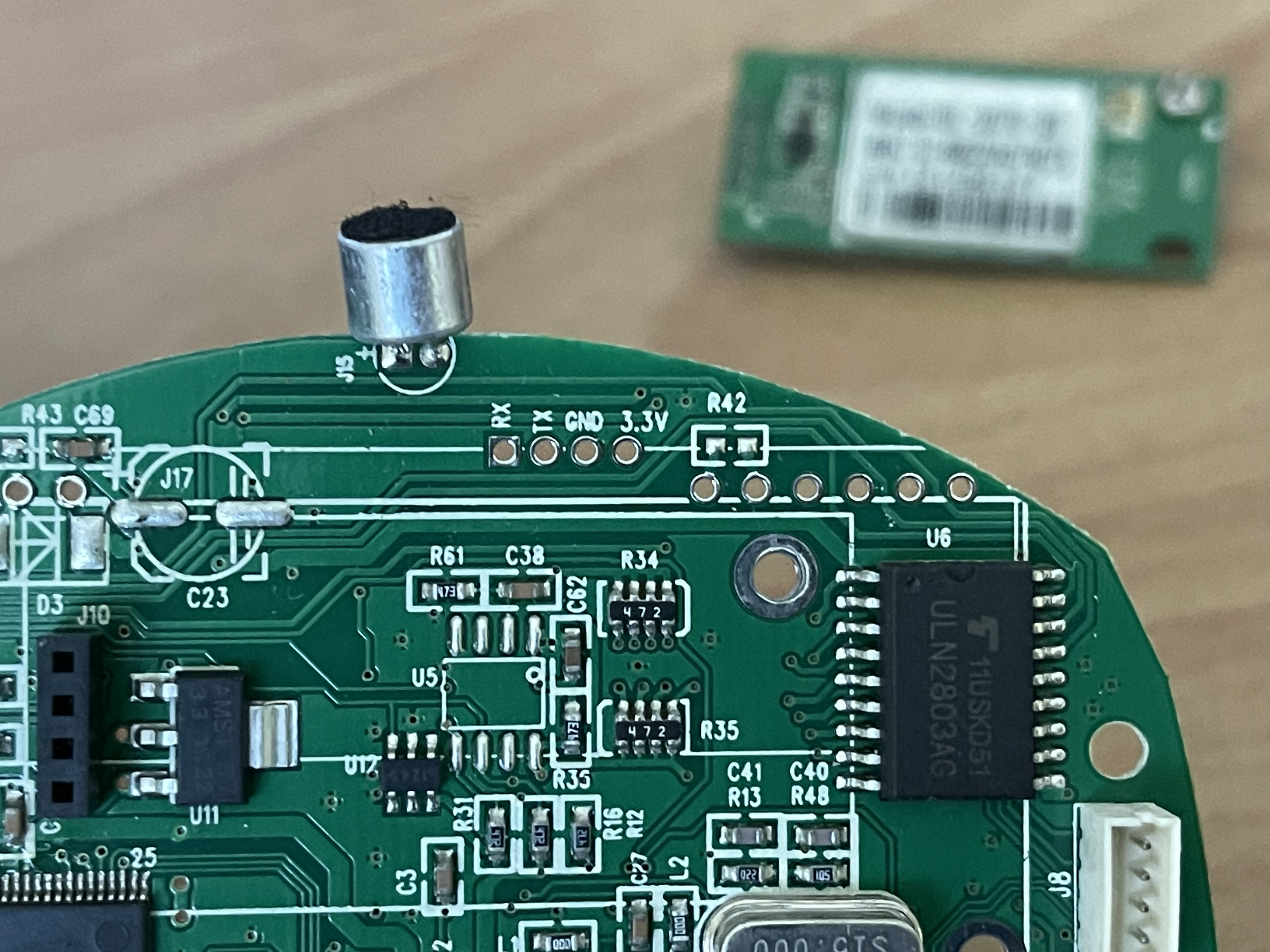
<p>PS: Das Auto wurde für die Bilder extra geputzt.</p>]]></content>
  </entry>
  
  <entry>
    <title>2nd</title>
    <link href="https://do3eet.pages.dev/post/2nd/"/>
    <id>https://do3eet.pages.dev/post/2nd/</id>
    <updated>2023-11-16T19:29:29+01:00</updated>
    <published>2023-11-16T19:29:29+01:00</published>
    <content type="html"><![CDATA[<p>Heute war ich mal wieder mit dem PicoAPRS unterwegs. Ich nutze die Gelegenheit um hier das Einbinden von Bildern zu testen. Hier also das Bild meiner heutigen Antenne.</p>
<p><img src="PXL_20231116_160815841.NIGHT.jpg?fit=800x600" alt="Antenne auf dem Turm"></p>
]]></content>
  </entry>
  
  <entry>
    <title>First</title>
    <link href="https://do3eet.pages.dev/post/first/"/>
    <id>https://do3eet.pages.dev/post/first/</id>
    <updated>2023-11-12T19:37:06+01:00</updated>
    <published>2023-11-12T19:37:06+01:00</published>
    <content type="html"><![CDATA[<p>Hallo liebe Leser,</p>
<p>heute ist ein besonderer Tag für mich, denn ich starte ein neues Projekt, das mir schon lange im Kopf herumspukt: den Aufbau meiner eigenen Webseite. In diesem Blogbeitrag möchte ich euch nicht nur von meinem Vorhaben erzählen.</p>
<p>Der erste Schritt besteht darin, Hugo auf meinem Rechner zu installieren und die Grundstruktur meiner Webseite festzulegen. Dabei werde ich mich auch für ein passendes Theme entscheiden, das meinen Vorstellungen entspricht. <em>Wir sind nerdig im Terminal unterwegs.</em></p>
<p>Einen schönen &ldquo;Chat&rdquo; hatte ich auch. Ist zwar nicht live für die Website, aber ihr landet schnell bei mir.
{{- /* cactus.chat wurde leider abgeschaltet */ -}}</p>
<p>Wie immer sind die ersten Beträge eher für das Testing. Ich hoffe es wird hier aber auch bald guten Inhalt geben.</p>
<p>P.S.: Wenn ihr selbst Erfahrungen mit Hugo oder dem Erstellen von Webseiten habt, würde ich mich über eure Tipps und Kommentare freuen.
<em>sobald es hier eine Funktion dafür gibt</em></p>]]></content>
  </entry>
  
</feed>